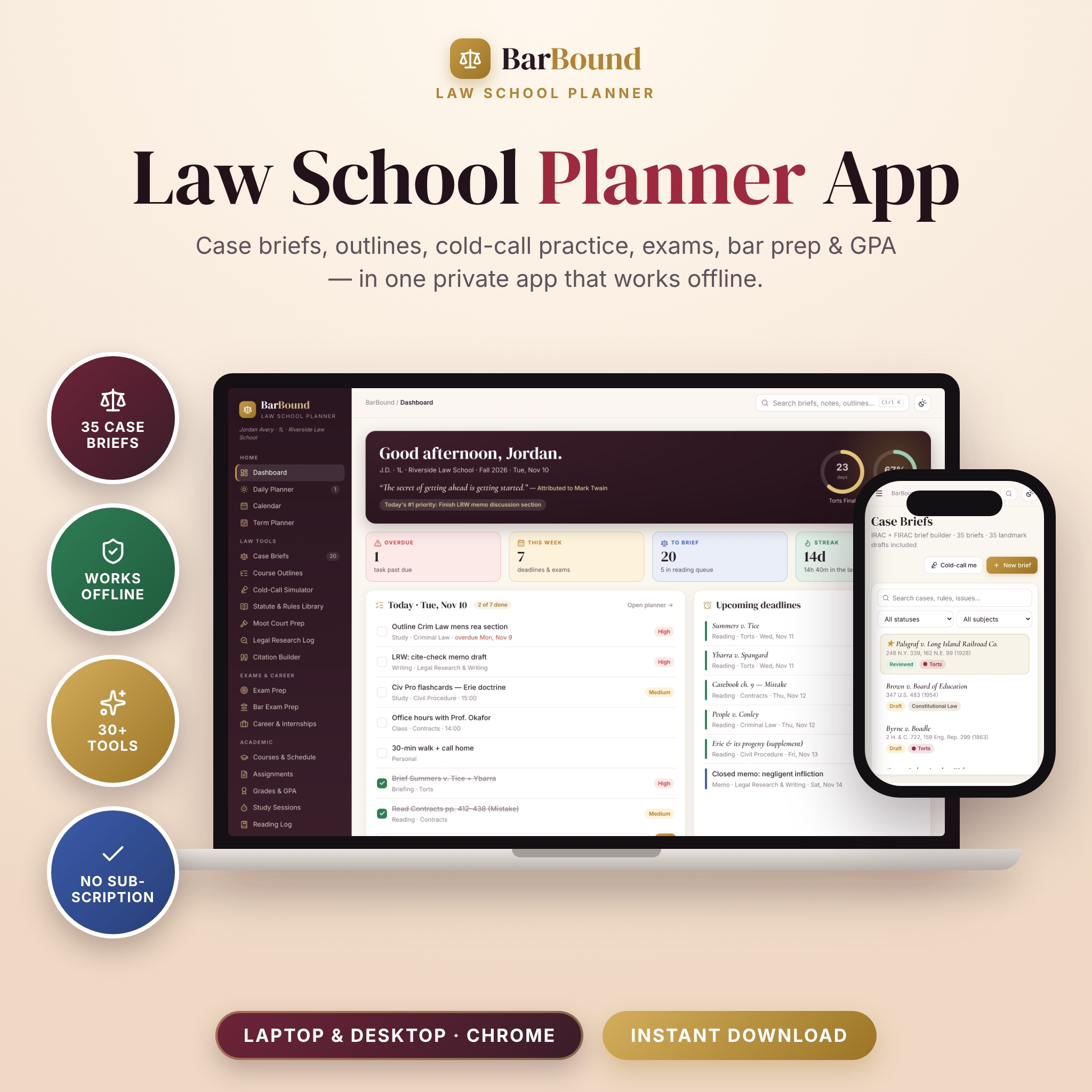

BarBound is a law school planner app that runs your entire legal education from one private dashboard. Brief cases in a color-coded IRAC builder, turn them into exam-ready outlines, practice cold calls, track every deadline and final, prepare for the bar exam and watch your GPA — all in a single file that opens in your web browser and works offline. No account, no subscription, no app store.
A law school planner built around how law students actually study
Most student planners are generic calendars with a scales-of-justice cover. BarBound is different: every page was designed for the 1L-to-bar-exam workflow. Read and brief before class, get called on, outline weekly, take practice exams, apply for summer jobs and keep yourself well along the way. Each tool feeds the others, so a brief you write in September becomes a flashcard, an outline entry and a cold-call question in December.
Law tools
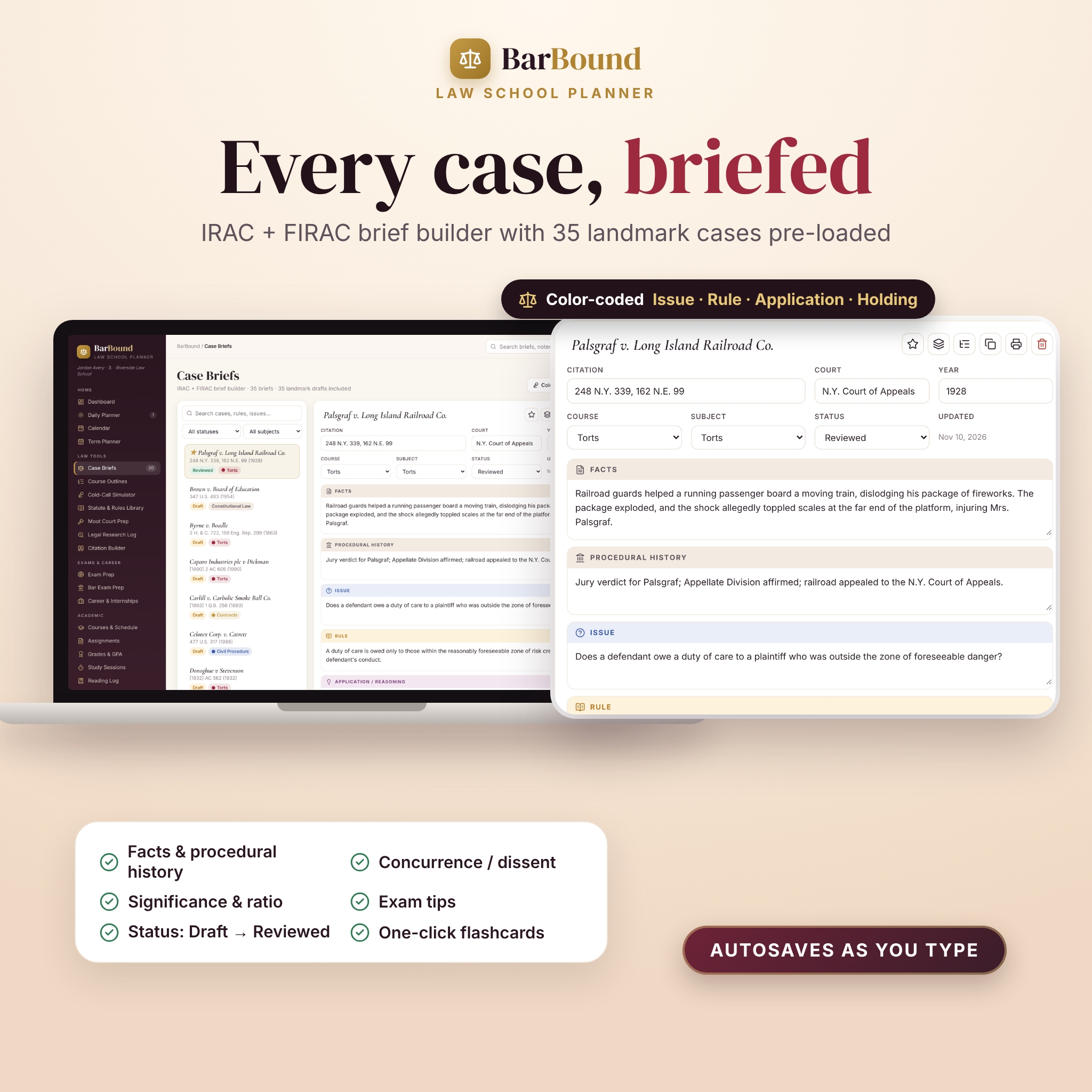
- Case Brief Builder — Facts, Procedural History, Issue, Rule, Application, Holding, Concurrence/Dissent, Significance, Exam Tip and your own notes, color-coded and saved as you type. 35 landmark cases are pre-loaded as starter drafts, including Palsgraf, Hadley v. Baxendale, International Shoe, Erie, Marbury and Miranda.
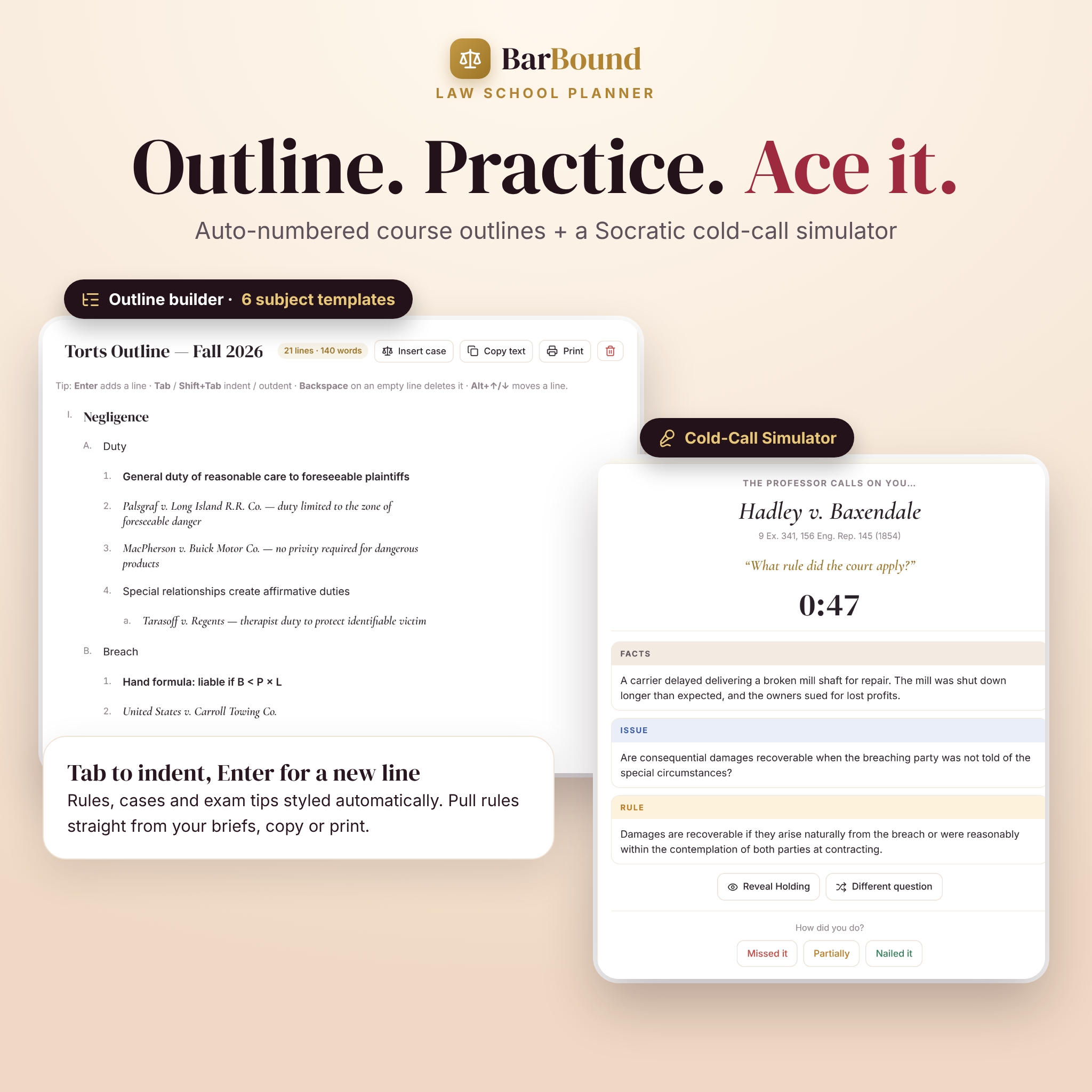
- Course Outline Builder — automatic I. / A. / 1. / a. numbering, Tab to indent, rule, case and exam-tip styling, six subject templates (Torts, Contracts, Civ Pro, Property, Crim, Con Law) and one-click case insertion from your briefs.
- Cold-Call Simulator — a random case and a Socratic question with a timer; reveal the brief section by section, rate yourself and see which cases need review.
- Statute & Rules Library — 13 core provisions pre-loaded (28 U.S.C. §§ 1331, 1332 and 1367, FRCP 12(b) and 56, FRE 403 and 801, UCC §§ 2-201 and 2-207, Restatement § 90, MPC § 2.02 and more) with linked cases.
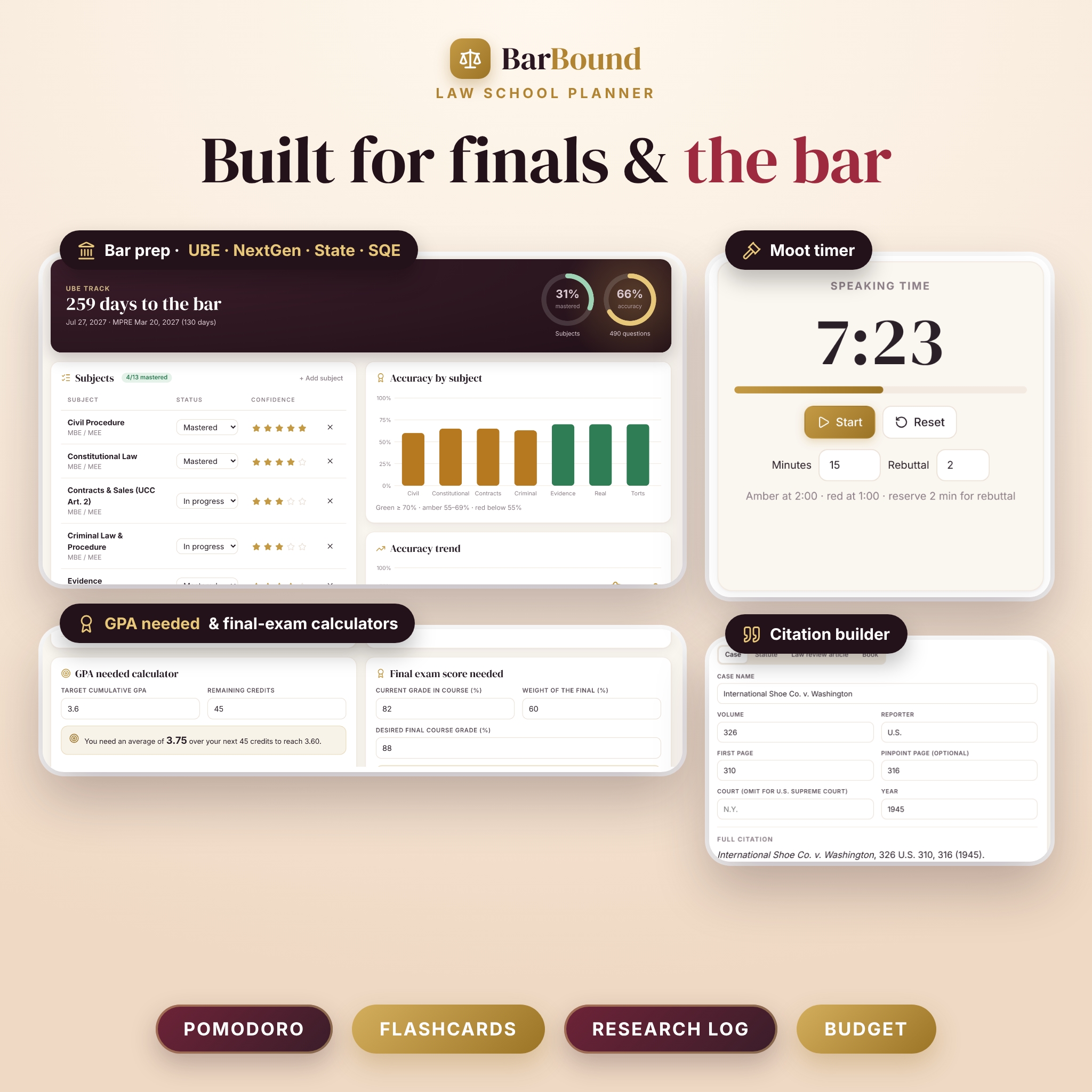
- Moot Court Prep — grounds, authorities, a speaking timer that turns amber and red, and a 30-question bench bank with a random drill.
- Legal Research Log and Citation Builder for cases, statutes, law review articles and books, with short forms.
Exams, bar prep and career
- Exam Prep — countdown cards for every final with topic checklists (Not started → In progress → Mastered) and a practice-exam score chart.
- Bar Exam Prep — choose UBE, NextGen, State / Other or SQE; track subject mastery and confidence, log practice questions and see accuracy by subject and over time, with bar exam and MPRE countdowns.
- Career & Internships — an application pipeline for summer associate roles, clerkships and externships, plus placements, networking contacts and events.
Academic planning
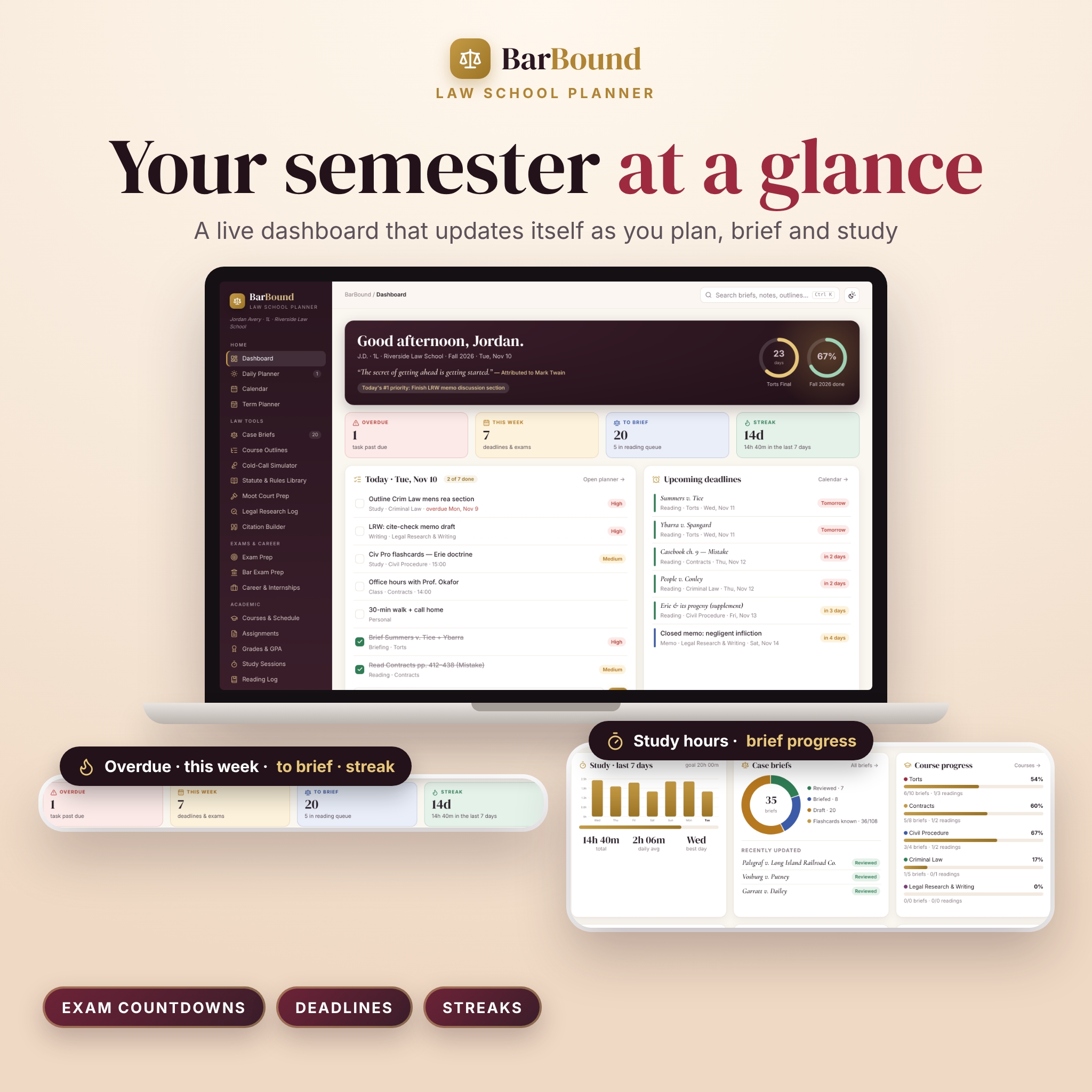
- Dashboard with exam countdown rings, overdue and this-week counts, today’s tasks, upcoming deadlines, 7-day study chart, brief progress, course progress, mood trend and exam readiness.
- Daily Planner (top 3 priorities, hourly schedule with your classes, hydration and mood check-in), Calendar (month and week), and a week-by-week Term Planner.
- Courses & timetable, Assignments with word-count progress, and a Reading Log queue.
- Grades & GPA — credit-weighted GPA, cumulative history, a GPA-needed calculator and a final-exam-score-needed calculator.
- Study Sessions — a Pomodoro timer that logs focus blocks automatically, with charts by day and by course.
- Flashcards — 68 Latin maxims and 40 legal terms pre-loaded, tap-to-flip study, Know / Still learning tracking and a deck generated from your briefs.
- Notes with full-text search, tags and case-name formatting, plus search across the whole app with Ctrl/⌘ + K.
Wellness and life
Habits with streaks, sleep log (hours calculate past midnight), mood and self-care check-ins that show what helps, a journal with 32 law-student prompts and sealed letters to your future self, goals with milestones, a vision board, study groups and a Law School Budget for tuition, books, bar fees, loans and scholarships.
Why choose BarBound over other law student planners?
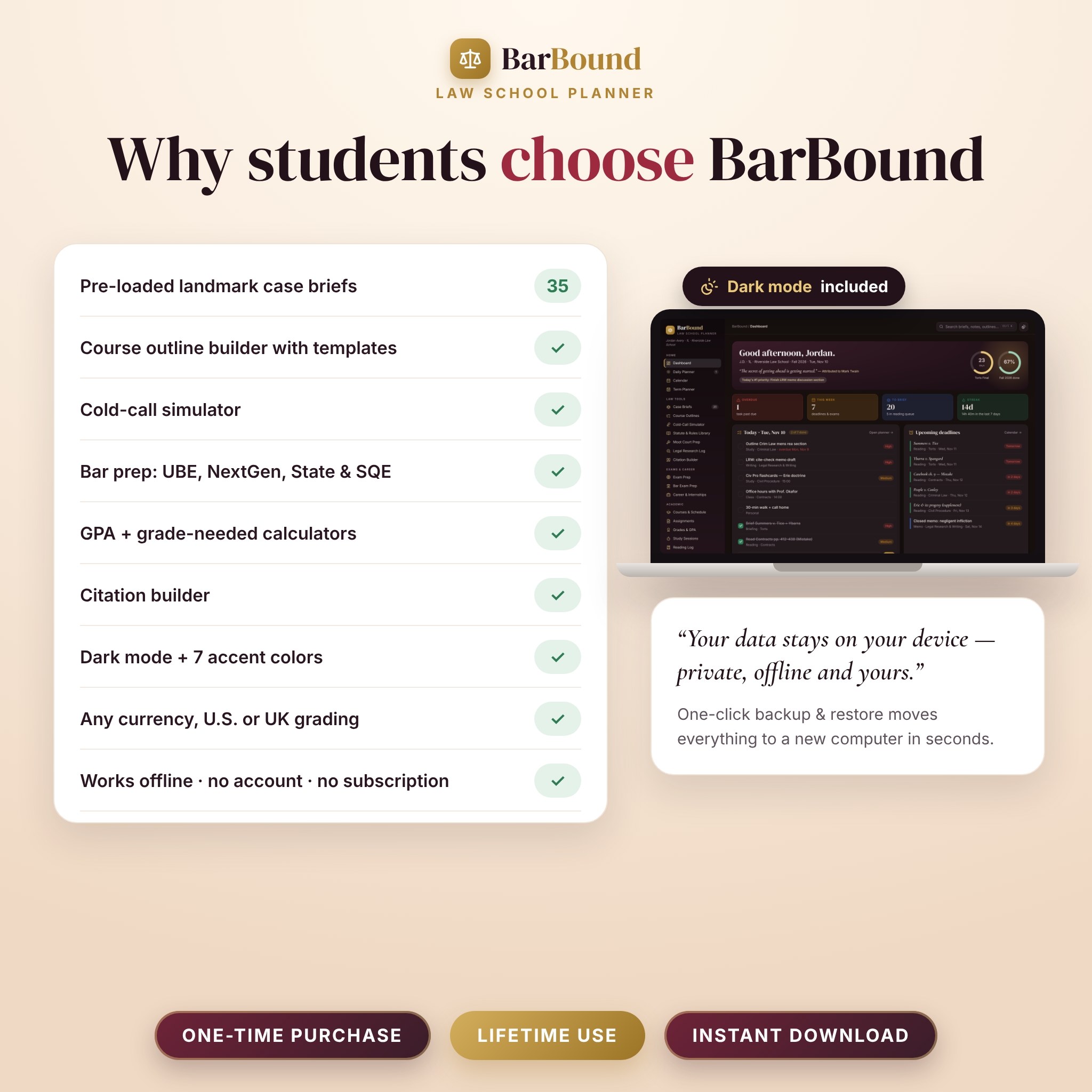
- More law-specific tools — outlines, cold-call practice, citation builder and bar prep for four exam tracks, not just case briefs.
- U.S.-first, internationally flexible — U.S. letter grades (A+ = 4.33 or 4.0) or percentage with UK classification, any currency symbol, and an SQE track.
- Beautiful and calm — oxblood-and-gold design, elegant italic case names, dark mode and seven accent colors.
- Private and safe — your data never leaves your device, with one-click backup and restore plus backup reminders.
How it works
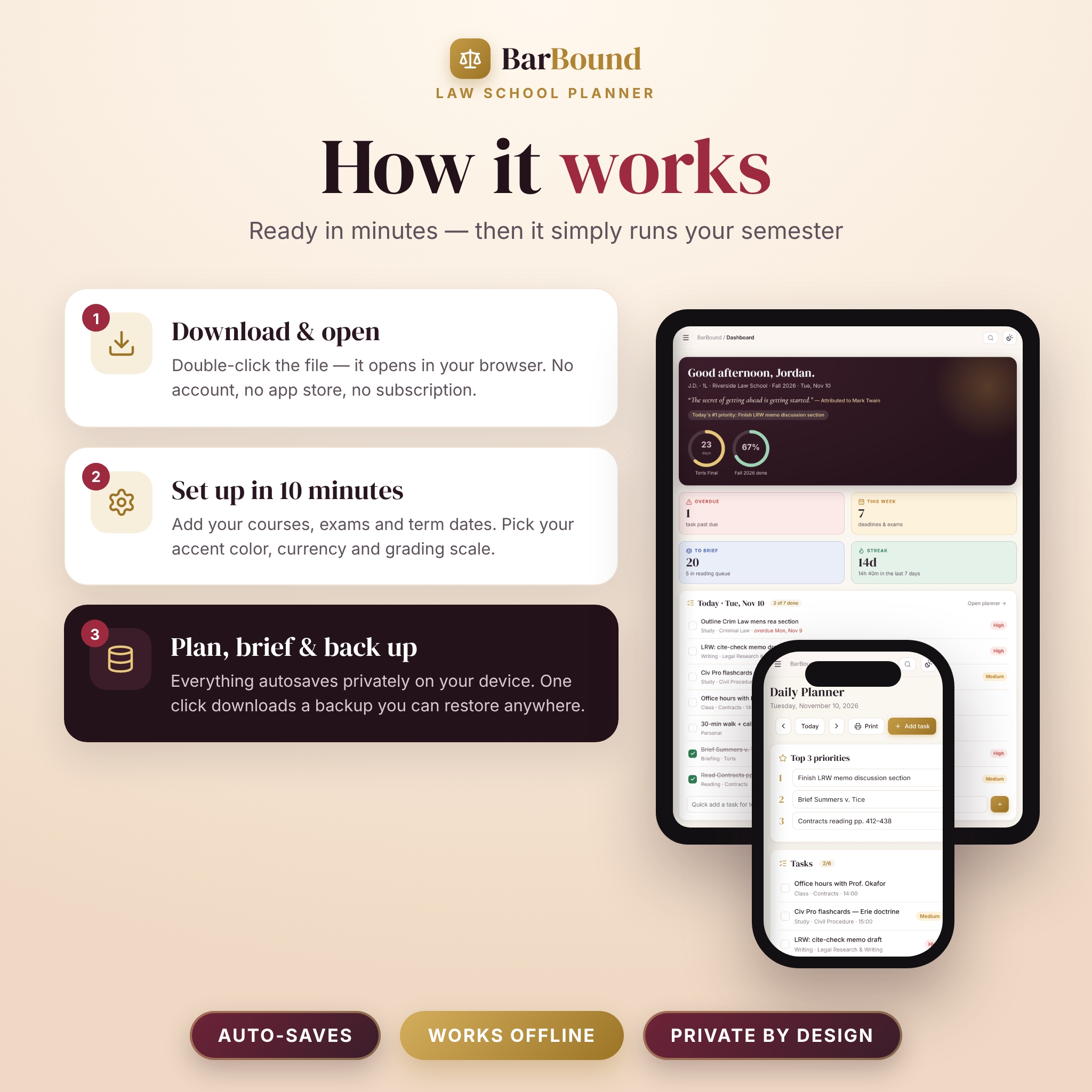
- Download your files after checkout.
- Double-click BarBound-Law-School-Planner.html — it opens in your browser.
- Complete the one-minute welcome setup (name, school, term dates, currency, grading scale).
- Add courses and exams, then start briefing. Everything saves automatically.
- Download a backup each week to keep your data safe or move it to another computer.
What’s included
- BarBound Law School Planner app (single HTML file)
- BarBound User Guide (Word .docx) — every page explained, customization, troubleshooting and FAQ
- Quick Start Guide — printable PDF in US Letter and A4
File format and requirements
Digital download. The app is one HTML file that runs in your web browser with no installation and no internet connection needed after download. Tested in Google Chrome on a laptop or desktop; it also runs in Microsoft Edge. The layout adapts to smaller windows, but BarBound is designed for laptop and desktop use. Data is stored in your browser on that device; use Backup & Restore to move it.
Customization
Choose an accent color (Gold, Burgundy, Sage, Navy, Plum, Teal or Rose), light or dark mode, Monday or Sunday week start, grading scale, currency symbol and position, Pomodoro lengths and your daily study goal. Add your own briefs, statutes, flashcard decks, bar subjects and bench questions.
Use cases
- A 1L briefing three cases a night who needs cold-call confidence and organized outlines by Thanksgiving.
- A 2L juggling journal, moot court and summer associate applications.
- A 3L or recent graduate tracking MBE accuracy by subject before the bar exam.
- An LL.M. or international student who needs a percentage scale, their own currency and an SQE track.
- A study group dividing outline sections and tracking topics covered.
FAQ
Is this a subscription?
No. It’s a one-time purchase with no account and no recurring fees.
Does the law school planner work offline?
Yes. Once downloaded, BarBound runs fully offline in your browser.
Is my data private?
Yes. Nothing is uploaded; your entries stay in your browser on your device.
Can I use it on an iPad or phone?
BarBound is built and tested for laptop and desktop browsers. The layout adapts to smaller screens, but some mobile file-preview apps can’t run interactive pages.
Are the case briefs complete?
They are concise starter drafts for study. Always read the full opinion assigned in your casebook.
Does it work for the UBE and NextGen bar exam?
Yes — both tracks are built in, plus State / Other and the SQE, and you can edit the subject list.
Can I move my data to a new laptop?
Yes. Download a backup file and restore it on the new computer in seconds.
License
© 2026 Taskdale. For one person’s personal, non-commercial use. Please don’t resell, share or redistribute the files. Case and statute summaries are study aids, not legal advice. Fonts are licensed under the SIL Open Font License and icons under the ISC License, both approved for commercial use.
Reviews
There are no reviews yet.