A budget planner fillable PDF that does the math for you
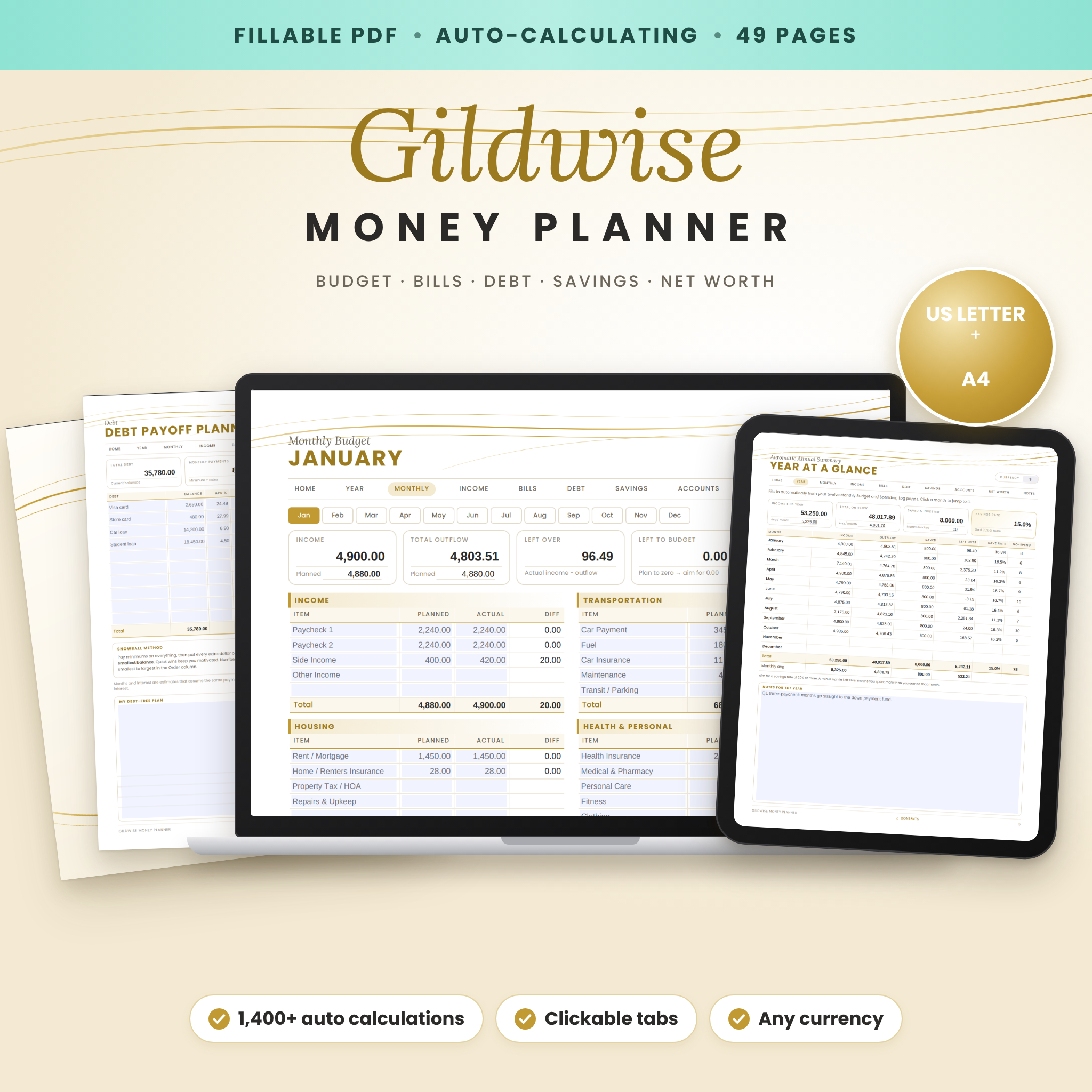
The Gildwise Money Planner is an elegant, gold-accent budget planner fillable PDF that brings your budget, spending, bills, debt, savings and net worth into one calm place. Unlike printables where you add everything up by hand, Gildwise is auto-calculating: type your numbers once and every total, difference, balance and percentage updates on its own.
It is undated, works in any currency, and comes in both US Letter and A4, so you can start in any month, fill it in on your computer, or print the pages you love.
What this finance planner does
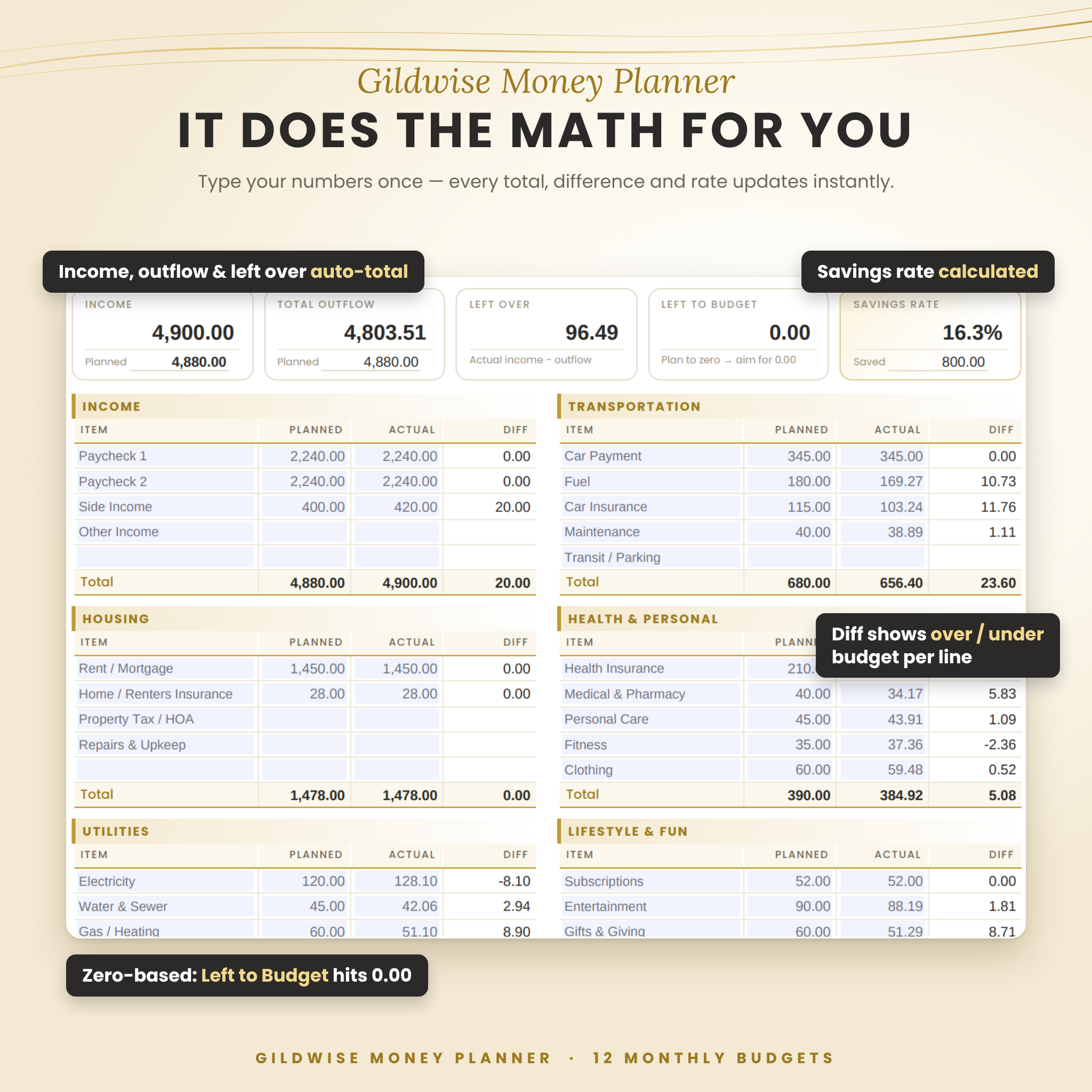
- Plans every month. Twelve Monthly Budget pages show planned vs actual for income and seven expense groups, with automatic totals, a per-line difference, your savings rate and a zero-based “Left to Budget” figure.
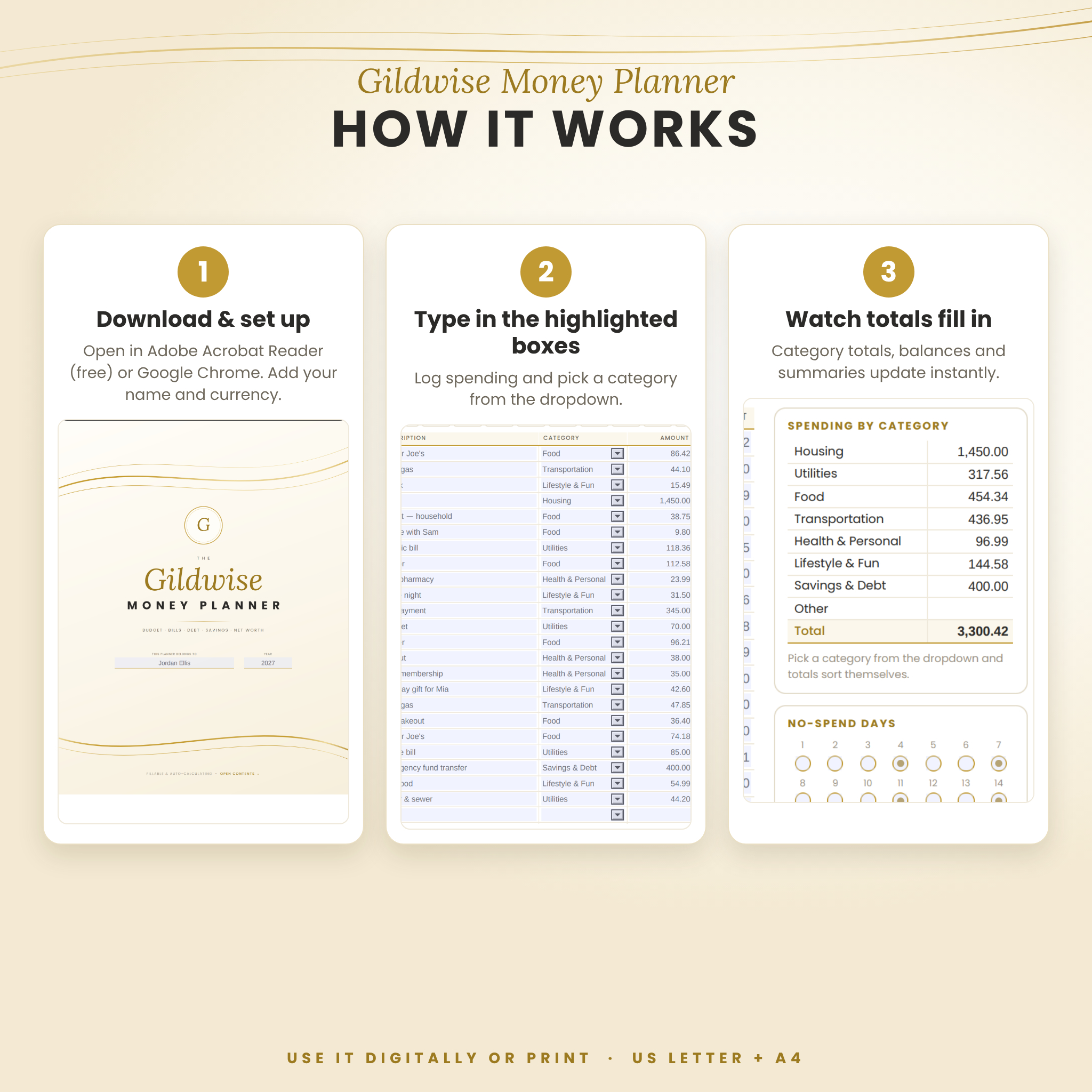
- Tracks spending without math. Twelve Spending Log pages let you choose a category from a dropdown; category totals and your total spent fill in automatically.
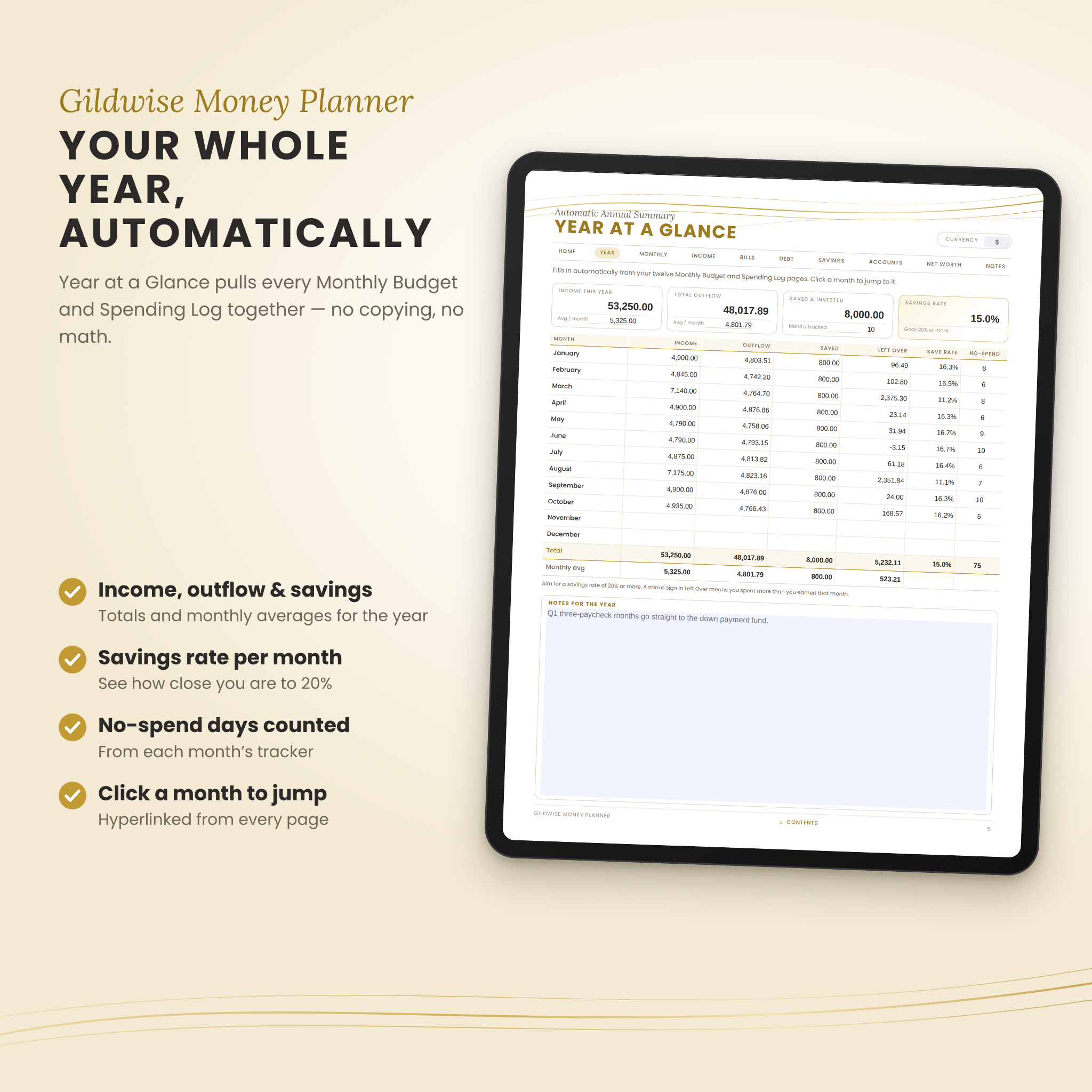
- Summarizes your year. Year at a Glance pulls income, outflow, savings, left over, savings rate and no-spend days from all twelve months, with yearly totals and monthly averages.
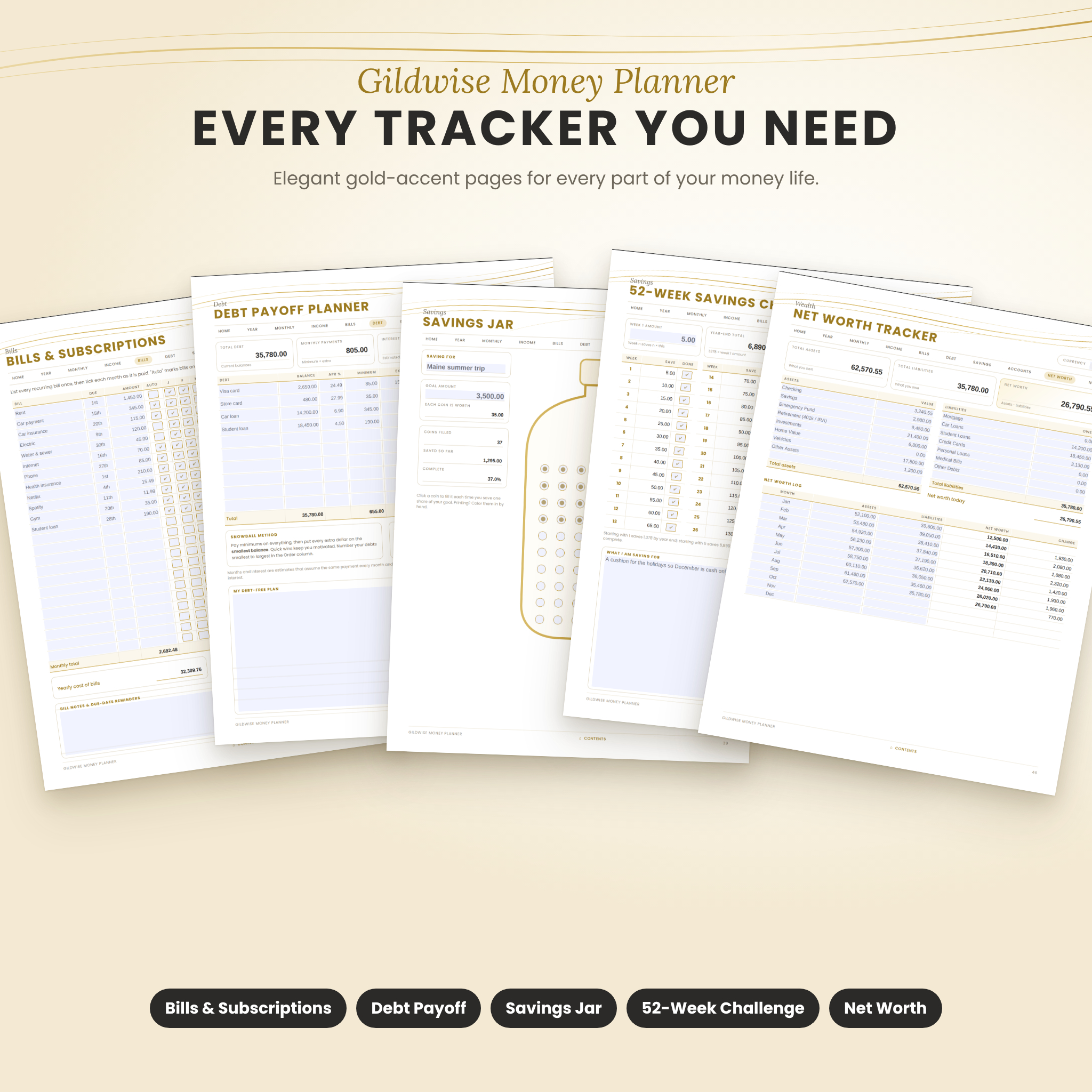
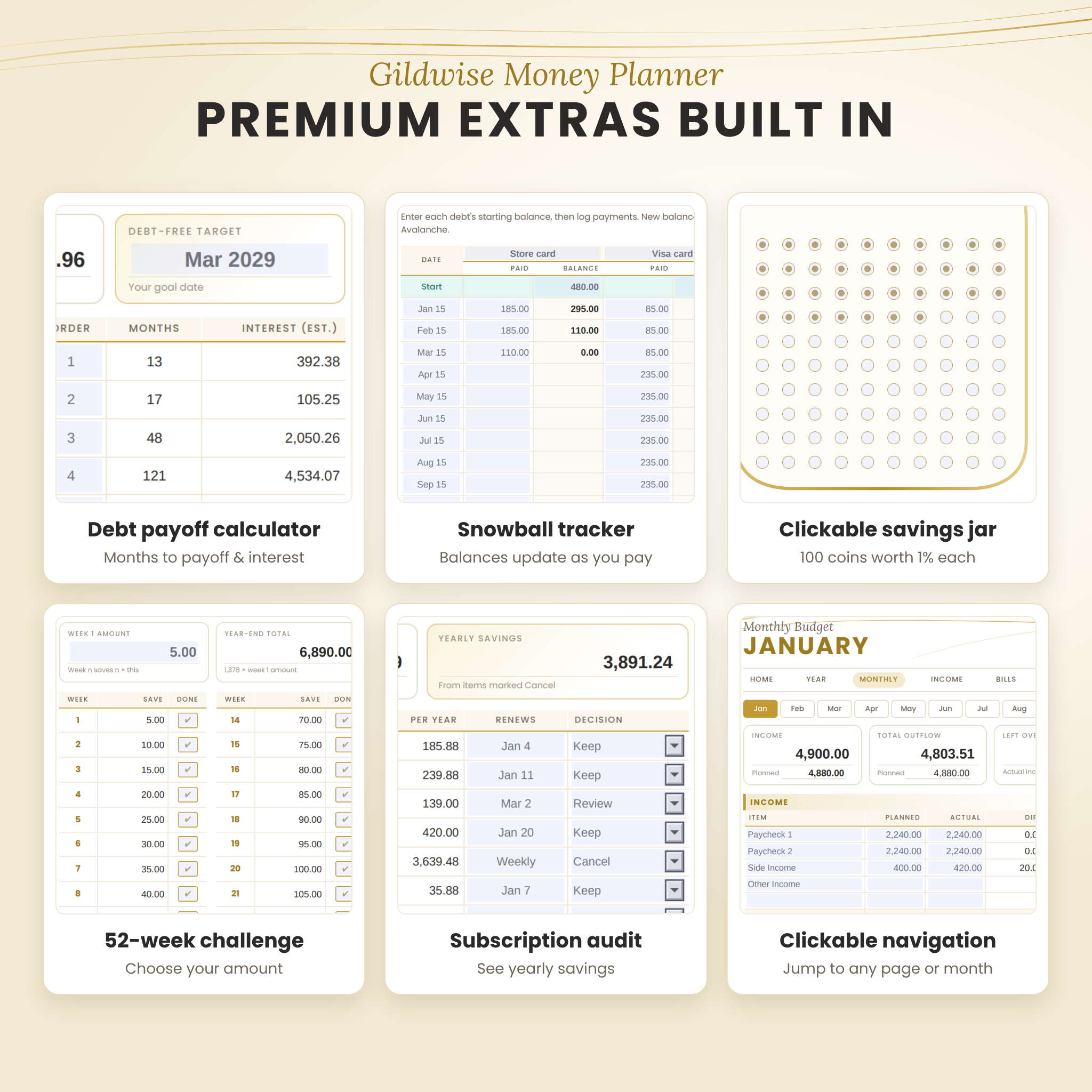
- Plans your debt payoff. The Debt Payoff Planner estimates how many months each debt will take and how much interest you will pay. The Debt Snowball Tracker updates balances and % paid as you log payments.
- Grows your savings. Goal trackers, a clickable Savings Jar, Emergency Fund calculator, Sinking Funds, a 52-Week Challenge and a No-Spend Challenge all calculate progress for you.
- Shows your net worth. List what you own and owe; net worth and the change from month to month are calculated.
Who it is for
- Beginners who want a simple, beautiful budgeting system
- Couples and families organizing household bills and goals
- Anyone paying off credit cards or loans with the snowball or avalanche method
- Savers building an emergency fund or saving for a trip, car or home
- People who prefer a clean digital planner to a complicated spreadsheet
Features of this auto-calculating budget planner
Smart calculations
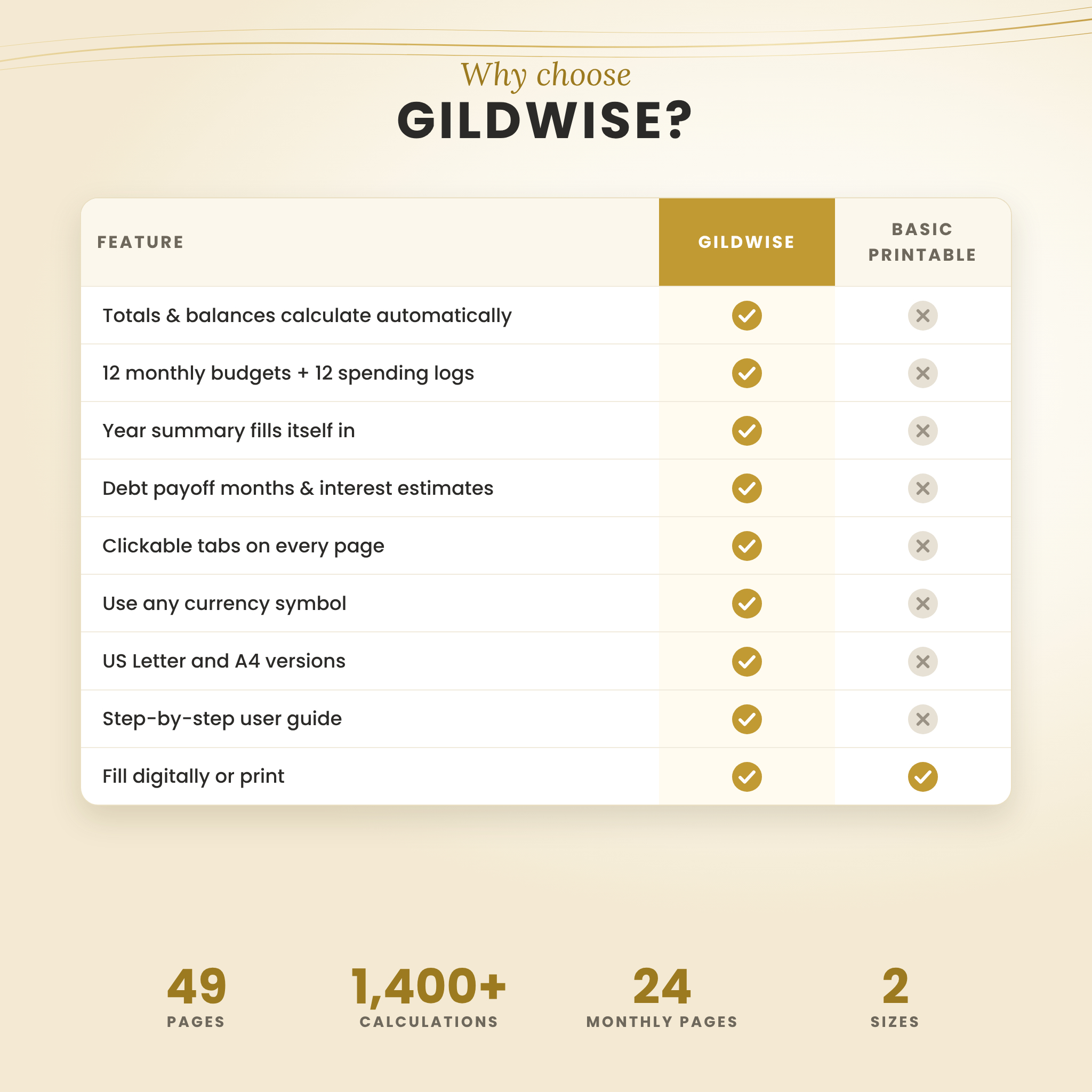
- 1,400+ automatic calculations across the planner
- Planned vs actual with a difference on every budget line
- Zero-based “Left to Budget” and automatic savings rate
- Spending by category from a dropdown on each log
- Debt payoff months and interest estimates (shows “Never” if a payment is too low)
- Running balances for savings, emergency fund, sinking funds and debt
- Credit card utilization per card and overall
- Subscription costs converted to yearly totals, with savings from canceling
Easy to use
- Clickable menu on every page, month-to-month buttons and a hyperlinked Contents page
- Highlighted fill-in boxes; calculated totals are locked so they cannot be overwritten
- Editable category names and blank lines for your own items
- One currency setting that appears on every money page
- Bookmarks panel for quick jumps in your PDF reader
Designed to impress
- Minimal white and gold design with elegant typography
- On-screen field highlight does not print, so printed pages stay clean
- US Letter and A4 versions included
What is included
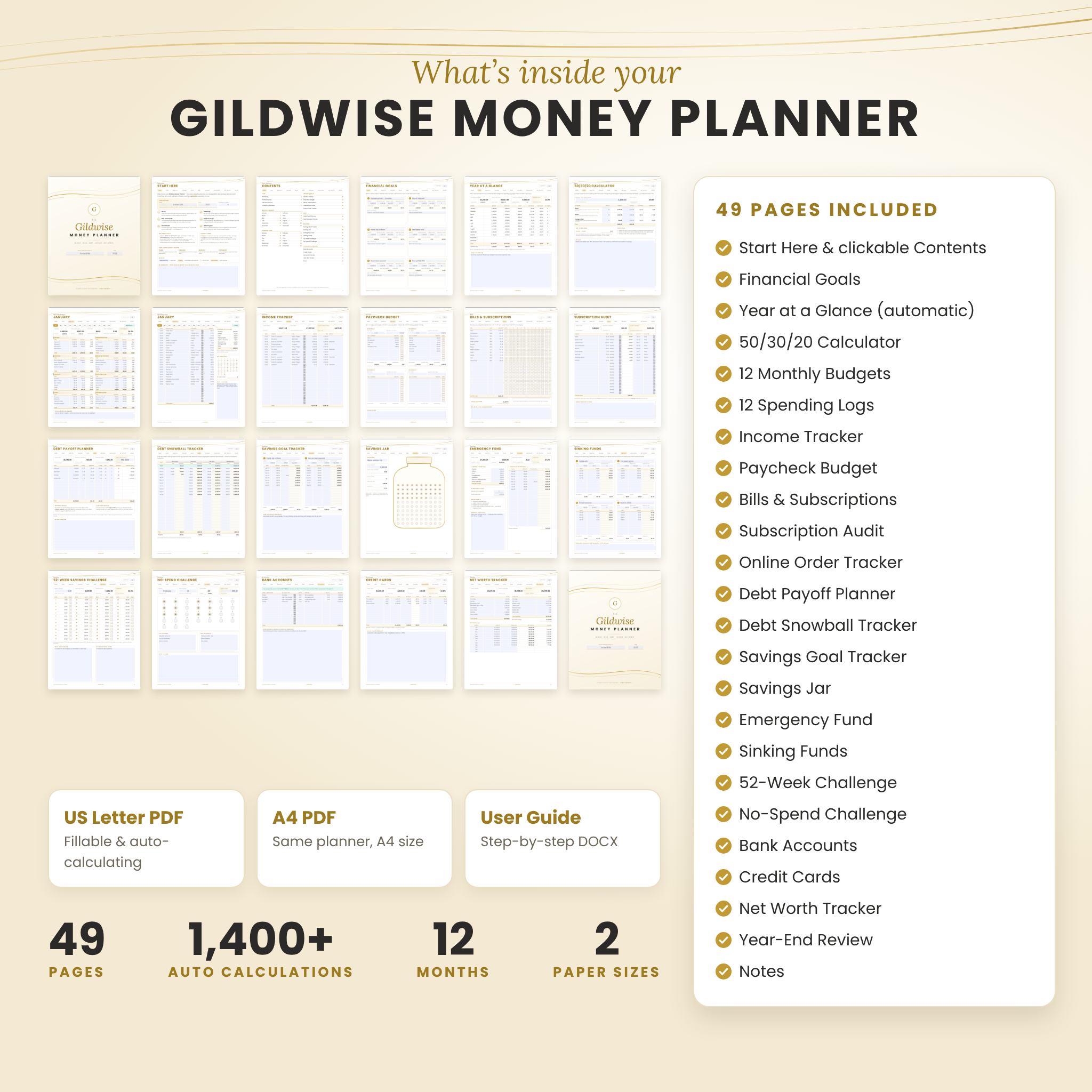
- Gildwise-Money-Planner-US-Letter.pdf (49 pages, 8.5 × 11 in)
- Gildwise-Money-Planner-A4.pdf (49 pages, 210 × 297 mm)
- Gildwise-Money-Planner-User-Guide.docx with setup steps, feature walkthroughs, troubleshooting and FAQ
Pages: Start Here, Contents, Financial Goals, Year at a Glance, 50/30/20 Calculator, 12 Monthly Budgets, 12 Spending Logs, Income Tracker, Paycheck Budget, Bills & Subscriptions Tracker, Subscription Audit, Online Order Tracker, Debt Payoff Planner, Debt Snowball Tracker, Savings Goal Tracker, Savings Jar, Emergency Fund, Sinking Funds, 52-Week Savings Challenge, No-Spend Challenge, Bank Accounts, Credit Cards, Net Worth Tracker, Year-End Review and 2 Notes pages.
How it works
- Download your files after purchase.
- Open the PDF in Google Chrome or Adobe Acrobat Reader (free).
- Add your name, year and currency symbol on the Start Here page.
- Type into the highlighted boxes. Totals and summaries update as soon as you move to the next box.
- Save your file (Ctrl/Cmd + S) and keep a backup copy.
Prefer paper? Print any page at Actual size and fill it in by hand.
File formats and software requirements
- Fillable PDF (AcroForm) with built-in calculation scripts
- Automatic calculations tested in Google Chrome’s built-in PDF viewer; built with standard Adobe Acrobat form scripts, so Adobe Acrobat Reader (free) is the recommended app
- Apps that do not run PDF form scripts (for example Apple Preview, GoodNotes or Notability) let you view, type or write by hand, but will not calculate
- User guide in DOCX format (Microsoft Word, Google Docs, Pages or LibreOffice)
Customization
Rename any budget category, debt, fund or goal. Change the 50/30/20 split to any percentages you like. Set any currency symbol. The layout and calculations are fixed so nothing breaks while you type.
Digital download
This is an instant digital download. No physical item will be shipped. Colors may vary slightly between screens and printers.
Use cases
- Setting a zero-based budget on payday and tracking it through the month
- Paying off two credit cards and a car loan with the snowball method
- Building a six-month emergency fund and seeing how many months you are covered
- Saving for a family vacation with a sinking fund and the clickable Savings Jar
- Running a subscription audit and a no-spend month to free up cash
- Tracking net worth monthly for a year-end review
FAQ
Does this budget planner calculate automatically?
Yes. More than 1,400 totals, balances and percentages calculate when you open the PDF in Google Chrome or Adobe Acrobat Reader.
Is the planner dated?
No. It is undated, so you can start in any month of any year.
Can I use my own currency?
Yes. Type any symbol on the Start Here page and it shows on every money page. Amounts are plain numbers, so any currency works.
Can I print it?
Yes. Print any page from the US Letter or A4 file. The on-screen highlight on fill-in boxes does not print.
Will it work on an iPad or phone?
You can open and write in it on a tablet. For automatic calculations, use Google Chrome or Adobe Acrobat Reader; some mobile and note-taking apps do not run PDF calculations.
Does it work in GoodNotes or Notability?
You can import it to write by hand, but those apps do not run the automatic calculations.
Is my information private?
Yes. Everything you type stays inside your own file on your own device.
License
© Taskdale. For personal use only. You may print as many copies as you need for your own household. You may not share, resell or redistribute the files in any form.
Reviews
There are no reviews yet.