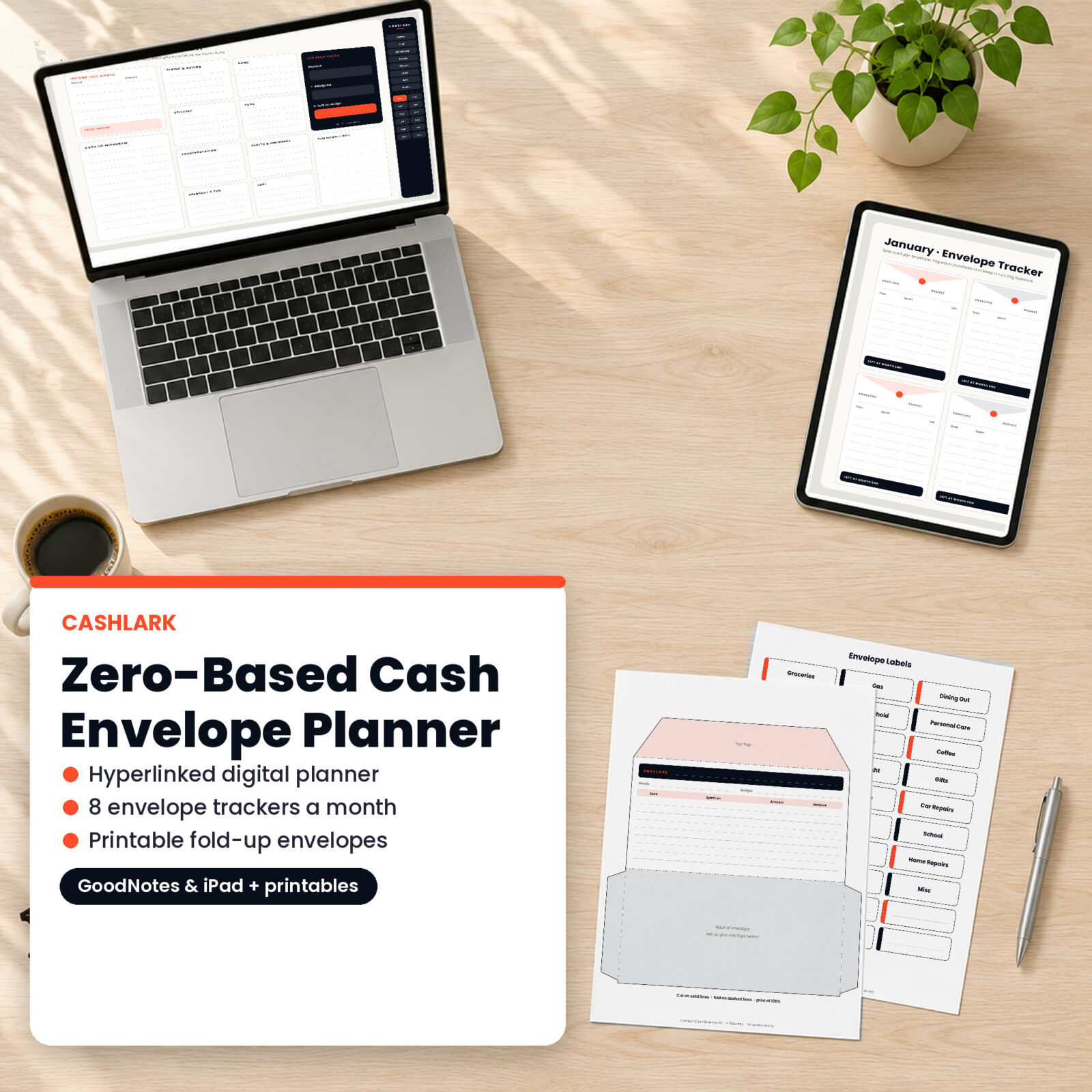
Zero-based budgeting and cash envelopes are two halves of the same idea. First you give every dollar a job. Then you put the dollars you spend in person into envelopes, so you physically cannot overspend. Cashlark is a zero-based budget planner that does both. The main file is a hyperlinked digital planner for your tablet, and the printable kit gives you the envelopes, tracker cards and labels to make cash stuffing work in real life.
How the system works
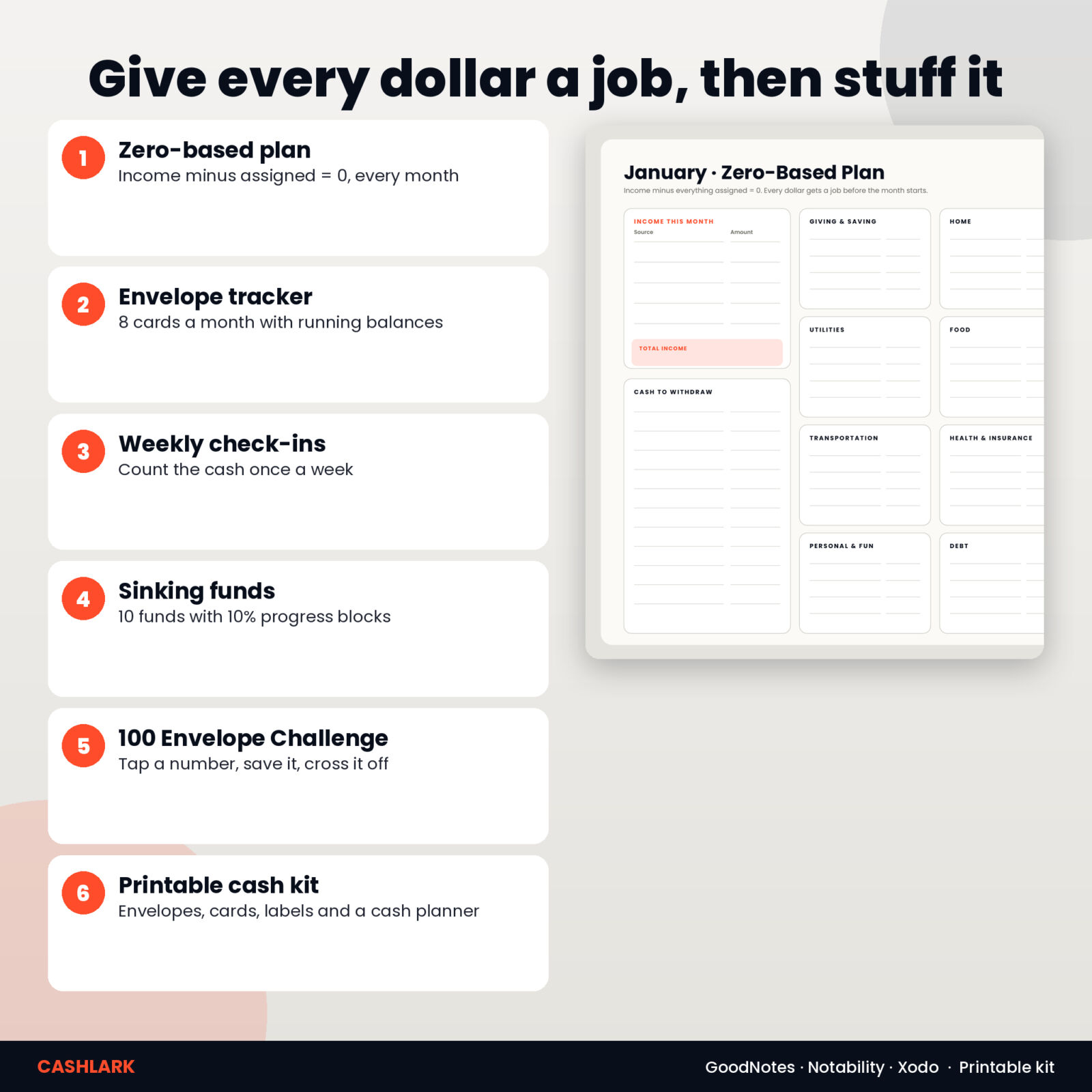
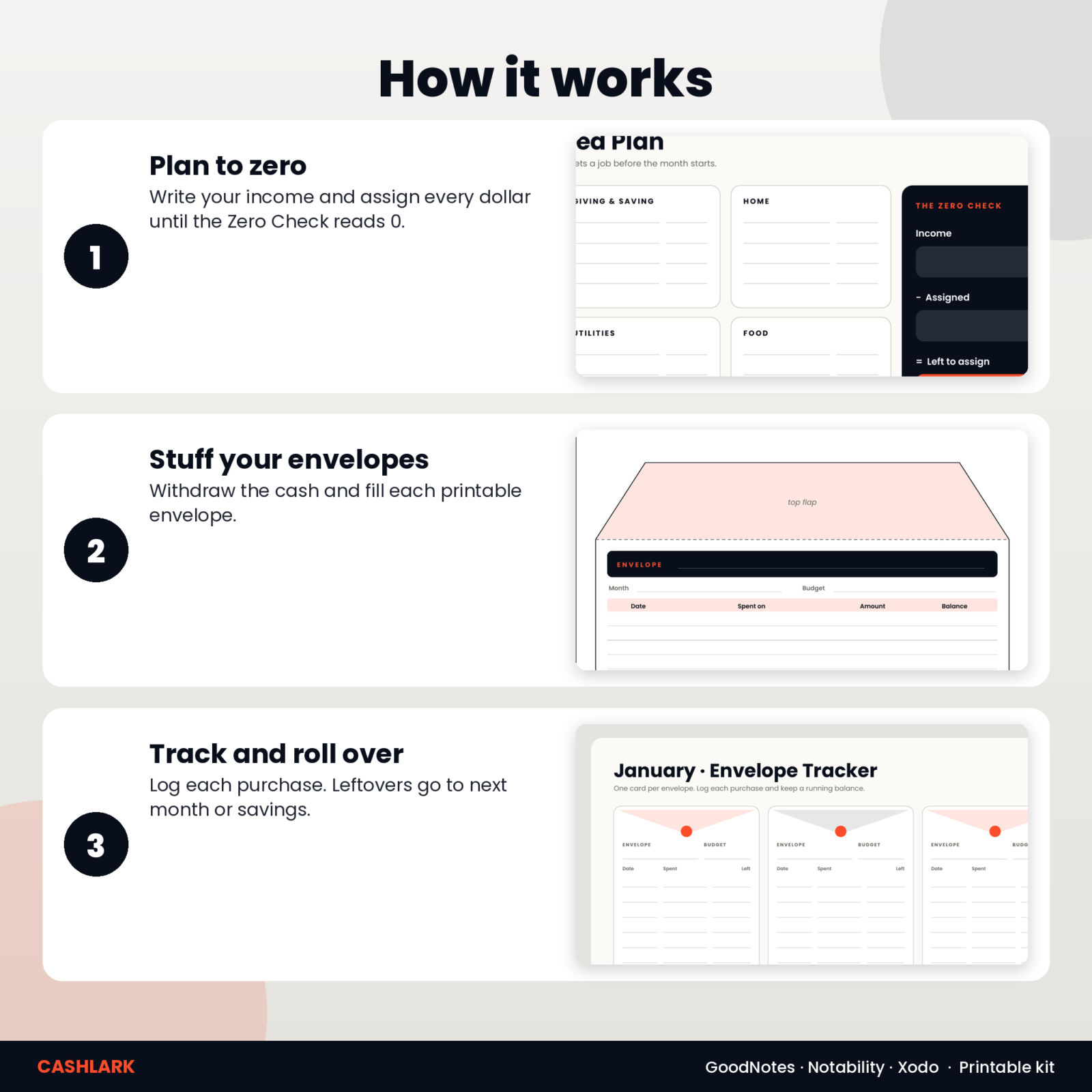
- Plan to zero. Write your income for the month, assign every dollar to a category, savings or debt, and fill in the Zero Check until “left to assign” reads 0.
- Stuff the envelopes. Withdraw the cash for your envelope categories and fill each printable envelope.
- Track and roll over. Log each purchase on the envelope tracker, count the cash weekly, and at month end decide where leftovers go.
The digital planner
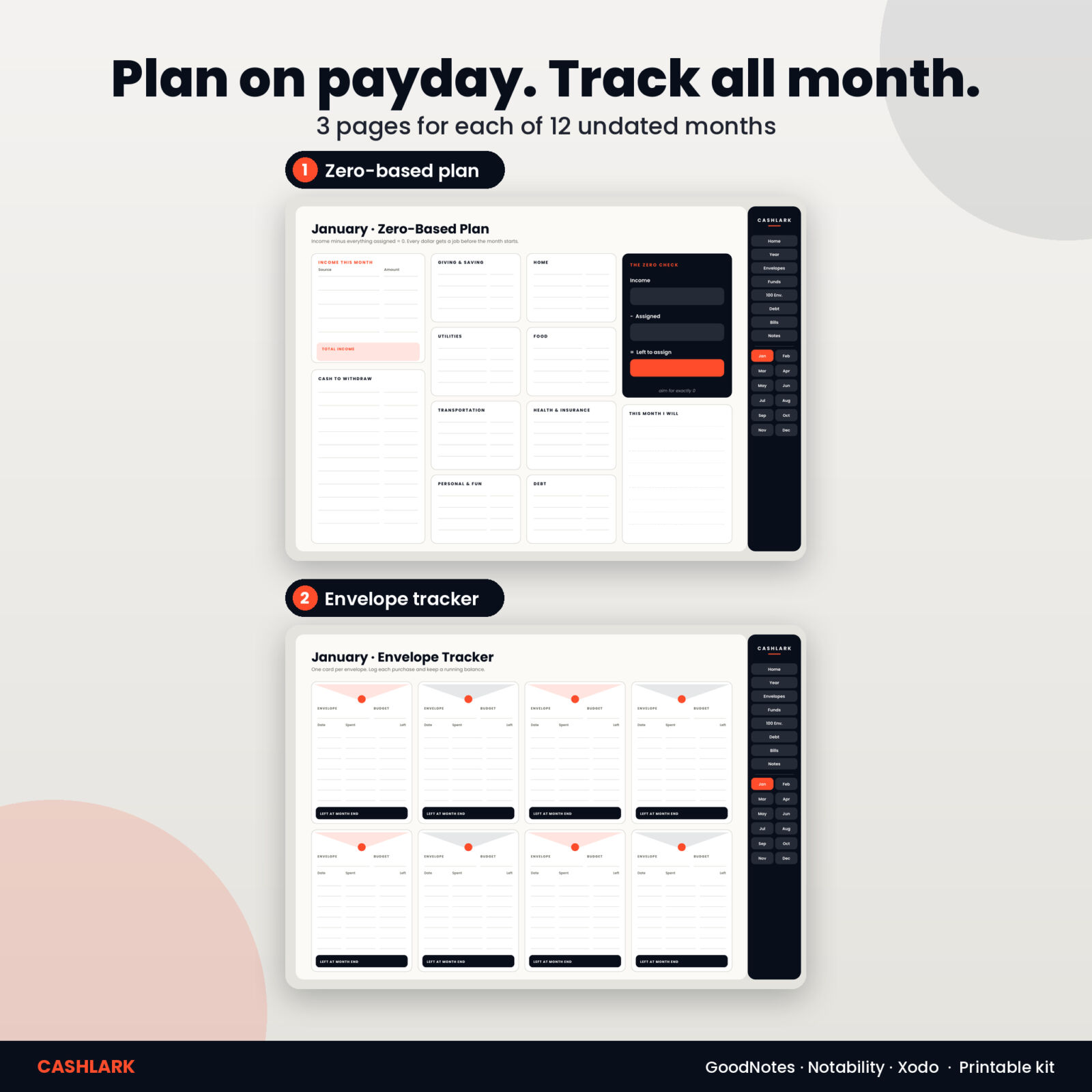
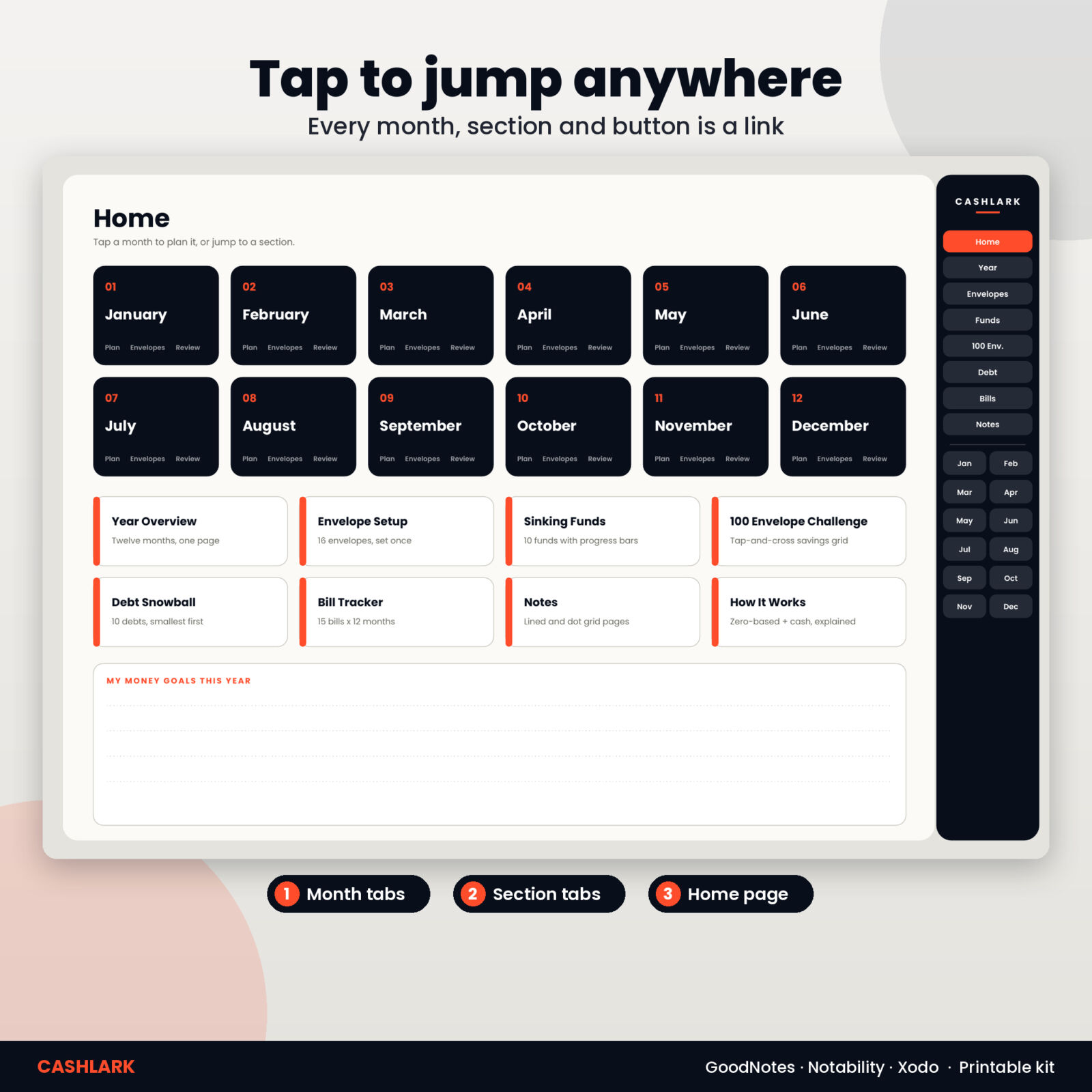
A 47-page landscape planner made for GoodNotes, Notability, Noteshelf, Xodo and similar apps on iPad and Android tablets. A dark sidebar on every page links to Home, Year, Envelopes, Funds, the 100 Envelope Challenge, Debt, Bills, Notes and all 12 months. Over 970 links in total, all checked.
Every month (12 undated months)
- Zero-Based Plan: income, cash to withdraw, eight category groups (Giving and saving, Home, Utilities, Food, Transportation, Health and insurance, Personal and fun, Debt) and the Zero Check
- Envelope Tracker: eight envelope cards with a budget, a running balance ledger and “left at month end”
- Weekly Check-ins and Review: five weekly cash counts, 31 no-spend days, where leftover cash goes, wins, changes and big costs coming up
Yearly pages
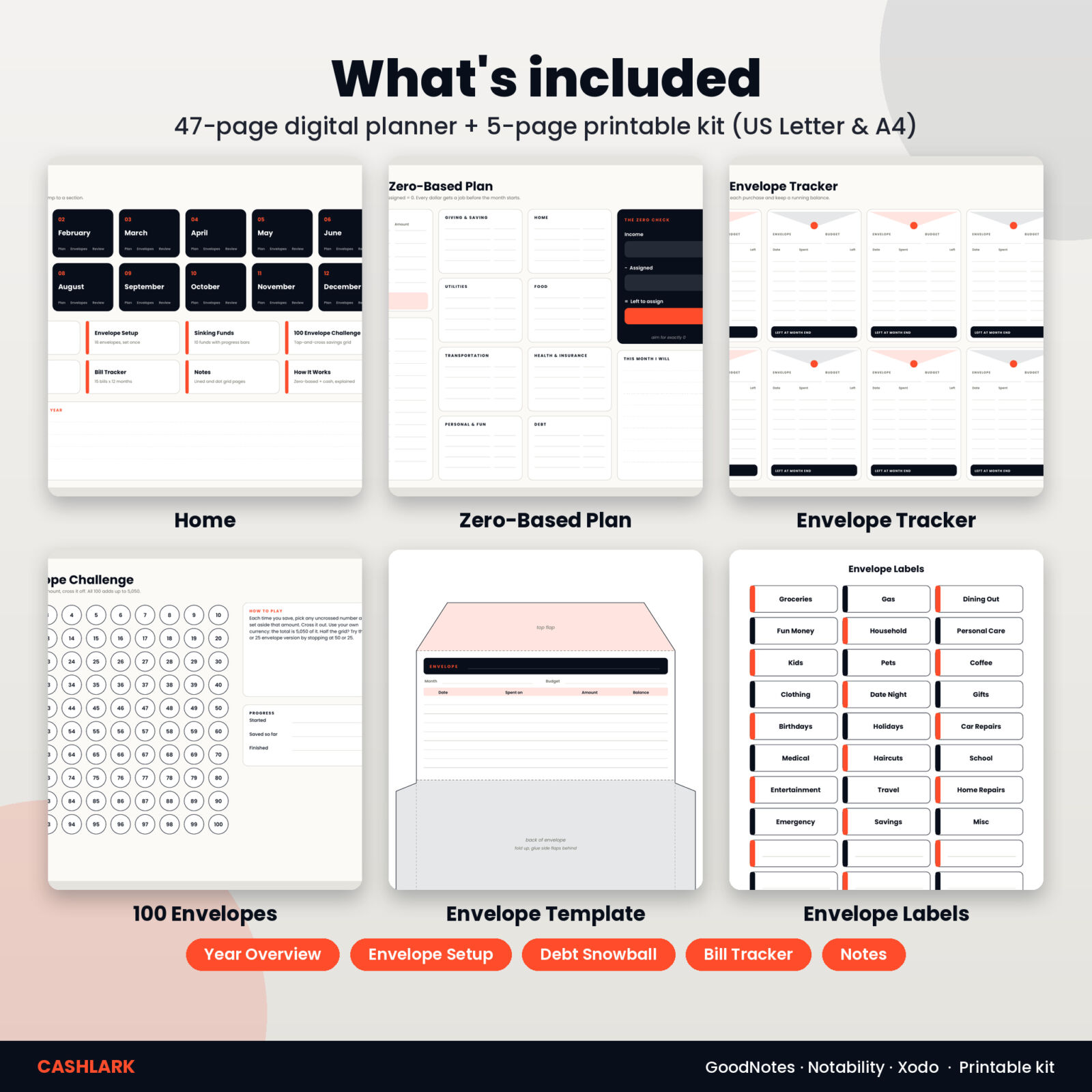
- Home page with month and section buttons, plus a money goals box
- How it works, explaining zero-based budgeting and cash envelopes
- Year Overview for income, assigned, cash used, saved, debt paid and leftover each month
- Envelope Setup for 16 envelopes with monthly and weekly amounts
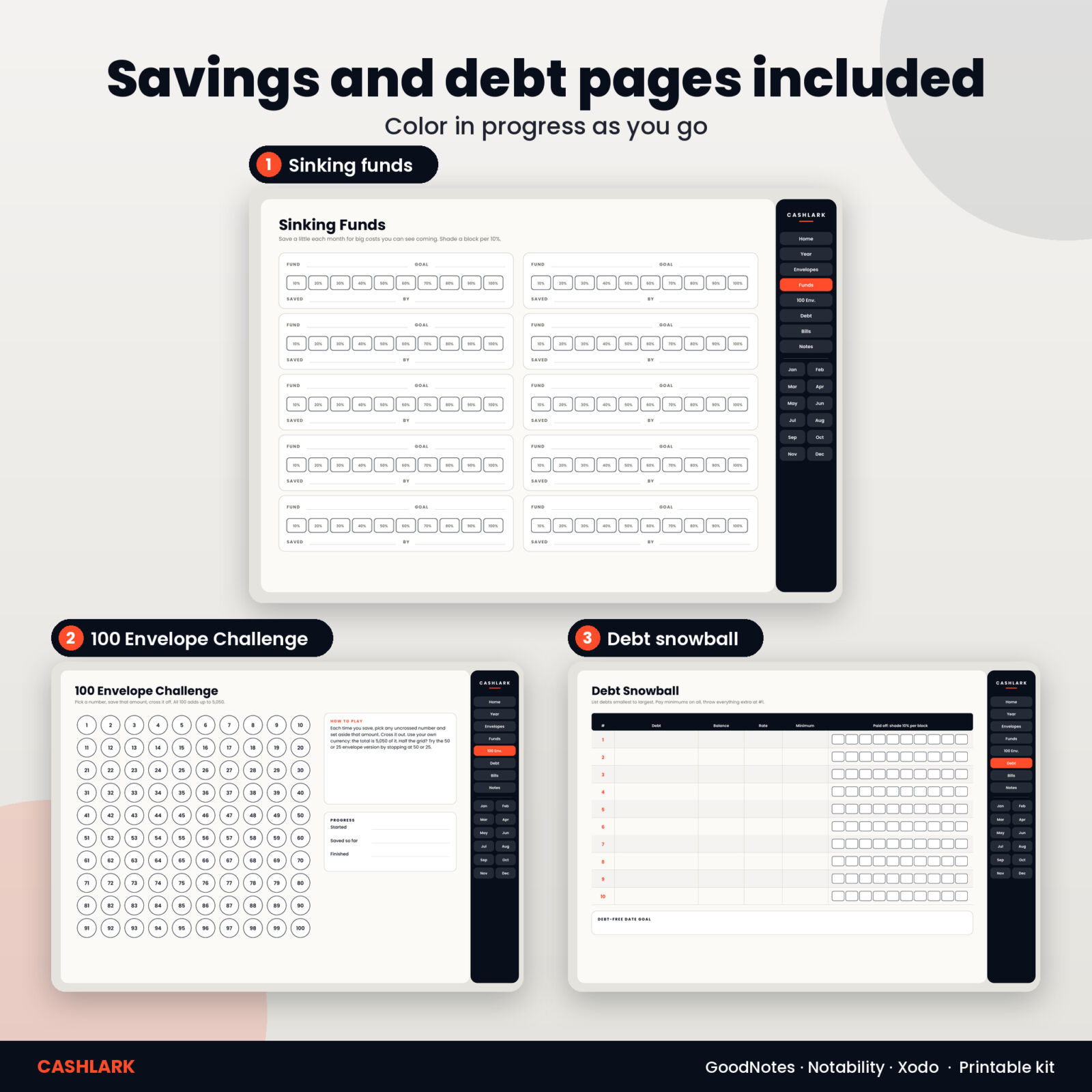
- Sinking Funds: 10 funds with 10% progress blocks
- 100 Envelope Challenge grid (the full challenge adds up to 5,050 in your currency)
- Debt Snowball for 10 debts with progress blocks
- Bill Tracker for 15 bills across 12 months
- Lined and dot grid notes pages
The printable cash envelope kit
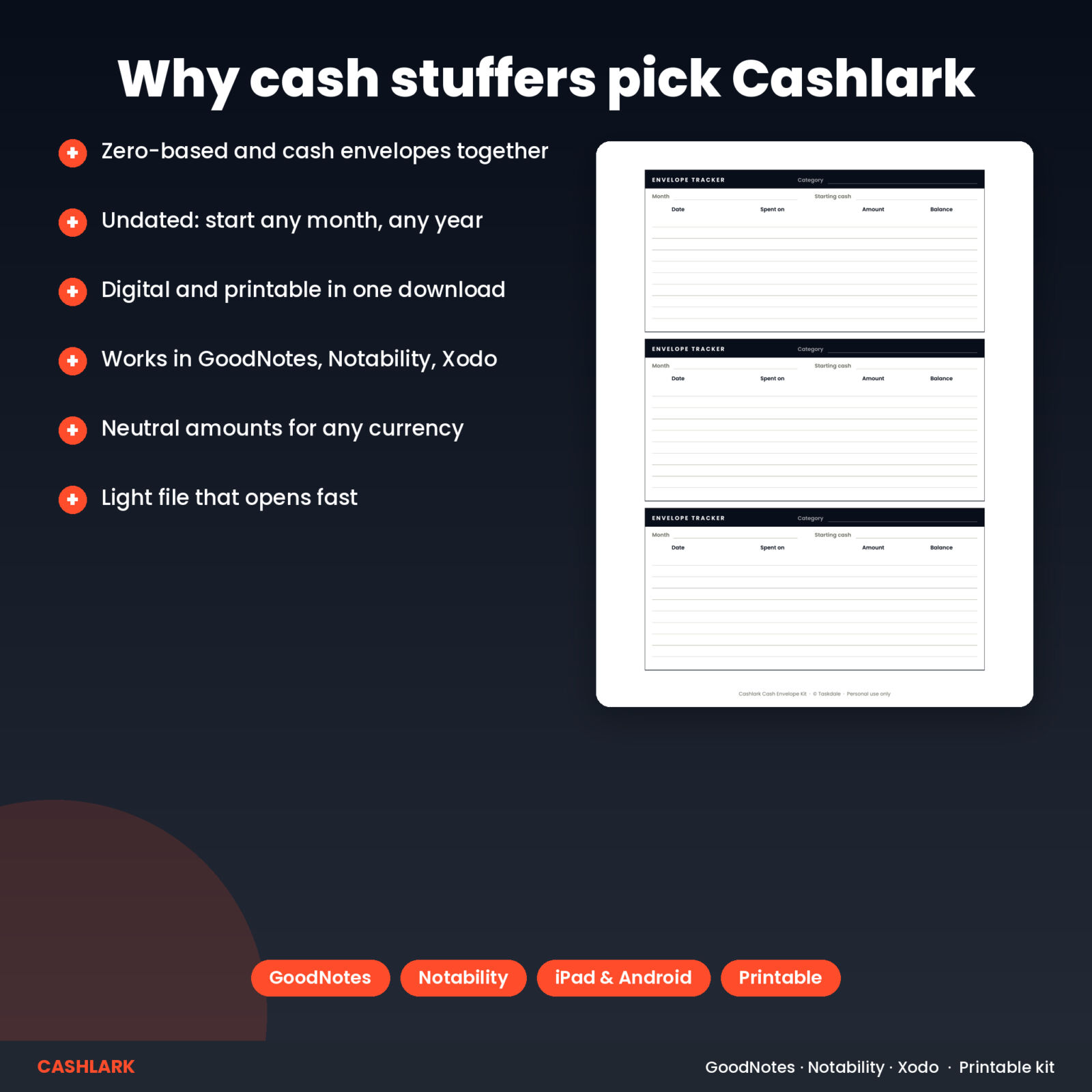
- Fold-up envelope template with a tracker table printed on the front (about 7 x 3.5 inches when folded, holds paper bills flat)
- Envelope tracker cards, sized to slip inside each envelope
- 24 category labels plus 6 blank ones
- Cash withdrawal planner to work out which bills to ask for at the bank
- US Letter and A4 versions
Who it is for
- Cash stuffers who want their planning on a tablet and their cash in real envelopes
- Zero-based budgeters who like writing by hand
- Anyone trying to stop overspending on groceries, dining out or fun money
What’s included
- Cashlark Zero-Based Cash Envelope Digital Planner (PDF, 47 pages, hyperlinked)
- Cashlark Cash Envelope Kit (PDF, 5 pages) in US Letter and A4
- Cashlark User Guide (.docx)
All files come in one ZIP download.
Software and devices
The planner works in GoodNotes, Notability, Noteshelf, Xodo and other PDF annotation apps on iPad and Android tablets. Use read-only or hand mode to tap links, then write with your stylus. The kit prints on any home printer at 100% / Actual size. Pages are undated and amounts carry no currency symbol.
Why pair digital planning with real cash
Cards make spending feel weightless. Cash does not. When the grocery envelope is half empty by the 15th, you see it, and you adjust before the month is gone. The planner is where you think: income, the zero check, the weekly counts and the review. The envelopes are where the plan meets the checkout line. Keeping both in one system means your notes, your numbers and your cash always agree.
You do not have to put every category in cash. Most people start with three to five envelopes, such as groceries, gas, dining out and fun money, and keep bills and savings digital. The Envelope Setup page helps you choose and gives you a monthly and weekly amount for each envelope, and the cash withdrawal planner tells you which bills to ask for so each envelope gets the right amount without a trip back to the bank.
Instant digital download
Download the ZIP right after checkout. Licensed for personal use only.
FAQ
Does this zero-based budget planner work in GoodNotes?
Yes. Import the PDF as a new notebook. The tabs and buttons are links you tap in read-only mode.
Does it work on Android?
Yes, in Xodo, Noteshelf and other PDF annotation apps.
Is it dated?
No. It is undated, so you can start any month.
Can I print the planner?
Yes, landscape with “Fit to page”. The cash envelope kit is made for printing.
How big are the printable envelopes?
About 7 x 3.5 inches folded, which fits paper bills flat.
Does it calculate totals?
No. It is a handwriting planner. Keep a calculator app open in split view.
Reviews
There are no reviews yet.