

Savings Grove is a savings tracker spreadsheet and sinking funds planner that keeps every goal in one calm, green-and-beige workbook. Set up to 50 funds, log your deposits and withdrawals, and the file works out your balances, progress, monthly targets and deadlines for you. No formulas to write. No guessing where the money went.
Most savings trackers stop at a goal and a progress bar. This one goes further. It tells you what to set aside each month and each week, when you’ll finish at your current pace, and which funds are slipping behind. It even shows how your savings split across banks, credit unions and cash envelopes.
What this savings tracker spreadsheet does
- Tracks up to 50 savings goals and sinking funds side by side
- Logs up to 1,000 deposits and withdrawals, with a check column that flags mistakes
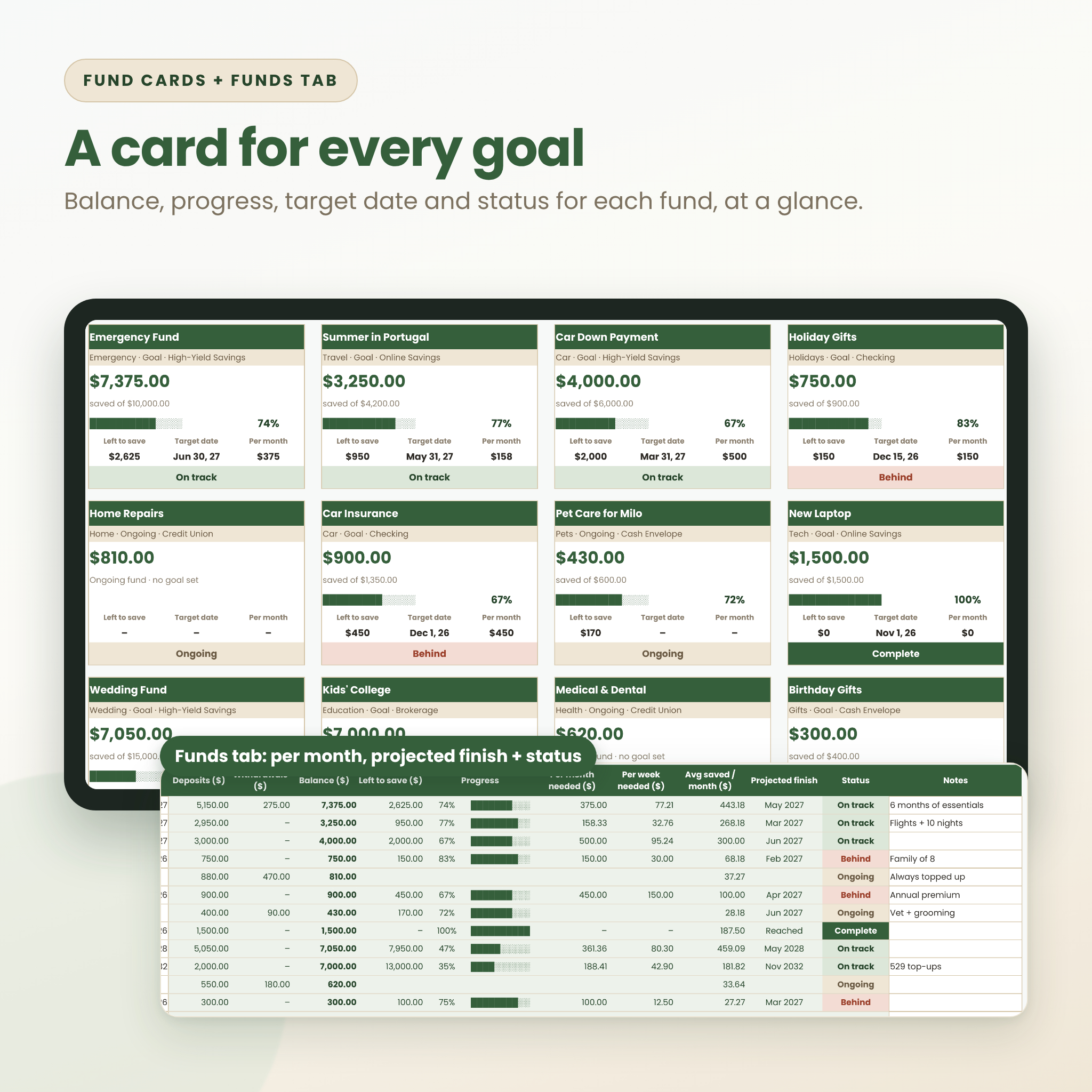
- Works out balance, left to save, progress, per month needed, per week needed, average saved and projected finish date for every fund
- Gives each fund a status: Complete, On track, Behind, Overdue, Overdrawn or Ongoing
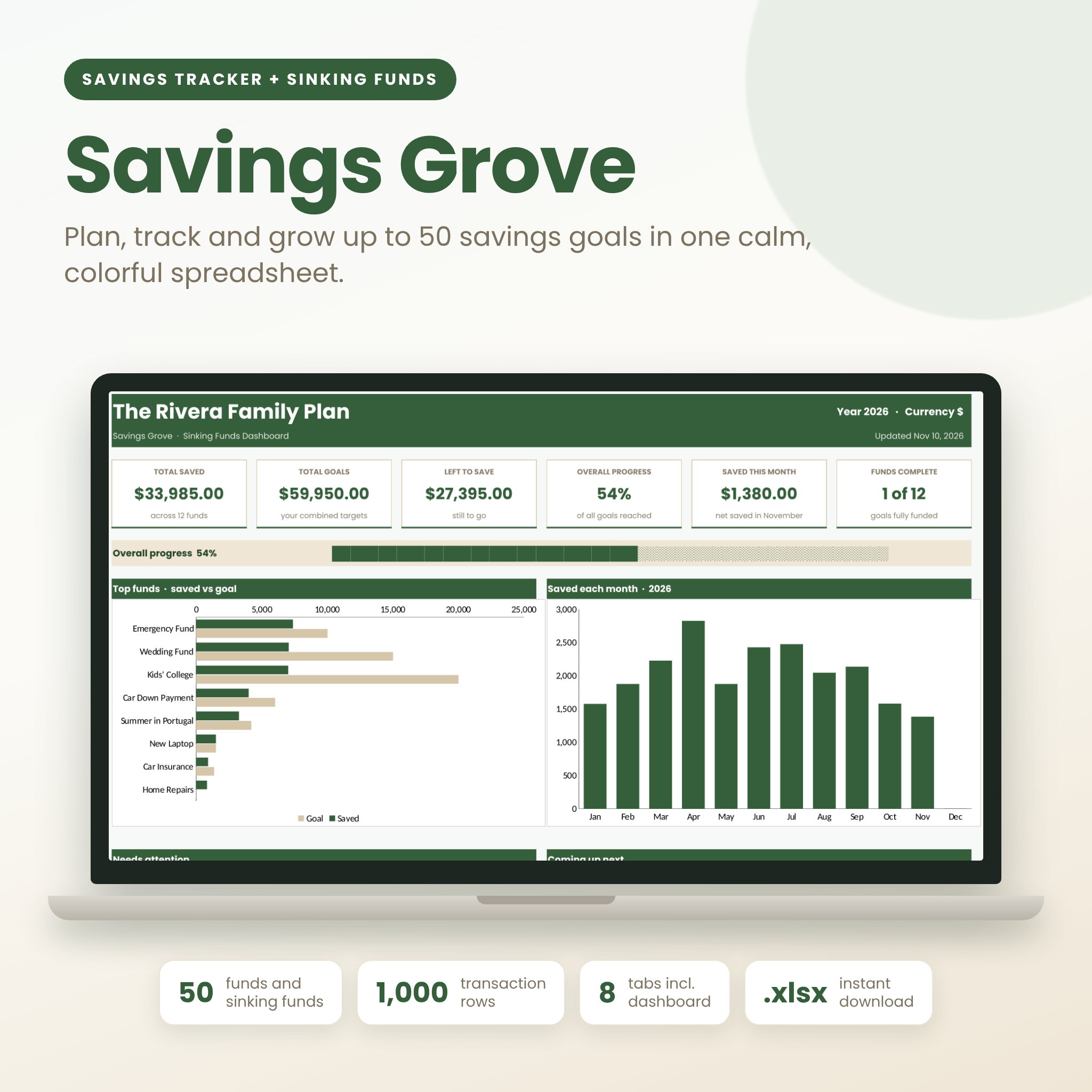
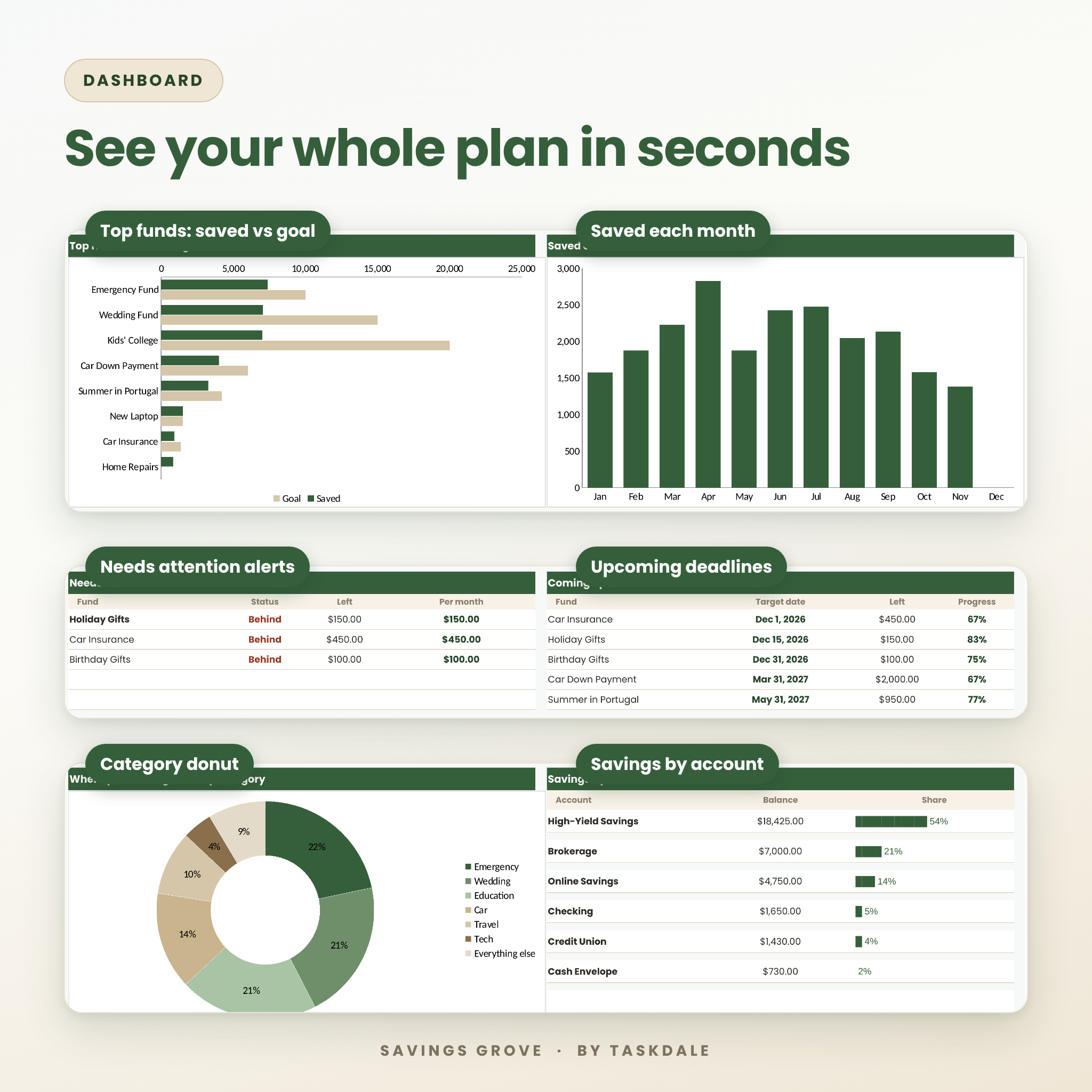
- Builds a live dashboard with six headline numbers, two charts, a category donut and a by-account breakdown
- Shows a Needs attention list and your next five deadlines, so nothing sneaks up on you
Who it’s for
Savings Grove suits anyone saving for more than one thing at a time. Think of the family juggling holiday gifts, car insurance and a summer trip. Or the couple building an emergency fund while putting money aside for a wedding. Or the first-time saver who wants a clear plan without learning spreadsheet formulas. If you can type in a box, you can use it.
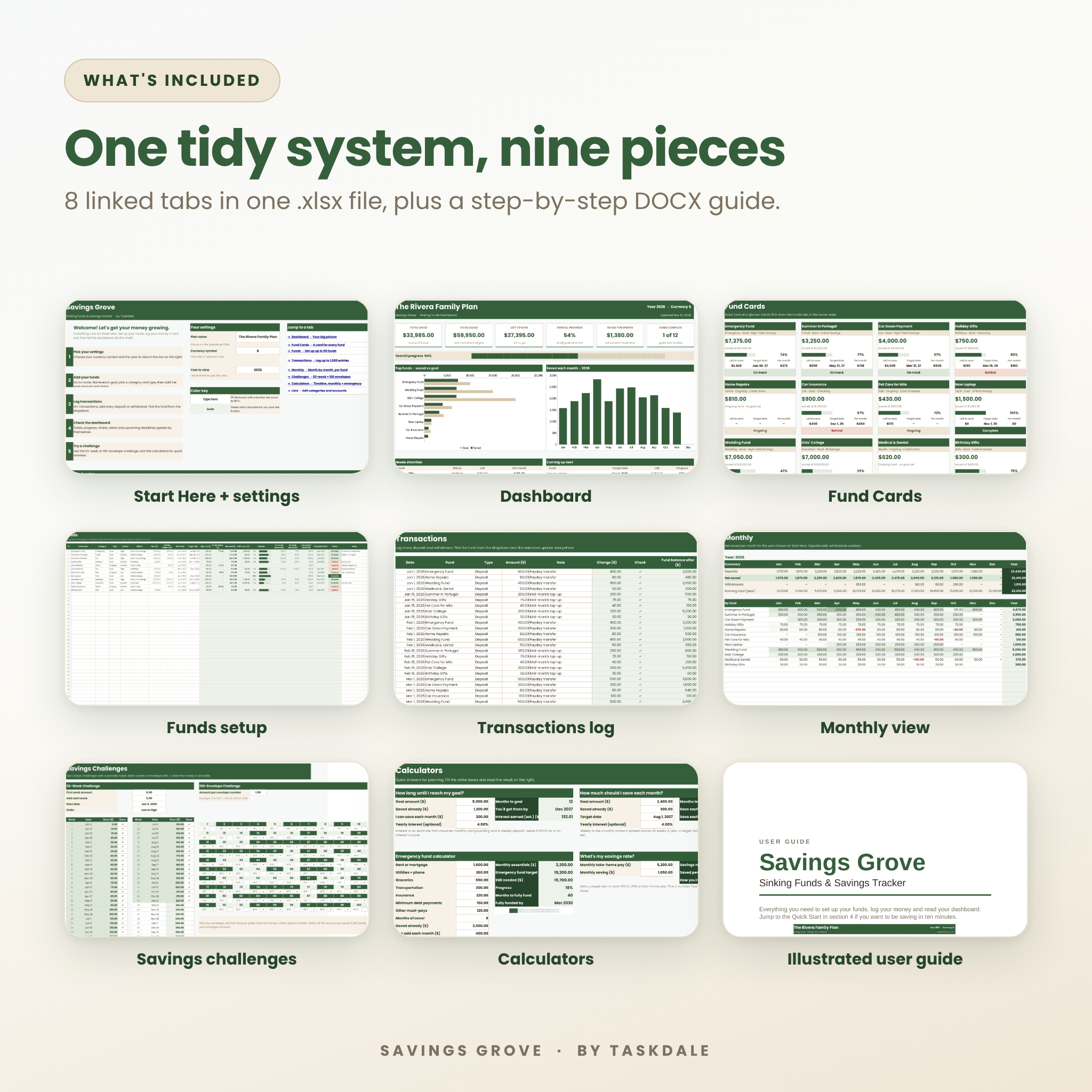
What’s included
1. Start Here
Quick steps, your settings and links to every tab. Choose a plan name, a currency symbol and the year to view. Your symbol shows up on every money label in the file.
2. Dashboard
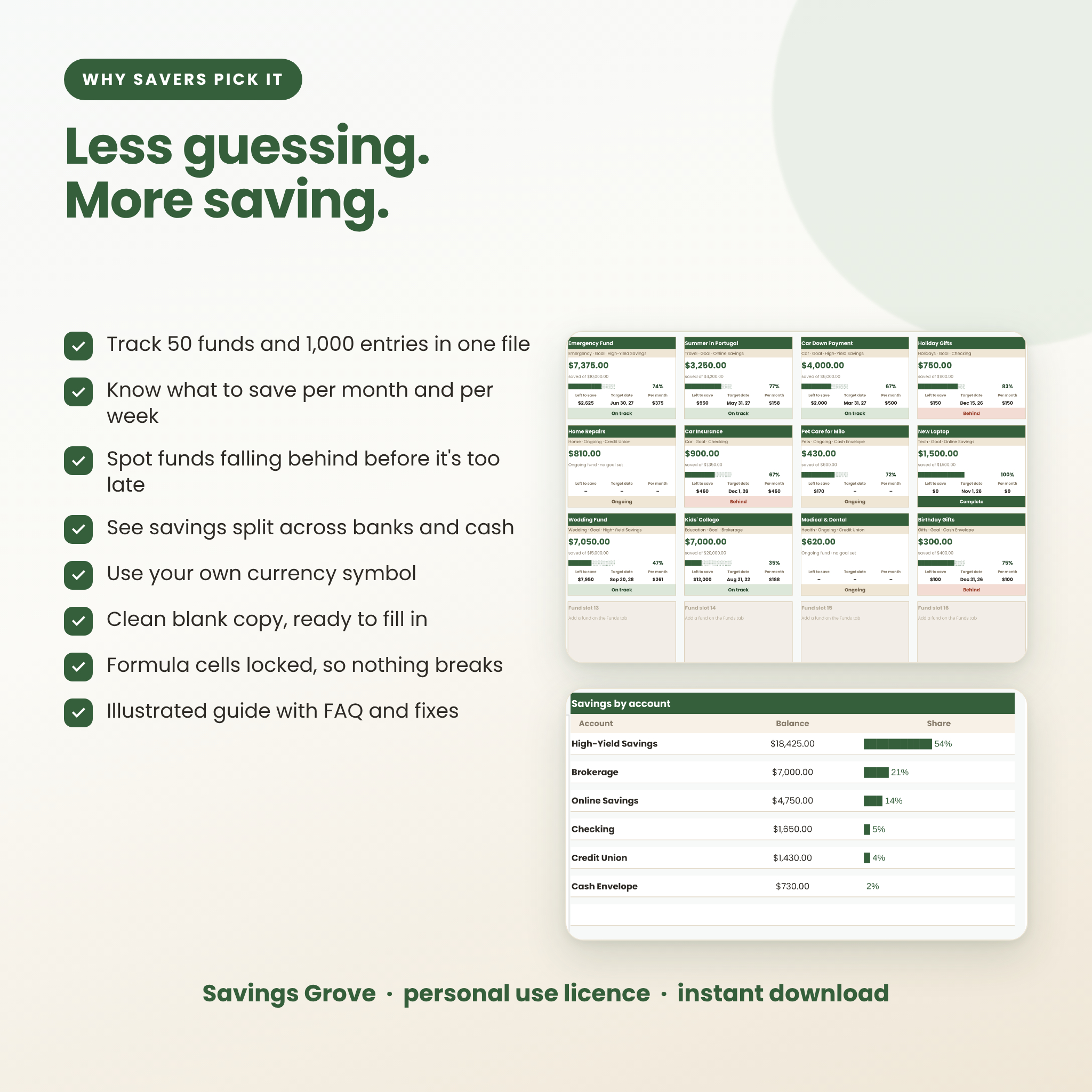
Total saved, total goals, left to save, overall progress, saved this month and funds complete. Below that: an overall progress bar, a saved vs goal chart for your top funds, a month-by-month chart, alerts, upcoming deadlines, a category donut and savings by account.
3. Fund Cards
Fifty cards, one per fund. Each shows the balance, the goal, a progress bar, what’s left, the target date, the monthly amount and a color-coded status. Great for a quick family money check-in.
4. Funds
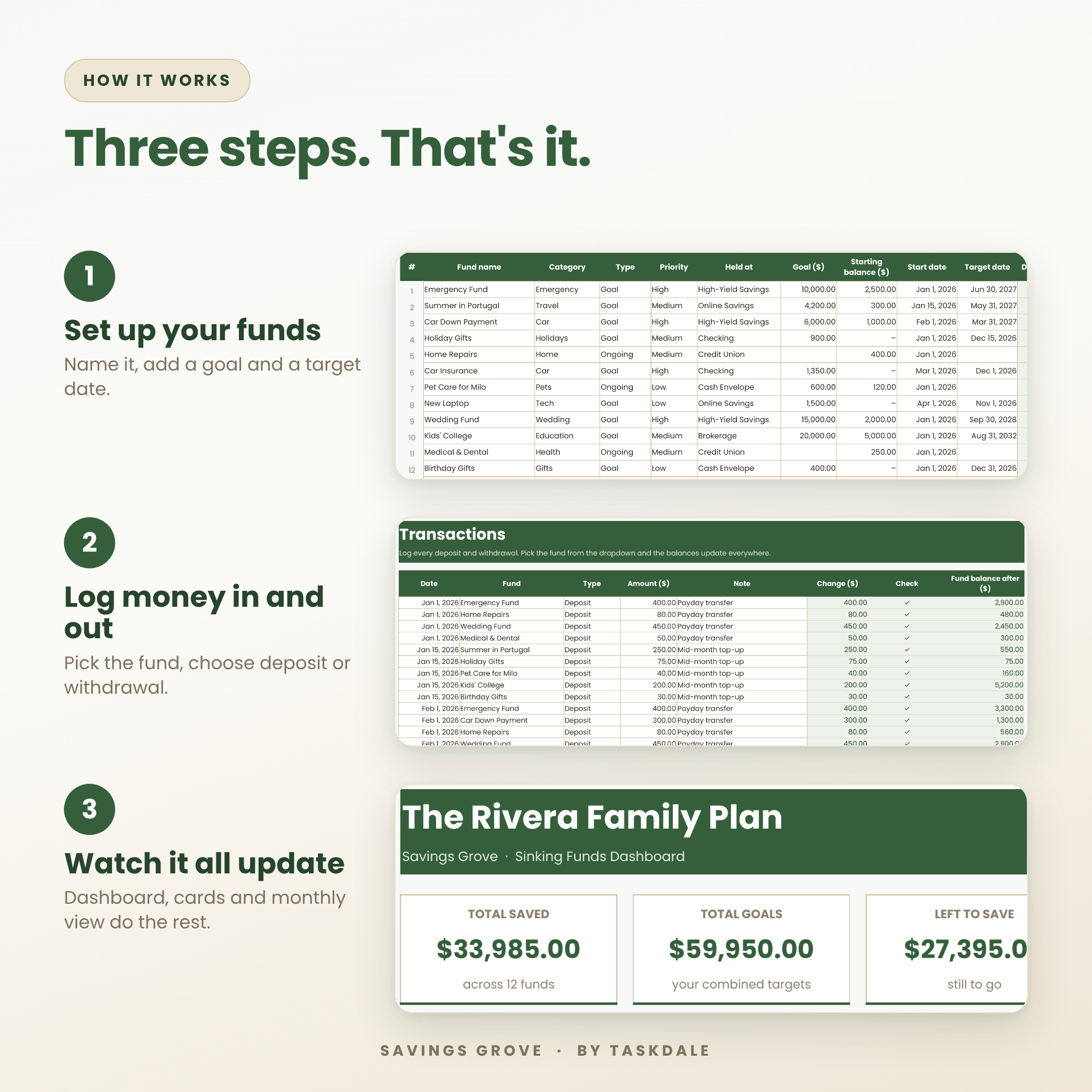
Set up each fund with a name, category, type (Goal or Ongoing), priority, where it’s held, goal amount, starting balance, start date and target date. Twelve columns then calculate on their own.
5. Transactions
Your savings log. Pick the fund from a dropdown, choose Deposit or Withdrawal and type the amount. A running balance shows each fund’s total after every entry.
6. Monthly
Deposits, withdrawals, net saved and a running total for all 12 months, plus a shaded grid for every fund so you can spot your strongest months.
7. Savings Challenges
A 52-week challenge with any starting amount and weekly step, in forward or reverse order, plus a 100-envelope challenge with a tick box under every envelope. Both total themselves.
8. Calculators
Four quick planners: how long until I reach my goal, how much should I save each month, an emergency fund calculator with 3 to 12 months of cover, and a savings rate check.
9. Illustrated user guide (DOCX)
A 13-page guide with screenshots, a quick start, every column explained, a status table, tips, troubleshooting and FAQ.
How it works
- Set up your funds. Name each goal and add the amount and target date. Starting balances cover money you’ve already saved.
- Log money in and out. Add each deposit or withdrawal on the Transactions tab. Two minutes a week is plenty.
- Read your dashboard. Everything else updates by itself. Check the Needs attention box and you’ll know exactly where to put your next dollar.
Why this sinking funds planner is different
- It plans, not just tracks. Per month and per week targets tell you what to save from today to hit each date.
- Early warnings. Funds that fall behind, run past their date or get overdrawn show up on the dashboard straight away.
- Multi-account view. Keep money at three banks and a cash envelope? You’ll still see one total, split by account.
- Goal and Ongoing funds. Fixed targets like a trip sit next to pots you top up all year, like pet care or home repairs.
- Hard to break. Formula cells are locked with no password, dropdowns limit what can be typed, and duplicate fund names turn red.
- Clean copy. The file arrives empty and ready for your own numbers. The listing images show sample data only.
Real ways people use it
- Spreading a $1,350 car insurance bill across nine months so it never lands as a shock
- Saving for holiday gifts, birthdays and back-to-school in separate pots
- Building a six-month emergency fund while still putting money aside for a vacation
- Running a 52-week challenge with a partner and watching the total climb
- Tracking a wedding fund, a car down payment and a college fund in one place
File format and software
- One spreadsheet file in .xlsx format with 8 linked tabs
- One user guide in .docx format
- Needs a spreadsheet app that opens .xlsx files. The workbook uses standard spreadsheet functions and was tested in LibreOffice Calc, a free app for Windows, Mac and Linux
- Sized for screens and set up to print, with each tab fitted to the page width
Customizing your tracker
Pick any currency symbol, or type your own. Edit the category and account lists to match your life. Change colors, column widths and row heights freely. If you ever want to change a formula, unprotect the sheet. There’s no password.
Digital download
This is a digital product. Nothing will be shipped. Your files are ready to download as soon as your payment goes through. Save a copy, rename it, and you can start in minutes.
Savings tracker FAQ
How many savings goals can I track?
Up to 50 funds and 1,000 transactions in each file.
Can I use my own currency?
Yes. Choose $, €, £, R and more, or type your own symbol. Every money label follows it.
What is a sinking fund?
A pot of money you fill a little at a time for a cost you know is coming, like insurance, gifts or car repairs.
Can I track money held at different banks?
Yes. Each fund has a Held at column, and the dashboard totals your savings by account.
Does it connect to my bank?
No. You type your own numbers in, so no logins or bank links are needed.
Is there a savings challenge included?
Yes. A 52-week challenge and a 100-envelope challenge, both with automatic totals.
Can I print it?
Yes. Each tab is set to fit the page width, and the Fund Cards tab makes a handy one-page check-in.
Licence
© Taskdale. For personal use only. Please don’t resell, share or give away the files. Savings Grove helps you organize your own numbers and doesn’t give financial advice.
Reviews
There are no reviews yet.