
Customer Success Manager Resume Template for Word
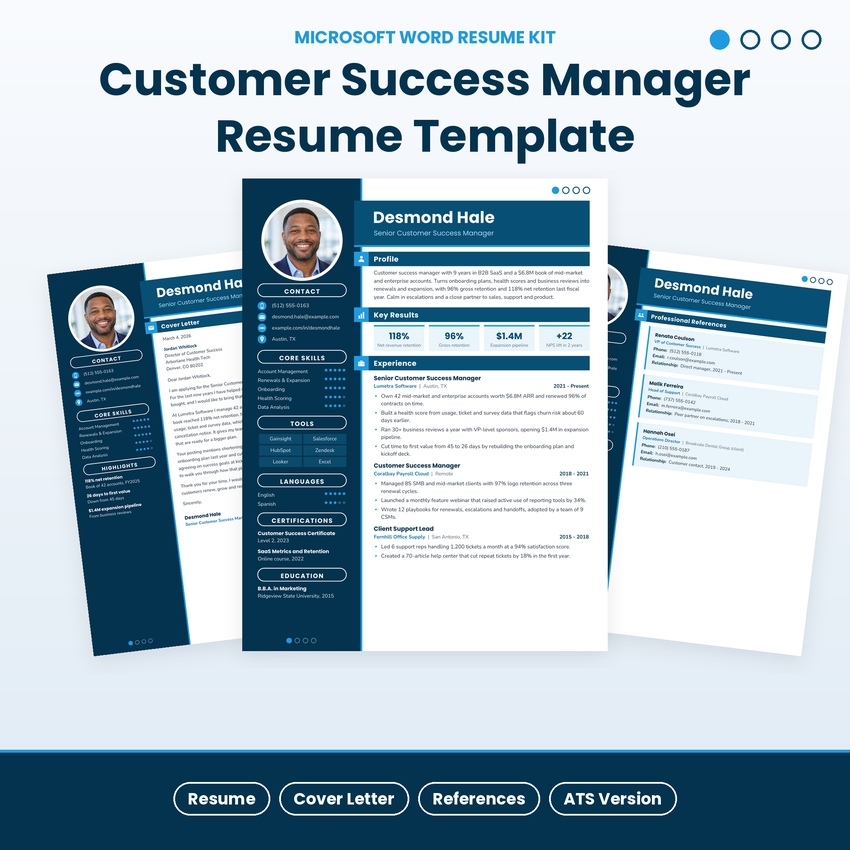
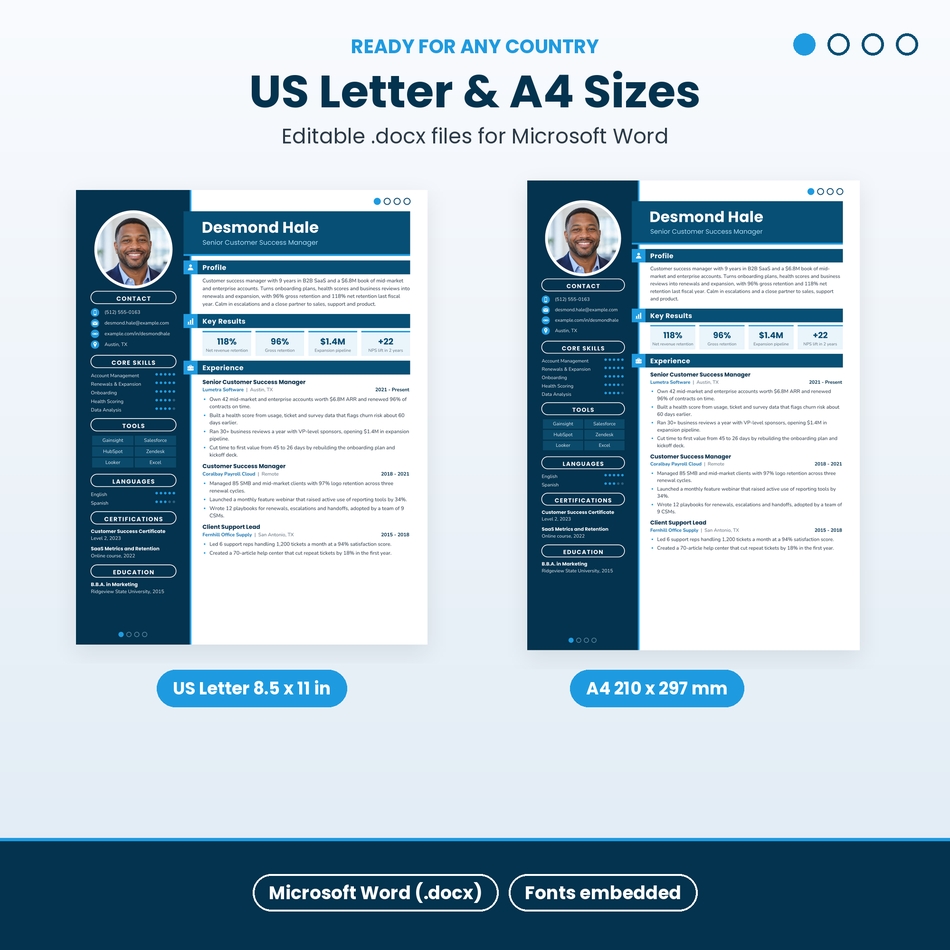
Bluepoint is a customer success manager resume template for Microsoft Word, built for people who keep customers renewing and growing. It pairs a deep navy sidebar with bright blue heading bars, a round photo and clean pill headings, so your resume looks considered before anyone reads a word. Every file is a real .docx you can type straight into, in both US Letter and A4.
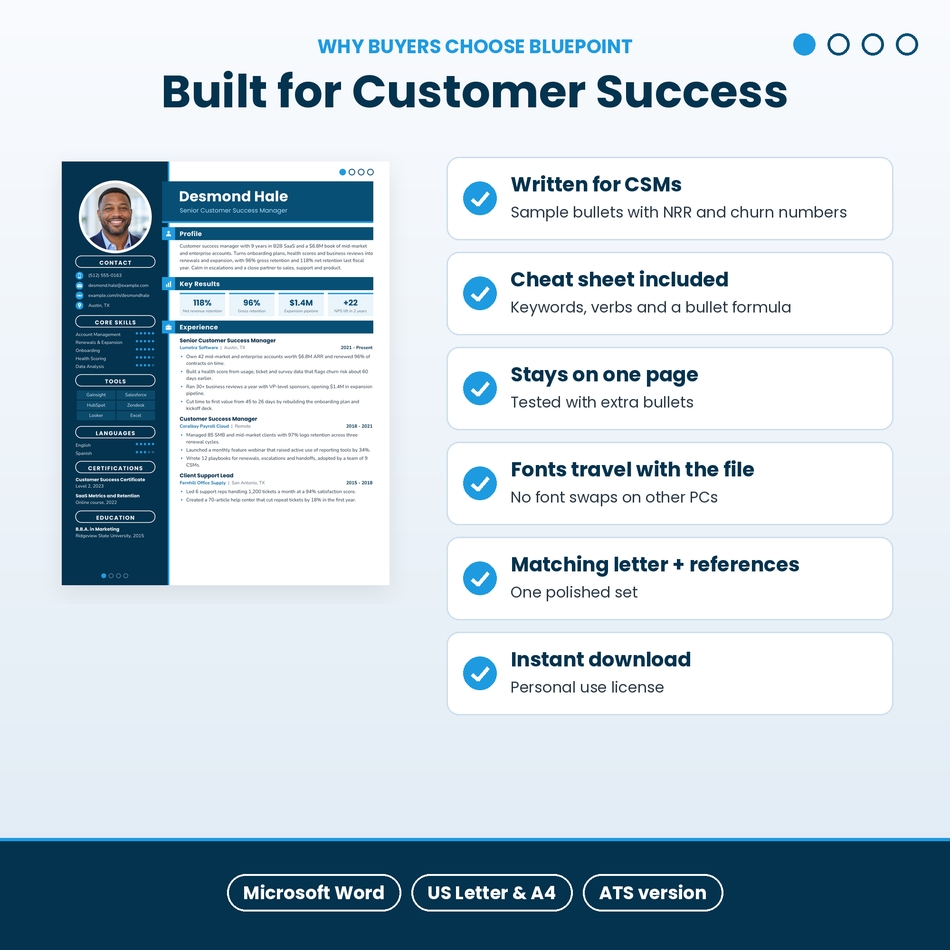
The sample resume is written for a senior CSM with a $6.8M book of business, so you can see how retention, expansion and onboarding results read on the page. Replace the numbers with your own and you have a resume that speaks the language hiring managers in SaaS and B2B services look for.
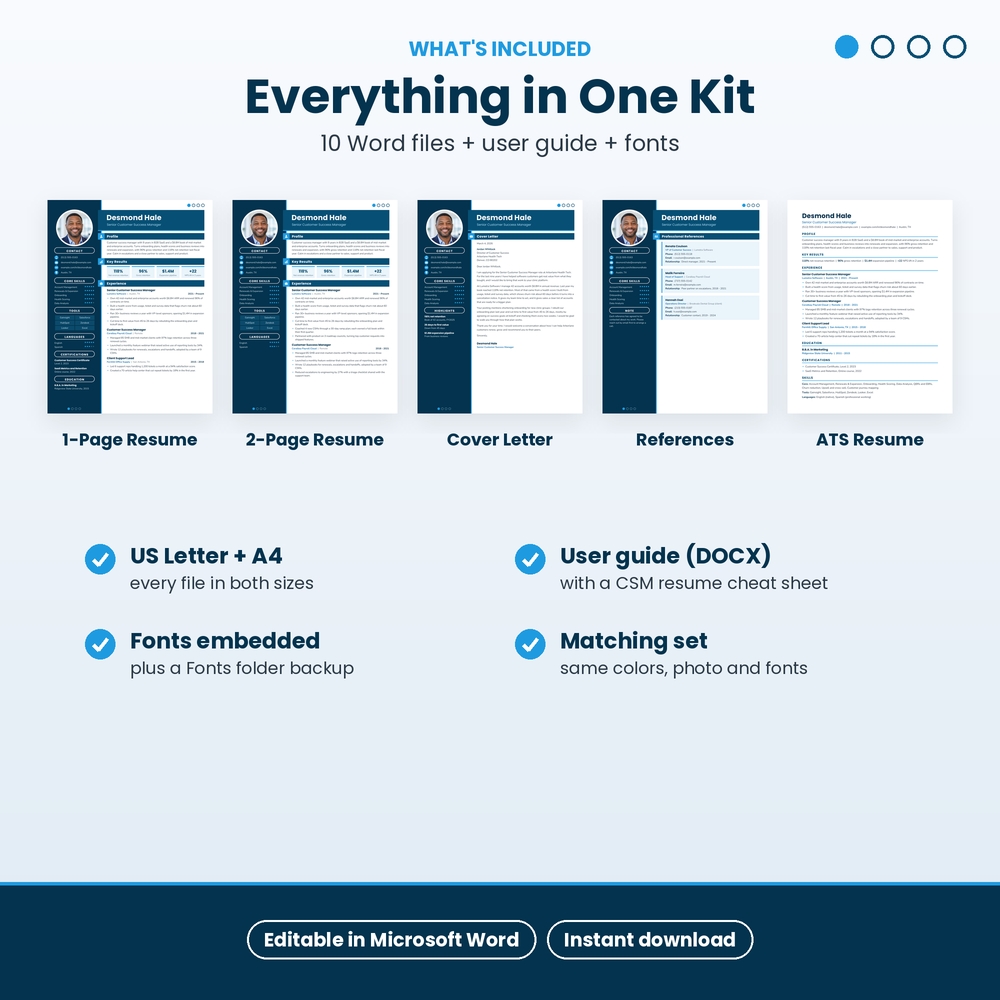
What is included in the kit
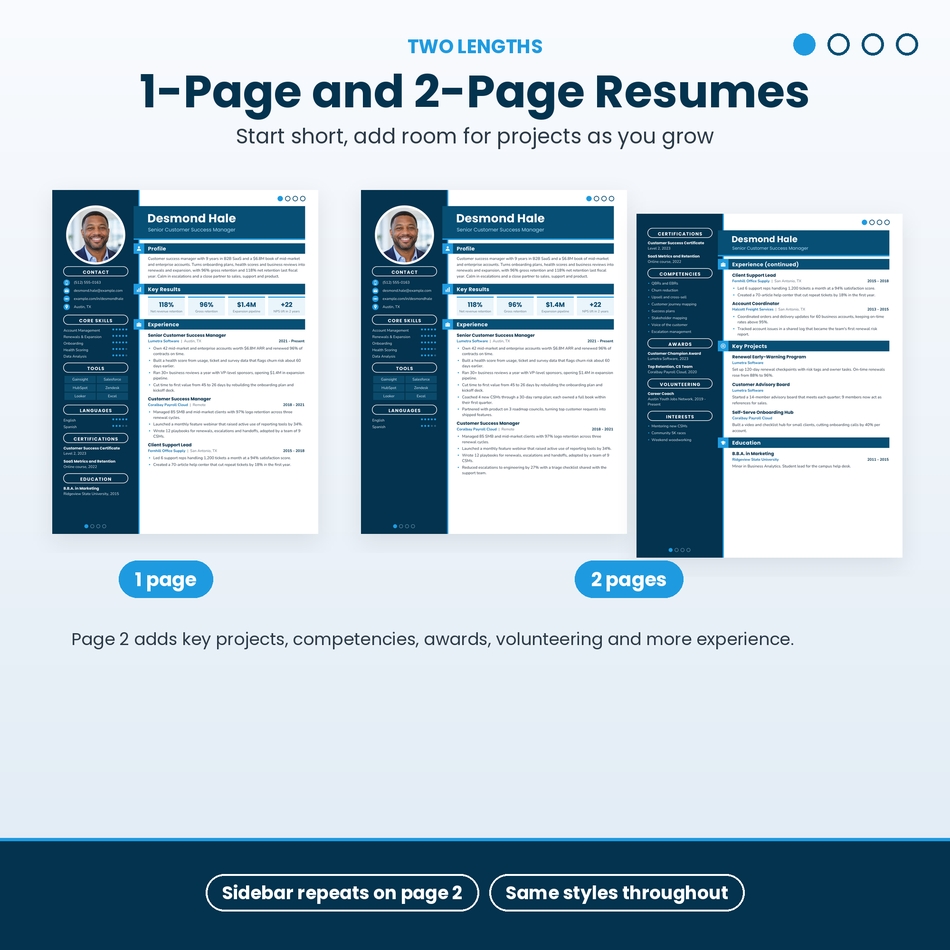
- Resume, 1 page: photo, contact details, skill dots, tools, languages, certifications, education, a profile, four key results tiles and three roles.
- Resume, 2 pages: extra room for more roles, key projects, core competencies, awards, volunteering and interests. The sidebar carries on to page 2.
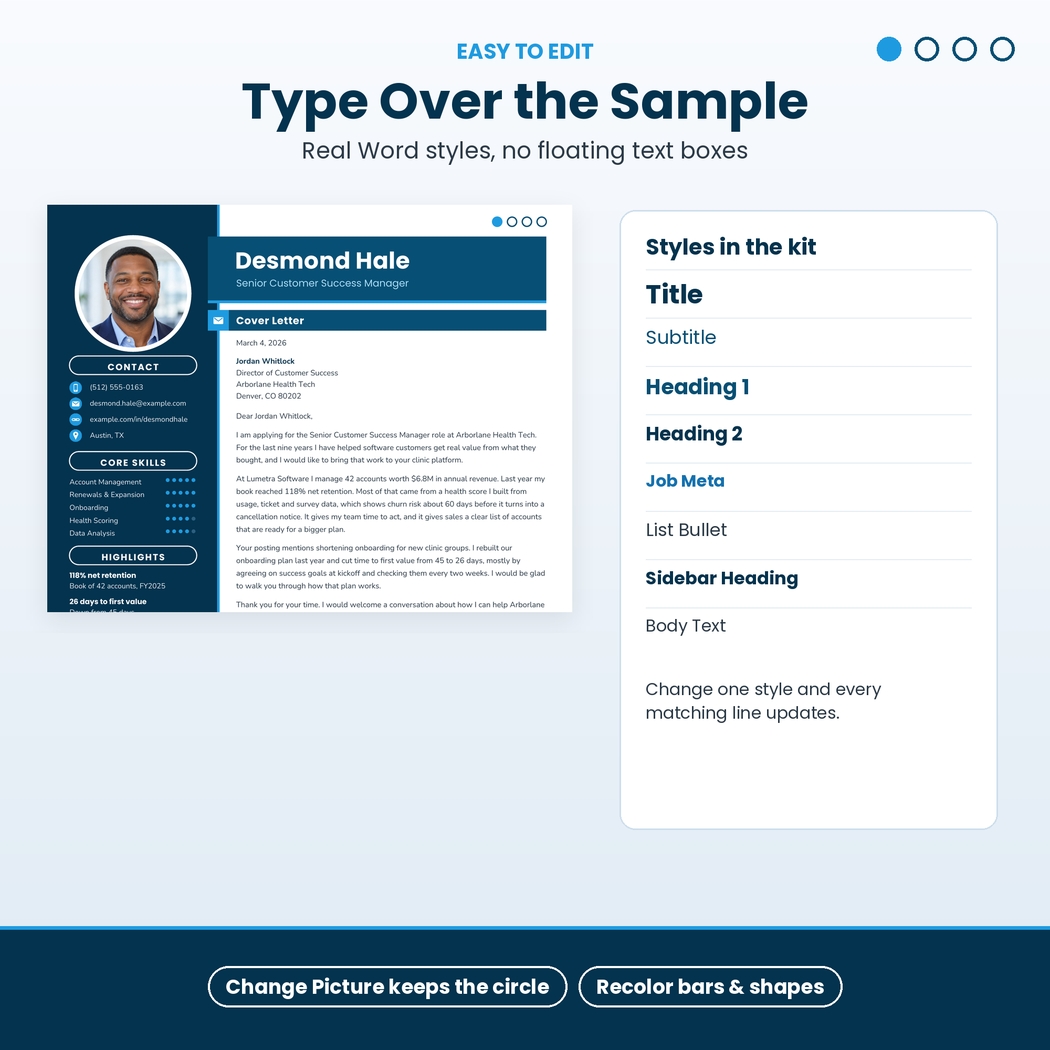
- Matching cover letter: same header, with a Highlights column for your three best numbers and a sample letter for a CSM role.
- Matching references page: three reference cards with role, company, phone, email and relationship.
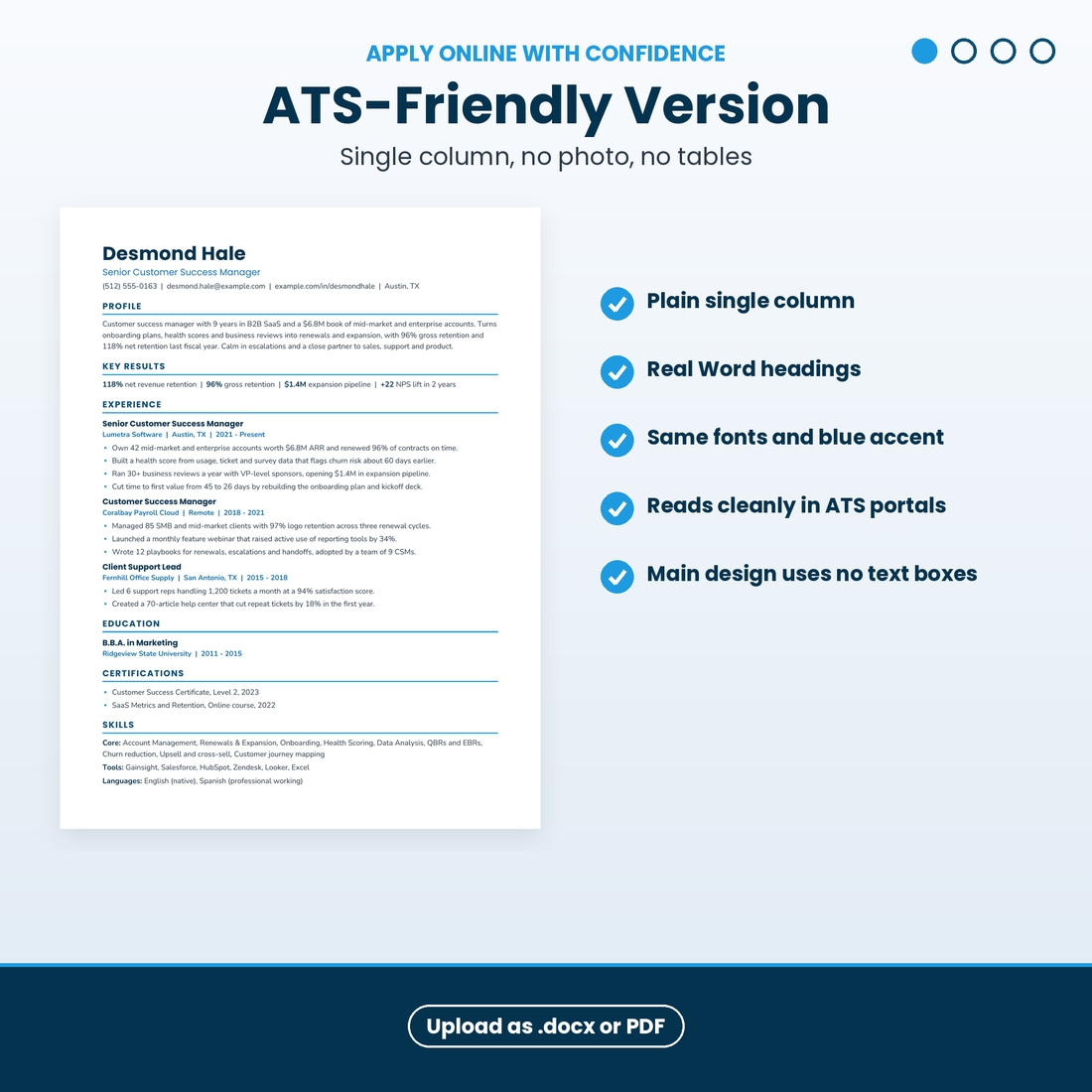
- ATS plain resume: a single column version with no photo and no tables, using the same fonts and blue accent.
- Fonts folder: Poppins and Nunito (free SIL Open Font License) as a backup install.
- User guide (DOCX): seven pages on editing, colors, photos and saving to PDF, plus a customer success manager resume cheat sheet.
That is 10 Word files in total: five designs, each in US Letter (8.5 x 11 in) and A4 (210 x 297 mm).
Why this CSM resume template is easier to use
Fonts that stay put
Poppins and Nunito are embedded in every file. Open the resume on a laptop that has never seen those fonts and the layout still looks the way it does in the photos, with no surprise swaps to Calibri.
No floating text boxes
The columns are built from table cells and the sidebar is a shape behind the text. Your words sit in normal paragraphs, so they do not drift when you type, and applicant tracking systems can read them.
A photo that stays round
Right-click the sample photo and choose Change Picture. Your own photo drops into the same circle with its white ring. Prefer no photo? Delete it and the sidebar keeps its shape.
Room to grow without breaking
We tested the 1-page resume with three extra bullets and a long job title, and again with a two-line name. It stayed on one page in both US Letter and A4.
Colors you can change
The name band, heading bars, bright blue points and result tiles are shaded table cells, and the sidebar and dot accents are Word shapes. You can recolor any of them with Shading or Shape Fill in a few clicks.
Written for customer success roles
Most resume templates ship with lorem ipsum or vague filler. This one uses realistic customer success wording: net revenue retention, gross retention, health scores, business reviews, onboarding time to first value and expansion pipeline. The skills and tools sections list the platforms recruiters often search for, such as Gainsight, Salesforce, HubSpot and Zendesk, so you can keep the ones you use and remove the rest.
The user guide adds a cheat sheet for the role: a bullet formula with weak and strong examples, 30 action verbs, a keyword table split into outcomes, skills and tools, and notes on what to put in each section.
How it works
- Buy and download the kit zip and the user guide from your Taskdale account.
- Unzip the kit, open the US-Letter or A4 folder and open the 1-page resume in Microsoft Word.
- Type over the sample text. Each line already has its style, so formatting takes care of itself.
- Swap in your photo, update the key results tiles and copy your details into the cover letter and references page.
- Save as PDF from Word and send it, or upload the ATS version to online job portals.
Who it is for
- Customer success managers and senior CSMs in SaaS, fintech, health tech and B2B services
- Account managers, renewal managers and onboarding or implementation specialists
- Support leads and client services staff moving into a customer success role
- Anyone who wants a modern photo resume that still works with applicant tracking systems
Use cases
Apply for a senior CSM role with the 1-page resume and matching cover letter. Use the 2-page version for an enterprise or team lead role where you need space for programs like an advisory board or a renewal early-warning process. Send the references page once you reach the final round, and use the ATS version when a portal asks you to upload a Word file.
File formats and software
- Microsoft Word (.docx), Word 2016 or newer on Windows or Mac, or Microsoft 365
- Opens in Google Docs and Apple Pages with minor layout differences. For the cleanest PDF, export from Word.
- US Letter and A4 versions of every file
- Digital download only. No physical item will be shipped.
FAQ
Is this customer success manager resume template ATS friendly?
Yes. The main design uses no text boxes, and the kit includes a plain single column ATS version for strict portals.
Can I edit it in Google Docs?
You can open the .docx in Google Docs and edit it, but the layout may shift slightly. Microsoft Word gives the best result.
Do I need to install fonts?
No. The fonts are embedded in each file. A Fonts folder is included in case you want them installed for other work.
Can I remove the photo?
Yes. Delete it and the layout holds. The ATS version has no photo at all.
Can I use it for a different job?
Yes. Every word is editable, so it suits account management, support, operations or sales roles too.
Is the person in the sample real?
No. The name, companies, schools and contact details are fictional, and the sample portrait is an AI-generated image.
License
Personal use only. Edit the files for your own job applications as often as you like. Please do not resell, share or redistribute the templates, edited or not.
Reviews
There are no reviews yet.