Data Analyst Resume Template for Word, Built Around Your Numbers
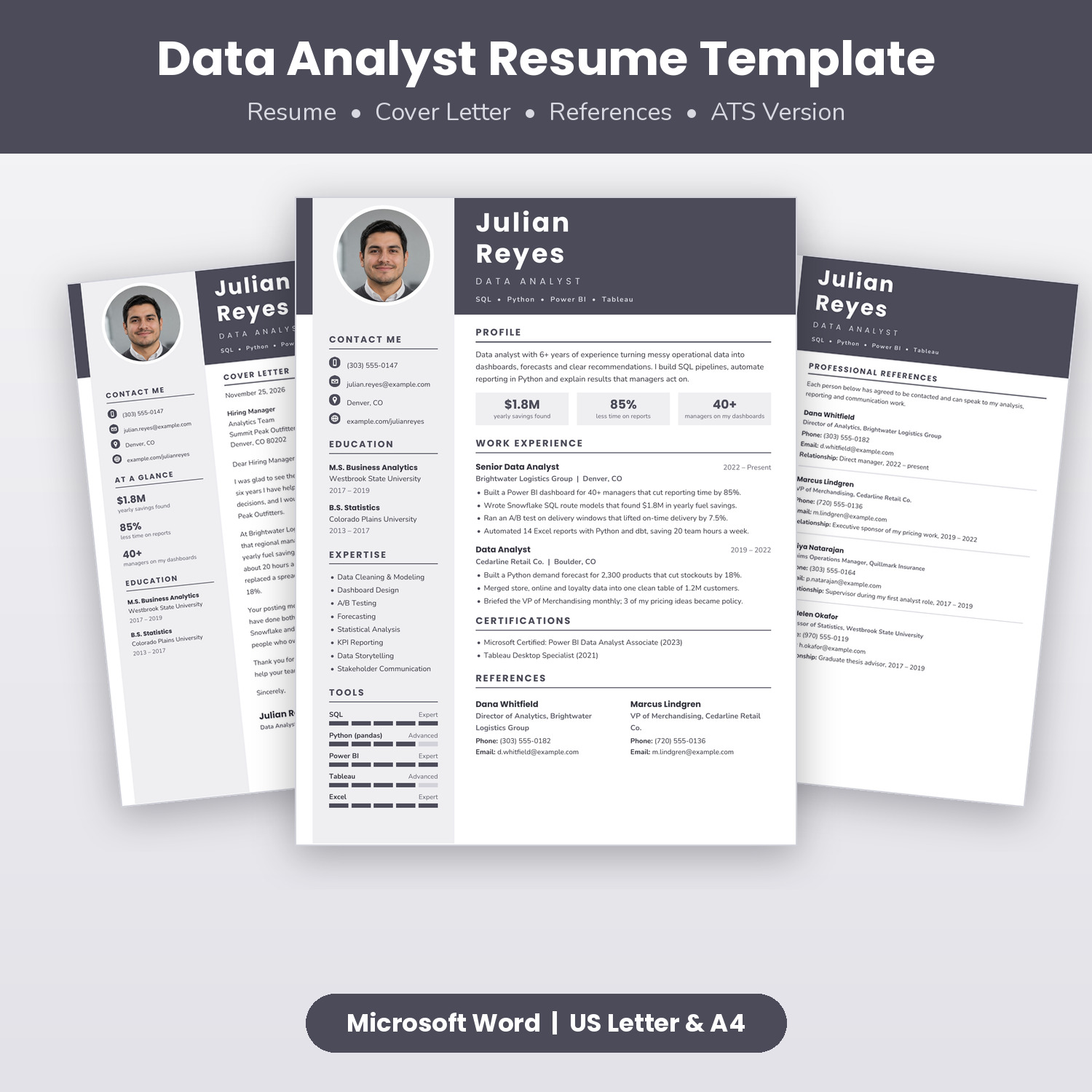
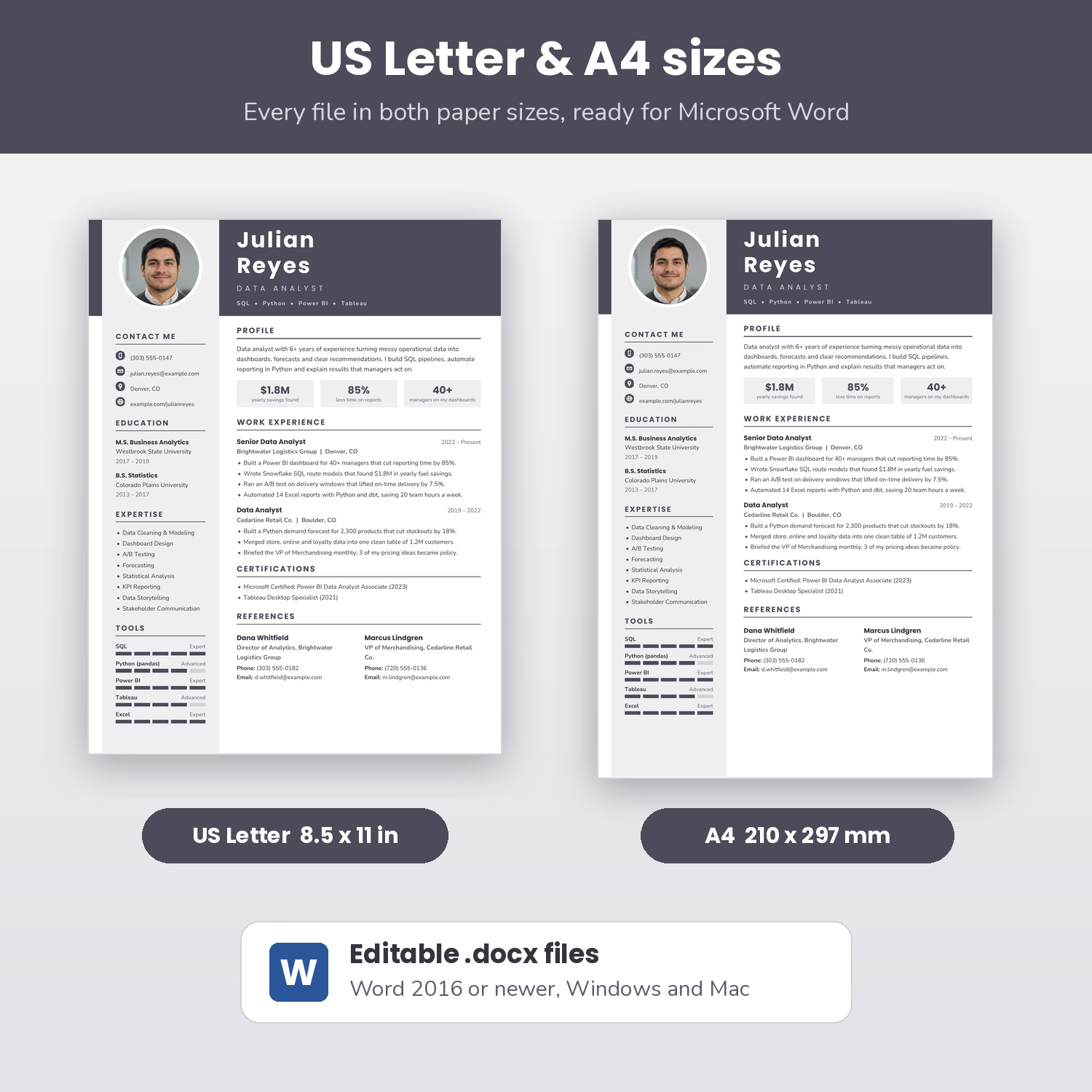
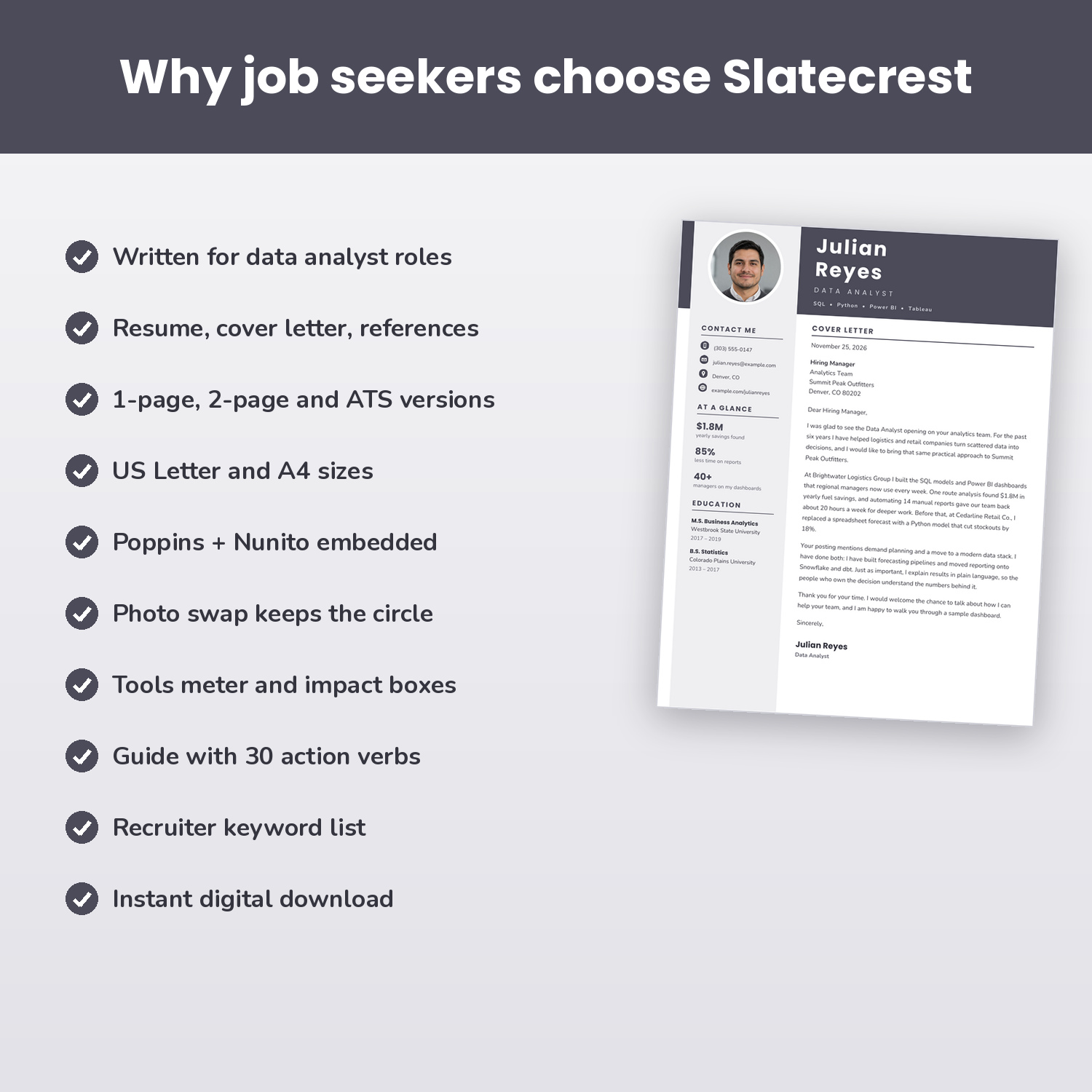
This data analyst resume template for Word gives you a clean slate grey design and every page you need to apply: a 1-page resume, a 2-page resume, a matching cover letter, a references page and a plain ATS version. Each file comes in US Letter and A4, with the Poppins and Nunito fonts embedded so the layout looks right the moment you open it.
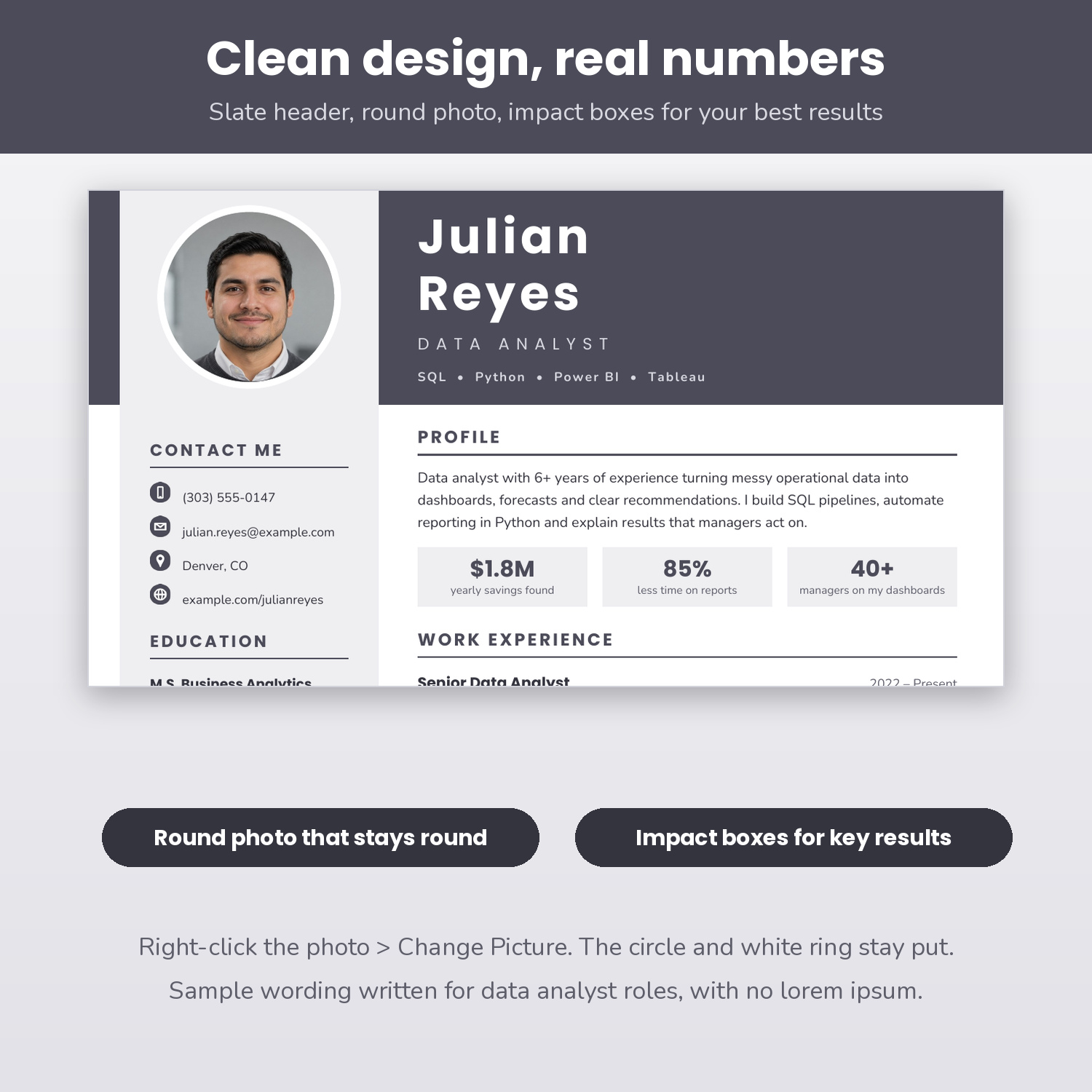
Analysts get hired on results. That is why the Slatecrest design puts three impact boxes right under your profile, where a recruiter’s eyes land first. Show money saved, hours given back or the number of people using your dashboards, then back it up with tight, one-line bullets.
Who This Data Analyst Resume Is For
- Data analysts at any level, from first role to senior
- Business intelligence, reporting, marketing, product, financial and operations analysts
- Graduates and career changers moving into analytics (page 2 has a Selected Projects section for portfolio work)
- Job seekers in the US and Canada (US Letter) or the UK, Europe, Australia and beyond (A4)
Why Slatecrest Is Easier to Edit Than Most Word Resume Templates
Most complaints about Word resume templates come down to three things: fonts that go missing, text boxes that jump around, and a layout that breaks when you add one line. Slatecrest fixes all three.
- Fonts embedded in every file. Poppins and Nunito travel inside the .docx, and a Fonts folder is included as a backup.
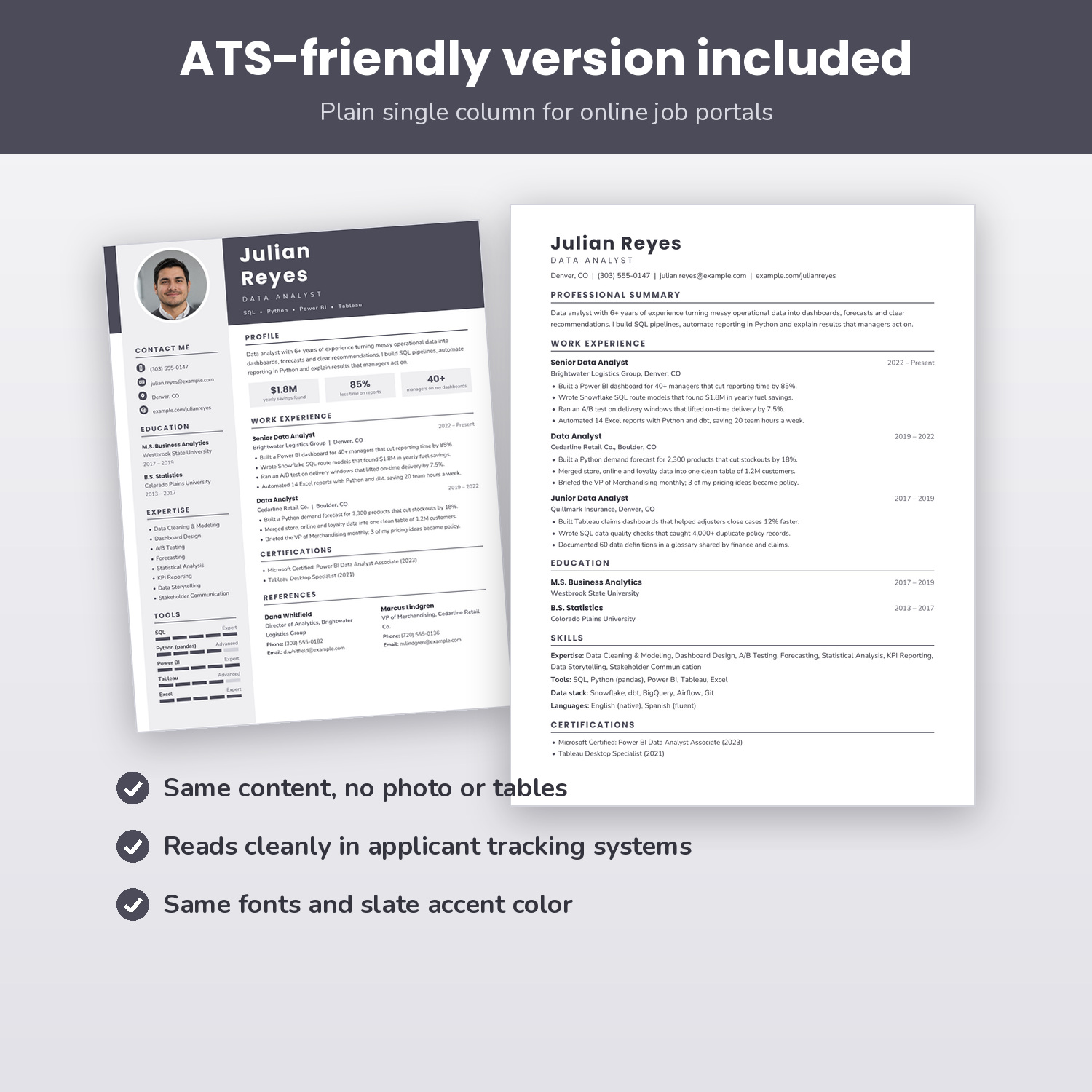
- No floating text boxes. The header band, sidebar and main column are table cells, so your text stays in the normal flow and applicant tracking systems can read it.
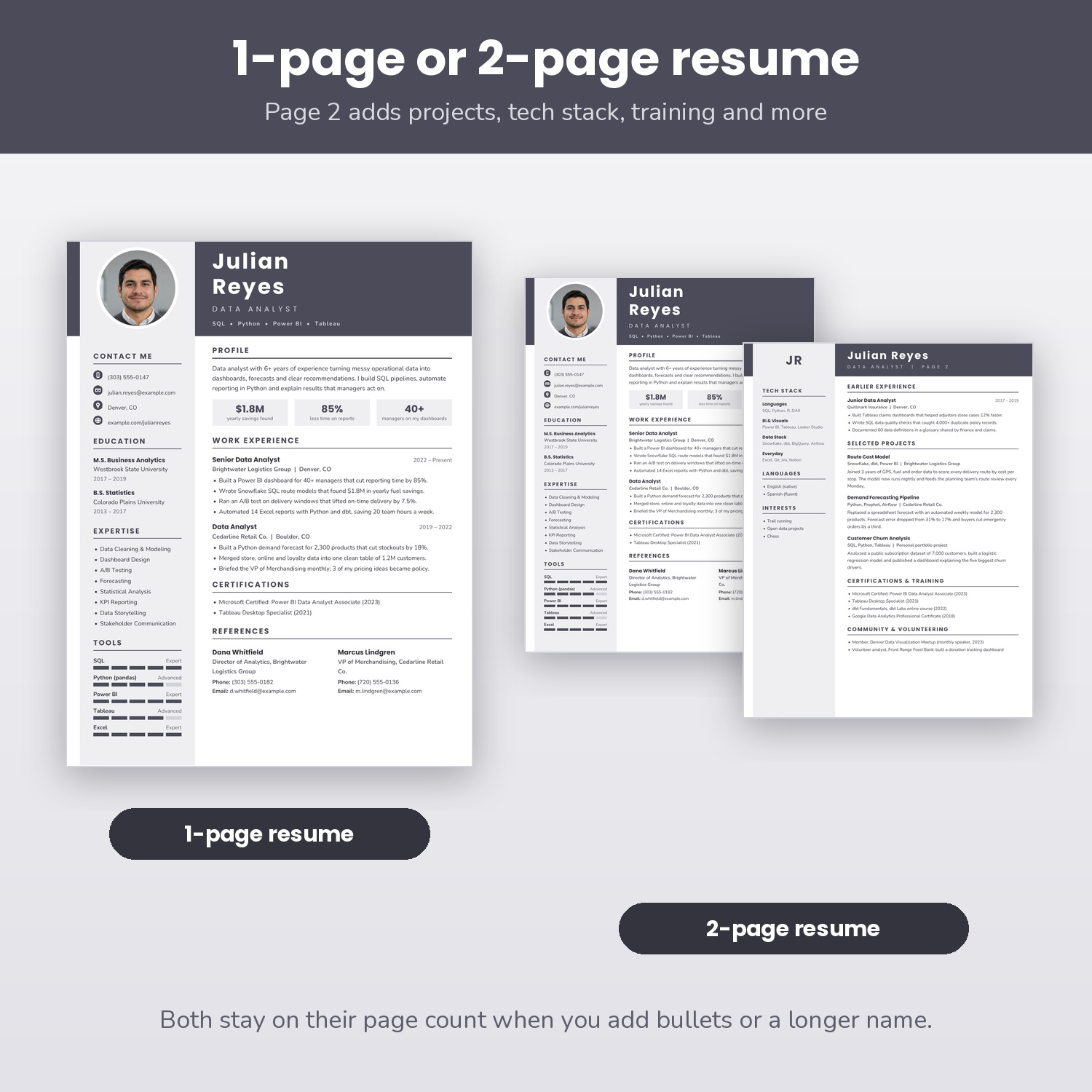
- Stays on one page. We tested the 1-page resume with a longer name, a longer job title and three extra bullets. It still fits.
- Photo swap in two clicks. Right-click the photo, choose Change Picture, and the circle and white ring stay in place.
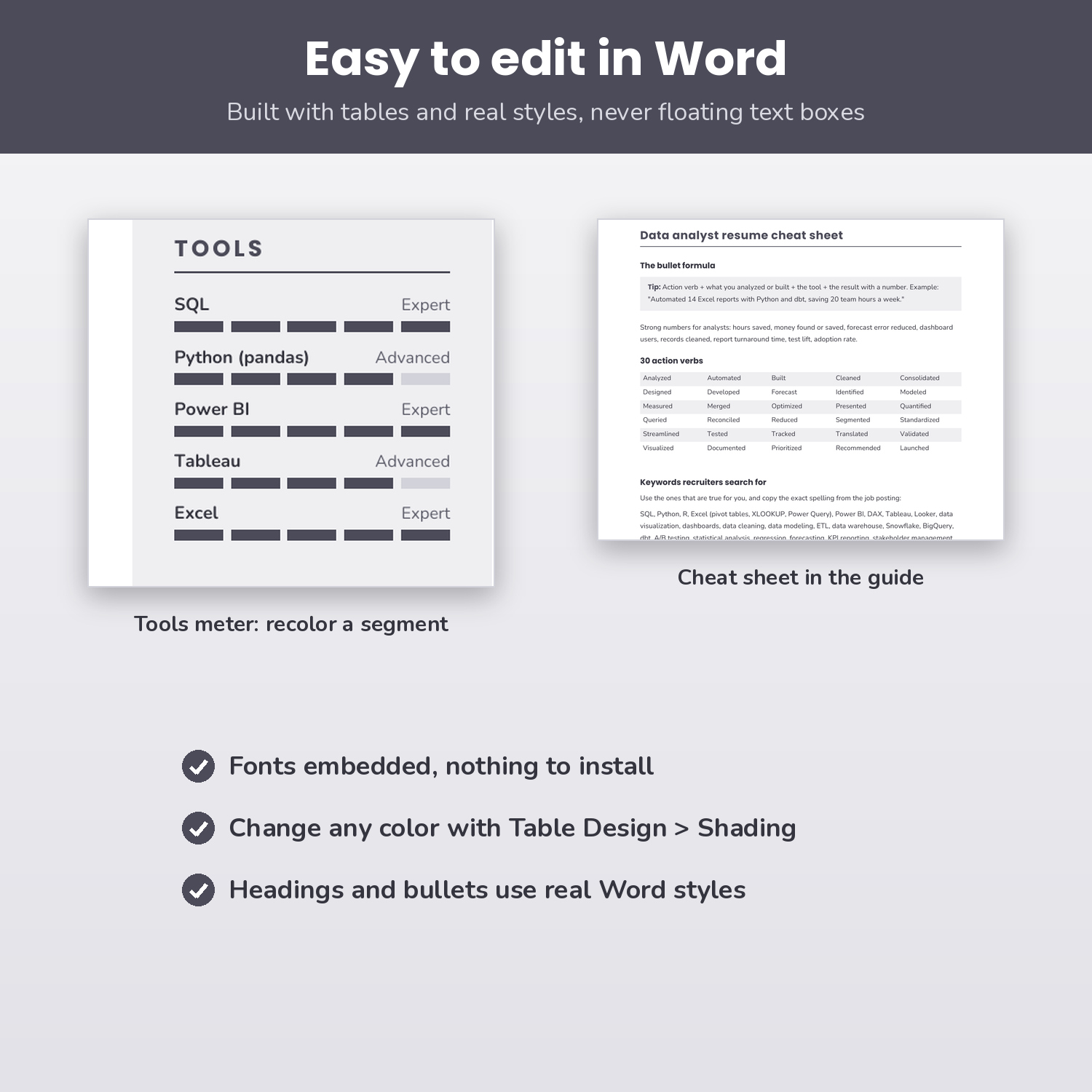
- Recolor without images. Every color block is shaded in Word, so you can change the slate to navy or charcoal with Table Design > Shading.
- Real Word styles. Headings, job titles and bullets use named styles, so you can restyle the whole document from the Styles pane.
What Is Included in the Data Analyst Resume Kit
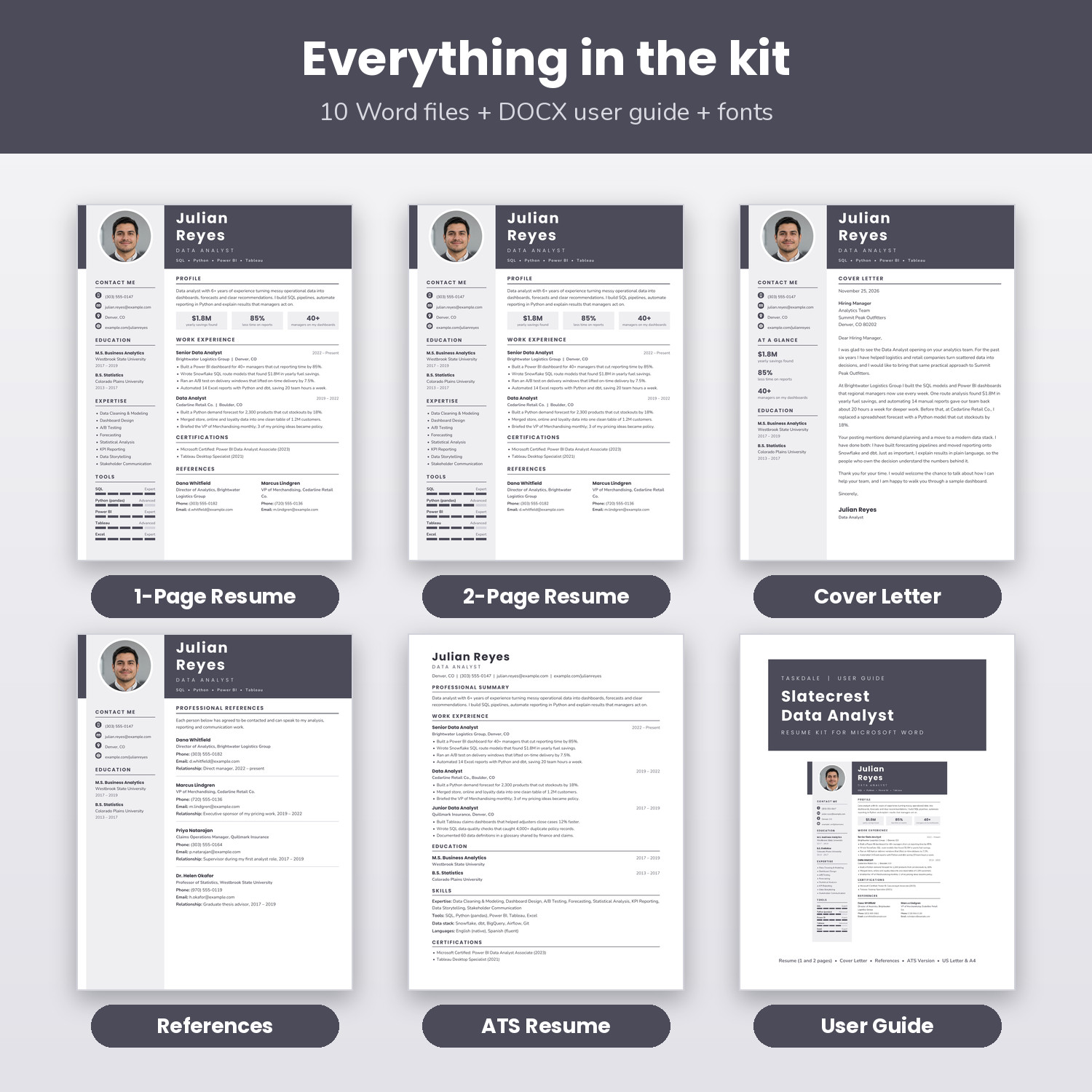
10 editable Word files (5 designs x 2 paper sizes)
- 1-page resume: slate header band with a round photo and letter-spaced name, light grey sidebar with contact details, education, expertise and a five-step tools meter, plus profile, impact boxes, work experience, certifications and references.
- 2-page resume: page 2 adds earlier experience, three selected projects, a tech stack panel, languages, interests, training and community work.
- Cover letter: the same header, an At a Glance sidebar with your three best numbers and a complete sample letter for a data analyst role.
- References page: four references with phone, email and relationship.
- ATS resume: a single-column version with no photo, tables or icons, for online job portals.
Also included
- A 9-page DOCX user guide in the same design
- A data analyst resume cheat sheet: the bullet formula, 30 action verbs, 29 keywords recruiters search for and what to write in each section
- Fonts folder with Poppins and Nunito and their open font licenses
- A READ-ME-FIRST file with quick start steps
Sample Wording Written for Data Analysts
There is no lorem ipsum anywhere. The sample resume belongs to a fictional senior data analyst, so you can see what a strong bullet looks like before you write your own. For example: “Wrote Snowflake SQL route models that found $1.8M in yearly fuel savings” and “Automated 14 Excel reports with Python and dbt, saving 20 team hours a week.” The tools meter lists SQL, Python, Power BI, Tableau and Excel, and the tagline under the name shows four core tools at a glance. Swap them for the tools in the job posting.
How It Works
- Download the kit zip and the user guide right after checkout.
- Unzip the kit and open the folder for your paper size: US-Letter or A4.
- Open the resume in Microsoft Word and type over the sample text. Replace the photo or delete it.
- Adjust the tools meter, impact boxes and colors if you like. The guide shows each step.
- Save as PDF and apply. Use the ATS version for online portals and the designed resume for email and interviews.
File Formats and Software Requirements
- Format: Microsoft Word .docx (10 files) plus a DOCX user guide
- Sizes: US Letter (8.5 x 11 in) and A4 (210 x 297 mm)
- Software: Microsoft Word 2016 or newer, Word for Microsoft 365, on Windows or Mac
- Google Docs and Apple Pages can open the files with minor layout differences. For the cleanest PDF, export from Word.
- This is a digital download. No physical item will be shipped.
Customization Options
Change the slate header and grey sidebar to any color, switch fonts through the Styles pane, rename the sections, add more jobs or remove the references block. The photo slot is optional, and the layout still looks balanced without it, which suits US and Canadian applications where photos are less common.
Real Ways Buyers Use This Data Analyst Resume Template
- A Power BI developer applying for a senior analyst role uses the impact boxes to show dashboard adoption and hours saved.
- A statistics graduate fills the 2-page version’s projects section with a churn model and a SQL case study from a bootcamp.
- An Excel-heavy finance analyst moving into BI rewrites the tools meter and tagline for each posting in five minutes.
- An analyst relocating to London switches to the A4 files and keeps the references block, which many UK employers expect.
Frequently Asked Questions
Is this data analyst resume template ATS friendly?
Yes. The designed resume keeps all text in normal paragraphs inside table cells, with no text boxes. For strict job portals, upload the included single-column ATS version.
Do I need to install fonts?
No. Poppins and Nunito are embedded in every file. A Fonts folder is included in case Word ever swaps them.
Can I remove the photo?
Yes. Click the photo and press Delete. The ATS version has no photo at all.
Will it work in Google Docs?
It opens in Google Docs, but spacing may shift slightly. We recommend editing and exporting the PDF in Microsoft Word.
Can I use it for a business analyst or BI analyst resume?
Yes. Replace the job title, tagline, tools and bullets. The cheat sheet’s keyword list covers BI and reporting roles too.
Can I add a third job to the 1-page resume?
You can if your bullets are short. Otherwise move older roles to the 2-page resume, which has an Earlier Experience section.
Can I share or resell the template?
No. The license is for personal use: create your own resume, cover letter and references. Please don’t share, resell or upload the files.
Reviews
There are no reviews yet.