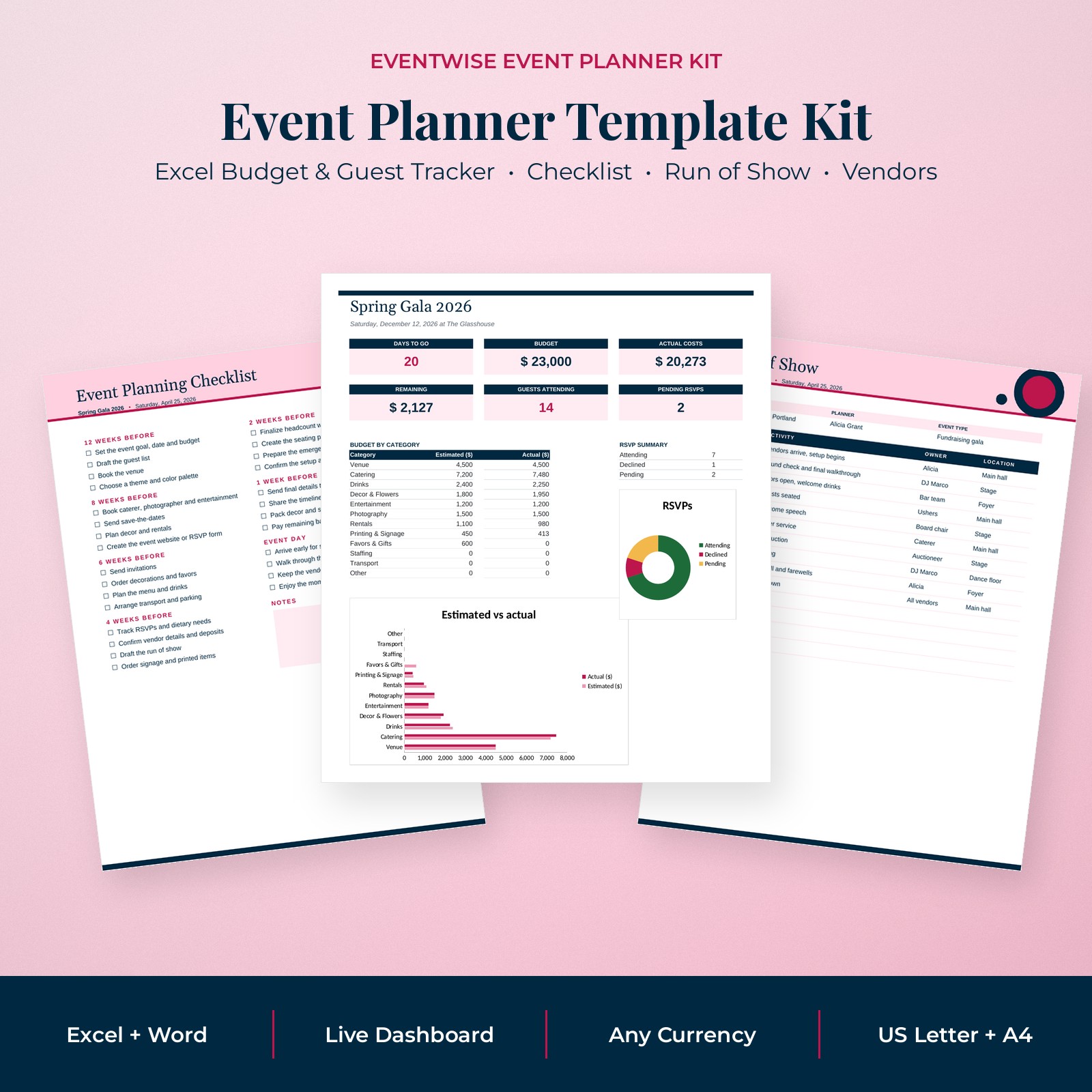
The Eventwise Event Planner Kit is a complete event planner template for parties, galas, fundraisers, showers and corporate events. A navy, raspberry and blush design keeps everything clear, while the Excel workbook does the math so you always know where your budget and guest count stand.
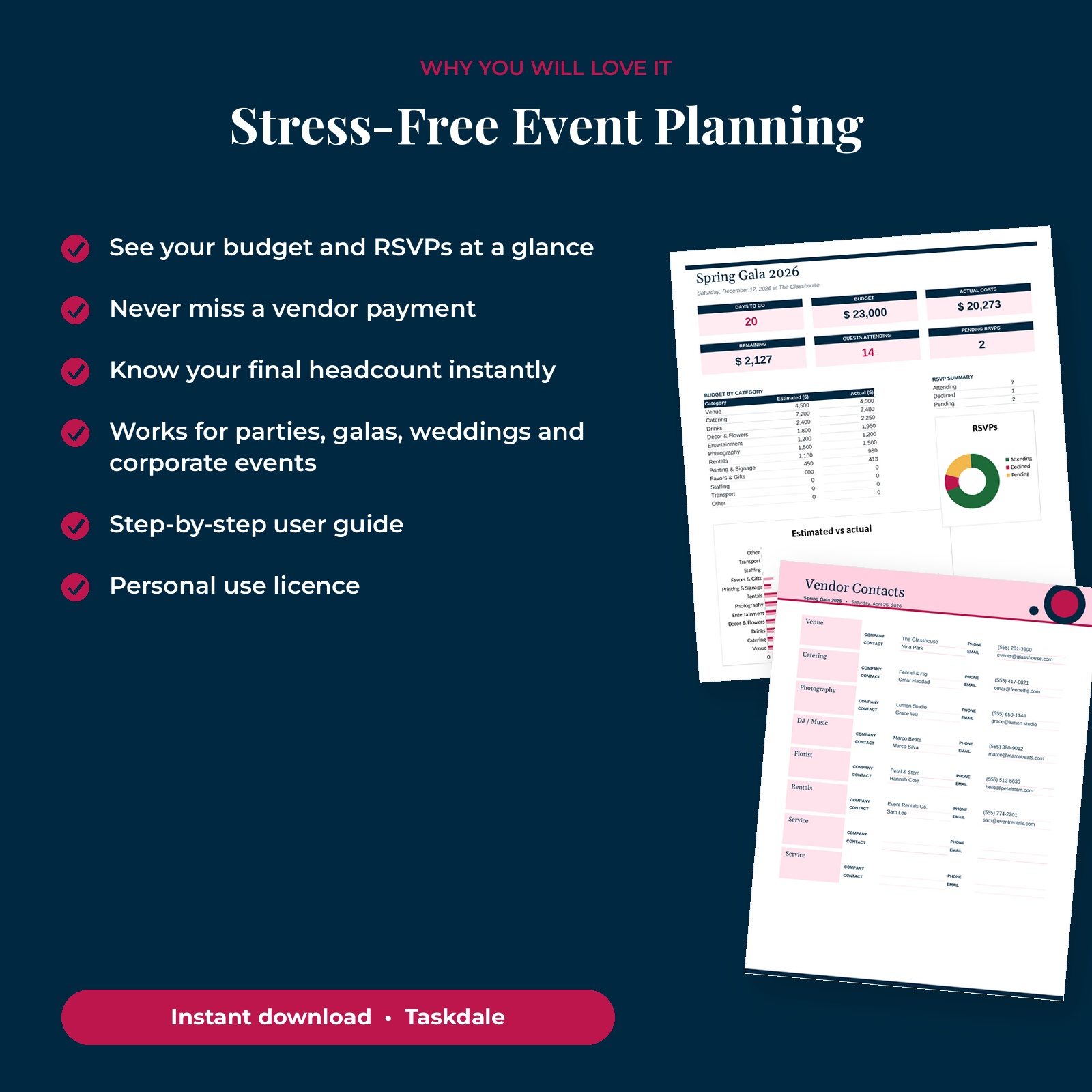
Set up the event once, then log costs, payments and RSVPs. The dashboard shows a countdown, budget, actual costs, remaining budget, guests attending and pending RSVPs, with charts by category and RSVP status. Print the Word checklist, run of show and vendor sheet for the big day.
Why Choose the Eventwise Event Planner Kit Event Planner Template
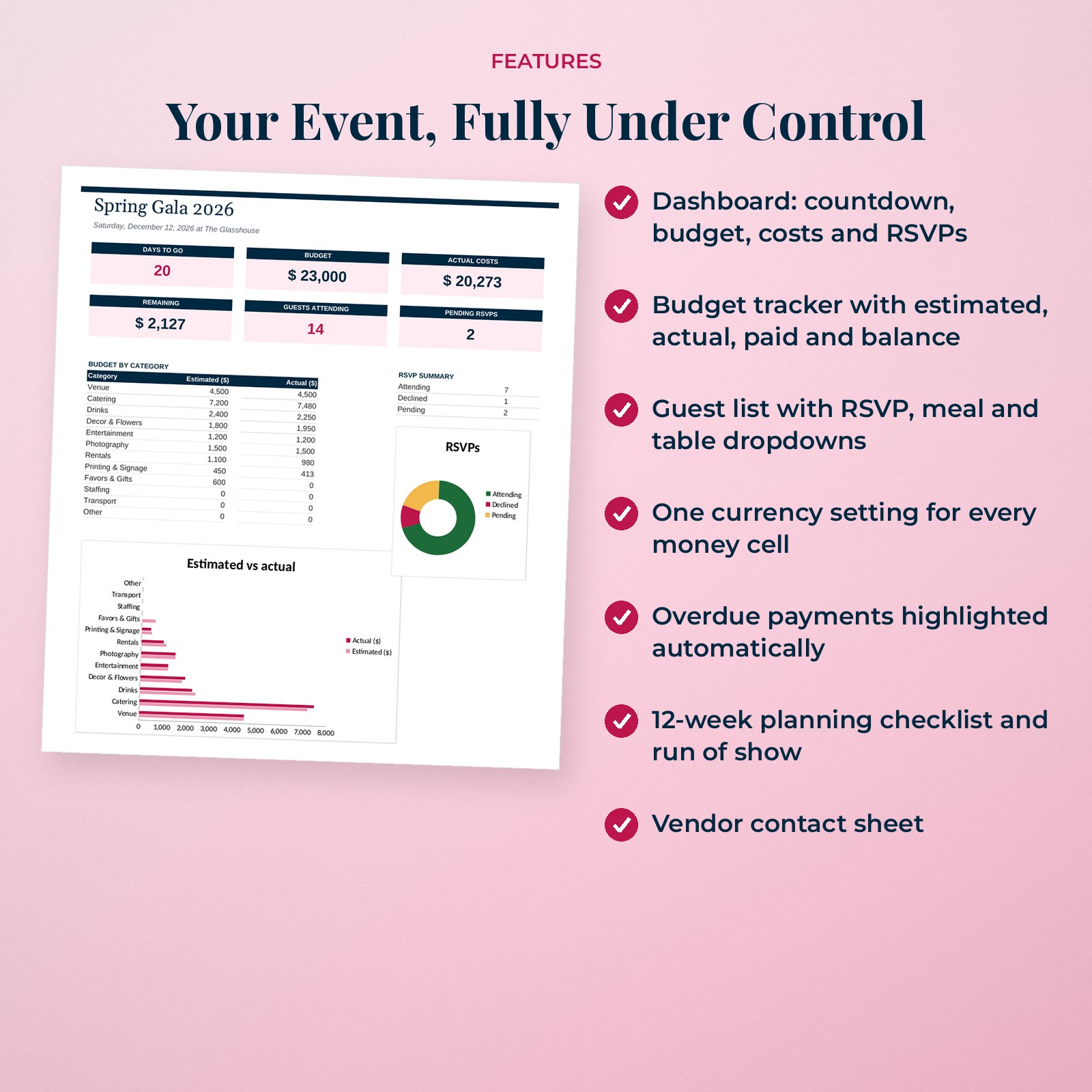
- Live dashboard with countdown, budget and RSVP totals
- One currency setting for every money cell
- Overdue vendor payments flagged automatically
- Headcount adds up party sizes for accurate catering numbers
- Printable checklist, run of show and vendor contacts
- Locked formulas (no password) and input checks
Who It Is For
- Party hosts planning birthdays, showers and anniversaries
- Nonprofits running galas and fundraisers
- Office managers organizing corporate events and holiday parties
- Couples planning a wedding or rehearsal dinner
Features
Event Budget Tracker
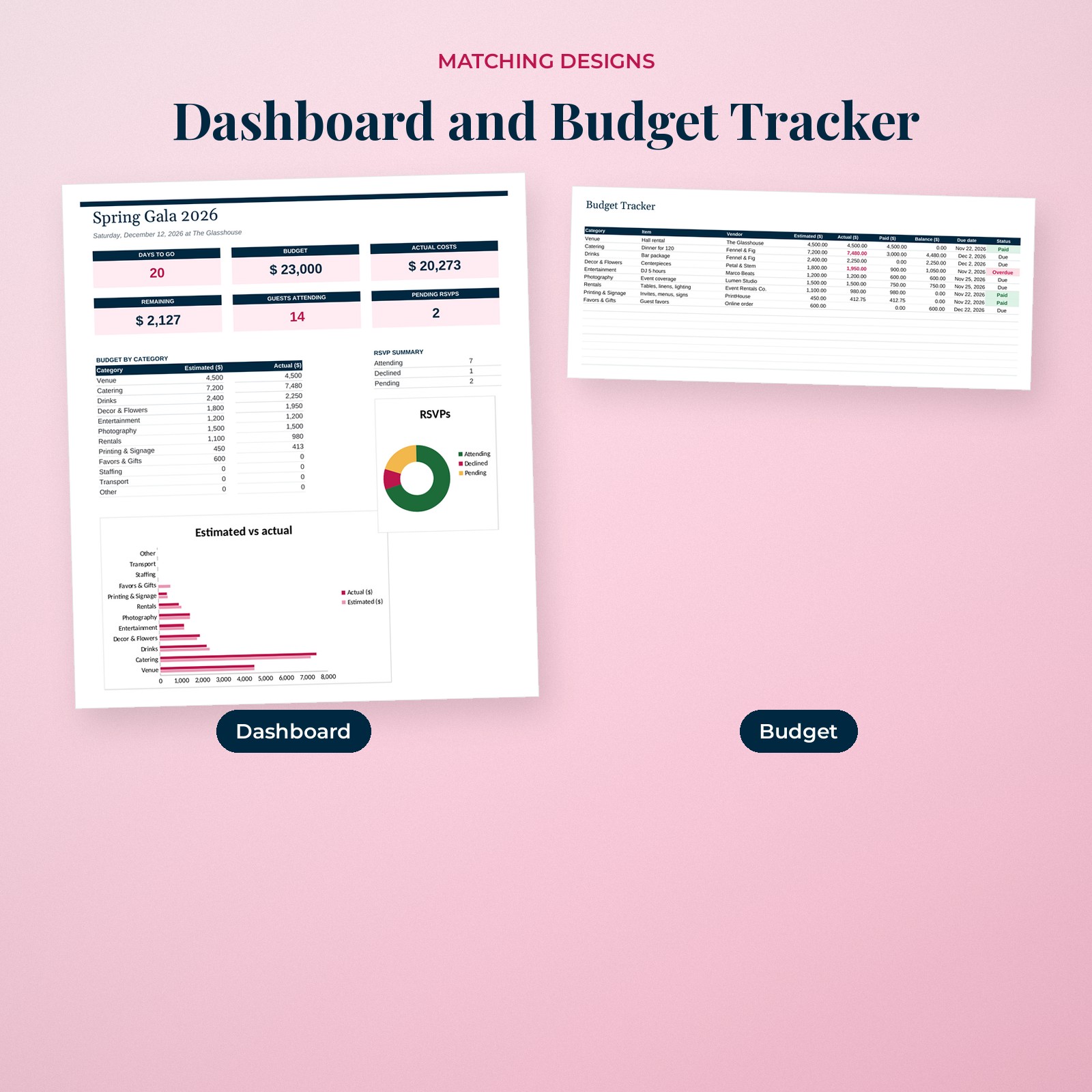
Sixty budget lines with category dropdowns, estimated, actual and paid amounts, automatic balances, due dates and Paid, Due or Overdue status.
Guest List and RSVP Tracker
Three hundred rows for households with party size, group, RSVP, meal choice and table number, all with dropdowns.
Event Dashboard
Countdown, budget, actual costs, remaining budget, guests attending and pending RSVPs, plus a budget-by-category table and two charts.
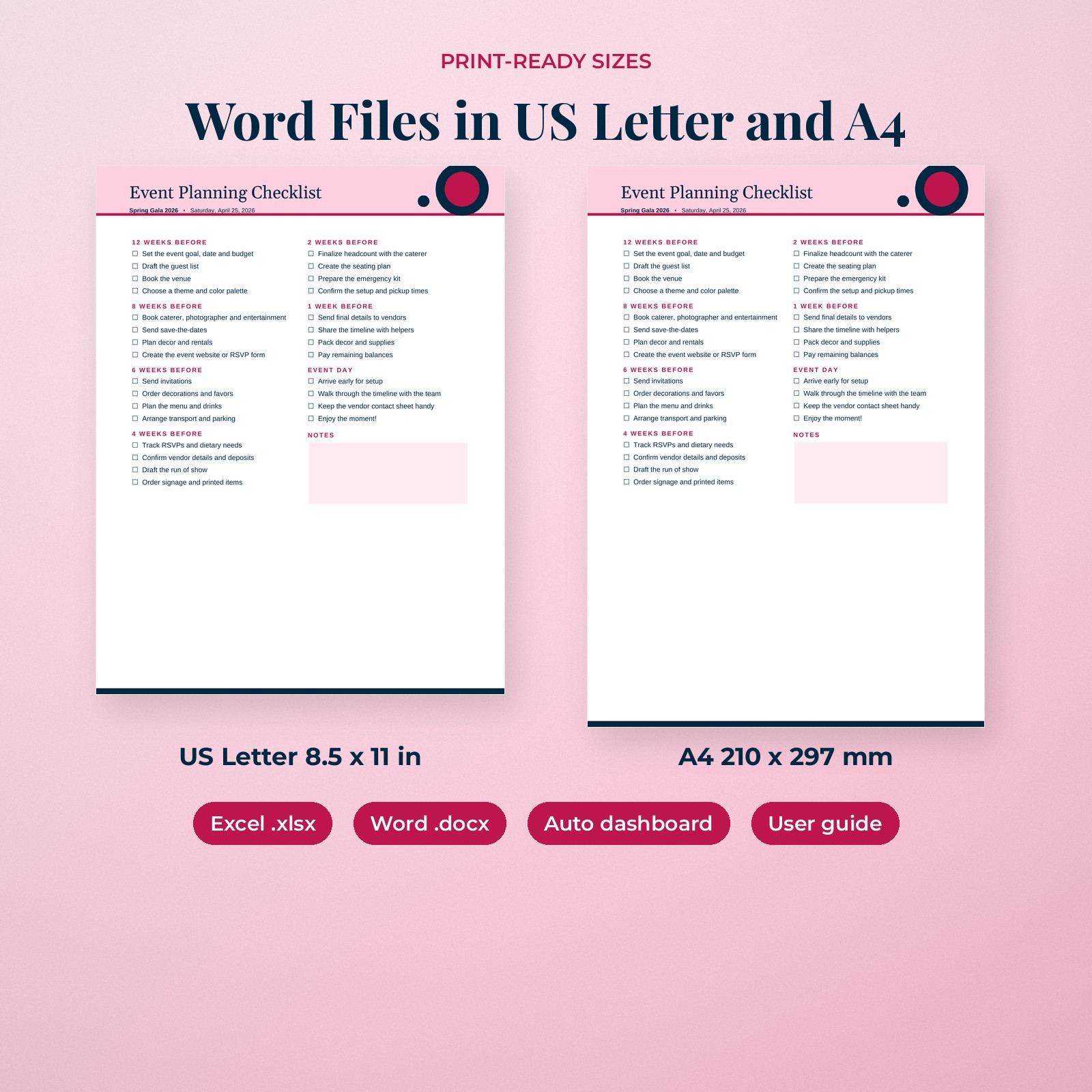
Planning Checklist
A 12-week countdown checklist from setting the budget to enjoying the day.
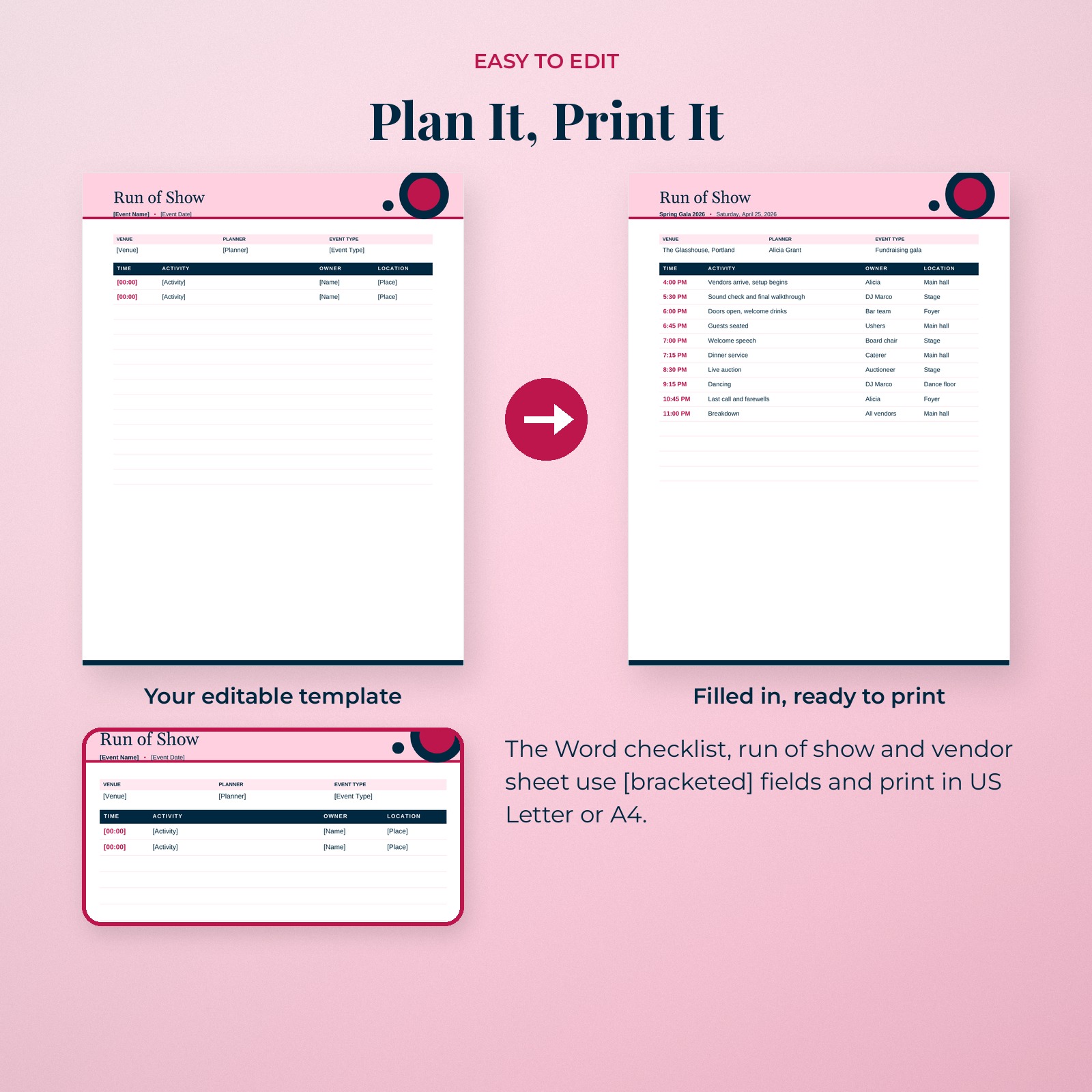
Run of Show and Vendor Contacts
A timed schedule with owners and locations, and a contact sheet for every vendor.
What’s Included
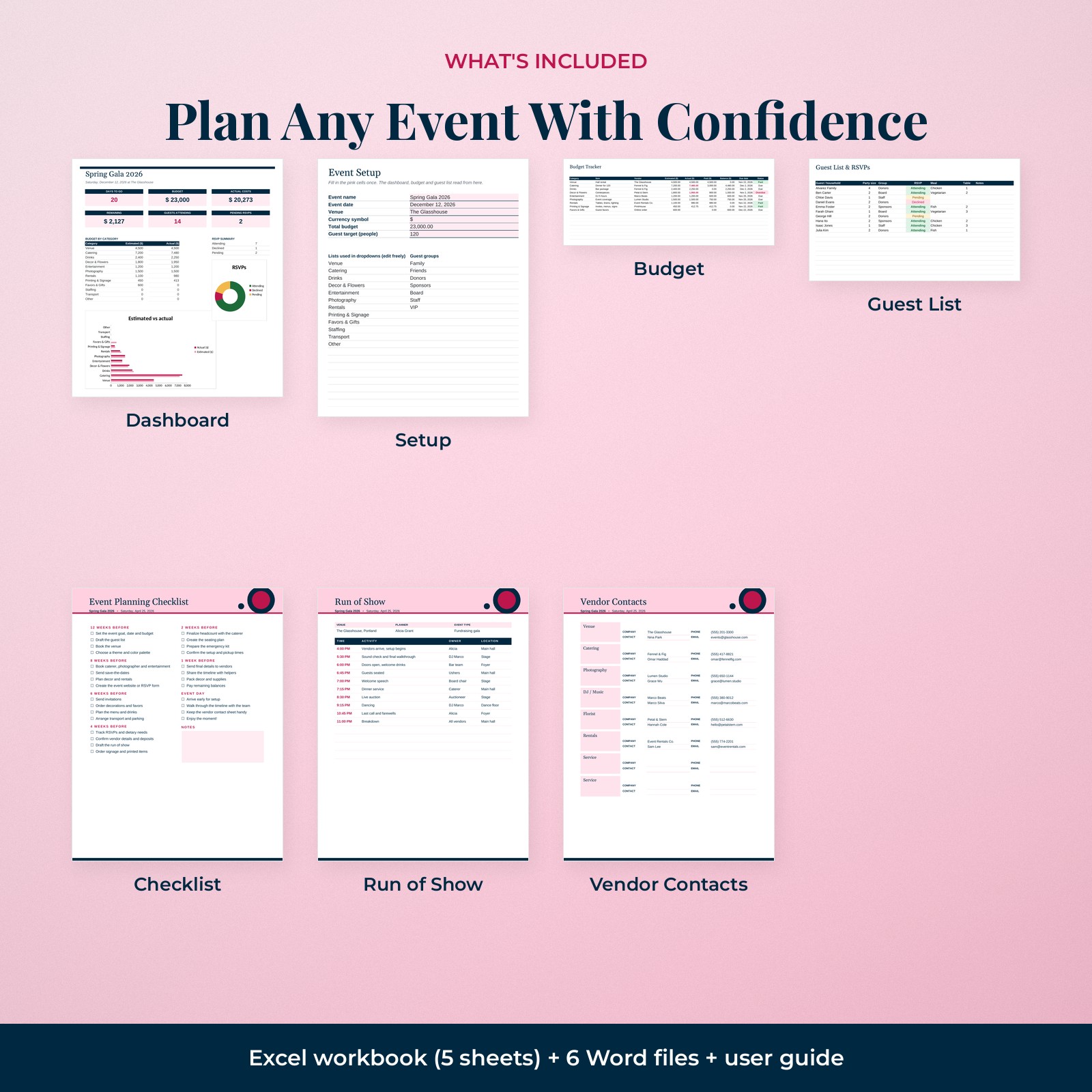
- Excel workbook (.xlsx): Dashboard, Setup, Budget and Guest List
- Event planning checklist (US Letter and A4)
- Run of show / day-of timeline (US Letter and A4)
- Vendor contact sheet (US Letter and A4)
- User guide (.docx)
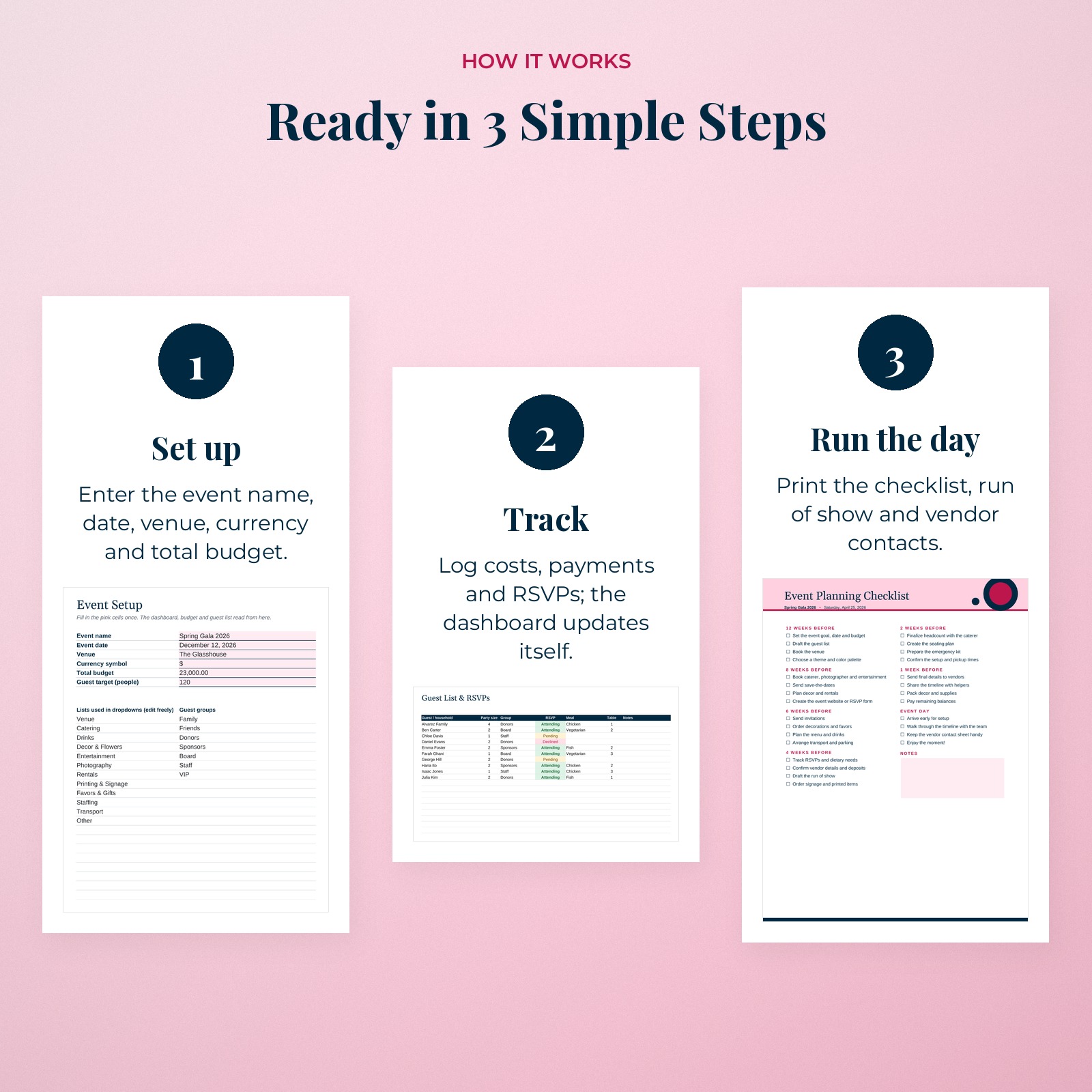
How It Works
- Download the ZIP and user guide after checkout.
- Fill in the Setup sheet: event details, currency and budget.
- Track costs and RSVPs; the dashboard updates automatically.
- Print the checklist, run of show and vendor sheet.
File Formats and Software Requirements
- 1 Excel workbook (.xlsx)
- 6 Microsoft Word compatible .docx files (US Letter and A4)
- User guide (.docx)
Use Microsoft Excel for the workbook and Microsoft Word for the printables. Formulas, dropdowns, charts and conditional formatting were tested by recalculating the workbook in LibreOffice Calc, and every Word file was rendered in LibreOffice Writer. No macros.
Customizing Your Event Planner Template
Rename budget categories and guest groups on the Setup sheet, change meal options, add notes, recolor text in Word, and add or remove checklist items. Unprotect sheets (no password) if you want to add columns.
Real-Life Ways to Use It
- Fundraising galas: Track sponsorship spend and table assignments.
- Birthday and milestone parties: Keep the budget in check and confirm headcount.
- Corporate events: Share the run of show with your team and vendors.
- Weddings and showers: Manage RSVPs and meal choices.
Event Planning Tips
Set your total budget first and keep 10% aside for surprises. Enter every quote as an estimate, then replace it with the actual cost once you book, so the remaining budget is always realistic.
Send the run of show and vendor contacts to everyone involved a week before the event, and confirm the final headcount with the caterer using the attending total on the dashboard.
After the event, keep the workbook as a record. Next time you plan, save a copy, clear the guest list and update the budget: your categories, vendors and checklist are already in place.
Digital Download Information
This is a digital product. No physical item will be shipped. Your files are available to download right after checkout from your order confirmation and your Taskdale account. Colors may look slightly different on screen and in print depending on your monitor and printer.
Licence: personal use only. You may edit and print the templates for yourself or your own single business. Reselling, sharing or redistributing the files, edited or unedited, is not allowed.
Event Planner Template FAQ
Does this event planner template calculate automatically?
Yes. Balances, statuses, headcount, remaining budget and charts update as you type.
Can I use my own currency?
Yes. Choose a symbol on the Setup sheet and every money header and dashboard total uses it.
Can I change the budget categories?
Yes. Edit the list on the Setup sheet and the dropdowns update.
Does it work in Google Sheets?
It is built for Excel and tested in LibreOffice Calc; Google Sheets may display charts and protection differently.
What paper sizes are the printables?
US Letter and A4.
Is it a physical product?
No. It is an instant digital download.
How many guests can I track?
Up to 300 households, each with its own party size.

Reviews
There are no reviews yet.