

A fix and flip calculator spreadsheet that shows the real profit before you buy
Most flips that lose money looked fine on a napkin. The rehab ran 20% over, the house took two extra months to sell, and the hard money interest kept ticking. Flipwright is a fix and flip calculator spreadsheet built to catch that before you sign. Type in one property and it works out the net profit, ROI, cash you need, break-even sale price and your maximum offer. Then it gives you a plain verdict: GO, REVIEW or NO GO.
It is built only for flipping. No rental tabs to skip past, no cap rates you will never use. Just the numbers a flipper needs, from the first comp to the closing statement.
What this house flipping spreadsheet does
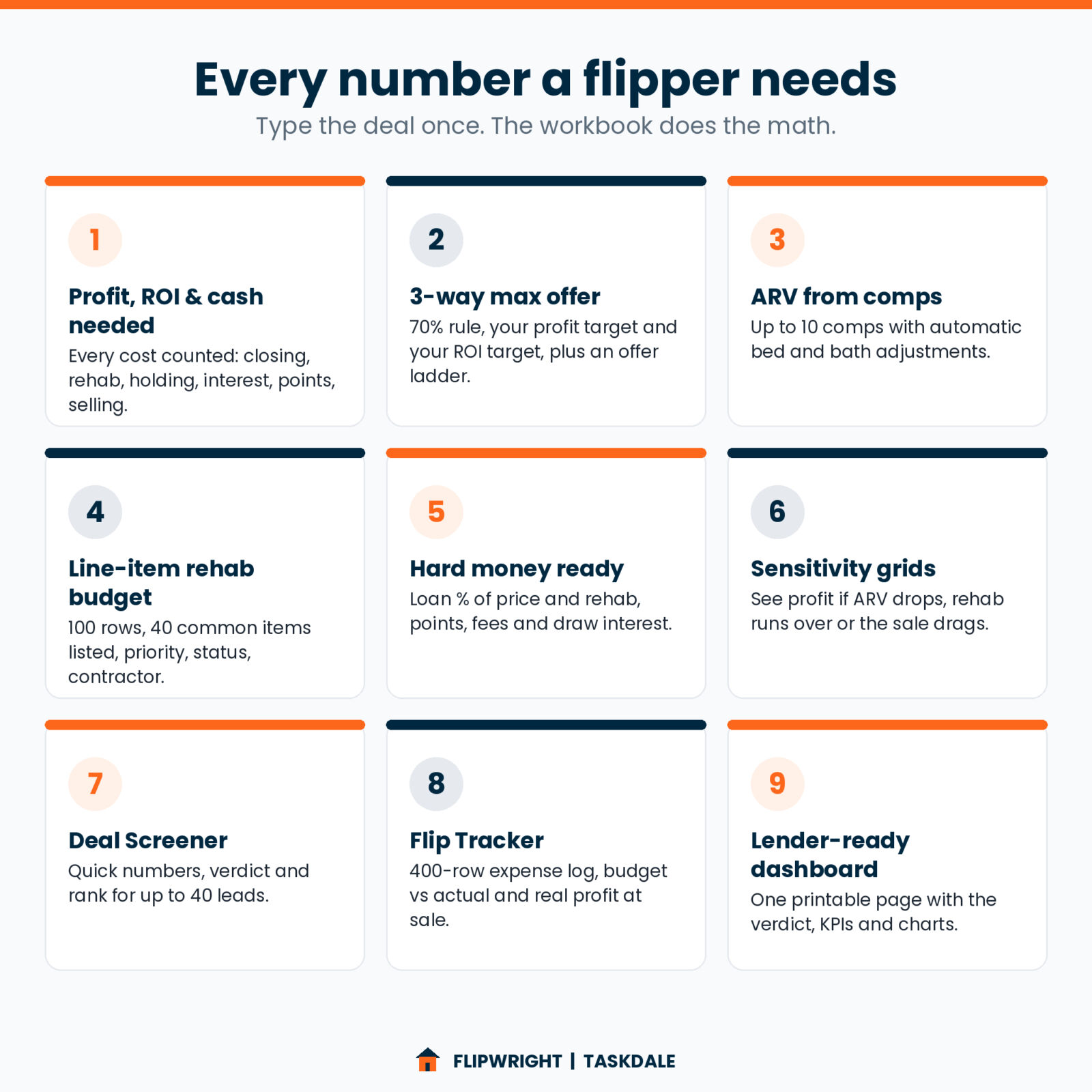
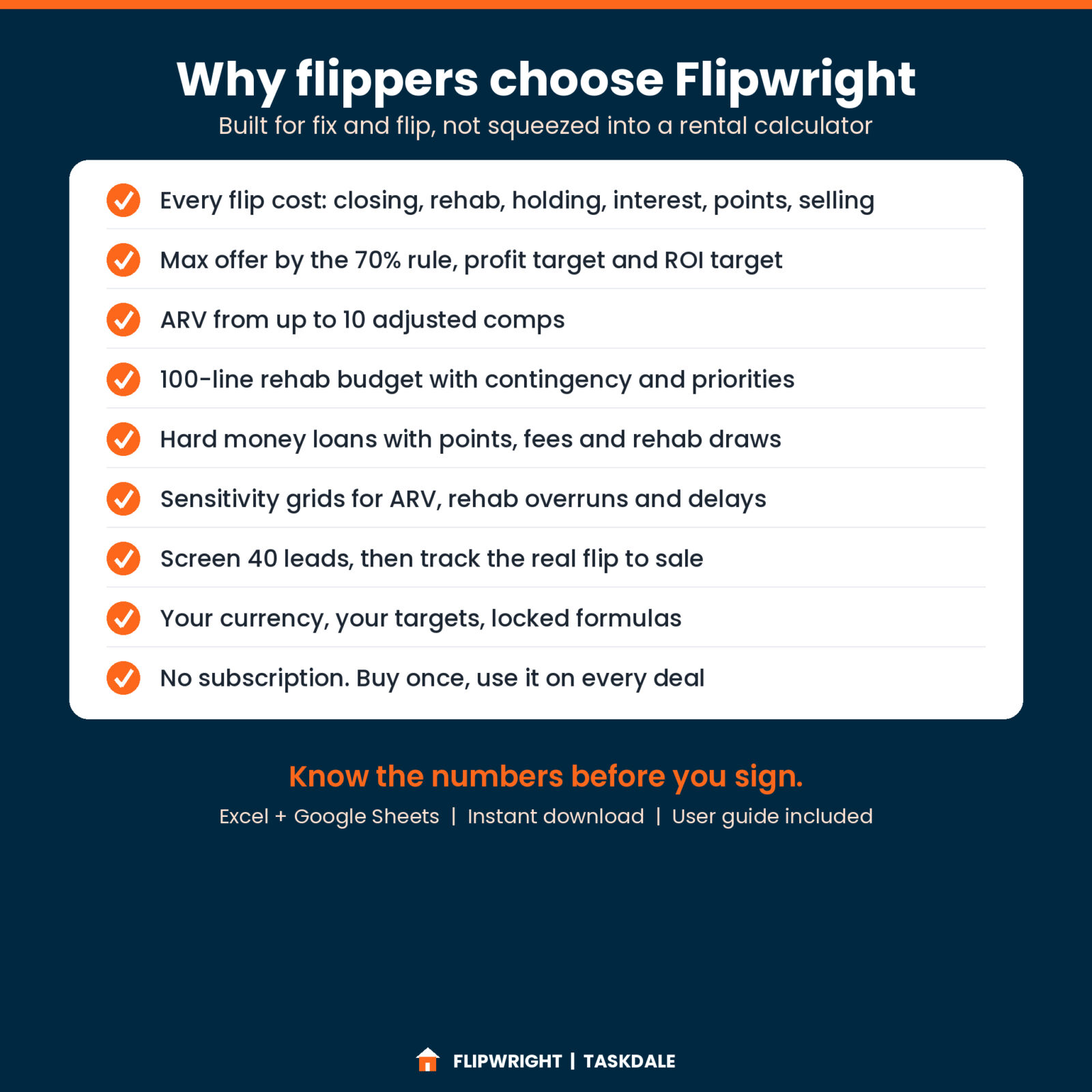
- Analyzes the whole deal. Purchase price, buy closing costs, rehab with contingency, holding costs, loan interest, points, lender fees and selling costs all roll into one net profit number. Every line adds up so you can see where the money goes.
- Finds your max offer three ways. The 70% rule (or any rule % you like), the highest price that still hits your profit target, and the highest price that still hits your ROI target. It picks your walk-away price and builds an offer ladder with an opening offer.
- Estimates ARV from comps. Enter up to 10 sold homes. Bedroom and bathroom adjustments are automatic, you add condition and other adjustments, and you choose average $/sq ft, median or average adjusted price.
- Budgets the rehab line by line. 100 rows with 40 common items already listed (roof, HVAC, kitchen, baths, flooring, paint and more), priority, status and contractor. Or switch to a quick $/sq ft estimate for a first look.
- Handles hard money properly. Loan % of price, loan % of rehab, interest-only rate, points, flat fees and a rehab draw factor, so you only pay interest on rehab money as it is drawn.
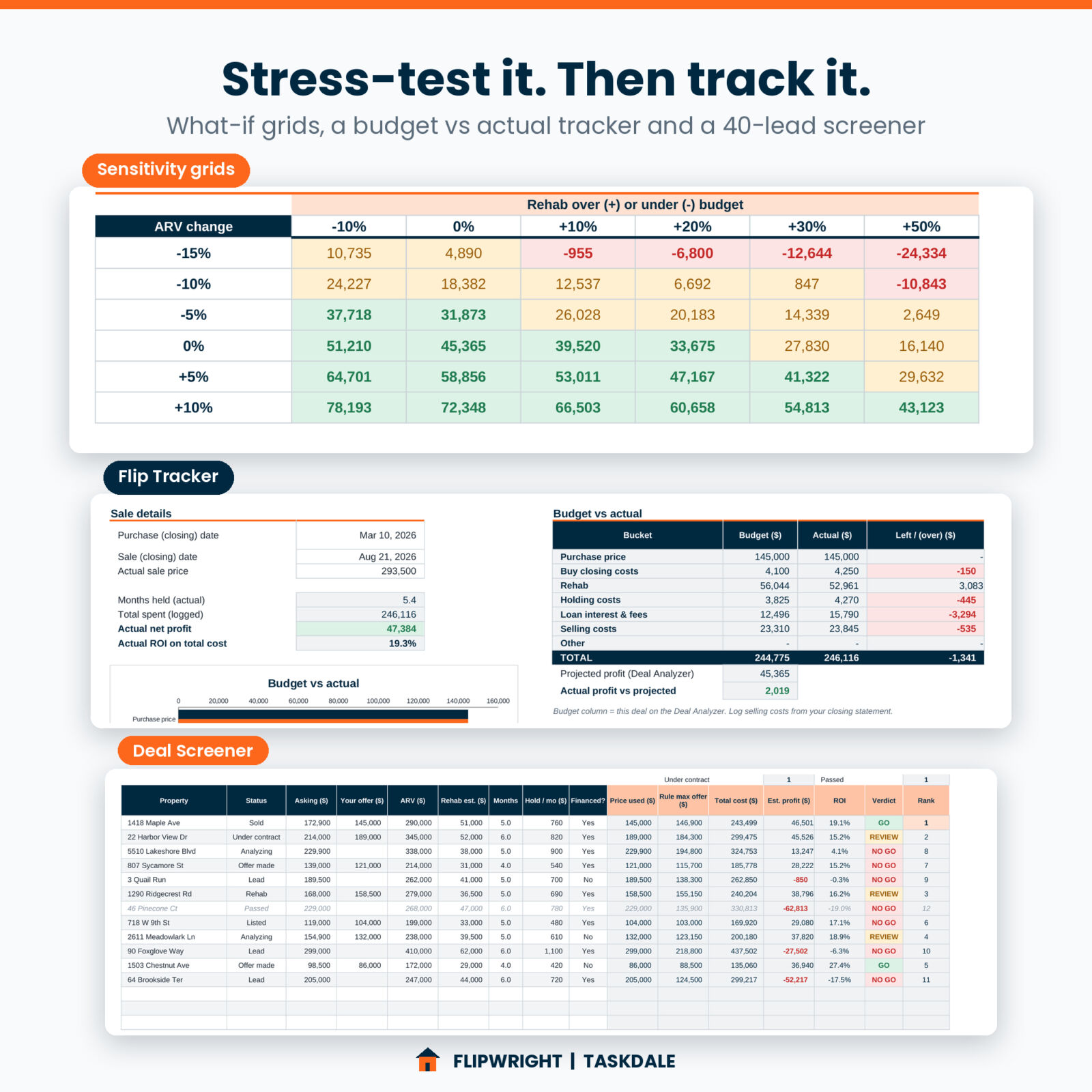
- Stress-tests the deal. Three color-coded sensitivity grids show profit and ROI if the ARV drops or the rehab runs over, and profit at different prices if the sale takes 1 to 6 extra months.
Features
Deal Analyzer and verdict
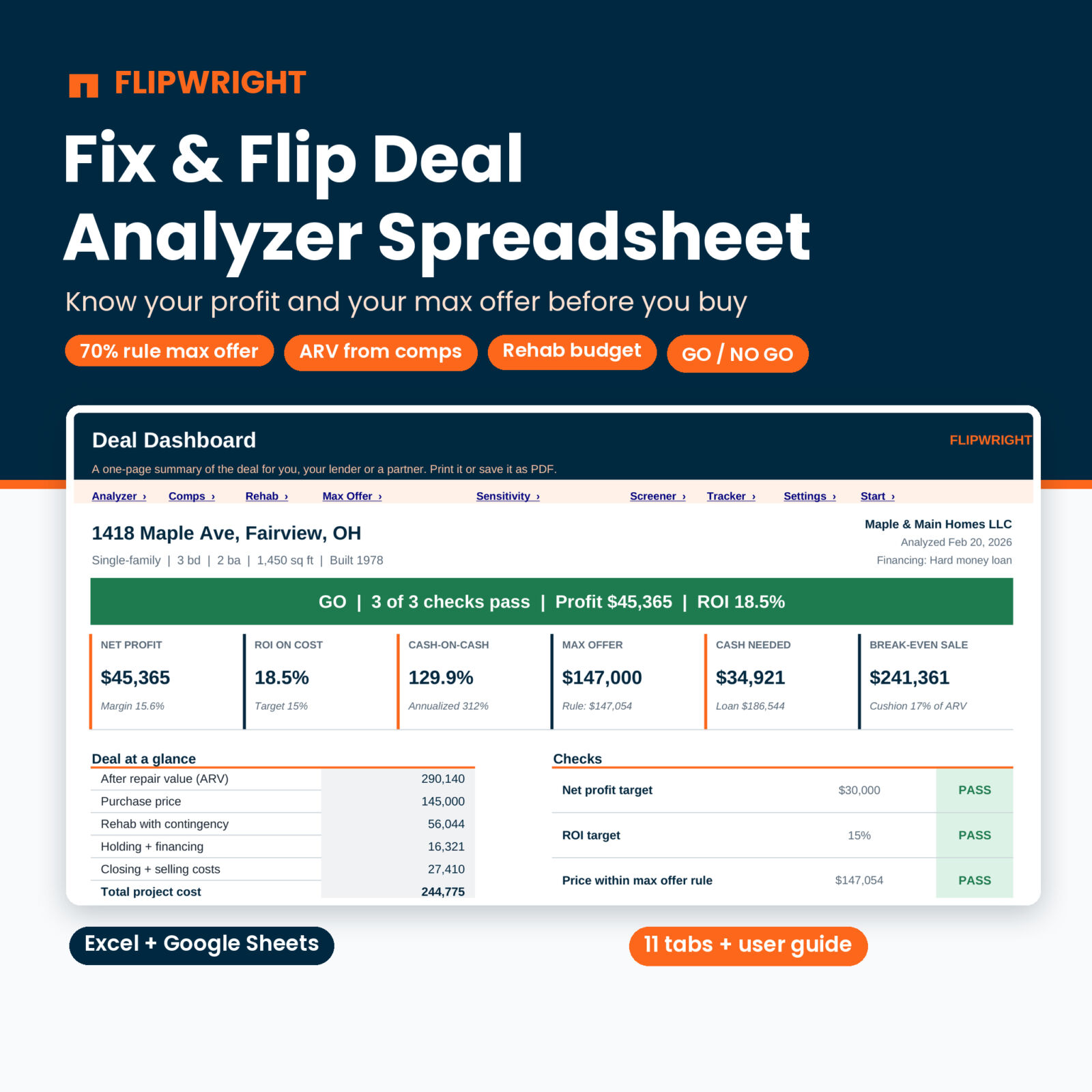
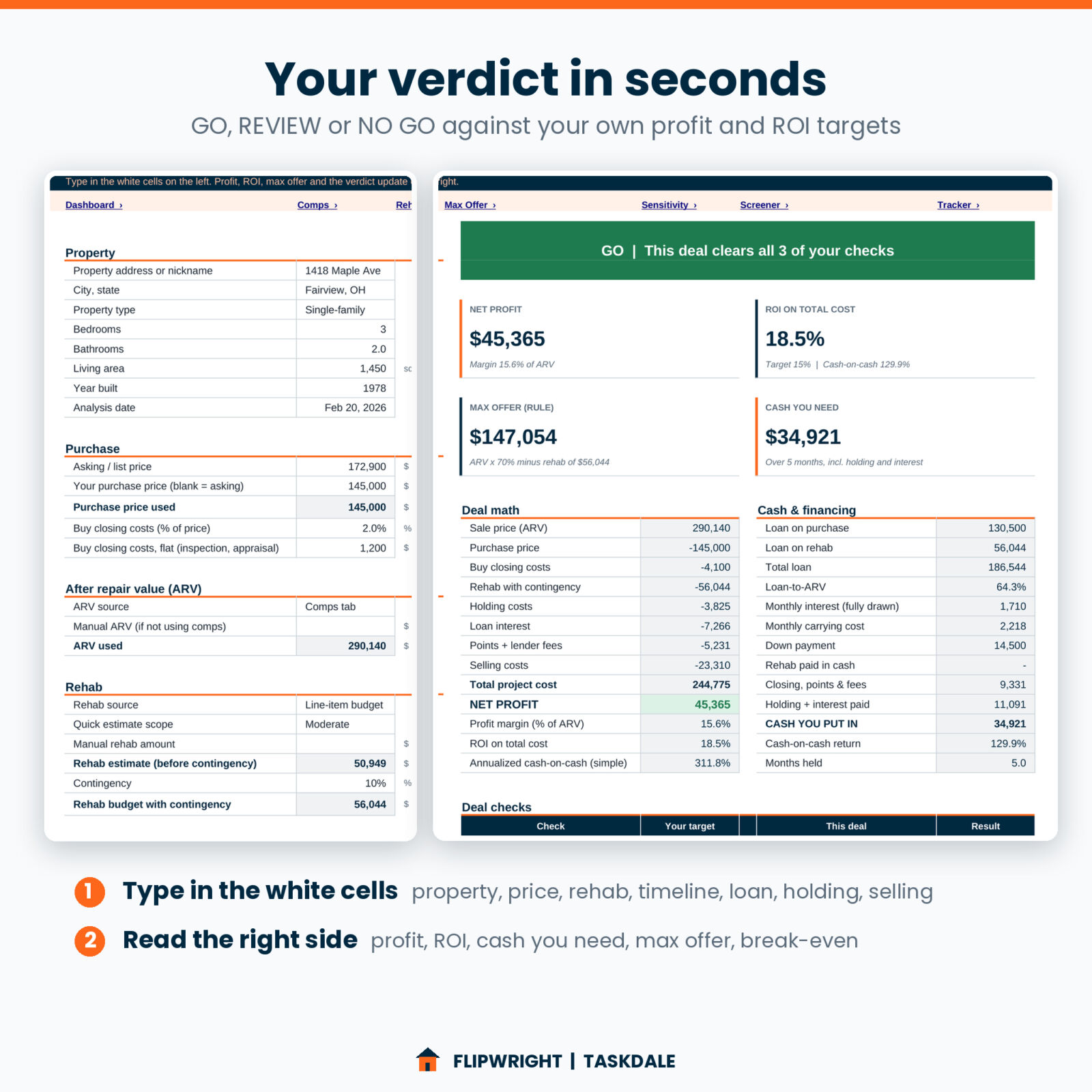
Inputs on the left, results on the right. Four KPI tiles show net profit, ROI on total cost, max offer and cash you need. Three checks (profit target, ROI target, price within your max offer rule) decide the verdict, and the banner turns green, amber or red.
Lender-ready Dashboard
A one-page summary with the property, the verdict, six KPI tiles, a deal-at-a-glance table and three charts: where the money goes, profit if the sale takes longer, and rehab budget by category. Print it or save it as a PDF for your lender or partner.
Deal Screener for up to 40 leads
Run quick numbers on every lead with your default assumptions. Each row gets a rule max offer, total cost, estimated profit, ROI, verdict and rank. Track status from Lead to Sold.
Flip Tracker
Bought it? Log every expense in a 400-row log by bucket and rehab category. You get budget vs actual for each bucket, rehab actuals by category on the Rehab Budget, and your real profit and ROI once it sells.
Built to be hard to break
Formula cells are locked (no password), dropdowns keep entries consistent, error flags point out incomplete rows, and one currency setting controls every money label.
What is included
- Flipwright workbook (.xlsx), blank and ready for your first deal. 11 tabs: Start Here, Settings, Deal Analyzer, Dashboard, Comps, Rehab Budget, Max Offer, Sensitivity, Deal Screener, Flip Tracker and Lists.
- Example deal workbook (.xlsx): a finished flip filled in on every tab, so you can see how it all works.
- User guide (.docx): setup, every tab, how the math works, tips, troubleshooting and FAQ.
How it works
- Set your targets once. Currency, minimum profit, minimum ROI and your max offer rule live on Settings.
- Enter the deal. Property details, asking price, your offer, timeline, loan terms, holding and selling costs.
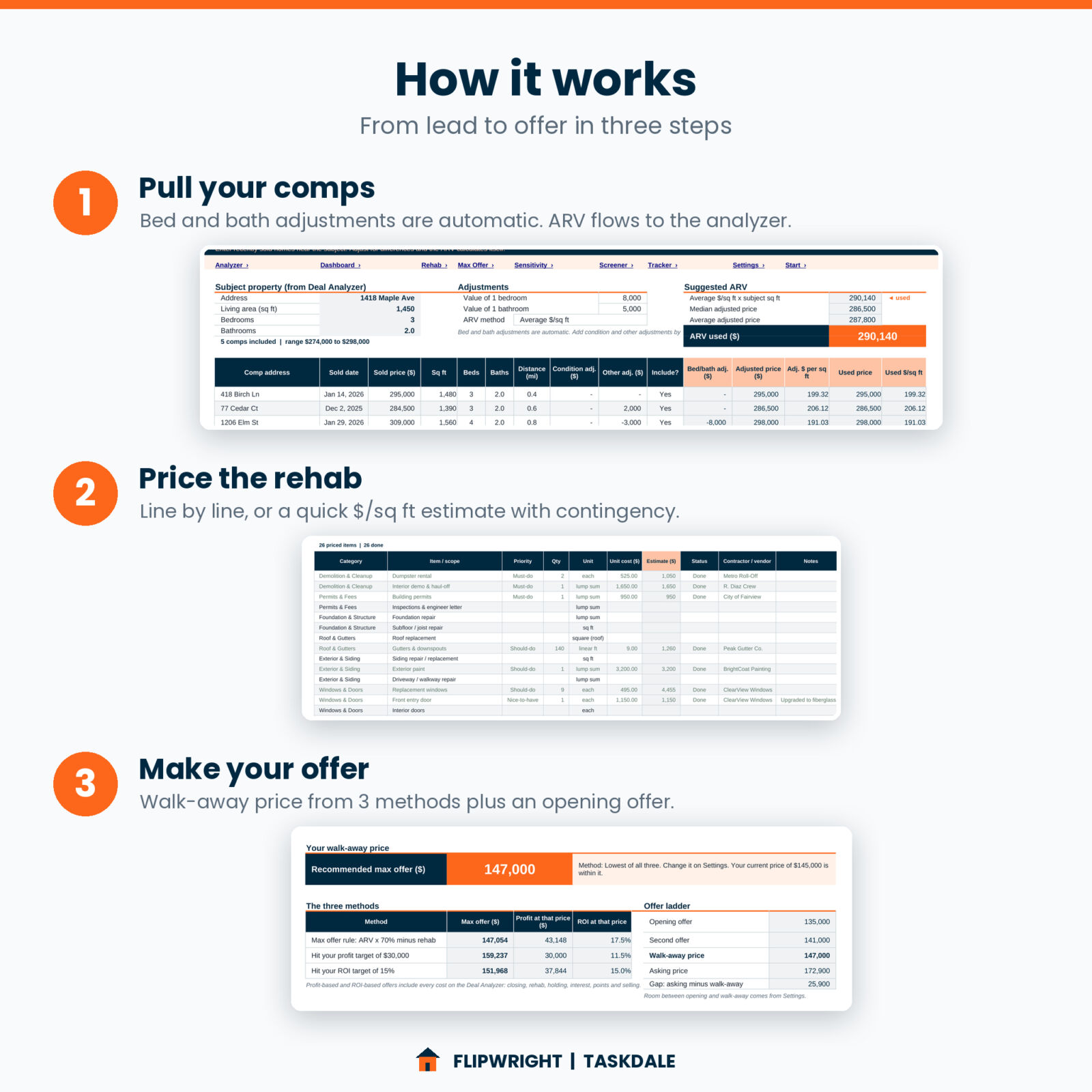
- Add comps and price the rehab. The ARV and rehab budget flow straight into the analysis.
- Read the verdict and your walk-away price. Check the sensitivity grids, then make your offer with confidence.
- Track the flip. Log costs as you pay them and compare actual profit with the projection when it sells.
Who it is for
- New investors working on their first or second flip who want a clear way to check deals.
- Experienced flippers who want one tidy file per property with comps, scope, financing and a lender summary.
- Wholesalers who need a fast, defensible max offer for their buyers.
- Agents and private lenders who run numbers for investor clients.
Real situations where it helps
- A seller wants an answer today. The Deal Screener tells you in two minutes whether the deal deserves a full look.
- You are pitching a private lender. Print the Dashboard: verdict, cash needed, loan-to-ARV and break-even on one page.
- The kitchen quote came in high. Change one line and watch the profit, max offer and verdict update.
File format and software
- Format: .xlsx workbooks and a .docx user guide. Instant digital download.
- Works in Microsoft Excel 2010 or newer (Windows and Mac).
- Works in Google Sheets: upload the file to Google Drive and open it with Google Sheets. Chart styling may look slightly different there.
- No macros, no add-ins and no subscription.
Make it yours
Use any currency symbol. Set your own profit and ROI targets and your own max offer rule. Rename rehab categories, deal statuses, property types and units on the Lists tab, and every summary follows. Change the quick-estimate $/sq ft rates and the Screener defaults to match your market.
Digital download
This is a digital product. No physical item will be shipped. Your files are available to download right after purchase. Licensed for personal use by one buyer for your own flips and business; please do not share or resell the files.
FAQ
What is the 70% rule in house flipping?
It says to pay no more than 70% of the after repair value minus the rehab cost. Flipwright calculates it for you and lets you change the % for your market.
Does this flip calculator include hard money loan costs?
Yes. Interest-only interest on the purchase and rehab loans, points, flat lender fees and a rehab draw factor are all included.
How is ARV calculated?
From your comps after bed, bath, condition and other adjustments, using average $/sq ft, median adjusted price or average adjusted price. You can also type ARV by hand.
Can I use it for more than one property?
The Deal Analyzer covers one deal per file, so save a copy for each property. The Deal Screener holds up to 40 leads in one file.
Does it work in Google Sheets?
Yes. Upload the .xlsx to Google Drive and open it with Google Sheets. All formulas use functions Google Sheets supports.
Is it good for beginners?
Yes. White cells are for typing, everything else calculates, and the guide walks you through your first deal.
Does it handle rentals or BRRRR?
No. Flipwright is built only for buy, renovate and sell deals.

Reviews
There are no reviews yet.