
A payday budget spreadsheet that finds your tightest day
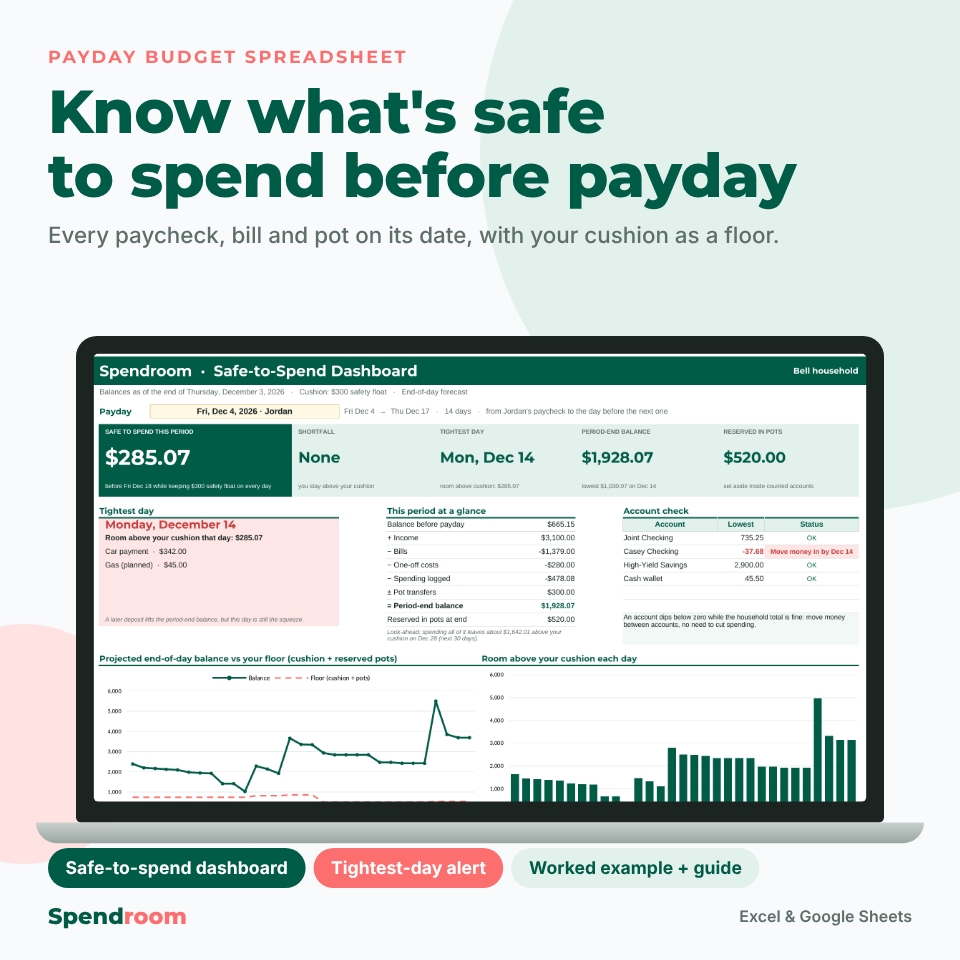
Your bank balance tells you what is in the account today. It does not tell you how much you can spend before Friday’s paycheck when rent leaves on Wednesday and an annual premium is due on Thursday. Spendroom is a payday budget spreadsheet for Excel and Google Sheets that puts every paycheck, bill, one-off cost and savings pot on its date and forecasts your end-of-day balance for every day. You choose a payday and a minimum cushion, and Spendroom shows the most you can spend without dipping below that cushion on any day before the next paycheck.
Who it is for
- Households living paycheck to paycheck who need one number they can trust today
- Two-earner households with different pay schedules, such as every two weeks and twice a month
- Anyone with quarterly, six-monthly or annual bills that are easy to miss in a monthly list
- People who keep money in several accounts and want to know when to move money between them
- Anyone who wants a private spreadsheet instead of an app: no bank login and no subscription
Features of the safe-to-spend dashboard
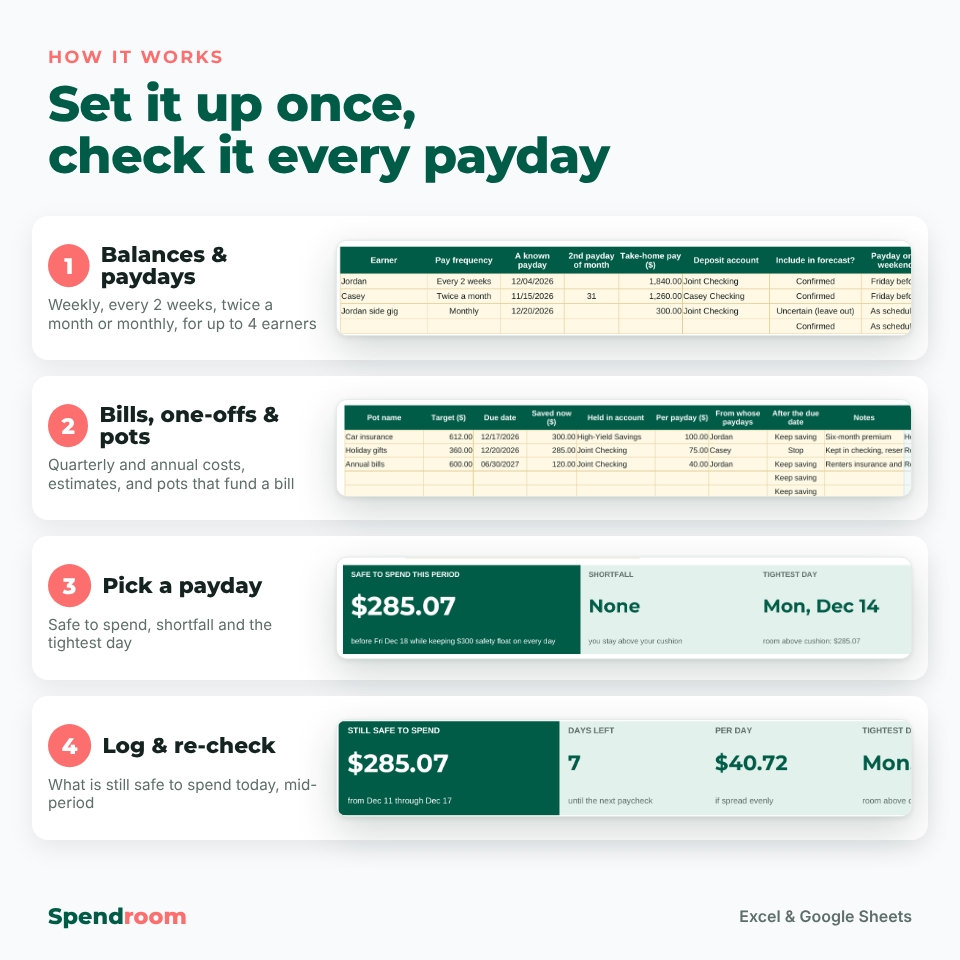
Set up your paydays, accounts and cushion
- Start Here checklist with 14 numbered steps and a color key that separates the cells you type in from the calculated ones
- Dated balance register for up to 10 accounts. Choose which accounts count as spending money. Savings can stay on the register without being counted.
- Household payday planner for up to 4 earners paid weekly, every 2 weeks, twice a month or monthly, with weekend rules, single-paycheck date and amount changes, and an Uncertain status that keeps unconfirmed income out until you confirm it
- Minimum cushion with a plain-English label, used as a daily floor
Bills, one-offs and savings pots
- Recurring bill register for 40 bills, from weekly to annual, with the account each one leaves from, Fixed or Estimate amounts and a per-month equivalent
- Monthly bill calendar with paydays, bill names and daily totals, plus a sorted list of the month’s collections. You can move, resize or skip one collection without changing the series.
- One-off costs and income for repairs, visits or refunds, with an Estimate marker for amounts that still need checking
- 10 savings pots with a target, a due date and a contribution for each payday. Money reserved in a checking account is subtracted from your spending room. A pot held in savings is never subtracted twice.
- Pot-funded payments: link a bill to a pot and set how much the pot covers. Only the uncovered part reduces your room.
Dashboard, timeline and account check
- Payday selector: pick any earner’s payday. The period runs to the day before their next paycheck.
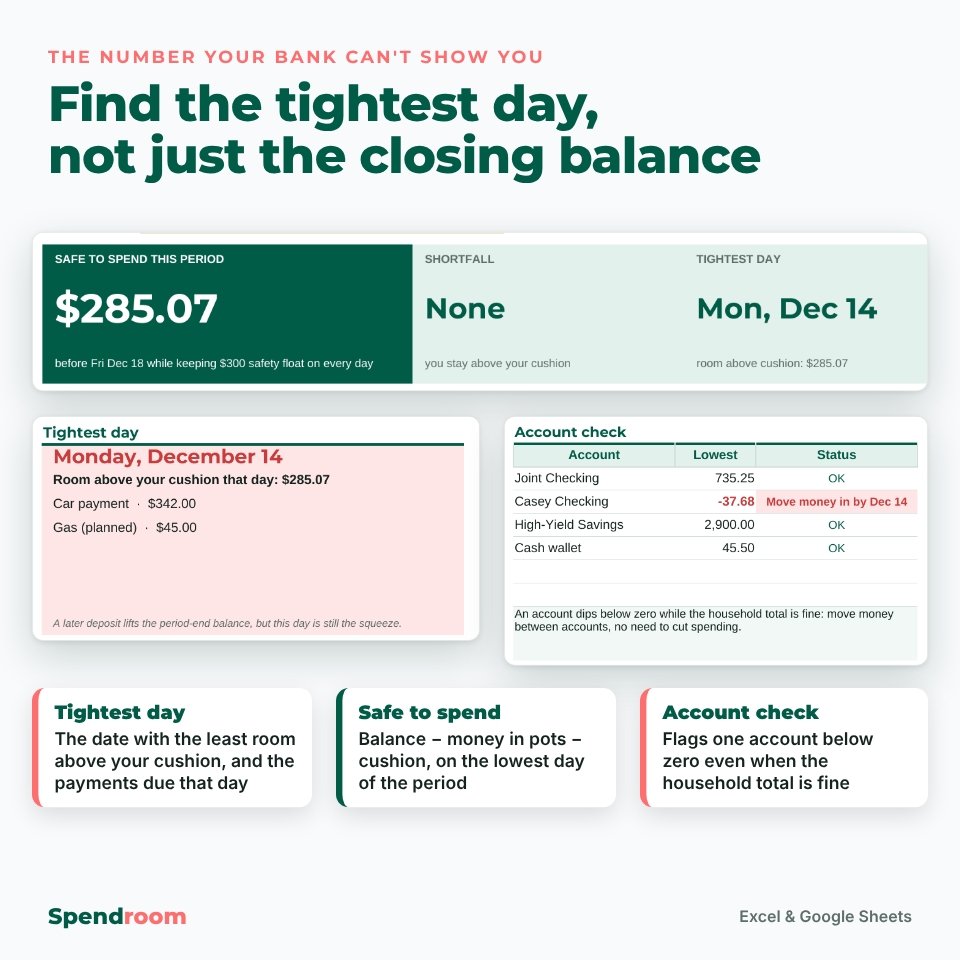
- Safe to spend, shortfall, tightest day, period-end balance and money reserved in pots in five large tiles
- Tightest-day card listing the payments due that day, with a look-ahead check of the following 30 days
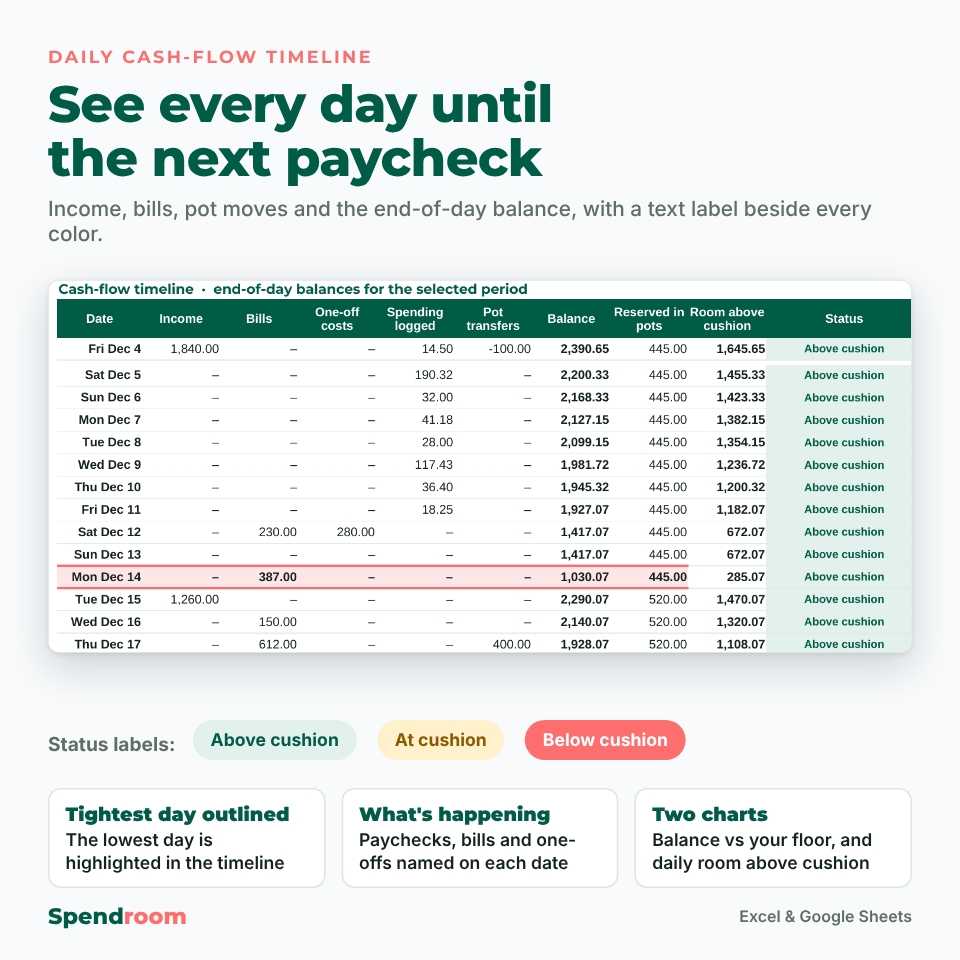
- Daily cash-flow timeline showing income, bills, pot moves and balance, with the text labels Above cushion, At cushion and Below cushion beside the colors
- Two charts: balance against your floor, and room above your cushion each day
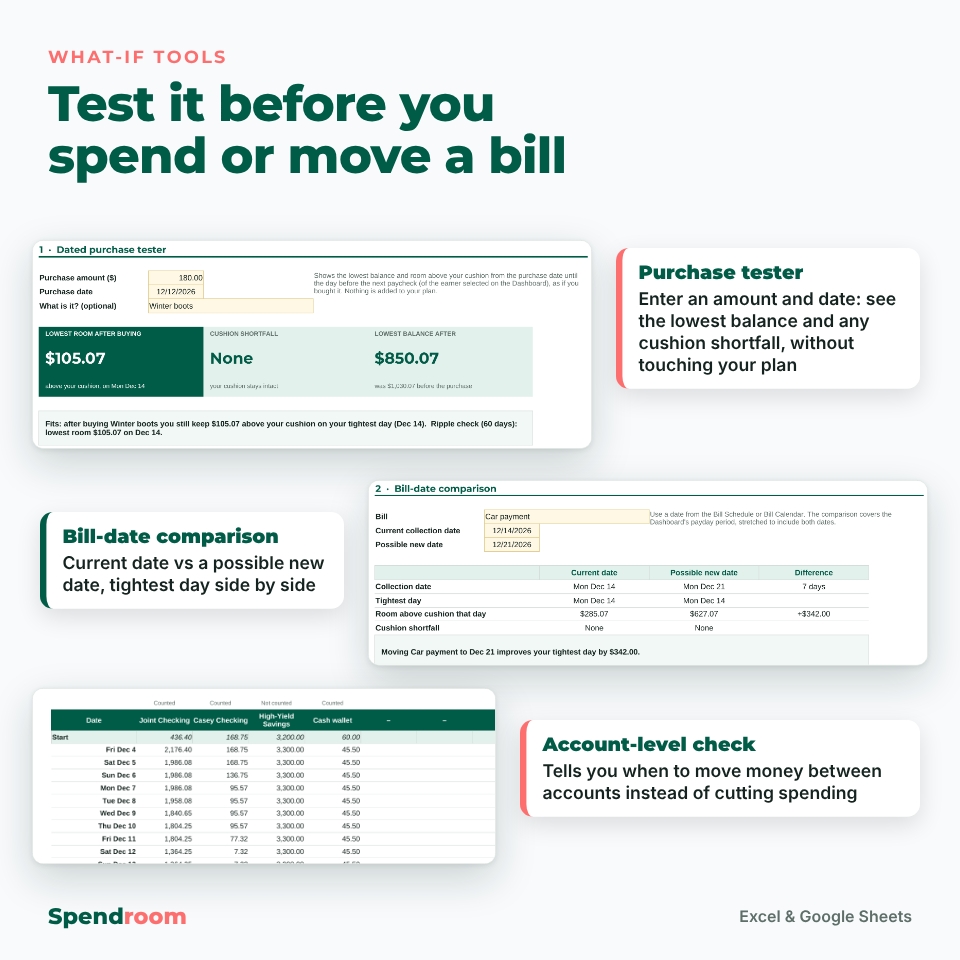
- Account-level check that flags any account going below zero, even when the household total is fine. That tells you to move money instead of cutting spending.
Decide before you spend
- Dated purchase tester: see your lowest balance and any cushion shortfall without adding the purchase to your plan
- Bill-date comparison: the tightest day for the current date and a possible new due date, side by side
- Spending log with 500 rows. Mark a planned bill as paid and the actual amount replaces the estimate.
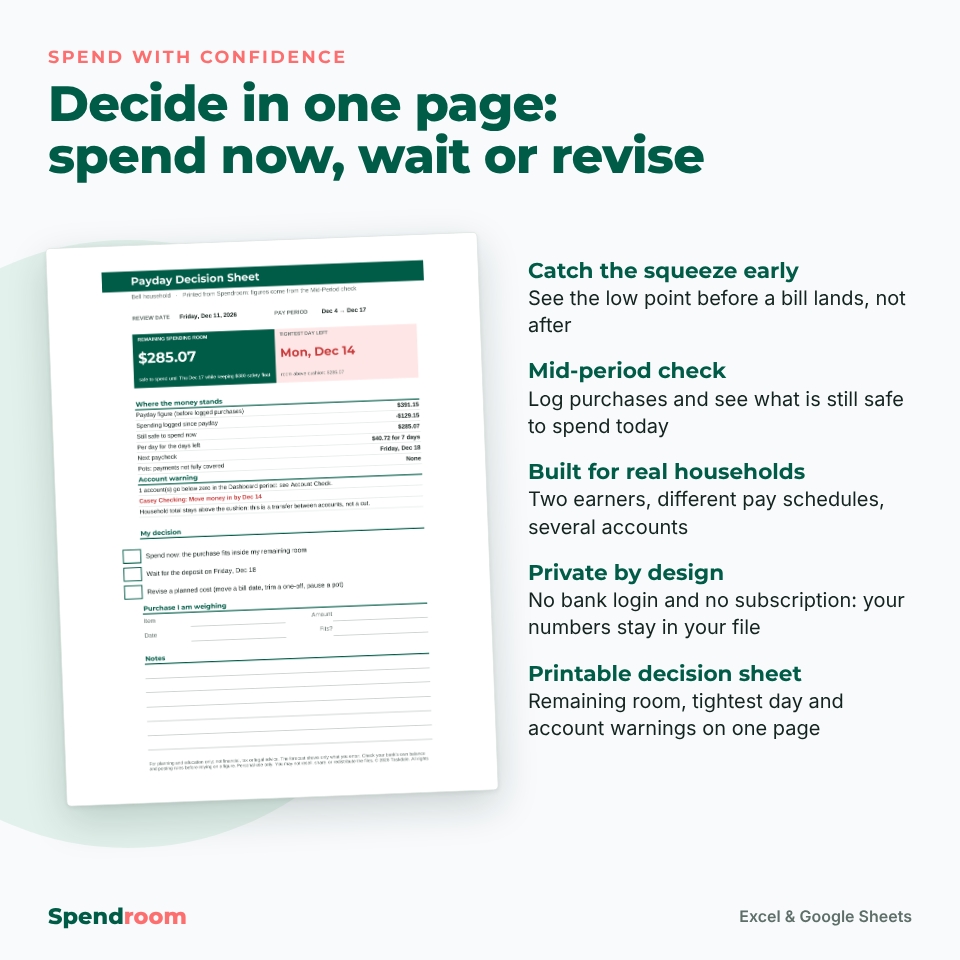
- Mid-period check showing what is still safe to spend from today, how the figure changed since payday and a per-day amount
- Printable decision sheet: one page with your remaining room, tightest day and account warnings, and boxes for spend now, wait or revise
- Checks tab with 28 setup checks marked OK, Fix or Info
What is included
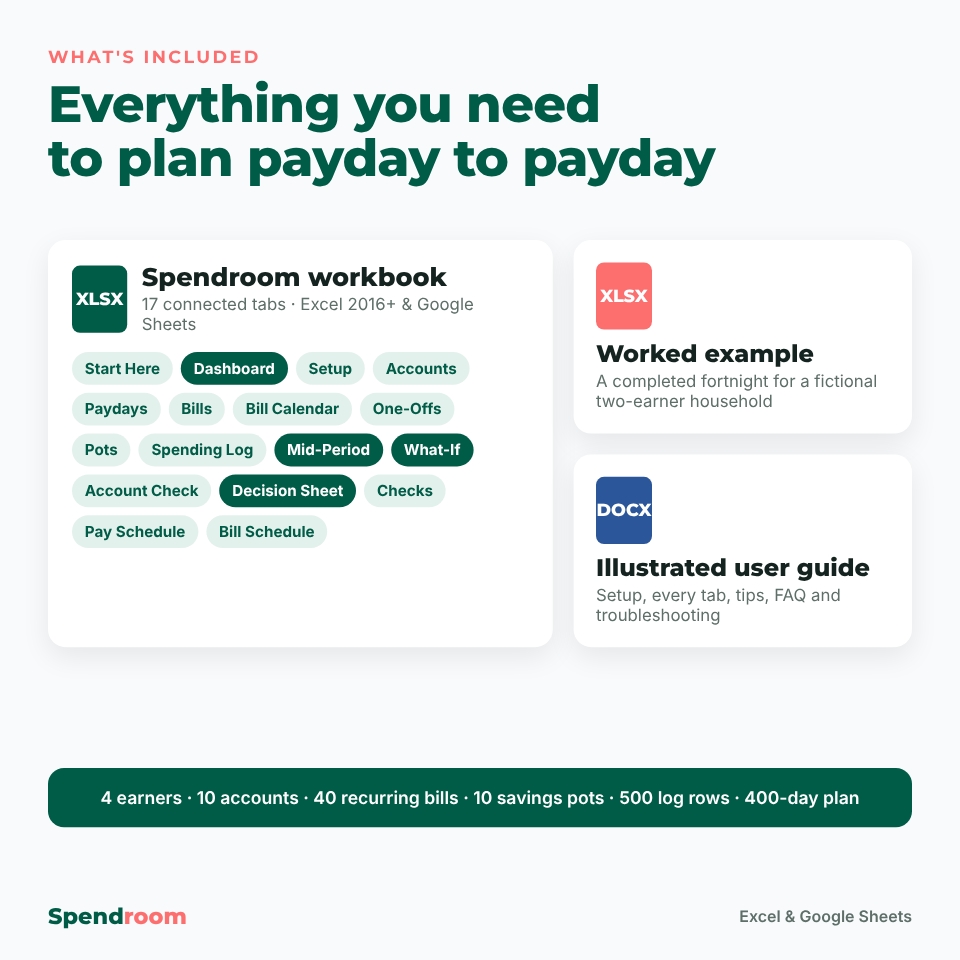
- Spendroom-01-Payday-Budget-Safe-to-Spend.xlsx: the clean workbook with 17 tabs
- Spendroom-02-Worked-Example.xlsx: a completed fortnight for a fictional two-earner household
- Spendroom-00-User-Guide.docx: an illustrated guide covering setup, every tab, tips, troubleshooting and FAQ
How it works
- Enter your balance date and the cleared balances of your accounts.
- Add each earner’s pay pattern, then your bills, one-offs and pots.
- Pick a payday on the dashboard and read Safe to Spend and the tightest day.
- Log purchases as you go and run the mid-period check before you buy.
- On each payday, update your balances and select the new payday.
File format and software requirements
You get a standard .xlsx workbook. It works in Microsoft Excel 2016 or later (Windows and Mac) and Microsoft 365, and in Google Sheets (free with a Google account). It contains no macros, add-ins or external links. Formula cells are locked, with no password, so you can’t overwrite them by accident. The guide is a Word .docx file that also opens in Google Docs. A computer is recommended for setup.
Customization
One currency setting controls every money figure, with $ as the default. You can also type €, £ or any other symbol. You can rename accounts, earners, bills, pots and categories, change your cushion and label it in your own words, and choose how weekend bill dates are handled. Capacity: 10 accounts, 4 earners, 40 recurring bills, 60 one-offs, 10 pots, 500 log rows and a 400-day plan.
Real situations it helps with
- A car insurance premium falls the day before payday. The tightest-day card shows it two weeks ahead.
- One partner is paid every two weeks and the other on the 15th and the last day of the month. Both paychecks appear on their real dates.
- Rent leaves the joint account while most of the money sits in another one. The account check tells you to transfer money by a specific date.
Digital download
This is an instant digital download. Nothing is shipped. Personal use only: you may not resell, share or redistribute the files. Spendroom is for planning and education only. It is not financial, tax or legal advice, and it shows only what you enter.
FAQ
Does this paycheck budget spreadsheet work in Google Sheets?
Yes. Upload the .xlsx to Google Drive and open it with Google Sheets. Every formula uses functions that work in both Excel and Google Sheets.
Does it connect to my bank?
No. You type in your balances and purchases, so your data stays in your own file.
Can I use it for a biweekly or semi-monthly paycheck?
Yes. Each earner can be paid weekly, every 2 weeks, twice a month or monthly, and paychecks that fall on a weekend can move to the Friday before or the Monday after.
What does “safe to spend” mean here?
For each day, Spendroom takes the projected balance, subtracts money reserved in pots and then your cushion. The smallest result in the pay period is your safe-to-spend figure.
How do I handle irregular income?
Mark uncertain paychecks as Uncertain so they are left out. Confirm them, or add them as one-off income, once you know the amount.
Reviews
There are no reviews yet.