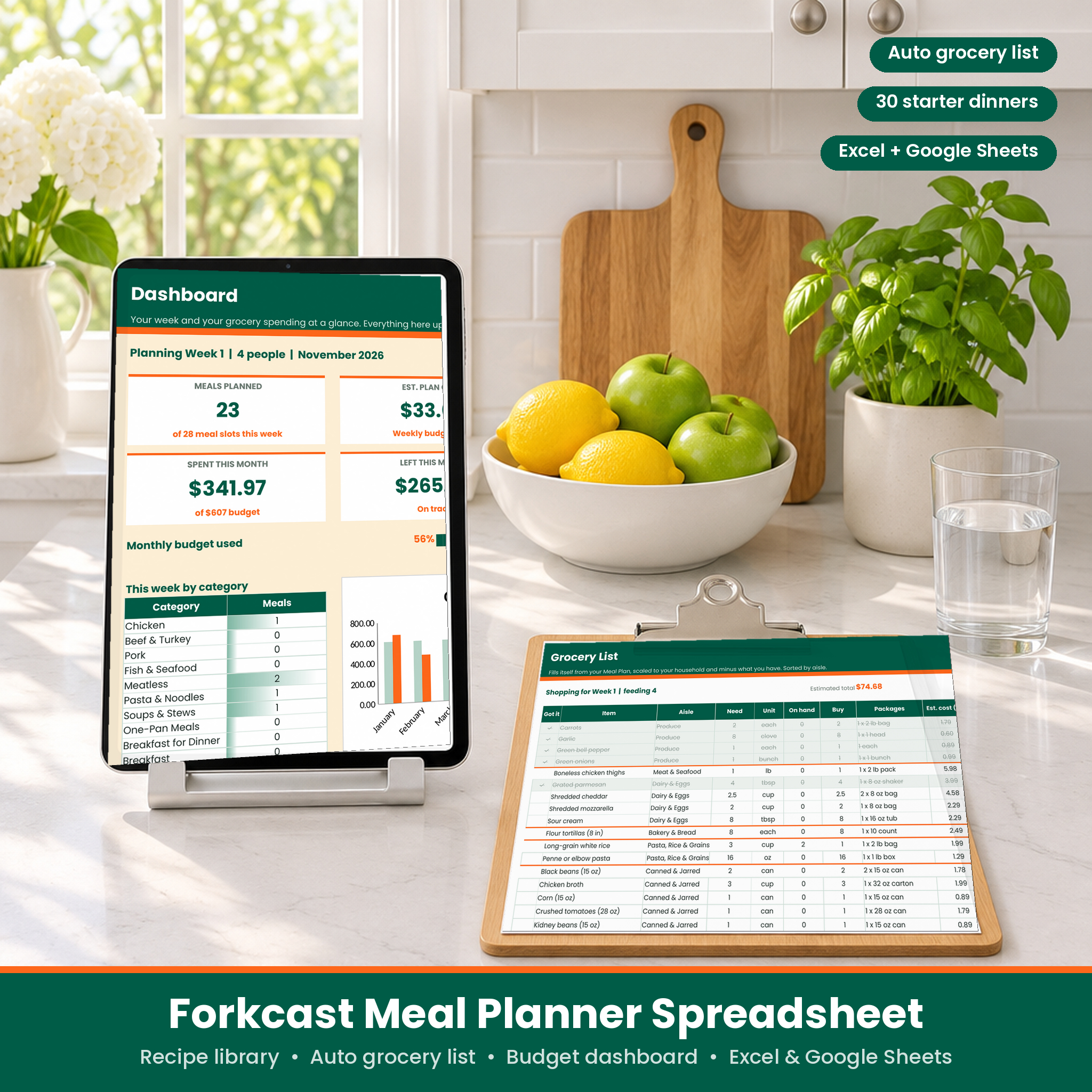
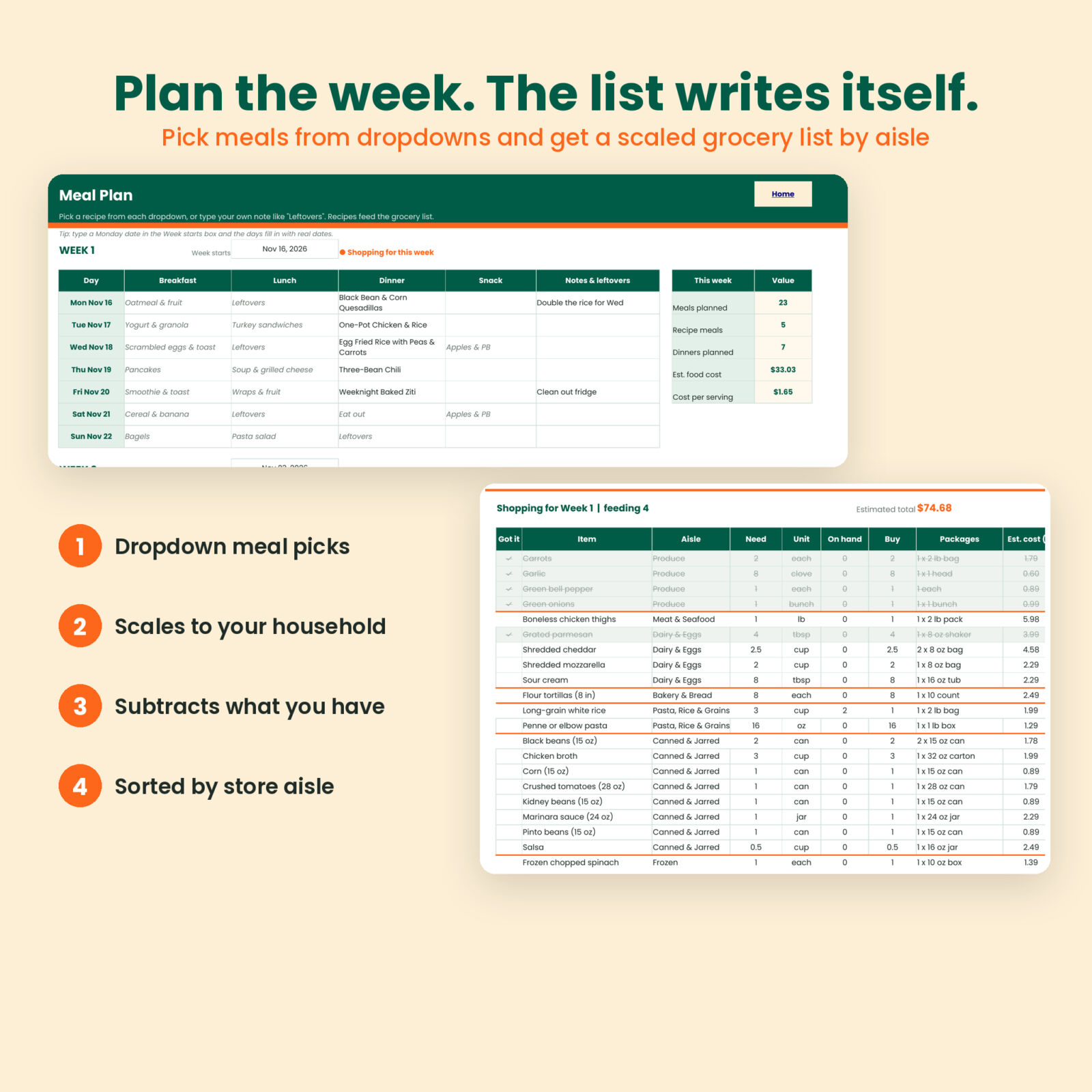
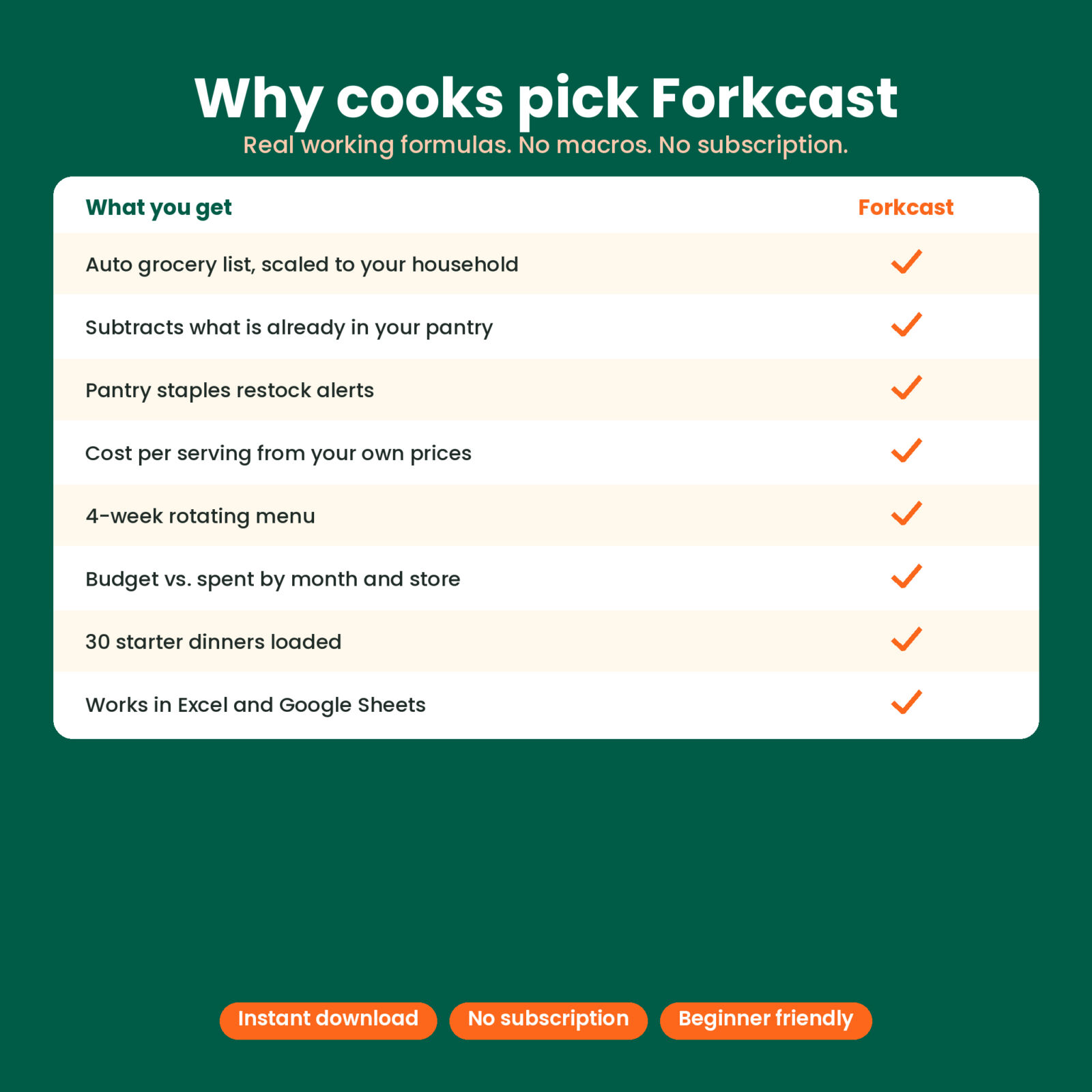
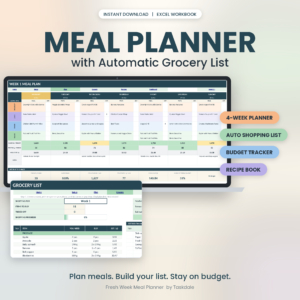
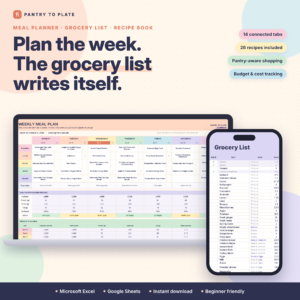
The Forkcast meal planner spreadsheet connects the four things that make weeknight dinners work: your recipes, your weekly menu, your pantry, and your grocery budget. Choose a recipe for each meal from a dropdown and the grocery list fills itself. It scales every amount to the number of people you feed, takes away what you already have, and sorts what is left in the order you walk the store.
No macros, no add-ons, no subscription. Just clean formulas that work in Microsoft Excel and Google Sheets.
What this meal planner spreadsheet does
- Plans up to 4 weeks of breakfast, lunch, dinner, and snacks, with a notes column for leftovers and prep reminders.
- Builds your grocery list automatically for the week you choose, with need, on hand, buy, packages (like 2 x 8 oz bag), and estimated cost.
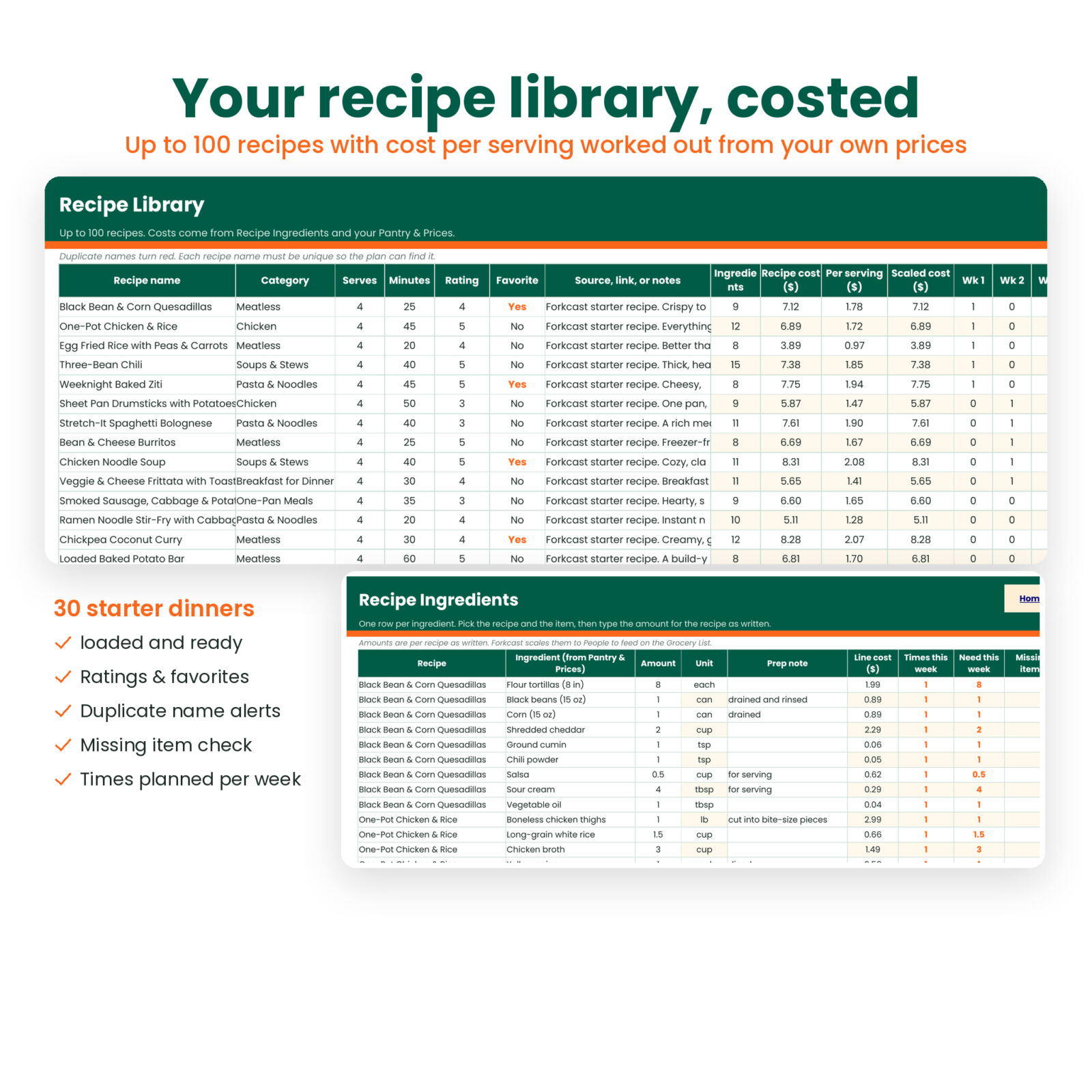
- Costs every recipe from your own prices, so you see recipe cost and cost per serving before you shop.
- Tracks grocery spending by month, store, and spend type against your budget.
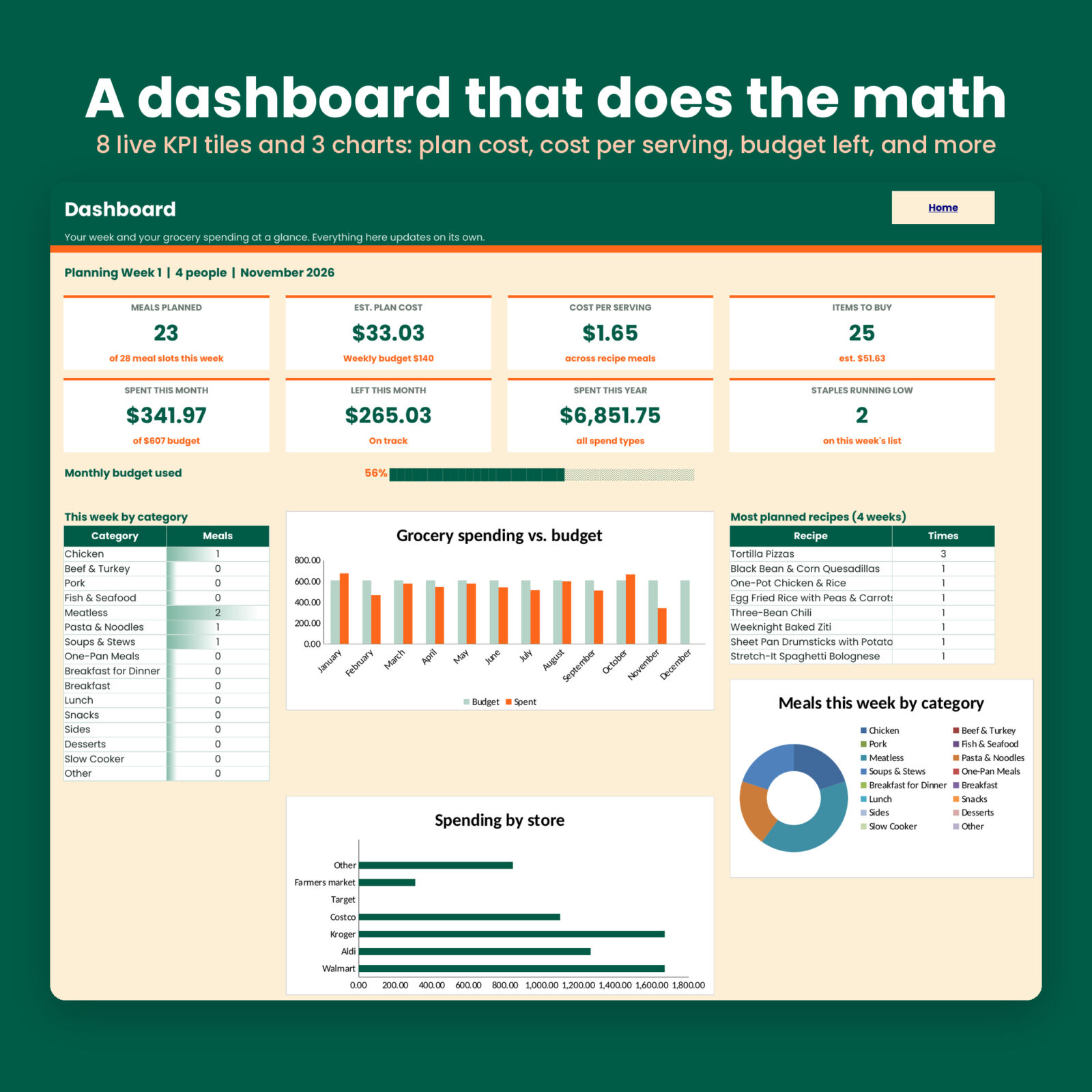
- Shows it all on a dashboard with 8 live tiles and 3 charts.
Who it is for
Forkcast suits busy families, couples sharing the cooking, students on a tight food budget, and anyone tired of coming home from the store without the one thing they needed. It is built for beginners. If you can pick from a dropdown, you can use it.
Features
Recipe library with automatic costs
Store up to 100 recipes with category, servings, cook time, a 1 to 5 rating, and a favorite flag. Forkcast works out the recipe cost and cost per serving from the ingredient amounts and your price book. Duplicate names turn red, and a check column flags any ingredient missing from your pantry list.
30 starter dinners, ready to plan
The library comes loaded with 30 original budget-friendly dinners (with all 315 ingredient lines entered), such as One-Pot Chicken & Rice, Three-Bean Chili, Sheet Pan Drumsticks, and Peanut Noodles. Plan your first week in minutes, then add your own family recipes.
Auto grocery list sorted by aisle
The list pulls every ingredient for the selected week, adds the totals together, scales them to your household, subtracts what is on hand, and rounds up to whole packages. A check column lets you tick items off in the store, and an extras box holds non-recipe items like coffee or paper towels.
Pantry and price book
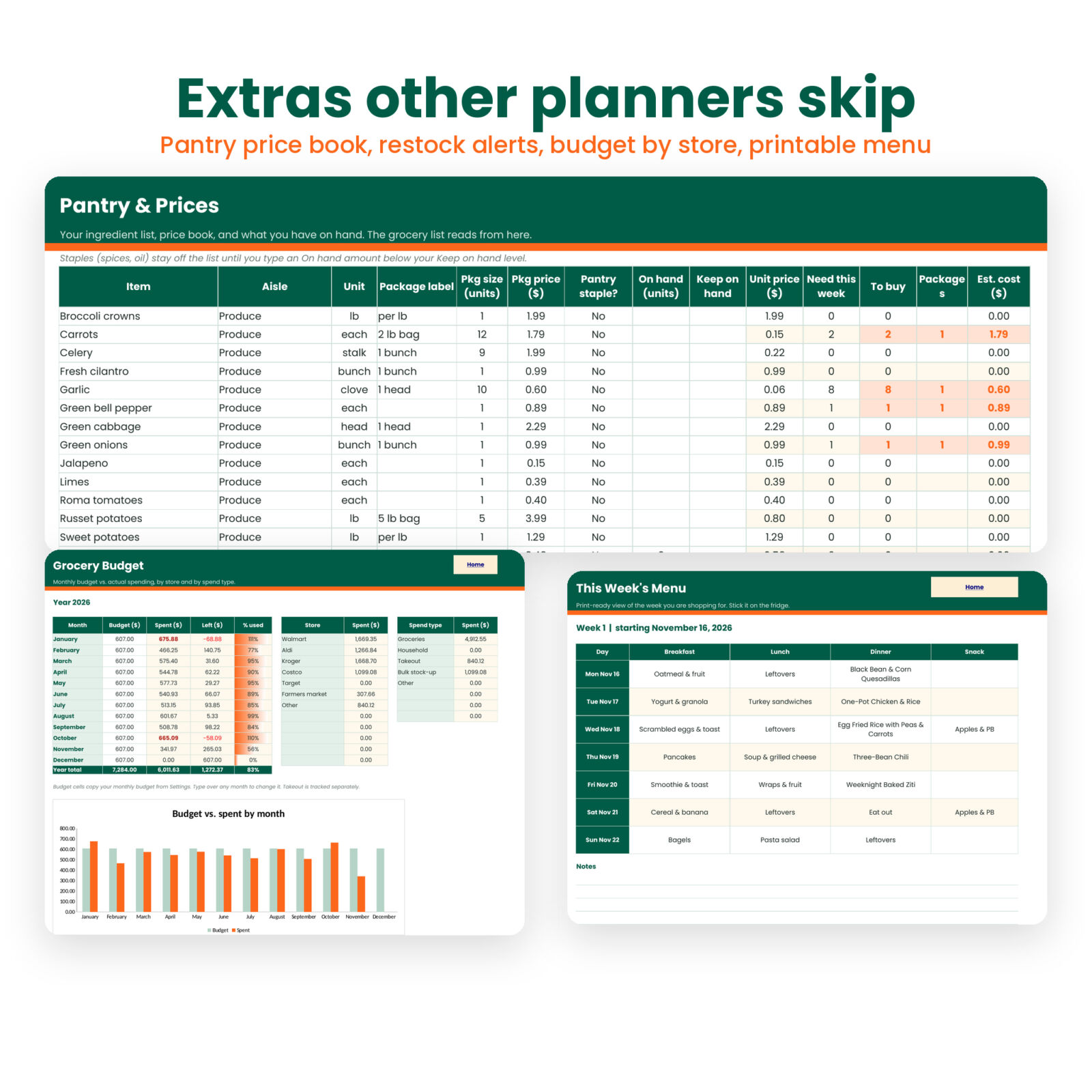
Track 250 items with aisle, unit, package size, package price, on hand amount, and a keep-on-hand level. Mark spices and oils as pantry staples: they stay off the list until they run low, then show up automatically and count on the dashboard.
Grocery budget tracker
Log up to 400 receipts. The Budget tab compares each month to your budget, breaks spending down by store and by spend type, and keeps takeout separate so you can see the real grocery number.
Dashboard
See meals planned, estimated plan cost, cost per serving, items to buy, spent this month, money left this month, spent this year, and staples running low. Charts show budget vs. spent by month, spending by store, and meals by category. A ranking lists your most planned recipes.
Printable weekly menu
A clean one-page fridge menu for the week you are shopping for, set up to print in landscape.
What is included
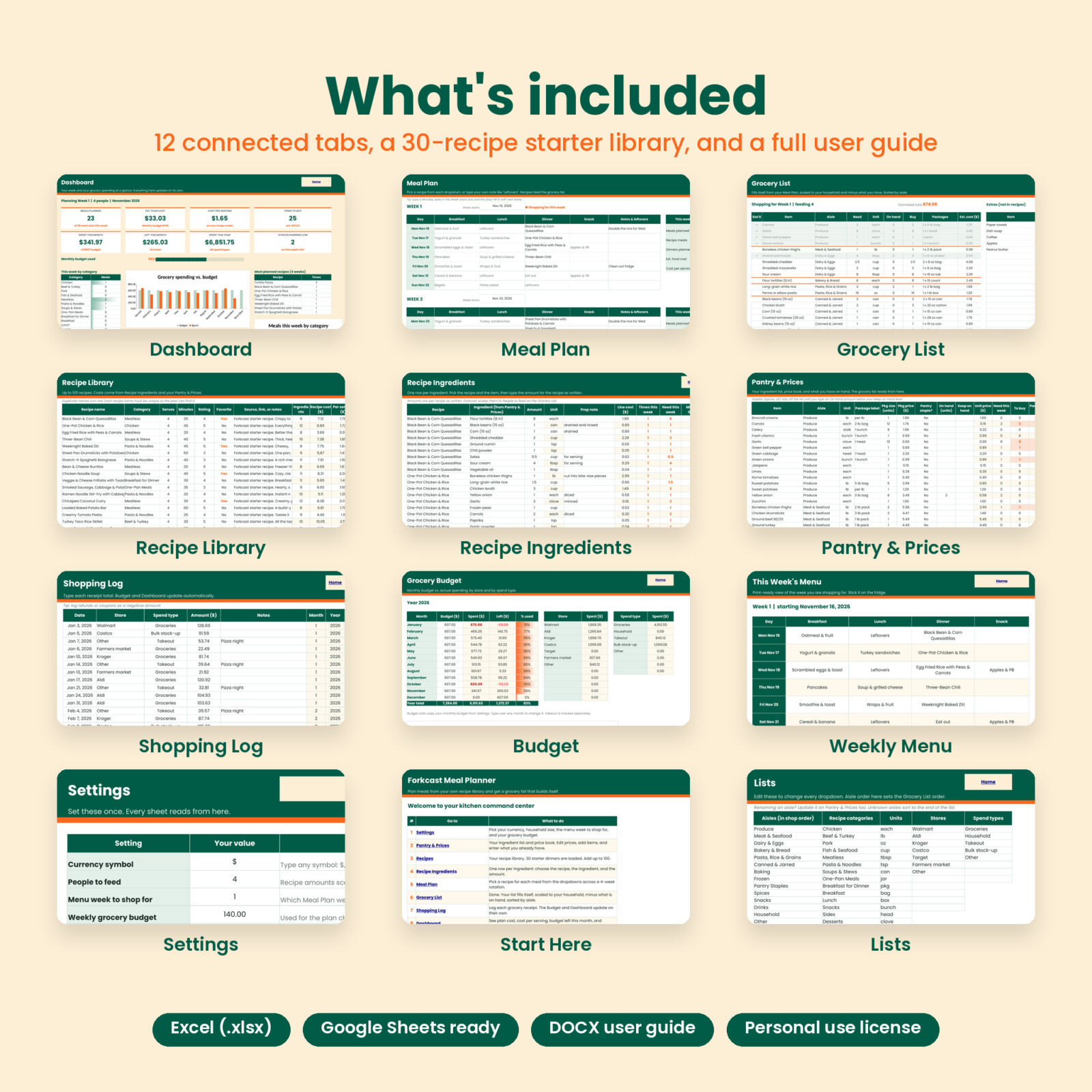
- Forkcast-Meal-Planner.xlsx with 12 tabs: Start Here, Settings, Dashboard, Meal Plan, Weekly Menu, Grocery List, Recipes, Recipe Ingredients, Pantry & Prices, Shopping Log, Budget, Lists
- Forkcast User Guide (DOCX) with setup steps, every feature explained, troubleshooting, and FAQ
How it works
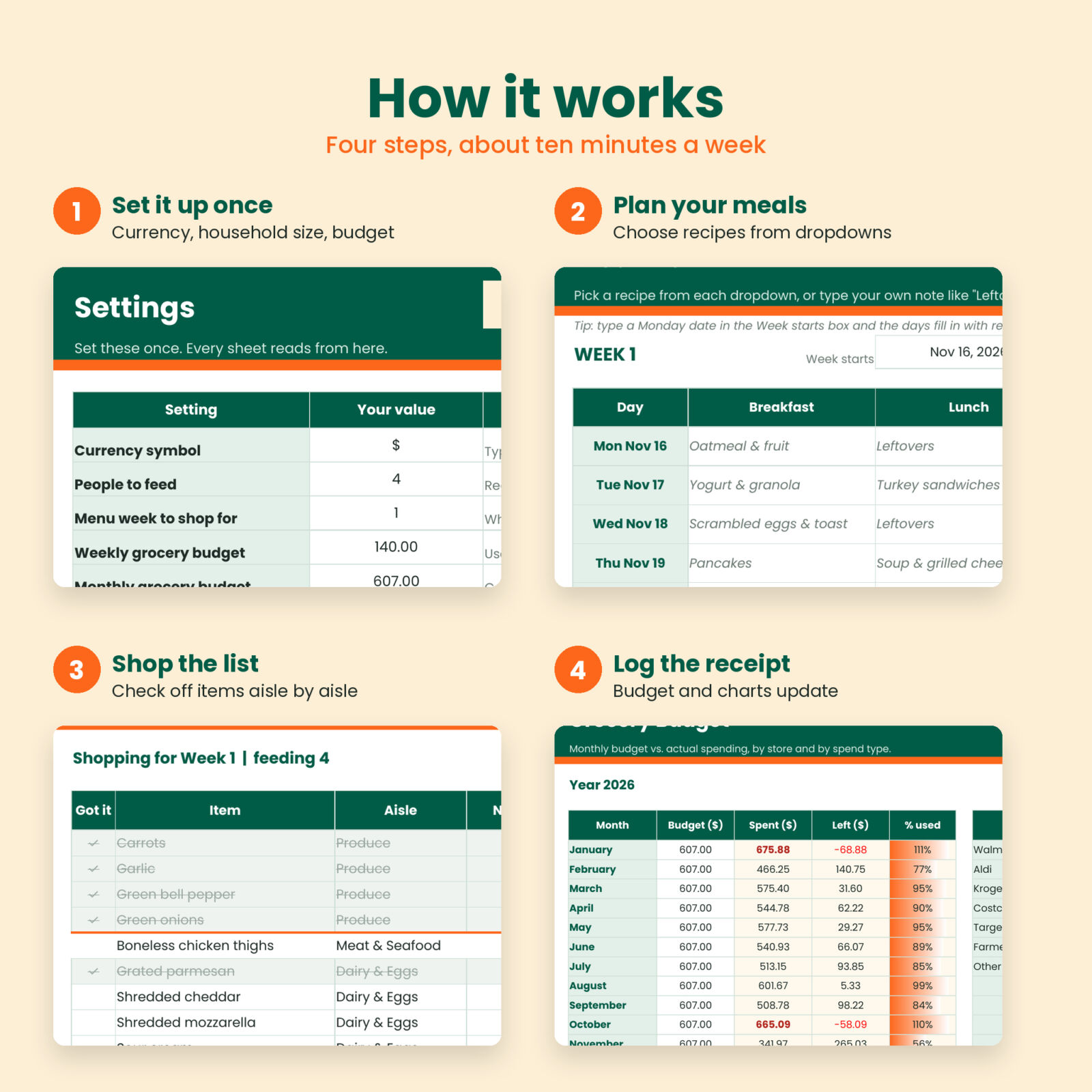
- Set up once. Enter your currency symbol, the number of people you feed, and your weekly budget.
- Plan your meals. Pick recipes from the dropdowns. Type free text like “Leftovers” or “Eat out” any time.
- Shop the list. Open the Grocery List on your phone or print it.
- Log the receipt. The budget and dashboard update on their own.
File format and software
- Format: .xlsx spreadsheet
- Works in Microsoft Excel 2016 or newer (Windows and Mac), Excel on the web, and Google Sheets
- Uses standard formulas only. No macros, scripts, or add-ons.
- Formula cells are locked with no password, so you can turn protection off and restyle any sheet.
Customization
Set any currency symbol and every money label follows it. Edit the aisle list to match your store layout and the grocery list re-sorts. Rename recipe categories, units, stores, and spend types on the Lists tab. Change any starter price to match your local store.
Real ways people use it
- A family of five plans a 4-week dinner rotation once, then just switches the shopping week each Sunday.
- A couple checks cost per serving to find their cheapest weeknight favorites.
- A student sets People to feed to 1 and every recipe scales down to single portions.
- A parent tracks Aldi vs. Walmart spending to see which store fits the budget.
Digital download
This is a digital product. No physical item ships. After checkout you can download the spreadsheet and the user guide right away from your Taskdale account and order email.
FAQ
Does this meal planner work in Google Sheets?
Yes. Upload the file to Google Drive and open it with Google Sheets. All formulas are standard and work in both Excel and Sheets.
Do I need to enter all my recipes first?
No. 30 starter dinners are already loaded, so you can plan a week right away and add your own recipes later.
Can I change the number of people I cook for?
Yes. Change People to feed on Settings and every grocery amount scales.
Are the prices accurate?
Starter prices are rough US store-brand estimates. Edit them to match your store and every cost updates.
Can I use it on my phone?
Yes, through the Excel or Google Sheets app. Planning is easier on a computer, and the phone works well for checking off the list.
Does it track calories or macros?
No. Forkcast focuses on planning, shopping, and grocery cost.
Can I share it with friends?
The license is for personal use in your own household. Please do not share, resell, or upload the files.

Reviews
There are no reviews yet.