A landlord spreadsheet that does the bookkeeping for you
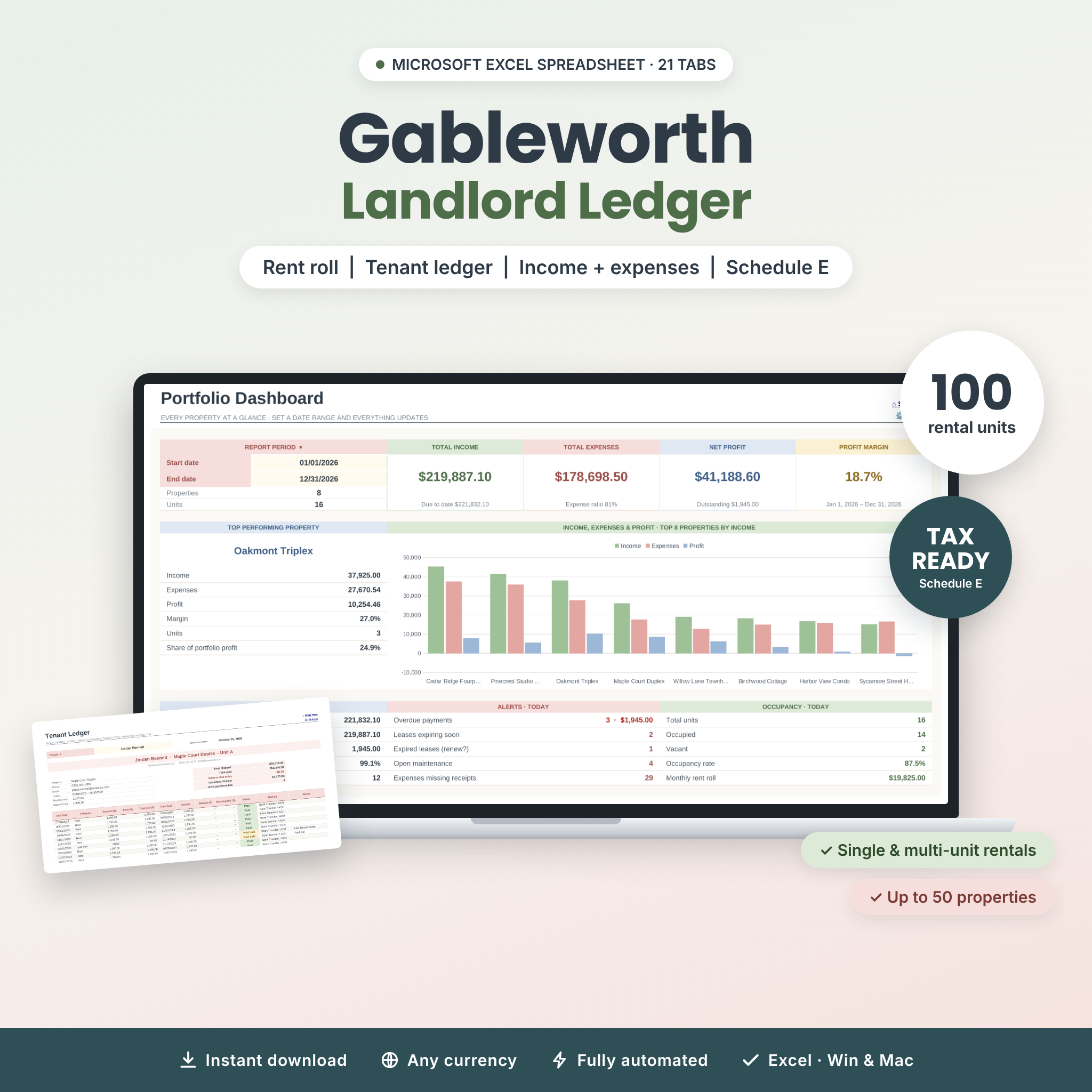
Gableworth Landlord Ledger is a rental property spreadsheet for Microsoft Excel that keeps your rent, expenses, leases, tenants and repairs in one connected workbook. You enter each lease and payment once, and the workbook does the rest: balances, late status, occupancy, profit by property and by unit, tenant statements, rent receipts and a tax-time summary all update by themselves. It works for a single rental house, a duplex or a portfolio of up to 50 properties and 100 units.
Most landlord templates stop at an income and expense tracker. Gableworth also tells you who still owes rent this month, which leased units you forgot to log, which leases are about to expire and how hard each property is working for you, with equity, NOI, cap rate and cash-on-cash return.
Who it’s for
- Self-managing landlords with single-family homes, condos, townhomes or small multi-family buildings
- House hackers who rent out units or rooms and want unit-level profit
- Property managers and bookkeepers who prepare tenant statements and year-end numbers
- Real estate investors who want clear returns without building their own model
Key features of this rental property tracker
Rent tracking that catches mistakes
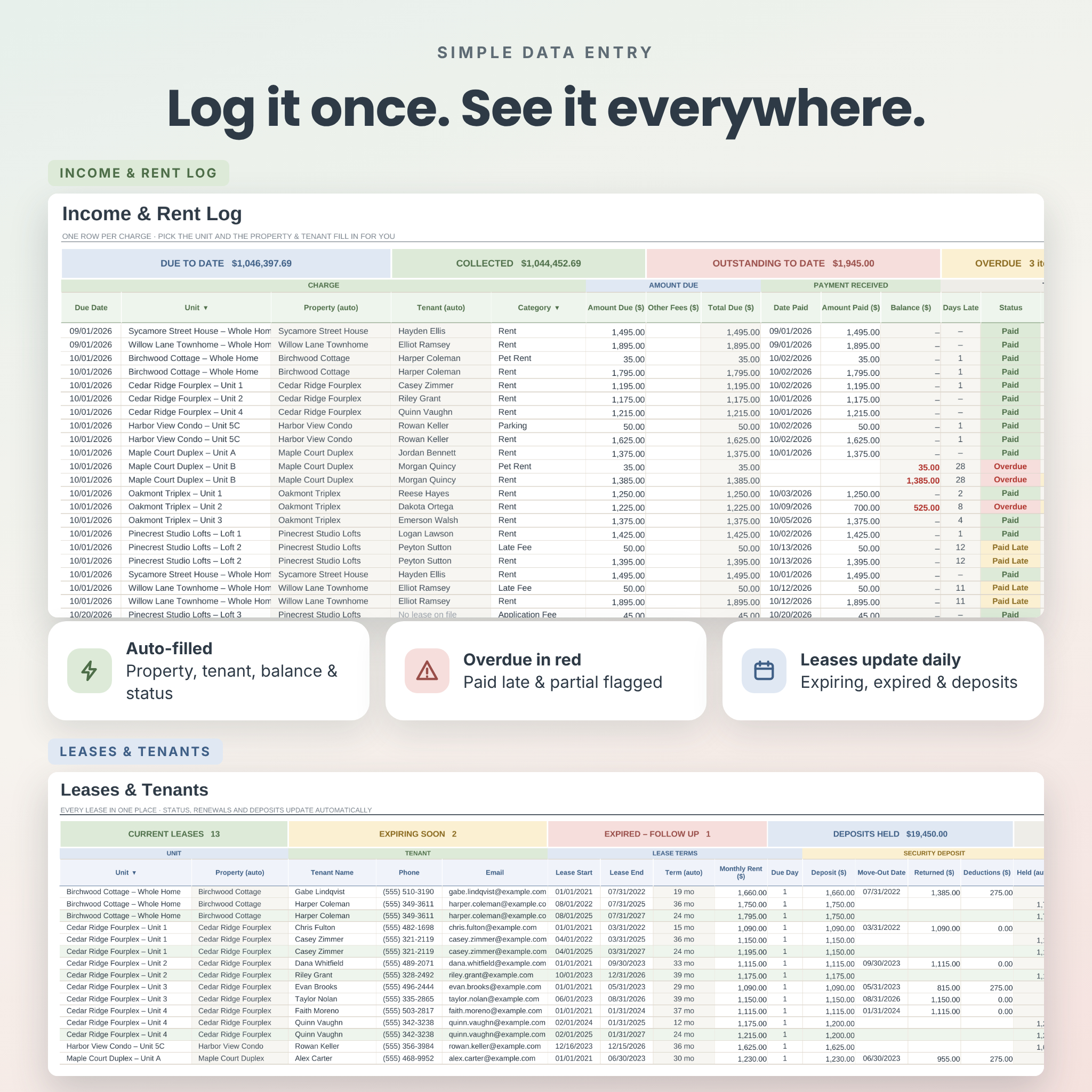
- Income & Rent Log: pick a unit and the property and current tenant fill in automatically. Total due, balance, days late, status (Paid, Paid Late, Partial, Overdue, Due Now, Upcoming) and a receipt number are calculated for every row.
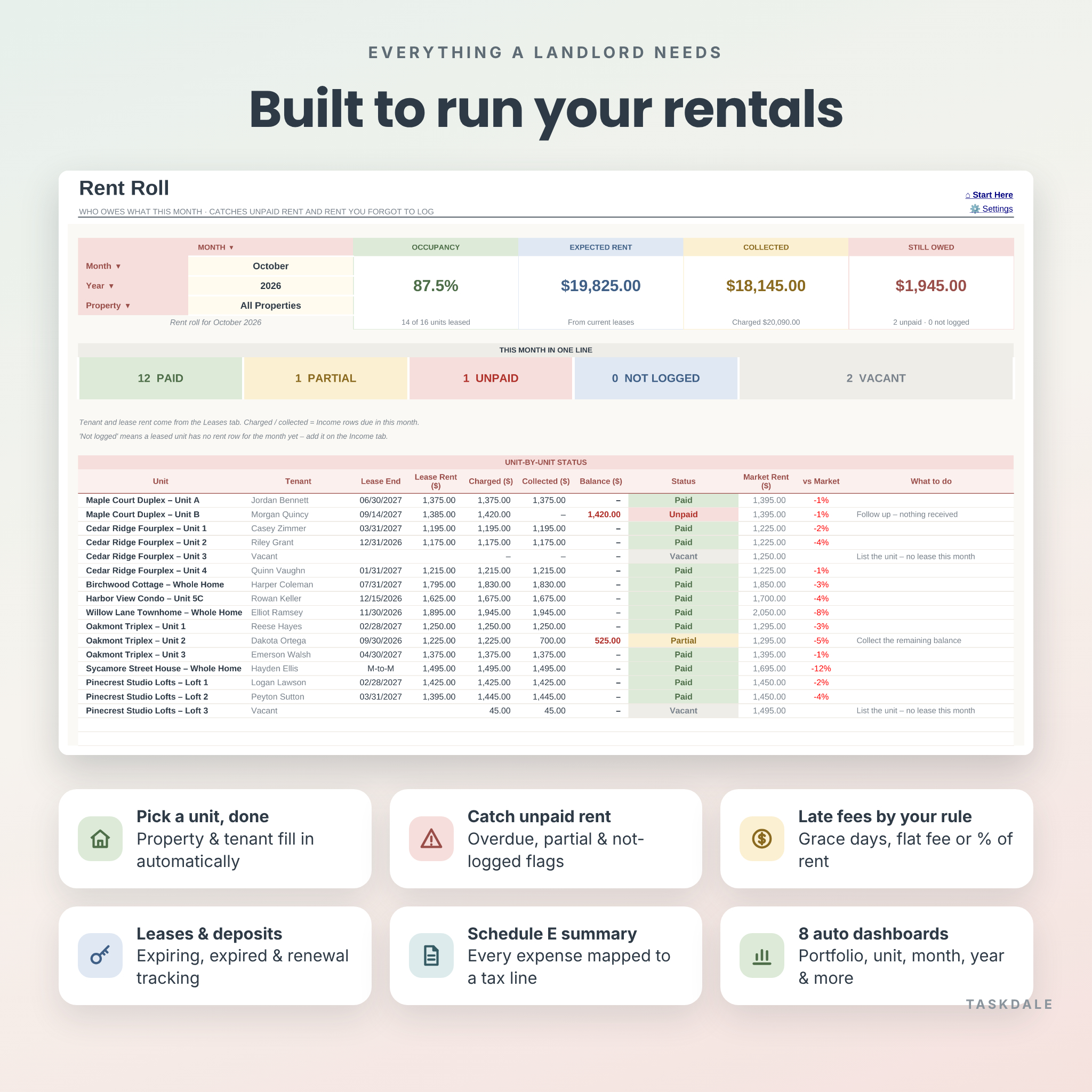
- Late fees by your rule: set a grace period plus a flat fee and/or a percentage of rent, and the sheet shows when a late fee should be added.
- Rent Roll: choose a month to see every unit’s tenant, lease end, lease rent, amount charged, collected and owed, plus a plain-English “what to do” note. It also flags units that are vacant and leased units with no rent logged.
Leases, tenants and deposits
- Lease status updates every day: Upcoming, Active, Expiring Soon, Month-to-Month, Expired, Renewed or Ended
- Days left, renewal status and an optional green highlight for active leases
- Security deposit tracking with amounts held, returned and deducted
Expense tracking mapped to Schedule E
- 22 ready-made categories that you can rename or add to, each mapped to an IRS Schedule E line
- Log costs to a single unit, or leave the unit blank for building-wide costs that are shared fairly across that property’s units
- A check column flags missing details, a unit logged under the wrong property, and unknown categories. A missing-receipts counter shows what’s left to file.
Eight automatic dashboards
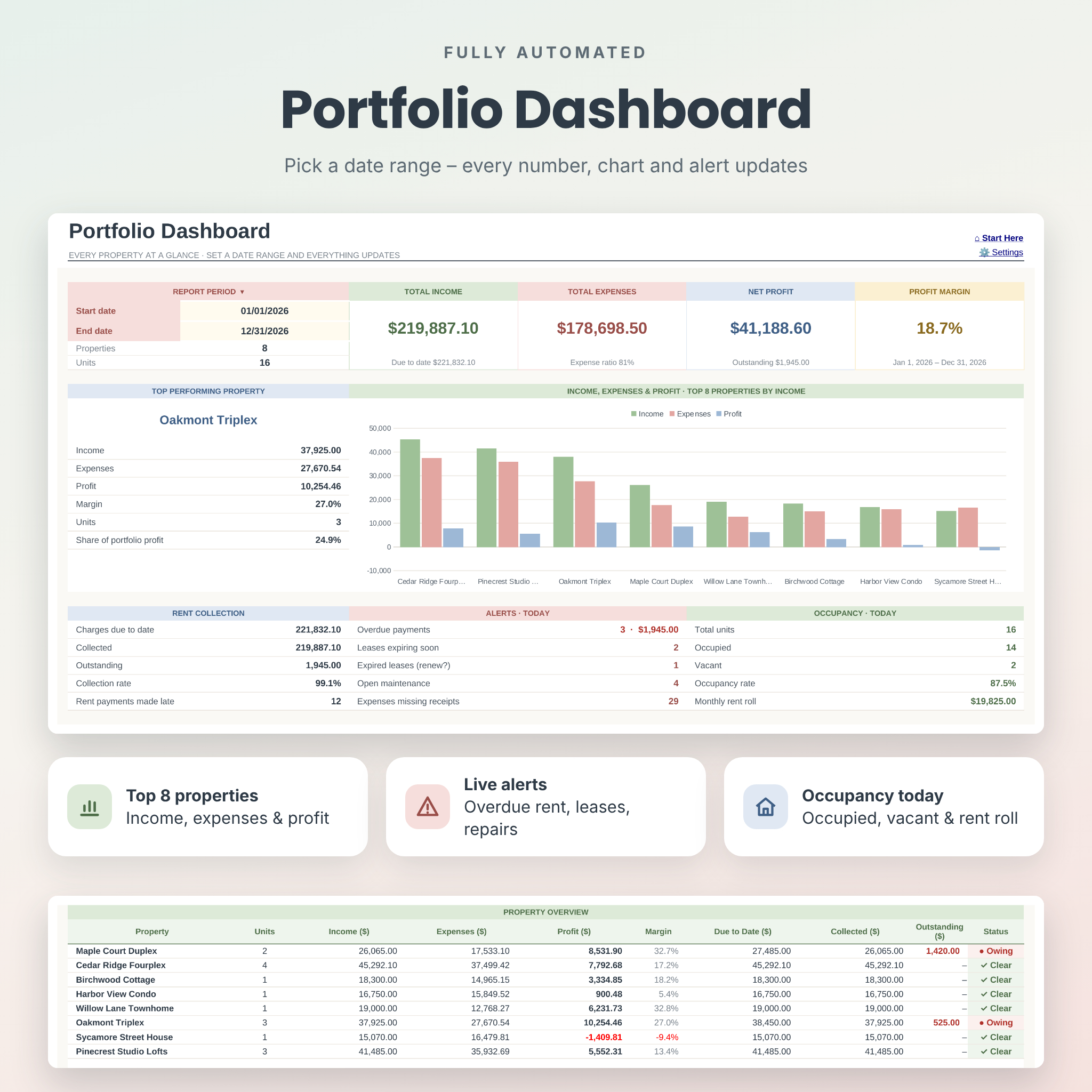
- Portfolio: income, expenses, profit, margin, top-performing property, top-8 chart, rent collection, live alerts and occupancy for any date range
- Unit Dashboard: profit for every unit, including its share of shared costs, with top-5 rankings
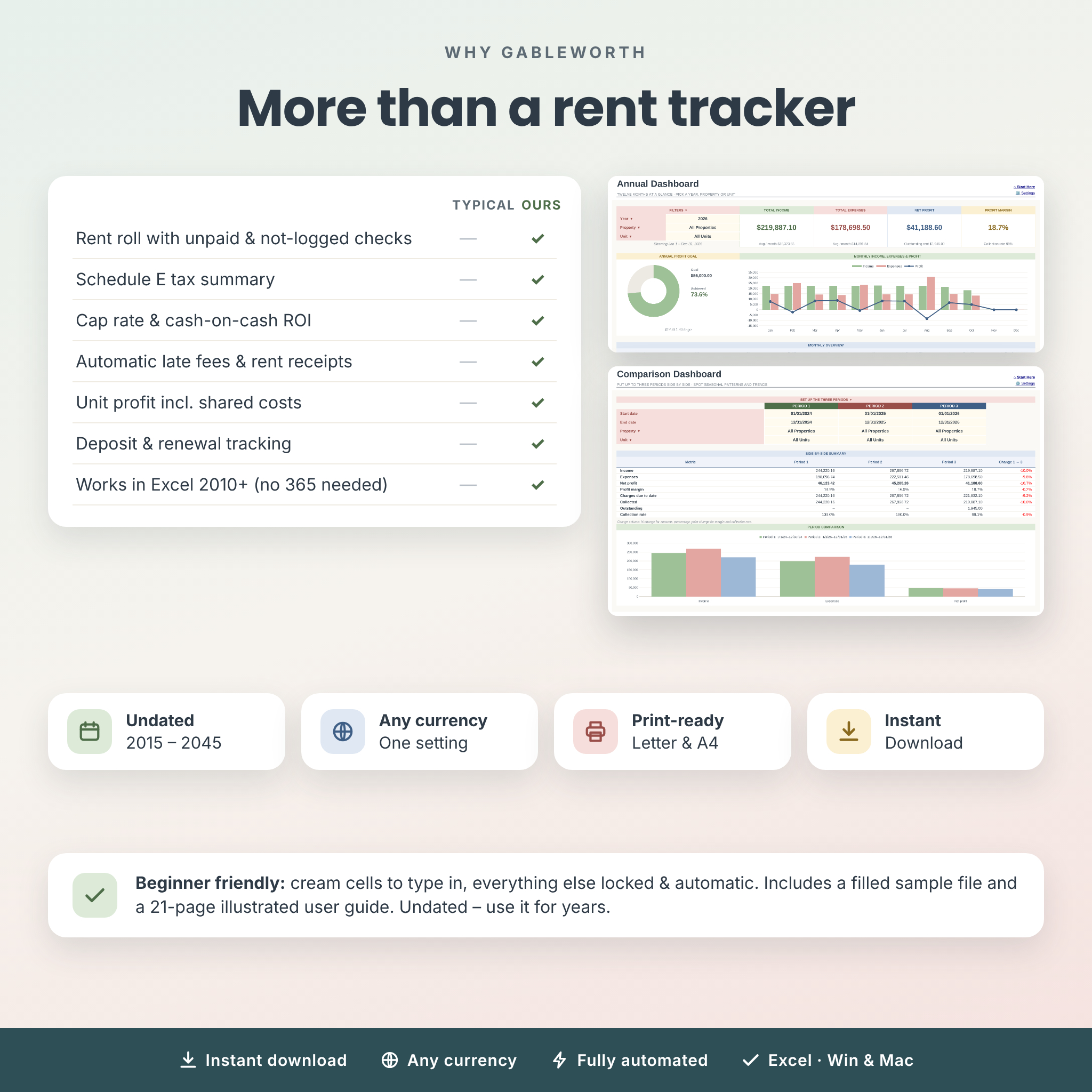
- Monthly, Annual, 5-Year, Custom and Compare: filter by property or unit, track profit goals, see growth over five years and compare three periods side by side
Reports and tools
- Tenant Ledger: a print-ready statement for any tenant with a running balance
- Rent Receipt: a printable receipt for any payment, with your name and contact details
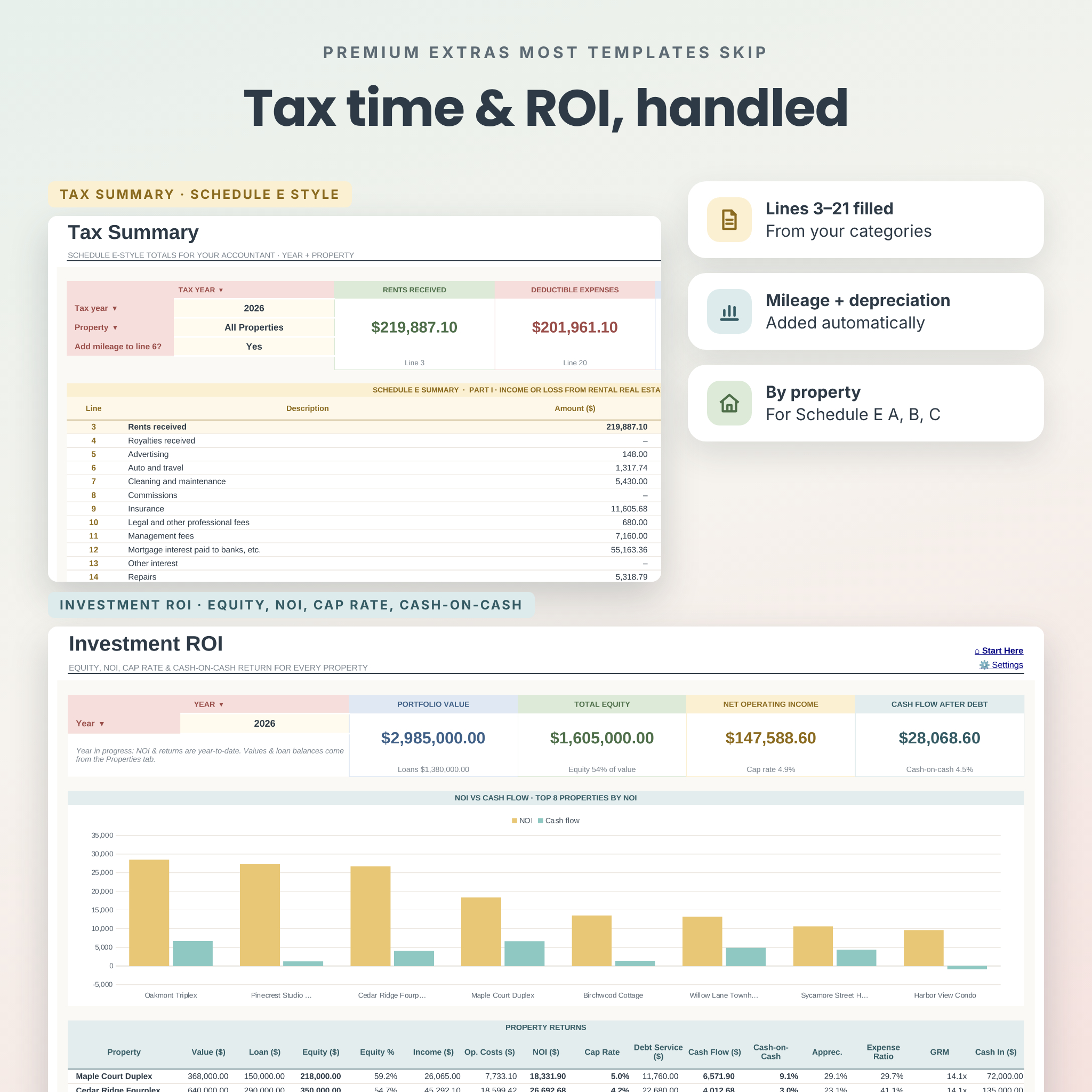
- Tax Summary: Schedule E-style lines 3 to 21 by year and property, including mileage and depreciation, plus a by-property table
- Investment ROI: value, loan, equity, NOI, cap rate, debt service, cash flow, cash-on-cash return, appreciation, expense ratio and GRM
- Maintenance, Mileage and Vendors: repair requests with priority, costs and days open; trips priced at the correct IRS rate for each date; and contractor contacts with jobs and spend
What’s included
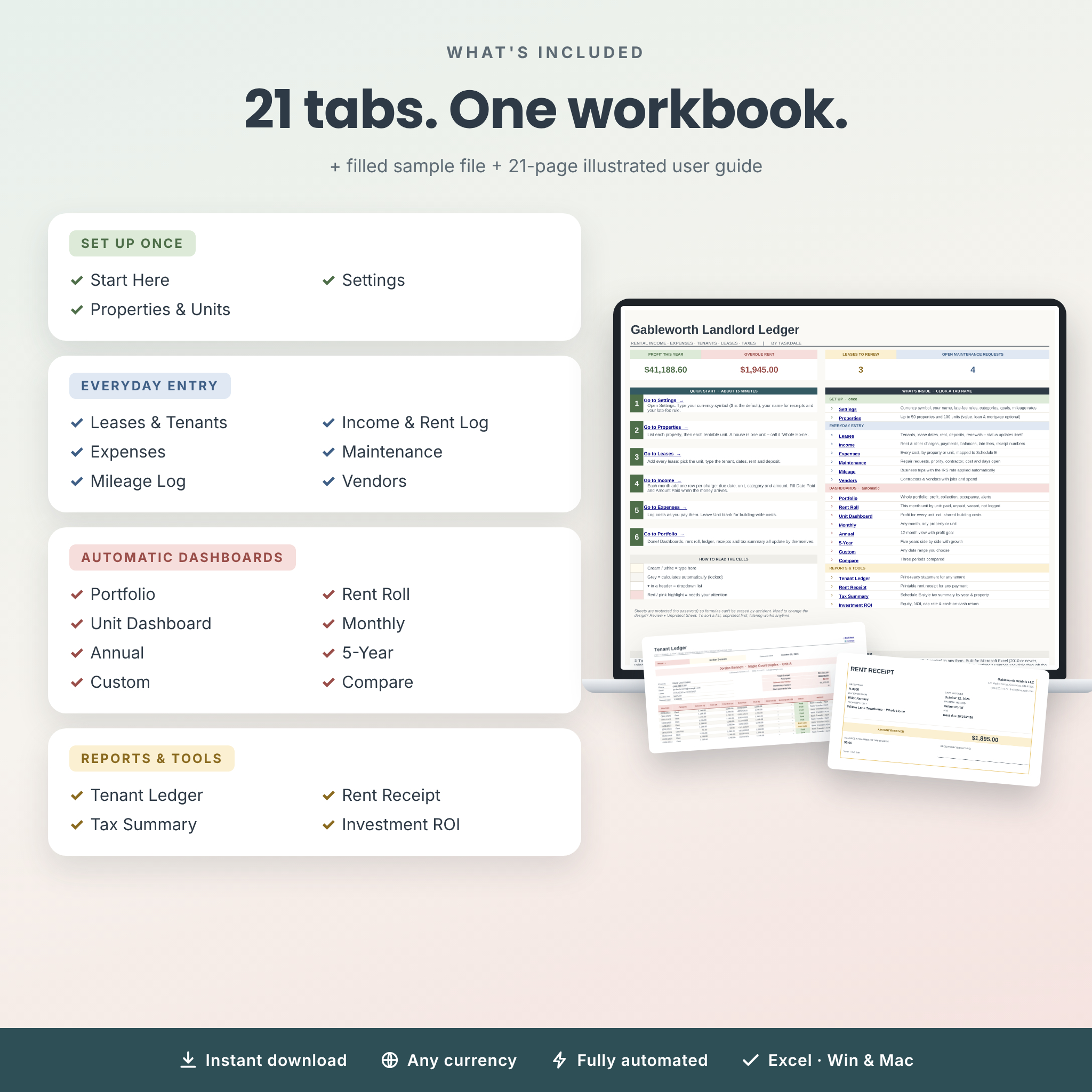
- Gableworth-Landlord-Ledger.xlsx: your clean, ready-to-use workbook with 21 tabs
- Gableworth-Landlord-Ledger-SAMPLE.xlsx: the same workbook filled with fictional sample data (8 properties, 16 units, 2022–2026), so you can see every feature working
- User Guide (Word .docx, 21 pages): quick start, every tab explained with screenshots, customizing, printing, troubleshooting and FAQ
How it works
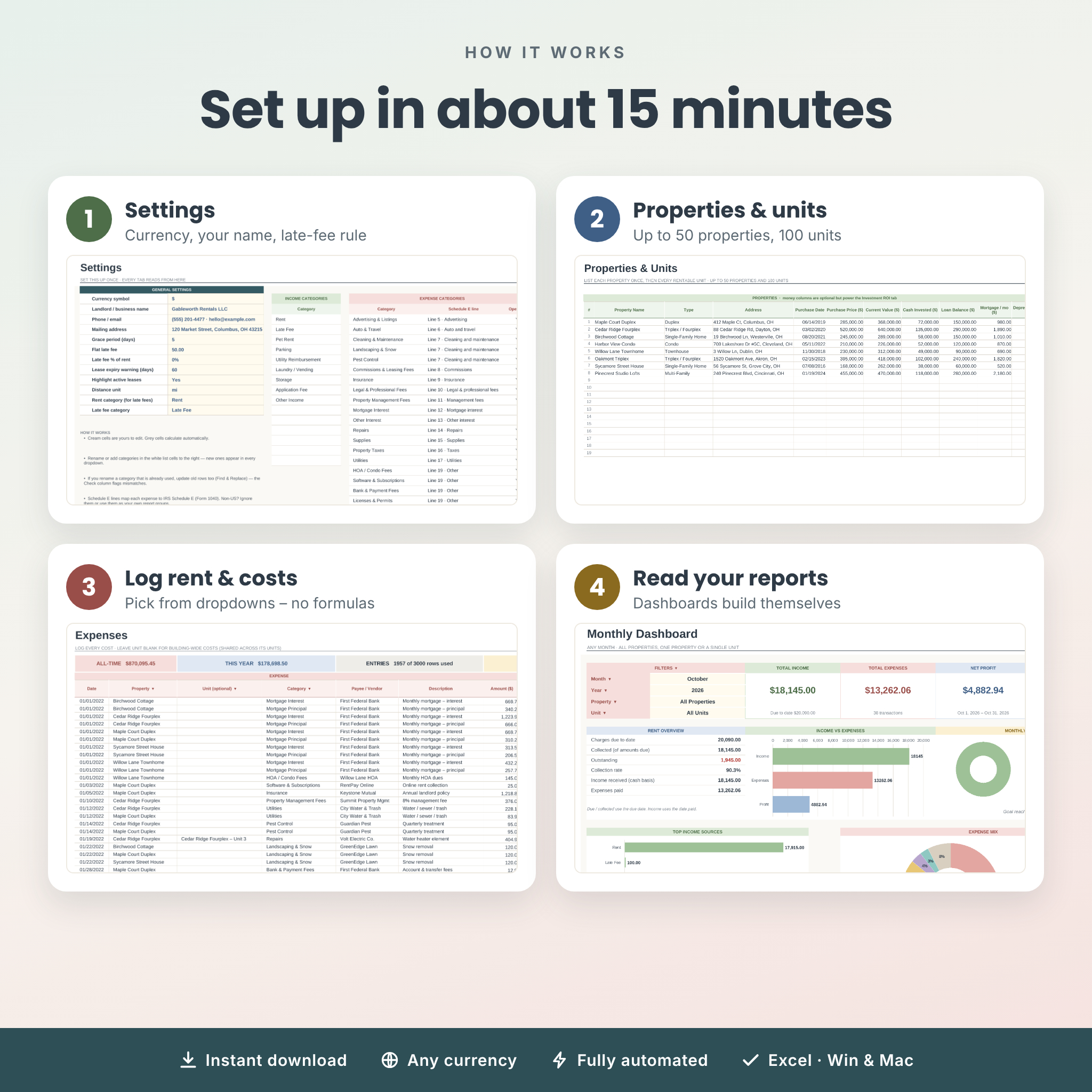
- Settings: type your currency symbol, your name for receipts and your late-fee rule.
- Properties: list your properties and units. A house is one unit.
- Leases: add each tenant’s lease dates, rent and deposit.
- Income and Expenses: add rent charges and record payments as they arrive, then log your costs.
- Dashboards: open Portfolio, Rent Roll or any report. Everything is already calculated.
Setup takes about 15 minutes. You type in cream cells and choose from dropdowns. Formula cells are locked, with no password, so they can’t be erased by accident.
File format and software requirements
- Microsoft Excel .xlsx workbook
- Works in Microsoft Excel 2010 or newer on Windows and Mac, including Microsoft 365, and in LibreOffice Calc. You don’t need Microsoft 365.
- No macros, add-ins or internet connection required. Your data stays on your computer.
- A desktop or laptop is recommended for setup
Customization
- One currency setting updates every money value, card, statement and receipt ($ by default)
- Rename or add income and expense categories, payment methods and property types
- Choose each expense category’s Schedule E line and whether it counts toward NOI
- Set yearly profit goals, your grace period, late-fee rule, lease-expiry warning window and mileage rates
- Prints on US Letter and switches to A4 in one click. Sheets can be unprotected (no password) if you want to change the design.
Real-life ways to use it
- On the 1st of each month, add the month’s rent rows. Then check the Rent Roll on the 6th to see who still owes.
- Email a tenant their ledger or a rent receipt as a PDF in under a minute.
- Hand your tax preparer the Tax Summary and its by-property table at year end.
- Check cap rate and cash-on-cash return before you refinance, sell or buy your next property.
Digital download
This is a digital product, and nothing will be shipped. After checkout you can download the workbook, the sample file and the user guide right away from your order confirmation and your account page.
FAQ
How many properties and units can I track?
Up to 50 properties and 100 units in one file, with room for 3,000 income rows and 3,000 expense rows.
Does this rental property spreadsheet work on a Mac?
Yes. It works in Excel for Mac (2011 or newer, including Microsoft 365) and in LibreOffice Calc.
Is it dated? Will I need to buy it again next year?
No. It’s undated and works for any year from 2015 to 2045. You keep adding rows, and the dashboards filter by date.
Can I use it outside the US?
Yes. Set your own currency symbol, distance unit and mileage rate. You can use the Schedule E lines as simple report groups.
Is the tax summary ready to file?
It puts your numbers in Schedule E order to save you time, but it isn’t tax advice. Please review it with a qualified tax professional.
Does it track security deposits and lease renewals?
Yes. The Leases tab tracks deposits held, returned and deducted, and shows lease status, days left and renewal status.
Do I need spreadsheet experience?
No. You only type in cream cells and choose from dropdowns, and the illustrated guide walks you through every tab.
License
This product is for personal use, or use within your own household or business. You may not resell, share or redistribute it. It is a record-keeping tool and doesn’t provide tax, legal or financial advice. © Taskdale.
Reviews
There are no reviews yet.