A retirement planning spreadsheet that works month by month
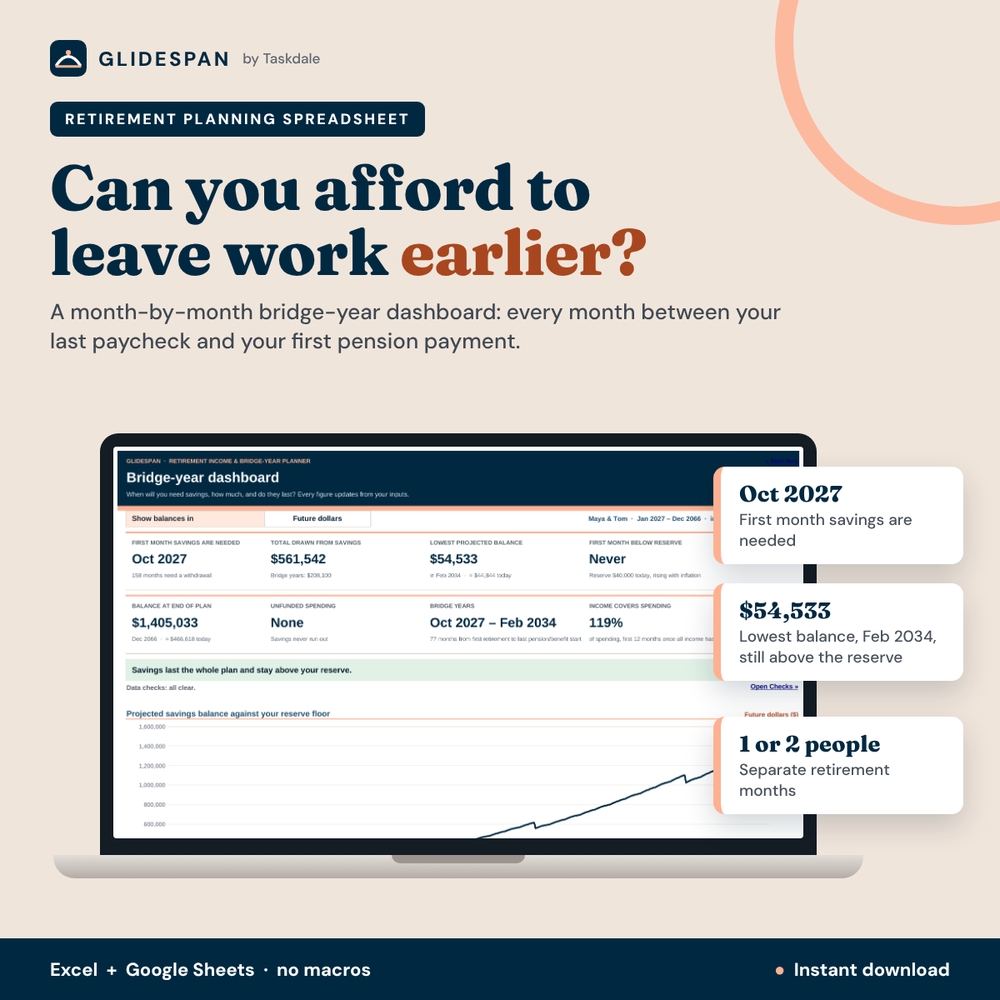
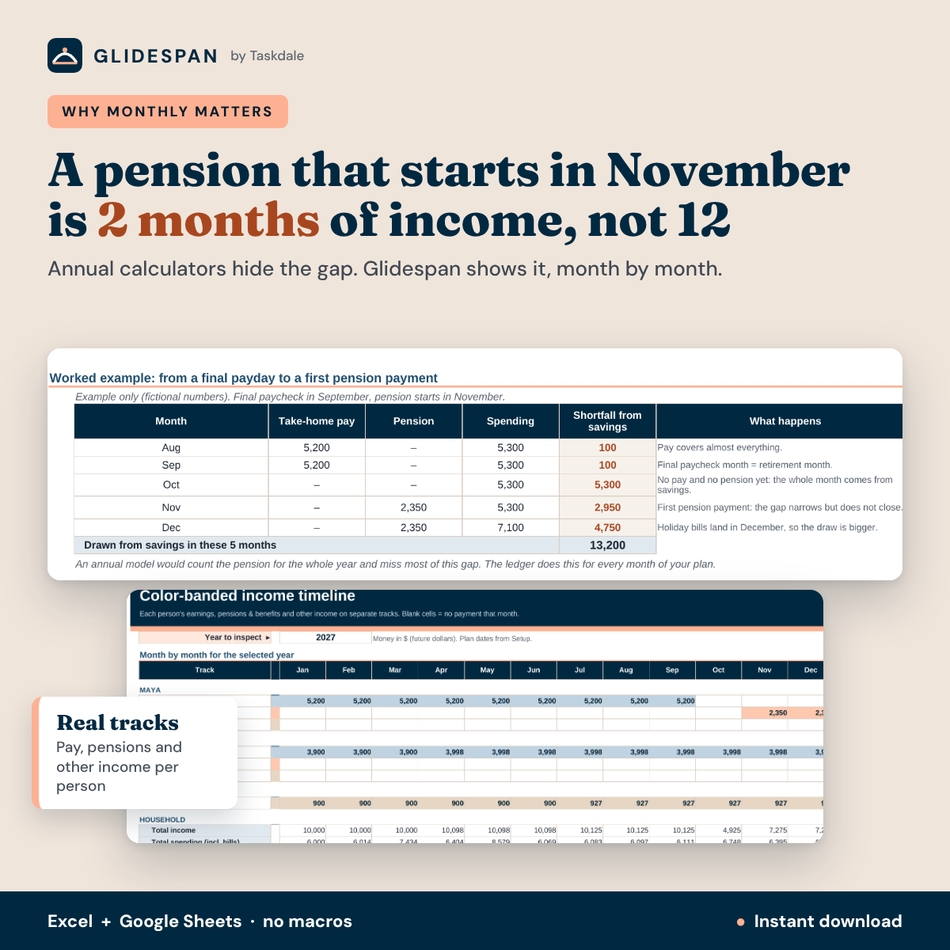
Retiring in September instead of the following April can look like a small change, yet it can leave several extra months of bills to pay before a pension begins. Most calculators work in whole years, so a pension that starts in November is treated as twelve months of income and the gap disappears. Glidespan is a retirement planning spreadsheet and bridge-year dashboard that works in months. It breaks the decision into three parts: what you’ll spend, which income payments will arrive, and how much you’d need to take from savings to cover the difference. Those gaps are your bridge years, and Glidespan shows every one of them.
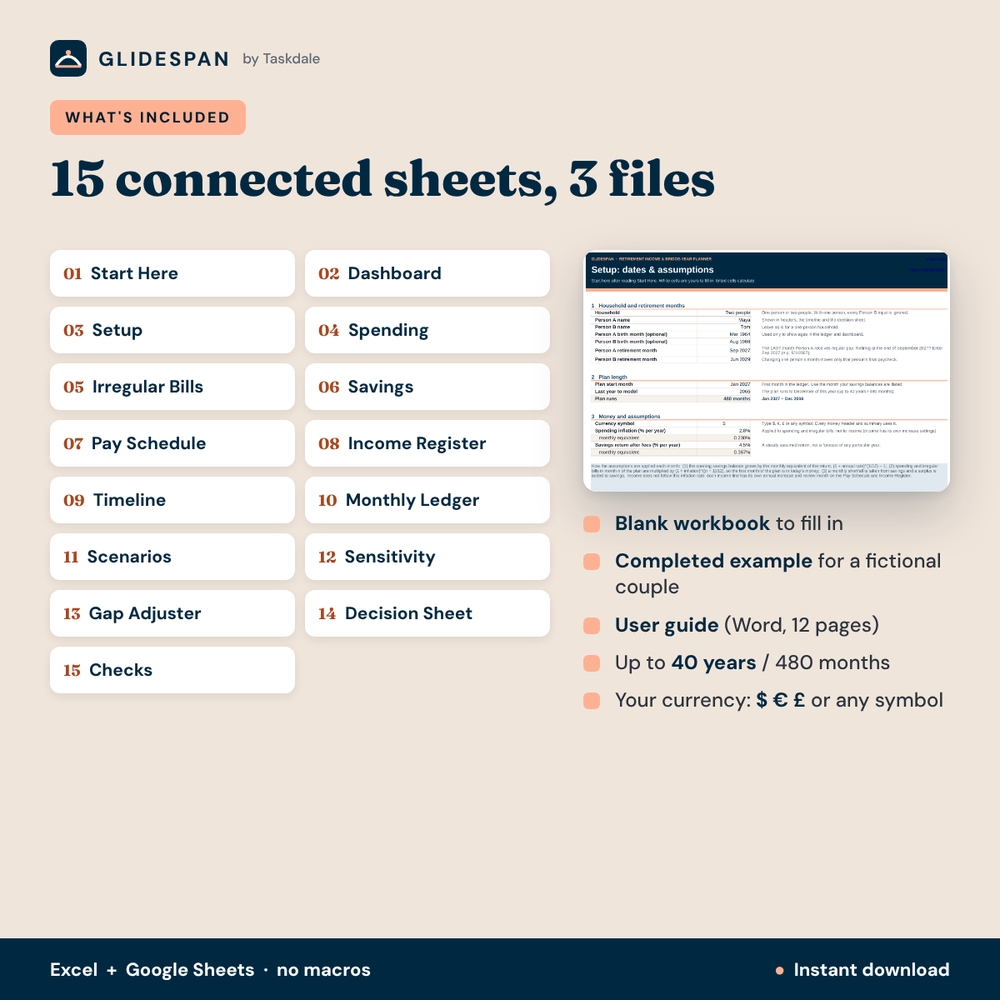
The workbook runs in Excel and Google Sheets, models one or two people for up to 40 years (480 months), and comes with a completed example for a fictional couple so you can see every feature working before you enter your own numbers.
Who it is for
- Couples who may retire in different months, with pensions and Social Security starting at different times
- Anyone weighing an earlier or later last working month, phased retirement or part-time work
- People who want to know the lowest point their savings reach, not just the balance at the end
- Planners who prefer a transparent spreadsheet to a black-box online calculator
Main benefits
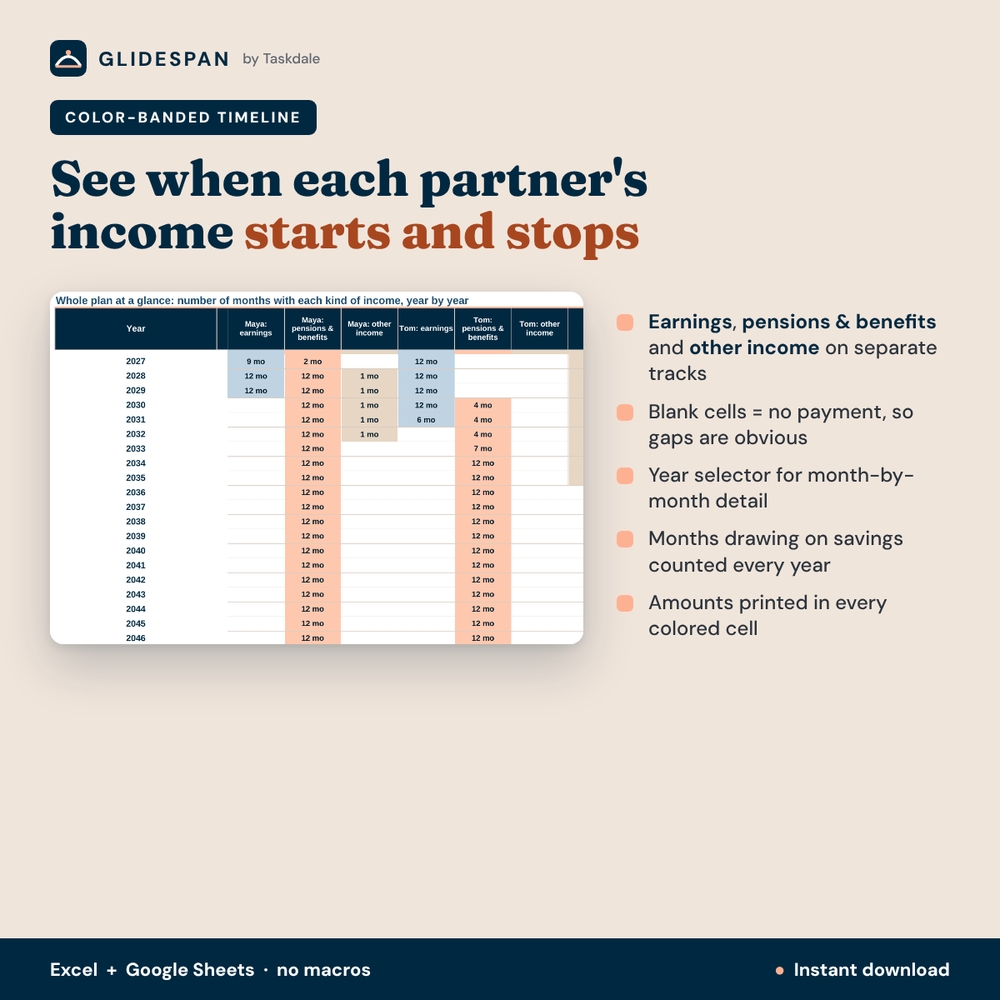
- See the real gap. A pension that starts in November counts for two months that year, not twelve.
- Know the first month you’ll need savings and how many months need a withdrawal across the whole plan.
- Protect a reserve. Set a floor you’d prefer not to touch and see the first month you’d go below it.
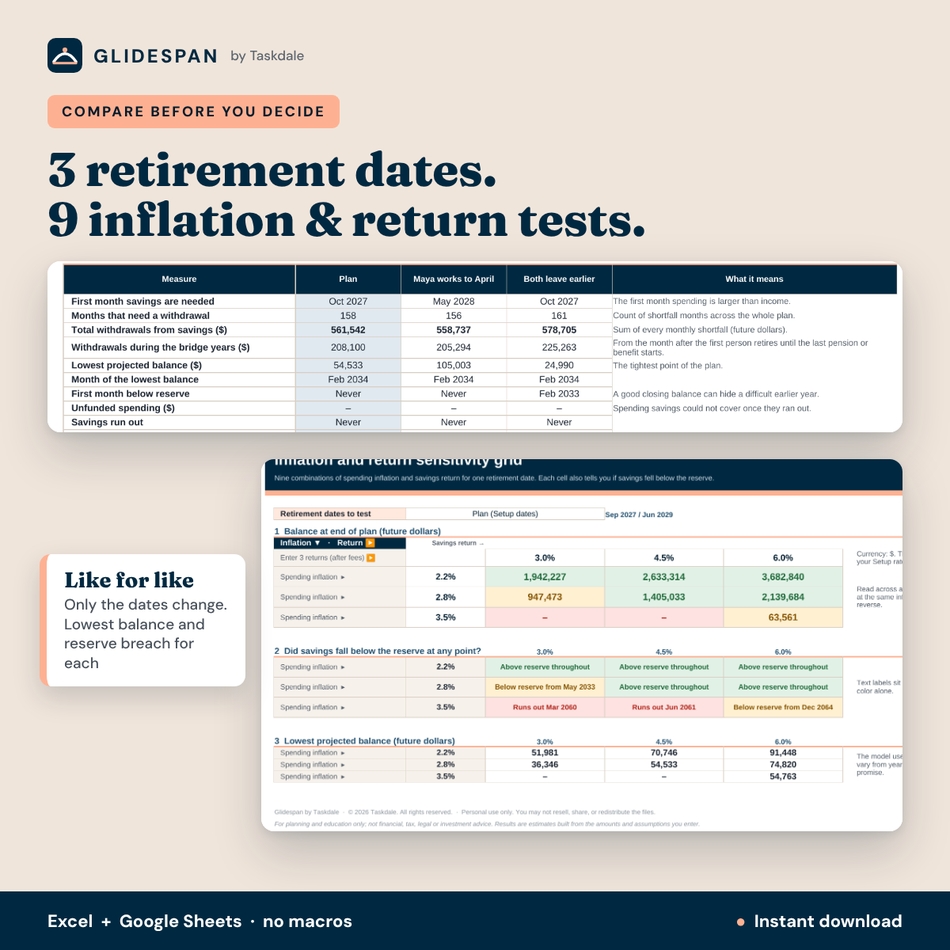
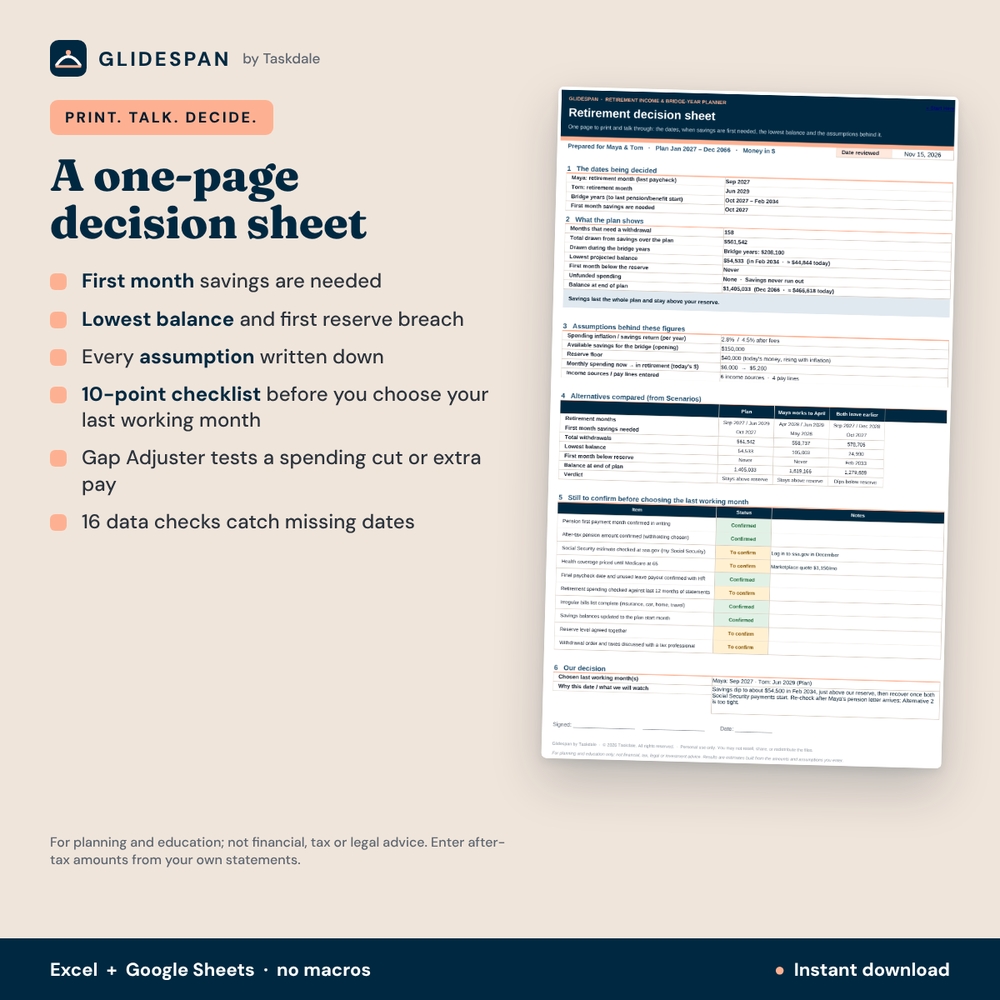
- Decide with evidence. Compare three retirement dates like for like and print a one-page decision sheet.
Features of the bridge-year dashboard
Inputs
- Setup: one or two people, names, optional birth months for ages, each person’s retirement month (last month of regular pay), plan start, last year to model, currency, inflation and return.
- Before-and-after spending: 25 categories with current and retirement amounts; each change has its own start month, such as one person’s commuting stopping while the other still works, or a mortgage payoff month.
- Irregular bills calendar: 30 bills (insurance renewals, trips, a car replacement every 10 years) placed in the month they fall due, with a calendar for any year.
- Savings and reserve: 15 accounts with include/exclude; home equity and pension pots already paid as income are excluded automatically so nothing is counted twice.
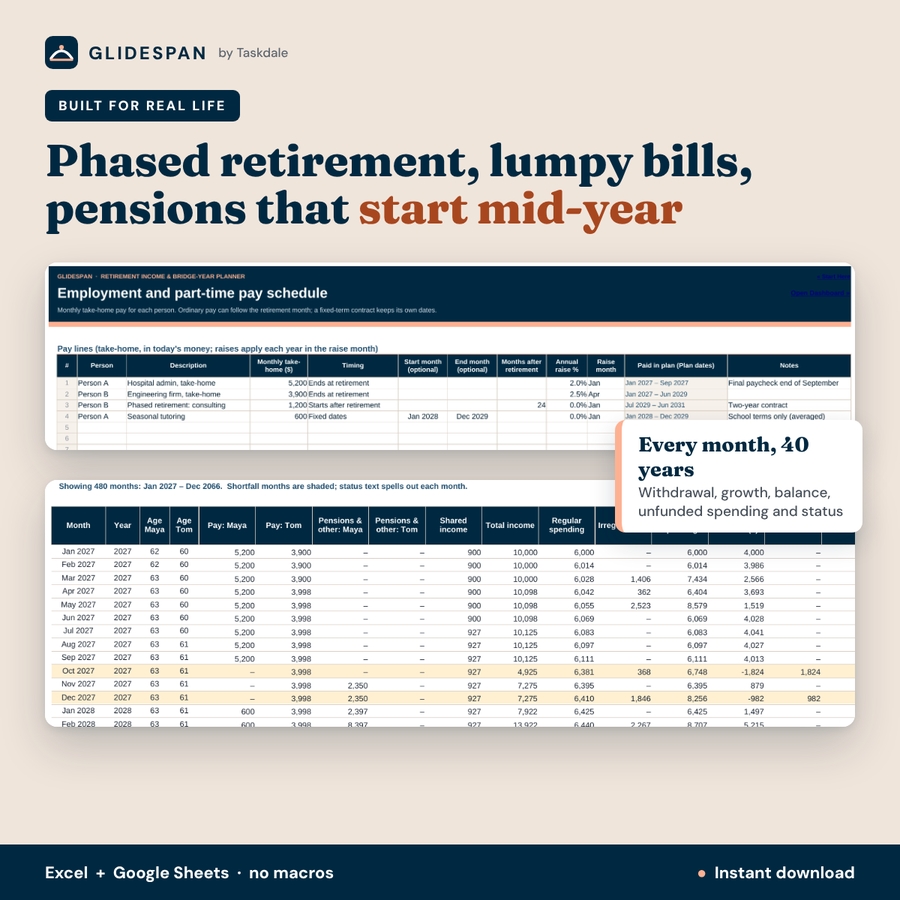
- Pay schedule: 8 take-home pay lines that end at retirement, start after retirement (phased or part-time work) or run on fixed dates, with annual raises.
- Income register: 12 pensions, Social Security estimates, annuities, rental or other income sources with owner, after-tax amount, frequency, first and final payment month, plus an annual increase and increase month kept separate from household inflation.
Results
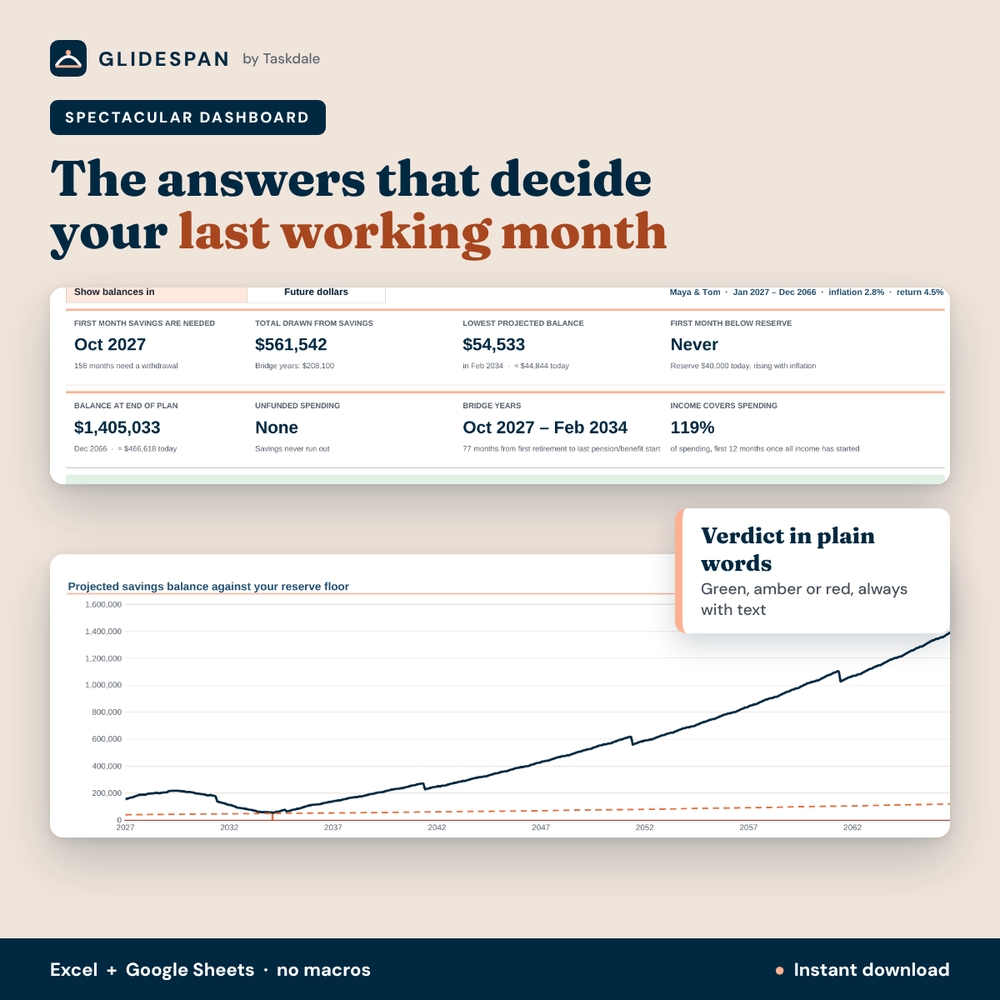
- Dashboard: 8 KPI tiles, a plain-English verdict banner, savings vs reserve chart with markers for the lowest balance and first breach, income vs spending and withdrawals by year, and a 40-year table with status labels (No draw needed, Savings draw needed, Projected savings exhausted).
- Future-money and today’s-money view: switch the balance chart and annual closing balances to today’s purchasing power.
- Color-banded timeline: separate tracks for each person’s earnings, pensions and other income, with a year selector and a whole-plan grid.
- Monthly ledger: income, spending, withdrawal, growth, closing balance, unfunded spending and a status for every month. If savings run out, the shortfall is recorded as unfunded spending rather than assuming you can keep withdrawing.
- Three-date scenario comparison: your Plan plus two alternative retirement months, with withdrawals, lowest balance, first reserve breach and end balance for each.
- 3×3 sensitivity grid: nine inflation and return combinations with end balance, reserve flag and lowest balance.
- Gap adjuster: test a temporary spending cut or extra take-home pay for chosen months.
- Printable decision sheet with a ten-item confirm-before-you-decide checklist, plus 16 data checks.
What is included
- Glidespan Retirement Income & Bridge-Year Planner (.xlsx, blank, 15 sheets)
- Completed worked example for a fictional couple (.xlsx)
- User guide (Word .docx, 12 pages with screenshots)
How it works
- Enter your household, retirement months and assumptions on Setup.
- Add spending, irregular bills, savings, pay and income from your own statements (after-tax amounts).
- Read the dashboard: first month savings are needed, total drawn, lowest balance and reserve breaches.
- Compare alternative dates, test inflation and returns, and print the decision sheet.
File formats and software requirements
One .xlsx workbook that works in Microsoft Excel 2016 or later, Microsoft 365 (Windows and Mac) and Google Sheets (free with a Google account). No macros, add-ins or internet connection needed. Apple Numbers is not supported. Formula cells are protected without a password, so you can unlock them if you want to restyle.
Customization
Choose your currency symbol once and every money header and summary follows it. Rename people, spending categories and bills, add your own rows, and change the plan length up to 40 years.
Digital download
This is an instant digital download. Nothing is shipped. You’ll receive the files right after purchase.
Use cases
- Deciding whether to retire this fall or wait until spring
- Planning the years between leaving work and claiming Social Security at 67 or 70
- Testing phased retirement or a two-year consulting contract
- Checking whether a mortgage payoff, health insurance before Medicare or a car replacement changes the answer
FAQ
Does it calculate Social Security or taxes?
No. You enter after-tax amounts and start months from your own statements, such as your my Social Security account at ssa.gov and your pension plan’s letters.
Can I use it for one person?
Yes. Choose One person on Setup and every second-person input is ignored.
Does it work in Google Sheets?
Yes. It uses only functions that work in Excel and Google Sheets, with no macros.
How far ahead does it plan?
Up to 40 years, month by month (480 months).
Can I model phased retirement or part-time work?
Yes. Pay lines can start after retirement for a set number of months or run on fixed dates.
Is this financial advice?
No. It is for planning and education only; not financial, tax, legal or investment advice. Results are estimates based on the amounts and assumptions you enter.
Personal use only. You may not resell, share or redistribute the files. © 2026 Taskdale.
Reviews
There are no reviews yet.