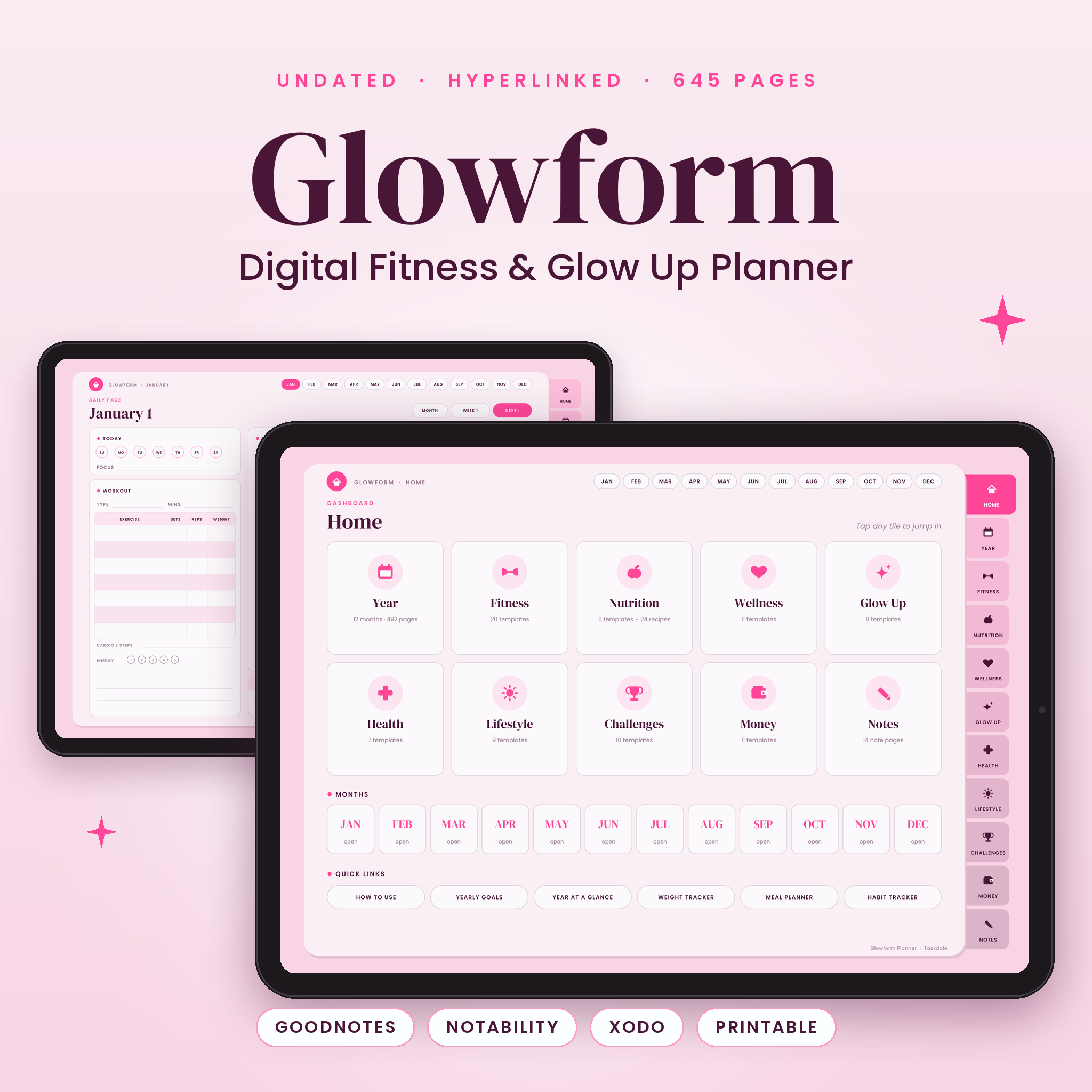

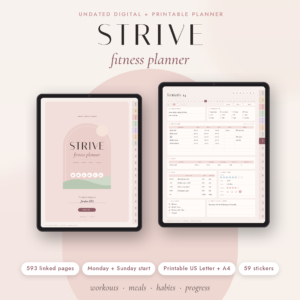
The Glowform digital fitness planner is an undated, fully hyperlinked planner for GoodNotes, Notability, Xodo and other PDF annotation apps. It brings your workouts, meals, weight loss progress, habits, self-care, health and money into one calm, pink-and-berry notebook with 645 tap-to-navigate pages. Start in any month, plan your whole year, and see your glow up happen one page at a time.
What this digital fitness planner does
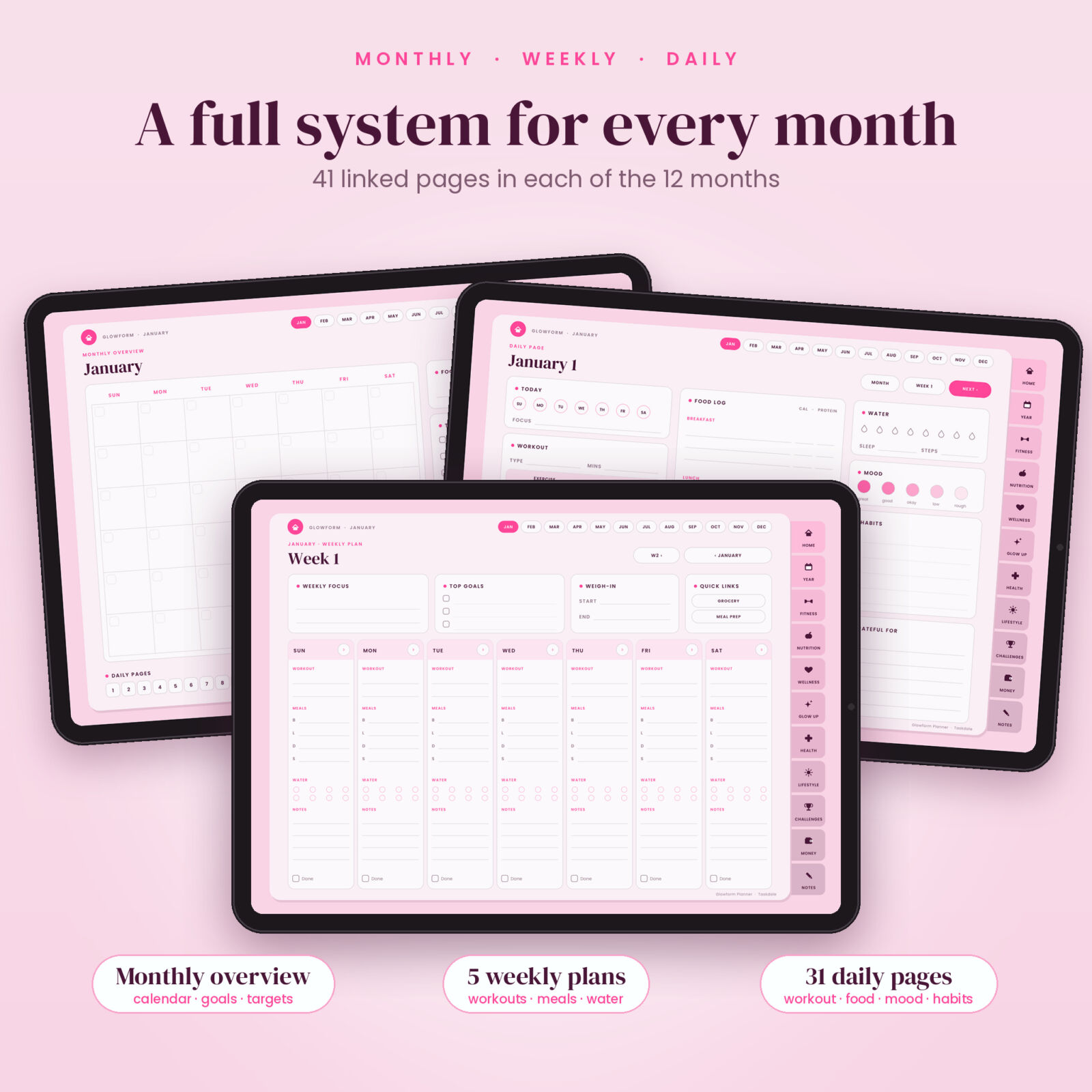
Glowform replaces the scattered notes apps, workout spreadsheets and half-finished journals with one organized system. Side tabs take you to ten sections, month pills take you to any month, and every monthly page links to its weekly plans and 31 daily pages. Instead of scrolling through hundreds of pages, you tap once and you are there.
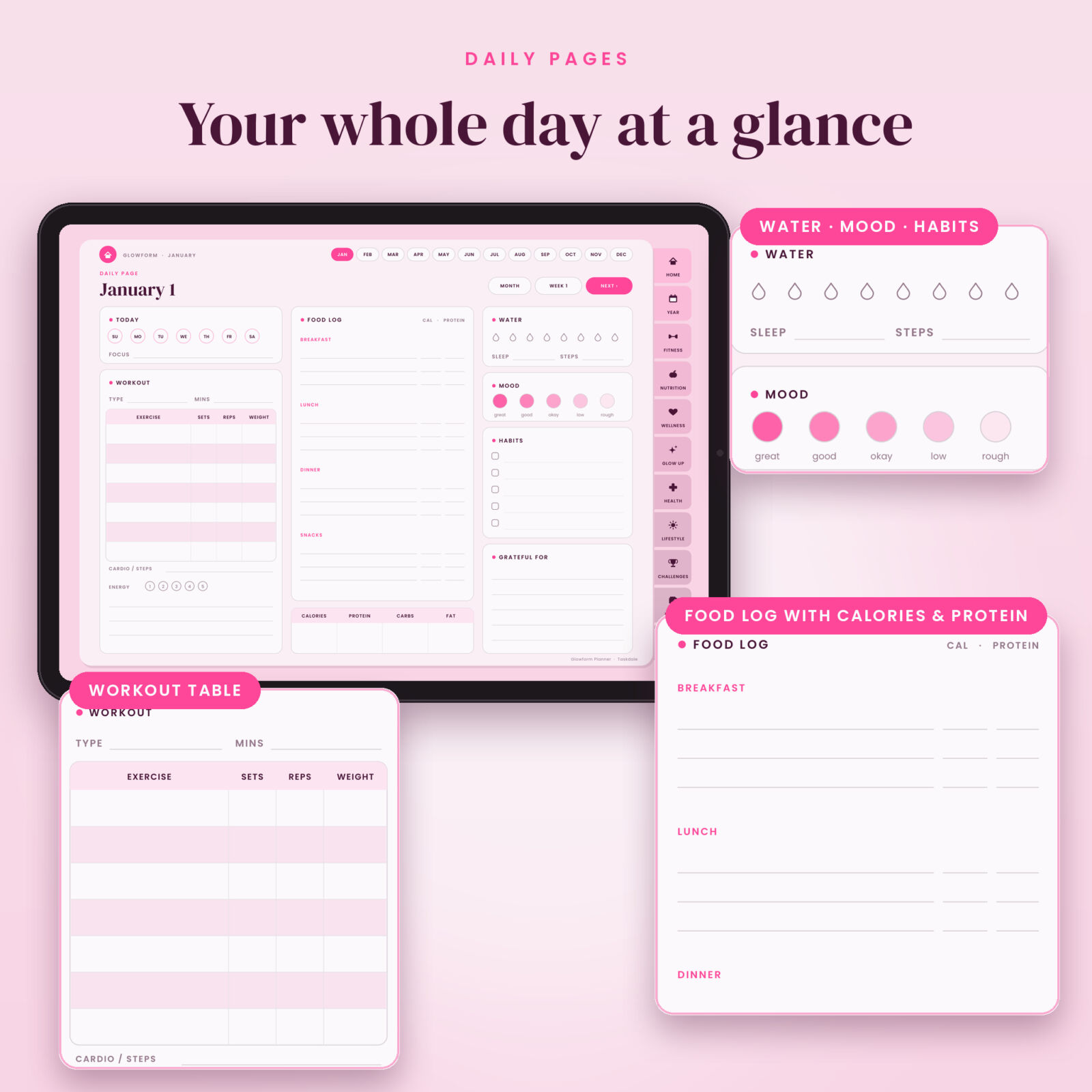
Each daily page combines a workout table, a food log with calories and protein, water, sleep, steps, mood, habits and gratitude, so a single page tells the story of your day. Each month adds an undated calendar, goals, a habit tracker, a daily fitness tracker, five weekly plans and a monthly review.
Who it is for
- Beginners who want a clear, simple structure for workouts, meals and habits
- Gym-goers and runners who track sets, reps, personal records and pace
- Anyone on a weight loss, body recomposition or 90-day glow up journey
- Busy planners who want fitness, self-care, health and budgeting in one place
Features of the Glowform fitness and glow up planner
Fitness tracking
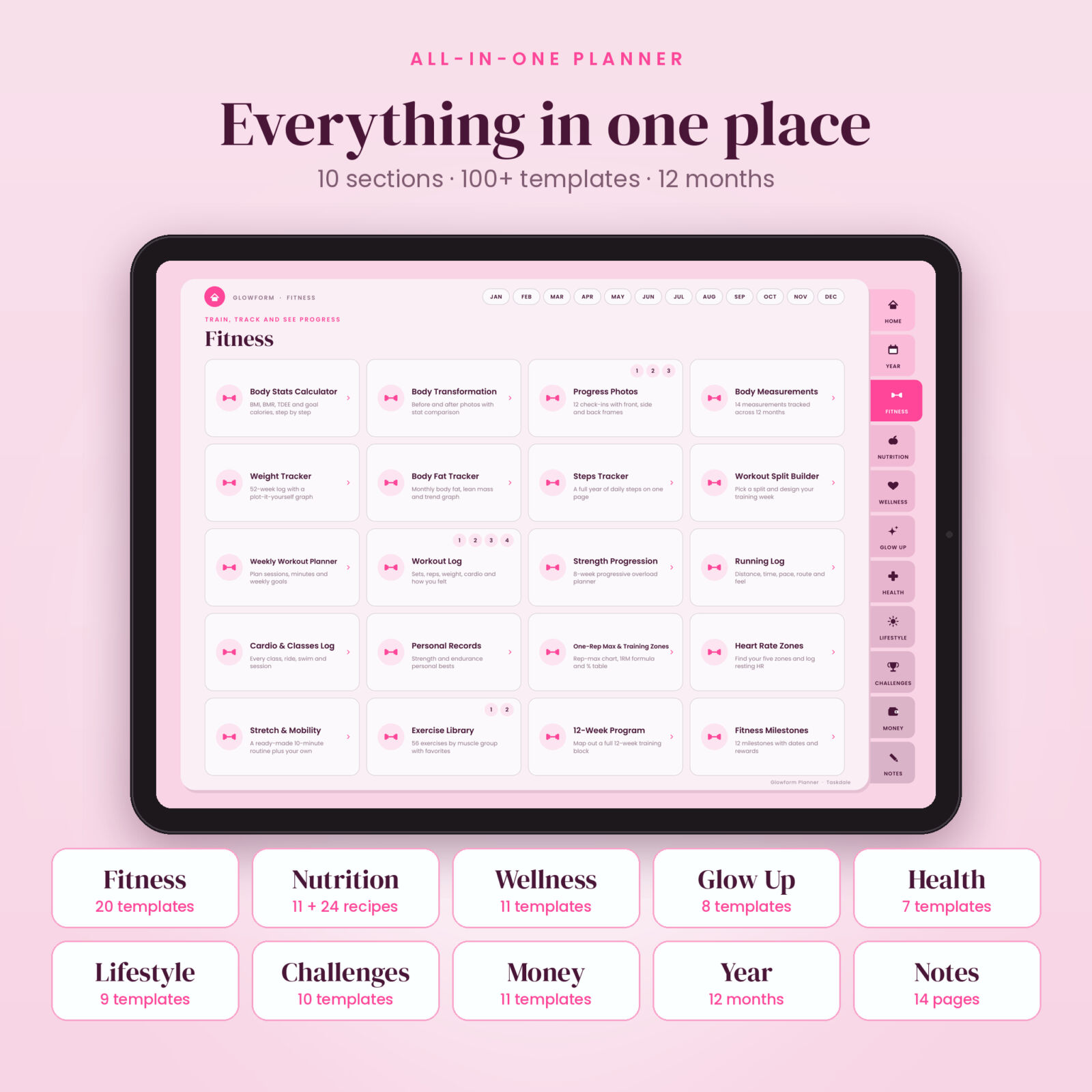
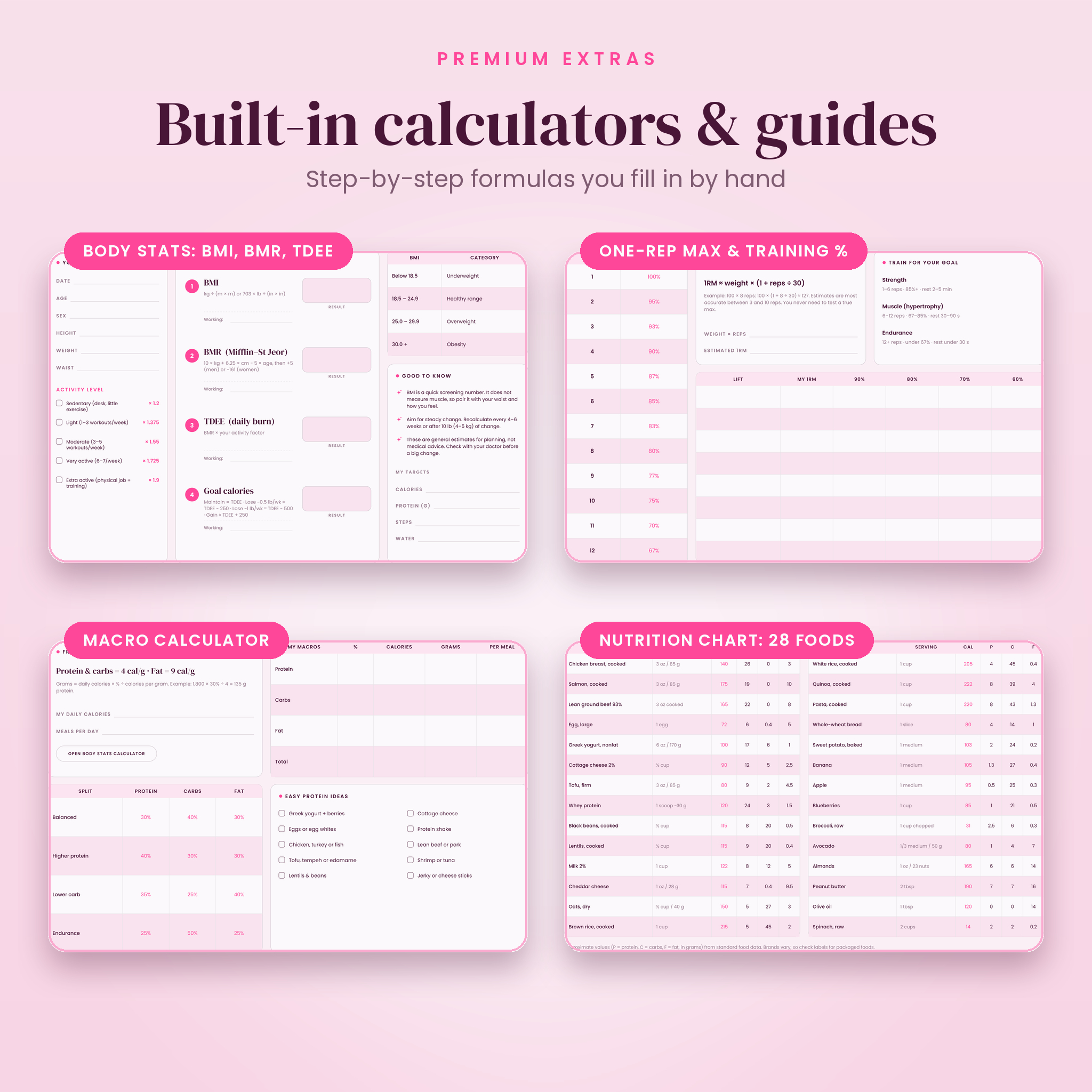
Body Stats Calculator (BMI, BMR, TDEE and goal calories, step by step), body transformation and progress photo pages, 14-point body measurements, a 52-week weight tracker with a plot-it-yourself graph, body fat and steps trackers, a workout split builder, weekly workout planner, detailed workout logs, an 8-week strength progression planner, running and cardio logs, personal records, a one-rep max and training percentage chart, heart rate zones, a ready-made stretch routine, a 56-exercise library and a 12-week program planner.
Nutrition and meal planning
A macro calculator, weekly meal planner, meal prep planner, grocery list, calorie tracker, food log, water tracker, a nutrition chart with calories and macros for 28 everyday foods, kitchen conversions, a kitchen cheat sheet with healthy swaps and safe cooking temperatures, and a recipe book with an index linked to 24 recipe cards.
Wellness and glow up
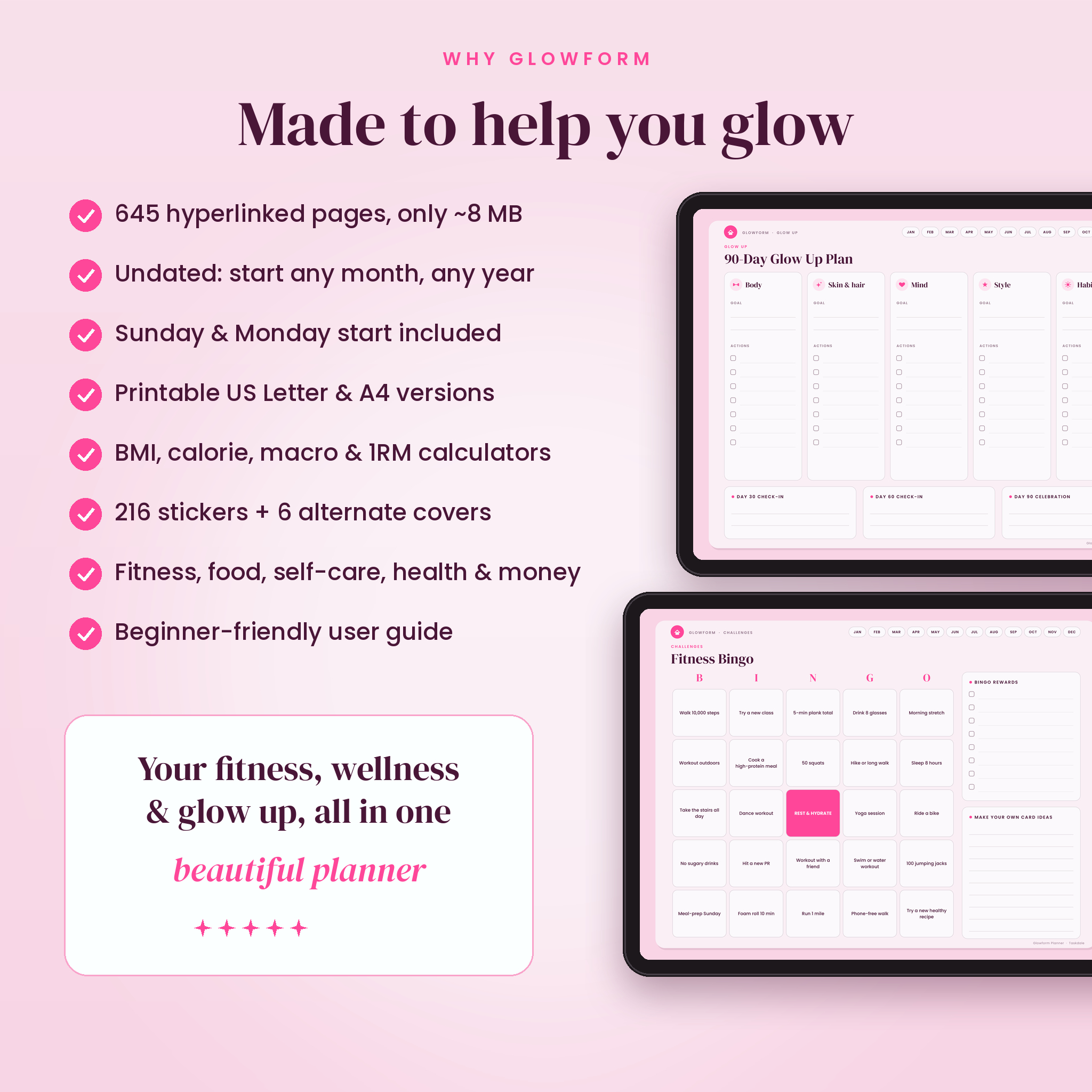
Mood tracker, wheel of life, self-care goals and checklist, manifestation journal, mental health check-ins, 20 positive affirmations, daily gratitude, 30 journal prompts and a meditation and breathwork log. The Glow Up section adds a 90-day glow up plan, a 35-item glow up checklist, a glow up habit tracker, skincare routine and tracker, hair care, style and wardrobe, and a confidence builder.
Health, lifestyle, challenges and money
Sleep, period, symptoms and vitals trackers, supplements and medications, appointments and health contacts. Lifestyle pages include routines, habits, chores, a priority matrix, goal planners, a brain dump and a weekly reset. Ten challenges keep things fun: 7-day, 21-day glow up, 30-day fitness, 30-day habit, 52-week, 75-day discipline, weight loss, fitness bingo, 100-day steps and healthy habit streaks. The Money section covers yearly finances, bills, budgets, expenses, income, subscriptions, debt, a 52-week savings challenge, a health and fitness budget and savings goals.
What is included
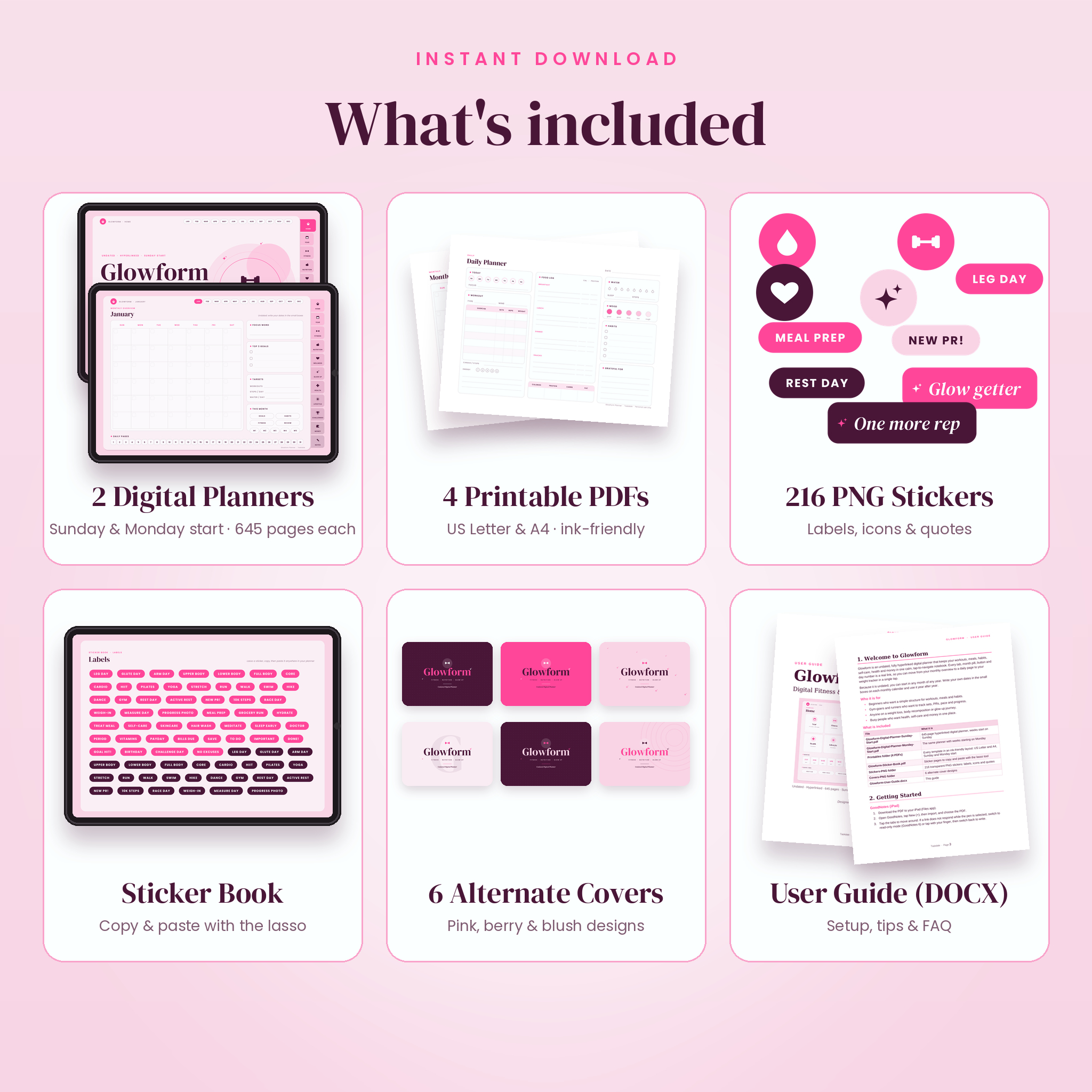
- Glowform Digital Planner, Sunday start (645 hyperlinked pages, PDF)
- Glowform Digital Planner, Monday start (645 hyperlinked pages, PDF)
- 4 printable PDFs: US Letter and A4, each in Sunday and Monday start
- Sticker book PDF plus 216 transparent PNG stickers (labels, icons and quotes)
- 6 alternate cover designs (PNG)
- User guide (DOCX) with setup steps, tips, troubleshooting and FAQ
How it works
- Download the files after checkout.
- Import the planner PDF into GoodNotes, Notability, Xodo, Samsung Notes, Noteshelf or another PDF annotation app.
- Tap the Home button, side tabs and month pills to move around, then write, type or add stickers.
- Duplicate any template in your app whenever you need more pages, or print from the printable PDFs.
File formats and software requirements
The digital planner is a hyperlinked PDF (landscape, about 8 MB) for iPad and Android tablets, and it also opens in any PDF reader on a computer. You need a PDF annotation app to write on it, such as GoodNotes, Notability, Xodo, Samsung Notes or Noteshelf. The printable PDFs print on US Letter or A4 paper. Stickers and covers are PNG files. The user guide opens in Microsoft Word, Google Docs, Pages or LibreOffice.
Customization
The planner is undated, so you write your own dates and can start any month of any year. Choose the Sunday or Monday start version. Every tracker works with pounds or kilograms and inches or centimeters, and money pages include a currency field so you can use dollars or your own currency. Add stickers, swap covers, write in any color and duplicate pages as often as you like.
Digital download information
This is an instant digital download. No physical product will be shipped. Your files are available right after payment from your order confirmation and your account. For personal use only; please do not share or resell the files.
Ways to use your planner
- Plan a 12-week training block and log every session, set and personal record
- Track a weight loss journey with weekly weigh-ins, measurements and progress photos
- Meal-prep on Sunday with the meal planner, grocery list and recipe cards
- Run a 90-day glow up with skincare, habits, style and confidence pages
- Keep supplements, appointments, sleep and cycle notes together for doctor visits
- Budget for gym memberships, classes and gear alongside your monthly finances
Frequently asked questions
Is this fitness planner dated?
No. It is undated, so you can start in any month and reuse it every year.
Does it work with GoodNotes and Notability?
Yes. It is a standard hyperlinked PDF that you import into GoodNotes, Notability or another PDF annotation app.
Can I use it on an Android tablet?
Yes. Open it in Xodo, Samsung Notes, Noteshelf or a similar app that supports PDF links.
Can I print the planner?
Yes. Four printable PDFs are included in US Letter and A4 sizes.
Do the links work everywhere?
Every tab, month, day and button is a real PDF link. Some apps follow links only in read-only mode or when you tap with a finger, which the user guide explains.
Is it good for beginners?
Yes. A How to Use page, a step-by-step user guide and simple layouts make it easy to start.
Will I receive a physical planner?
No. This is a digital product only.
Reviews
There are no reviews yet.