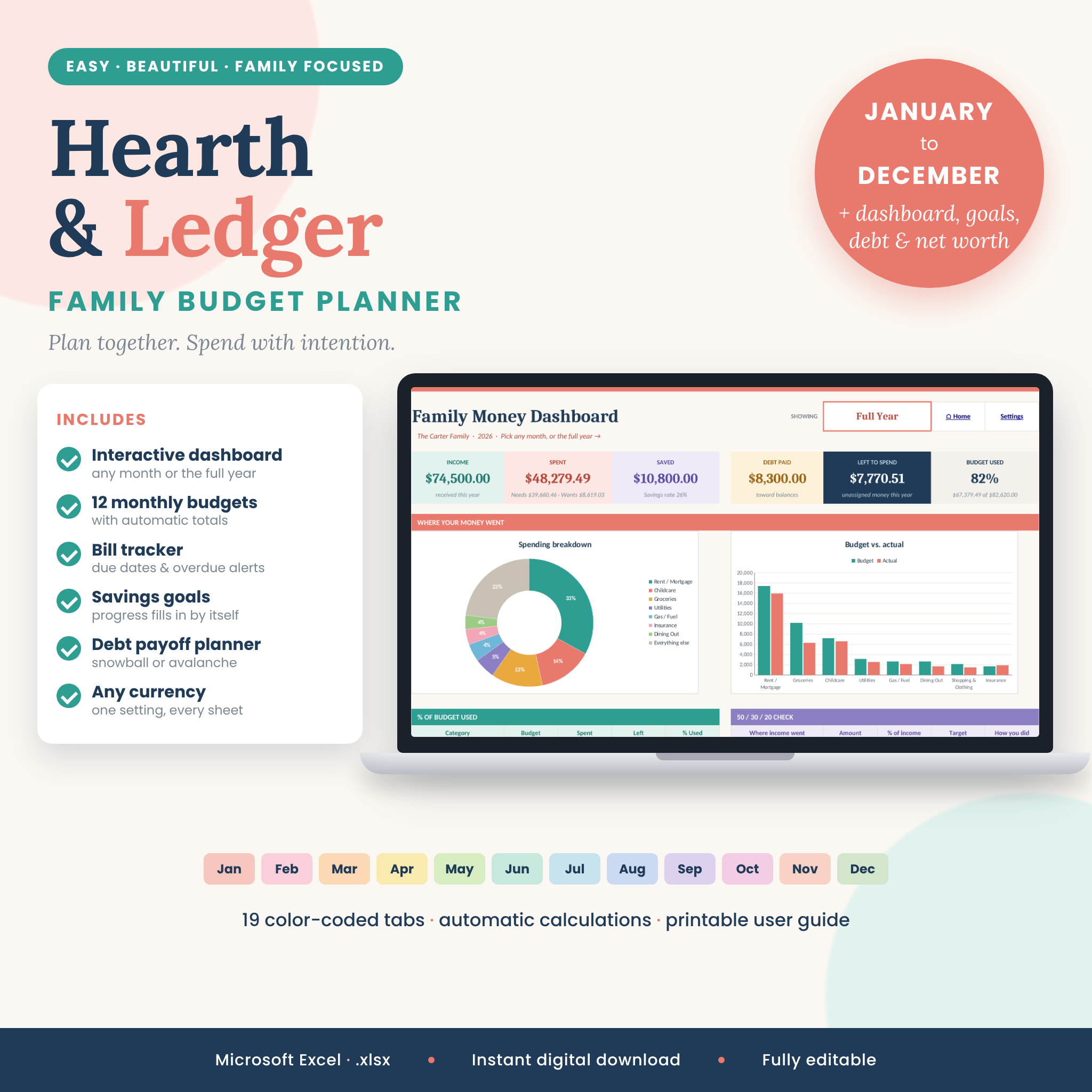



Take the stress out of family money with Hearth & Ledger, a family budget planner spreadsheet for Microsoft Excel that does the math for you. Set up your income, categories and bills once, and all 12 monthly budgets, the interactive dashboard and the annual summary fill in by themselves. You just log what you earn and spend, and the planner shows where every dollar went, what is left to spend and how close you are to your goals.
It is designed for real households: busy parents, couples who budget together and beginners who want a clear, friendly system that is easy to stick with all year.
What this family budget planner does
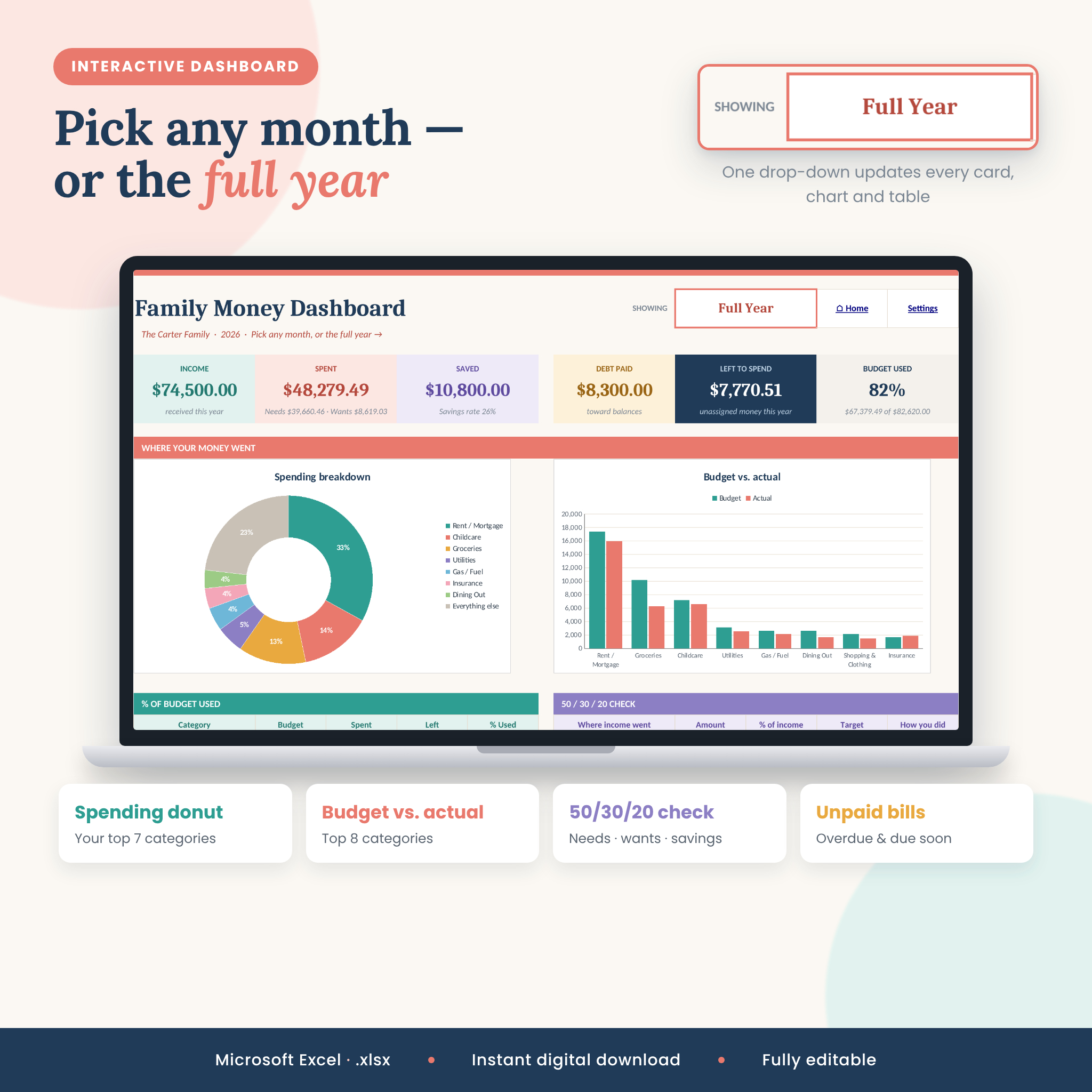
- Interactive dashboard: choose any month or the full year and every card, chart and table updates — income, spending, savings, debt paid, left to spend and % of budget used.
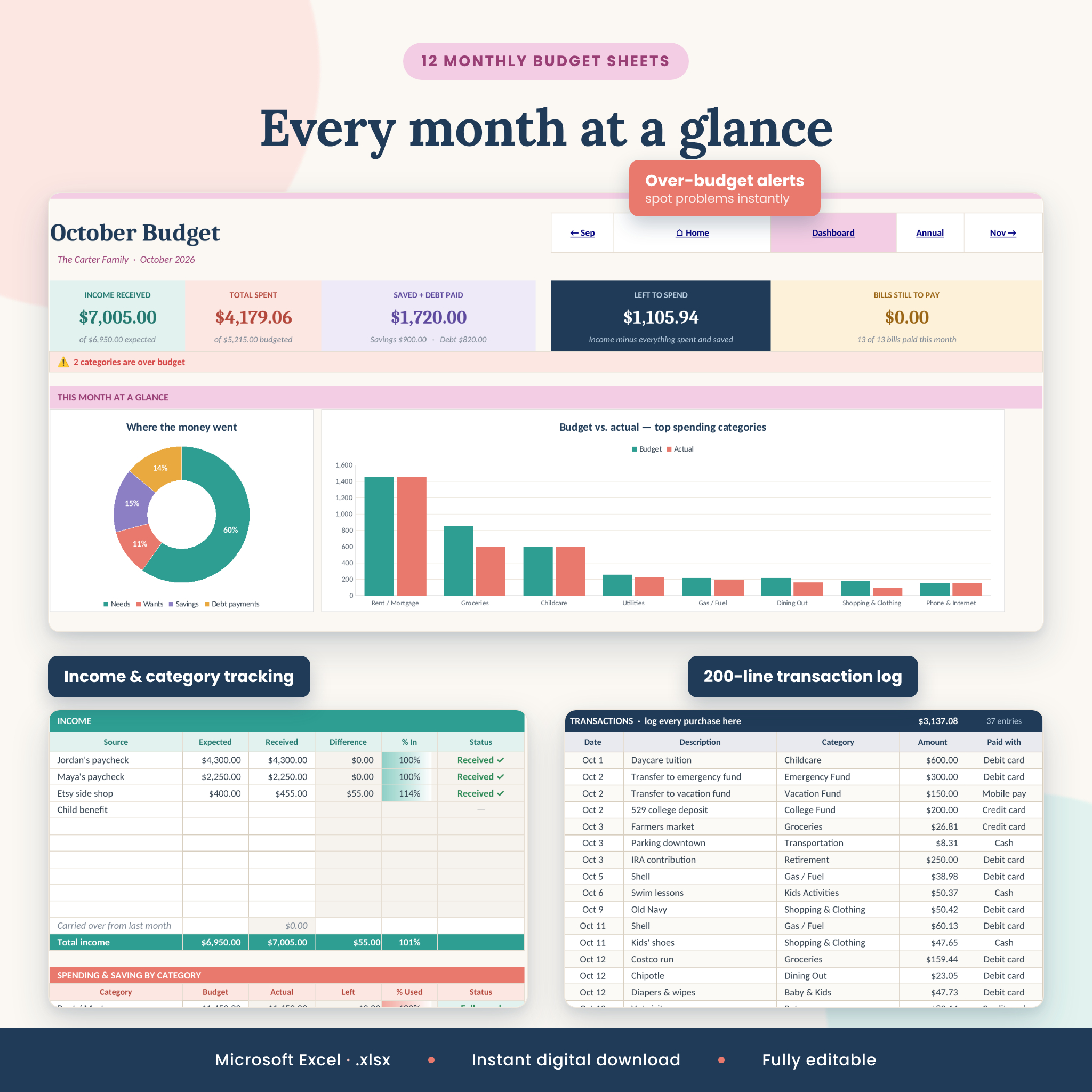
- 12 monthly budget sheets (January–December): summary cards, budget vs. actual by category, over-budget alerts, a spending donut chart and a 200-line transaction log for each month.
- Set it up once: categories, monthly budgets, income sources and bills flow from one Settings sheet to every month. Type over a budget on any month to change just that month.
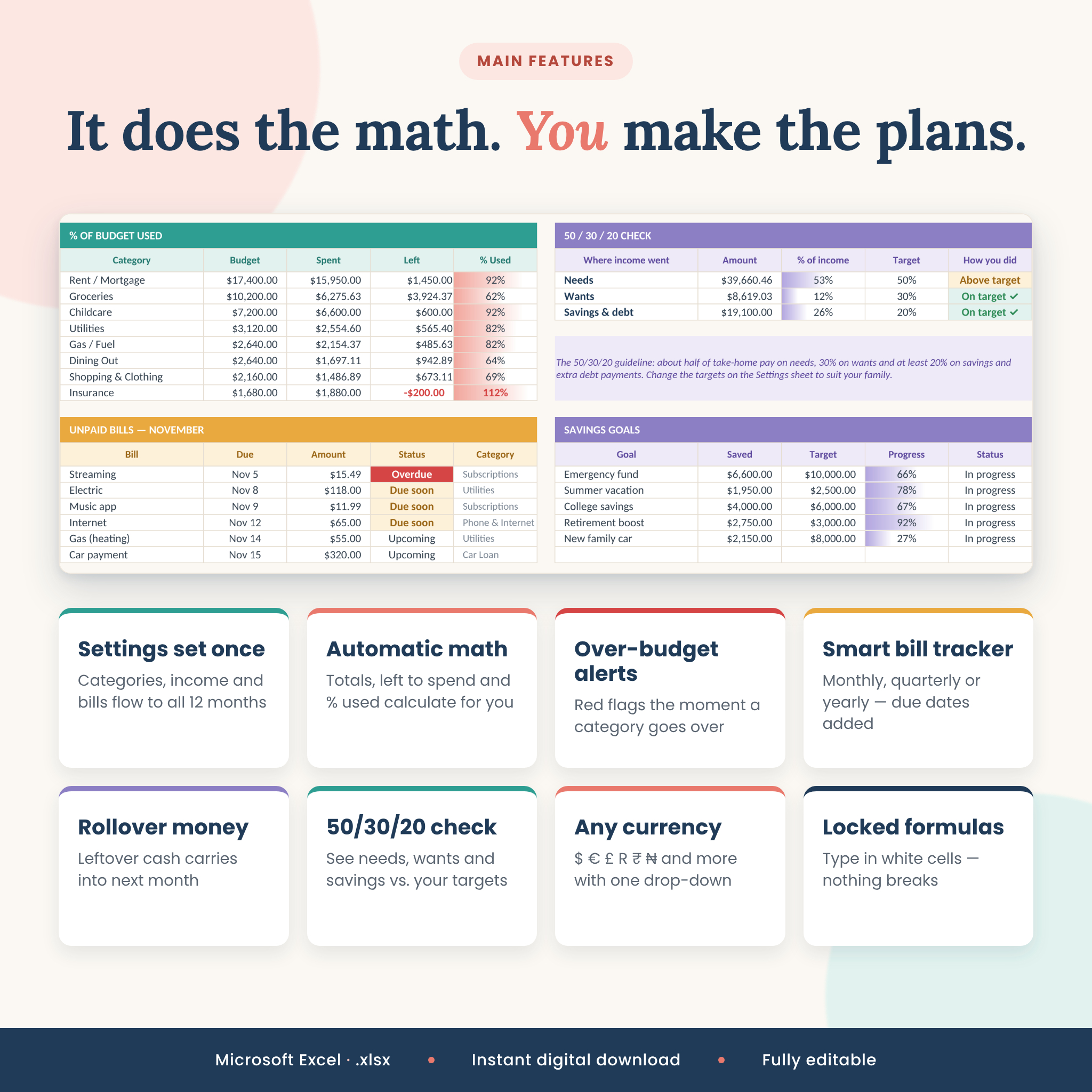
- Smart bill tracker: monthly, quarterly, twice-a-year and yearly bills appear on the right months with their due dates. Mark a bill paid and it is counted automatically. Status shows Paid, Due soon, Upcoming or Overdue.
- Left-to-spend tracking with rollover: leftover money can carry into next month automatically.
- Savings goals tracker: link each goal to a savings category and progress, amount still needed and the monthly amount to hit your date update by themselves.
- Debt payoff planner: snowball or avalanche order, extra payment planner, months left, estimated payoff dates and interest.
- Net worth tracker: monthly assets and liabilities with a trend chart.
- 50/30/20 check: compare needs, wants and savings with targets you can change.
- Annual summary: month-by-month totals, savings rate, trend charts, and actual vs. budget for every category.
Why families choose Hearth & Ledger
Many budget templates make you copy the same categories into twelve tabs and fix broken formulas when you rename something. Hearth & Ledger keeps everything connected. Formula cells are locked (with no password) so they can’t be erased by accident, drop-downs keep entries consistent, and if a transaction uses a category that no longer exists it is highlighted in red instead of quietly disappearing from your totals.
Works in any currency
Choose your currency once on the Settings sheet and every money value in the workbook switches. Dollar is the default, with 17 options including euro, pound, rand, naira, rupee, shilling, peso, real, franc, krona, złoty, dirham, won and “no symbol”.
What’s included
- 1 Excel workbook (.xlsx) with 19 color-coded tabs: Start Here, Settings, Dashboard, January–December, Annual Summary, Savings Goals, Debt Payoff and Net Worth
- Illustrated user guide (.docx) with quick start, how-to for every sheet, customizing tips, troubleshooting and FAQ
- Room for 10 income sources, 30 categories, 20 recurring bills, 200 transactions a month, 10 savings goals, 10 debts and 16 net worth items
How it works
- Set up once: open Settings, add your household name, year, currency, income, categories with monthly budgets and your regular bills.
- Log as you go: type income as it arrives, add purchases to the transaction list and mark bills paid.
- See the big picture: open the Dashboard, pick a month or Full Year and see exactly where your money went.
File format and requirements
- Microsoft Excel 2016, 2019, 2021, 2024 or Microsoft 365 (Windows or Mac) — desktop app recommended
- Standard .xlsx file — no macros, add-ins or internet connection needed
- Every sheet is set up to print neatly on US Letter or A4
- Not tested in Google Sheets, Numbers or Excel for the web, so we don’t promise every feature there
Customizing
Rename categories and income sources, change their types (Needs, Wants, Savings or Debt), set your own 50/30/20 targets and warning level, and turn rollover on or off. Colors and fonts can be changed while the sheets stay protected, and you can unprotect any sheet with no password if you want to make bigger changes.
Use cases
- A family planning a new year’s budget and tracking groceries, childcare and kids’ activities each month
- Couples combining finances and checking the dashboard together at month end
- Paying off credit cards with the debt snowball while building an emergency fund
- Saving for a vacation, a new car or college with automatic goal progress
- Staying on top of subscriptions and bills with due-soon and overdue alerts
- Households outside the US who need their own currency
Digital download
This is an instant digital download. No physical item will be shipped. After purchase you’ll receive a ZIP file with the Excel workbook and the user guide.
FAQ
Can I start the budget in the middle of the year?
Yes. Leave earlier months blank and start on the current month. Change the budget year on Settings to reuse it next year.
Does this budget spreadsheet work on Mac?
Yes, it works in Microsoft Excel for Mac 2016 or newer and Microsoft 365.
Does it work in Google Sheets?
It was built and tested for Microsoft Excel. Some features, such as currency switching and charts, may not behave the same in Google Sheets.
Can I add my own categories?
Yes — up to 30 categories and 20 recurring bills. Type them on Settings and they appear on every month.
Is it beginner friendly?
Yes. White cells are where you type, everything else calculates itself, and the Start Here tab and user guide walk you through setup in about 10 minutes.
Can I track bi-weekly paychecks?
Yes. List each paycheck as an income source or add them together in the Received cell.
Is my financial information private?
Yes. Everything stays in the file on your own device.
Licence
© Taskdale. For personal use by the purchaser and their household only. Please do not resell, share, distribute or upload the files, edited or not.
Reviews
There are no reviews yet.