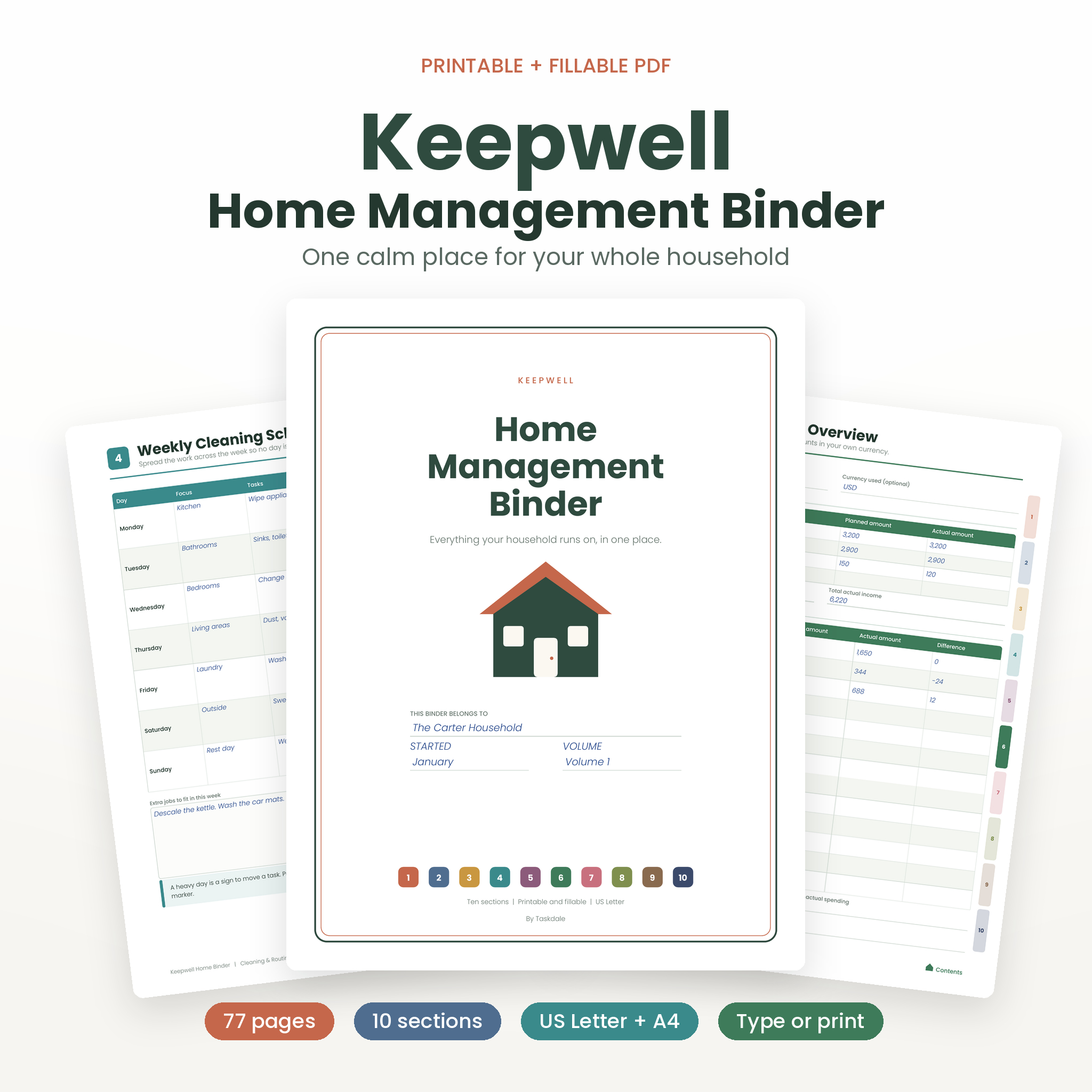
Most households run on sticky notes, phone photos and memory. Then the dishwasher dies and nobody can find the warranty. The Keepwell Home Management Binder puts all of it in one place: a printable and fillable PDF you can type into on screen or print and fill in by hand.
It is 77 pages. Ten color-coded sections. One binder that finally answers “where did we put that?”
What is the Keepwell Home Management Binder?
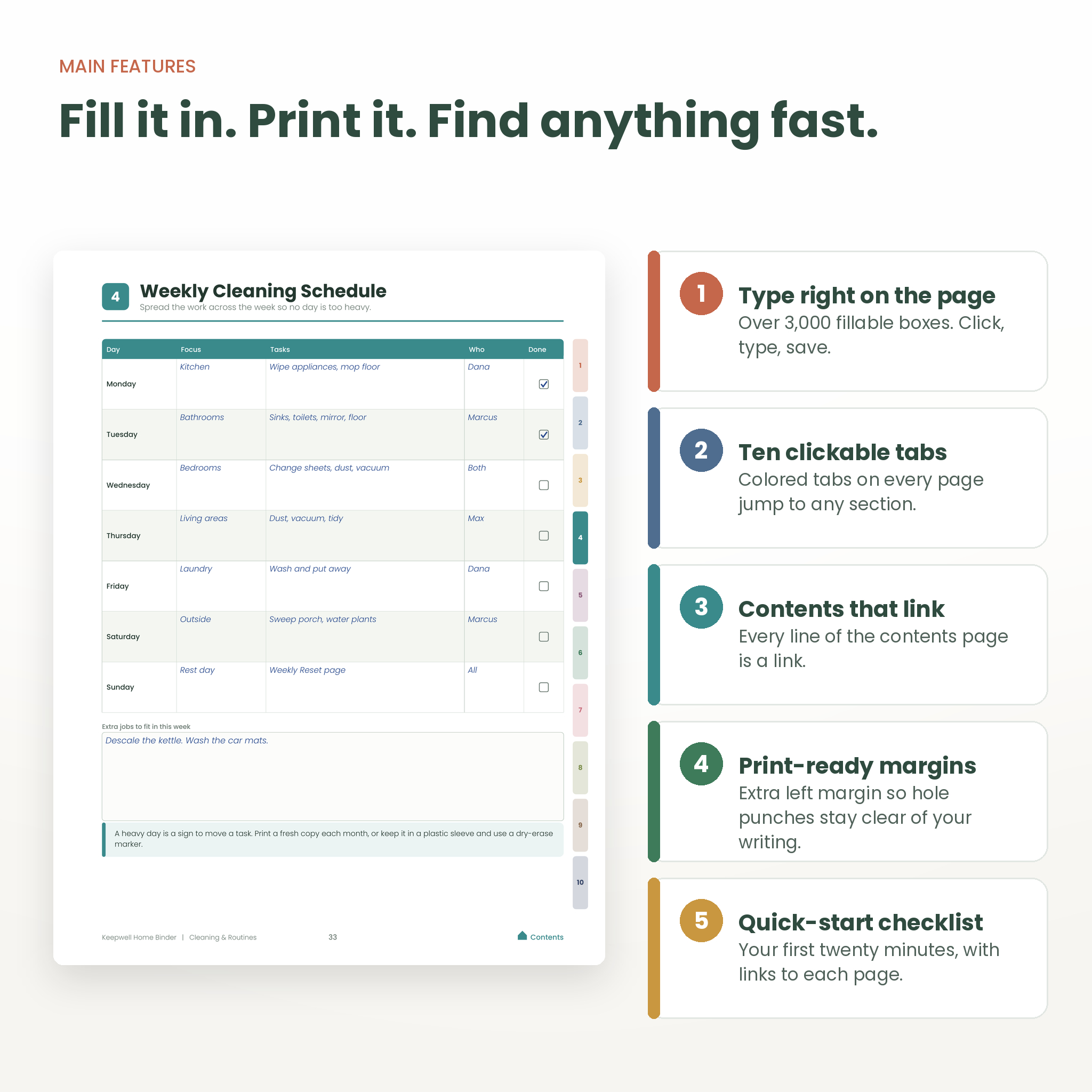
It is a household organizer built as a PDF. Open it on your computer and click into the boxes to type. Or print the pages you want, punch the holes and fill them in with a pen. Both ways work, and you can mix them.
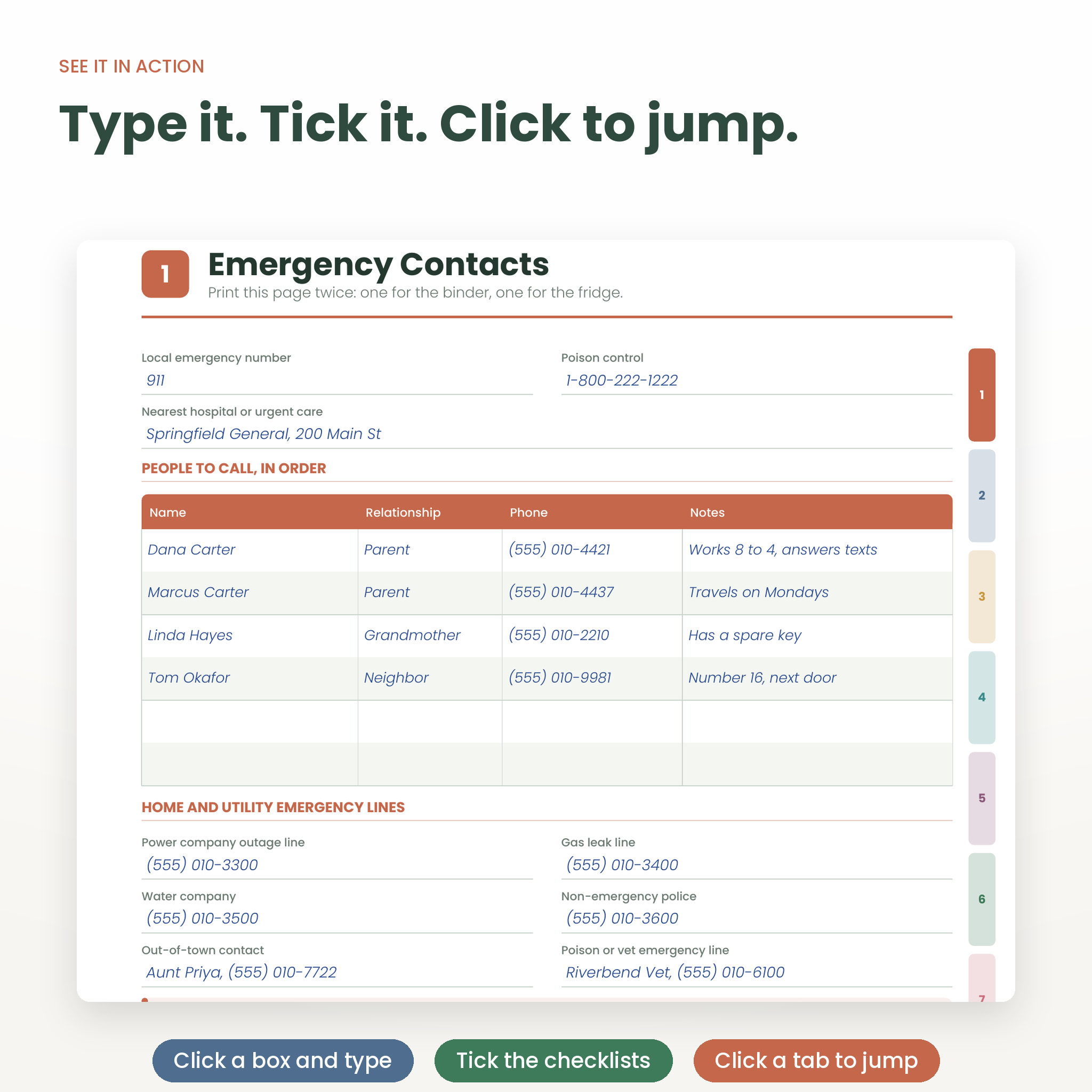
Every page has a tab on the right edge. Click a tab on screen and you jump straight to that section. On paper, the same colors help you match pages to index dividers.
Who is it for?
- Families who want one shared reference for the whole house
- New homeowners and first-time renters collecting paperwork
- Busy parents who need a babysitter sheet and a family emergency plan
- Anyone who likes a paper binder, and anyone who would rather type
Main benefits
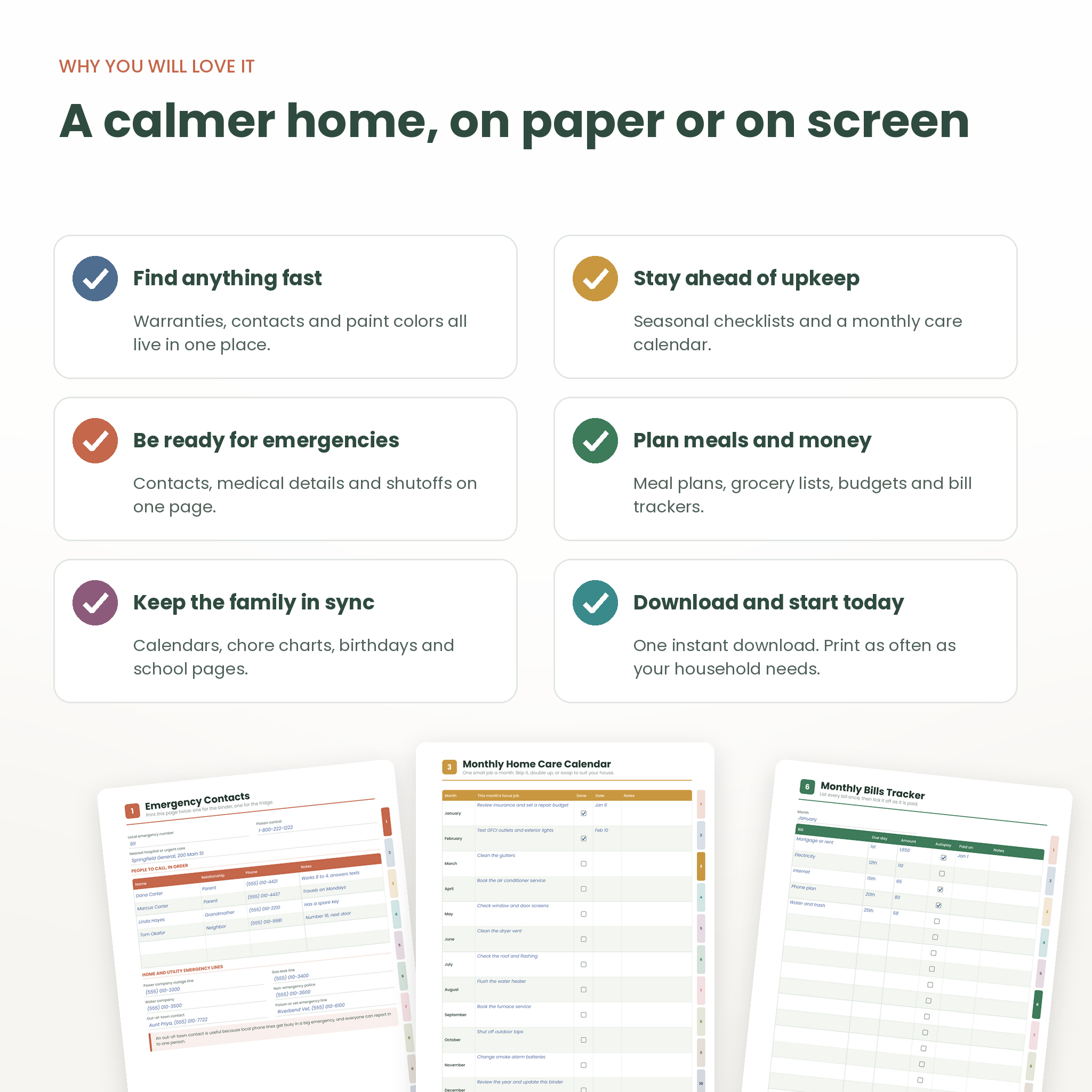
- Find things fast. Warranty numbers, paint colors, plumber contacts and policy details sit on pages with clear headings.
- Be ready for emergencies. Emergency contacts, medical details, utility shutoffs and a go-bag checklist are in the first section, where you can grab them.
- Stay ahead of upkeep. Four seasonal checklists and a monthly care calendar help you catch jobs before they turn into repair bills.
- Keep the family in sync. Calendars, chore charts, birthdays and school pages keep everyone on the same page.
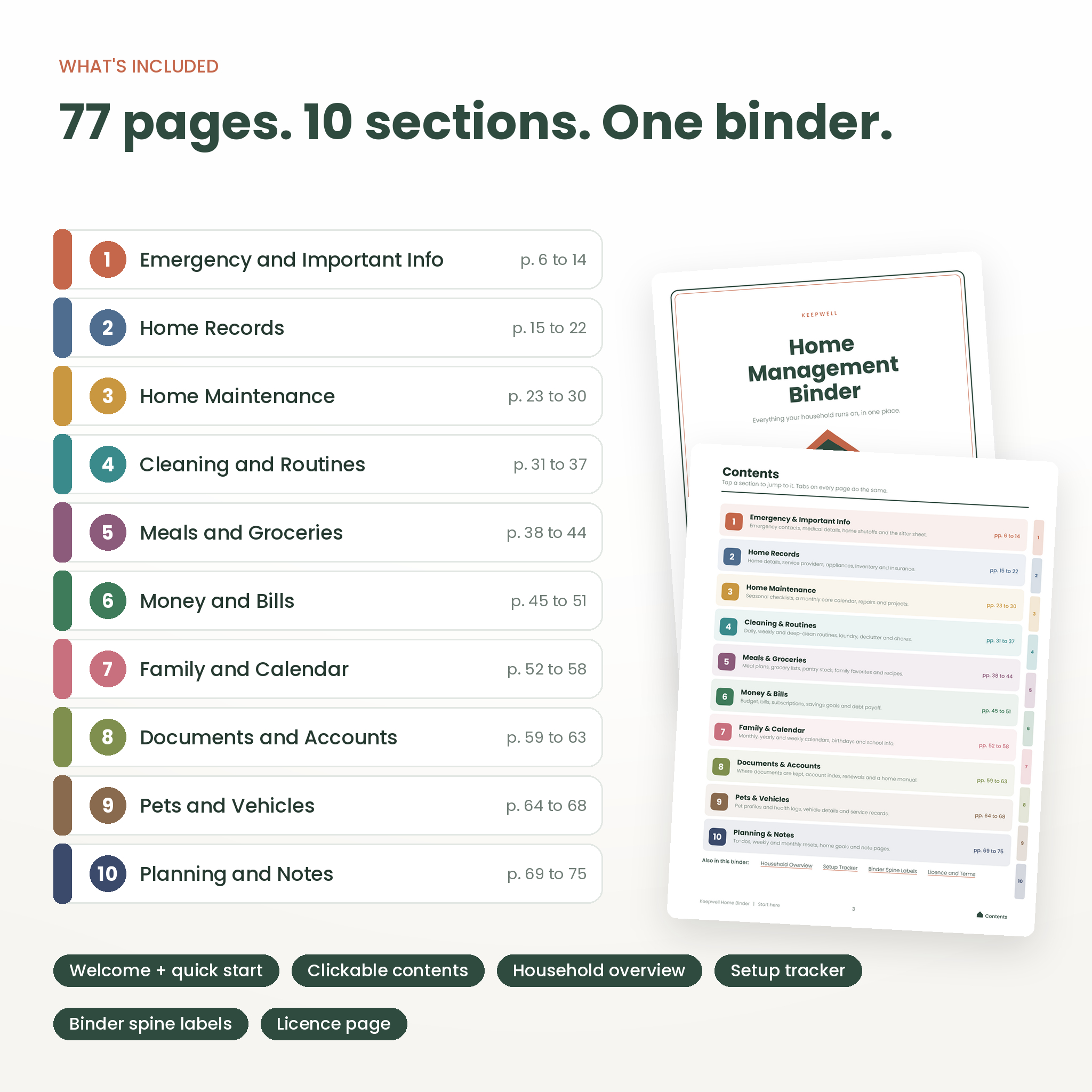
What is inside: 10 home binder sections
1. Emergency and Important Info
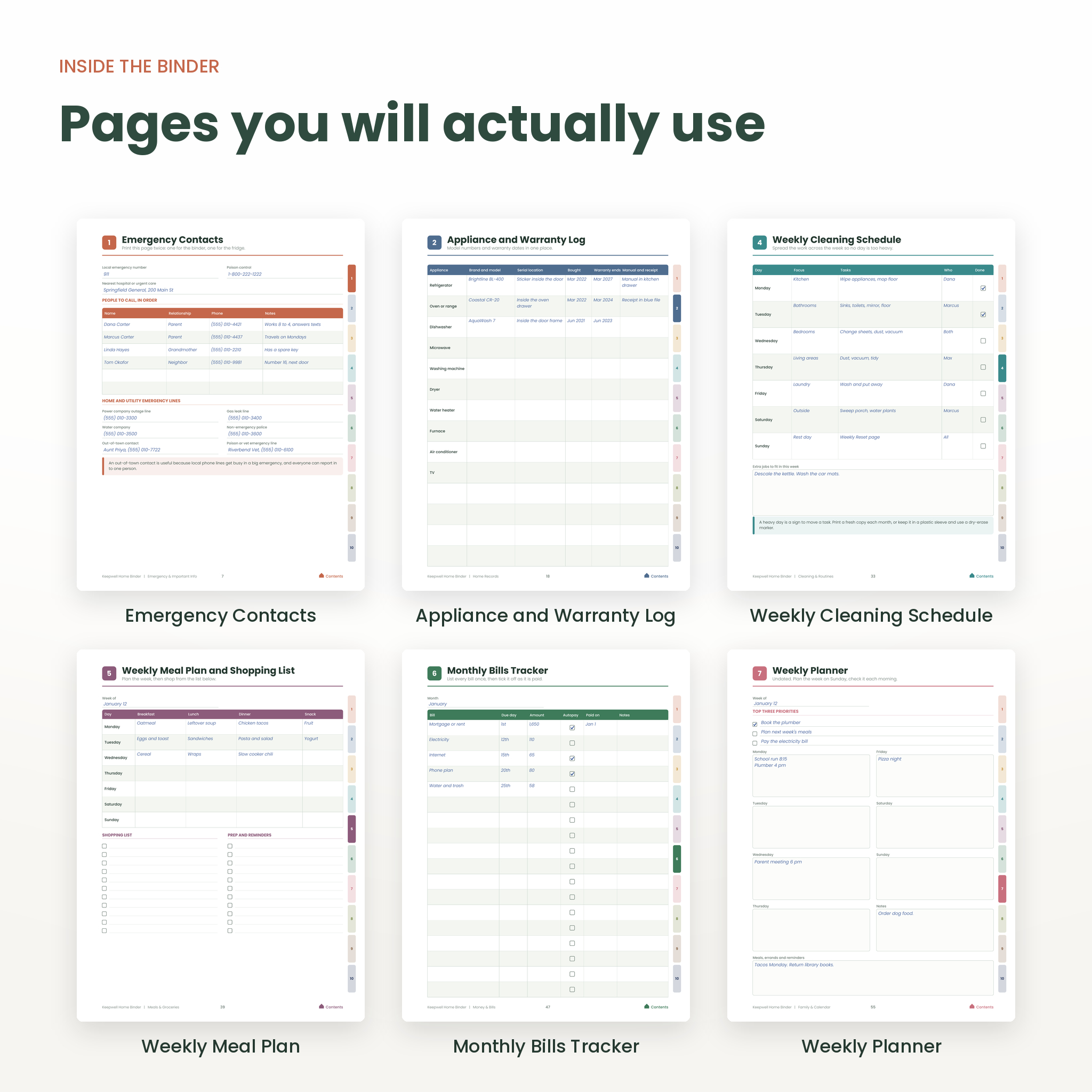
Emergency contacts, household members, medical information, medication log, home systems and shutoffs, family emergency plan, go-bag checklist and a babysitter and guest info sheet.
2. Home Records
Home details, service providers, an appliance and warranty log, two room-by-room inventory pages, a paint and finishes record and an insurance overview.
3. Home Maintenance
Spring, summer, fall and winter checklists, a monthly home care calendar with starter tasks, a repair and service log and a home project planner.
4. Cleaning and Routines
Daily reset, weekly cleaning schedule, monthly and deep-clean checklist, laundry and linen plan, declutter tracker and a family chore chart.
5. Meals and Groceries
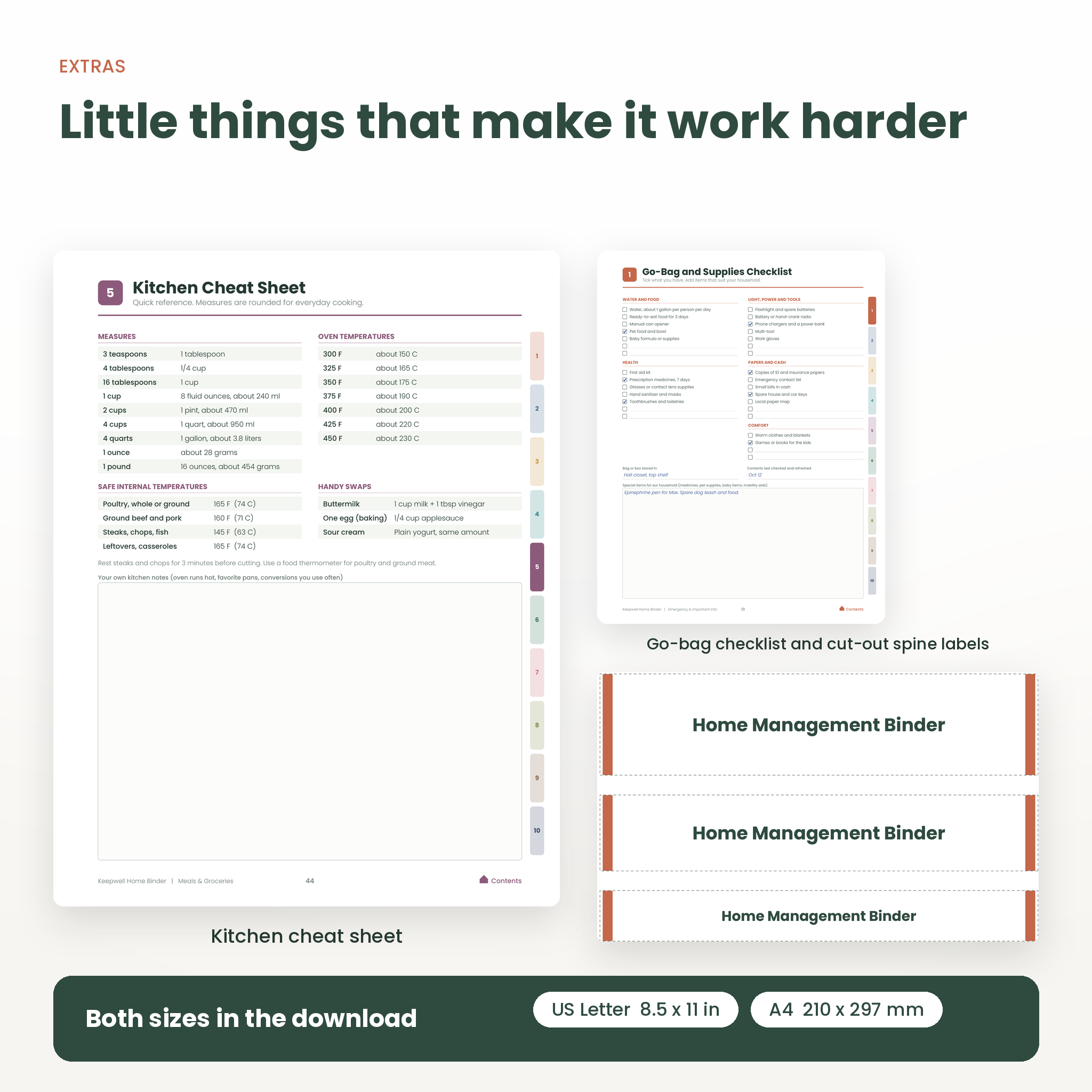
Weekly meal plan with a shopping list, master grocery list, pantry and freezer inventory, family favorites, a recipe page and a kitchen cheat sheet.
6. Money and Bills
Monthly budget overview, bills tracker, annual bill and renewal calendar, subscriptions list, savings goals and a debt payoff tracker.
7. Family and Calendar
Monthly calendar, year at a glance, weekly planner, family weekly schedule, birthdays and gifts, and school and activities.
8. Documents and Accounts
An important documents locator, a digital accounts index, renewals and deadlines and a home manual for how things work.
9. Pets and Vehicles
Pet profile, pet health log, vehicle profile and a vehicle maintenance log.
10. Planning and Notes
To-do list, weekly reset, monthly review, yearly home goals, lined notes and dot grid notes.
You also get a welcome page with a quick-start checklist, a clickable contents page, a household overview, a setup tracker, cut-out binder spine labels in three widths and a licence page.
Features
- Over 3,000 fillable boxes and tick boxes
- Ten clickable tabs on every page, plus a Contents link in every footer
- Bookmarks panel that lists every page in order
- Wider left margin for three-hole punching
- Money boxes with no currency symbol, so you use your own
- Poppins typeface embedded, so the design looks the same everywhere
- No passwords stored. The accounts page tells you where to look, not what the password is
How it works
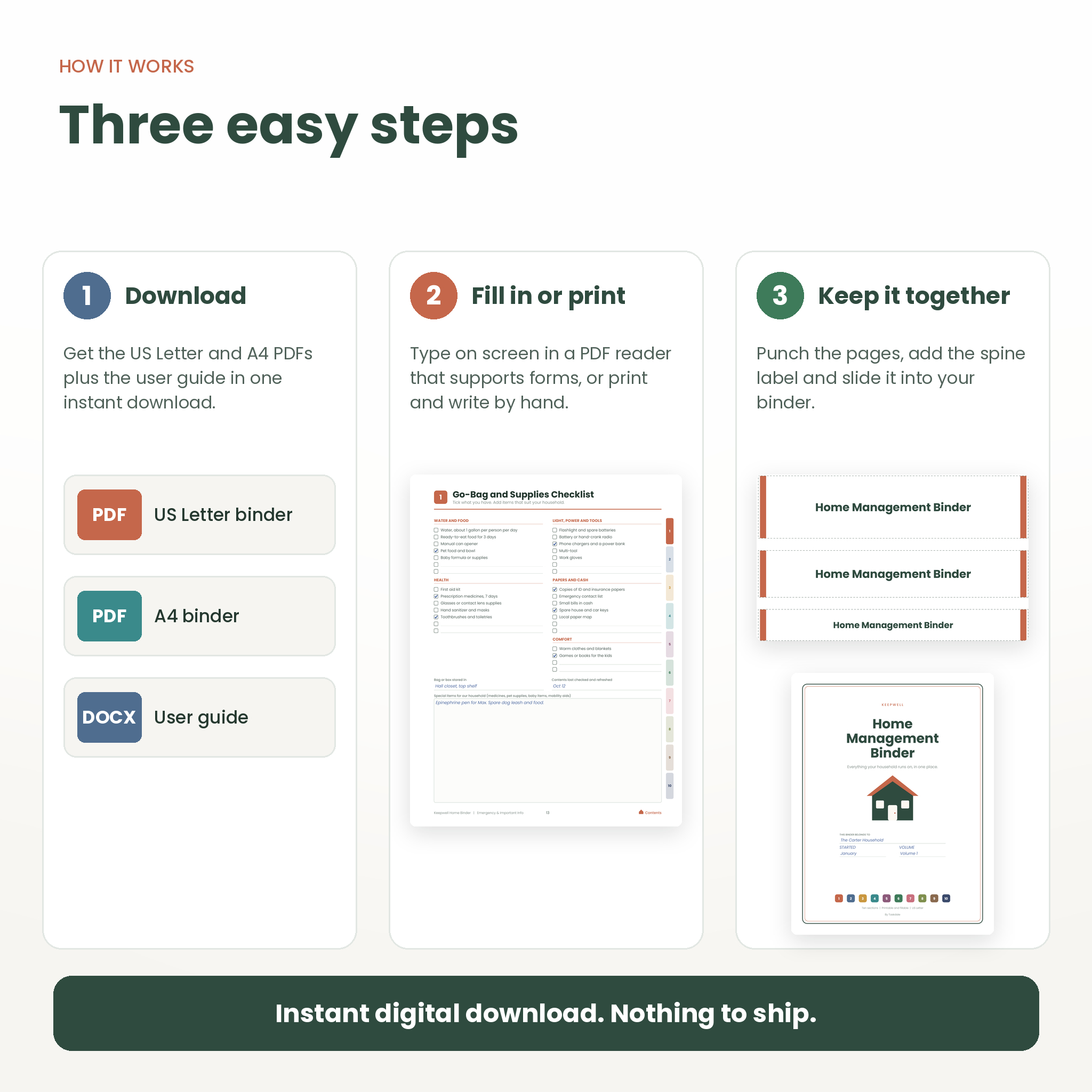
- Buy and download your files straight away.
- Open the PDF in a reader that supports fillable forms, or print the pages you need.
- Follow the quick-start checklist. Most people finish the emergency page in five minutes.
- Add a section whenever you have a spare quarter of an hour.
What you get
- Keepwell Home Management Binder, US Letter (8.5 x 11 in), PDF
- Keepwell Home Management Binder, A4, PDF
- User guide, DOCX
The two PDFs have the same pages. Pick the one that matches your paper.
File formats and requirements
The binder is a PDF. To type into it you need a PDF reader that supports fillable forms. Many desktop readers and browsers do. If yours does not, print the pages and write by hand. Printing needs a regular home or office printer. Print at 100 percent, not “fit to page”.
Fillable forms were tested by filling fields with long text and checking how the pages render. Typing support differs from one app to another, especially on phones and tablets, so check your own app first. The user guide covers troubleshooting.
Real ways to use it
- Moving in? Fill in Home Details, Service Providers and the room inventory in one afternoon.
- Going away for a weekend? Print the babysitter sheet and the emergency page, and leave them on the fridge.
- Tax season? The documents locator tells you which folder holds what.
- Sunday night? Do the weekly reset and plan meals in ten minutes.
- Selling the house? Your repair log and appliance records are ready for the buyer.
Digital download information
This is a digital product. Nothing is shipped. After checkout you can download your files from your order confirmation and your account. The licence allows personal use for one household. You may print as many copies as that household needs. You may not resell, share or redistribute the files.
Frequently asked questions
Can I type in the binder, or is it print only?
Both. Every writing space is a fillable box, and you can print any page and write by hand instead.
Is this a spreadsheet?
No. It is a PDF with forms and checklists. There are no formulas, so add up your totals yourself.
Does it include US Letter and A4?
Yes. You get both sizes in the same download.
Can I use my own currency?
Yes. Money boxes have no symbol, so you write whichever currency you use.
Can I print it more than once?
Yes, for your own household. Keep a clean original and print fresh pages whenever you need them.
Does it store passwords?
No. The accounts page is an index only. Use a password manager for logins.
Will it work on my tablet or phone?
Many PDF apps can open it, but form support varies by app. Test with one page before you start, or print the pages.
Reviews
There are no reviews yet.