A loan signing agent tracker that shows your real profit
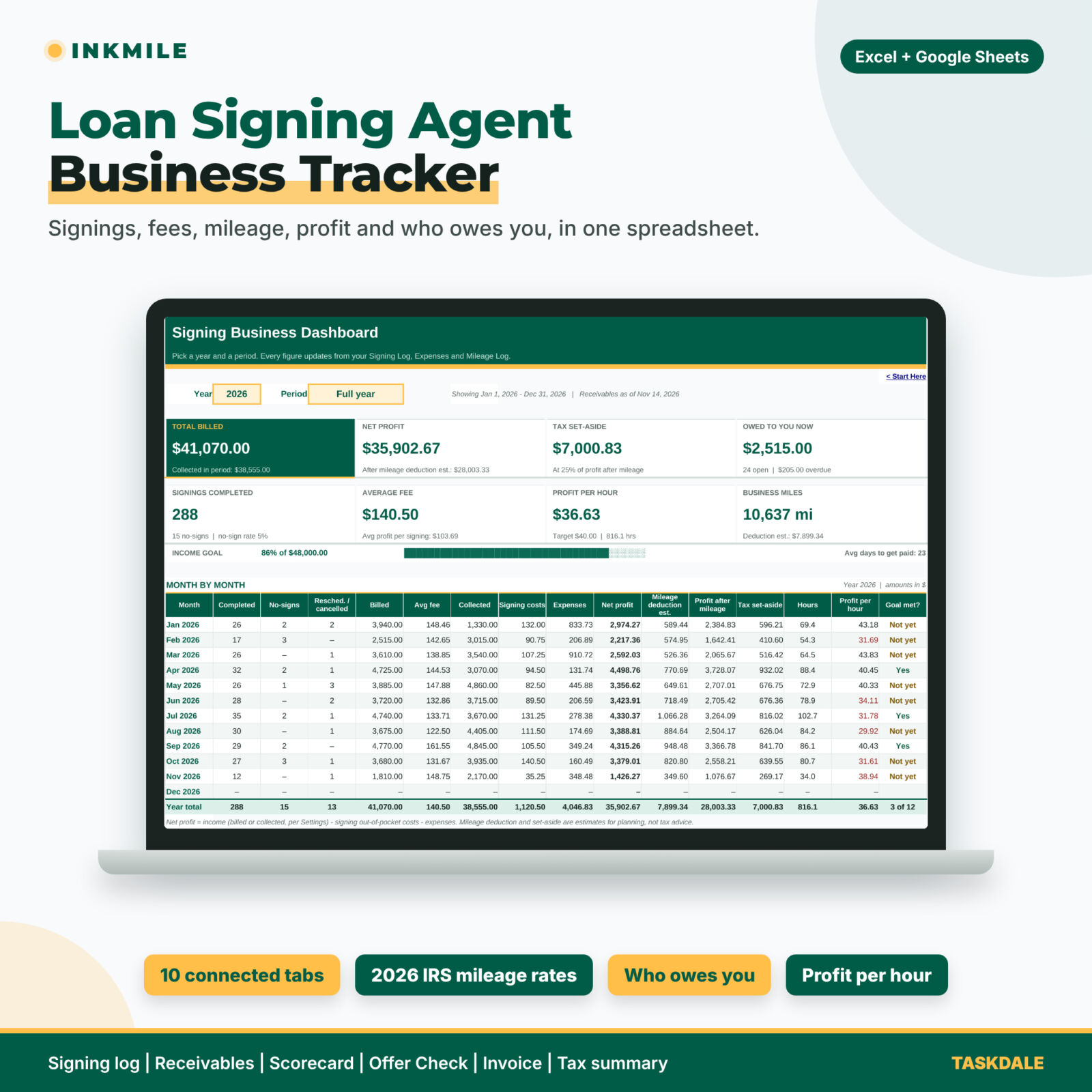
Inkmile is a loan signing agent tracker for Excel and Google Sheets. It turns the fee, pages and miles from each appointment into the numbers that matter: profit per signing, profit per hour, who owes you and for how long, which signing companies pay well and on time, your mileage deduction estimate and how much to set aside for taxes. You type each signing once. Everything else updates on its own.
Most notary signing agent spreadsheets stop at fees and miles. Inkmile also catches slow payers, forgotten invoices and low-fee offers that only look fine until you count the drive and the time.
Who this notary signing agent spreadsheet is for
- Loan signing agents who work with signing services, title companies, escrow offices and lenders
- Mobile notaries who also take general notary appointments and want one place for income, mileage and expenses
- New and experienced agents deciding which companies to keep and which offers to counter
Features
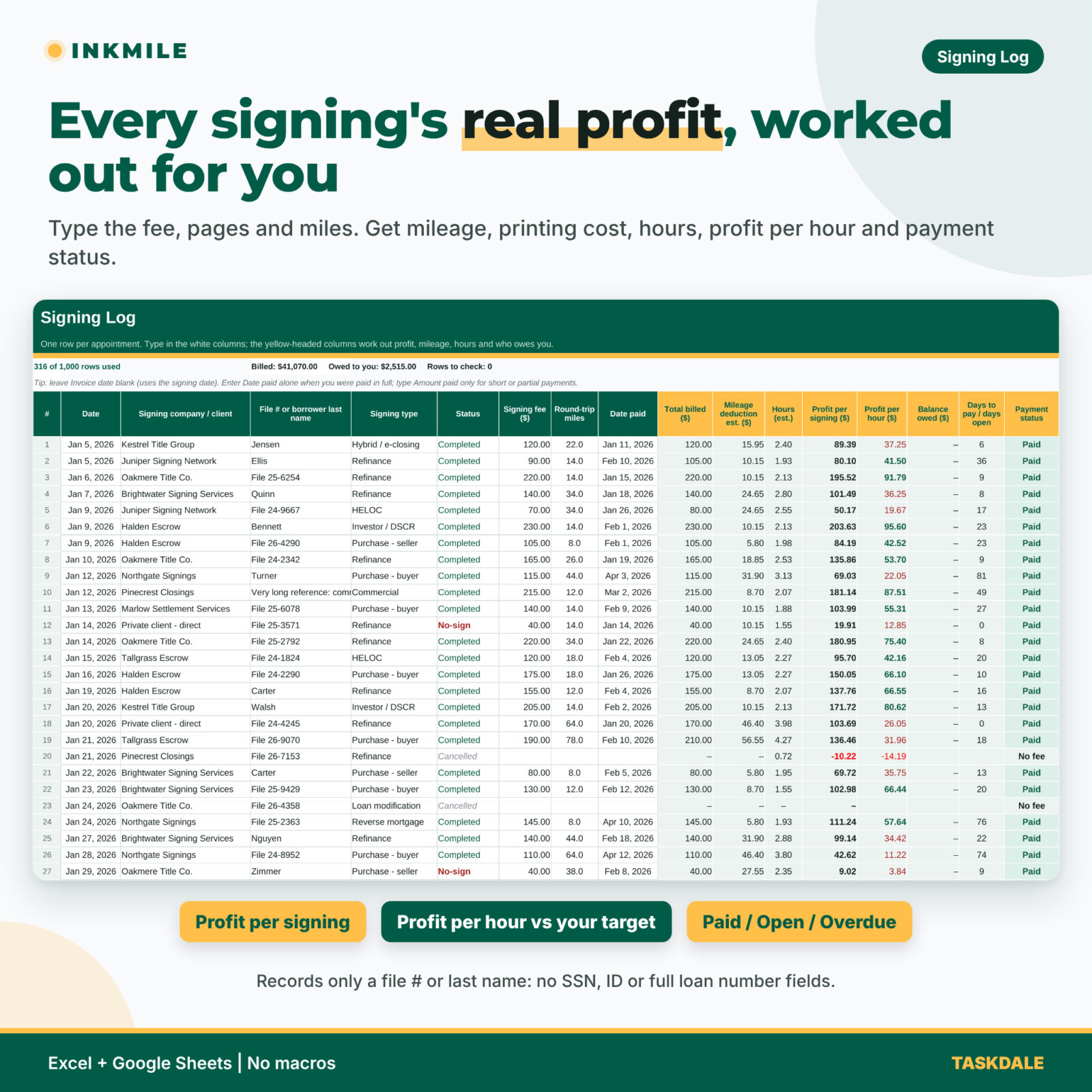
Signing Log (1,000 rows)
Record the date, signing company, file number or borrower last name only, signing type (refinance, purchase, seller, HELOC, reverse mortgage, loan modification, investor and more), status (completed, no-sign, rescheduled, cancelled), fee, extra fees, pages printed, scan-backs, round-trip miles, tolls, shipping, invoice and payment details. The log calculates total billed, printing cost, mileage deduction estimate, estimated hours, profit per signing, profit per hour against your target, due date, balance, days to pay, payment status and aging. A Check column flags missing dates, unknown companies and payments larger than the bill.
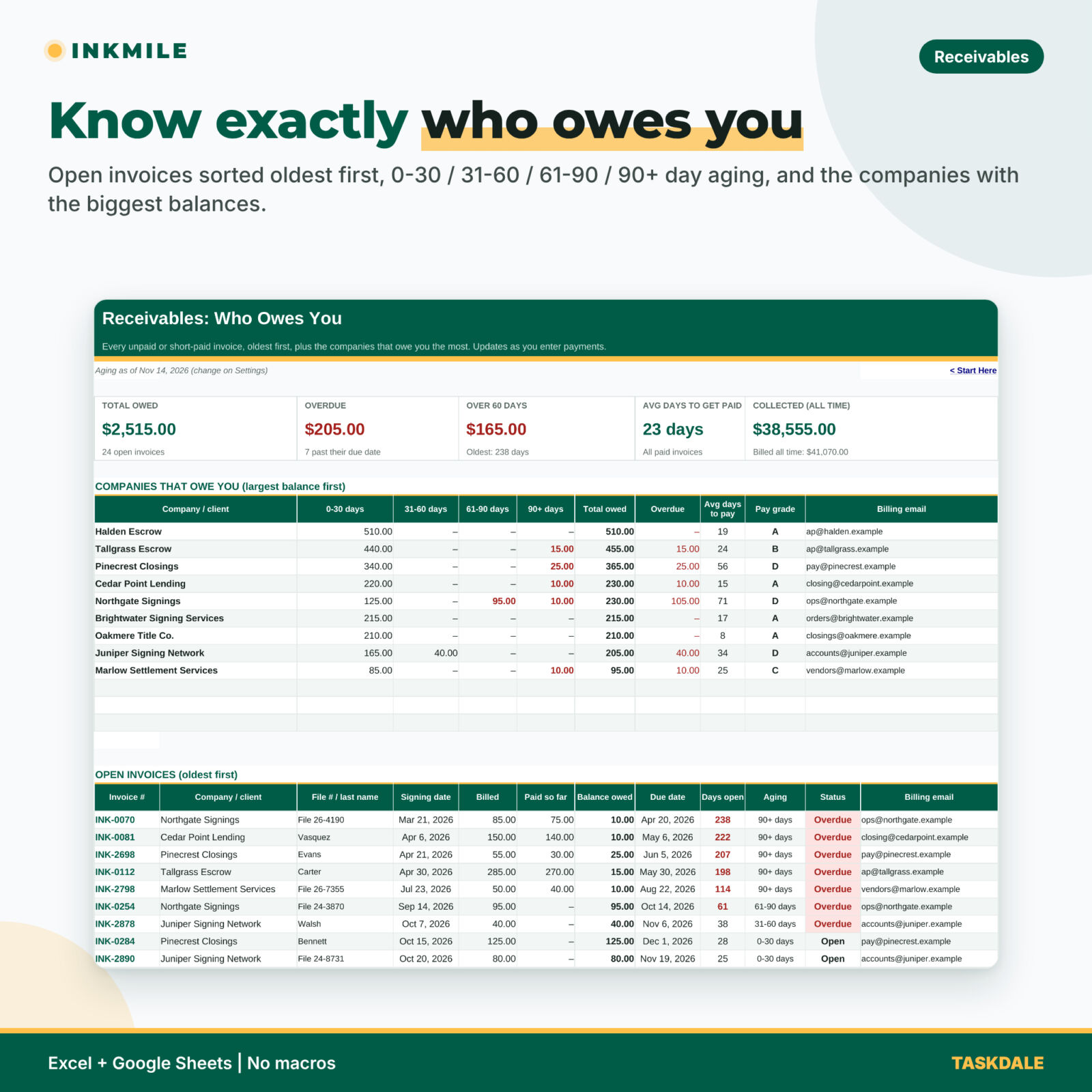
Receivables: who owes you
Every unpaid or short-paid invoice is listed oldest first, with 0-30, 31-60, 61-90 and 90+ day aging, the due date, days open and the company’s billing email. A ranked table shows the companies with the biggest balances.
Signing company scorecard
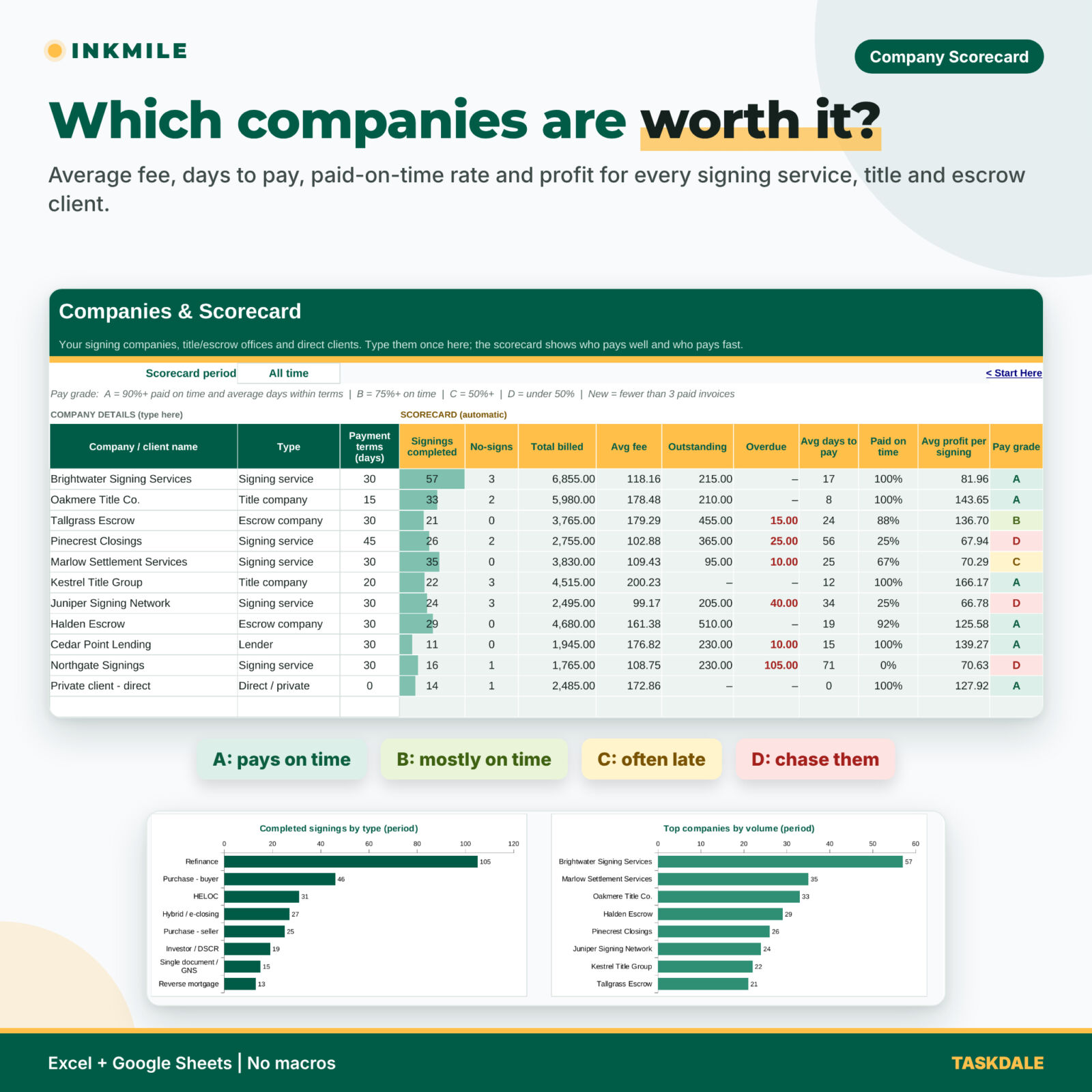
For every signing service, title company, escrow office, lender or private client: signings completed, no-signs, total billed, average fee, collected, outstanding, overdue, average days to pay, paid-on-time percentage, average profit per signing and per hour, last signing date and an A to D pay grade. View all time or one year.
Offer Check calculator
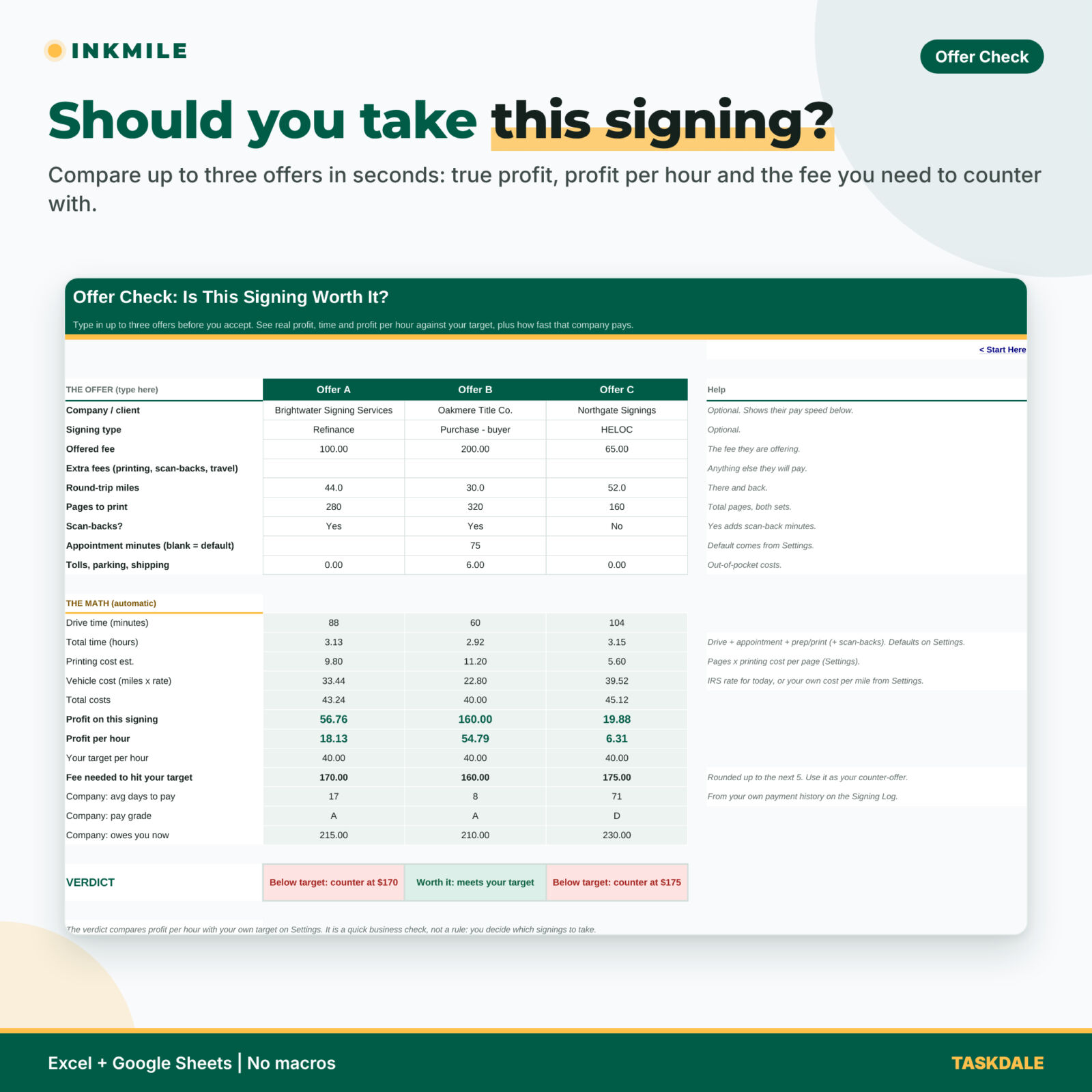
Compare up to three offers before you accept. See drive time, total hours, printing and vehicle cost, profit, profit per hour and the fee you would need to reach your target rate, plus that company’s own payment history.
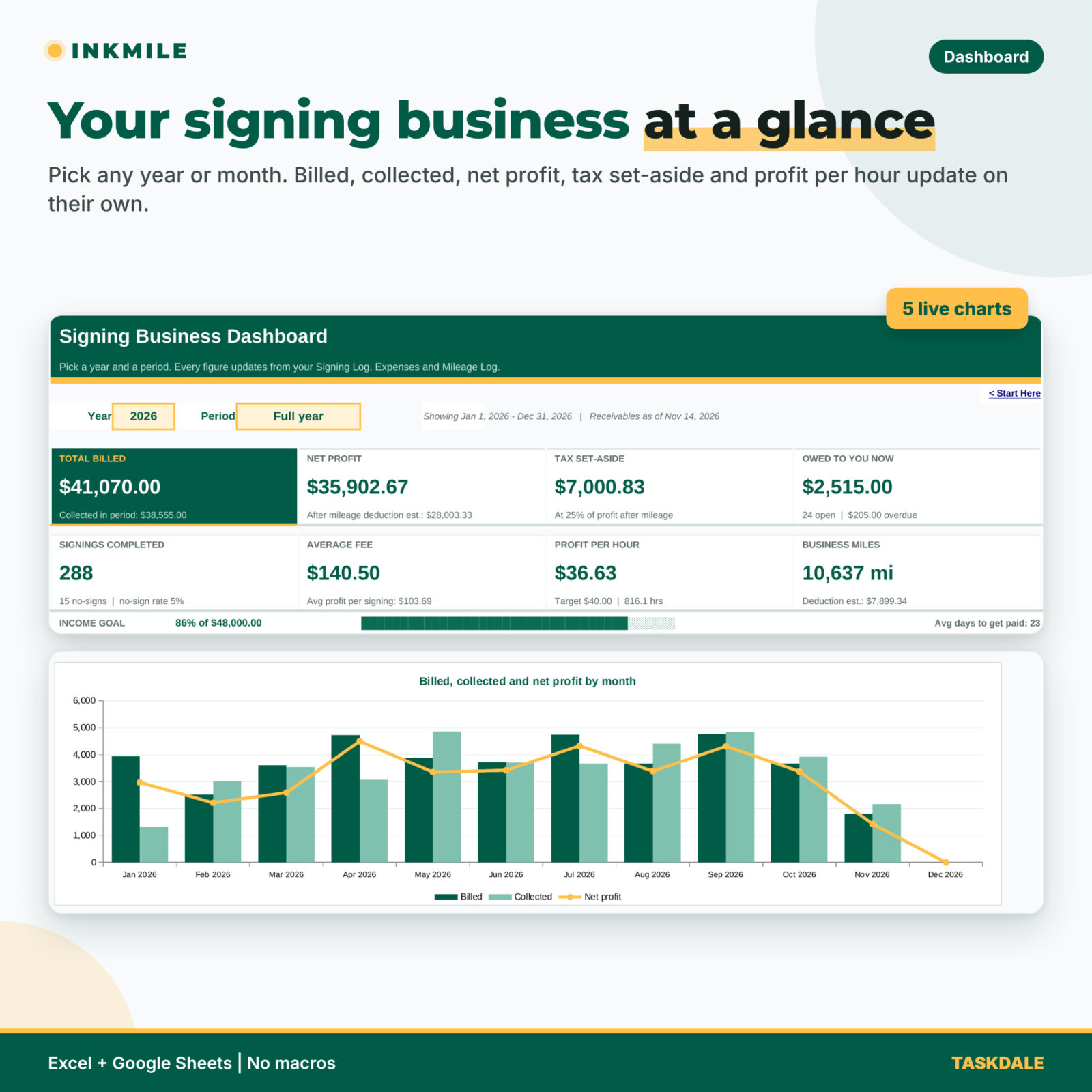
Dashboard with 5 charts
Choose a year and a month or the full year. KPI tiles show billed, collected, net profit, tax set-aside, amount owed, signings and no-sign rate, average fee, profit per hour and business miles, with an income goal bar and a month-by-month table. Charts cover income and profit by month, signings by type, top companies, receivables aging and top expense categories.
Mileage, expenses and year-end tax summary
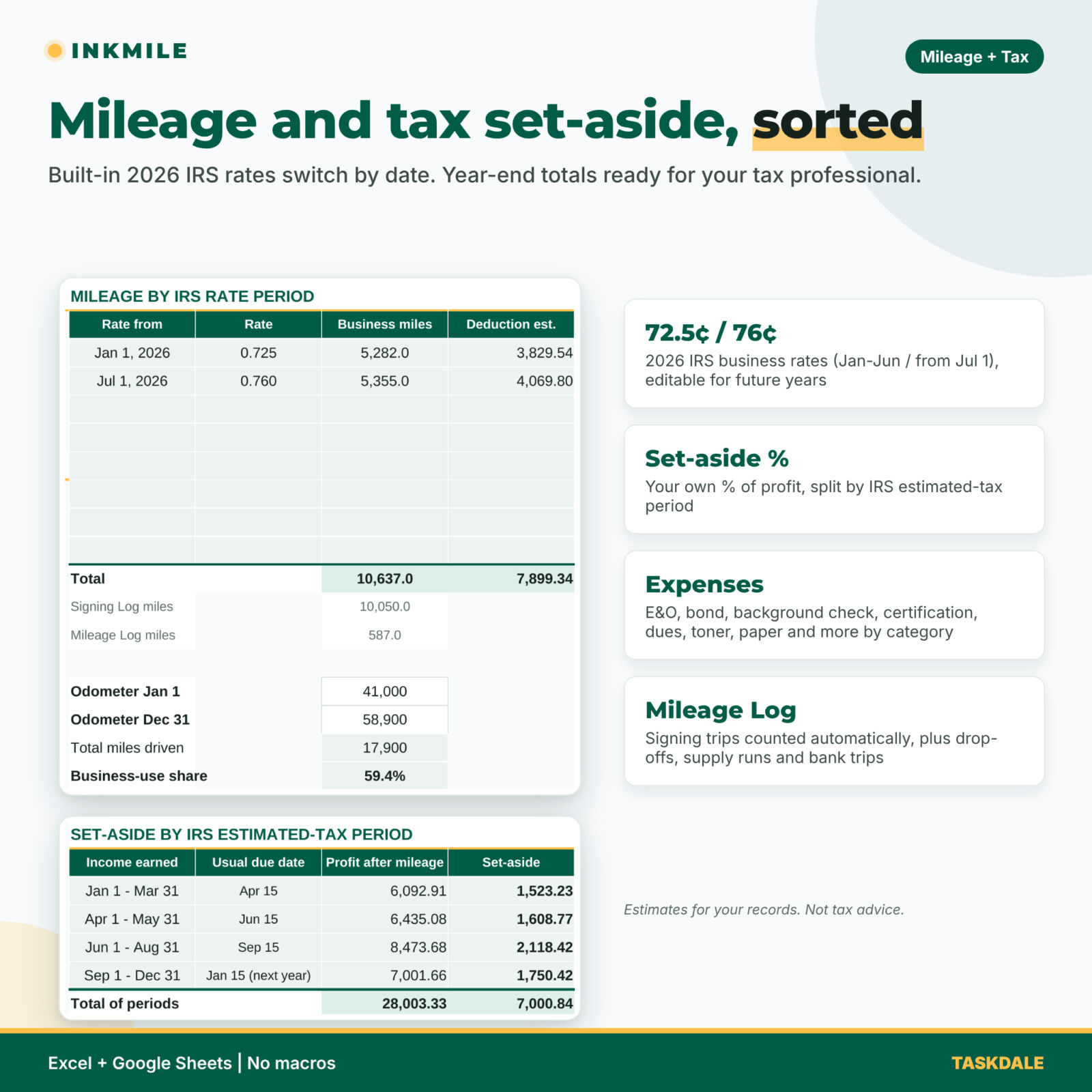
- 2026 IRS business mileage rates built in and switched by date (72.5 cents per mile Jan 1 to Jun 30, 76 cents from Jul 1), in an editable table for future years
- Mileage Log for trips that are not signings: shipping drop-offs, supply runs, bank deposits, training
- Expenses with 18 editable categories, including E&O insurance, notary bond, commission fees, background check, certification, membership dues, toner, paper and equipment
- Tax Summary with income, expenses by category, mileage by IRS rate period, business-use share from your odometer and your set-aside split by IRS estimated-tax period
Printable invoice and settings
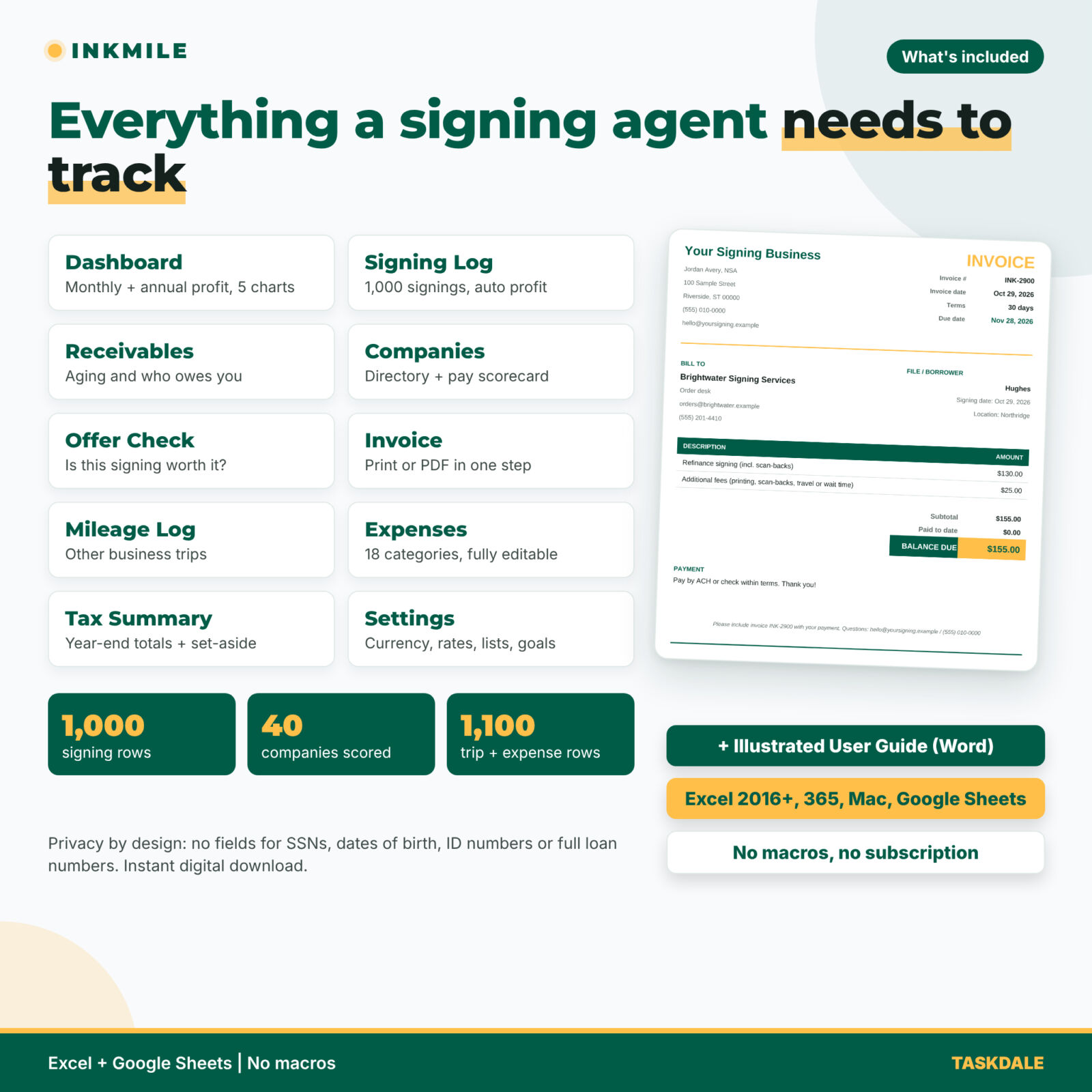
Type a signing number and print or save a branded invoice. One currency setting controls every money value ($ by default). Set your tax set-aside percentage, target hourly rate, monthly income goal, payment terms, printing cost per page and default appointment times.
What is included
- Inkmile Loan Signing Agent Tracker (.xlsx), 10 connected tabs: Start Here, Dashboard, Signing Log, Receivables, Companies, Offer Check, Invoice, Mileage Log, Expenses, Tax Summary and Settings
- Illustrated user guide (.docx) with setup steps, every feature explained, tips, troubleshooting and FAQs
How it works
- Enter your currency, set-aside percentage, target hourly rate and business details on Settings.
- Add the companies you work with and their payment terms.
- Log each signing. Profit, hours and mileage appear instantly.
- Type the date paid when money arrives. Receivables and the scorecard update.
- Check the Dashboard monthly and hand the Tax Summary to your tax professional at year end.
File format and software requirements
One .xlsx workbook that works in Microsoft Excel 2016 or newer, Microsoft 365 and Excel for Mac, and in Google Sheets (upload to Google Drive and open). No macros, add-ons or subscription. The user guide is a Word .docx file that also opens in Google Docs and Pages.
Customization
Edit signing types, company types, expense categories, payment methods and trip purposes on Settings. Change the currency symbol, add next year’s IRS mileage rate, or use your own vehicle cost per mile. Formula cells are locked without a password, so you can unprotect any sheet to change the layout.
Real situations where it helps
- A signing service offers a low fee for a 50-mile round trip. Offer Check shows the profit per hour and the counter-offer fee in seconds.
- A company has not paid three invoices from last quarter. Receivables lists them oldest first with the billing email, ready for follow-up.
- It is January and your tax professional wants your numbers. The Tax Summary has income, expenses by category and miles by rate period on one page.
Privacy by design
There are no fields for Social Security numbers, dates of birth, ID numbers or full loan numbers. You record a file number or the borrower’s last name only. Inkmile is a business tracker, not a notary journal; keep your official journal as your state requires.
Digital download
This is an instant digital download. Nothing is shipped. Mileage, deduction and set-aside figures are estimates for your records and are not tax, legal or accounting advice. License: personal use only, or use within your own business. You may not resell, share or redistribute the files.
FAQ
Does this loan signing agent tracker work in Google Sheets?
Yes. Upload the .xlsx file to Google Drive and open it with Google Sheets. All formulas use functions that work in both Excel and Google Sheets.
Does it include the 2026 IRS mileage rate?
Yes. 72.5 cents per mile applies to signings from Jan 1 to Jun 30, 2026 and 76 cents from Jul 1, 2026, chosen automatically by date. You can add future rates.
Can I track partial payments and short pays?
Yes. Enter the amount paid and the date. The remaining balance stays on Receivables until it is paid.
How many signings can I log?
1,000 signings, 40 companies, 600 mileage trips and 500 expenses per workbook. Many agents start a fresh copy each year.
Is this a notary journal?
No. It tracks the business side: fees, costs, mileage, payments and profit. Keep your official notary journal separately.
Does it calculate my taxes?
No. It shows an estimated set-aside based on the percentage you choose and organizes totals for your tax professional. It is not tax advice.
Can I change the currency?
Yes. One setting changes the symbol shown on every money value, dashboard tile and invoice.

Reviews
There are no reviews yet.