Handyman Job Tracker with Estimates and Invoices
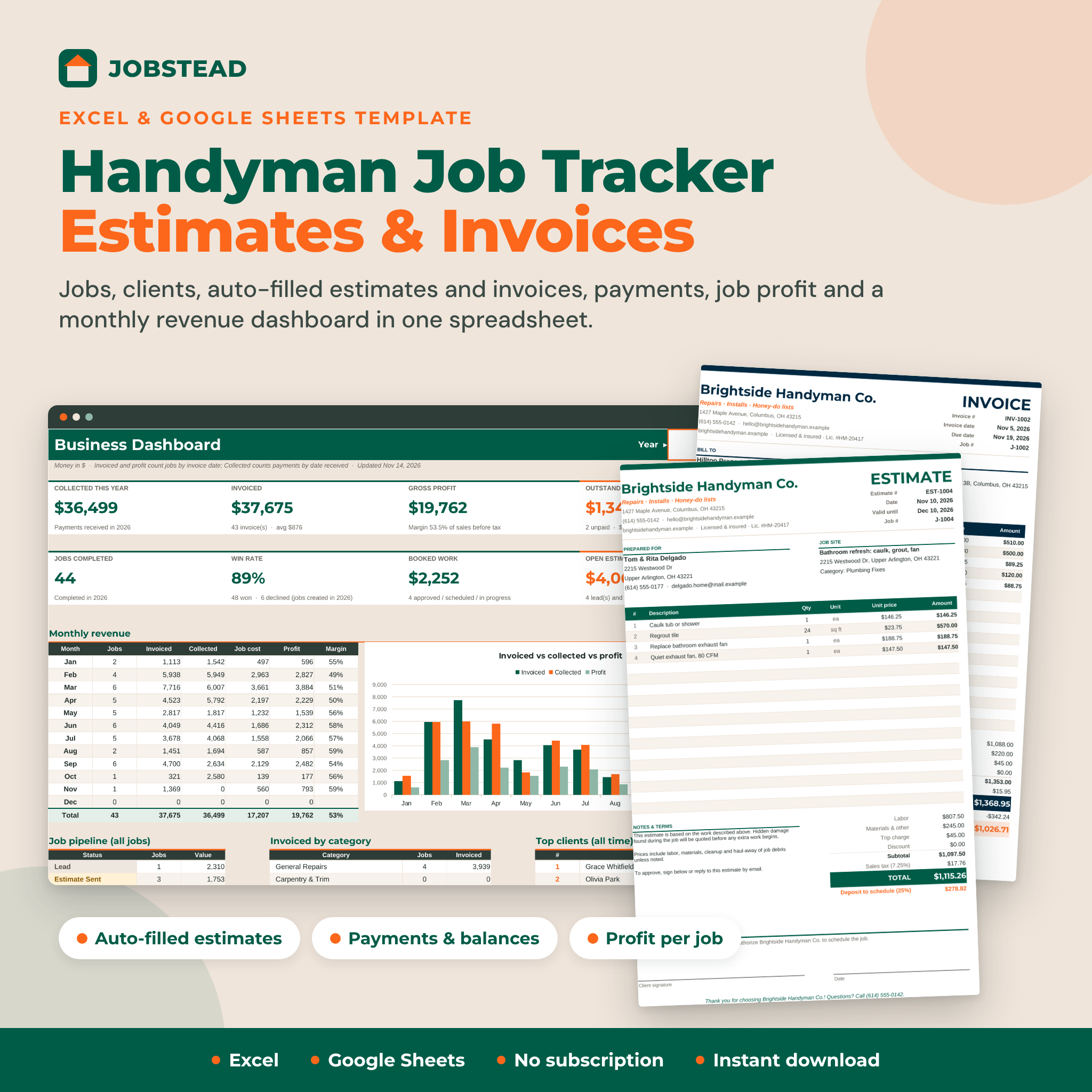
Jobstead is a handyman job tracker spreadsheet for Excel and Google Sheets that takes a job from the first call to the final payment. Log clients and jobs, price the work in minutes, print a professional estimate, turn it into an invoice, record deposits and payments, and see what you actually earned each month. It is one workbook with no subscription, no logins and no macros.
Field-service apps can cost a lot every month and take many clicks to send a simple invoice. A loose spreadsheet saves money, but the formulas break and nothing adds up. Jobstead sits in between: the structure and automation of an app, in a file you own.
Who it is for
- Owner-operator handymen and small handyman crews
- Property maintenance, rental turnover and make-ready services
- Honey-do list, odd-job and home repair businesses
- Side-hustle handymen who want to look professional from the first estimate
Main benefits
- Price jobs faster: labor, materials and flat-rate tasks price themselves from your own rates.
- Look professional: branded estimates and invoices that fill in automatically, in 7 color themes.
- Get paid: deposits, balances, due dates and overdue flags keep unpaid work in view.
- Know your profit: job cost, gross profit and margin on every job and every month.
Features
Estimate builder for handyman jobs
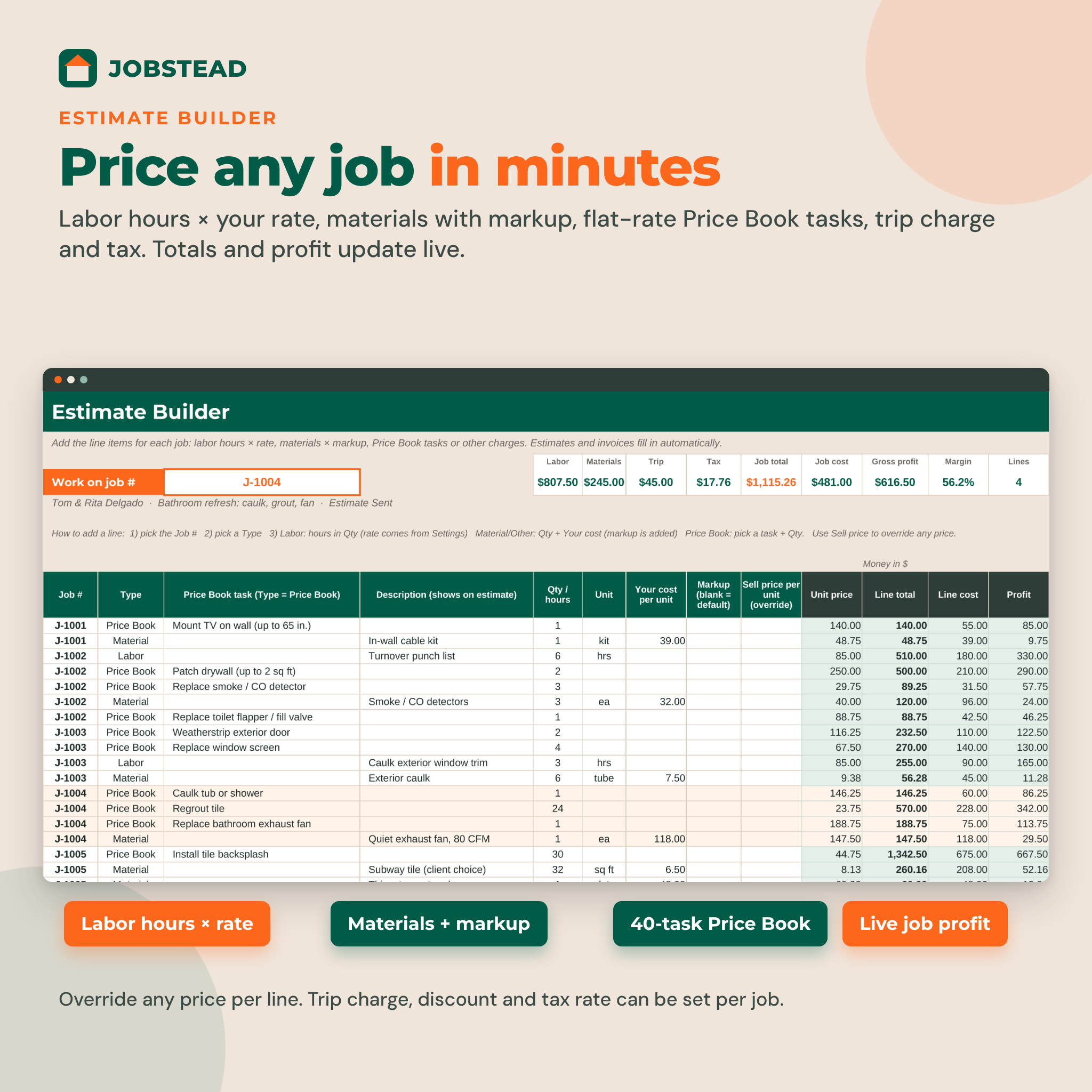
- Labor lines: hours × your labor rate, with a per-line rate override for helpers
- Material and other lines: your cost plus markup (default or per line)
- Price Book lines: pick one of your flat-rate tasks and enter a quantity
- Trip charge, discount and tax rate per job, with defaults from Settings
- Live summary for the selected job: labor, materials, trip, tax, total, cost, profit and margin
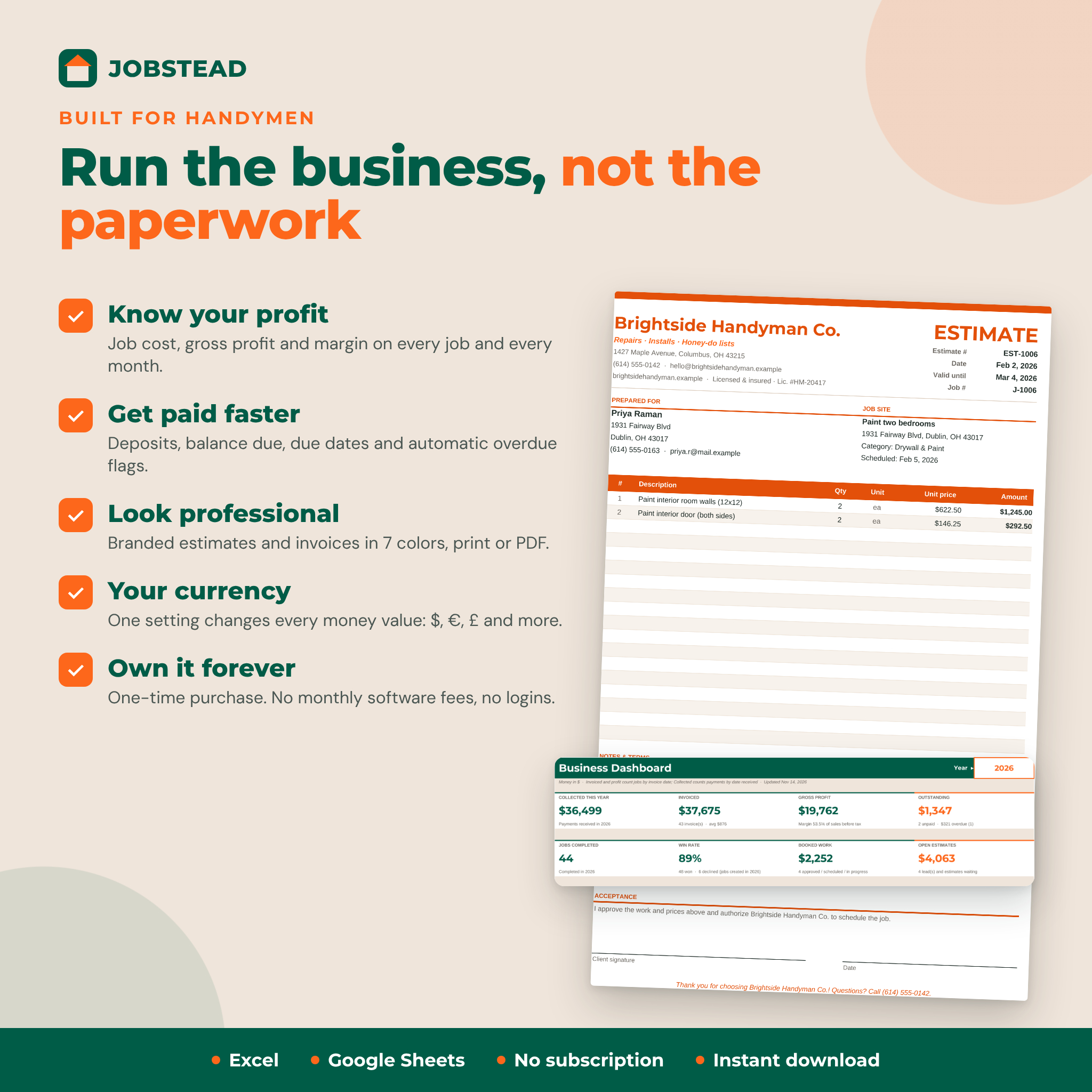
Printable estimate and invoice templates
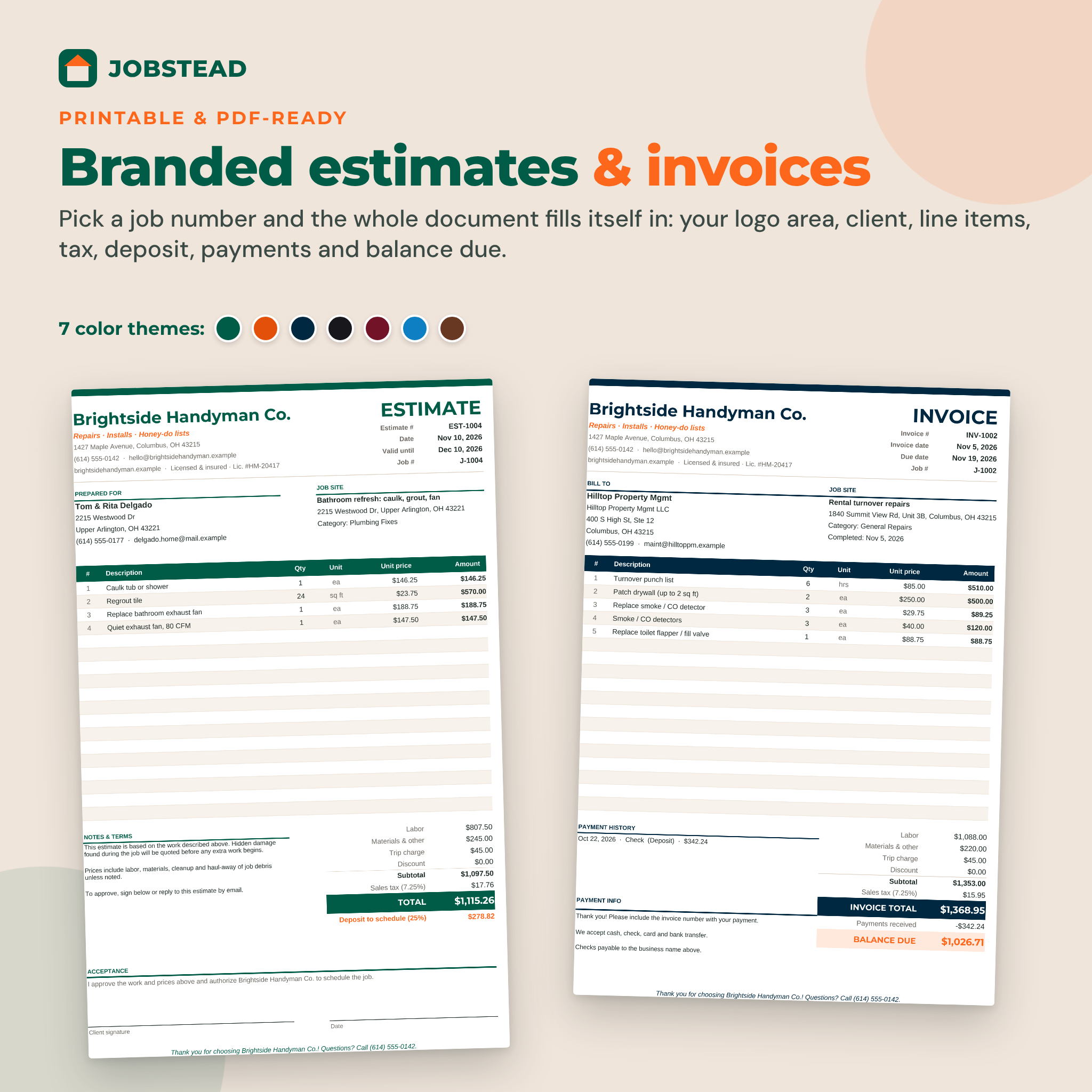
- Choose a job number and the document fills in: your business details, client, job site, line items and totals
- Estimate shows a valid-until date, deposit to schedule, notes and a client signature line
- Invoice shows the due date, payment history, payments received, balance due and a PAID IN FULL banner
- 7 color themes, fits one Letter page and prints on A4, saves as PDF
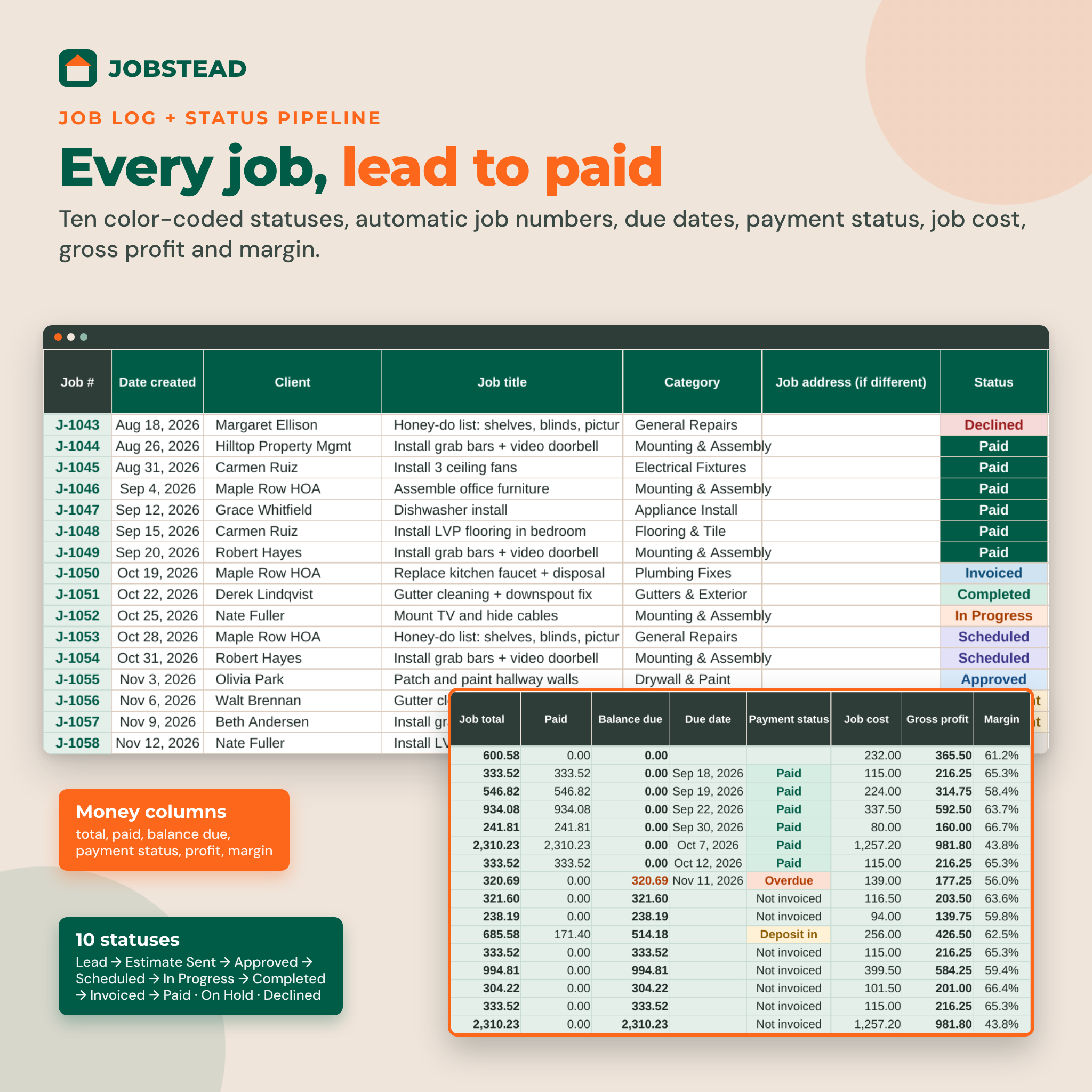
Job log and status pipeline
- 500 jobs with automatic job numbers (J-1001, EST-1001, INV-1001)
- 10 color-coded statuses: Lead, Estimate Sent, Approved, Scheduled, In Progress, Completed, Invoiced, Paid, On Hold, Declined
- Automatic due date and payment status: Not invoiced, Deposit in, Due, Part paid, Overdue, Paid
- Job cost, gross profit and margin on every row, plus a column for unbilled costs such as dump fees or permits
Monthly revenue dashboard
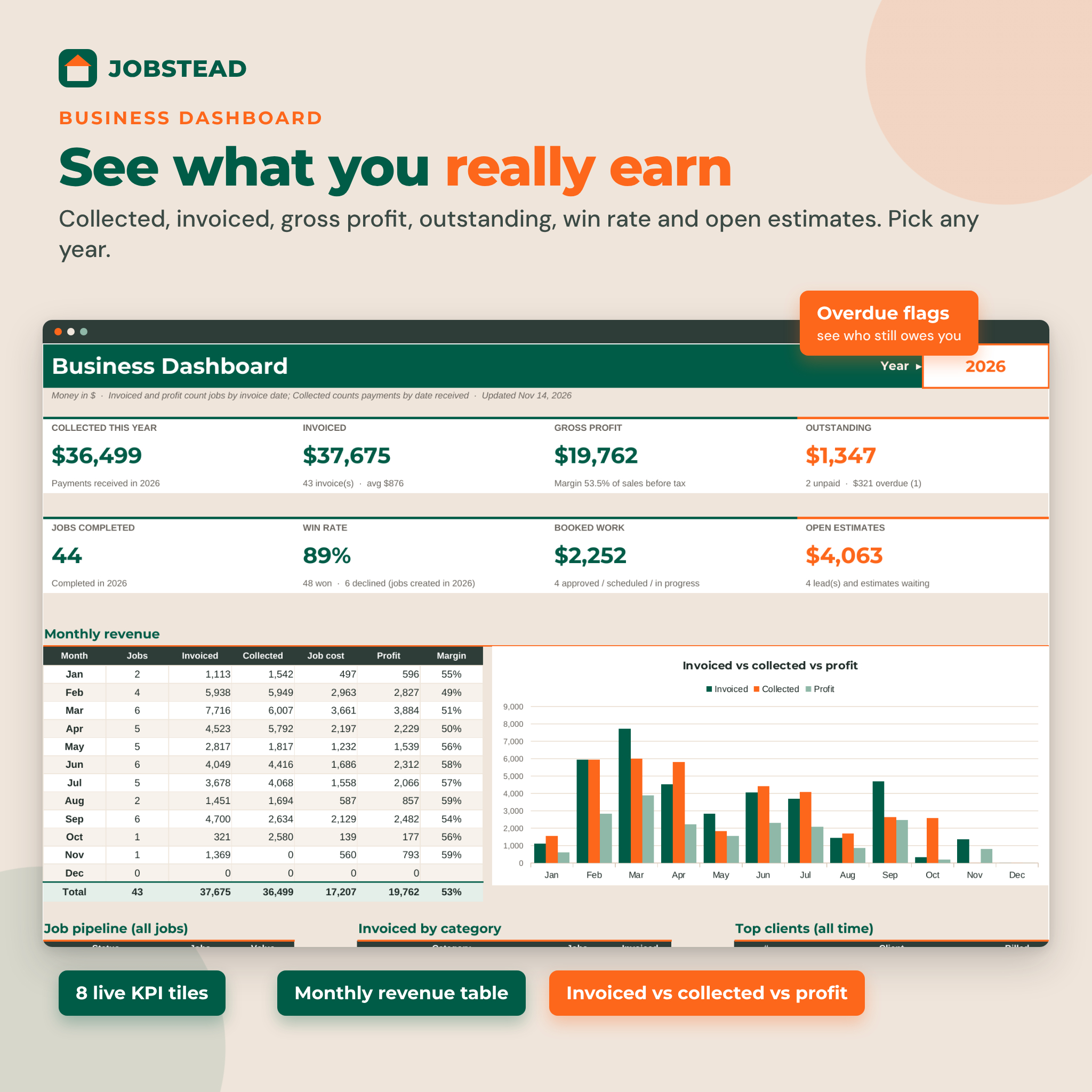
- KPI tiles: collected, invoiced, gross profit, outstanding, jobs completed, win rate, booked work and open estimates
- Monthly table and chart of invoiced, collected, job cost and profit for any year
- Jobs by status, invoiced by category and your top 10 clients
More built in
- Client list for 300 clients with billed, paid and balance totals
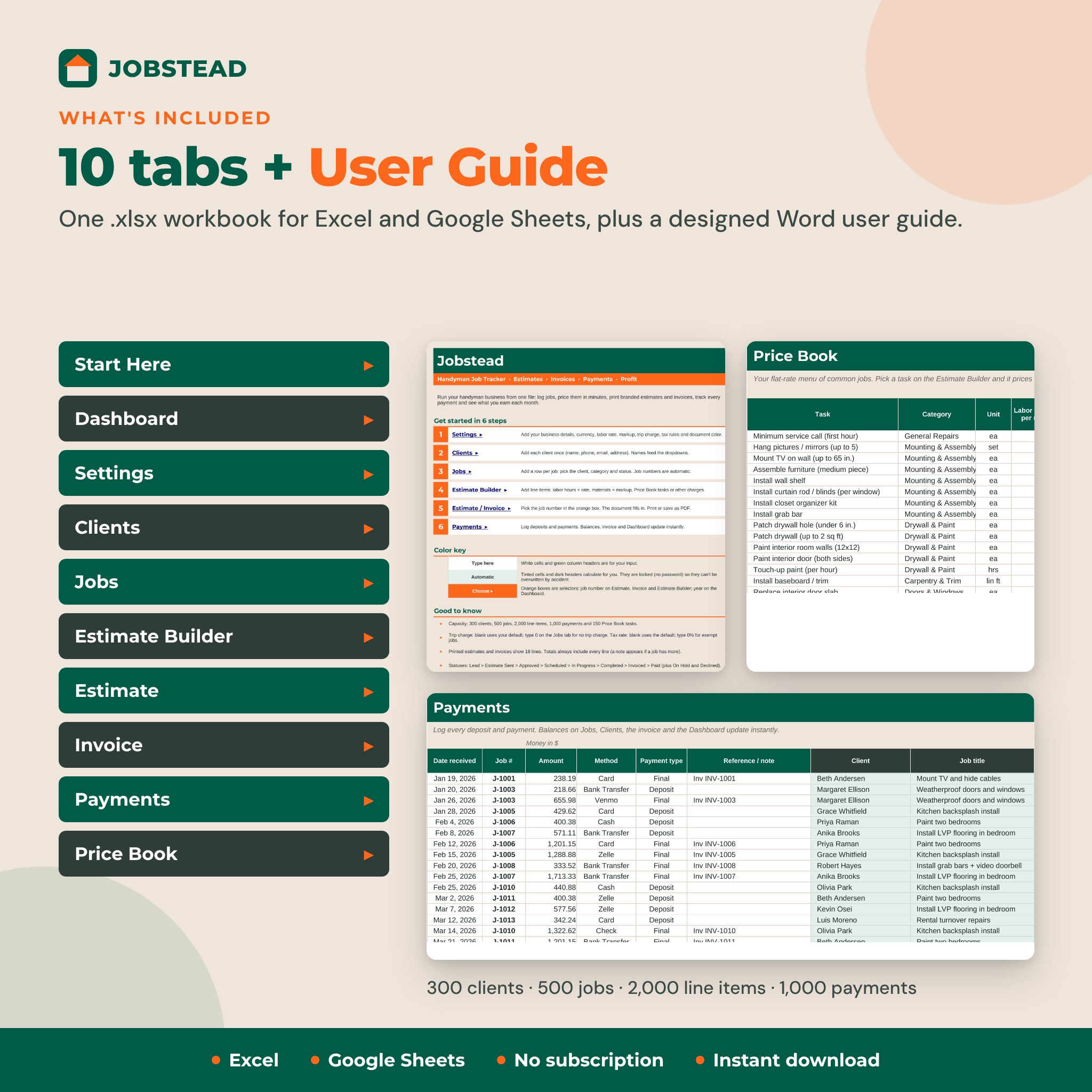
- Payments log for 1,000 deposits and payments
- Price Book with 40 starter handyman tasks and room for 150
- One currency setting for every money value ($, €, £ and more)
- Tax rules for labor, materials, other charges and the trip charge
What is included
- Jobstead Handyman Job Tracker (.xlsx) with 10 tabs: Start Here, Dashboard, Settings, Clients, Jobs, Estimate Builder, Estimate, Invoice, Payments, Price Book
- Jobstead User Guide (.docx) with setup steps, every feature explained, troubleshooting and FAQ
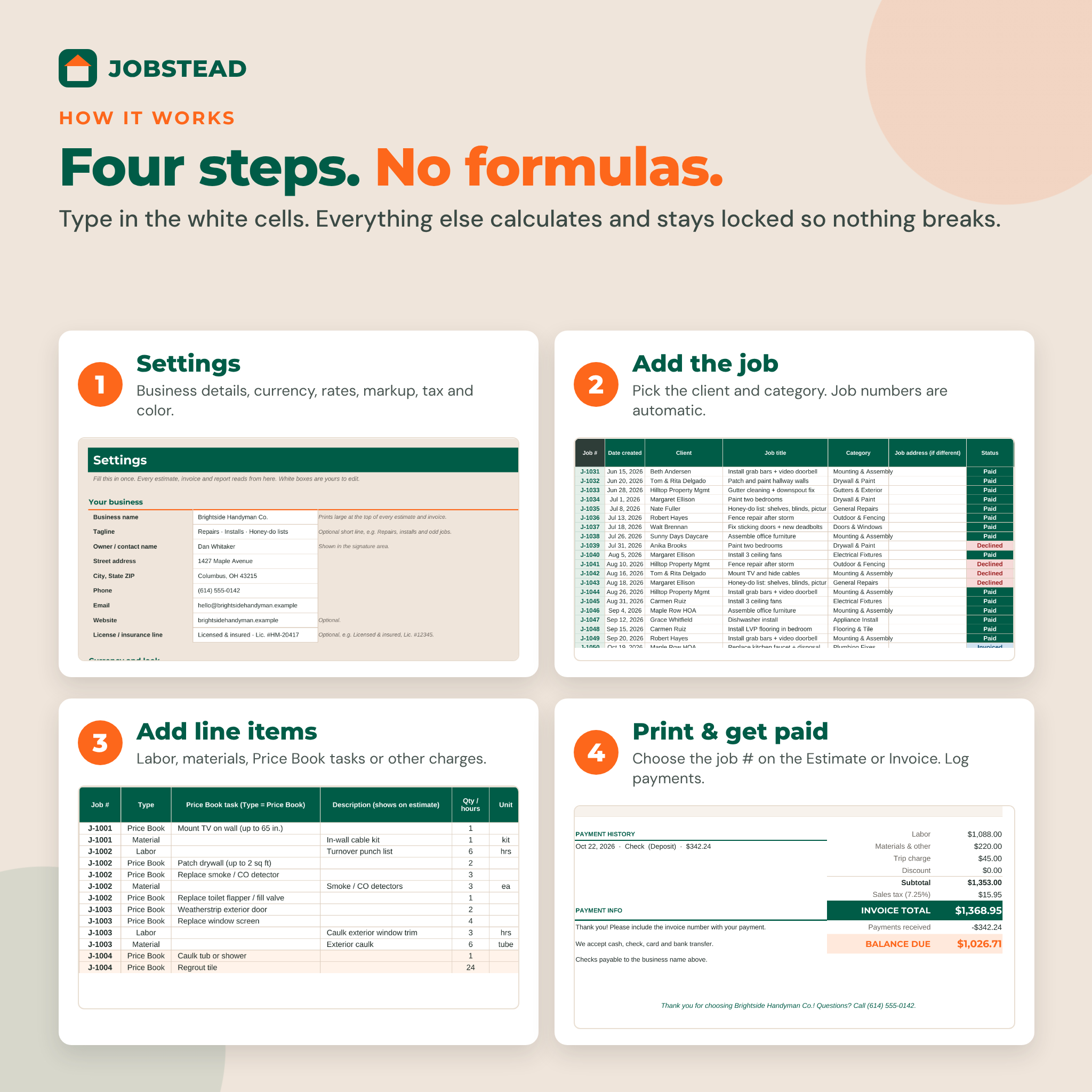
How it works
- Enter your business details, currency, rates, markup, trip charge and tax rules on Settings.
- Add a client, then add the job and pick its category and status.
- Add line items on the Estimate Builder.
- Choose the job number on the Estimate tab and print or save it as a PDF.
- After the work, set the invoice date, print the invoice and log payments as they arrive.
File format and software requirements
One .xlsx file that works in Microsoft Excel 2016 or newer (Windows and Mac), Microsoft 365 and free Google Sheets. It uses no macros, scripts or add-ins. The user guide is a Word .docx file that also opens in Google Docs. Apple Numbers is not supported.
Customization
Change your document color, currency symbol, job categories, units, payment methods, lead sources, estimate notes and payment instructions without touching a formula. Formula cells are locked without a password, so you can unprotect any tab to change the layout, and add your own logo to the estimate and invoice.
Digital download
This is a digital product. No physical item will be shipped. After purchase you can download the spreadsheet and user guide right away.
Use cases
- Quoting a bathroom refresh: caulk, regrout and a new exhaust fan, with the fan billed at cost plus markup
- Invoicing a property manager for a rental turnover with a deposit already paid
- Checking which job types earn the best margin before you raise prices
- Seeing which invoices are overdue before the end of the month
FAQ
Does this handyman invoice template work in Google Sheets?
Yes. Upload the .xlsx to Google Drive and save it as a Google Sheet. Dropdowns, formulas, colors and charts carry over.
Do I need to know formulas?
No. You type in white cells and pick from dropdowns. Everything else calculates.
Can I add my logo?
Yes. Insert your logo image on the Estimate and Invoice tabs. The guide shows how.
Can I charge sales tax on materials but not labor?
Yes. Settings has separate Yes/No tax rules for labor, materials, other charges and the trip charge, plus a per-job tax rate.
Can I use my own currency?
Yes. One setting changes the symbol on every money value, before or after the amount.
How many jobs can it hold?
500 jobs, 2,000 line items, 1,000 payments, 300 clients and 150 Price Book tasks.
Is there a monthly fee?
No. It is a one-time purchase and the file is yours.
License: personal use only, or use within your own business. You may not resell, share or redistribute the files. © 2026 Taskdale.
Reviews
There are no reviews yet.