A Family Photo Book Template That Gets the Album Finished
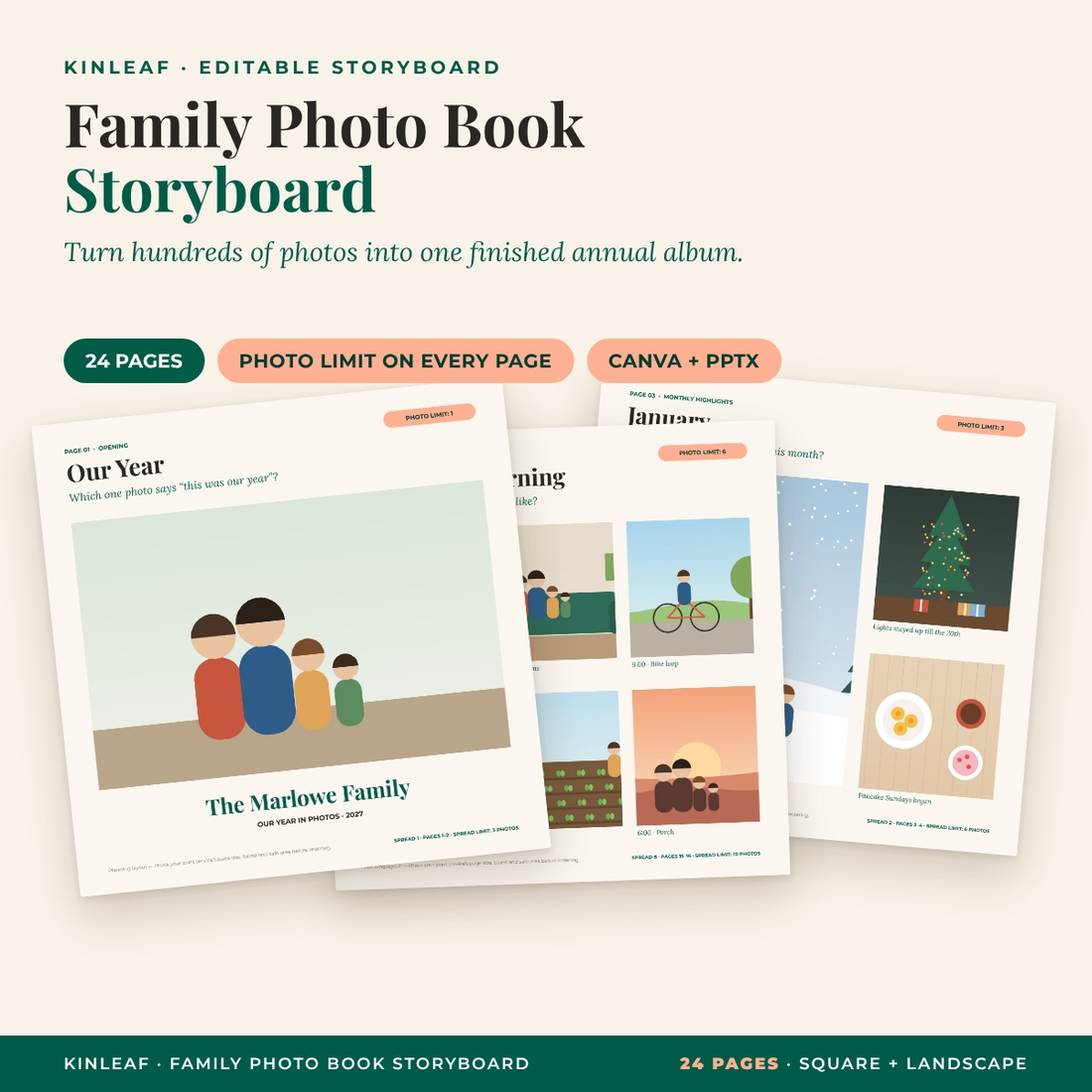
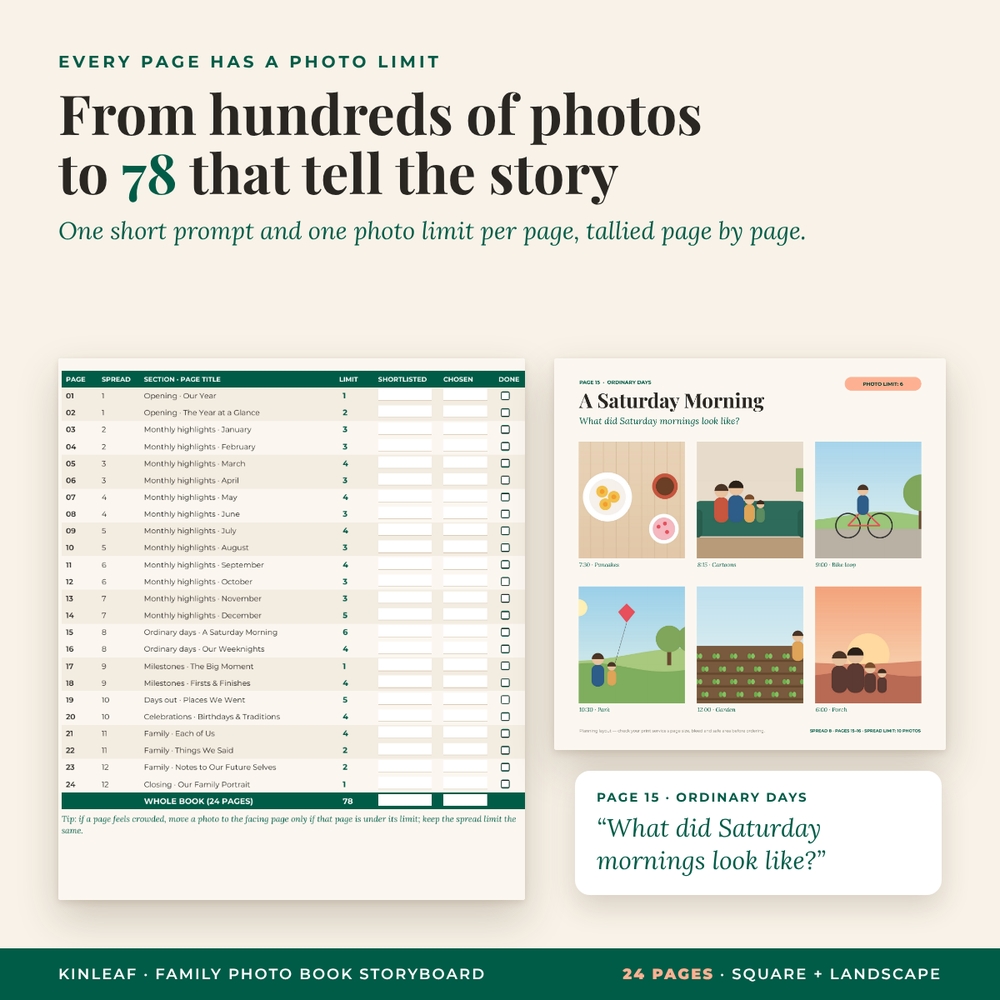
You have hundreds (maybe thousands) of photos from this year and a photo book you keep meaning to make. The Kinleaf family photo book template is a 24-page storyboard that does the hard part for you: it decides what each page is for, asks one short question to help you choose, and sets a photo limit so the choosing actually ends. Add up the limits and you get 78 photos, a full and happy annual album rather than an endless one.
Plan it in Canva (template links included) or in the editable PowerPoint files, print the pages if you like working with a pen, and use the checklist and folder guide to get from a messy camera roll to final picks in a few evenings.
What’s Included
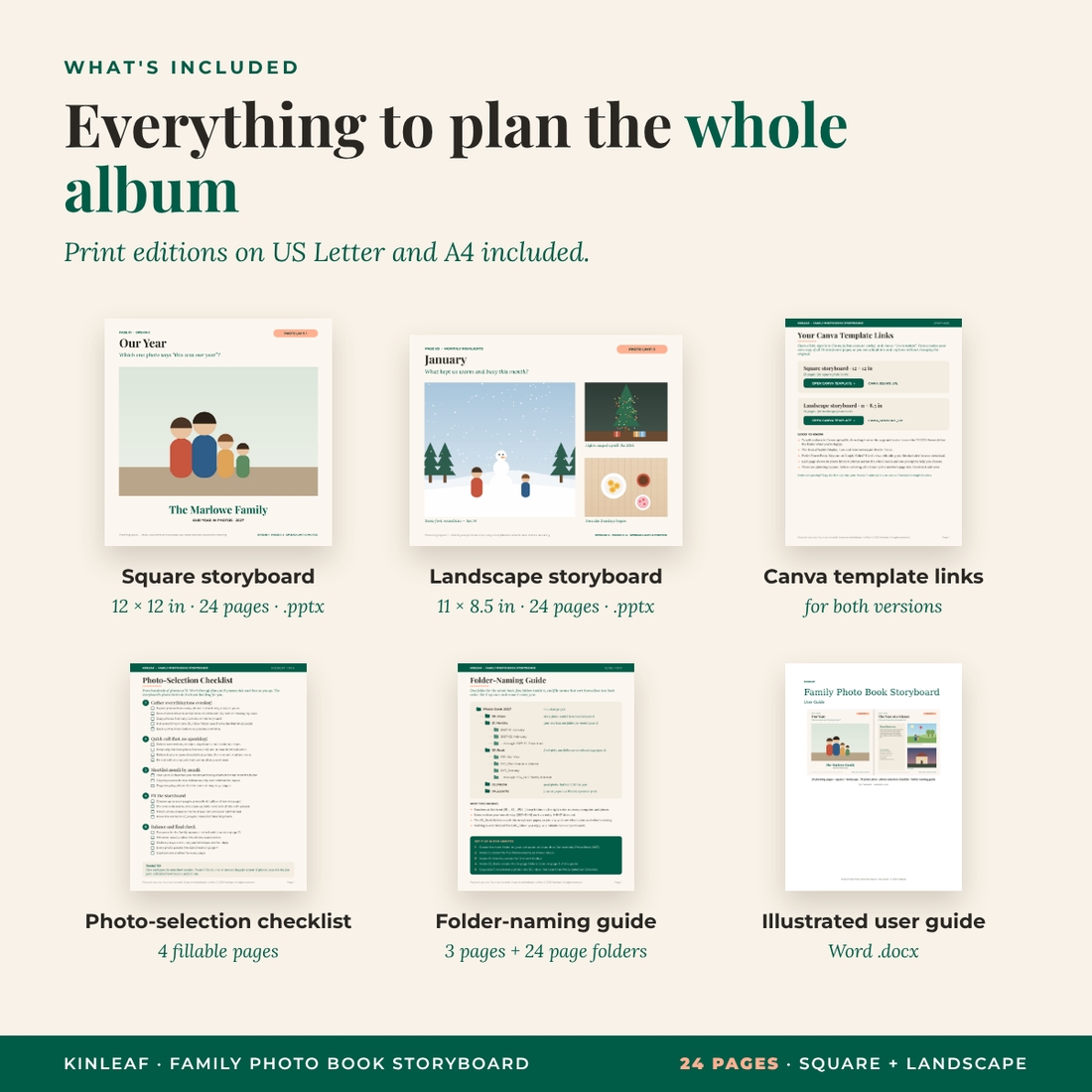
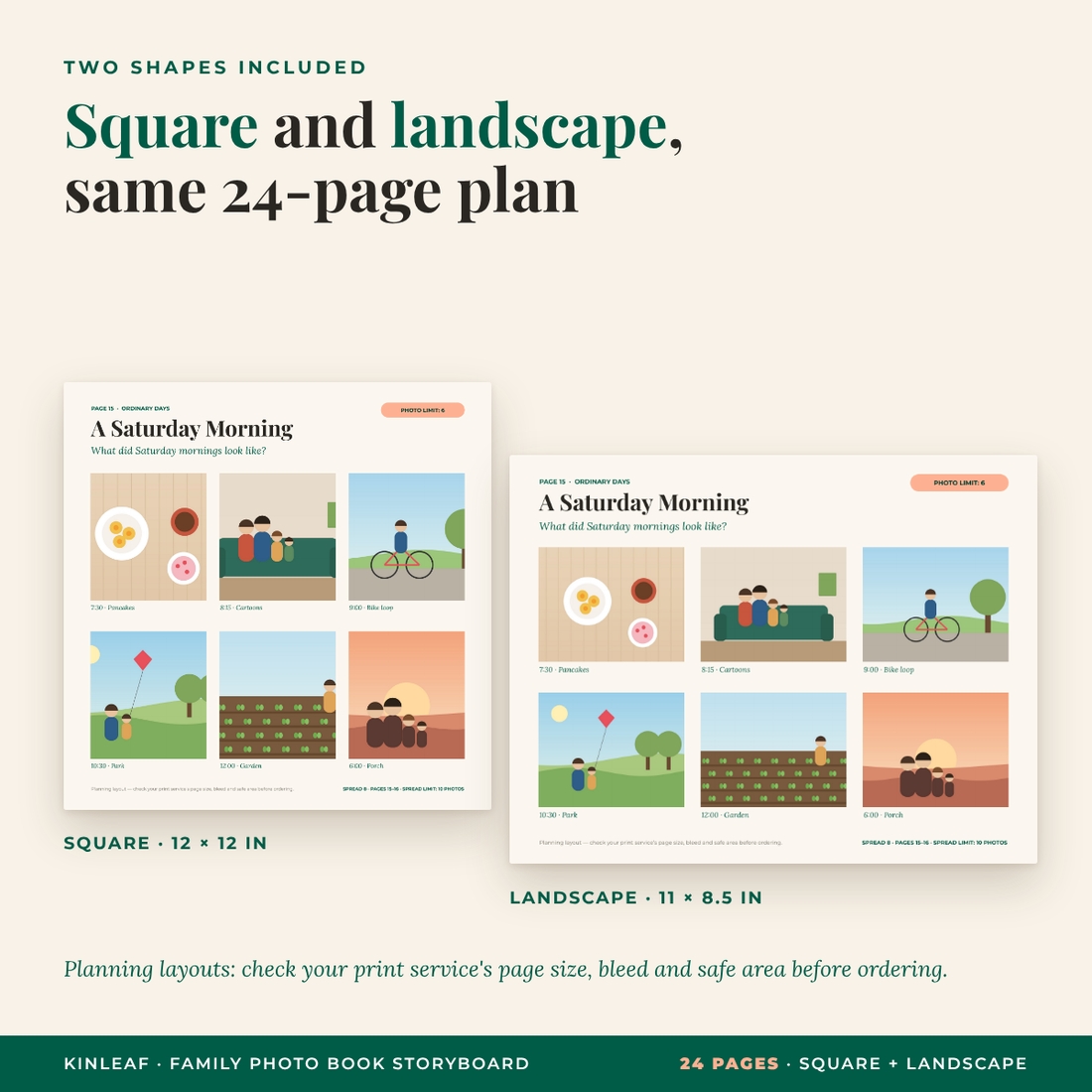
- Square storyboard: 24 editable pages at 12 × 12 in (PowerPoint .pptx + Canva template link)
- Landscape storyboard: the same 24 pages at 11 × 8.5 in (PowerPoint .pptx + Canva template link)
- Print editions of both storyboards, one page per sheet, on US Letter and A4
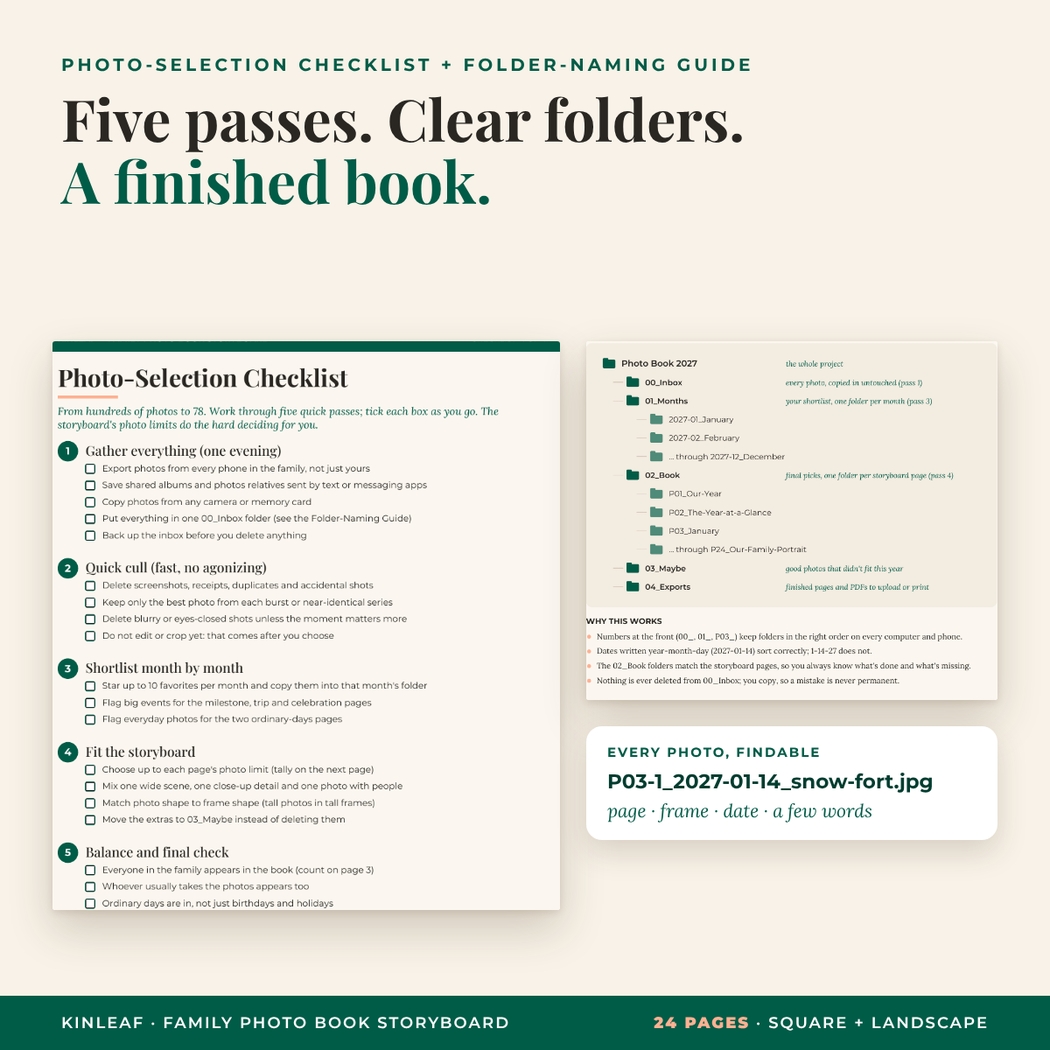
- Photo-selection checklist: 4 fillable pages with five selection passes, a page-by-page tally, a balance check and a photo size chart
- Folder-naming guide: 3 pages with a ready-made folder map, a file naming pattern and all 24 page folder names
- Illustrated user guide (Word .docx)
Inside the 24-Page Family Yearbook Storyboard
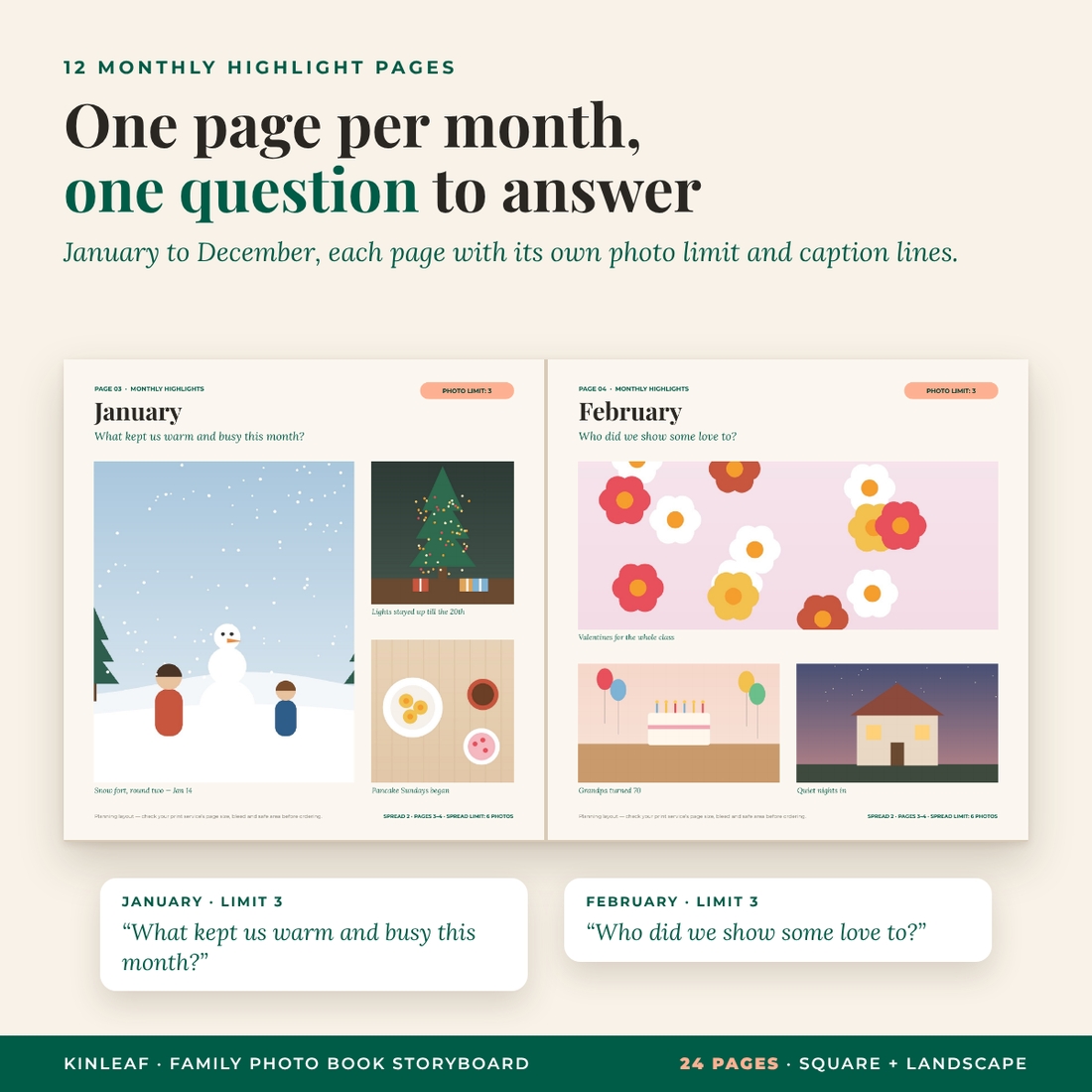
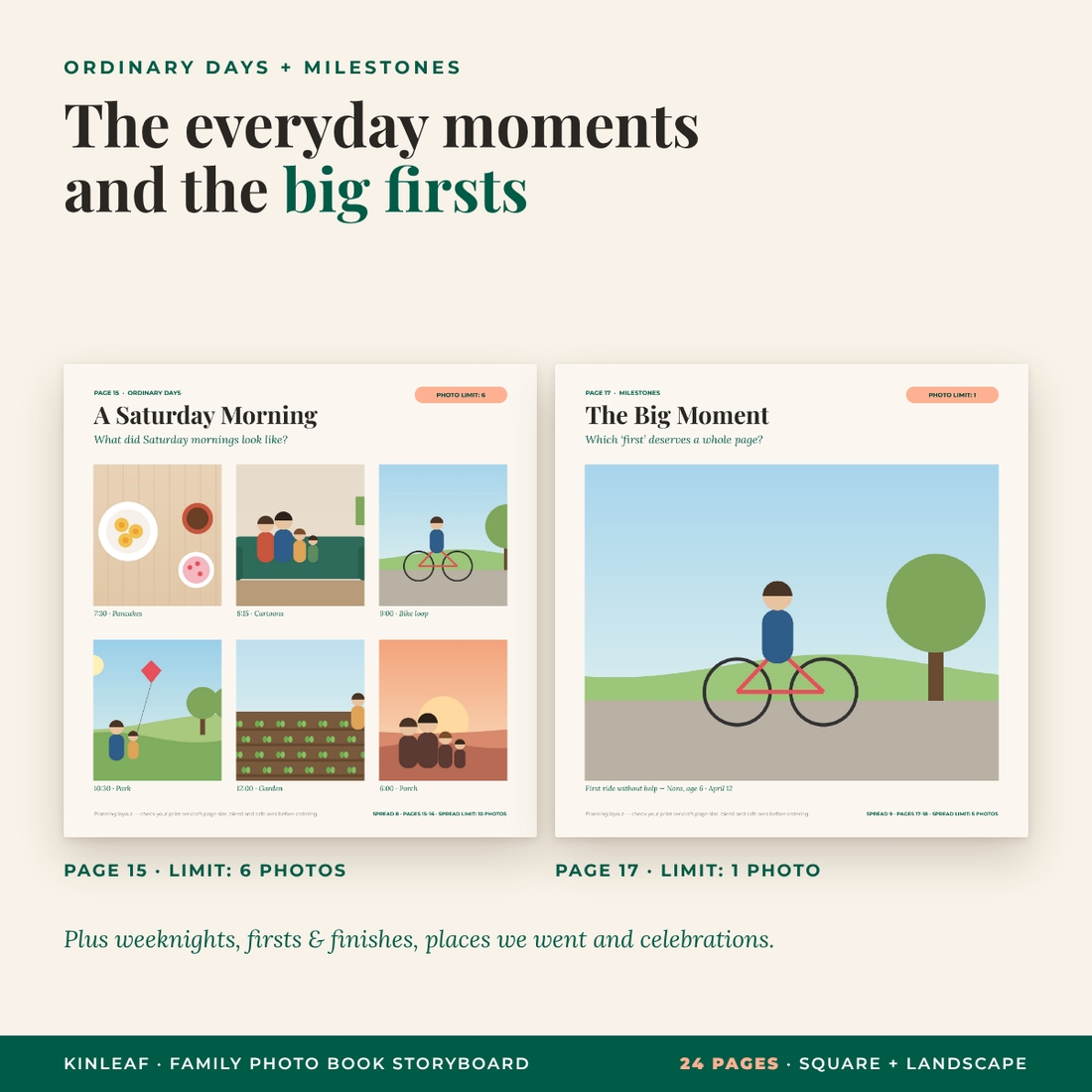
Every page shows its section, a title, one prompt, a coral photo-limit badge, numbered photo frames and forest-green caption lines. The footer shows the spread and its combined limit, so facing pages stay balanced.
Opening pages
A cover page for your family name and the one photo that says “this was our year”, plus a year-at-a-glance letter with fun year-in-numbers lines.
Monthly highlights (12 pages)
One page per month with layouts that change through the year (hero + two, wide + two, four-photo grid, hero + strip, collage of five) and prompts such as “What kept us warm and busy this month?” and “Where did the first summer days take us?”
Ordinary days
The pages most albums forget: a six-moment Saturday morning (“What did Saturday mornings look like?”) and our weeknights, from dinner to bedtime.
Milestones, trips and celebrations
A full page for the one big moment, a firsts-and-finishes grid, places we went, and birthdays and traditions.
Family pages and the closing family portrait
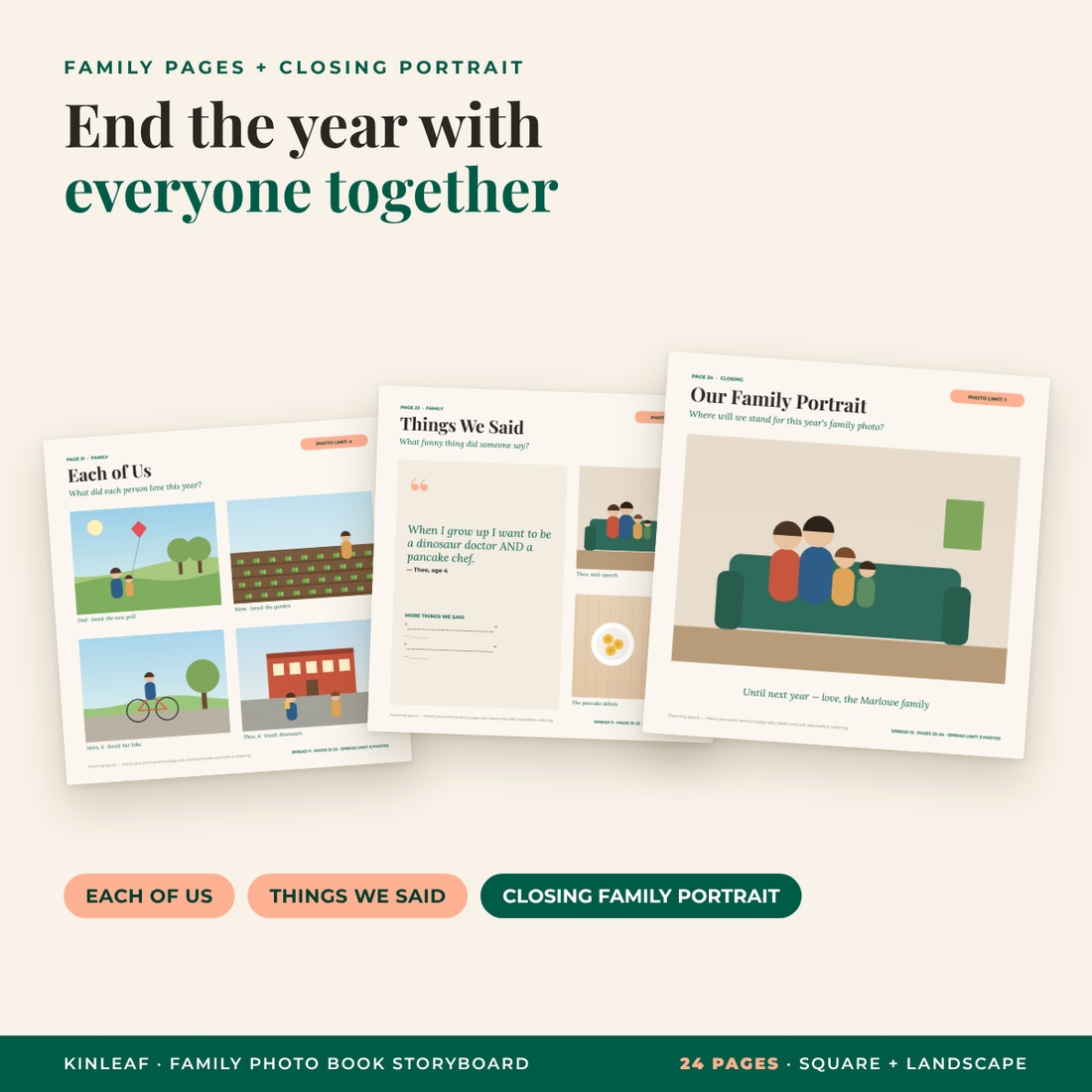
Each of us (one photo per person with a favorite thing this year), things we said, notes to our future selves, and a closing family portrait to end the book with everyone together.
How It Works
- Pick your shape: square or landscape. Both have the same pages, prompts and limits.
- Set up your folders with the folder-naming guide (about five minutes).
- Gather and cull with passes 1 and 2 of the photo-selection checklist.
- Choose to the limits, page by page, ticking off the tally as you go.
- Write captions on the forest-green caption lines, then build the final book in the photo book service you already use.
Why It’s Different
- Photo limits on every page. Limits are what turn “someday” into a finished album.
- One prompt per page. A single question makes choosing between twenty similar photos easy.
- Ordinary days, not just events. The everyday pages are the ones families treasure most.
- Square and landscape included, so it fits the book shape you prefer.
- A real system for the photos themselves: a five-pass checklist and a naming pattern (P03-1_2027-01-14_snow-fort.jpg) that keeps every chosen photo findable.
- Undated and reusable every year.
File Formats and Software
- Canva: template links in the included PDF (a free Canva account works; fonts are free in Canva)
- PowerPoint .pptx: opens in Microsoft PowerPoint, Apple Keynote and Google Slides; built with plain text boxes and rectangles so everything stays editable
- PDF print editions and fillable checklist/guide: any PDF reader; type into the fields with free Adobe Acrobat Reader
- User guide: Word .docx (also opens in Google Docs and Pages)
Fonts are Playfair Display, Lora and Montserrat, free Google Fonts that are built into Canva and Google Slides. For PowerPoint or Keynote the guide shows how to install them free.
Customize It
Change any title, prompt or caption, edit a photo limit, duplicate pages for a bigger book, or add and remove frames on the Each of Us page to match your family size. Colors are plain fills you can change with one click.
Important: Planning Layouts
These are planning layouts, not print-ready files for a particular company. Use them to choose photos, arrange pages and write captions, then recreate the pages in your print service’s editor and follow its own page size, bleed and safe-area rules.
Use It For
- An annual family yearbook or year-in-review photo book
- A grandparent gift album built from the whole family’s phones
- Catching up on a backlog year, one storyboard at a time
- A baby’s first year or a big-move year (rename the sections and prompts)
Digital Download
This is a digital product: no physical item will be shipped. You download the files right after purchase. Photos shown in the preview are original illustrations used to demonstrate the layouts; your download contains empty frames ready for your own photos.
FAQ
Is this a photo book I can upload straight to a printer?
No. It is a planning storyboard. You plan pages, photos and captions here, then build the final book with your print service.
Which photo book companies does it work with?
Any of them, because the plan doesn’t depend on one company’s editor.
Do I need Canva Pro?
No. The Canva templates use free fonts and plain shapes, so a free account works.
Can I use it without Canva?
Yes. Use the editable PowerPoint files (PowerPoint, Keynote or Google Slides) or print the pages.
How many photos does the book hold?
78 across 24 pages. Duplicate pages if you want a bigger book.
Is it dated?
No. It’s undated, so you can reuse it every year.
Square or landscape?
Square is the classic yearbook shape; landscape gives wide trip and group photos more room. Both are included.
Personal use only. You may not resell, share, or redistribute the files. © 2026 Taskdale. All rights reserved.
Reviews
There are no reviews yet.