
Latchly: a password organizer app that keeps every account in one encrypted place
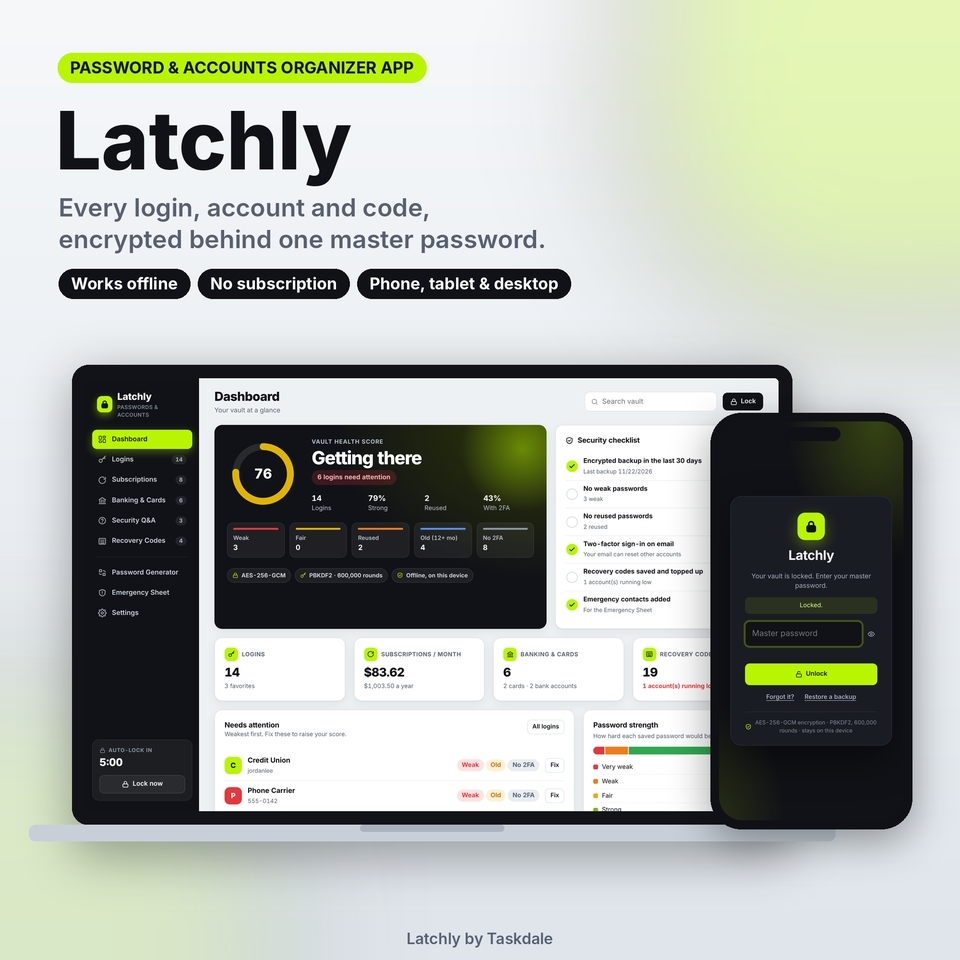
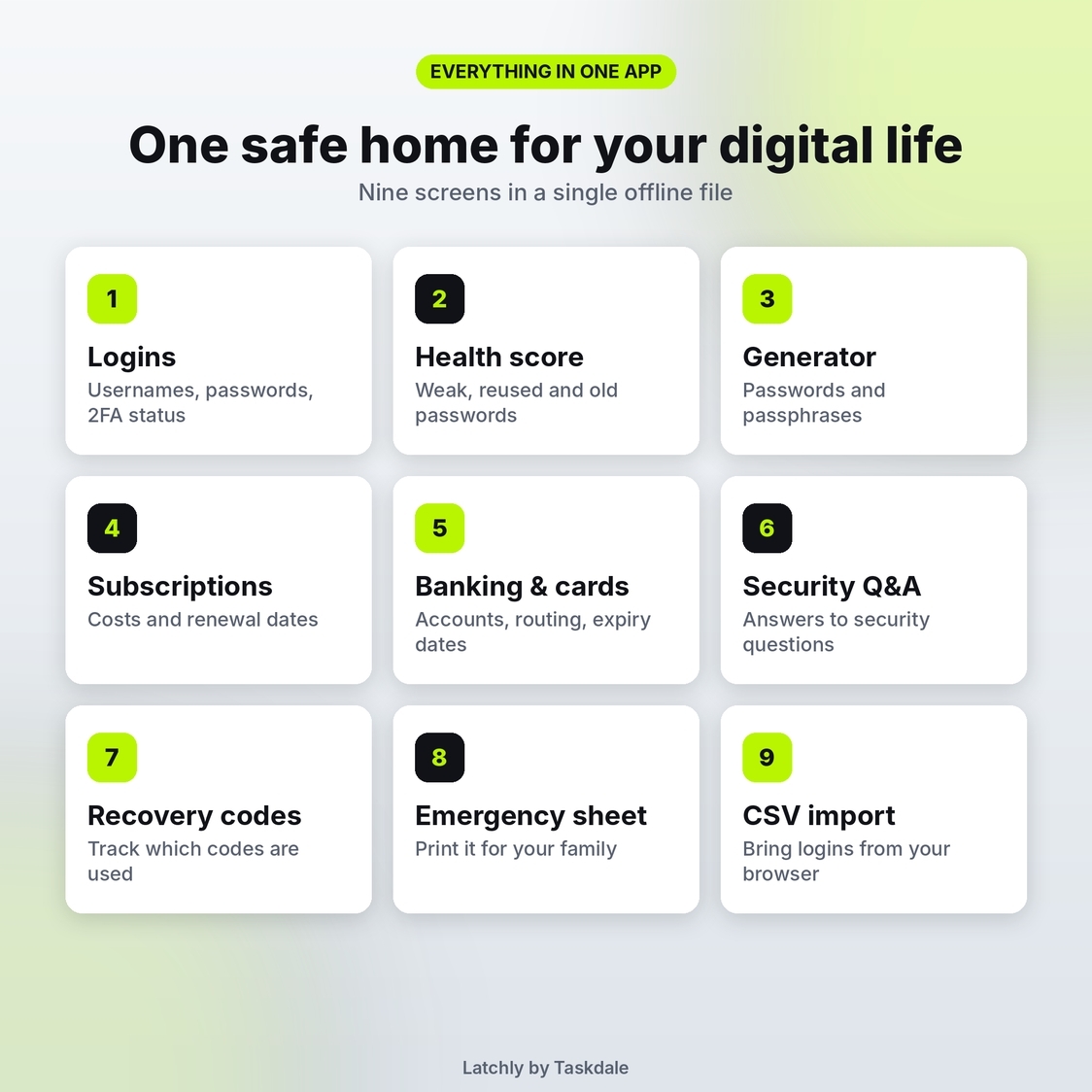
Latchly is a password organizer app that runs in your web browser from one downloaded file. Save your logins, subscriptions, bank and card details, security question answers and two-factor recovery codes, then lock them all behind one master password. Nothing is uploaded. There is no account to create and no monthly fee.
Your vault is encrypted on your own device with AES-256-GCM, using a key made from your master password with PBKDF2 and 600,000 rounds. Latchly never saves the master password itself, and it locks after five minutes without activity (you can choose 1 to 30).
Who this password and accounts organizer is for
- Anyone still keeping passwords in a notebook, a sticky note or an unprotected spreadsheet.
- Households that want one place for the bank, the utilities, the streaming logins and the kids’ school portal.
- People who turned on two-factor sign-in and need somewhere safe for the backup codes.
- Families who want a printed emergency sheet so a spouse or adult child can take over if something happens.
- Privacy-minded people who would rather not hand their passwords to a cloud service.
Features of the Latchly password organizer app
Vault health dashboard
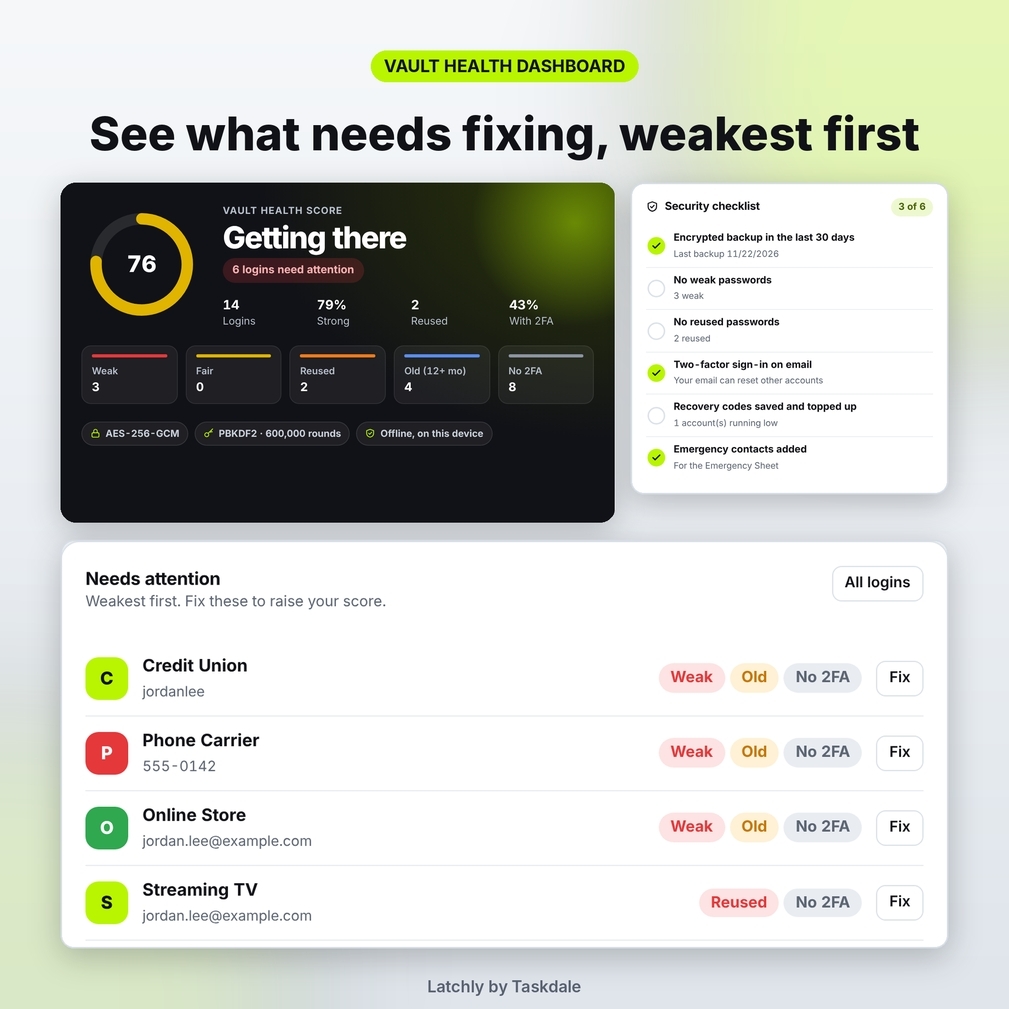
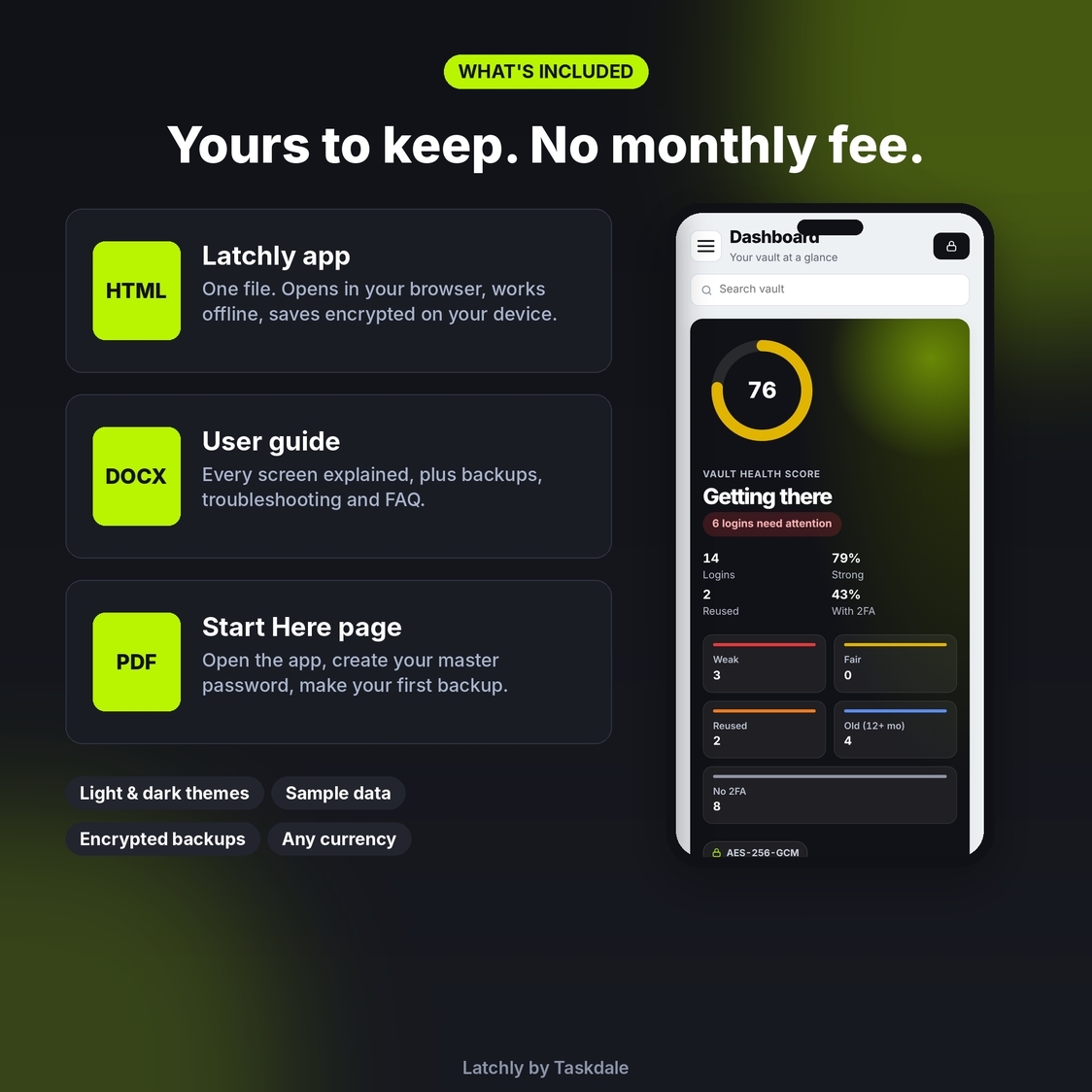
The dashboard gives your vault a score out of 100 and lists the logins that pull it down, weakest first, each with a Fix button. It counts weak, fair, reused and old passwords and logins without two-factor sign-in. A six-point security checklist covers backups, reused passwords, two-factor on email, recovery codes and emergency contacts. You also see your monthly subscription spend, renewals due in the next 30 days and how many recovery codes you have left.
Logins with one-click copy
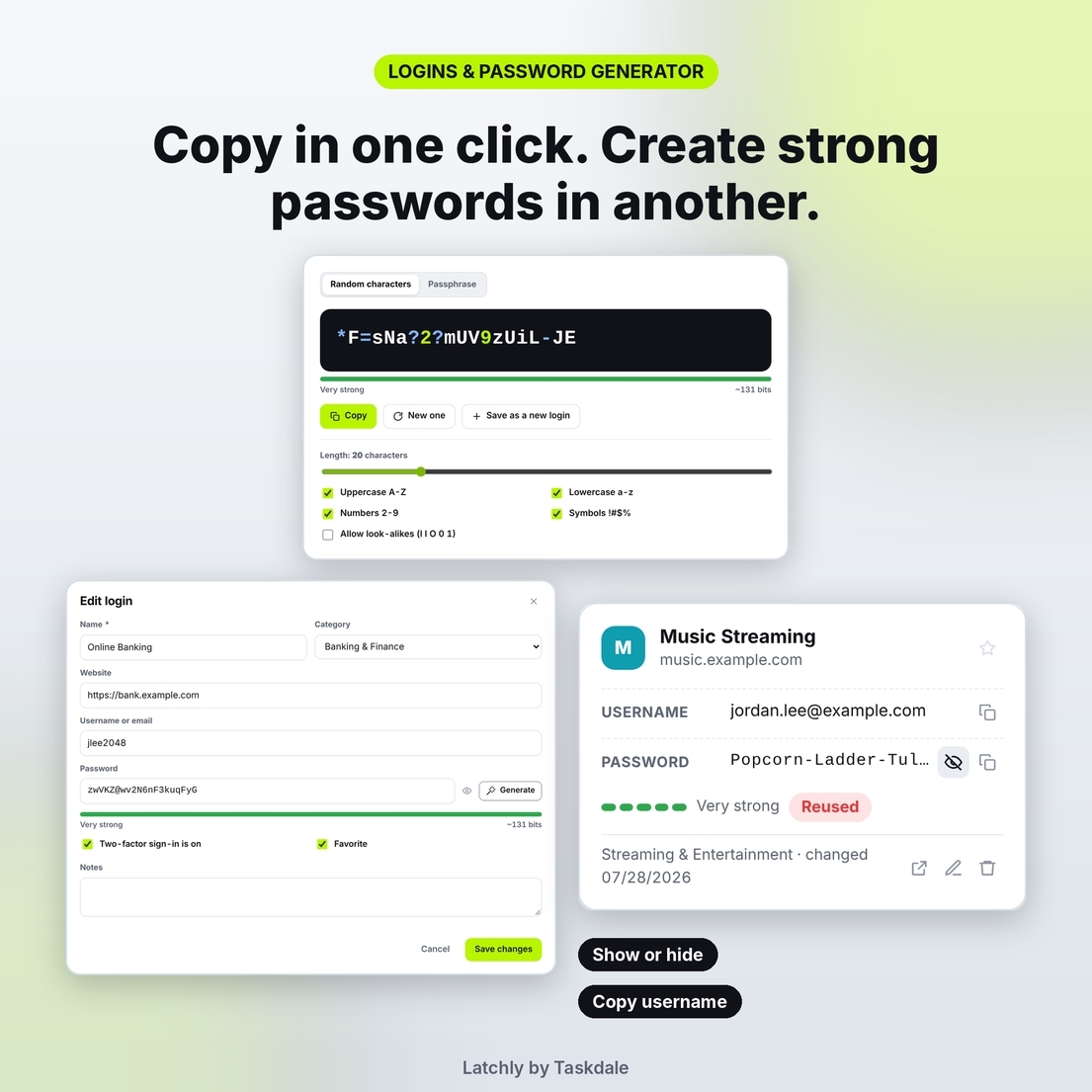
Each login card shows the website, username and a hidden password with show and copy buttons. A five-step strength bar and labels such as Reused or Old tell you what to fix. Change a password and the old one moves to a short history with its date, which helps when a site says you used that password before. Filter by favorites, category or Needs attention, and sort weakest first.
Password generator and passphrases
Make random passwords from 8 to 64 characters, with or without symbols and look-alike characters, or passphrases of 3 to 10 everyday words. Randomness comes from your browser’s secure random generator. A built-in tester checks any password without saving it, and one click saves a fresh password as a new login.
Subscription tracker
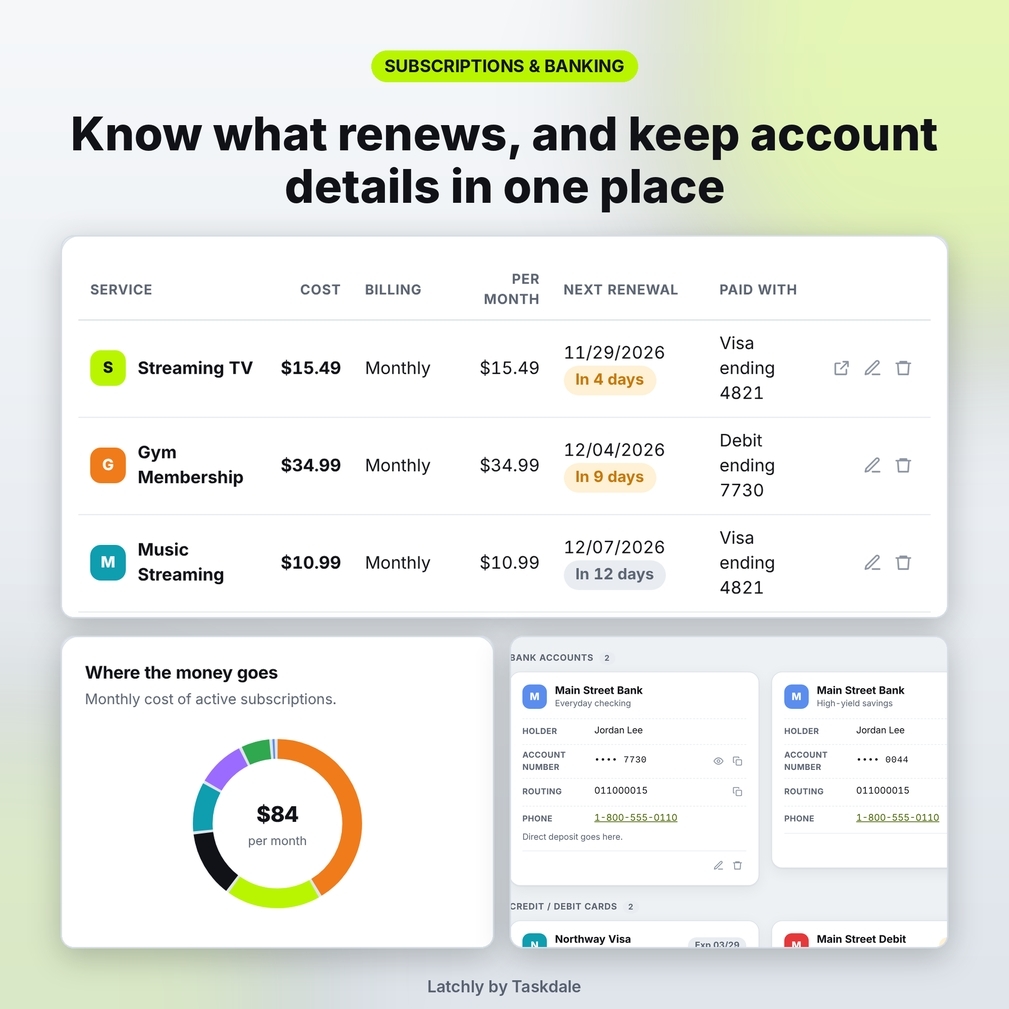
Add streaming, apps, gym and software subscriptions with cost, billing cycle, renewal date and the card that pays. Latchly converts weekly, quarterly and yearly charges to a monthly figure, totals the month and the year, and rolls past renewal dates forward automatically. A donut chart shows where the money goes. Currency is your choice, with $ as the default.
Banking and cards
Store account and routing numbers, card numbers and expiry dates, PINs, customer service phone numbers and notes for bank accounts, cards, retirement accounts and loans. Numbers show only the last four digits until you click. Cards expiring within 60 days get an “Expires soon” label.
Security questions and recovery codes
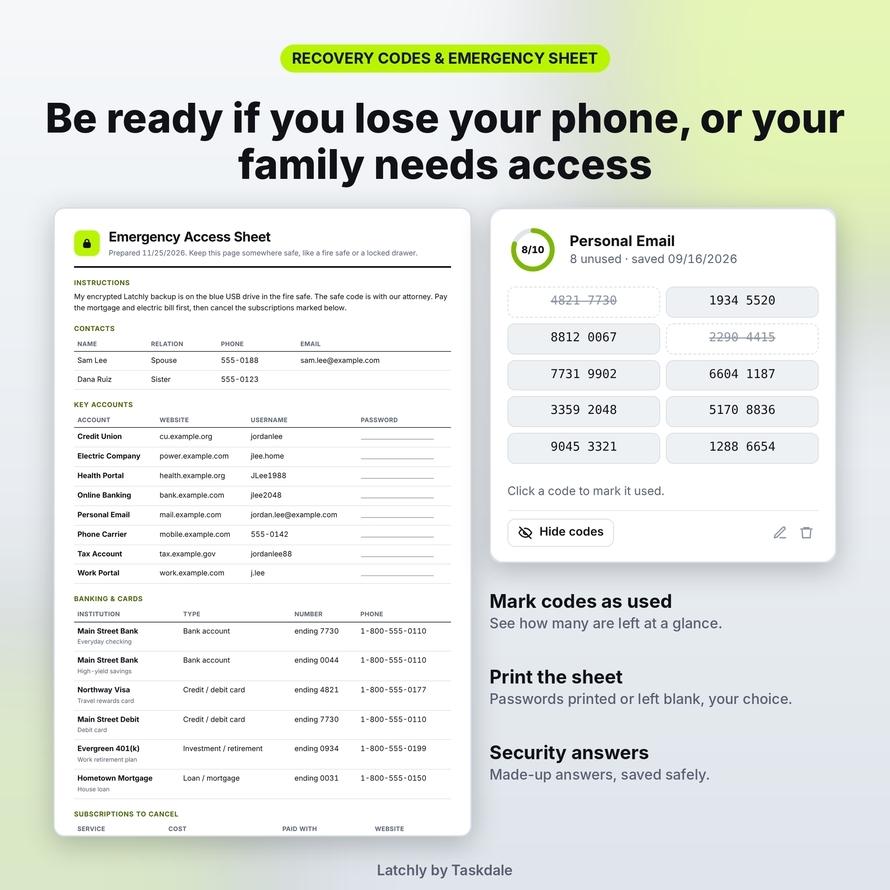
Keep up to five security questions and answers per account, hidden until needed. Paste the 8 to 10 backup codes a site gives you when you turn on two-factor sign-in, then click each code to mark it used. A ring shows how many remain and flags accounts with two or fewer.
Printable emergency sheet
Add up to four trusted contacts and written instructions, tick the accounts to include, and print a clean one-page sheet. Passwords print as blank lines for writing in by hand unless you choose to print them. Keep it with your important papers.
Encrypted backups and CSV import
Export an encrypted backup file whenever you like and restore it on another device or browser with its master password. Moving from your browser’s saved passwords? Import a CSV exported from Chrome, Edge, Firefox or Safari. If you ever leave, a readable CSV export is there too, protected by a master password check.
How the encryption works, in plain words
We describe exactly what Latchly does instead of using marketing labels. All your data is stored in the browser as one block encrypted with AES-256-GCM through the browser’s built-in Web Crypto engine. The key comes from your master password through PBKDF2-SHA256 with 600,000 rounds and a random salt, which makes every guess slow. The master password is never stored. Copied passwords clear from the clipboard after 30 seconds by default.
Two honest limits. First, a forgotten master password cannot be recovered by anyone, including Taskdale, so keep encrypted backups and store your master password somewhere physically safe. Second, no app can protect you from malware on your device or someone using it while the vault is unlocked, which is why Latchly locks itself.
What is included
- Latchly-Password-Organizer.html: the app, one offline file.
- Latchly User Guide (DOCX): setup, every screen, how the encryption works, backups, troubleshooting and FAQ.
- Start Here PDF: a one-page quick start.
You get a ZIP with all three files, and the app and guide are also available as separate downloads.
How it works
- Download and unzip. Keep the HTML file in a permanent folder.
- Double-click it to open in your browser, then create your master password.
- Add your key accounts, or import a CSV from your browser. Load the sample data first if you want a tour.
- Export an encrypted backup and keep a copy on a USB drive or a second device.
File format and requirements
Latchly is a single HTML file with everything built in: no downloads, fonts or connections needed after purchase. It was tested in Google Chrome and Microsoft Edge on desktop, tablet and phone screen sizes, and uses standard Web Crypto features that current Firefox and Safari also support. On iPhone and iPad, open the file in a browser or an HTML viewer app, because the Files preview cannot run web apps. Each browser keeps its own vault; use encrypted backup and restore to move between devices.
Customize it
Choose light or dark theme, your currency symbol and its position, the auto-lock time, clipboard clearing and when a password counts as old. Twelve login categories cover email, banking, shopping, streaming, utilities, health, government and more.
Use cases
- Moving off a paper password book before it gets lost or seen by a visitor.
- Finding the subscriptions you forgot about before they renew next week.
- Getting back into your email after losing your phone, using a saved recovery code.
- Leaving a printed emergency sheet for your partner before a long trip.
Password organizer FAQ
Can Taskdale see my passwords?
No. The app makes no network requests and encrypts everything on your device.
What happens if I forget my master password?
It cannot be reset or recovered. Restore an encrypted backup whose password you remember, or start a new vault.
Does it sync between devices?
Not automatically. Export an encrypted backup on one device and restore it on another.
Can I import passwords from Chrome or Safari?
Yes. Export your saved passwords as CSV from your browser and use Import CSV.
Does it work offline?
Yes. It is a local file and never needs the internet.
Is there a subscription?
No. You pay once and keep the file.
Digital download and license
This is a digital download. No physical item ships. Your files are available right after purchase with unlimited downloads. Personal use license: use Latchly for your own accounts and household on your own devices. Reselling, sharing or redistributing the file is not allowed.
Reviews
There are no reviews yet.