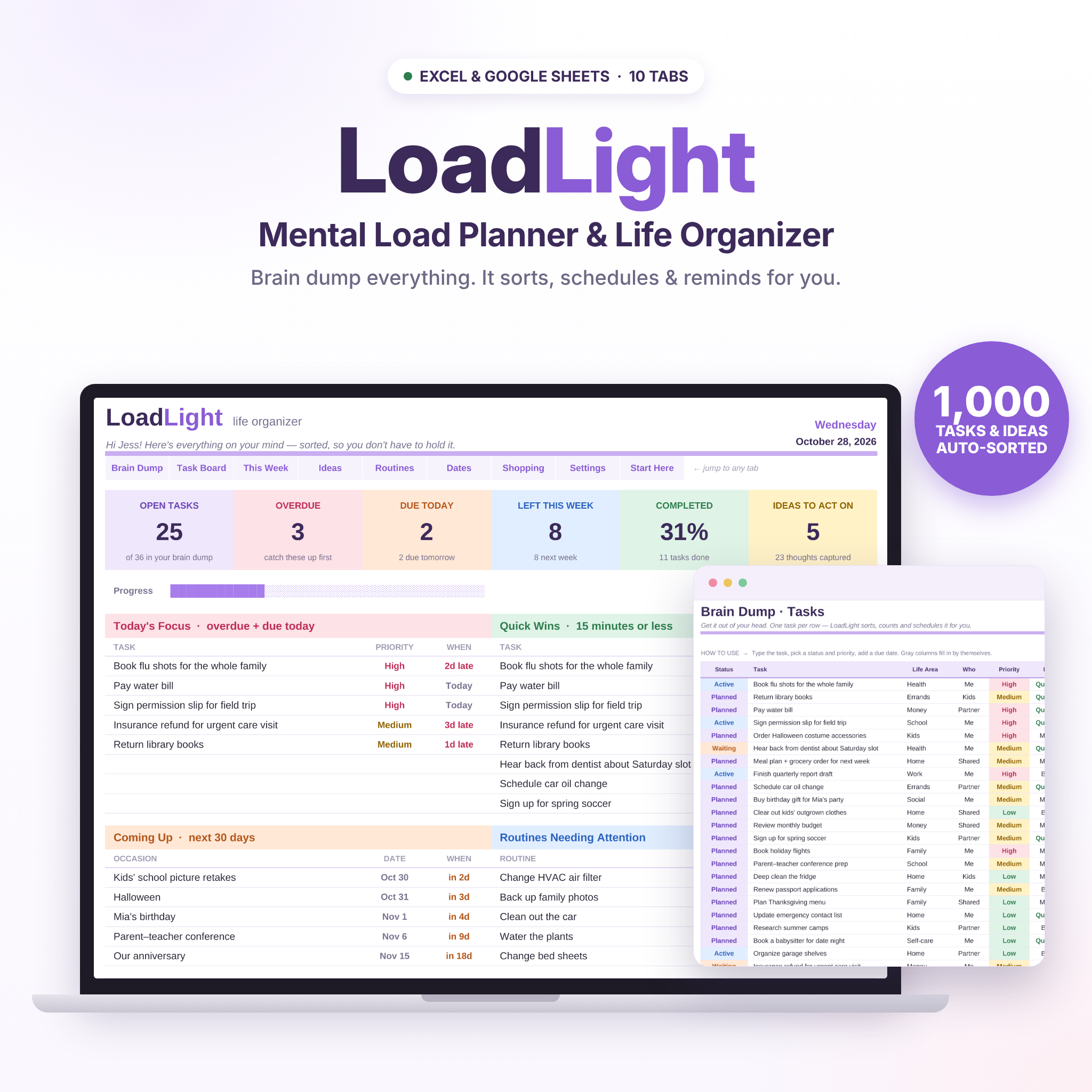
The LoadLight mental load planner is a brain dump spreadsheet and life organizer for Excel and Google Sheets. It takes everything you’re carrying in your head — tasks, ideas, routines, birthdays and the shopping list — and sorts, schedules and counts it for you. Type a task once and it appears on your dashboard, your task board and your weekly planner automatically. No apps, no subscriptions, no complicated setup.
A mental load planner that does the sorting for you
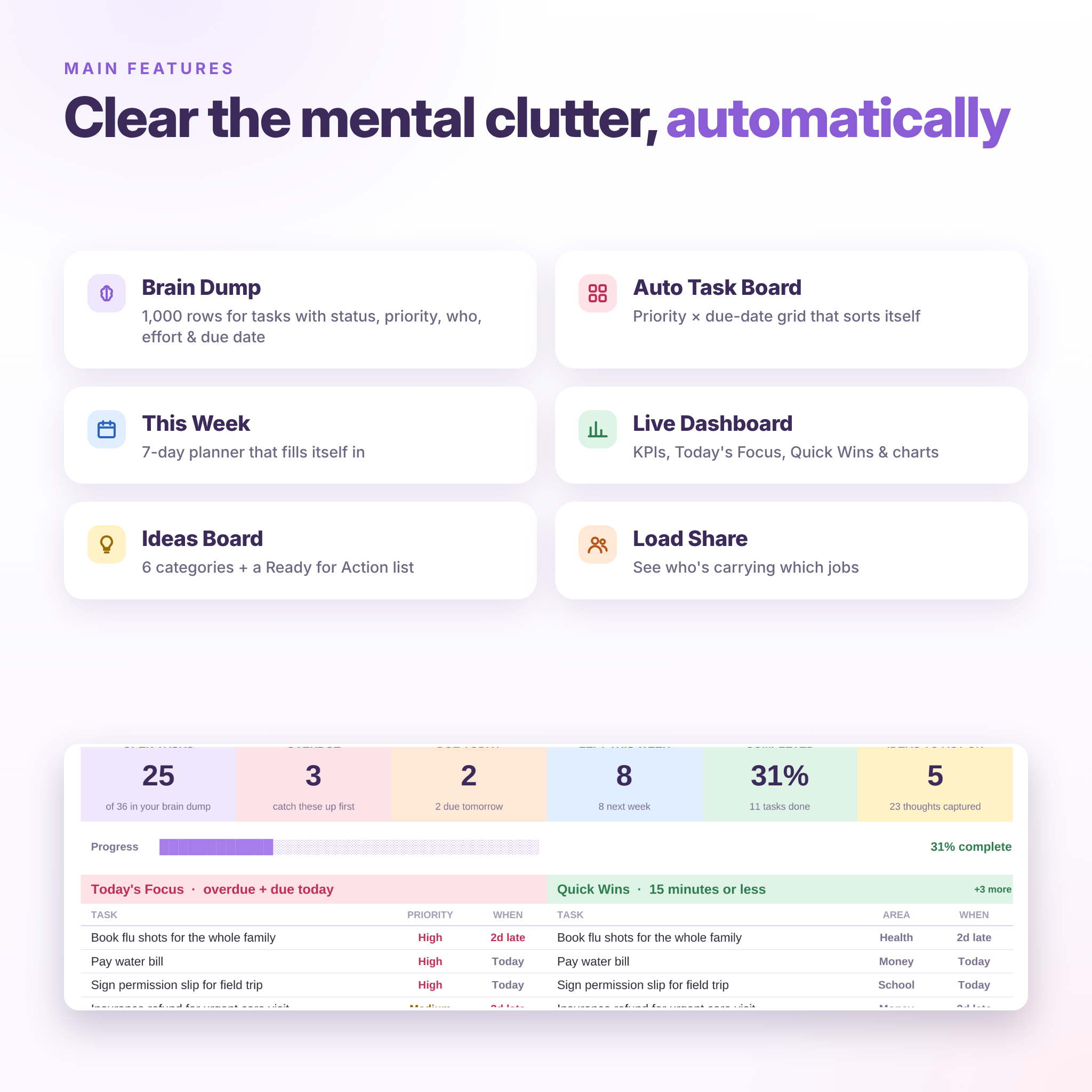
Most to-do lists just collect tasks. LoadLight organizes them. Add a status, priority and due date, and the planner works out what’s overdue, what’s due today and what’s coming next week. It also flags quick wins you can finish in 15 minutes and shows who in your household is carrying which jobs. It’s ADHD-friendly, color-coded and calm to look at, built for busy moms, parents and anyone who’s tired of holding it all in their head.
Who it’s for
- Moms, dads and caregivers juggling home, kids, school, work and family admin
- Brain-dumpers who want their lists organized without extra effort
- ADHD and neurodivergent planners who prefer visual, color-coded lists
- Couples and families who want to share the invisible workload more fairly
Key benefits
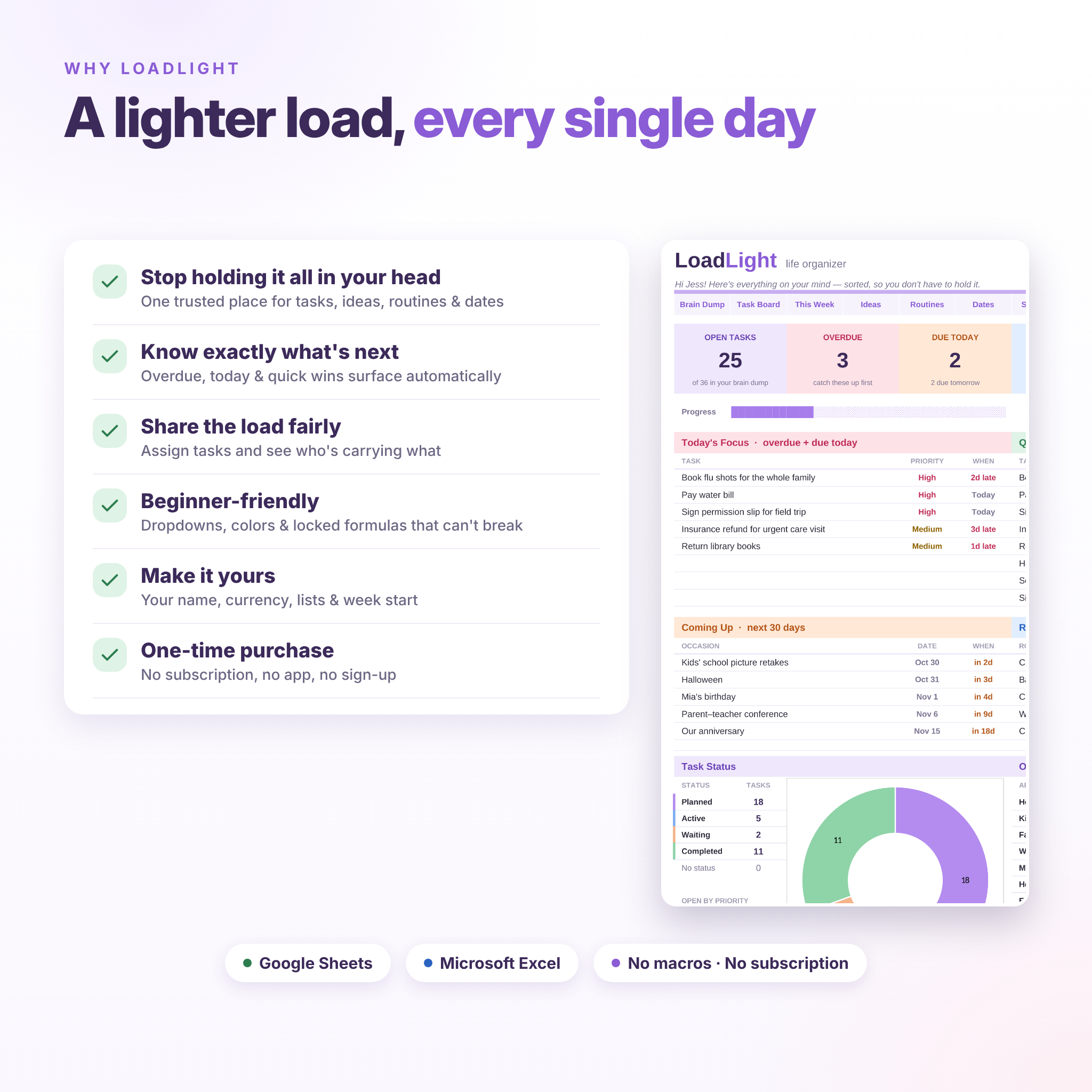
- Get it out of your head: one trusted place for every task, idea, routine and date.
- Know exactly what’s next: overdue, due-today and quick-win tasks come to the top automatically.
- See your week at a glance: tasks, routines and birthdays land on the right day by themselves.
- Share the load: assign tasks to people and see the load-share chart update.
- Nothing to break: formulas are locked (no password), and every input has a dropdown or date check.
Features
Dashboard
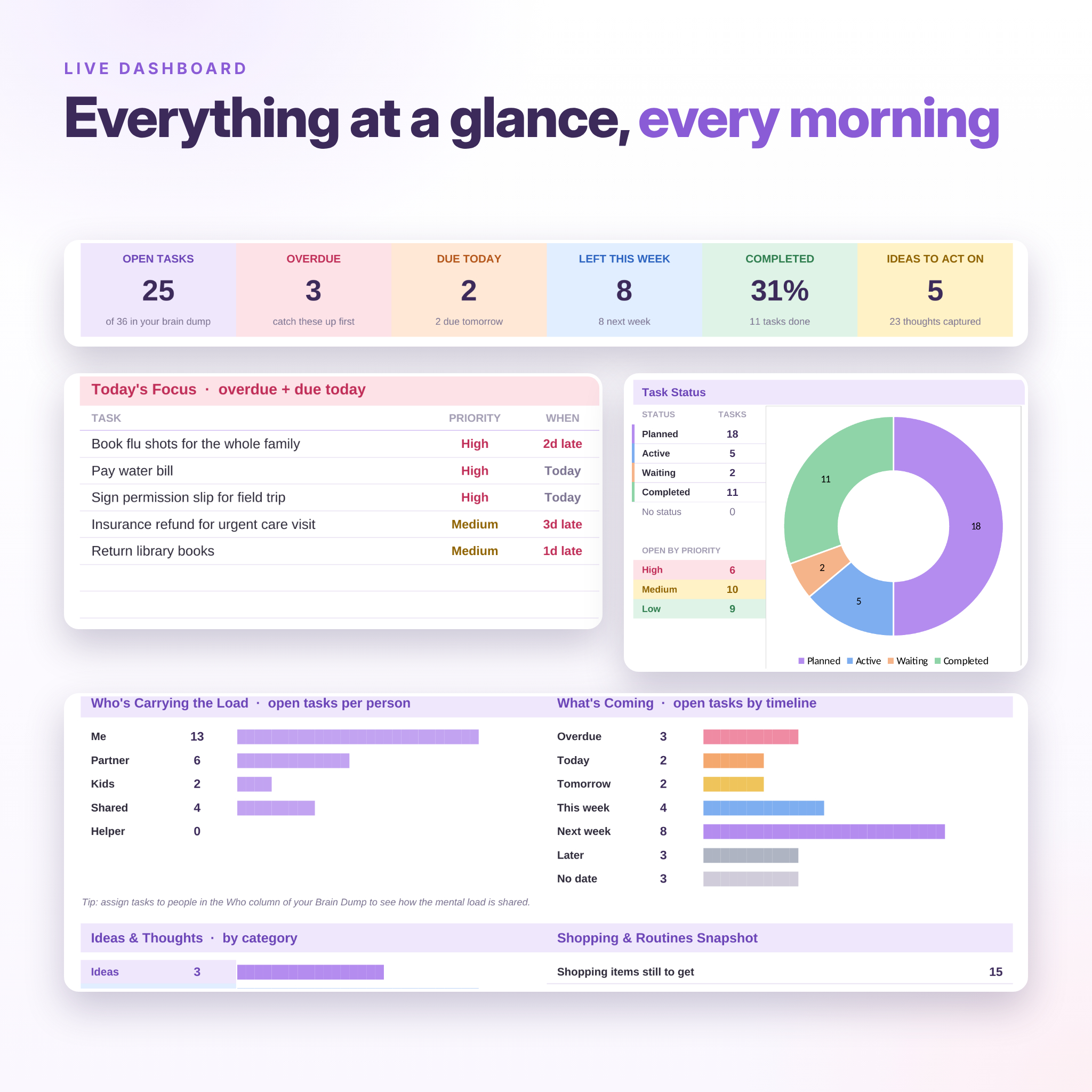
Six live KPI cards (open tasks, overdue, due today, left this week, % completed, ideas to act on) and a progress bar. You also get Today’s Focus, Quick Wins, Coming Up (the next 30 days of important dates), Routines Needing Attention, a task-status donut chart, open tasks by life area, a “Who’s Carrying the Load” chart, a timeline breakdown, ideas by category and a shopping snapshot.
Brain Dump (tasks)
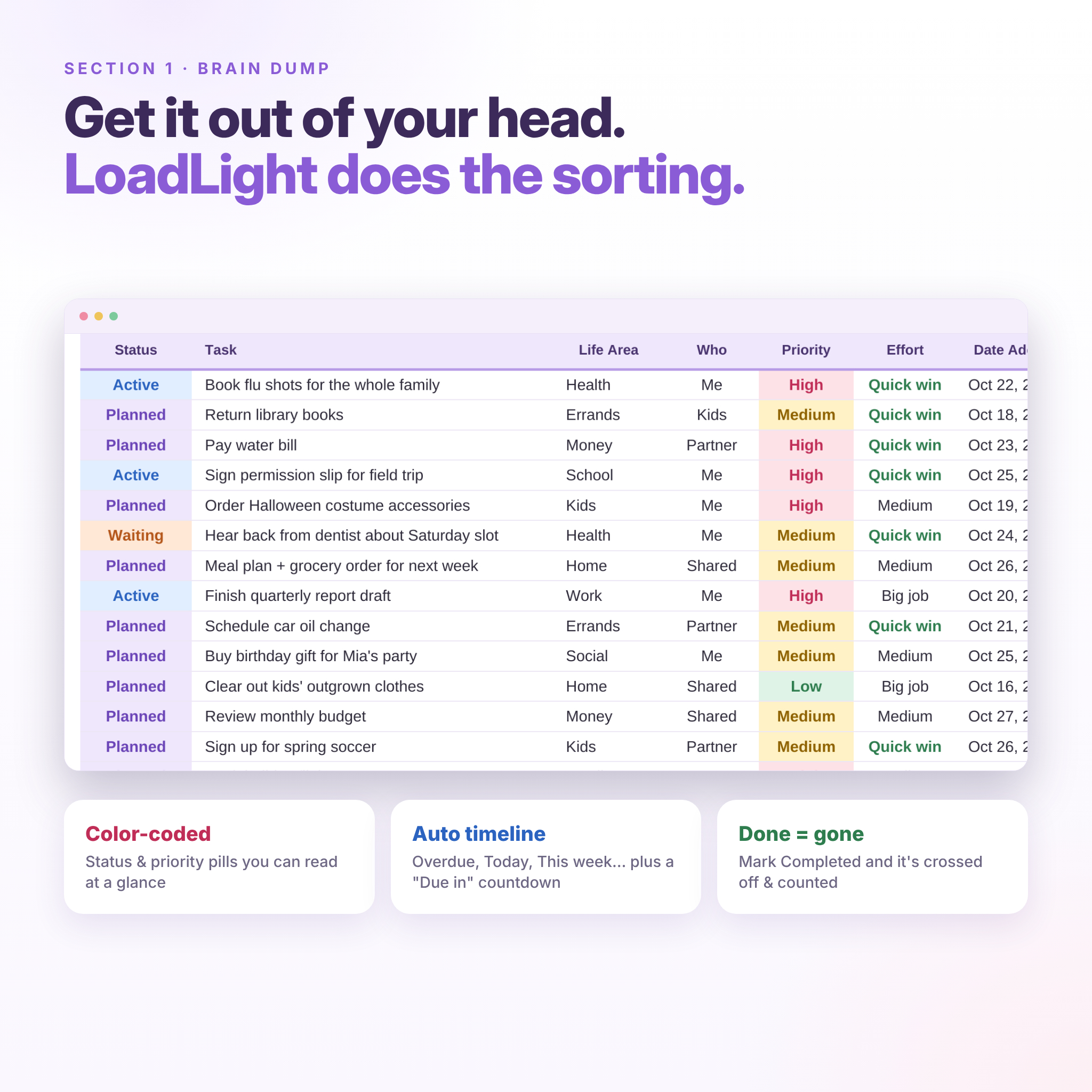
1,000 ready rows with Status, Task, Life Area, Who, Priority, Effort, Date Added, Due Date and Notes. Timeline (Overdue, Today, Tomorrow, This week, Next week, Later) and a “Due in” countdown fill in automatically. Completed tasks are crossed out and counted.
Task Board
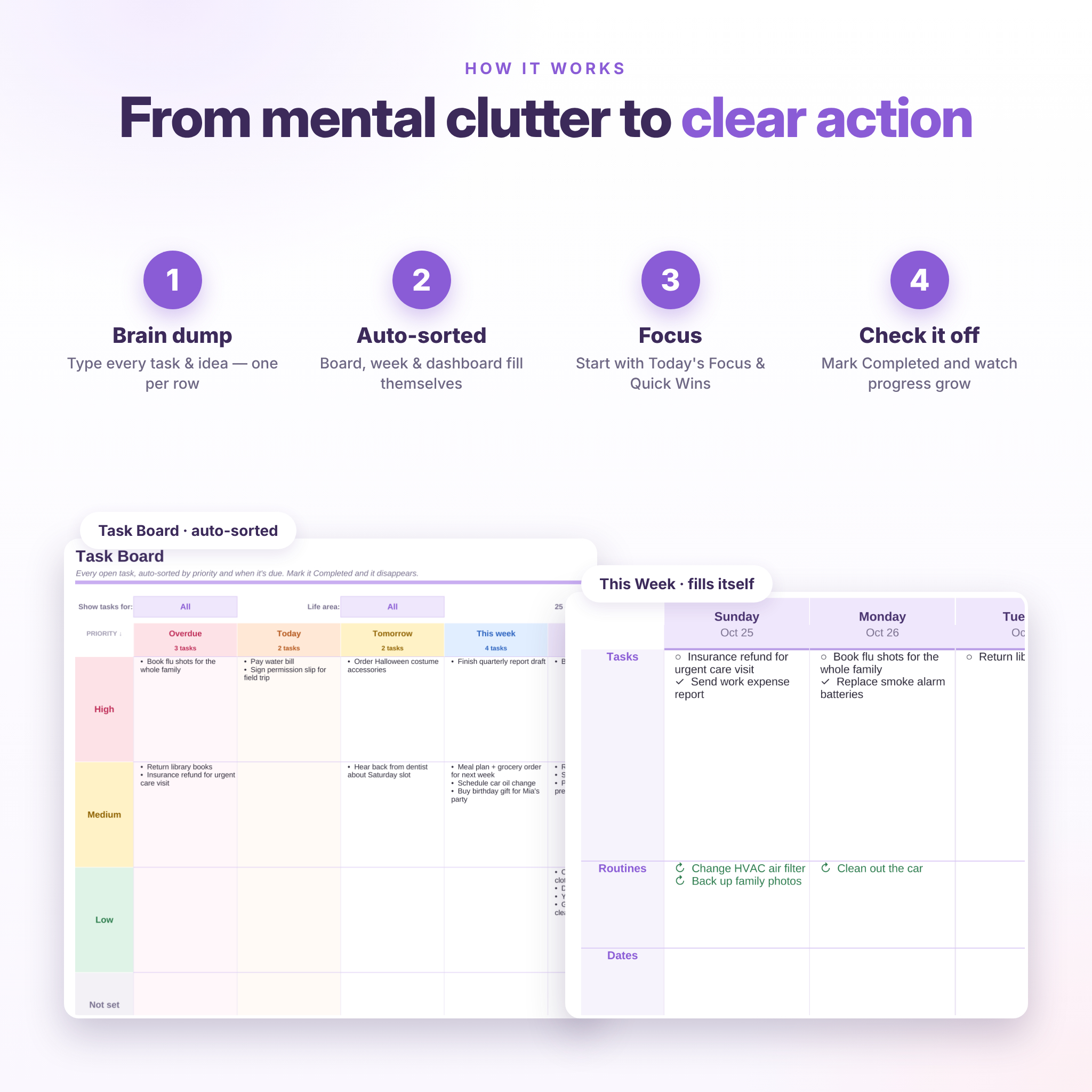
An auto-sorting priority × due-date board. Every open task drops into the right box, with no manual sorting. Filter by person or life area to hand someone their own list.
This Week planner
A self-filling 7-day weekly planner showing tasks, recurring routines and important dates for each day. It includes Top 3 priorities, daily notes and a catch-up list of overdue tasks. Flip to next week with one number, and print it on one landscape page.
Ideas & Thoughts with auto board
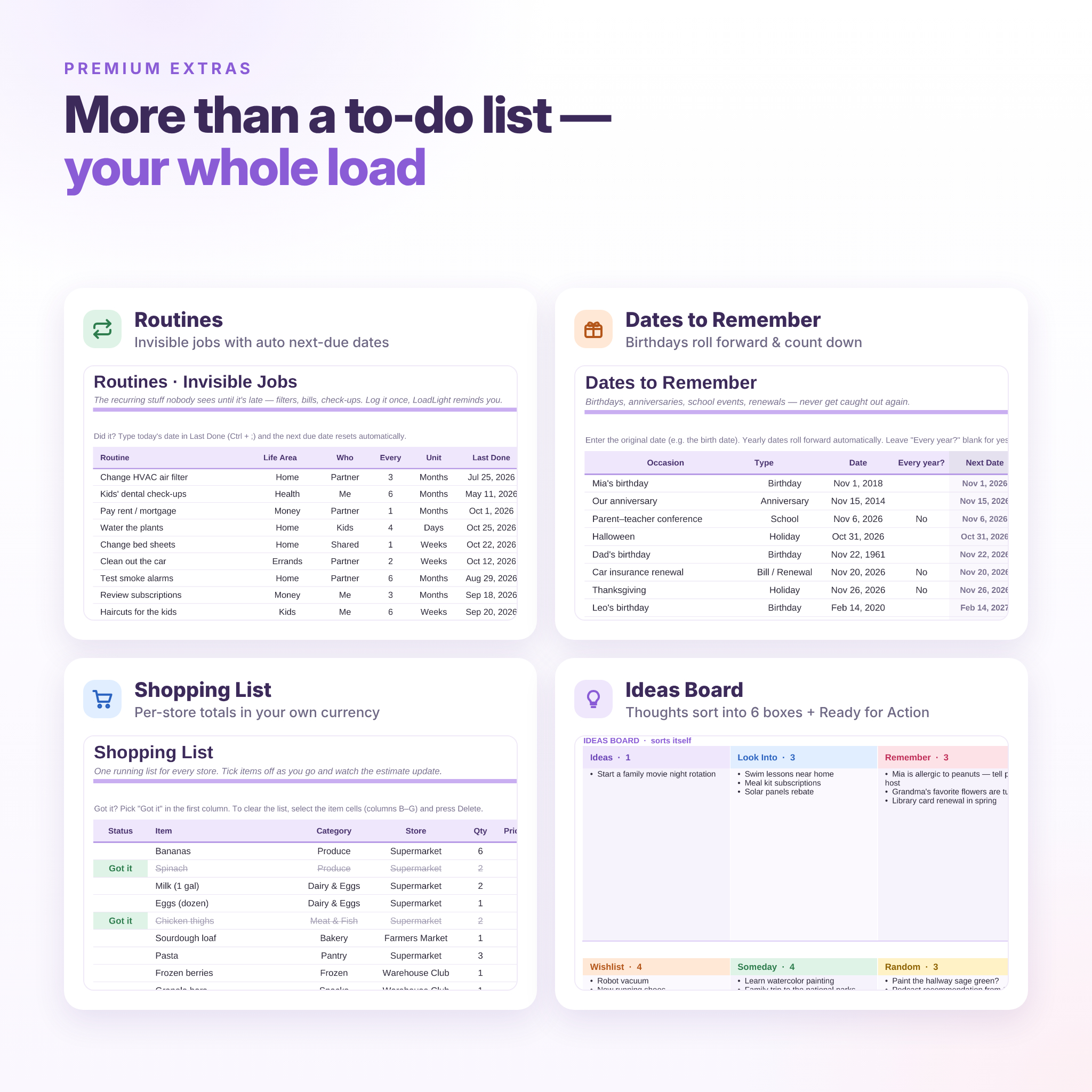
Capture ideas, things to look into, reminders, wishlists, someday plans and random thoughts. They sort into six boxes automatically. Mark one “Yes” and it moves to Ready for Action. Mark it “Done” once it’s in your Brain Dump.
Routines (invisible jobs)
Track recurring jobs like air filters, dental check-ups, bills and renewals. Enter how often and when you last did it. LoadLight calculates the next due date, the days left and a status (On track, Due soon or Overdue).
Dates to Remember
Birthdays, anniversaries, school events and appointments. Yearly dates roll forward automatically, count down, show the age or milestone, and include space for gift ideas.
Shopping List
One running grocery and shopping list for every store, with quantity, price, per-store totals and “left to spend”. All money values use the currency symbol you choose.
Settings & customization
Add your name, currency symbol ($ by default), week start (Sunday or Monday) and “due soon” window, and edit every dropdown: life areas, people, idea categories, date types, shopping categories and stores.
What’s included
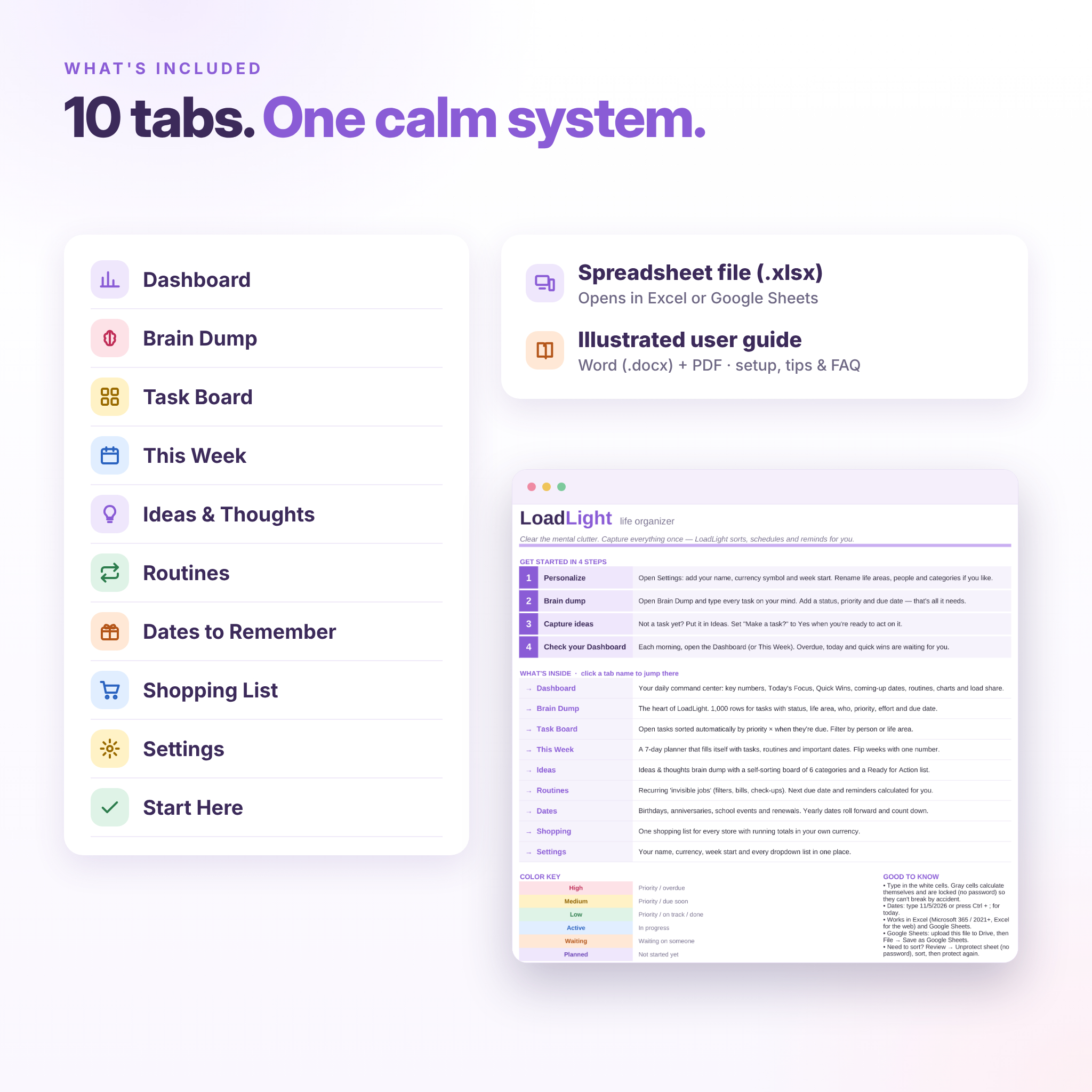
- LoadLight Life Organizer spreadsheet (.xlsx) with 10 tabs: Start Here, Dashboard, Brain Dump, Task Board, This Week, Ideas, Routines, Dates, Shopping and Settings
- Illustrated user guide in Word (.docx) and PDF, with setup steps, feature walkthroughs, tips, troubleshooting and FAQs
How it works
- Download the files right after purchase.
- Open the .xlsx in Excel, or upload it to Google Drive and choose File → Save as Google Sheets.
- Add your name, currency and week start in Settings.
- Brain dump your tasks and ideas. The Dashboard, Task Board and This Week fill themselves.
- Check in each morning, start with Today’s Focus and mark tasks Completed as you go.
File format & software requirements
- Format: Microsoft Excel workbook (.xlsx) with no macros, add-ons or scripts
- Works in: Microsoft Excel 2021 or Microsoft 365 (Windows and Mac), Excel for the web, and Google Sheets (free)
- Designed and tested for desktop and laptop use in Excel or a web browser
- Not supported: Excel 2019 or older, Apple Numbers and LibreOffice (the auto-filled boards need newer functions)
Customization
Rename life areas, people, idea categories, date types, shopping categories and stores in Settings, and every dropdown, chart and board updates. Change colors and fonts freely. Set any currency symbol. Status, priority and effort options stay fixed, so the formulas always work.
Digital download
This is an instant digital download. No physical item will be shipped. Colors may look slightly different from screen to screen. The license is for personal use in one household: please don’t resell, share or redistribute the files.
Real-life ways to use LoadLight
- A Sunday brain dump to plan the week ahead with your partner
- Back-to-school season: forms, events, pick-ups and supplies in one place
- Tracking household routines like filters, check-ups, renewals and bills
- Holiday planning: gifts, menus, travel bookings and the grocery list
- Low-energy days: open Quick Wins and knock out a few easy jobs
FAQ
Does this mental load planner work in Google Sheets?
Yes. Upload the .xlsx to Google Drive and choose File → Save as Google Sheets. All dropdowns, formulas and charts work.
Can I use it on my phone or iPad?
LoadLight is designed for a computer. The Excel and Google Sheets mobile apps can open the file for quick edits, but the Dashboard and boards are easiest to use on a larger screen.
Can my partner and I share it?
Yes. Share the Google Sheet or a OneDrive copy, and use the Who column and Task Board filter to split tasks.
How many tasks can I add?
1,000 tasks, 1,000 ideas, 200 routines, 200 dates and 300 shopping items.
Can I change the currency?
Yes. Type any symbol in Settings ($ is the default), and every money value updates.
Is there a subscription?
No. It’s a one-time purchase that’s yours to keep.
Do I need spreadsheet experience?
No. You type in the white cells and pick from dropdowns, and the illustrated guide walks you through every tab.
Reviews
There are no reviews yet.