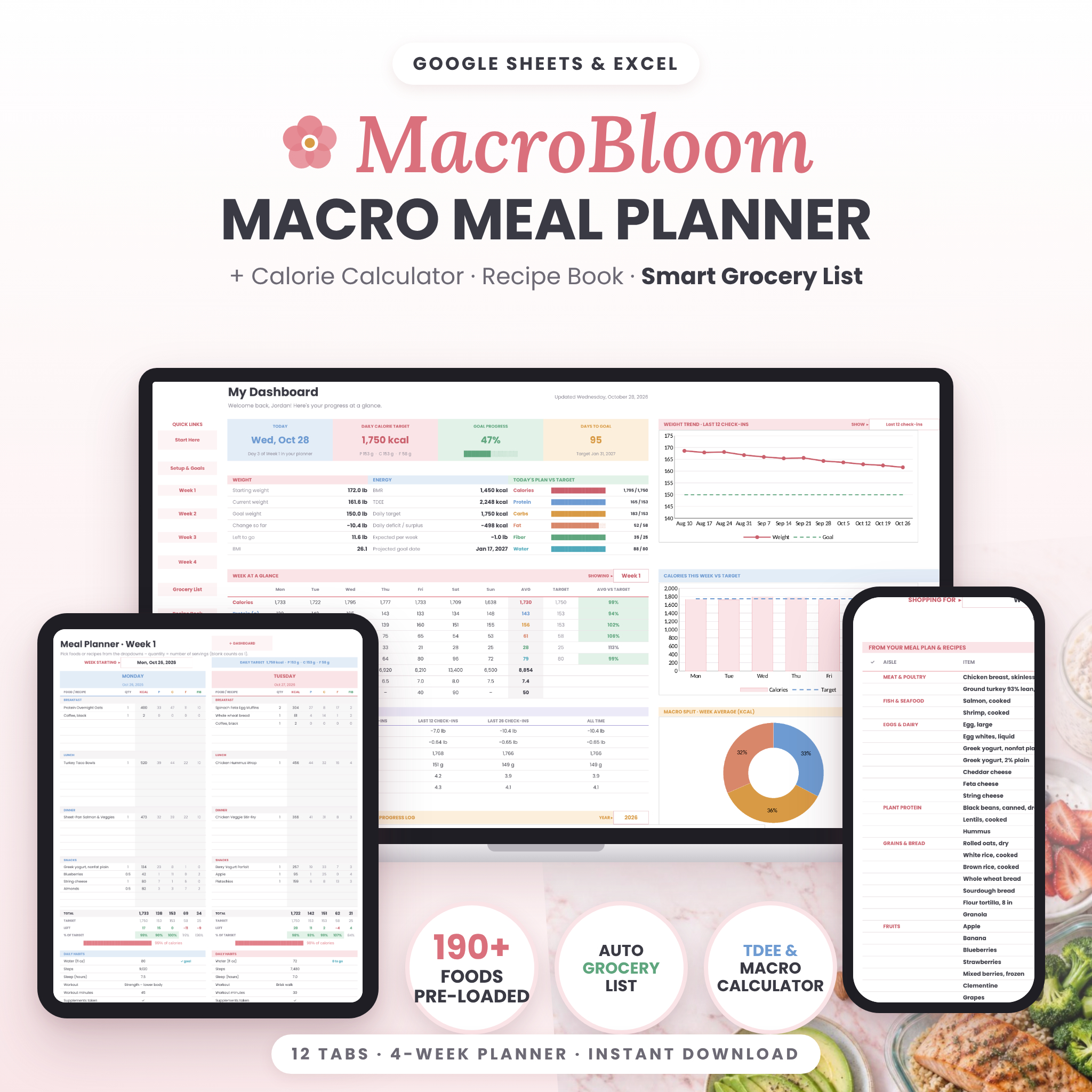
The MacroBloom macro meal planner is an all-in-one spreadsheet for Google Sheets and Microsoft Excel that turns your stats into daily calorie and macro targets, then helps you plan meals, save recipes, shop smarter and track your progress. Pick foods from a dropdown and every number fills in for you – no formulas, no guesswork, no subscription.
What the macro meal planner does
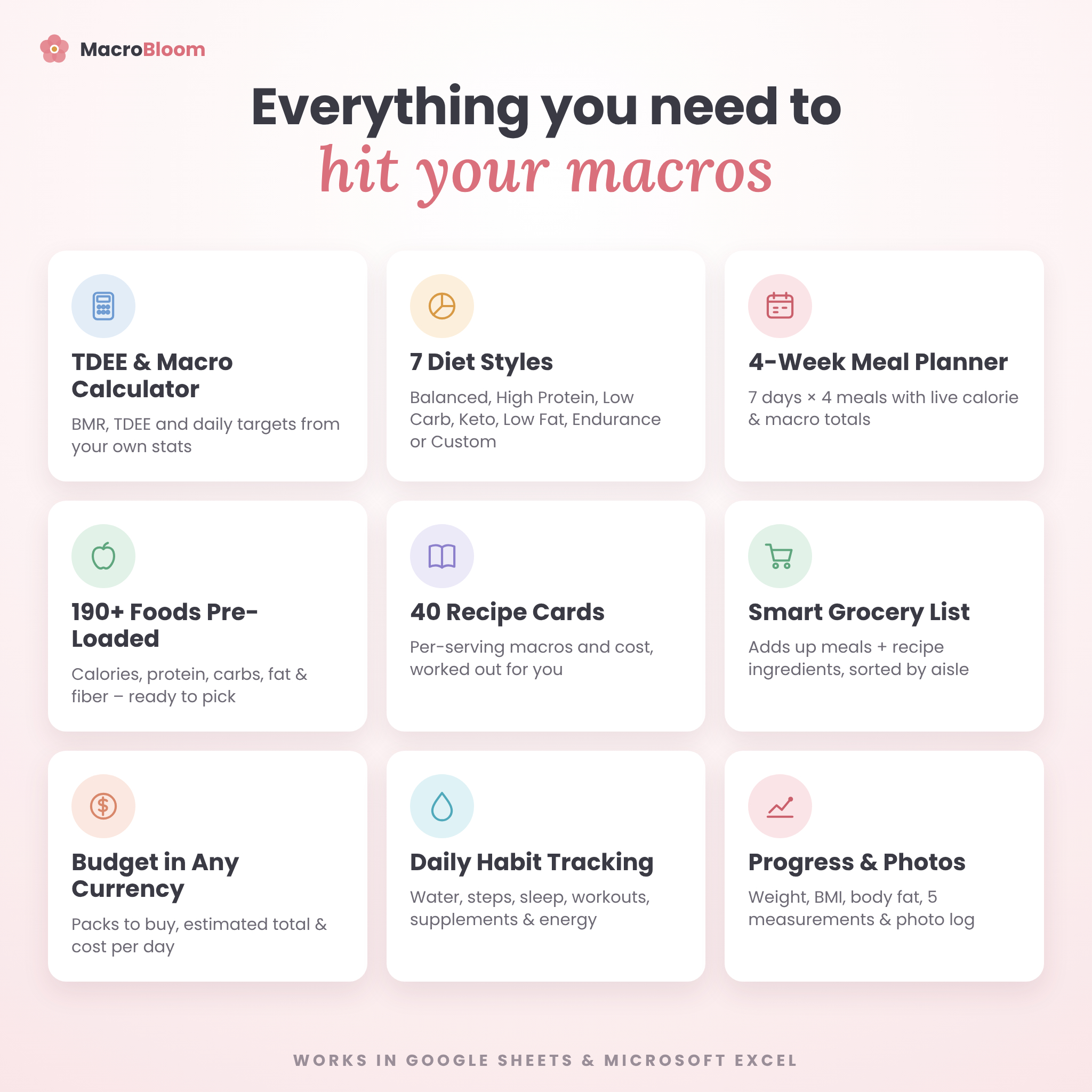
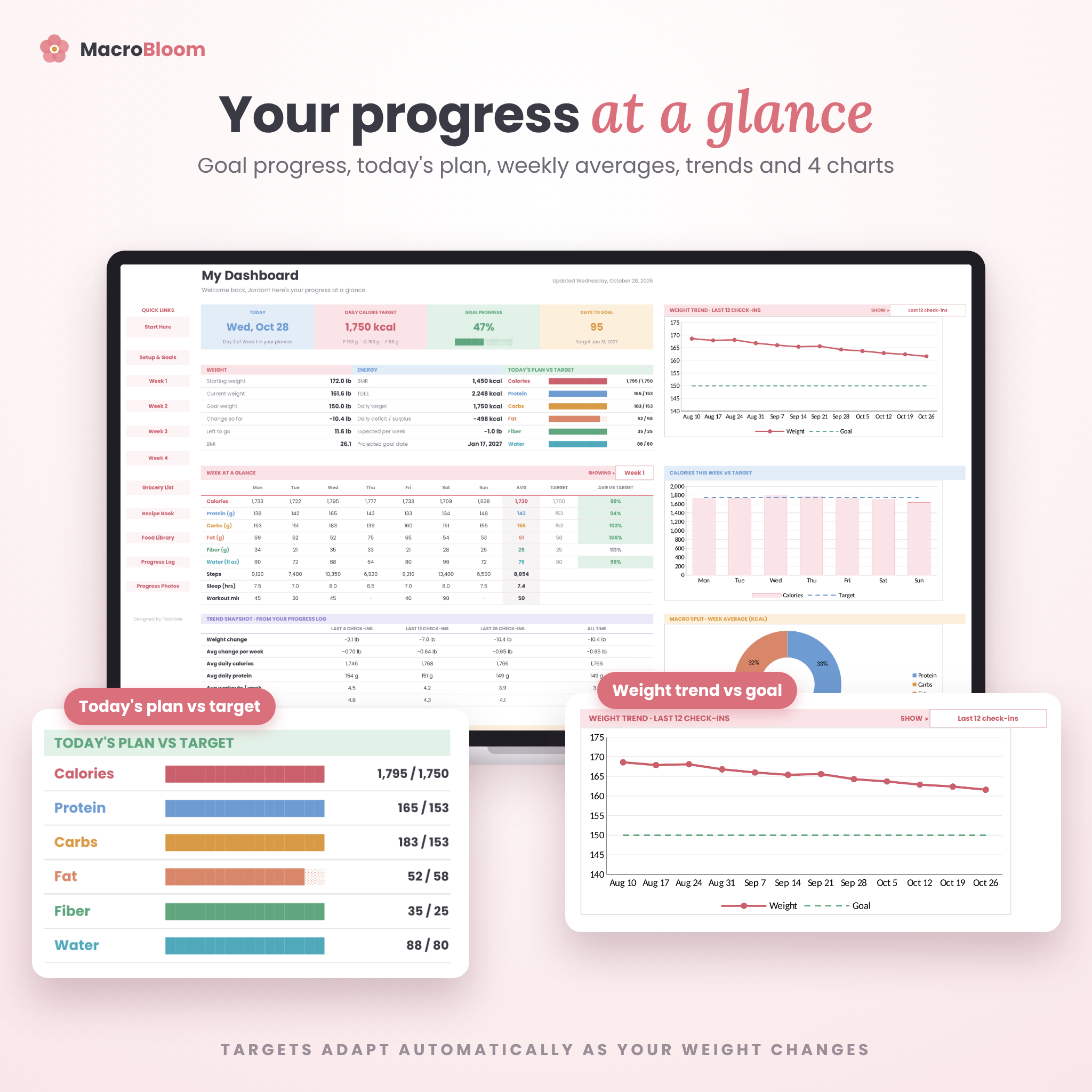
MacroBloom calculates your BMR and TDEE, sets daily targets for calories, protein, carbs, fat, fiber and water, and connects them to a 4-week meal planner, a 40-card recipe book, a 190-food library and a grocery list that builds itself. A dashboard pulls it all together so you can see today’s plan, this week’s averages and your long-term trend at a glance.
Who it is for
- Anyone counting calories or tracking macros for weight loss, maintenance or muscle gain
- Meal preppers who want recipes, a weekly plan and a shopping list that work together
- High-protein, low-carb, keto, low-fat and endurance eaters – or anyone with a custom macro split
- Beginners: you only type in the white cells; everything else calculates automatically
Main benefits
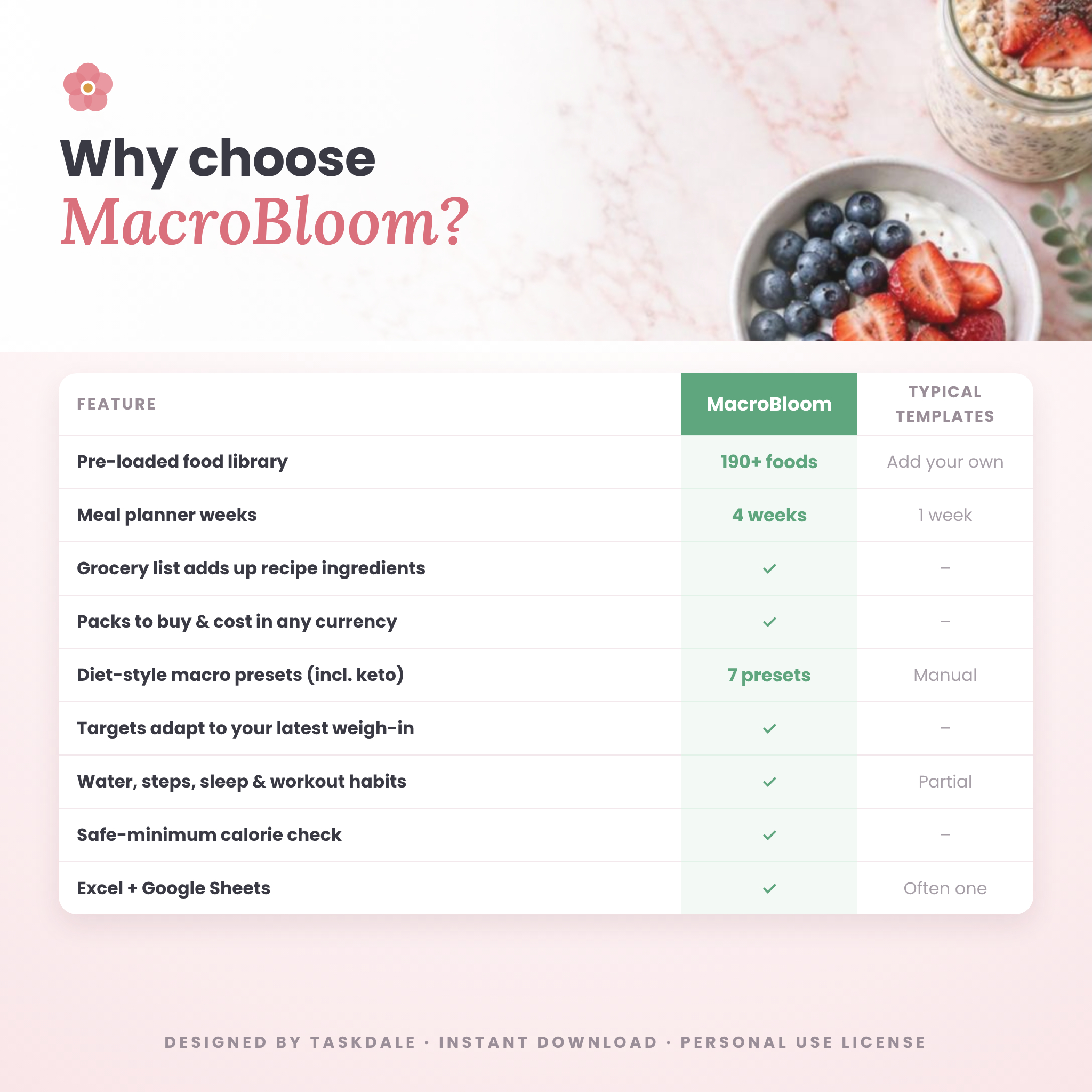
- Start fast: 190 common foods are already loaded with calories, protein, carbs, fat and fiber, so you can plan your first day in minutes.
- Stop doing math: totals, targets, remaining macros and percentages update the moment you choose a food.
- Shop with a plan: the grocery list adds up every planned food and recipe ingredient, sorts it by aisle and estimates the cost.
- Stay motivated: charts, a goal progress bar and a projected goal date show how far you have come.
Features of this calorie and macro tracker
Setup & macro calculator
- BMR (Mifflin-St Jeor) and TDEE calculator with 5 activity levels
- Lose, maintain or gain – with Gentle, Steady or Faster pace
- 7 diet styles: Balanced, High Protein, Low Carb, Keto, Low Fat, Endurance or Custom
- Fiber and water goals, optional overrides, safe-minimum calorie check and helpful alerts
- Imperial or metric units, and one currency setting used on every price
- Targets adapt automatically each time you log a new weight
4-week meal planner
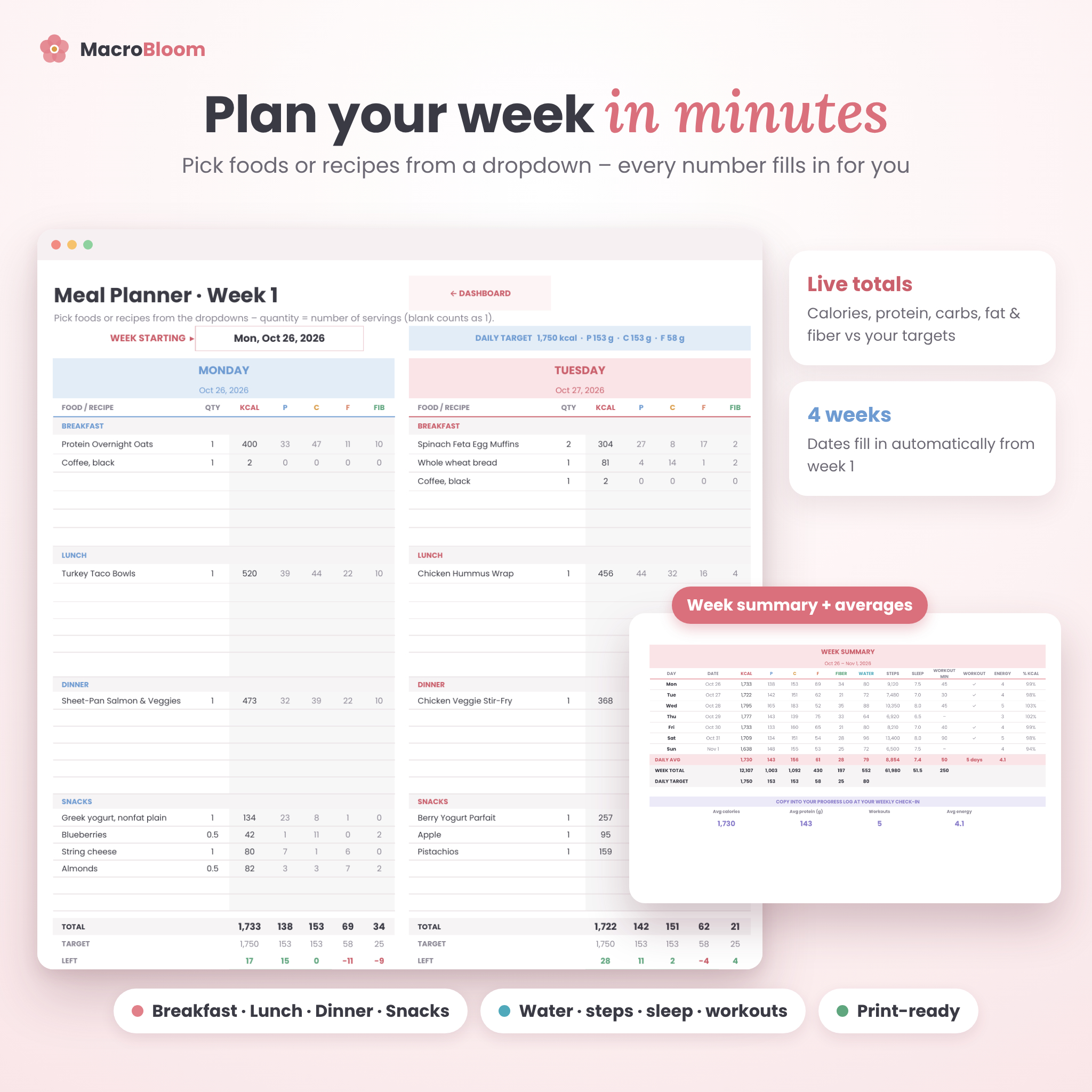
- 7 days × 4 meals (breakfast, lunch, dinner, snacks) with 6 rows per meal
- Food and recipe dropdowns with servings (decimals welcome)
- Live totals, targets, remaining and % of target for calories, protein, carbs, fat and fiber
- Daily habit tracker: water, steps, sleep, workout, minutes, supplements, energy and notes
- Week summary with daily averages, ready to copy into your weekly check-in
Recipe book
- 40 recipe cards with up to 12 ingredients each
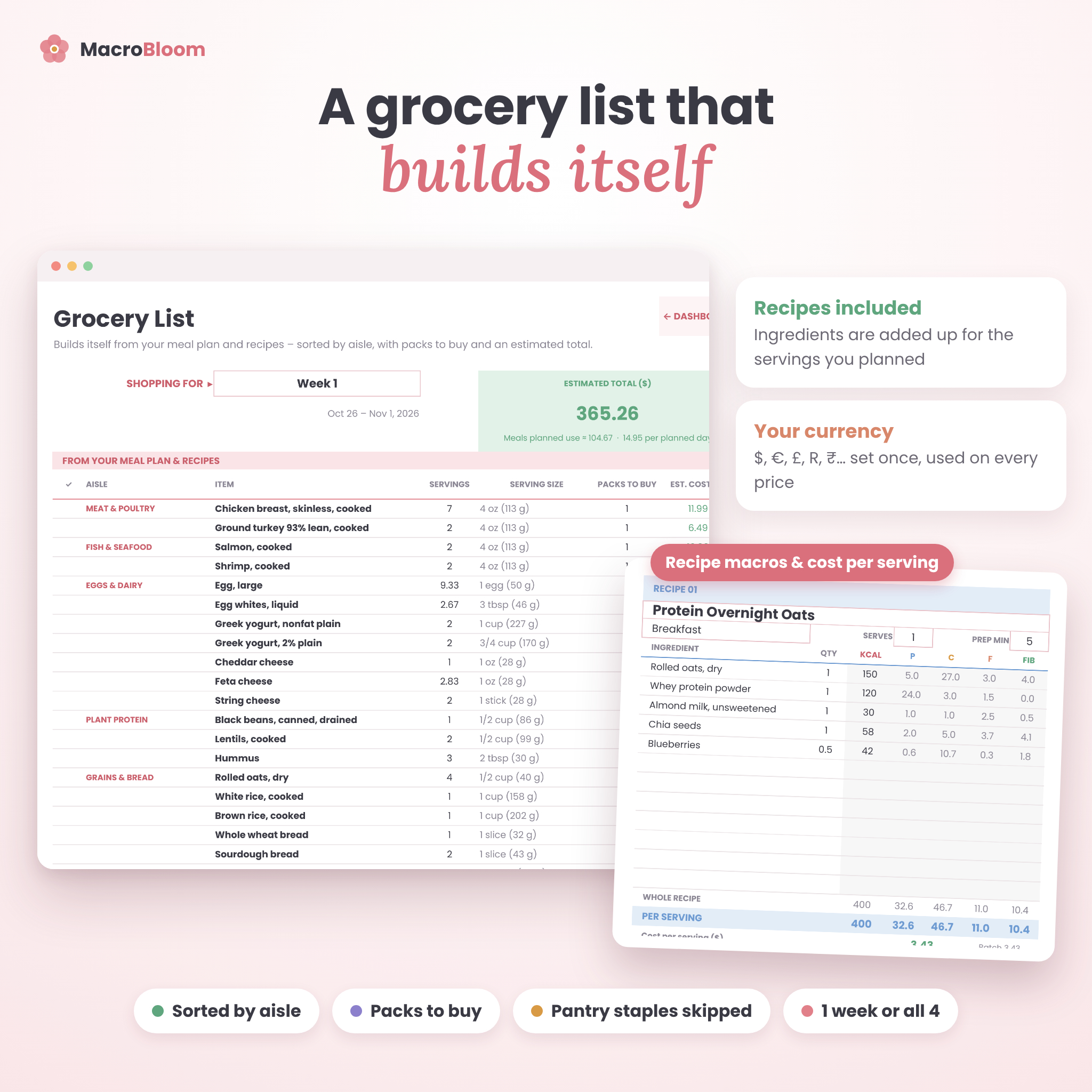
- Per-serving calories, macros and fiber, plus cost per serving and per batch
- Meal type, servings, prep time and method notes; recipes appear in every planner dropdown
Smart grocery list
- Builds itself from one planner week or all four
- Includes recipe ingredients scaled to the servings you planned
- Sorted by aisle, with servings needed, packs to buy and estimated cost
- Pantry staples stay listed but are left out of the cost; check items off as you shop
- Extras & Household list for non-food items
Food library
- 190 pre-loaded foods in 14 aisles, with room for 1,000 items
- Optional pack prices for cost tracking, plus duplicate-name warnings
Progress tracking & dashboard
- 104 weekly check-ins: weight, change, BMI, body fat and 5 body measurements, plus habits and notes
- Progress photo log: front, side and back photos for 36 months
- Dashboard with goal progress, today’s plan vs target, week at a glance, a trend snapshot (last 4, 12, 26 check-ins and all time) and 4 charts
What is included
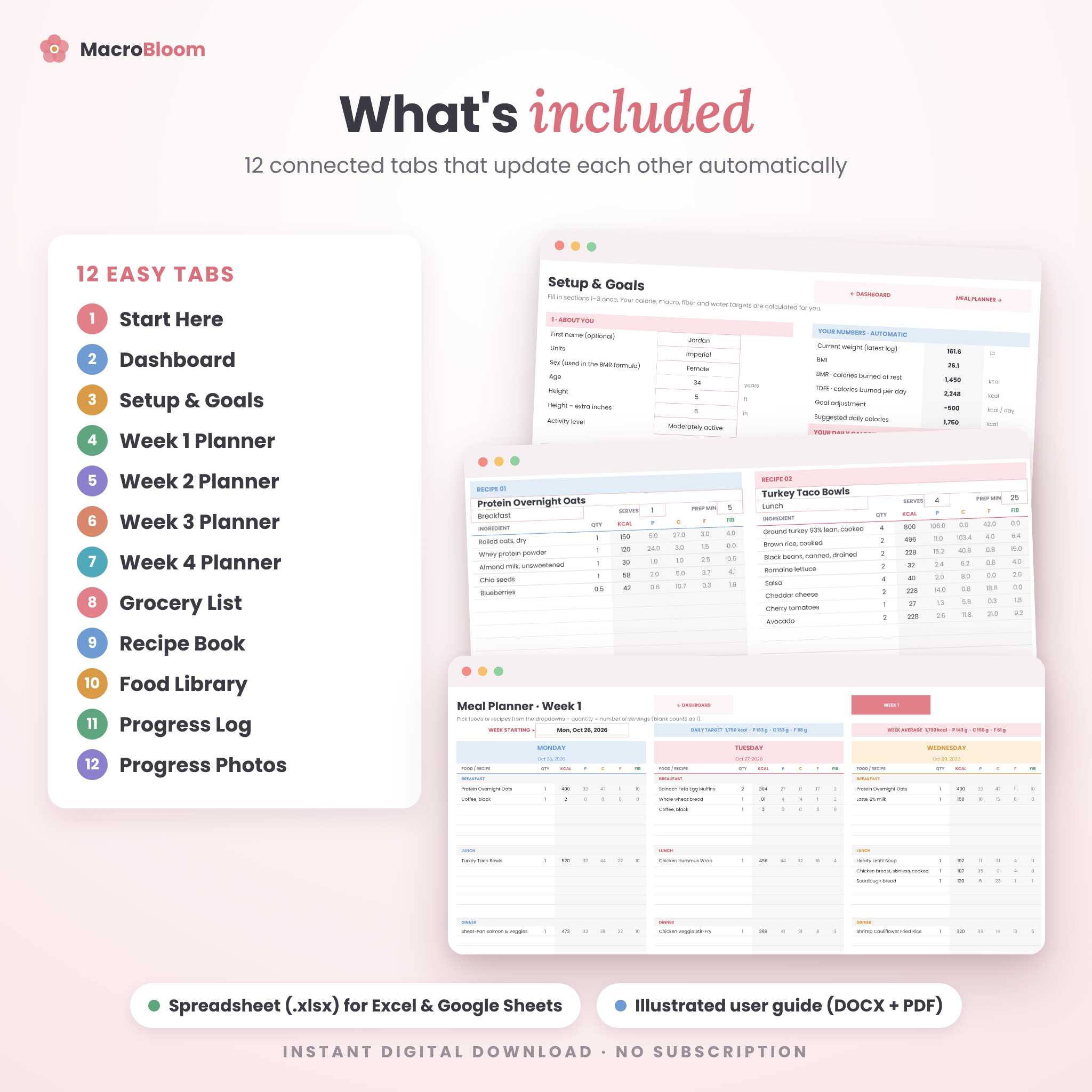
- MacroBloom spreadsheet (.xlsx) with 12 tabs: Start Here, Dashboard, Setup, Week 1–4, Grocery List, Recipes, Food Library, Progress Log and Progress Photos
- Illustrated user guide in Word (.docx) and PDF
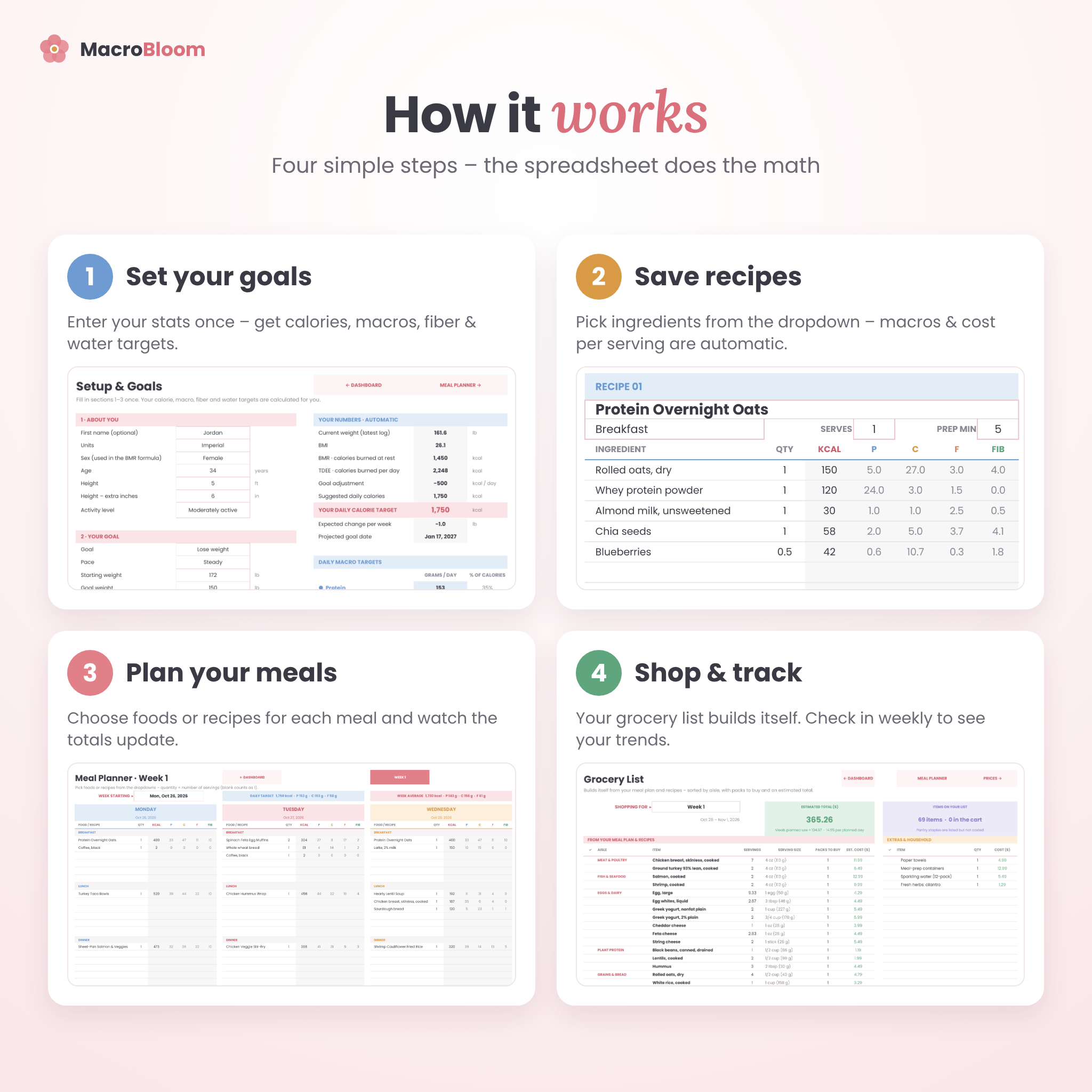
How it works
- Set your goals on the Setup tab – your targets appear instantly.
- Save a few recipes by picking ingredients from the dropdown.
- Plan your week by choosing foods or recipes for each meal.
- Shop from the grocery list, then check in weekly to watch your trends.
File formats & software requirements
- One .xlsx file that works in Google Sheets (free Google account) and Microsoft Excel 2016 or newer, Excel for Microsoft 365 and Excel on the web
- Use it on desktop, laptop, tablet or phone with the Google Sheets or Excel app
- User guide in .docx and .pdf
Customization
Change units, currency, diet style and targets in one place. Edit any pre-loaded food or add your own, write your own recipes, and print any planner, recipe or grocery tab – print settings are ready. Formula cells are locked without a password to prevent accidents, so you can unlock them if you want to restyle colors.
Digital download
This is an instant digital download – nothing will be shipped. After purchase you can download the spreadsheet and guide right away. Colors may look slightly different on different screens.
Real-life ways to use it
- Sunday meal prep: plan the week, then shop from one list sorted by aisle
- A high-protein cut: set a custom split and watch protein every day
- Keto or low carb: choose the preset and keep an eye on carbs every day
- Family budgeting: compare the cost per serving of your favorite recipes
- Working with a coach: share weekly averages and measurements in seconds
Frequently asked questions
Does this macro tracker work in Google Sheets?
Yes. Upload the file to Google Drive and choose File ▸ Save as Google Sheets. It also works in Excel 2016 or newer.
Can I use metric units?
Yes – switch to Metric on the Setup tab and every label updates.
Does it calculate my macros for me?
Yes. It calculates BMR, TDEE and your daily calorie, protein, carb, fat, fiber and water targets from your stats and goal.
Can I use it for keto or high protein?
Yes. Pick a preset diet style or enter your own protein, carb and fat percentages.
Can I add my own foods and recipes?
Yes – up to 1,000 foods and 40 recipes with 12 ingredients each.
Does the grocery list include recipe ingredients?
Yes. Ingredients are scaled to the number of servings you planned and combined with everything else on your list.
Can I change the currency?
Yes. Set your currency symbol once on Setup and every price heading follows it.
Is this medical advice?
No. MacroBloom is a planning tool for general wellness. Please talk to a health professional before making big changes to your diet.
License: for personal use only. Reselling, sharing or redistributing this file is not permitted. © 2026 Taskdale.
Reviews
There are no reviews yet.