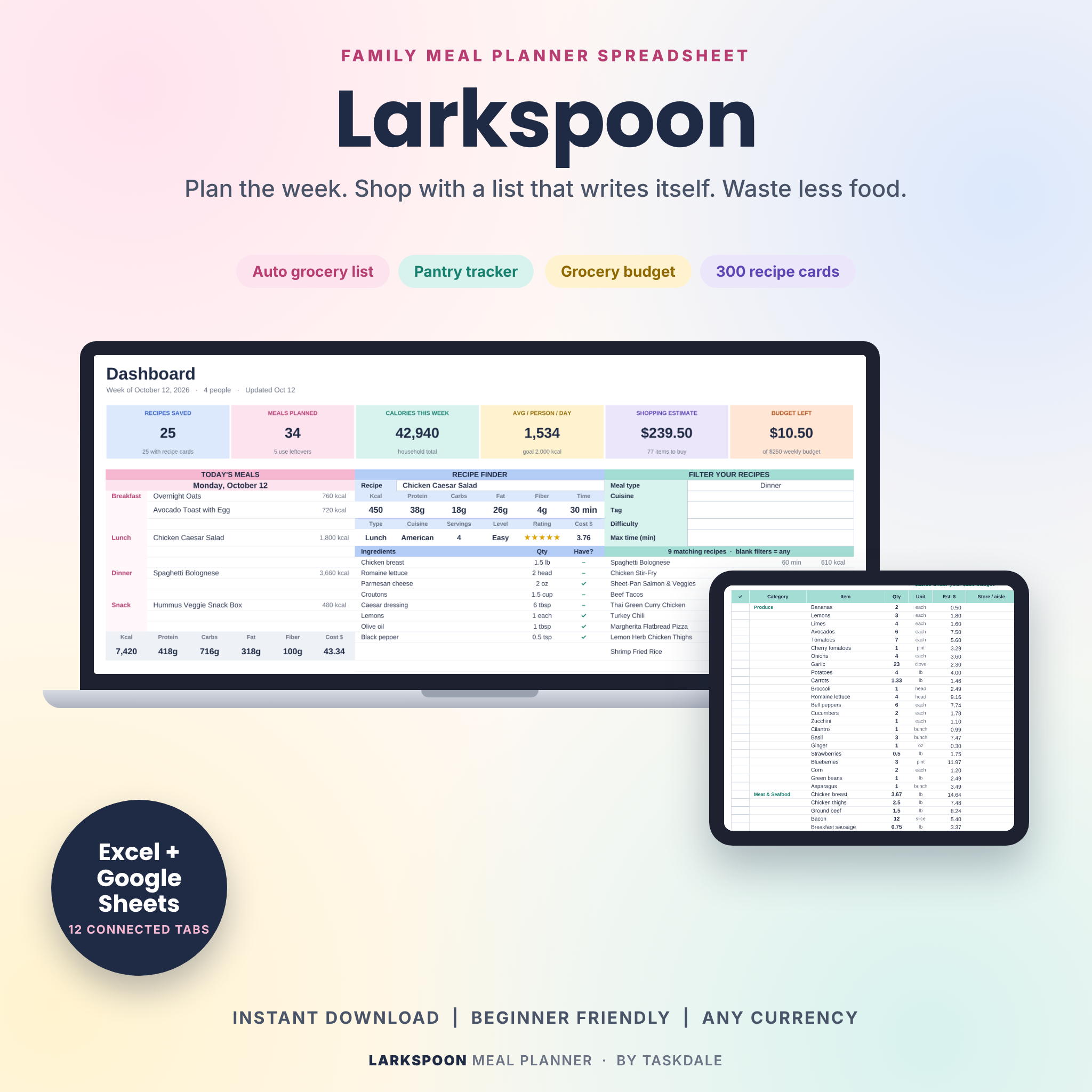
The Larkspoon weekly meal planner spreadsheet takes care of the dull part of feeding a family. You pick the meals. It adds up the calories, prices each dish, checks what is already in your fridge and writes a grocery list sorted by aisle. Then it prints a tidy menu for the fridge door.
It runs in Microsoft Excel and Google Sheets. One file, twelve connected tabs, no subscription.
What this meal planner spreadsheet does
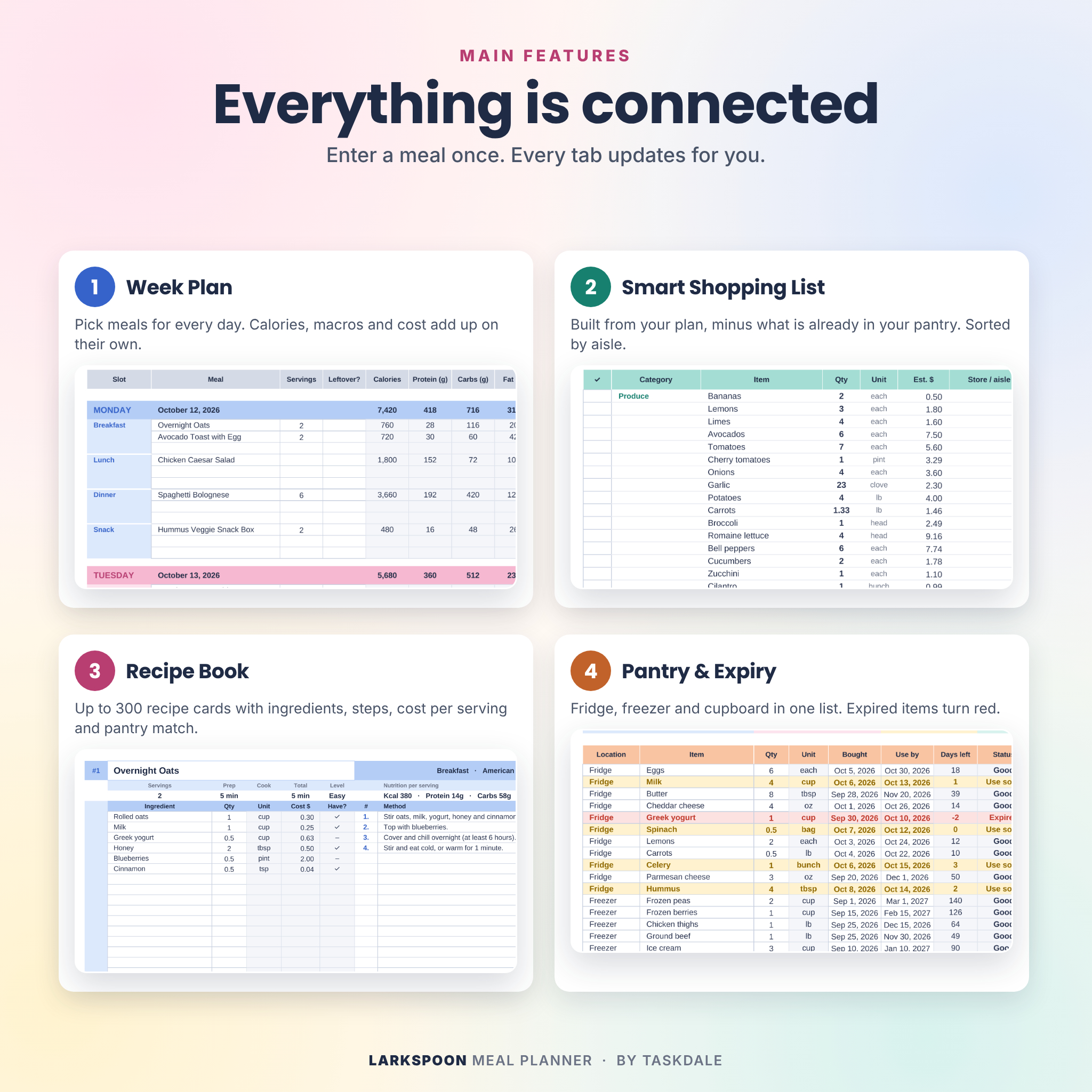
Most meal planners hand you a pretty grid and stop there. This one connects your meals, recipes, pantry and budget, so a change in one place shows up everywhere else.
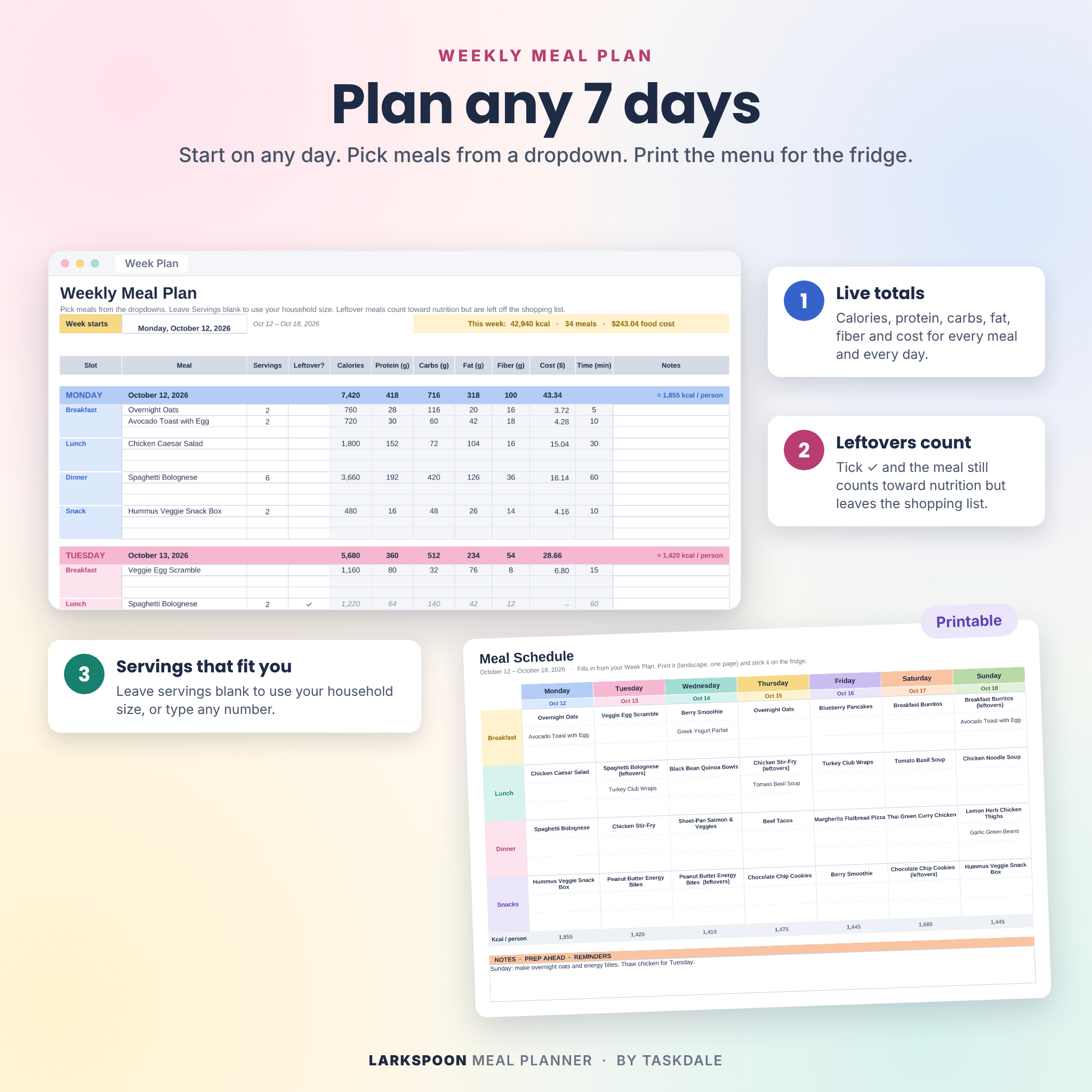
- Plan any 7 days. Breakfast, lunch, dinner and snacks, three slots each. Start the week on any day.
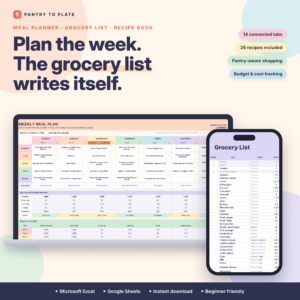
- Get a grocery list that writes itself. Quantities scale to the servings you plan. Whatever is already in your pantry gets subtracted first.
- See the cost before you shop. Cost per serving, cost per day and a weekly total, checked against your budget.
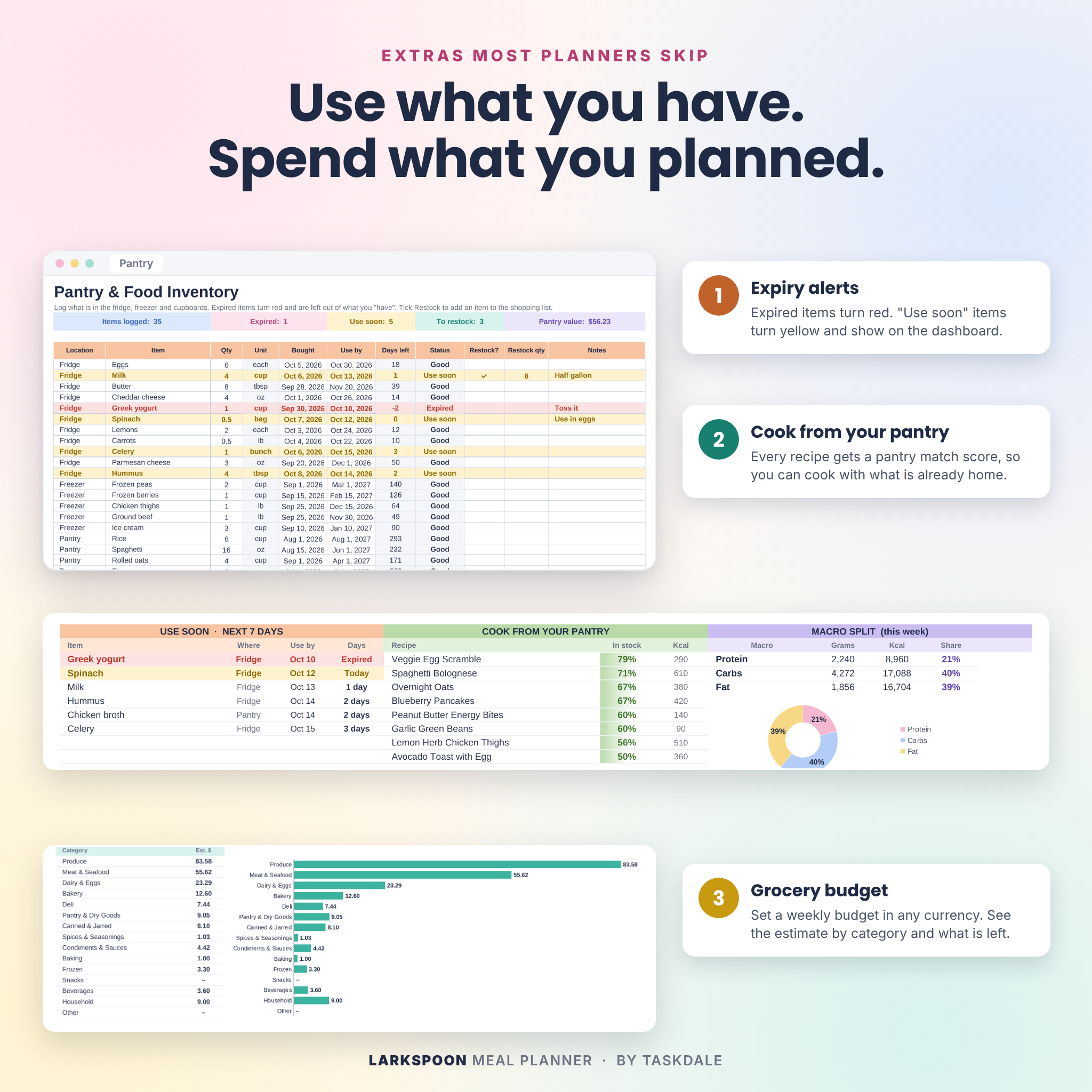
- Waste less food. Expired items turn red, “use soon” items turn yellow, and the dashboard ranks recipes by how much you already have.
- Track nutrition if you want to. Calories, protein, carbs, fat and fiber per meal, per day and per person. Skip it if you don’t.
Who it is for
Busy parents who are tired of the 5 pm “what’s for dinner” scramble. Couples on a tight grocery budget. Meal preppers who cook once and eat twice. Anyone counting macros who wants the math done for them. If you have ever bought a third jar of cumin because you forgot the other two, it is for you too.
Features
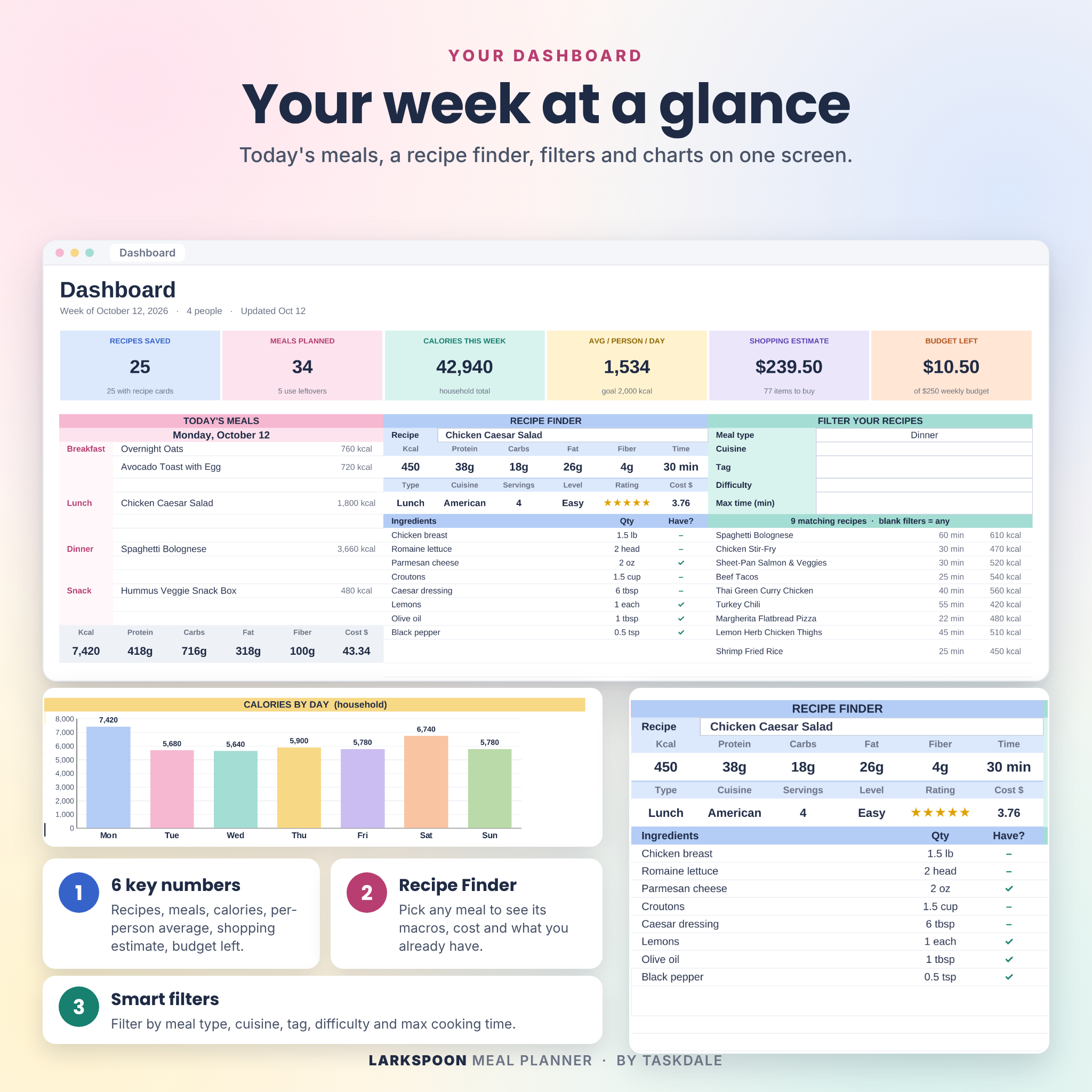
Dashboard
Six numbers at the top: recipes saved, meals planned, calories this week, average per person per day, shopping estimate and budget left. Below that you get today’s meals, a recipe finder, recipe filters (meal type, cuisine, tag, difficulty, max time), a calories-by-day chart, a macro split, a use-soon list and grocery spend by category.
Week Plan and printable Meal Schedule
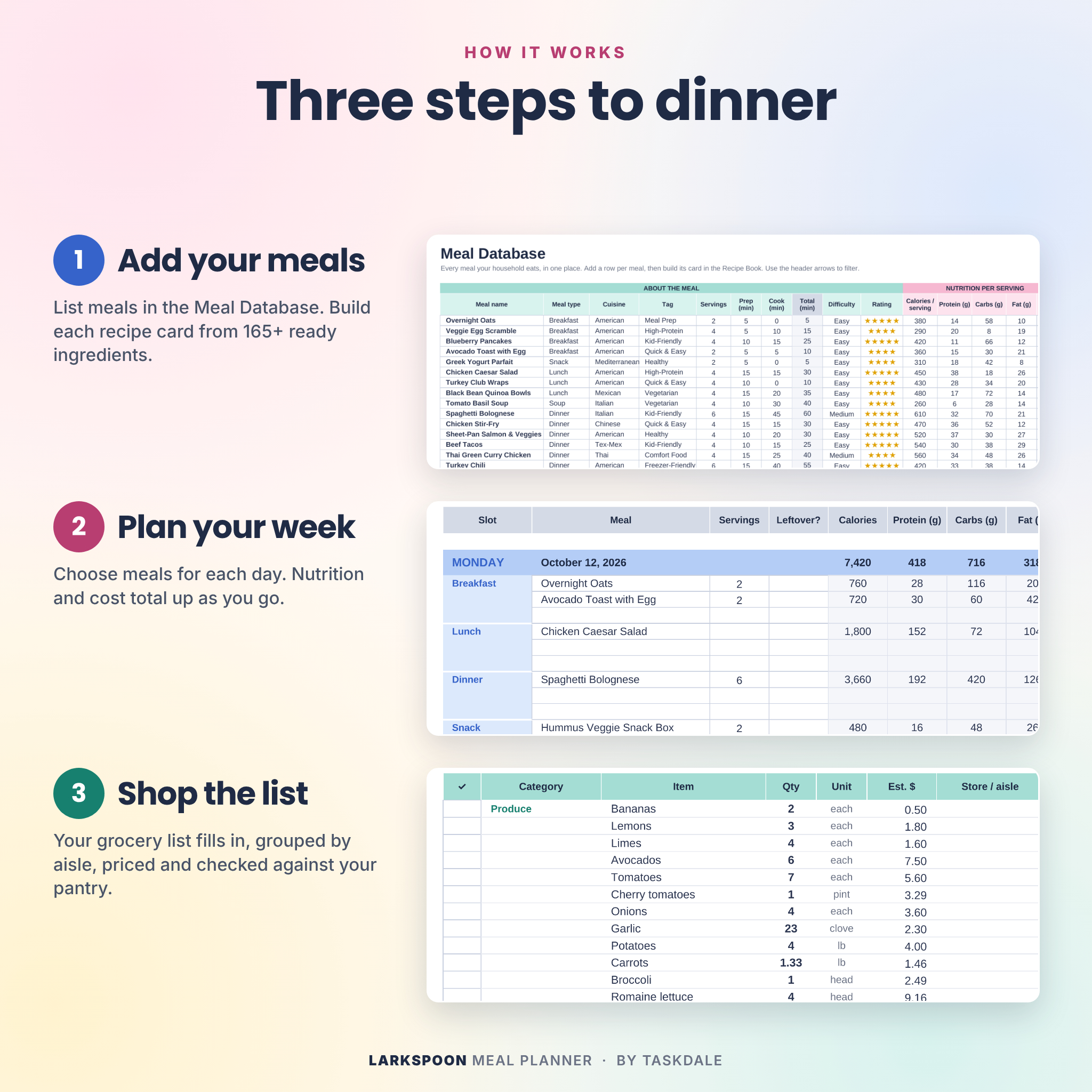
Pick meals from a dropdown. Leave servings blank and it uses your household size. Tick “Leftover” for meals you cooked earlier, and they count toward nutrition but stay off the shopping list. The Meal Schedule tab turns the week into a one-page landscape printout.
Recipe Book with 300 cards
Each card pulls its details from your Meal Database. Add ingredients from a dropdown, type the quantity and write the method step by step. Every card shows recipe cost, cost per serving and a pantry match score.
Smart Shopping List
Grouped by grocery category with quantities, units, prices and a store or aisle note. Count items like cans and bunches round up to whole numbers. There is an extras list for things that are not in a recipe, plus a budget check that tells you how far over or under you are.
Pantry and Food Inventory
Log items by location (fridge, freezer, pantry, spice rack) with use-by dates. Status updates daily. Tick Restock and the item lands on your shopping list.
Ingredient Library
165+ common ingredients come loaded with categories and units, which saves an evening of setup. Add your own and type the prices you usually pay. One unit per ingredient keeps every total honest.
Bonus trackers
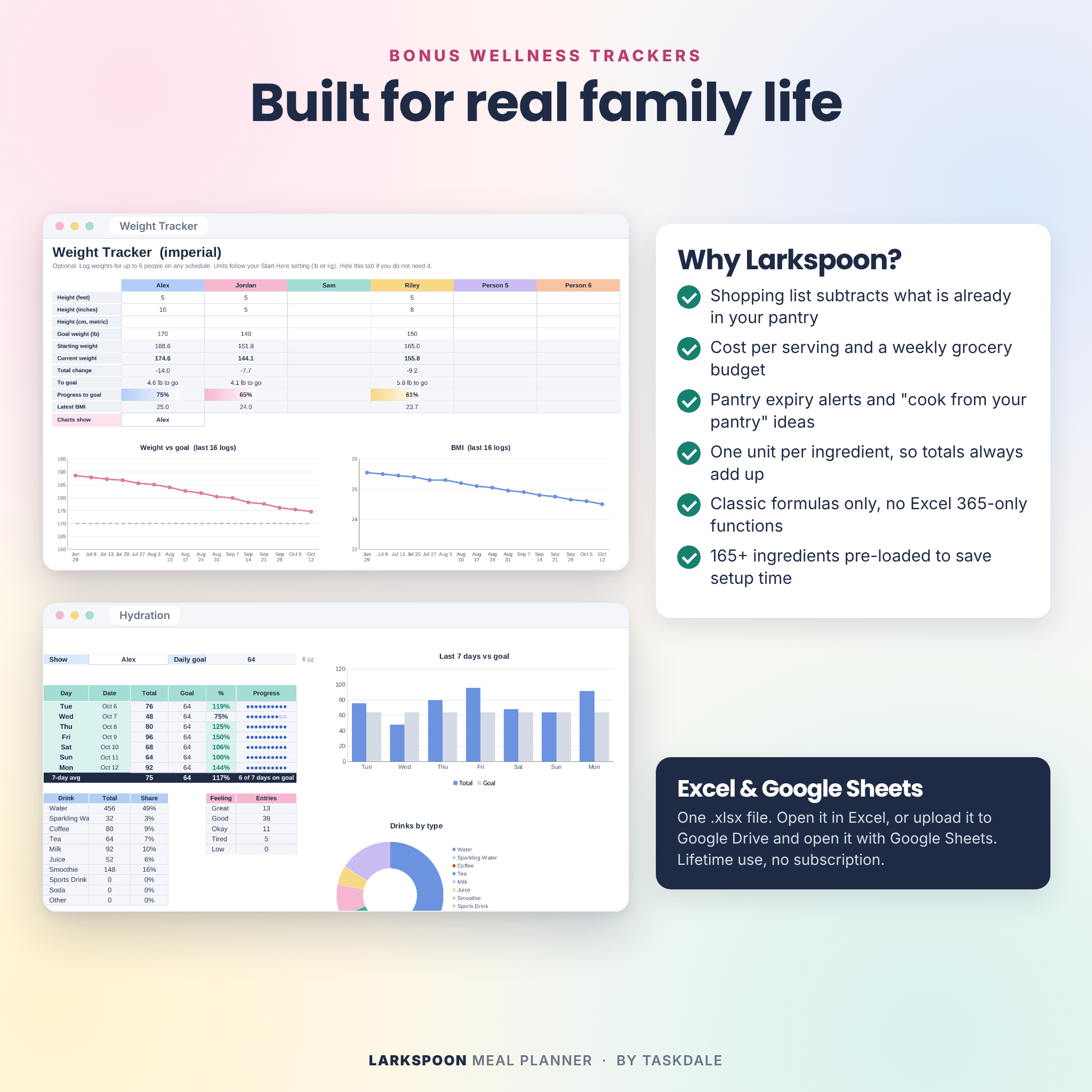
A weight tracker for up to 6 people with BMI, goals and trend charts in pounds or kilograms, and a hydration tracker with a 7-day goal chart. Both are optional. Hide them if you don’t need them.
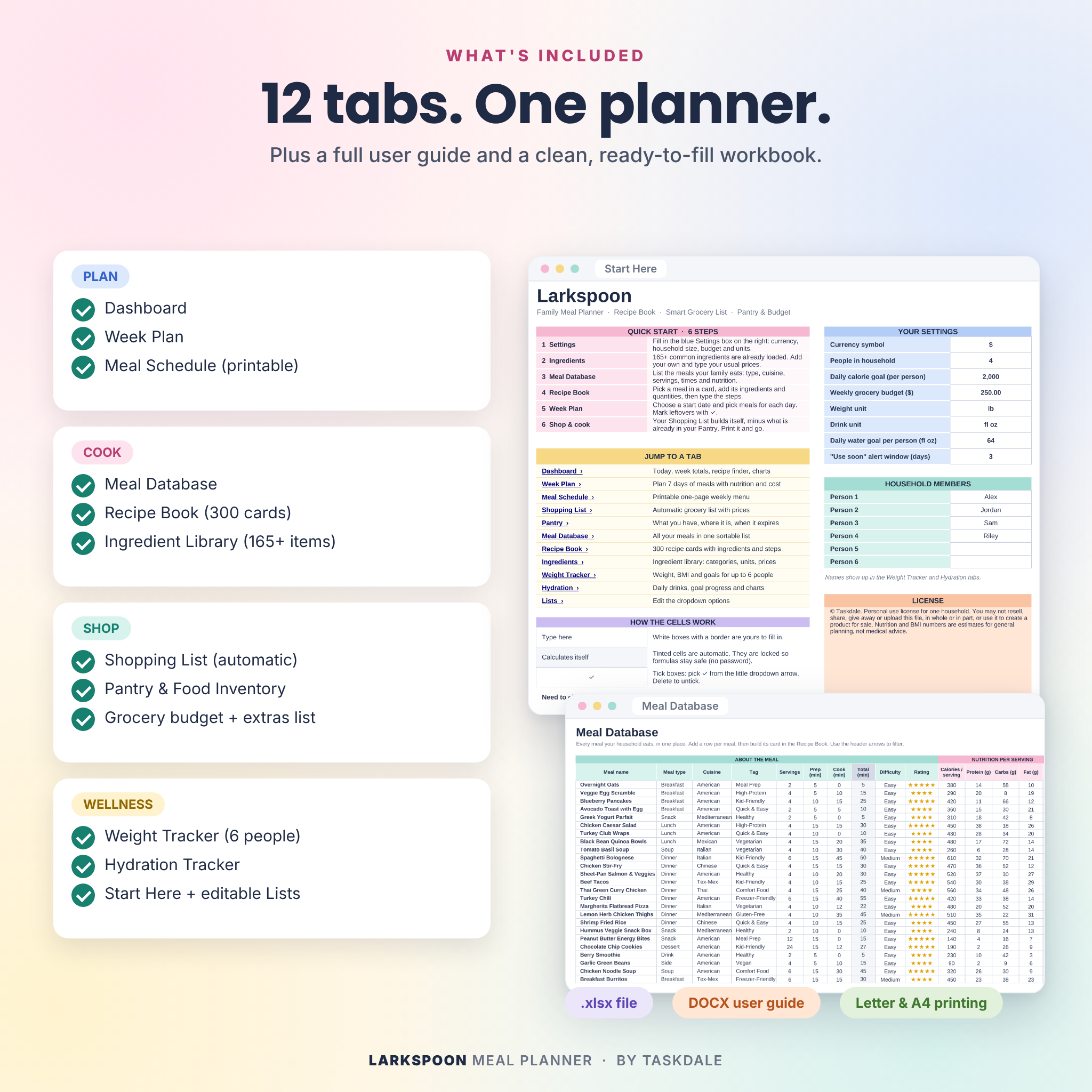
What is included
- Larkspoon Meal Planner workbook (.xlsx) with 12 tabs: Start Here, Dashboard, Week Plan, Meal Schedule, Shopping List, Pantry, Meal Database, Recipe Book, Ingredients, Weight Tracker, Hydration and Lists
- User guide (.docx, 18 pages) with setup steps, screenshots, tips, troubleshooting and FAQ
The workbook arrives clean and ready for your own meals. Only the ingredient library is pre-filled.
How it works
- Open Start Here and set your currency, household size, budget and units.
- Add your usual meals to the Meal Database and build their recipe cards.
- Pick meals for the week in the Week Plan.
- Open the Shopping List, print it, and go.
File format and software requirements
- File type: Microsoft Excel workbook (.xlsx)
- Works with Microsoft Excel and Google Sheets (free Google account). Uses classic formulas only, with no Excel 365-only functions.
- Prints on US Letter or A4.
- A computer is best for setup. You can view and edit on phones and tablets with the Excel or Google Sheets app.
Customization
Choose any currency symbol and every money value follows it. Switch between imperial and metric. Rename meal types, cuisines, tags and grocery categories on the Lists tab. Formula cells are locked to keep them safe, with no password, so you can unprotect any tab if you want to tinker.
Digital download
This is a digital product. Nothing ships. You can download the files right after checkout from your order confirmation and your account page.
Real-life ways to use it
- Sunday planning: map out the week in 15 minutes and shop once.
- Batch cooking: plan a big pot of chili on Monday and mark Tuesday’s lunch as leftovers.
- Budget weeks: set a lower budget and swap meals until the total fits.
- Fridge clean-out: open “Cook from your pantry” and pick what uses the most of what you have.
- Macro goals: check daily protein and calories per person before the week starts.
FAQ
Does this meal planner come with recipes?
No. It is a recipe organizer for your own family recipes. It does include 165+ ingredients already set up with categories and units.
Does it work in Google Sheets?
Yes. Upload the file to Google Drive, open it, then choose File › Save as Google Sheets.
Do I need the newest version of Excel?
No Excel 365-only functions are used. A recent desktop version of Excel is recommended.
Can I use my own currency?
Yes. Set the symbol once on Start Here. Dollars are the default.
Do I have to count calories?
No. Leave nutrition blank and the planner still builds your grocery list and costs.
Can I plan for a big family?
Yes. Set your household size and every meal scales. The weight and hydration trackers hold up to 6 people.
Can I print the shopping list?
Yes. The Shopping List and Meal Schedule tabs are set up to print on Letter or A4.
License
Personal use for one household. Please don’t resell, share or upload the files. Nutrition, BMI and cost figures are planning estimates, not medical or financial advice.
Reviews
There are no reviews yet.