Weekly Meal Planner Spreadsheet with an Automatic Grocery List
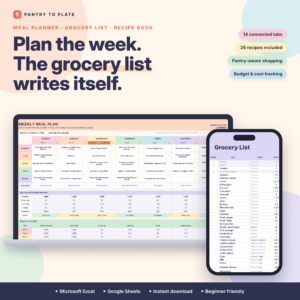
Spoonwise is a weekly meal planner spreadsheet for Microsoft Excel and Google Sheets that does the boring part for you. Choose recipes for the week and Spoonwise writes your grocery list automatically: it adds up every ingredient, merges duplicates, subtracts what’s already in your pantry, sorts everything by store aisle and estimates the cost against your budget. It’s a recipe book, pantry inventory, grocery budget tracker and meal prep planner in one color-coded file.
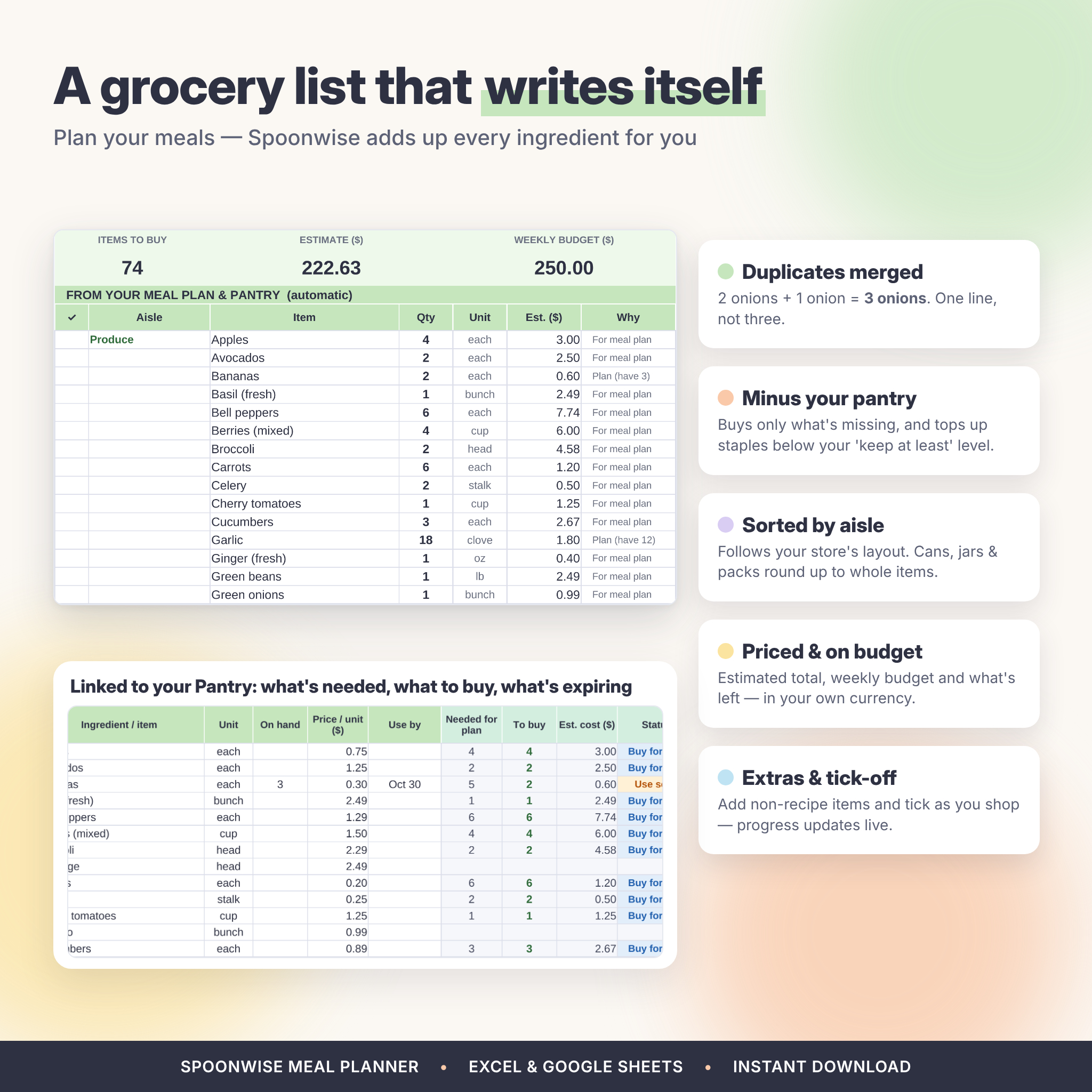
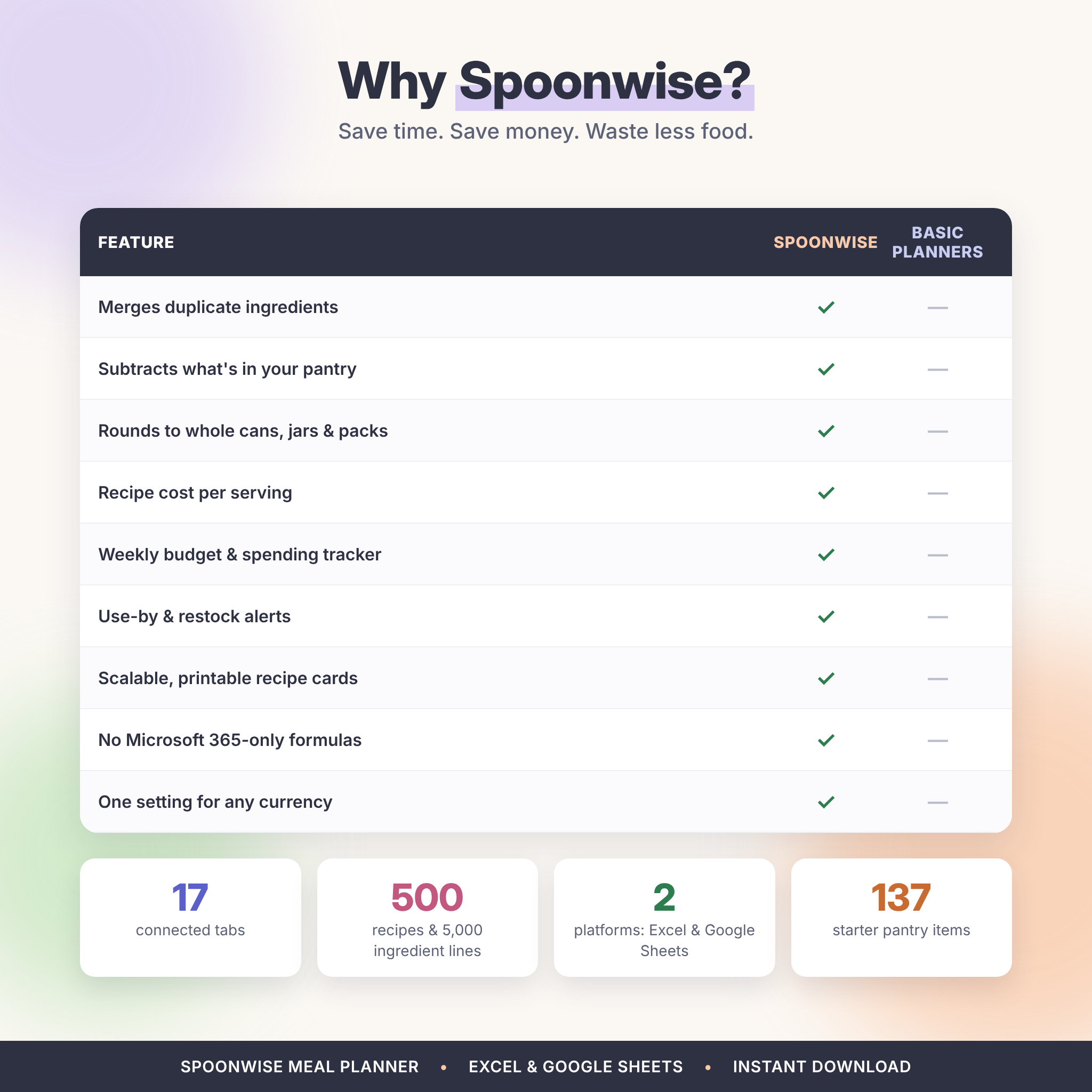
Most meal planner templates list ingredients line by line, so “2 onions” and “1 onion” end up as two separate entries, and you still have to check the fridge. Spoonwise links every recipe to one shared pantry list, so your shopping list adds up correctly and only shows what you actually need to buy.
Who This Meal Planner Is For
- Busy families who want one simple weekly routine for meals, shopping and leftovers
- Budget-conscious shoppers who want to know what each recipe costs per serving
- Meal preppers and batch cooks who need a cook list with total servings and time
- Households trying to waste less food and stop buying things they already have
Main Benefits
- Save time: your grocery list, printable menu and prep list build themselves from the meal plan.
- Save money: see a weekly grocery estimate, what’s left in your budget and monthly food spending.
- Waste less: use-by alerts, restock levels and a “cook with what you have” recipe finder.
Meal Planner Features
Plan your week
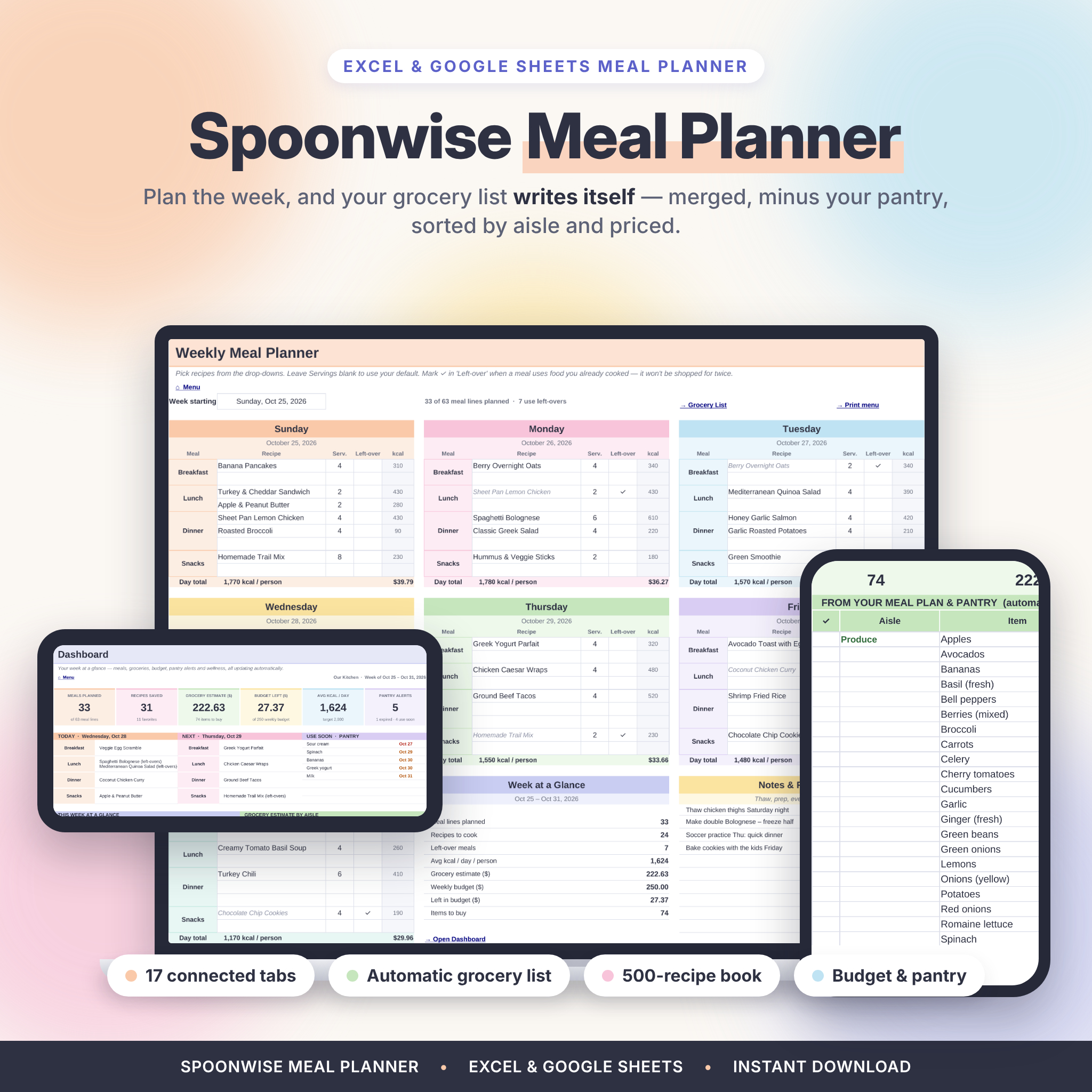
- Seven color-coded days with 2 breakfast, 2 lunch, 3 dinner and 2 snack lines per day (63 meal lines a week)
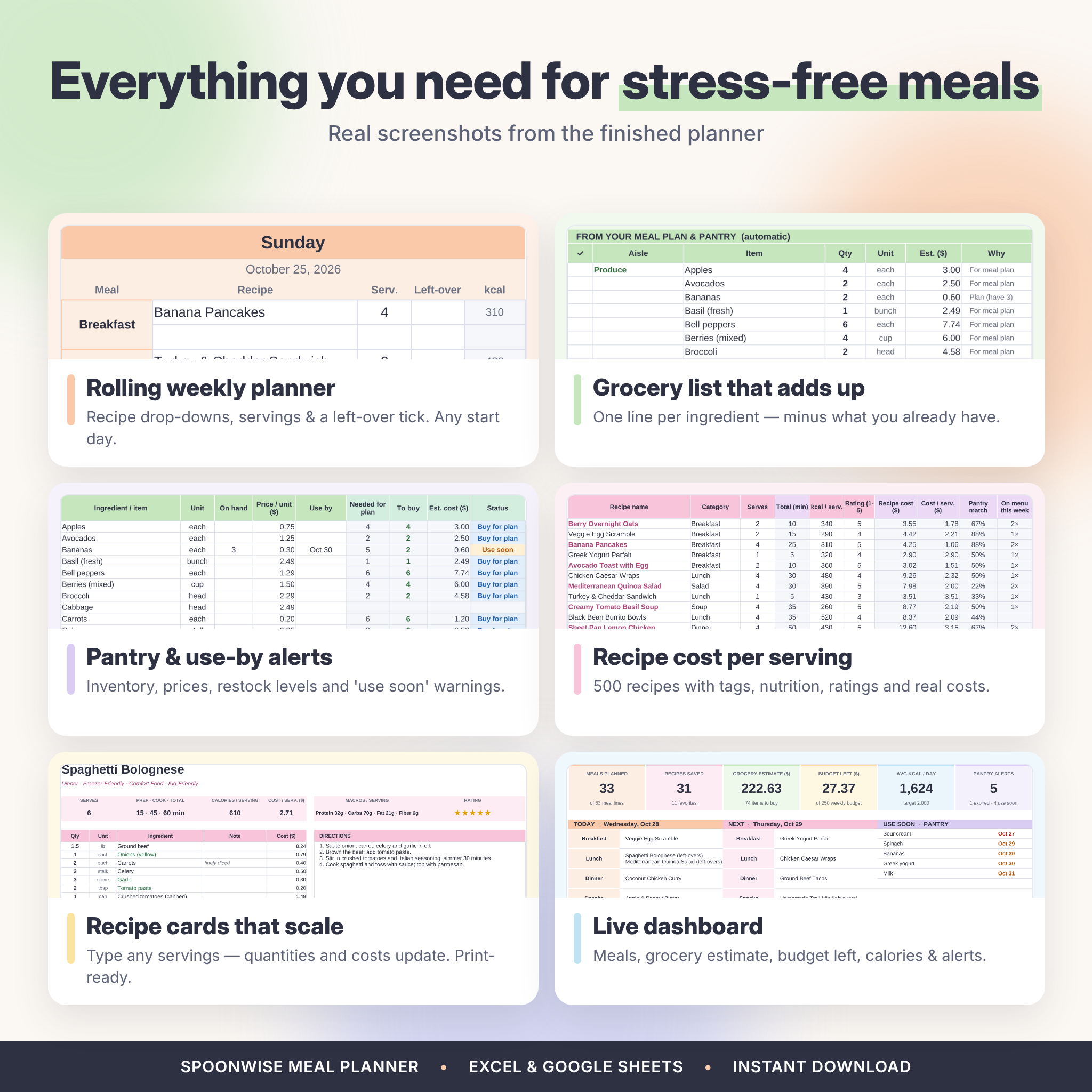
- Recipe drop-downs, servings per meal (or your household default) and a left-over tick so cooked food isn’t bought twice
- Rolling week: leave the start date blank and the planner always shows the current week
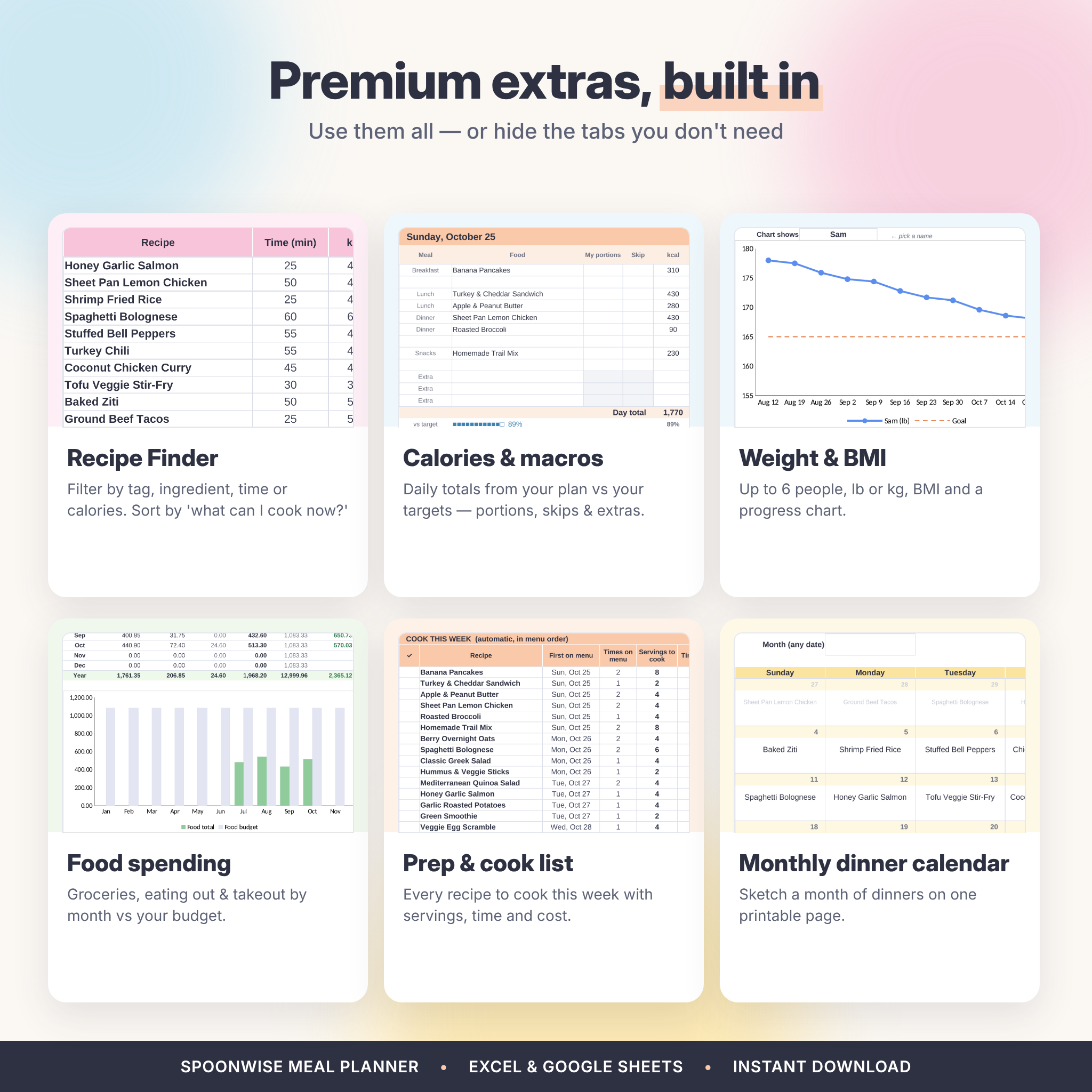
- Printable one-page weekly menu for the fridge, plus a monthly dinner calendar
- Prep & cook list with total servings, minutes and cost per recipe, plus a batch-prep checklist
Automatic grocery list
- Quantities scaled to the servings you plan, with duplicates merged into one line
- Subtracts what’s on hand and tops up staples below your “keep at least” level
- Rounds cans, jars, packs and other whole items up; sorted in your store’s aisle order
- Estimated cost per item, weekly total, budget left, extras section and tick-as-you-shop progress
Recipe book and recipe cards
- Store up to 500 recipes and 5,000 ingredient lines with categories, three tags, times, calories, macros, rating, favorite, source link, photo link, directions and notes
- Automatic recipe cost, cost per serving and pantry match percentage
- Printable recipe card that scales every quantity and cost to the servings you choose
- Recipe finder: filter by name, category, tag, ingredient, time, calories, favorites or pantry match, then sort by pantry match, rating, quickest, lowest cost or A–Z
Pantry inventory and budget
- Food inventory and price book with 137 common items included (unit, aisle, storage, on hand, price, use-by date)
- Status labels: Expired, Use soon, Buy for plan, Restock and In stock
- Food spending tracker for groceries, eating out and takeout, month by month against your budget, with chart
Optional wellness trackers
- Calories & macros from your plan with portions, skipped meals and extra snacks, compared with daily targets
- Water & mood log with a 14-day chart
- Weight & BMI tracker for up to 6 people in lb or kg with a progress chart
Dashboard
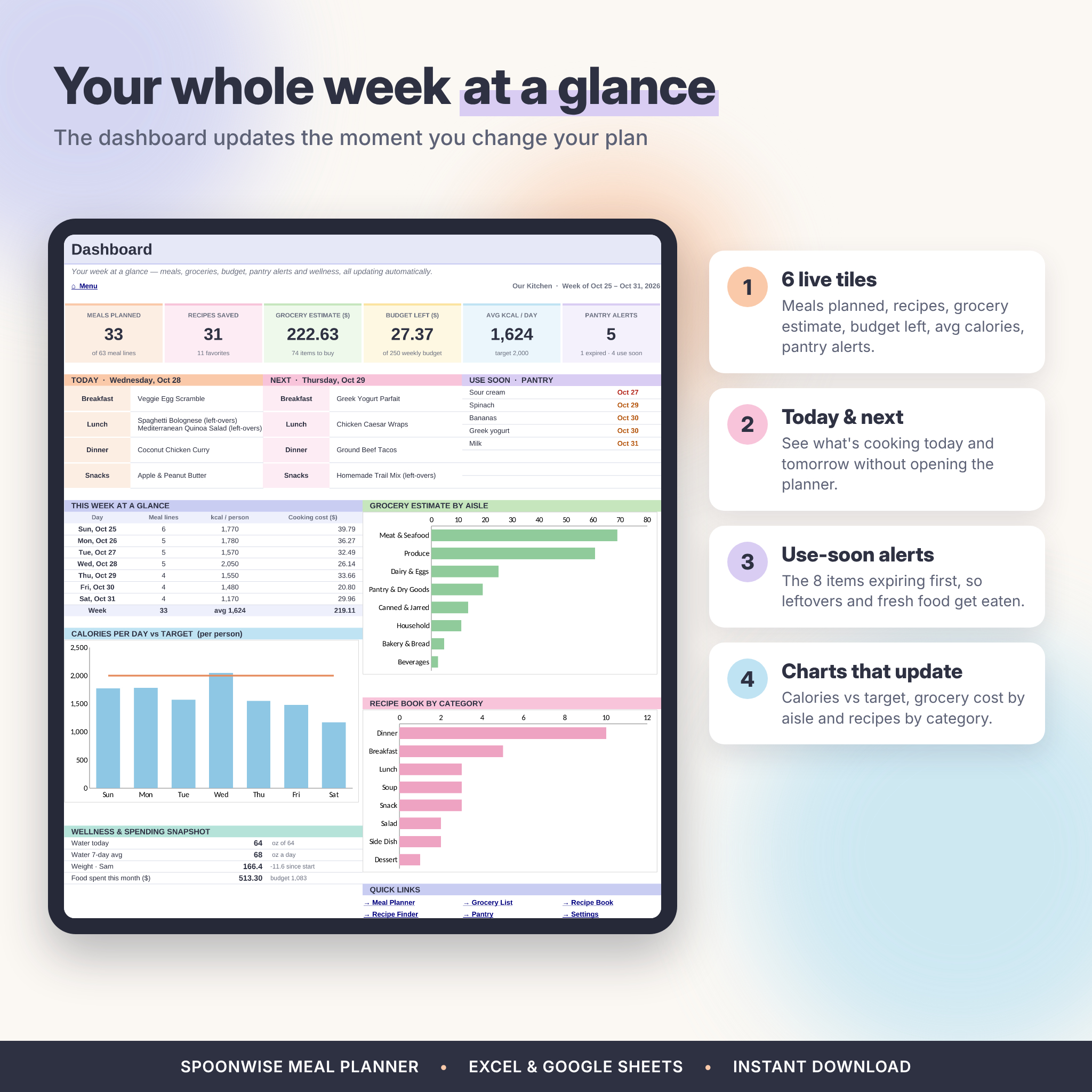
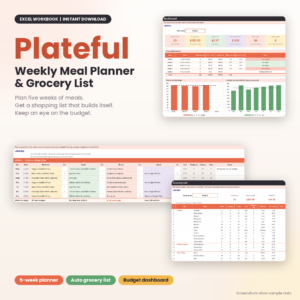
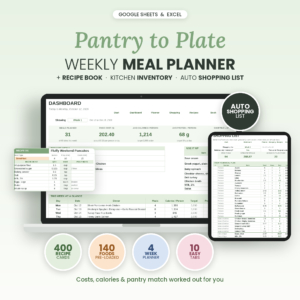
Meals planned, recipes saved, grocery estimate, budget left, average calories and pantry alerts, plus today’s and tomorrow’s menu, a use-soon list and charts for calories, grocery cost by aisle and recipes by category.
What’s Included
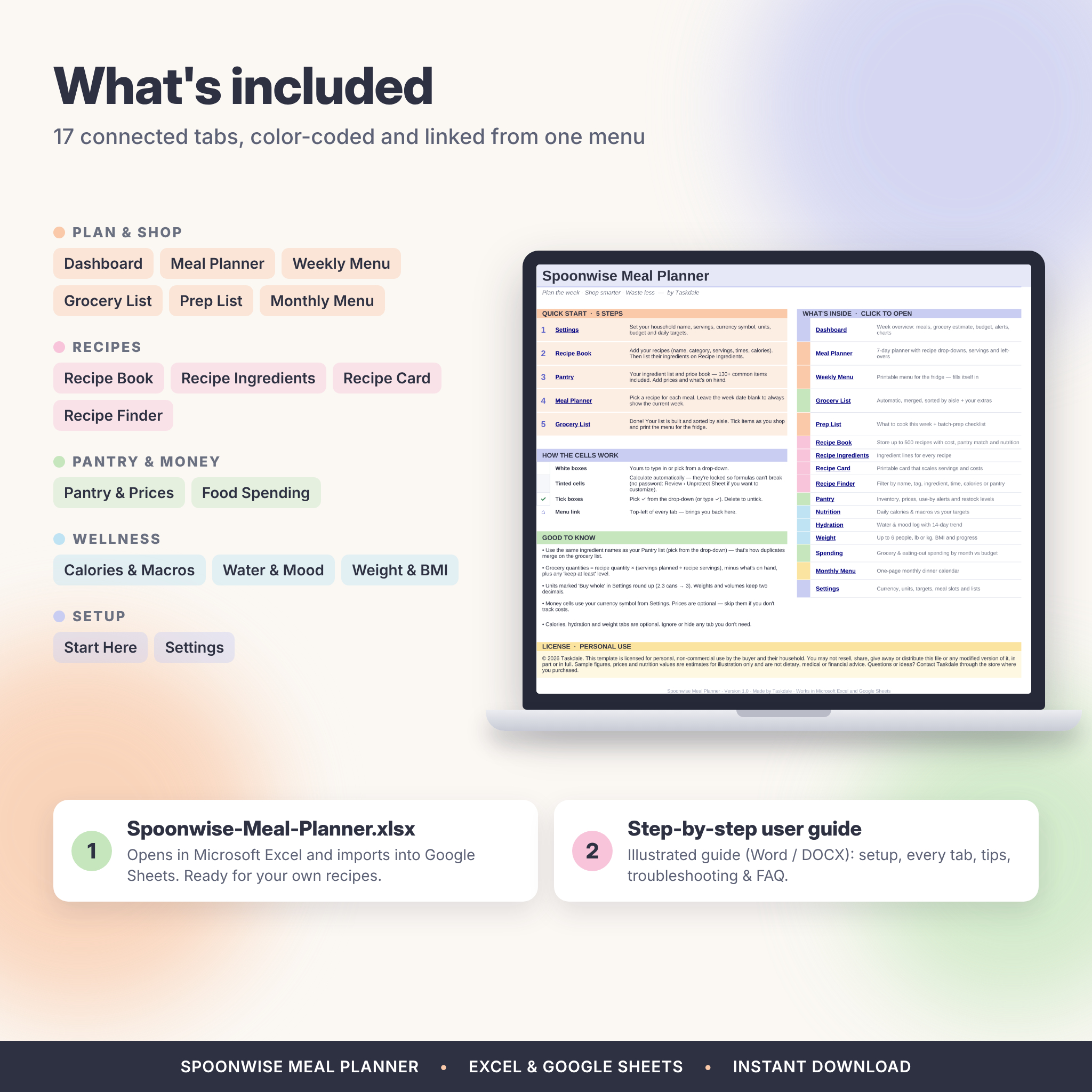
- Spoonwise-Meal-Planner.xlsx: a 17-tab planner, ready for your own recipes
- Spoonwise-Meal-Planner-User-Guide.docx: an illustrated step-by-step guide with setup, every tab, customization, tips, troubleshooting and FAQ
How It Works
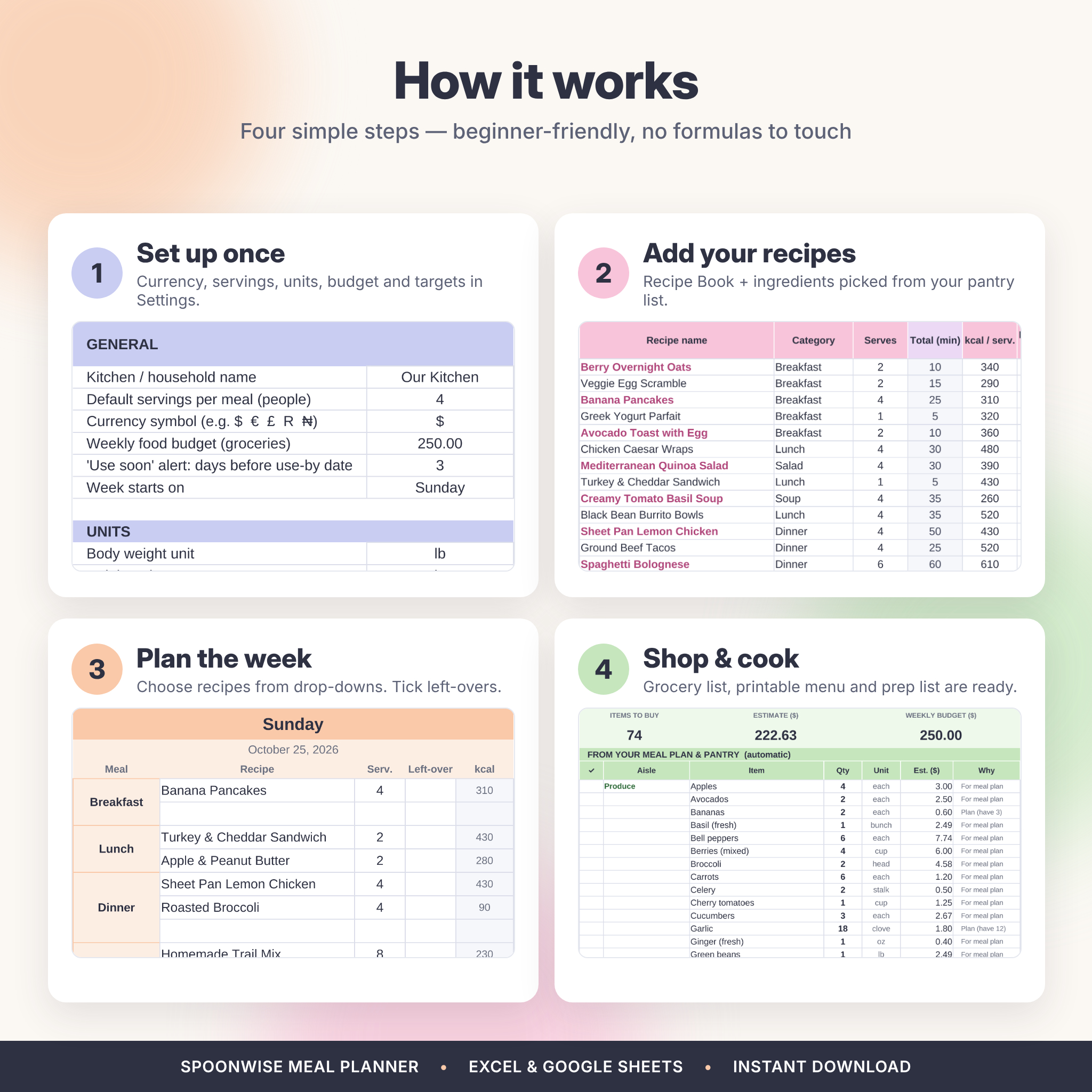
- Set up once: choose your currency symbol, servings, units, budget and daily targets in Settings.
- Add recipes: enter them in the Recipe Book and pick their ingredients from the pantry drop-down.
- Plan the week: pick recipes in the Meal Planner and tick any leftovers.
- Shop and cook: open your finished grocery list, print the menu and follow the prep list.
File Formats and Software Requirements
- One .xlsx spreadsheet that works in Microsoft Excel and Google Sheets (free Google account). Tested in Excel for the web and Google Sheets.
- Uses standard formulas available since Excel 2010, so no Microsoft 365 subscription is needed. Recipe photos on the recipe card display in Google Sheets and Microsoft 365.
- Works on Windows and Mac computers. Phones and tablets work through the Excel or Google Sheets apps; setup is easiest on a computer.
- User guide in .docx format (opens in Word, Google Docs, Pages and LibreOffice).
Customization
Change the currency symbol once and every money heading updates. Switch between lb and kg, inches and cm, and oz, ml or cups. Rename meal slots (for example Snacks to Dessert), edit recipe categories, tags, units, storage areas and grocery aisles, and reorder the aisles to match your store. In Excel, formula cells are locked without a password, so you can’t break anything by accident, and you can unlock any sheet if you want to restyle it. Hide any tab you don’t need.
Digital Download
This is an instant digital download. No physical item will be shipped. After purchase, download the spreadsheet and user guide, then open the .xlsx in Excel or upload it to Google Drive and choose File › Save as Google Sheets.
Real-Life Ways to Use It
- Sunday planning: build the week’s dinners, mark Monday’s lunch as leftovers and print the menu for the fridge
- Grocery day: open the list on your phone, tick items aisle by aisle and see how much budget is left
- Meal prep: use the prep list to cook three recipes in one session with the right number of servings
- “What’s for dinner?”: filter the recipe finder by pantry match to cook with what you already have
Meal Planner Spreadsheet FAQ
Does it come with recipes?
No, it’s made for your own recipes. It does include 137 common pantry items plus ready-made categories, tags, aisles and units, so you can start right away.
Does it work in Google Sheets?
Yes. Upload the .xlsx to Google Drive and save it as a Google Sheet. Every formula, drop-down and chart works there.
Do I need Microsoft 365?
No. It uses standard Excel formulas. Only the optional recipe photo needs Microsoft 365 or Google Sheets.
Can I use it with my family?
Yes. Share your Google Sheets copy, or keep the Excel file on OneDrive, so everyone sees the same plan and grocery list.
Can I use metric units or another currency?
Yes. Choose kg, cm and ml in Settings, use any unit for your ingredients and type any currency symbol.
How many recipes can I store?
Up to 500 recipes, 5,000 ingredient lines and 600 pantry items.
License
For personal, non-commercial use by the buyer and their household. Please don’t resell, share or distribute the files, in whole or in part. Sample figures in the listing images are for illustration only. This planner doesn’t give dietary, medical or financial advice.
Reviews
There are no reviews yet.