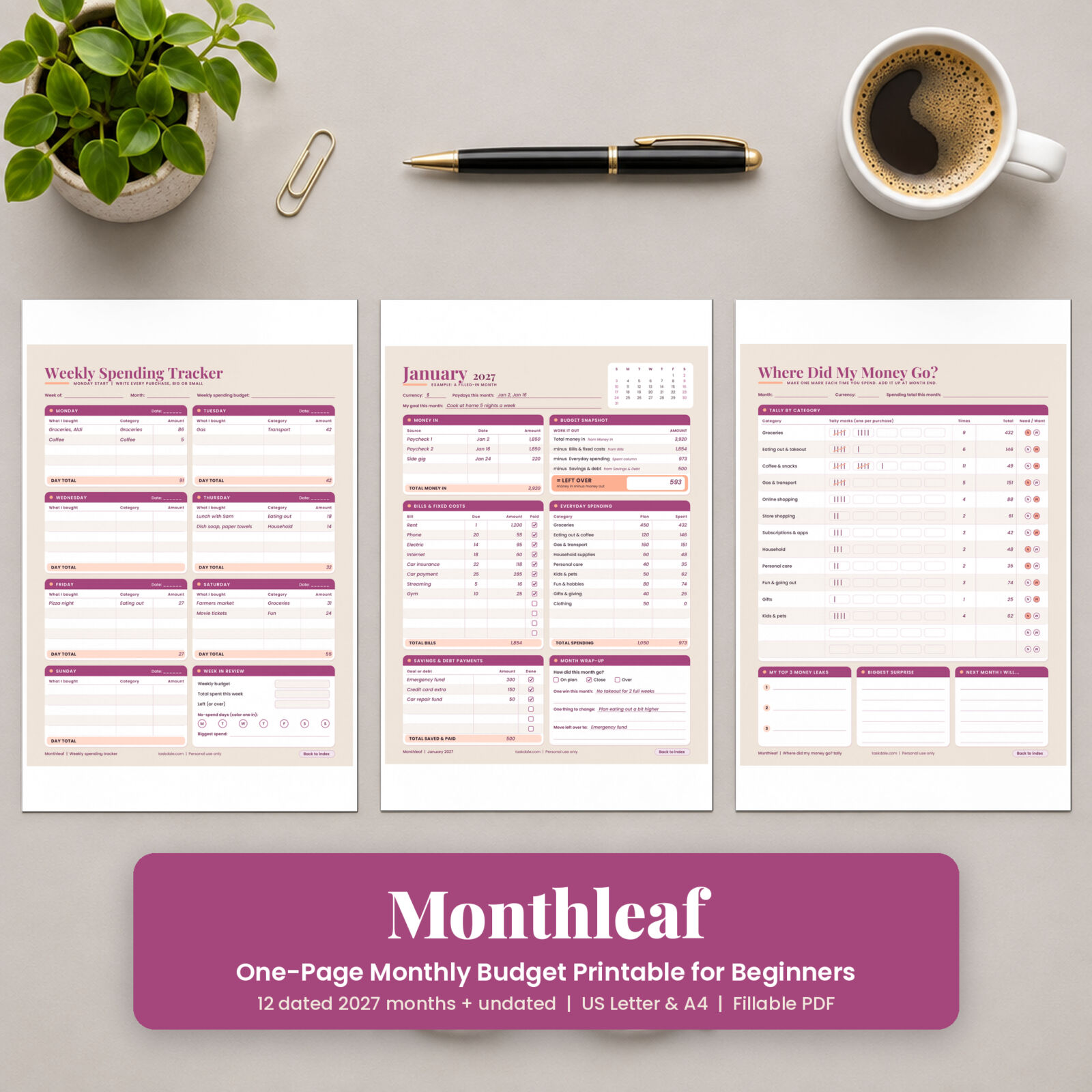

Monthleaf is a one page monthly budget printable for people who have never kept a budget, or who tried a 60-page binder and stopped in week two. Each month fits on one sheet. You write down the money coming in, list your bills, give your everyday spending a plan, note what goes to savings or debt, and finish with one number: what is left over.
The pack covers all of 2027 with dated pages and mini calendars, plus an undated page you can use for any month of any year. A weekly spending tracker and a “where did my money go” tally page help you see where your money actually goes, without an app and without a spreadsheet.
Why a one page monthly budget works for beginners
Most budgets fail because they ask too much on day one. Monthleaf asks for six boxes and about 20 minutes for your first month. After that, a 10-minute check-in each week is enough.
- Everything in one view. Income, bills, spending, savings and your left-over number sit on the same page, so you never flip between sheets to see how the month is going.
- Plain words. No “variable expense ratios”. The Start Here page explains five budget words in one line each.
- A worked example. Page 3 is a filled-in January budget, so you can copy the pattern before you fill in your own.
What’s included
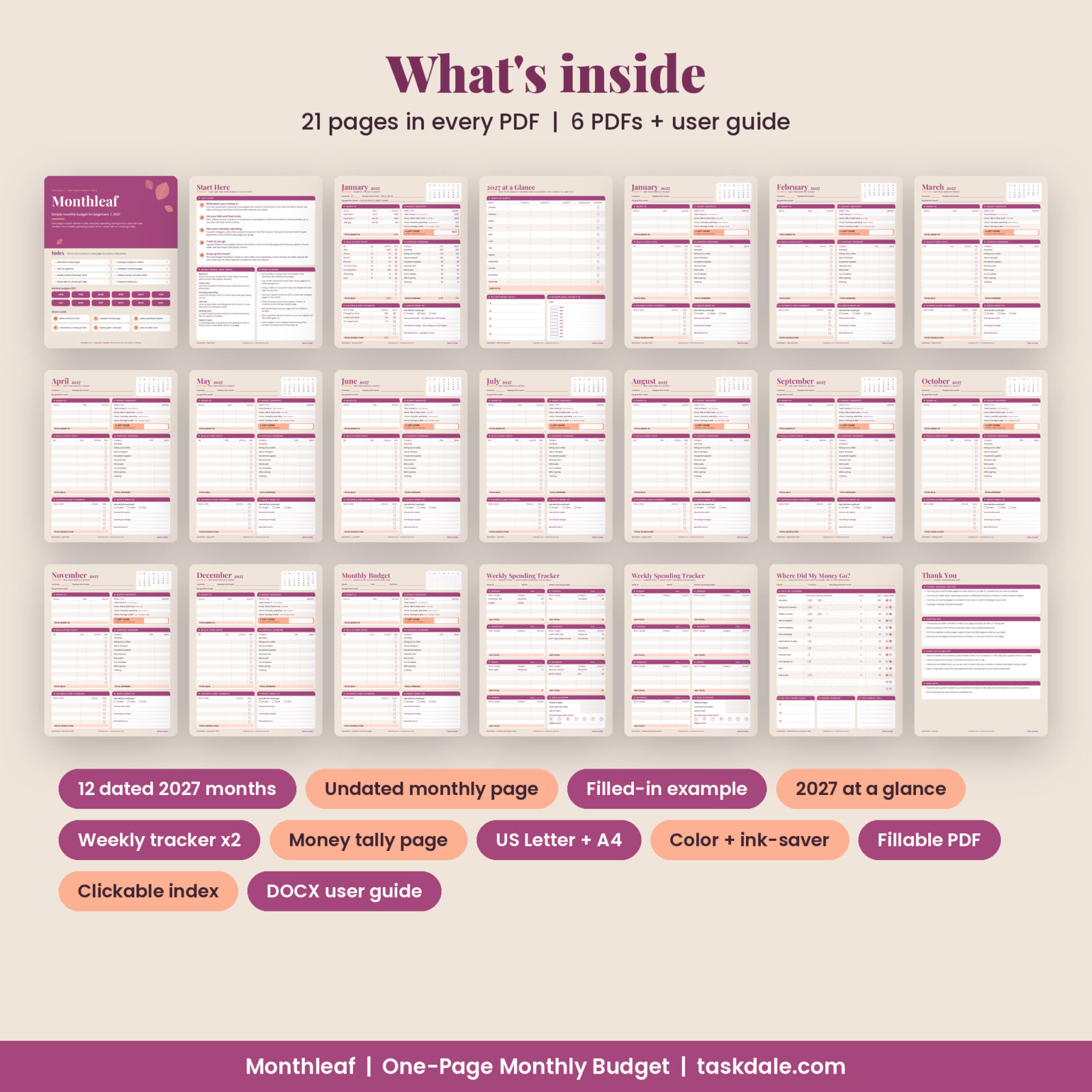
Every PDF has the same 21 pages:
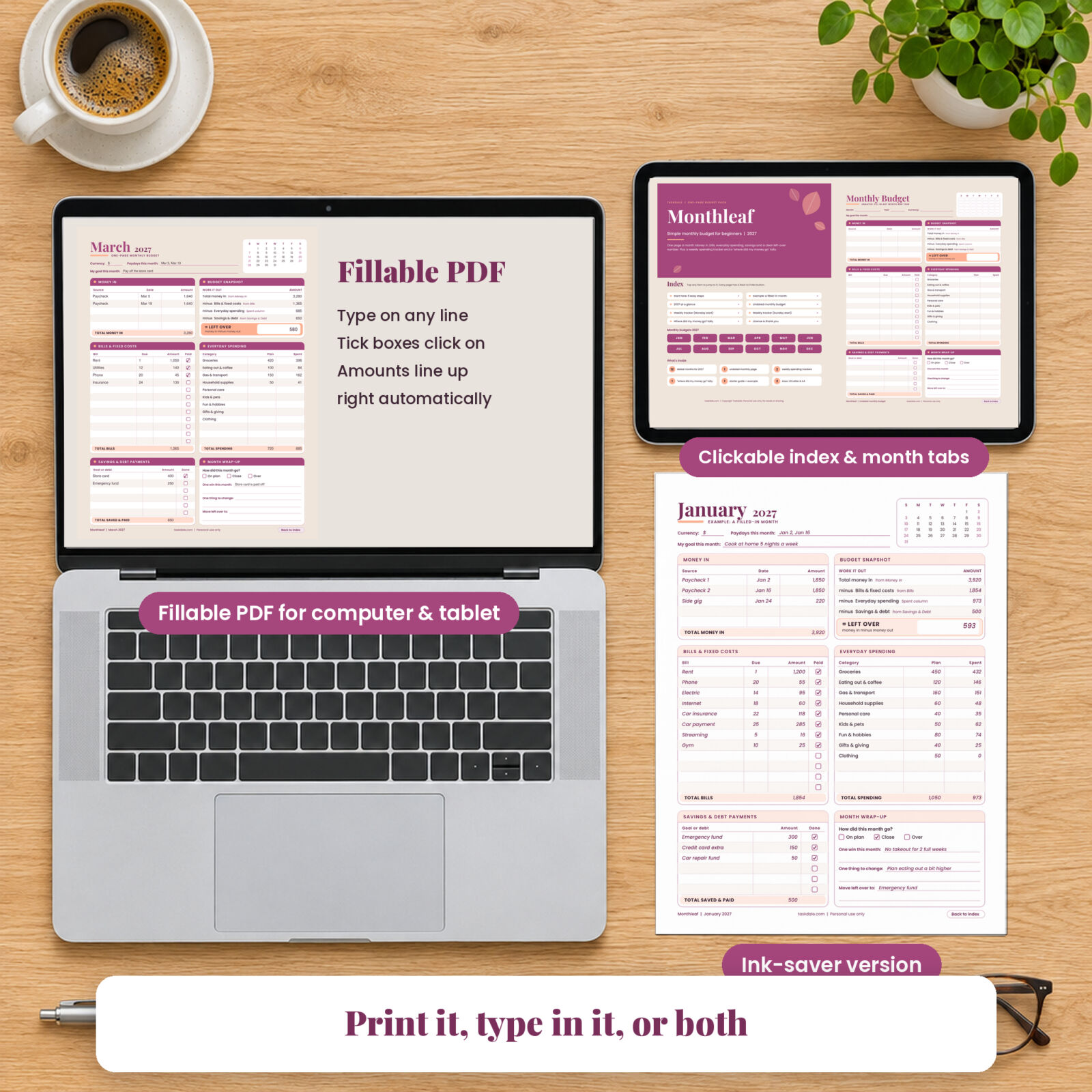
- Cover and clickable index: tap any section or month to jump to it. Every page has a “Back to index” button.
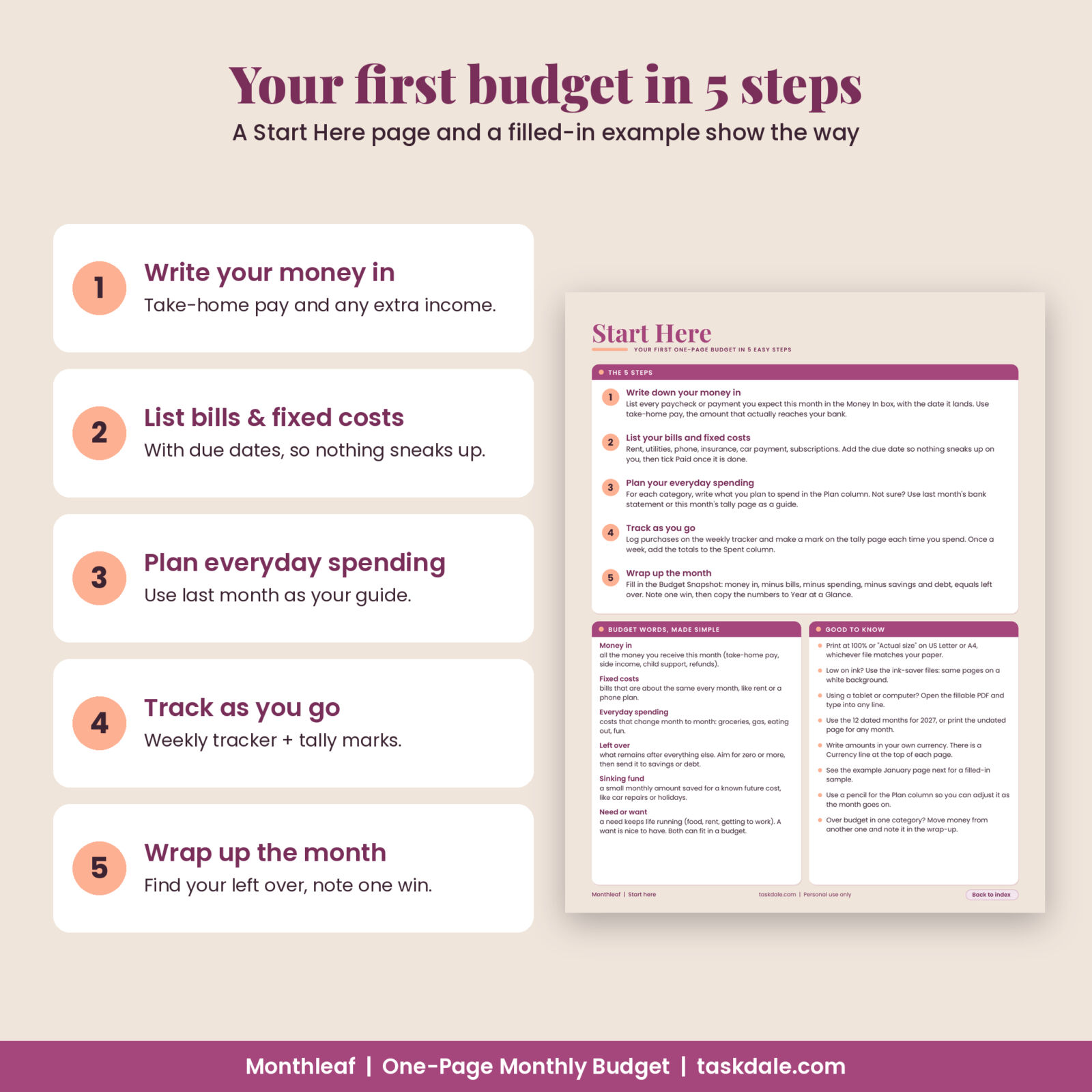
- Start Here: your first budget in 5 easy steps, budget words made simple, and printing tips.
- Example month: a filled-in January showing every box in use.
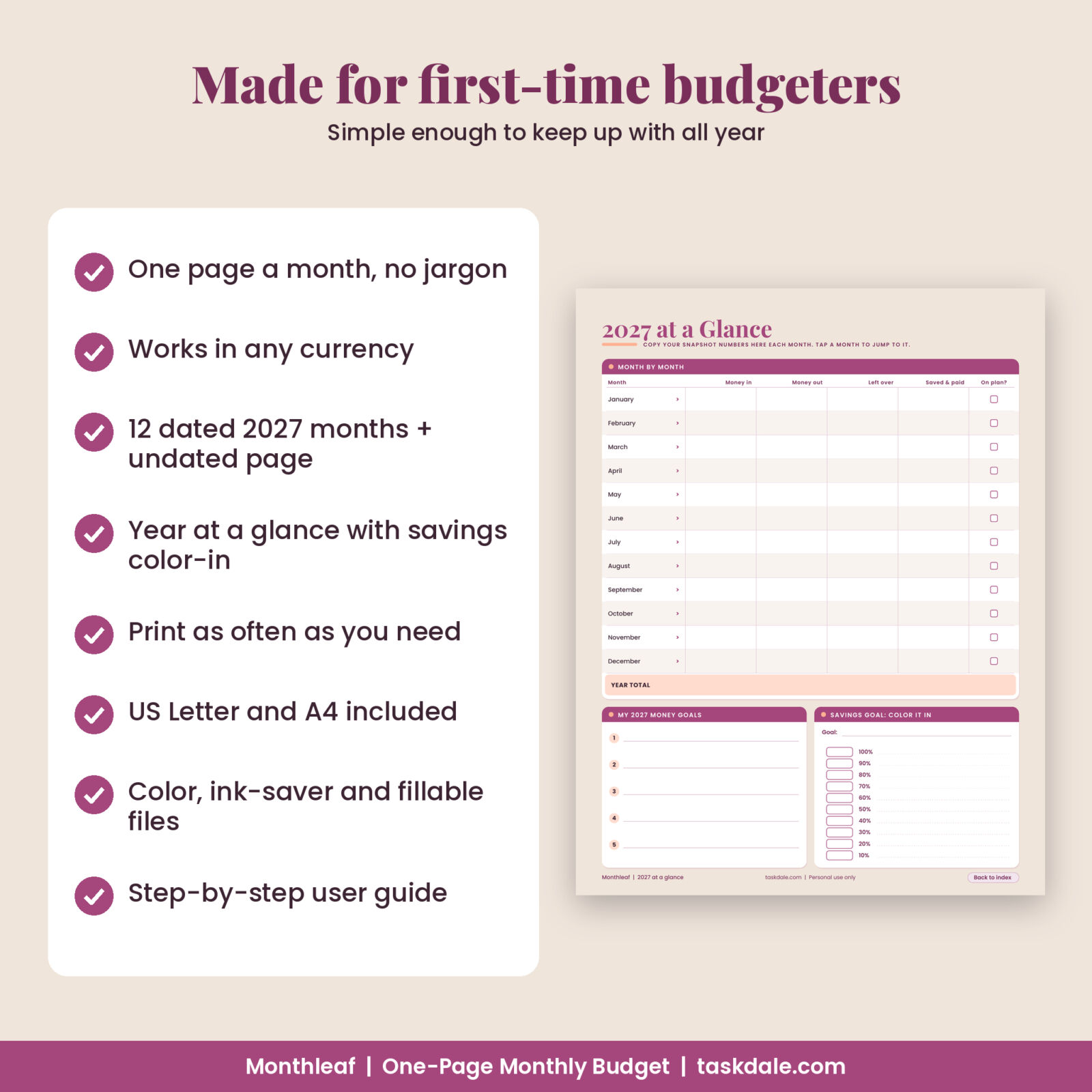
- 2027 at a Glance: a 12-month summary table, five money goals, and a 10-step savings bar to color in.
- 12 dated monthly budgets, January to December 2027: each with a mini calendar, Currency and Paydays lines, and a goal for the month.
- Undated monthly budget: the same page with Month and Year lines and a blank calendar grid.
- Weekly spending tracker: two versions, Monday start and Sunday start, with a day total for each day and a Week in Review box.
- Where Did My Money Go? tally: one tally mark per purchase across 12 categories, with totals, need or want circles and three reflection boxes.
- Thank you and license page with printing and fillable PDF tips.
You get six PDFs: color US Letter, color A4, ink-saver US Letter, ink-saver A4, fillable US Letter and fillable A4. A printable DOCX user guide is included too.
Inside each one page monthly budget
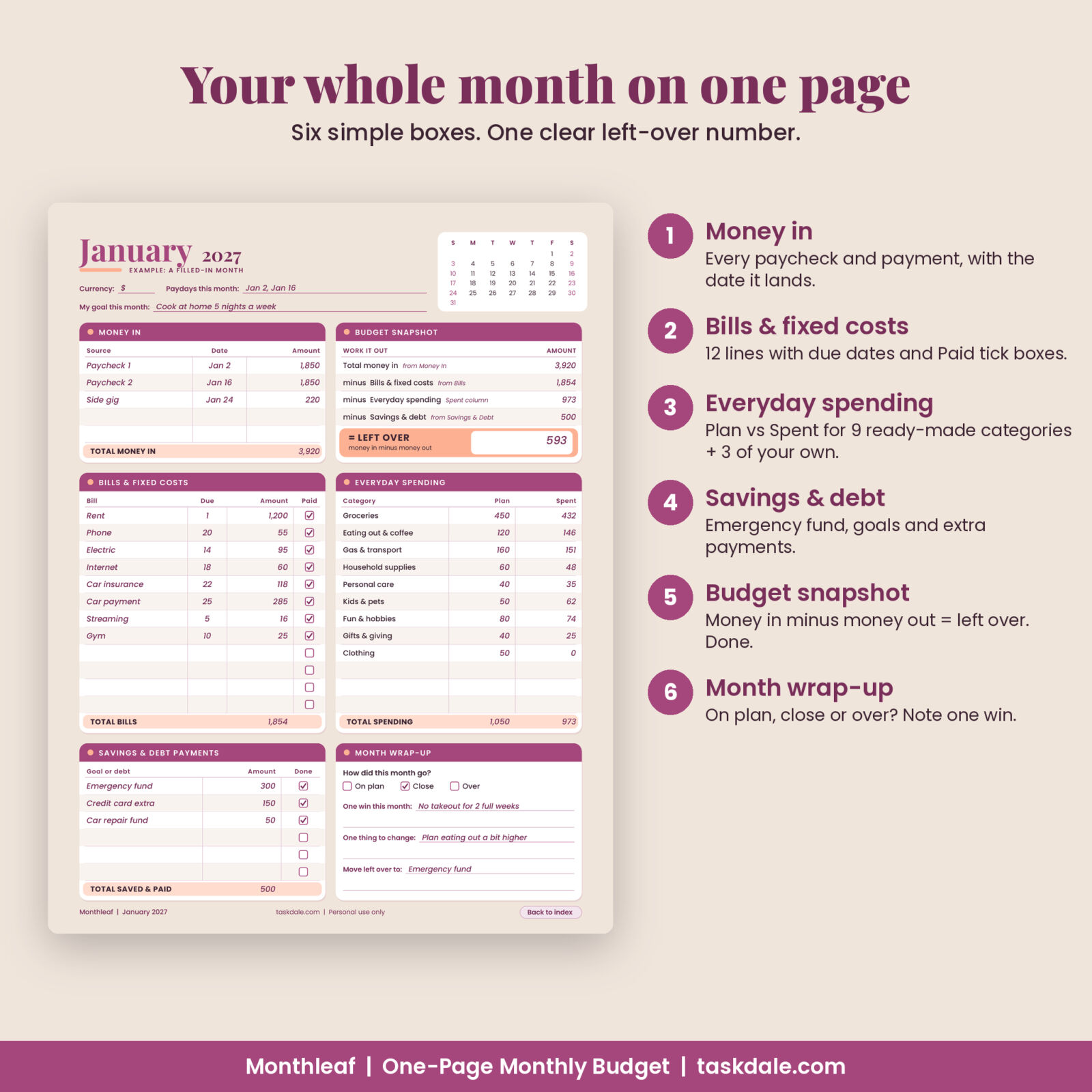
Money in
Five lines for paychecks, side income or support payments, with the date each one lands and a total.
Bills and fixed costs
Twelve lines with a Due column and a Paid tick box. Rent, utilities, phone, insurance, car payment and subscriptions all fit.
Everyday spending
Nine common categories are already written in (groceries, eating out and coffee, gas and transport, household supplies, personal care, kids and pets, fun and hobbies, gifts and giving, clothing), plus three blank rows. Each has a Plan column and a Spent column.
Savings and debt payments
Six lines for your emergency fund, savings goals or extra debt payments, each with a Done box.
Budget snapshot
Copy in four totals and do one simple sum: money in, minus bills, minus spending, minus savings and debt, equals left over. The left-over box is large and highlighted so it is the first thing you see.
Month wrap-up
Tick On plan, Close or Over. Then write one win, one thing to change, and where your left-over money will go.
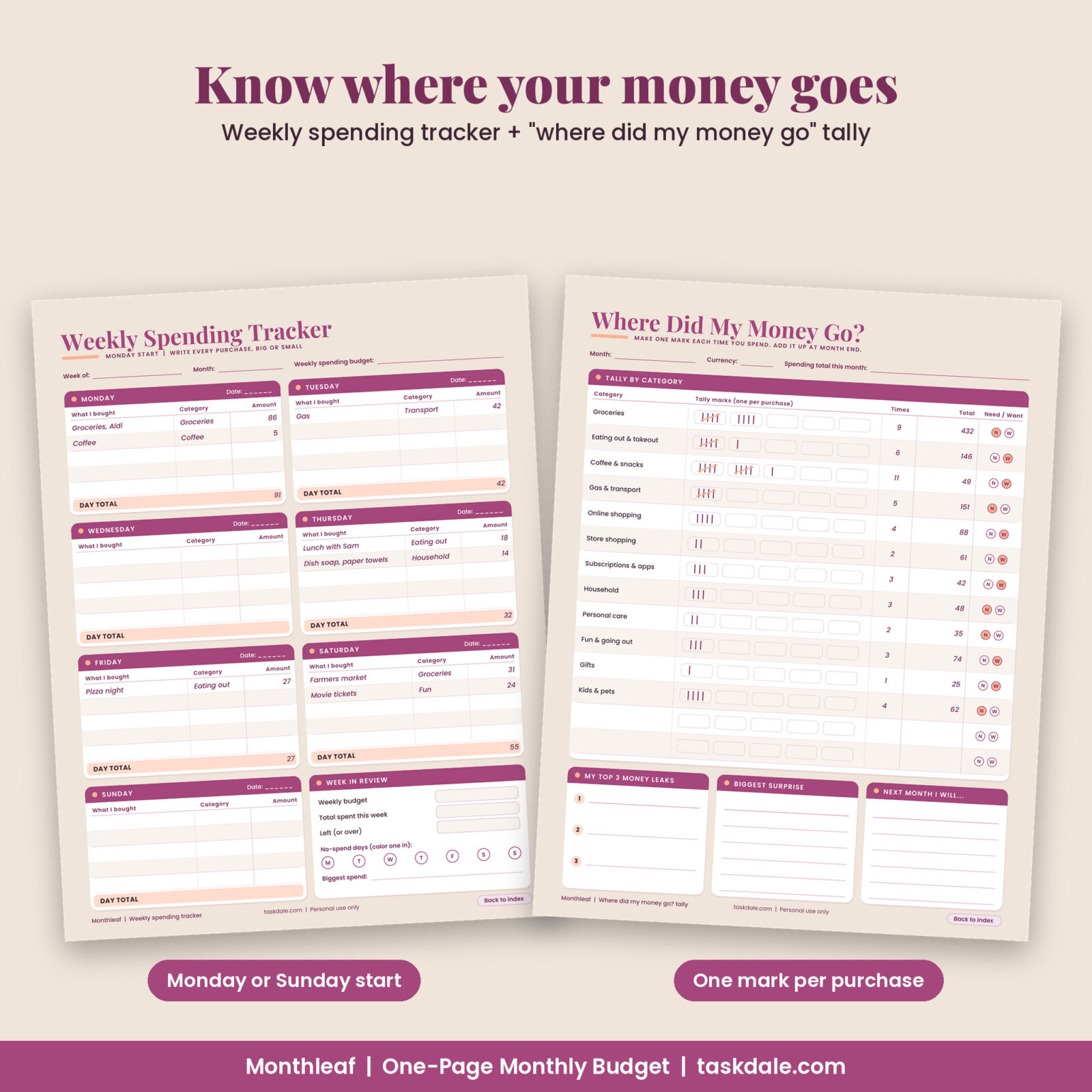
The weekly spending tracker and the money tally
The weekly tracker gives each day five lines for what you bought, the category and the amount. The Week in Review box shows your weekly budget, what you spent, what is left and your no-spend days.
The “Where Did My Money Go?” tally needs no math during the month. Each time you spend, make one mark next to the category. At month end, count the marks, add the amounts and circle N for need or W for want. Your top money leak usually shows up in the first month.
Who this budget printable is for
- First-time budgeters who want something simple they will actually keep using
- Students, young adults and new households setting up a money routine
- People who prefer pen and paper, or who want a fillable PDF on a tablet
- Buyers outside the US: every page has a Currency line and the money columns say Amount, so any currency works
Use cases
- A fresh start in January: print the 12 dated months and clip the current one to the fridge.
- Starting mid-year: use the undated page today, then switch to the dated pages next month.
- Paying off a card: list the extra payment under Savings and Debt and track it month by month on 2027 at a Glance.
- Working out where the money goes: run the tally page for one month before you set any plan at all.
How it works
- Download the ZIP after checkout and unzip it.
- Pick the file that suits you: color, ink-saver or fillable, in US Letter or A4.
- Read the Start Here page and the example month (about five minutes).
- Fill in your current month, then track as you go with the weekly tracker and tally page.
- Wrap up the month and copy your totals to 2027 at a Glance.
File formats and software
- PDF files, US Letter (8.5 x 11 in) and A4 (210 x 297 mm), fonts embedded
- Fillable PDFs work in Adobe Acrobat Reader (free) and PDF apps that support form filling. Totals are not calculated for you: add them up and type them in.
- User guide in DOCX format (Microsoft Word, Google Docs, Pages or LibreOffice)
Customizing your pages
Write your own currency on the Currency line and rename the blank spending rows to suit your life, such as childcare or tuition. Mix color and ink-saver pages, and reprint the undated page, weekly tracker and tally page as often as you need.
Digital download
Nothing is shipped. You get a download link right after checkout. Personal use only: please do not share or resell the files.
FAQ
Is this a good budget printable for beginners?
Yes. It was designed for first budgets, with a 5-step Start Here page, plain words and a filled-in example month.
Is it dated or undated?
Both. You get 12 dated months for 2027 and an undated monthly page you can print for any month or year.
Can I fill it in on my iPad or computer?
Yes. Use the fillable PDF in Adobe Acrobat Reader or a PDF app that supports forms. You can also print any page.
Does it work with my currency?
Yes. Each page has a Currency line and the money columns are labeled Amount.
Do the mini calendars start on Sunday?
Yes, the monthly mini calendars start on Sunday. The weekly tracker comes in both Monday-start and Sunday-start versions.
Will it fit A4 paper?
Yes. Separate A4 files are included, so nothing gets cut off or shrunk.
Reviews
There are no reviews yet.