


A monthly calendar planner for Excel and Google Sheets that sets itself up
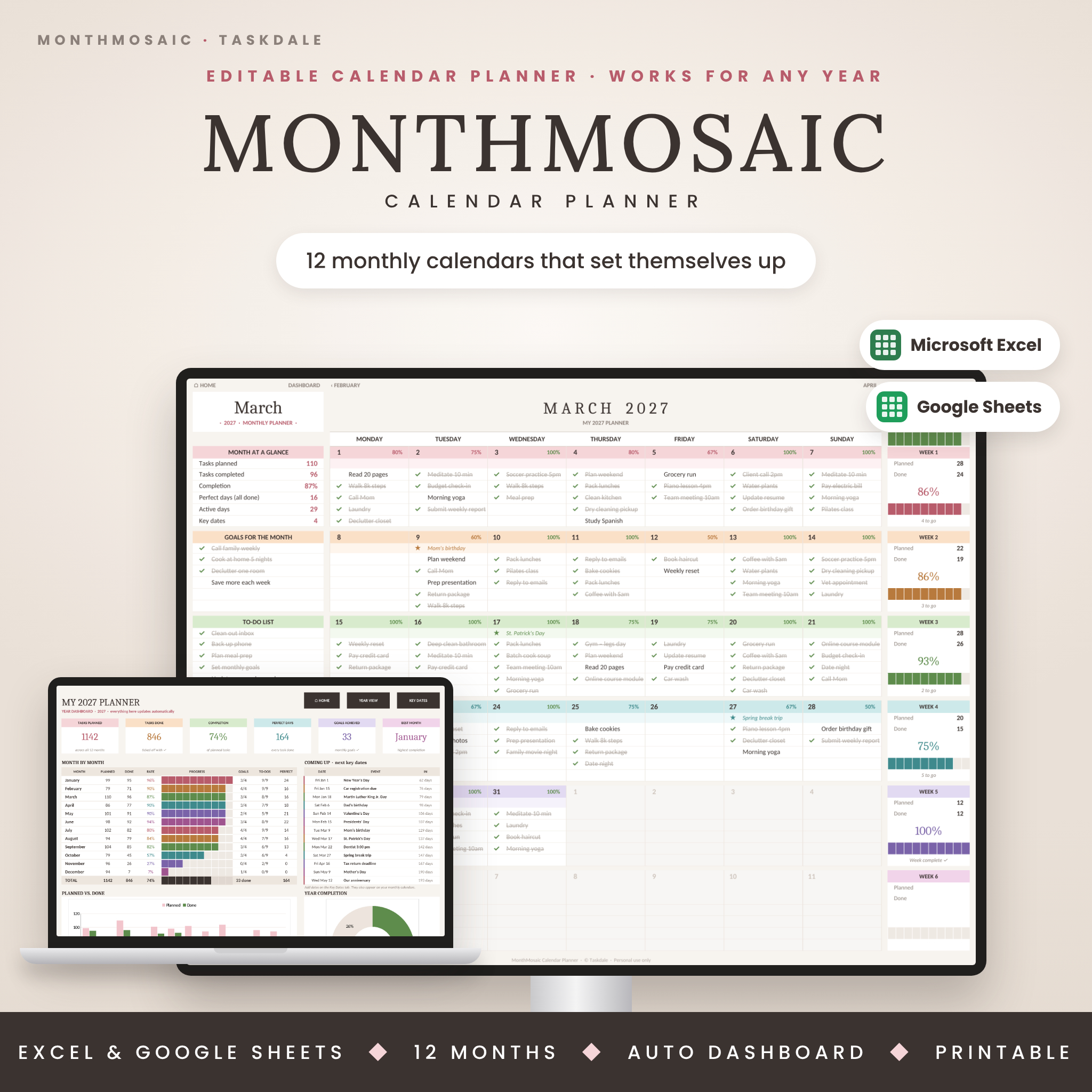
MonthMosaic Calendar Planner is an editable monthly calendar template for Microsoft Excel and Google Sheets. It turns your to-do list into a calm, colorful plan you can actually keep. It has twelve ready-made monthly tabs and room for five tasks a day. Every day, week and month gets its own progress tracking, so you always know what’s next and how far you’ve come.
Choose your year and whether your week starts on Sunday or Monday, and the whole planner arranges itself. Dates, weekdays and US holidays update automatically, so you never need to delete last month’s entries or copy a tab again.
What MonthMosaic does for you
- Plans every day: five task lines under every date, with a ✓ dropdown that crosses tasks out when they’re done.
- Tracks your progress automatically: a daily % in each date bar, weekly progress bars and a month total.
- Remembers the dates that matter: birthdays, anniversaries, appointments and deadlines added once on the Key Dates tab appear on the correct day, every year.
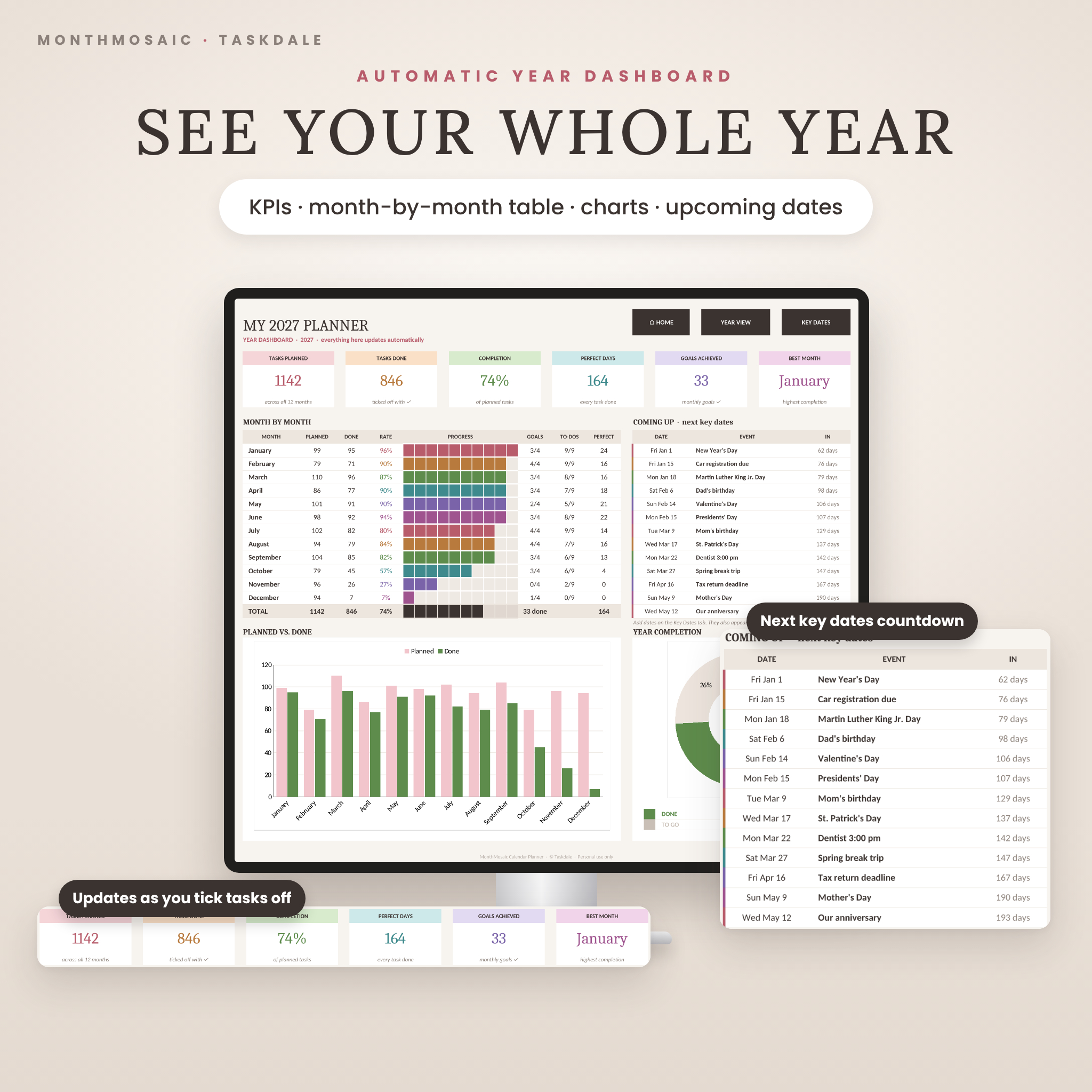
- Shows your whole year: a dashboard with totals, completion rate, perfect days, goals achieved, your best month, charts and an upcoming key-dates countdown.
Who this digital calendar template is for
- Busy parents managing school runs, appointments and family plans
- Students organizing classes, assignments and exam dates
- Freelancers, remote workers and small business owners who think in months
- Anyone who wants a pretty, beginner-friendly productivity planner without fiddly setup
Features
Monthly calendars (January to December)
- Automatic dates for any year from 2000 to 2100, with Sunday or Monday week start
- 5 tasks per day with a ✓ dropdown and automatic strike-through
- Daily completion % and a “perfect day” count when every task is done
- Weekly panel: planned, done, % complete and a color progress bar
- Month at a glance: tasks planned and completed, completion %, perfect days, active days and key dates
- Goals for the month (6), to-do list (13), affirmation, theme of the month and notes
- Today’s date highlighted, and days from other months greyed out
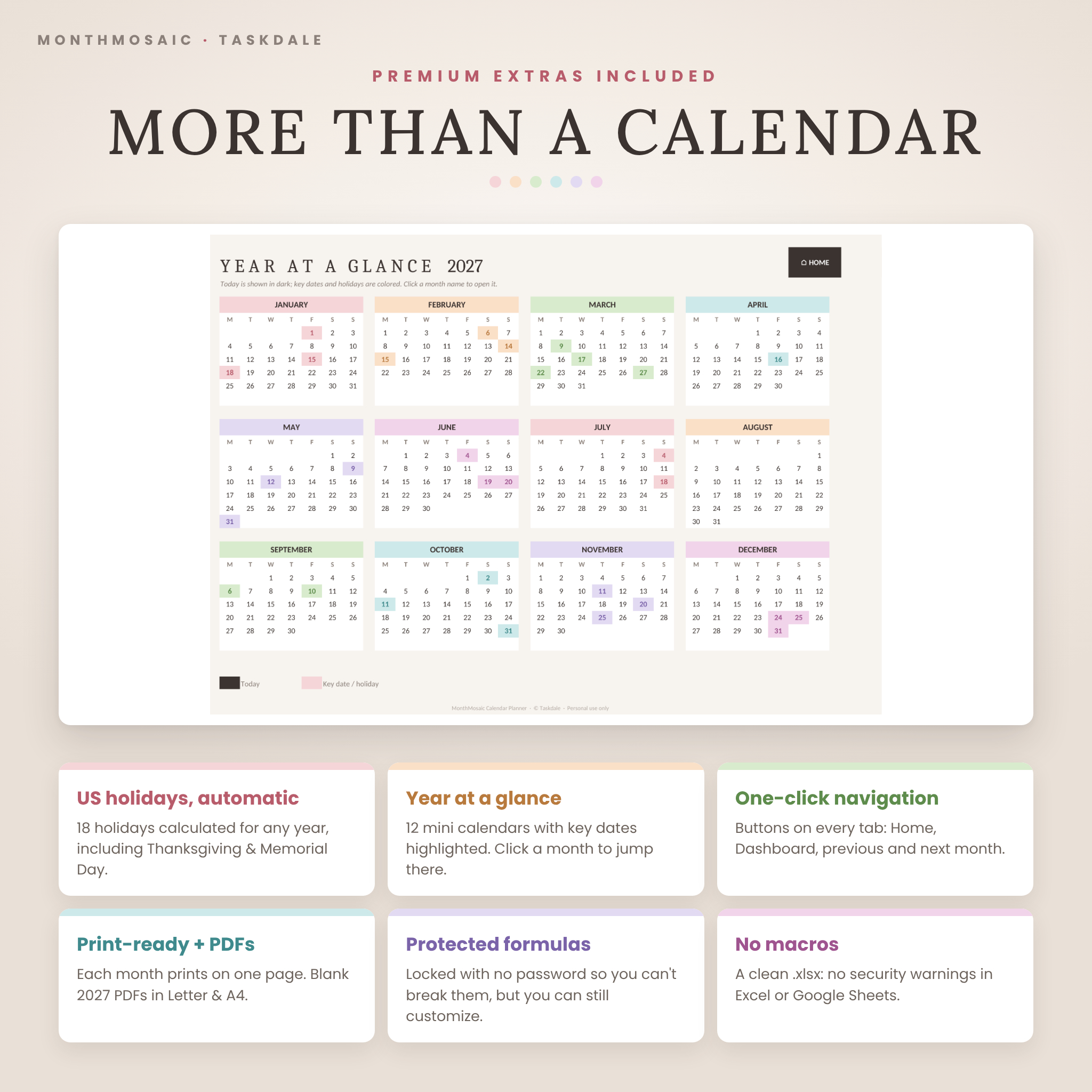
- Quick links on every month: Home, Dashboard, Year View, previous and next month
Key dates & US holidays
- Up to 100 key dates with category colors and a “repeats yearly” option
- 18 US holidays and observances calculated for any year, including Thanksgiving, Memorial Day, Mother’s Day and Labor Day. Switch them off with one setting.
Year dashboard & Year View
- Six KPI tiles, a month-by-month table with progress bars, a planned vs. done chart and a yearly completion doughnut
- “Coming up” list of your next 13 key dates with a day countdown
- Year at a glance: 12 mini calendars with key dates highlighted; click a month to jump to it
What’s included
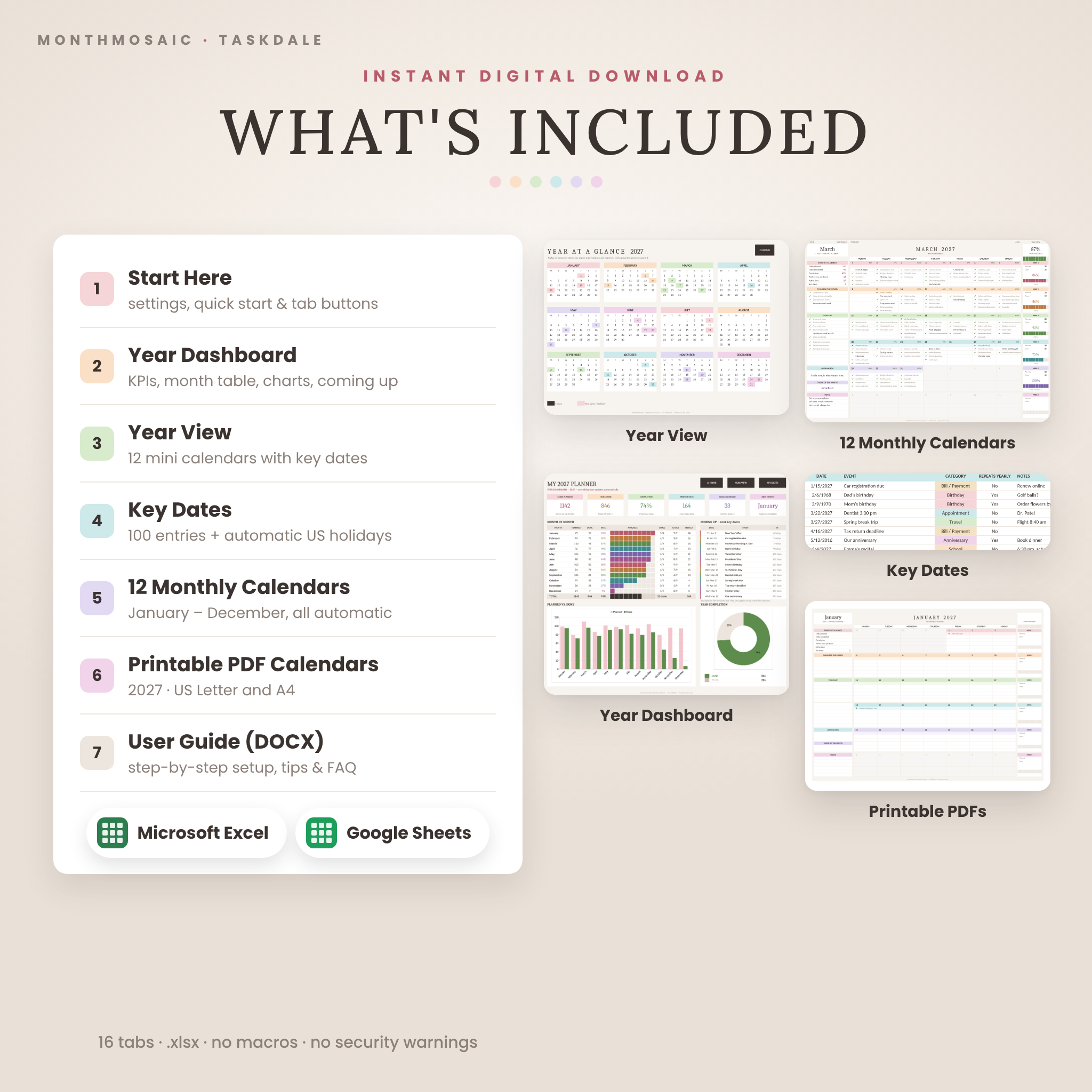
- MonthMosaic-Calendar-Planner.xlsx: the editable planner with 16 tabs (Start Here, Dashboard, Year View, Key Dates and 12 monthly calendars)
- Printable PDF calendars: a blank 2027 Year View and 12 monthly calendars in US Letter and A4
- User guide (DOCX): step-by-step setup, every feature explained, customizing tips, troubleshooting and FAQ
How it works
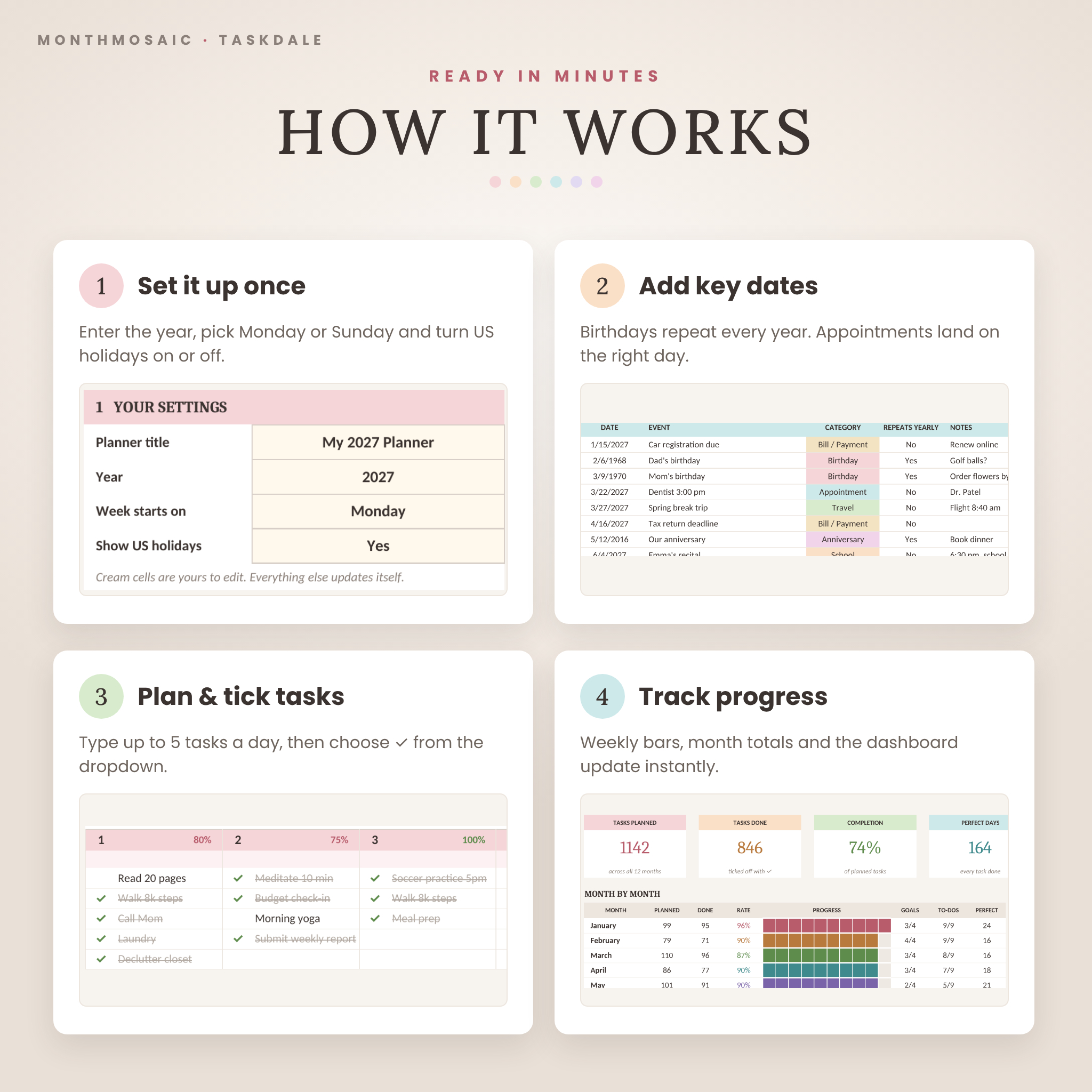
- Set it up once. On the Start Here tab, enter your planner title and year, pick Monday or Sunday, and choose whether to show US holidays.
- Add your key dates. Type birthdays and appointments on the Key Dates tab. They appear on your calendars automatically.
- Plan and tick. Open any month, type up to five tasks a day, then choose ✓ when each one is done.
- Track your progress. Weekly bars, monthly totals and the year dashboard update as you go.
File formats & software requirements
- Format: .xlsx (no macros, so there are no security warnings), plus PDF printables and a DOCX guide
- Works in Microsoft Excel 2010 or later (Windows & Mac), Excel for Microsoft 365, the free Excel for the web, and Google Sheets (free Google account)
- Designed for laptop and desktop screens; prints one month per landscape page
- Language: US English. Dates follow your device’s regional settings.
Customization
Every text cell is yours: rename your planner, add emoji, and write your own goals, affirmations and themes. Formulas are protected with no password, so they can’t be broken by accident but can be unlocked any time to change colors, fonts or layout. Use it month after month: when a new year arrives, save a copy, change the year and clear your entries.
Digital download
This is an instant digital download, and no physical item will be shipped. After purchase, download the files from your order confirmation or account page. For Google Sheets, upload the .xlsx to Google Drive and choose File > Save as Google Sheets.
Ways to use your calendar planner
- A family command center for school events, sports practice, birthdays and appointments
- A student planner for assignments, study sessions and exam countdowns
- A work and content calendar for client calls, deadlines and weekly priorities
- A wellness or habit month: workouts, meal prep, reading goals and self-care
- A printable wall or desk calendar using the included PDF calendars
FAQ
Does this monthly calendar work in Google Sheets?
Yes. Upload the .xlsx to Google Drive and open it with Google Sheets. The ✓ dropdowns, links, charts and progress bars all work.
Is it dated?
No. Choose any year from 2000 to 2100 and every month updates. Only the bonus printable PDFs are dated 2027.
Can I start the week on Sunday?
Yes. Choose Sunday or Monday on the Start Here tab and all 12 months rearrange.
Do I need Microsoft 365?
No. It works in Excel 2010 or later, the free Excel for the web and Google Sheets.
Can I print it?
Yes. Each month prints on one landscape page, and blank printable PDFs in US Letter and A4 are included.
I’m not in the US. Can I use my own holidays?
Yes. Turn US holidays off and add your own on the Key Dates tab with “repeats yearly” set to Yes.
Does it contain macros?
No. It is a standard .xlsx with formulas only, so you won’t see macro security warnings.
License: personal use only. Please do not resell, share or distribute the files. © Taskdale. Microsoft Excel and Google Sheets are trademarks of their respective owners; this product is not affiliated with them.
Reviews
There are no reviews yet.