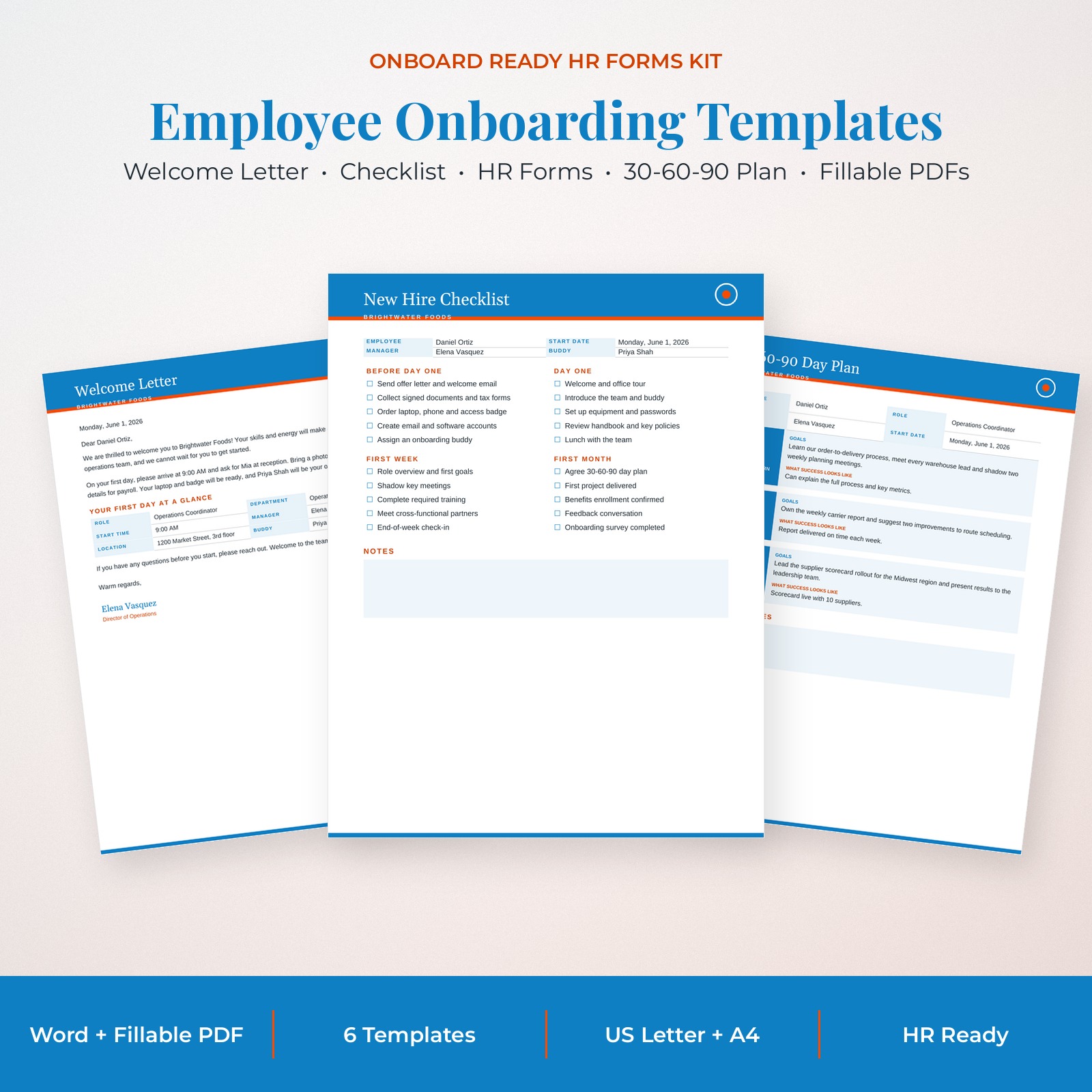


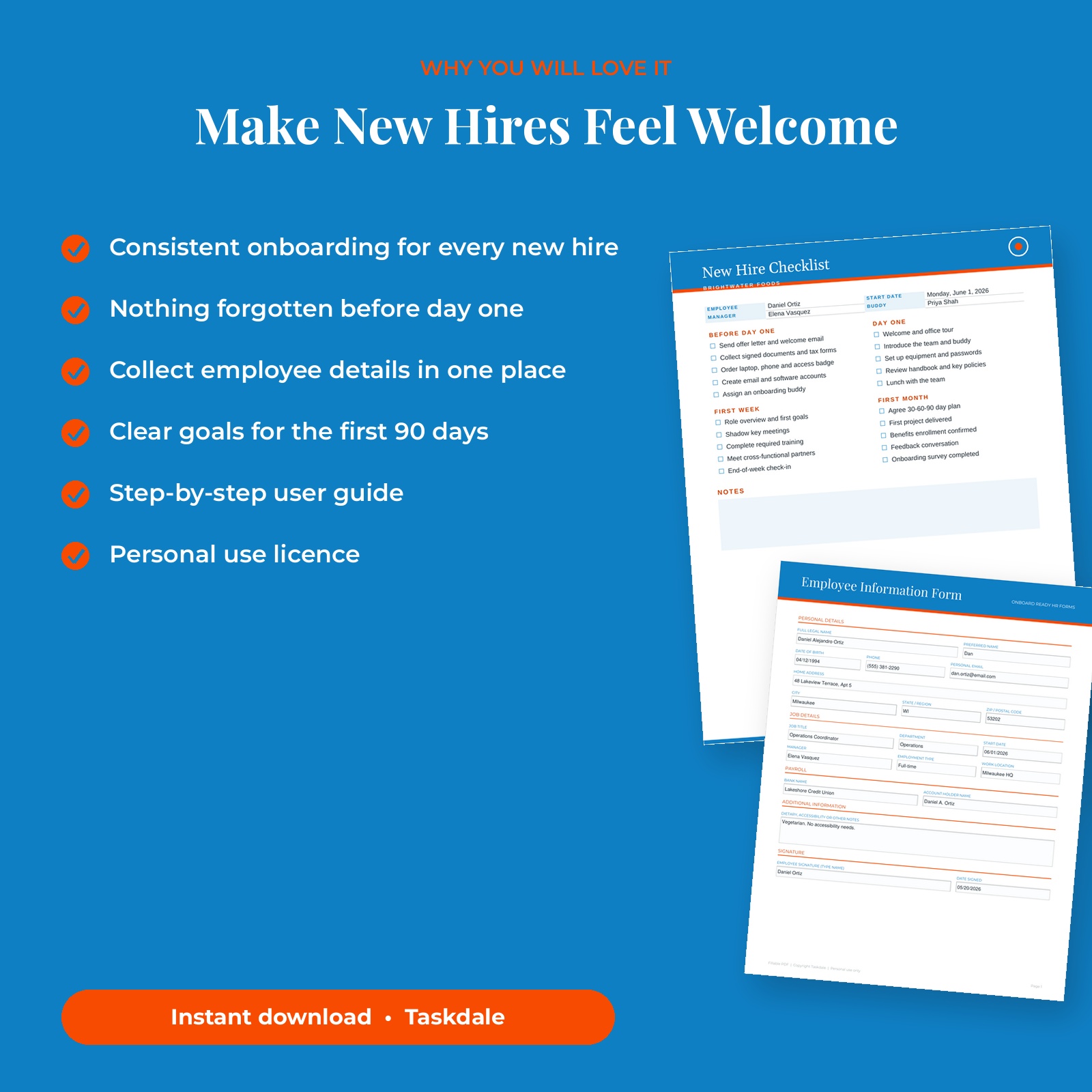
The Onboard Ready HR Forms Kit is a professional employee onboarding template set for small businesses, startups and HR teams. A clean ocean blue and orange design keeps every form easy to read, and the coordinated look makes your company feel organized from the very first email.
Six Microsoft Word compatible .docx templates cover the welcome letter, checklist, essential HR forms and a 30-60-90 day plan. The employee information and emergency contact forms are also included as fillable PDFs that new hires can complete on screen.
Why Choose the Onboard Ready HR Forms Kit Employee Onboarding Template
- A repeatable onboarding process for every new hire
- Pre-boarding to month-one checklist so nothing is missed
- Fillable PDFs new hires complete without Word or printing
- Equipment form protects company assets
- A 30-60-90 day plan sets clear expectations
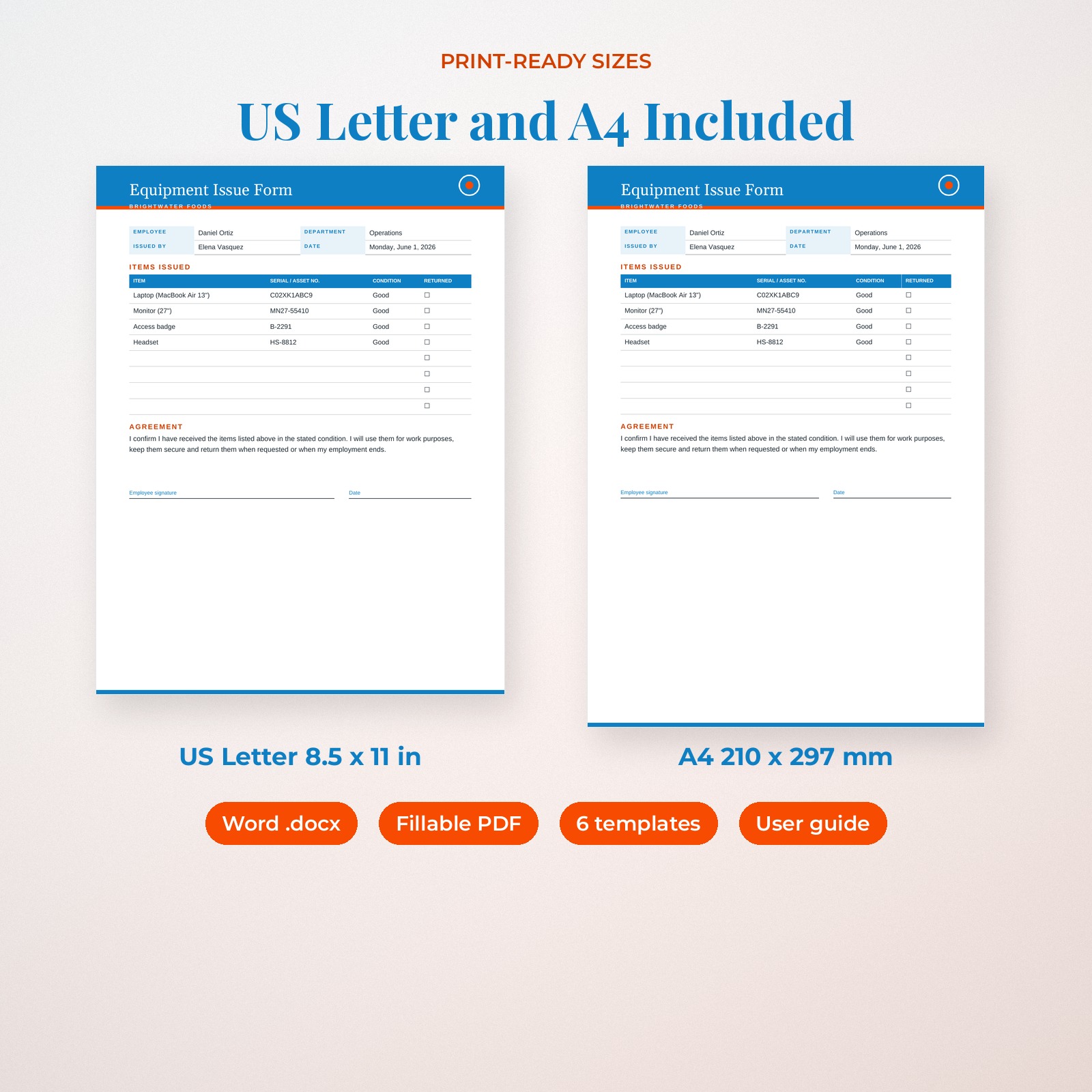
- US Letter and A4 sizes
Onboard Ready HR Forms Kit at a Glance
- Warm welcome letter with first-day details
- New hire checklist from pre-boarding to month one
- Employee information and emergency contact forms
- Fillable PDF versions of both forms
- Equipment issue form with agreement
- 30-60-90 day plan with success measures
- US Letter and A4
Who It Is For
- Small business owners hiring their first employees
- HR managers and people operations teams
- Office managers and team leads
- Startups building a consistent onboarding process
Features
Welcome Letter Template
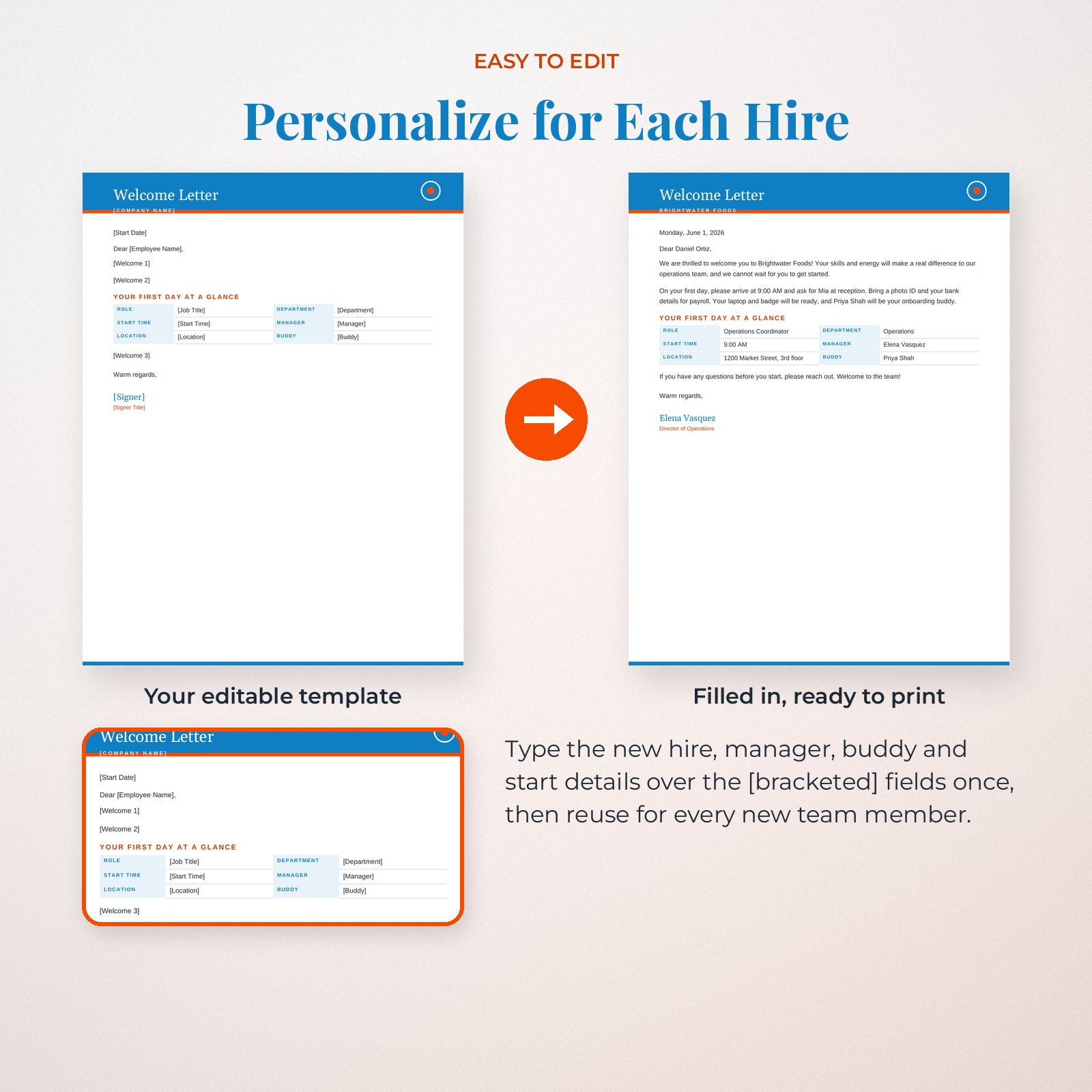
A warm letter with first-day time, location, manager and buddy details.
New Hire Checklist
Twenty tasks across before day one, day one, first week and first month, plus a notes box.
Employee Information Form
Personal details, job details, payroll bank name and account holder, and notes, in Word and fillable PDF.
Emergency Contact Form
Primary and secondary contacts plus optional medical information, in Word and fillable PDF.
Equipment Issue Form and 30-60-90 Day Plan
Track laptops, badges and devices with signatures, and set goals and success measures for the first three months.
What’s Included
- Welcome letter (US Letter and A4)
- New hire checklist (US Letter and A4)
- Employee information form (US Letter and A4)
- Emergency contact form (US Letter and A4)
- Equipment issue form (US Letter and A4)
- 30-60-90 day plan (US Letter and A4)
- Fillable PDF employee information form and emergency contact form (US Letter and A4)
- User guide (.docx)
How It Works
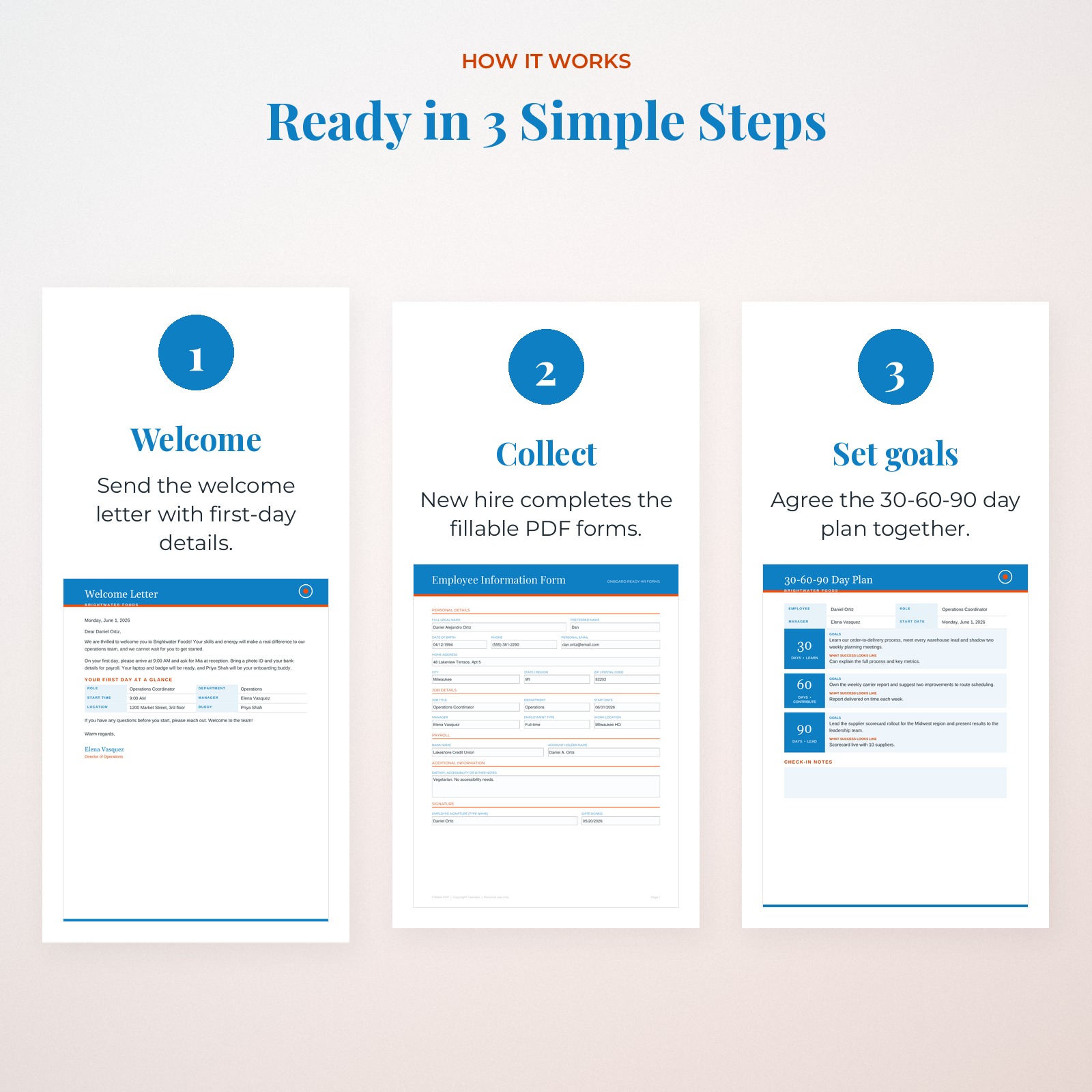
- Download the ZIP and user guide after checkout.
- Add your company name to each template.
- Send the welcome letter and fillable PDF forms before day one.
- Use the checklist and 30-60-90 plan through the first three months.
File Formats and Software Requirements
- 12 Microsoft Word compatible .docx files
- 4 fillable PDF forms
- US Letter and A4
- User guide (.docx)
Edit the Word files in Microsoft Word or another word processor that opens .docx files; every layout was rendered and checked in LibreOffice Writer. The fillable PDFs work in Adobe Acrobat Reader and other PDF readers with form support; fields were tested by filling them programmatically.
Customizing Your Employee Onboarding Template
Add your company name and logo, edit checklist tasks, add form fields in Word, change colors and fonts, and adapt the welcome letter to your culture. These templates are not legal advice; check local requirements for employment paperwork.
Real-Life Ways to Use It
- First hires: Create a professional process from day one.
- Growing teams: Keep onboarding consistent across managers.
- Remote hires: Email the fillable PDFs and welcome letter.
- Equipment tracking: Record devices at hand-over and return.
Onboarding Best Practices
Start before day one: send the welcome letter and forms a week ahead so the first morning is about people, not paperwork. Assign a buddy and schedule a check-in at the end of week one.
Agree the 30-60-90 day plan in the first two weeks and review it at each milestone. New hires who know what success looks like ramp up faster and feel more confident.
Digital Download Information
This is a digital product. No physical item will be shipped. Your files are available to download right after checkout from your order confirmation and your Taskdale account. Colors may look slightly different on screen and in print depending on your monitor and printer.
Licence: personal use only. You may edit and print the templates for yourself or your own single business. Reselling, sharing or redistributing the files, edited or unedited, is not allowed.
Employee Onboarding Template FAQ
Is this employee onboarding template editable?
Yes. Every Word file is fully editable; the PDFs have fillable fields.
Can new hires fill in the forms on screen?
Yes. Send the fillable PDFs; they work in free PDF readers.
Is it legally compliant for my country?
The templates are general business forms, not legal advice. Check your local requirements and official government forms.
Can I add my logo?
Yes. Insert your logo in the header area or beside the title.
What sizes are included?
US Letter and A4.
Is it a Canva template?
No. These are Word and PDF files.
Can I use it for every employee I hire?
Yes. Use it for all hires within your own business. Do not resell or share the template files.

Reviews
There are no reviews yet.