



Christmas shopping gets expensive in small pieces. A $30 gift here, $12 of shipping there, a second present because the first one did not arrive in time. The Parcelpine Christmas Gift Budget Tracker Spreadsheet puts all of it in one place: who you are buying for, what each gift costs, where it is in the mail, when the return window closes, and how much of your budget is left. You type the basics. The workbook does the adding up.
What this Christmas gift budget tracker does
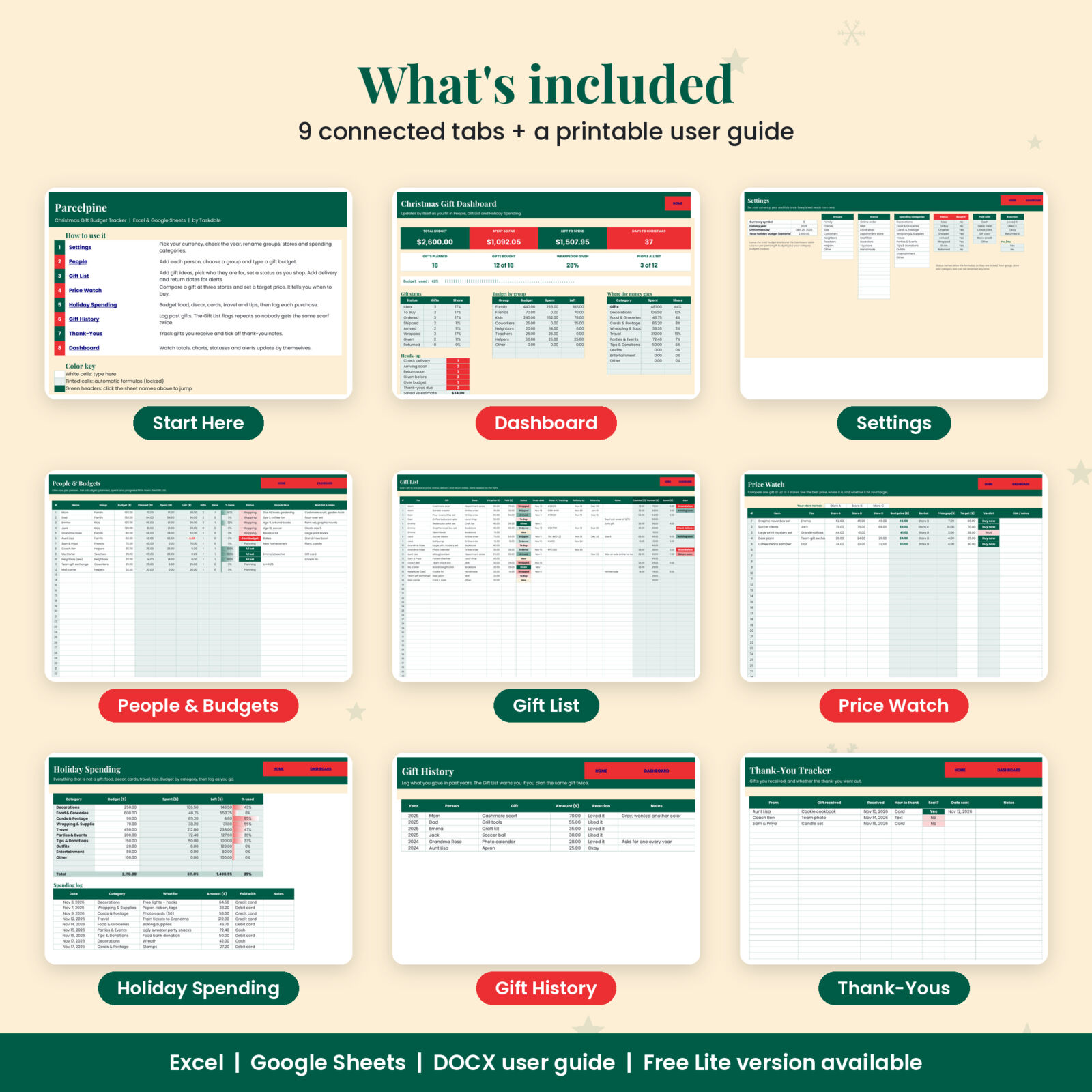
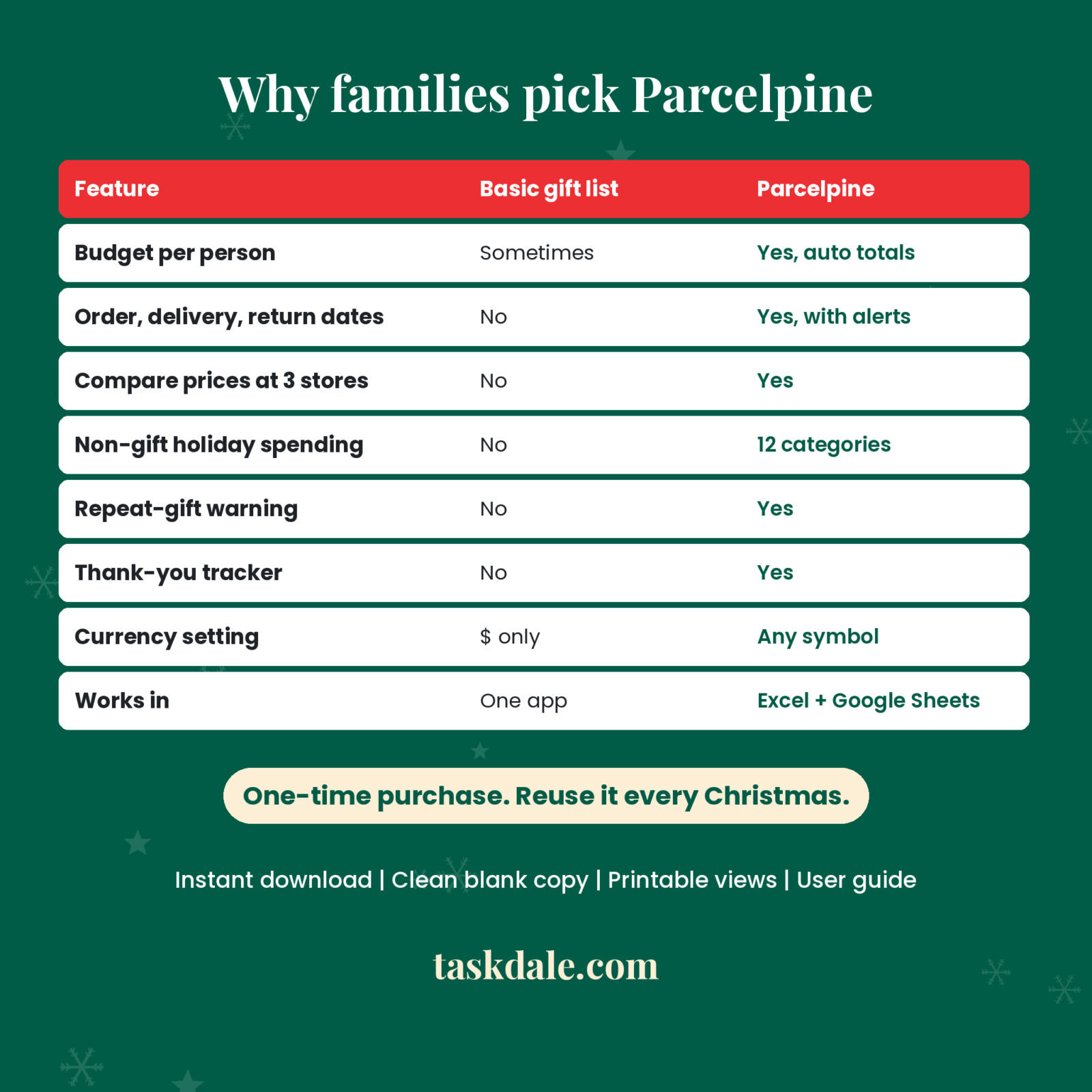
Parcelpine is a 9-tab workbook for Excel and Google Sheets. Start with a budget for each person. As you add gifts and change their status from Idea to Ordered to Wrapped to Given, the People tab fills in planned, spent and left for every name, and the Dashboard shows the totals for the whole season. Late packages, return deadlines and accidental repeat gifts get flagged automatically, so you are not checking a dozen order emails on December 20.
Who it is for
- Parents buying for kids, grandparents, in-laws, teachers and coaches
- Online shoppers who want order numbers, tracking codes and delivery dates next to each gift
- Anyone who sets a holiday budget and wants a clear warning before going over it
- Households that split Christmas costs and want one honest number for the season
Main features
People and per-person budgets
Track up to 60 people. Pick a group for each (Family, Kids, Friends, Coworkers, Neighbors, Teachers and more, all renameable), set a budget, and note sizes, likes and wish-list ideas. Planned, Spent, Left, gift count, gifts done, a progress bar and a status (Planning, Shopping, All set, Over budget) update on their own. Over budget turns red.
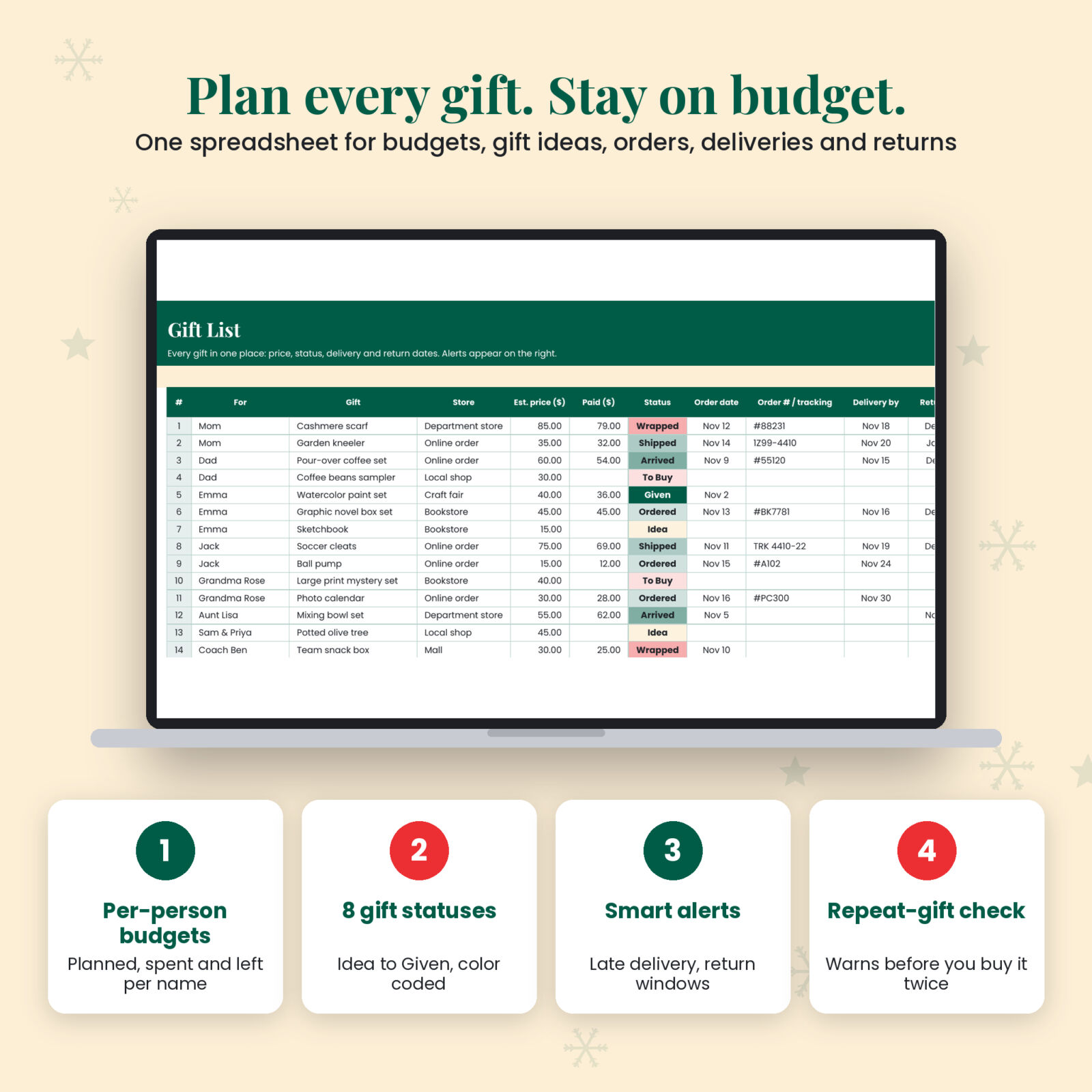
Gift List with order and delivery tracking
Up to 300 gifts. For each one: recipient dropdown, gift, store, estimated price, price paid, status, order date, order or tracking number, delivery date, return-by date and notes. Eight color-coded statuses run from Idea to Given, plus Returned. Ideas count as planned only; bought gifts count as spent.
Automatic alerts
- Check delivery when an ordered or shipped gift is past its delivery date
- Arriving soon when delivery is due within 3 days
- Return soon when a return window closes within 7 days
- Given before when the same gift for the same person is already in your Gift History
Price Watch
Compare a gift at three stores you name. Parcelpine shows the lowest price, which store has it, the gap between highest and lowest, and a Buy now or Wait verdict against your target price. Handy during Black Friday and Cyber Monday weeks.
Holiday Spending beyond gifts
Gifts are usually half of what Christmas costs. Budget 12 categories such as decorations, food, cards and postage, wrapping, travel, parties and tips, then log each purchase in a 150-line spending log. Spent, left and percent used fill in automatically.
Gift History and Thank-You tracker
Log what you gave in past years with a reaction (Loved it, Liked it, Okay, Returned it). Keep a list of gifts you received and tick off each thank-you note.
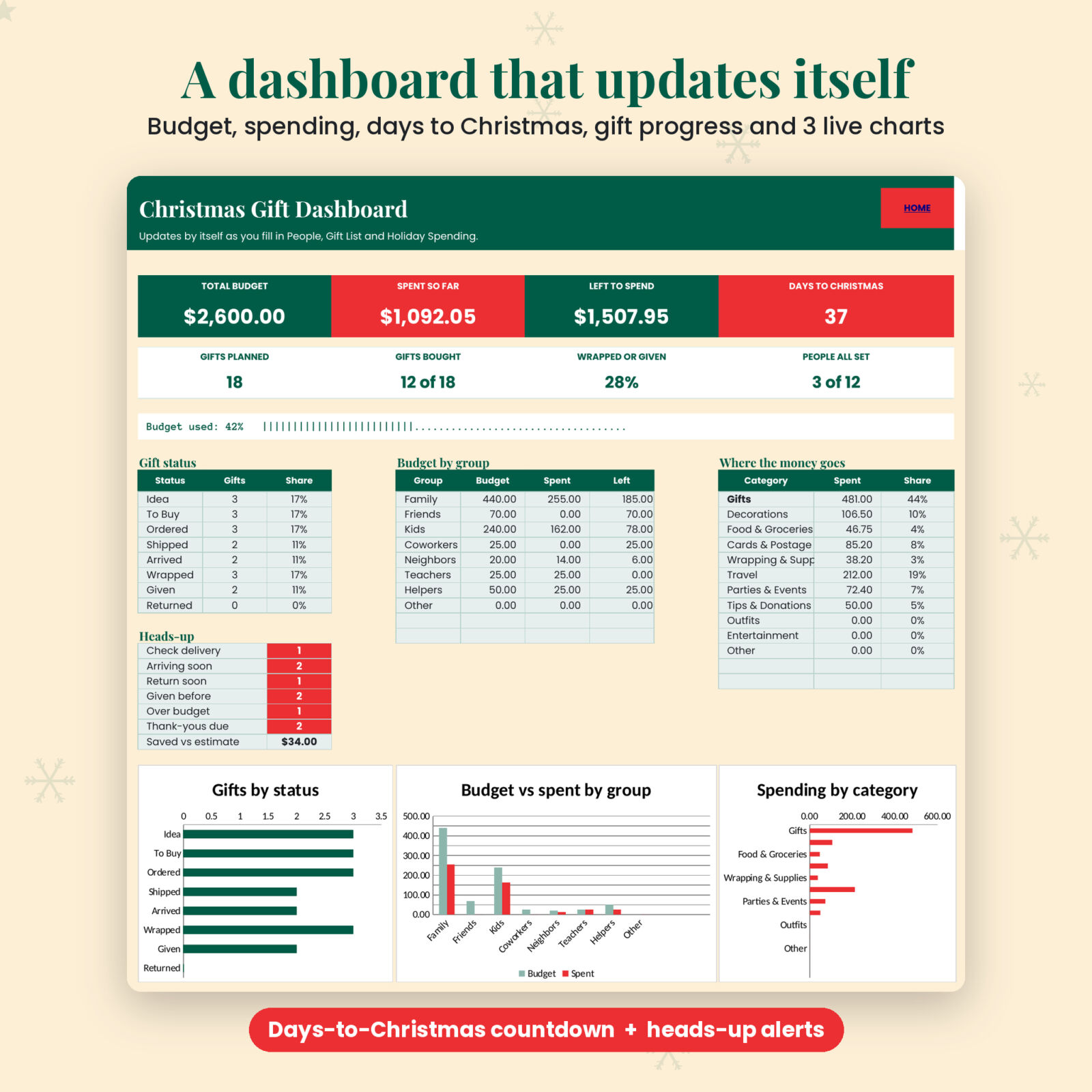
A dashboard that updates itself
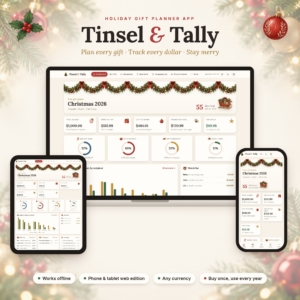
Total budget, spent so far, left to spend, a days-to-Christmas countdown, gifts planned and bought, the share wrapped or given, people all set, a budget-used bar, gift status counts, budget vs spent by group, spending by category, a heads-up panel and three charts.
What is included
- Parcelpine Christmas Gift Budget Tracker (.xlsx), a clean blank copy with 9 tabs: Start Here, Dashboard, Settings, People, Gift List, Price Watch, Holiday Spending, Gift History, Thank-Yous
- Printable user guide (.docx) with setup steps, feature walkthroughs, troubleshooting and FAQ
How it works
- Open the file in Excel or upload it to Google Drive and open it with Google Sheets.
- On Settings, pick your currency symbol, check the year and rename your groups, stores and spending categories.
- Add the people on your list with a budget each.
- Add gifts as you think of them and update the status as you shop.
- Check the Dashboard whenever you want the full picture.
File formats and software
One .xlsx workbook. Tested with Excel-compatible formulas only (SUMIFS, COUNTIFS, INDEX, MATCH and similar), so it works in Microsoft Excel 2010 or newer on Windows and Mac, Excel for the web, and Google Sheets (free Google account). No macros, no add-ins. The guide is a Word .docx that also opens in Google Docs.
Customizing
Choose any currency symbol in Settings and every money heading and dashboard figure follows. Rename groups, stores and categories to match your family. Formula cells are locked without a password, so they are safe from accidental typing and you can switch protection off in two clicks if you want to restyle.
Digital download
This is a digital product. Nothing is shipped. After checkout you get instant access to the files from your Taskdale account and the order email. Personal use only.
Real situations where it helps
- You ordered six gifts online and cannot remember which ones arrived. The Gift List shows status and the alerts point at the late ones.
- You promised yourself $100 per child this year. The People tab tells you, to the cent, how close you are.
- Grandma loved the photo calendar last year. Gift History reminds you, and warns you if you were about to buy the exact same scarf twice.
- Your total looked fine until travel, postage and party food landed. Holiday Spending catches it.
FAQ
Does this Christmas gift tracker work in Google Sheets?
Yes. Upload the .xlsx to Google Drive and open it with Google Sheets. All formulas are Sheets-compatible.
Can I change the currency?
Yes. Pick or type any symbol in Settings. $ is the default.
How many people and gifts can I track?
60 people, 300 gifts, 40 price comparisons, 150 spending entries, 200 gift history lines and 80 thank-yous.
Can I reuse it next Christmas?
Yes. Keep a blank copy, change the year in Settings and move this year’s gifts into Gift History.
Will it work on my iPad or phone?
You can view and edit it in the Google Sheets or Excel mobile apps. Setup is easiest on a computer.
Is there a free version?
Yes. Parcelpine Lite (10 people, 25 gifts, summary only) is available as a free download on the Taskdale blog.
Can I share it with my partner?
Yes, within your own household. In Google Sheets you can share your copy with family members. Please do not resell or share the file publicly.
Reviews
There are no reviews yet.