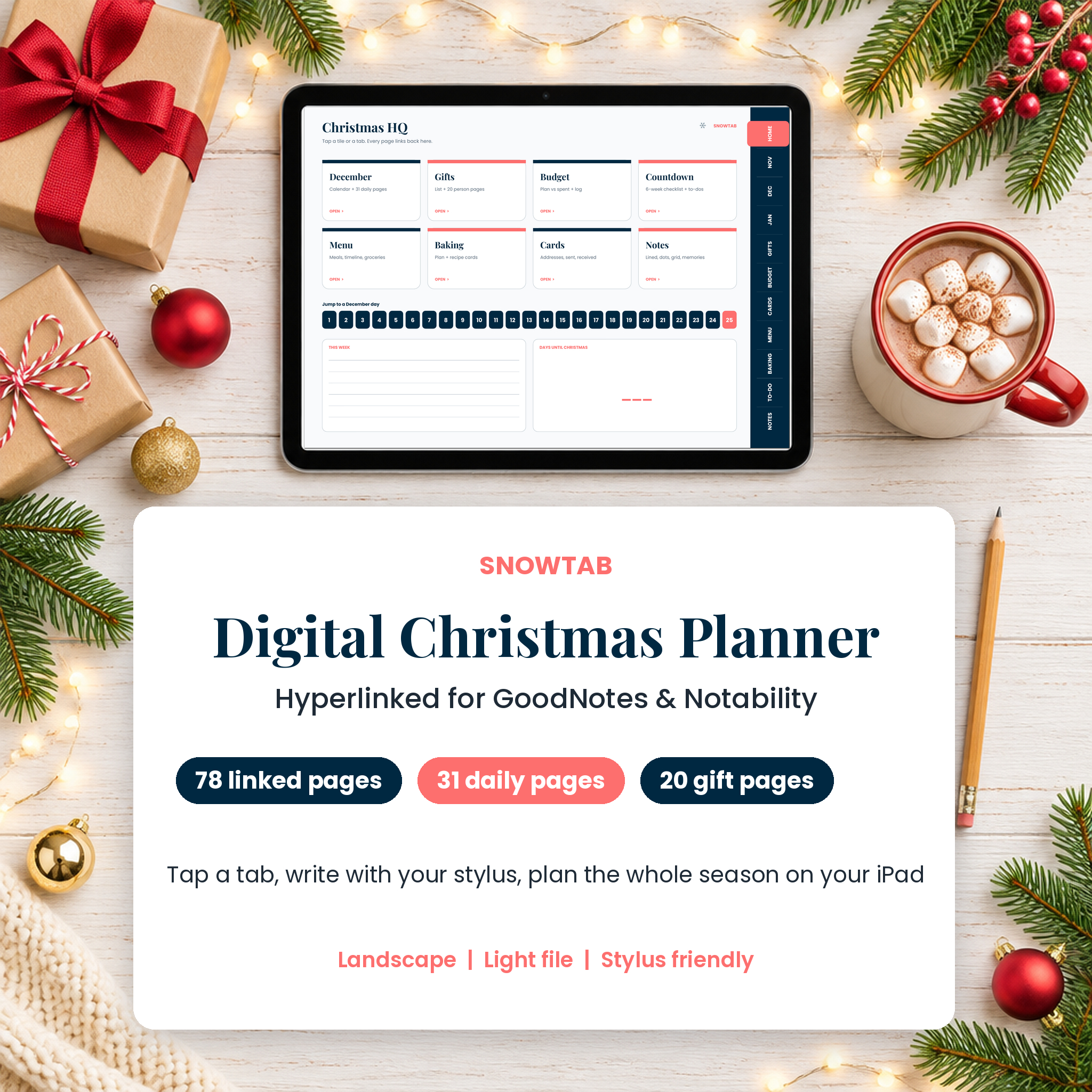
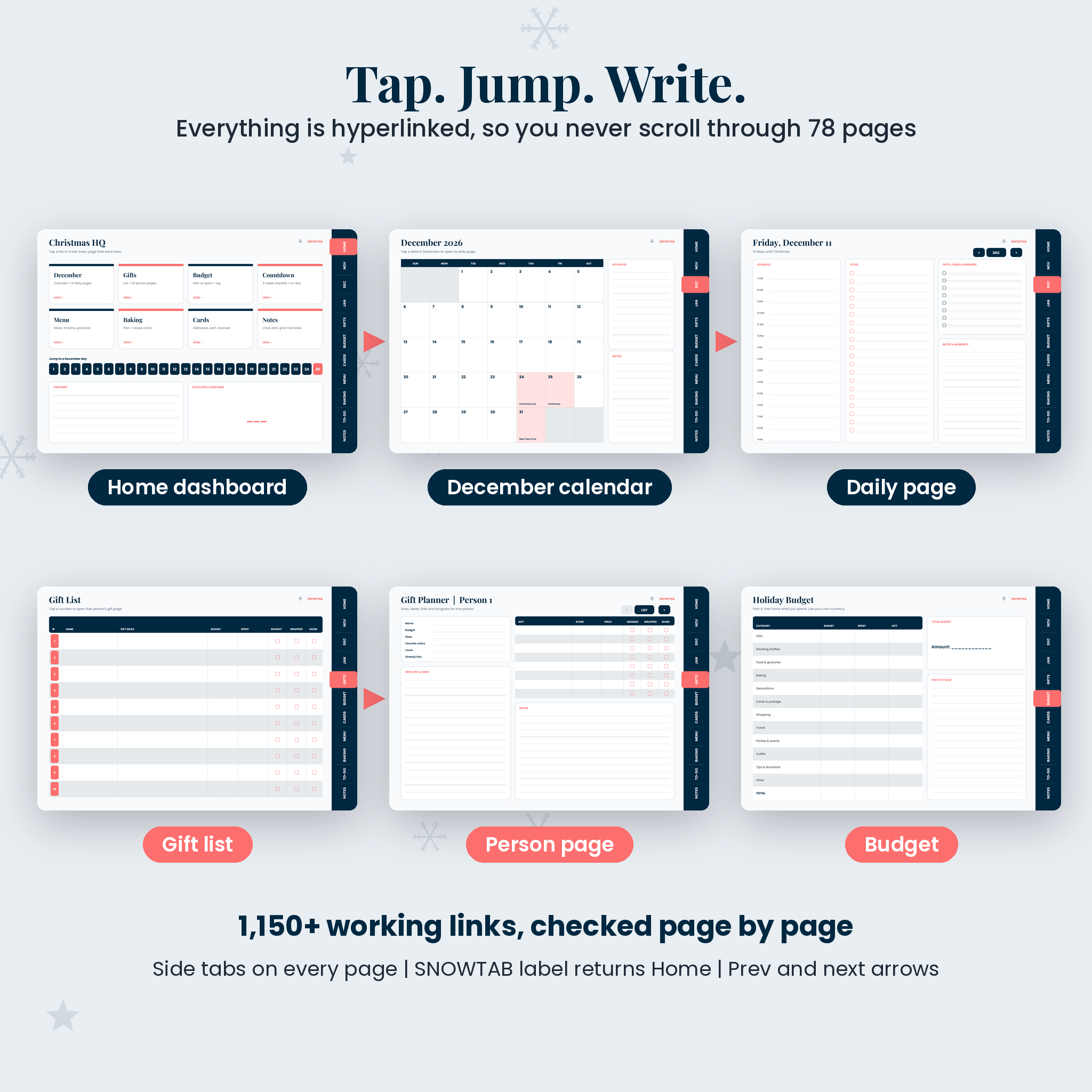
If your iPad is already where your lists live, plan Christmas there too. The Snowtab Digital Christmas Planner is a hyperlinked PDF for GoodNotes, Notability and other tablet note apps. Tap a tab on the right to open any section, tap a date to open that day, tap a name on the gift list to open that person’s page. Then write with your stylus like you would on paper.
What this digital Christmas planner includes
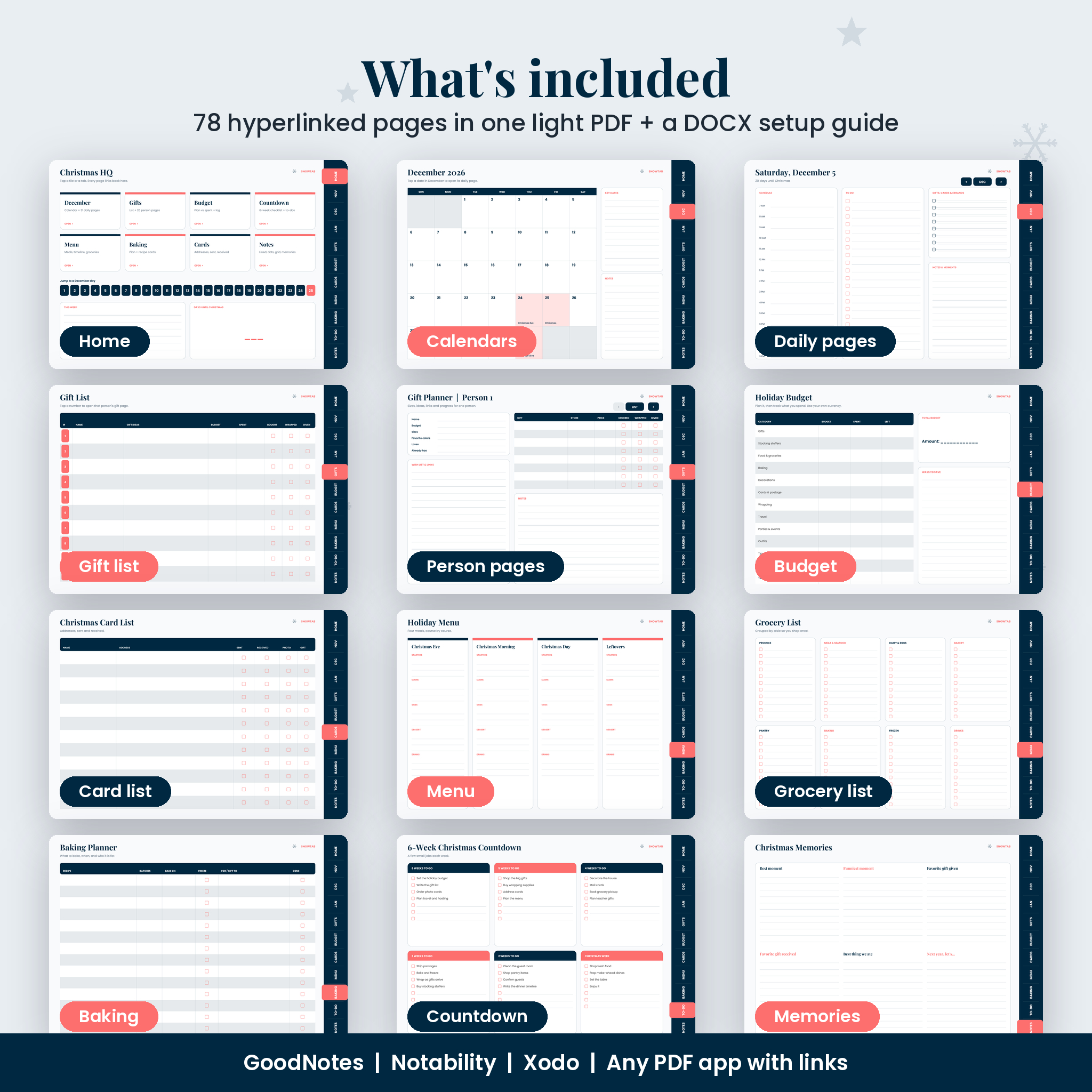
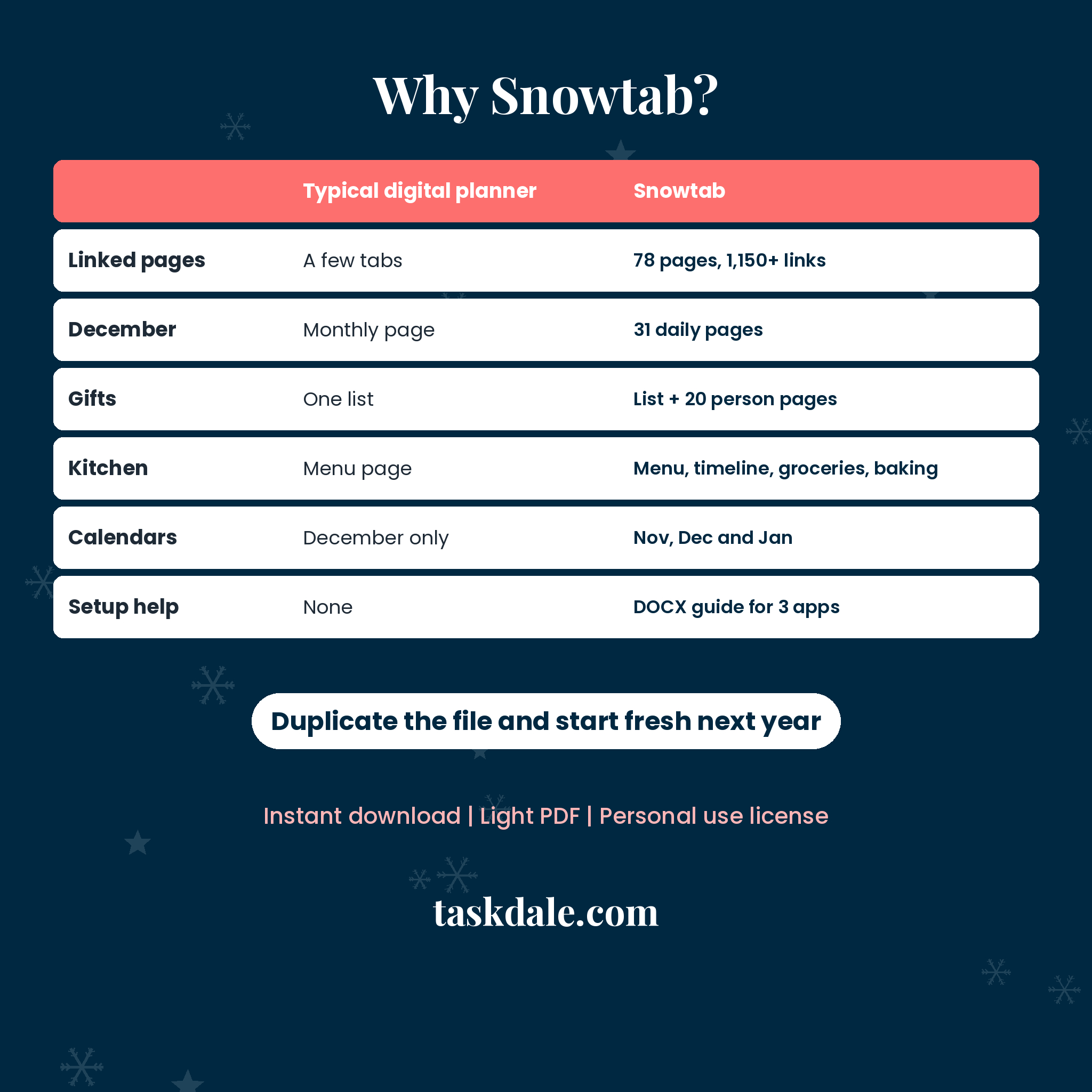
Snowtab has 78 landscape pages and more than 1,150 internal links, all checked page by page. It is built around the way December really goes: a lot of small jobs, a lot of people to buy for, and a few big meals.
Christmas HQ home page
Eight section tiles, a December 1 to 25 jump bar, a this-week box and a days-until-Christmas box. Every page links back here through the SNOWTAB label at the top.
Calendars and 31 daily pages
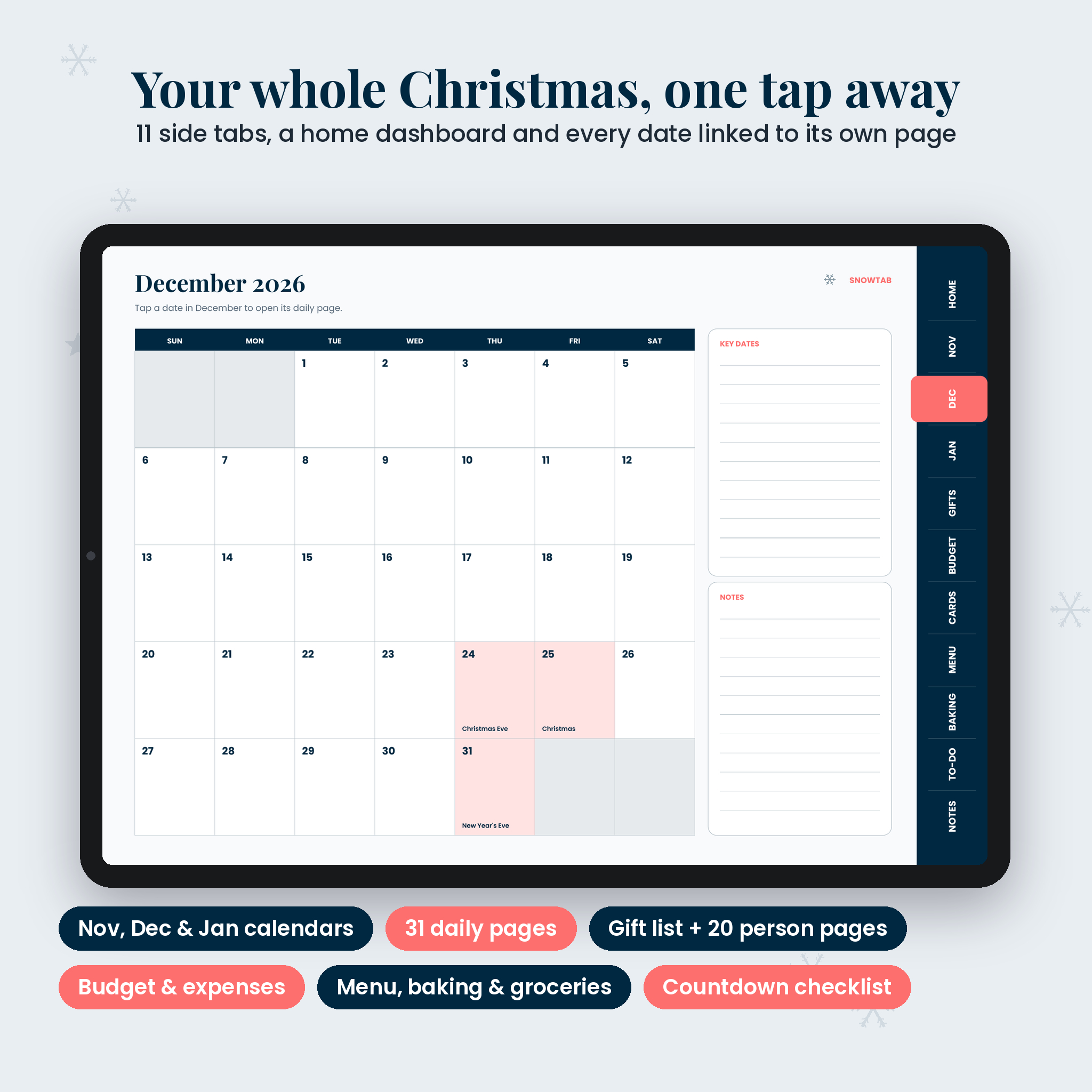
- November 2026, December 2026 and January 2027 monthly calendars with Thanksgiving, Christmas Eve, Christmas, New Year’s Eve and New Year’s Day marked
- Every December date links to its own daily page
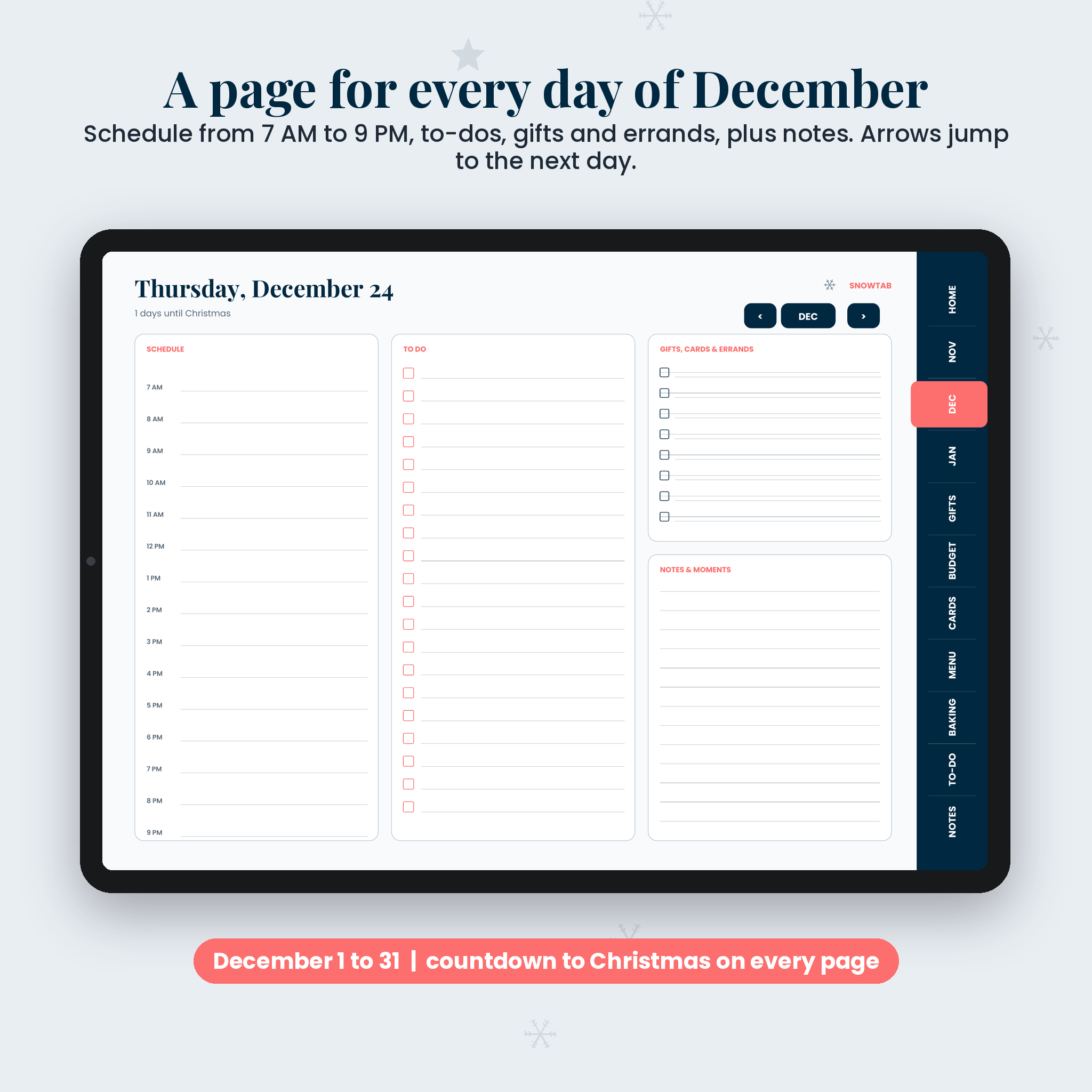
- Daily pages: countdown to Christmas, hourly schedule from 7 AM to 9 PM, to-do list, gifts, cards and errands, notes and moments
- Previous and next arrows on every daily page
Gift planner with 20 person pages
A two-page gift list with budget, spent, bought, wrapped and given. Each number links to a person page with name, budget, sizes, favorite colors, loves, already has, a wish list and links area, a table for up to 8 gifts, and notes.
Budget, cards and kitchen
- Holiday budget with 12 categories and an expense log
- Christmas card list on 2 pages with sent, received, photo and gift boxes
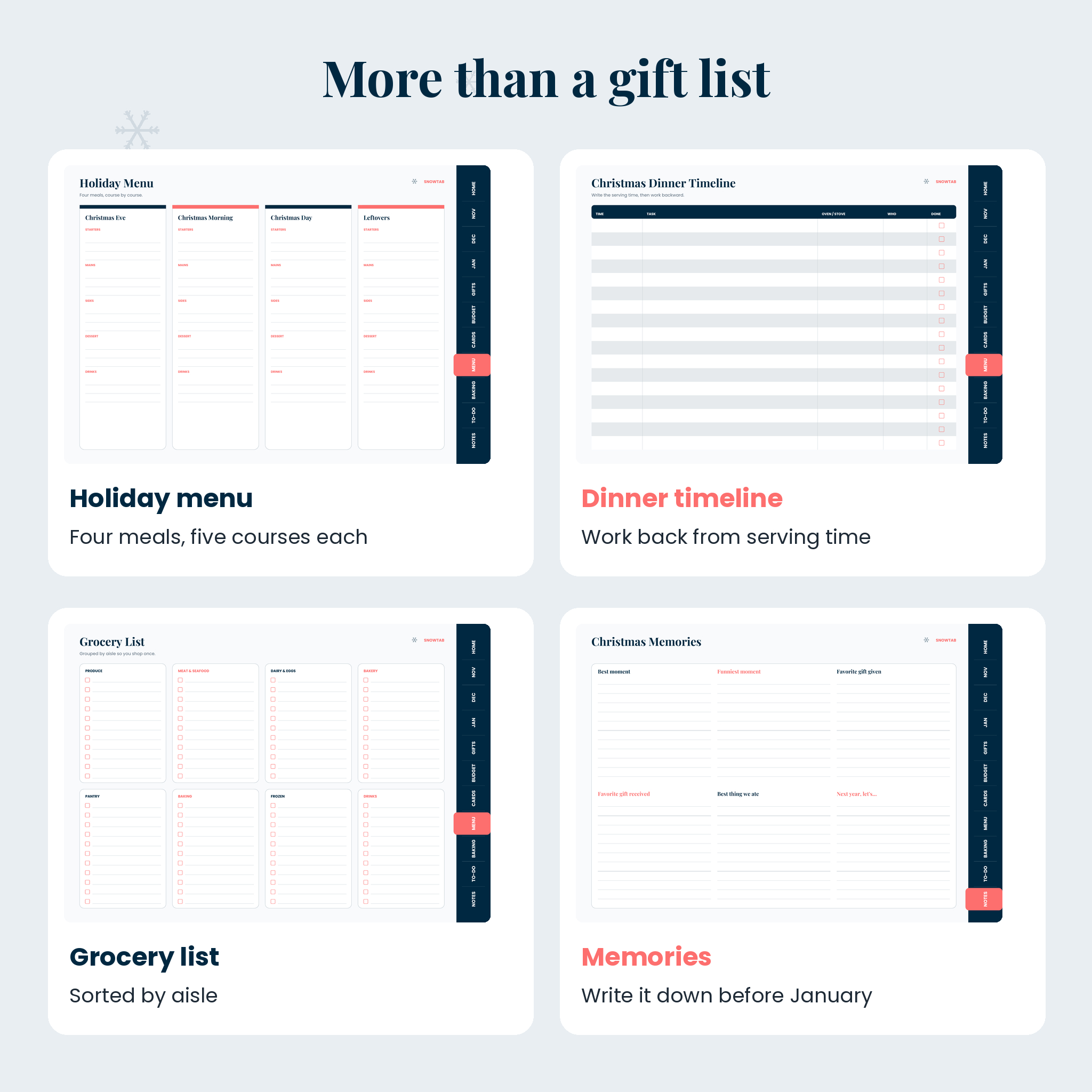
- Holiday menu for four meals, a Christmas dinner timeline and a grocery list sorted by aisle
- Baking planner and 4 recipe card pages
Countdown and notes
- 6-week Christmas countdown checklist with prewritten jobs and blank lines
- 2 to-do pages
- Lined, dot grid and graph notes plus a Christmas memories page
Who it is for
- iPad users who plan in GoodNotes or Notability
- Android tablet users with Xodo, Noteshelf or Samsung Notes
- Busy parents who want the gift list, budget and daily plan in the bag, not on the fridge
- Anyone who likes the feel of writing but not the clutter of paper
Why Snowtab is easier to use
- Side tabs on every page. 11 tabs, with the current section highlighted.
- Two levels of links. Calendar to day, gift list to person, home tile to section.
- Landscape layout. Uses the full width of a tablet so columns are not cramped.
- Light file. Under 1 MB, so it opens fast and does not bog down your app.
- Clean, calm design. Midnight navy and coral on a soft white page, easy on the eyes at night.
Real ways people use it
- Standing in a store, you open a person page and check their sizes and what they already have.
- On December 12 you open that day, see the school concert at 6 PM, and add “buy teacher gifts” to the errands column.
- The night before Christmas Eve you open the dinner timeline and write the oven schedule backward from 5 PM.
- In January you open the memories page and write down the best moments while you still remember them.
What is included
- Snowtab Digital Christmas Planner, hyperlinked PDF (78 pages, landscape)
- User guide (DOCX) with setup steps for GoodNotes, Notability and other apps, navigation tips and FAQ
How it works
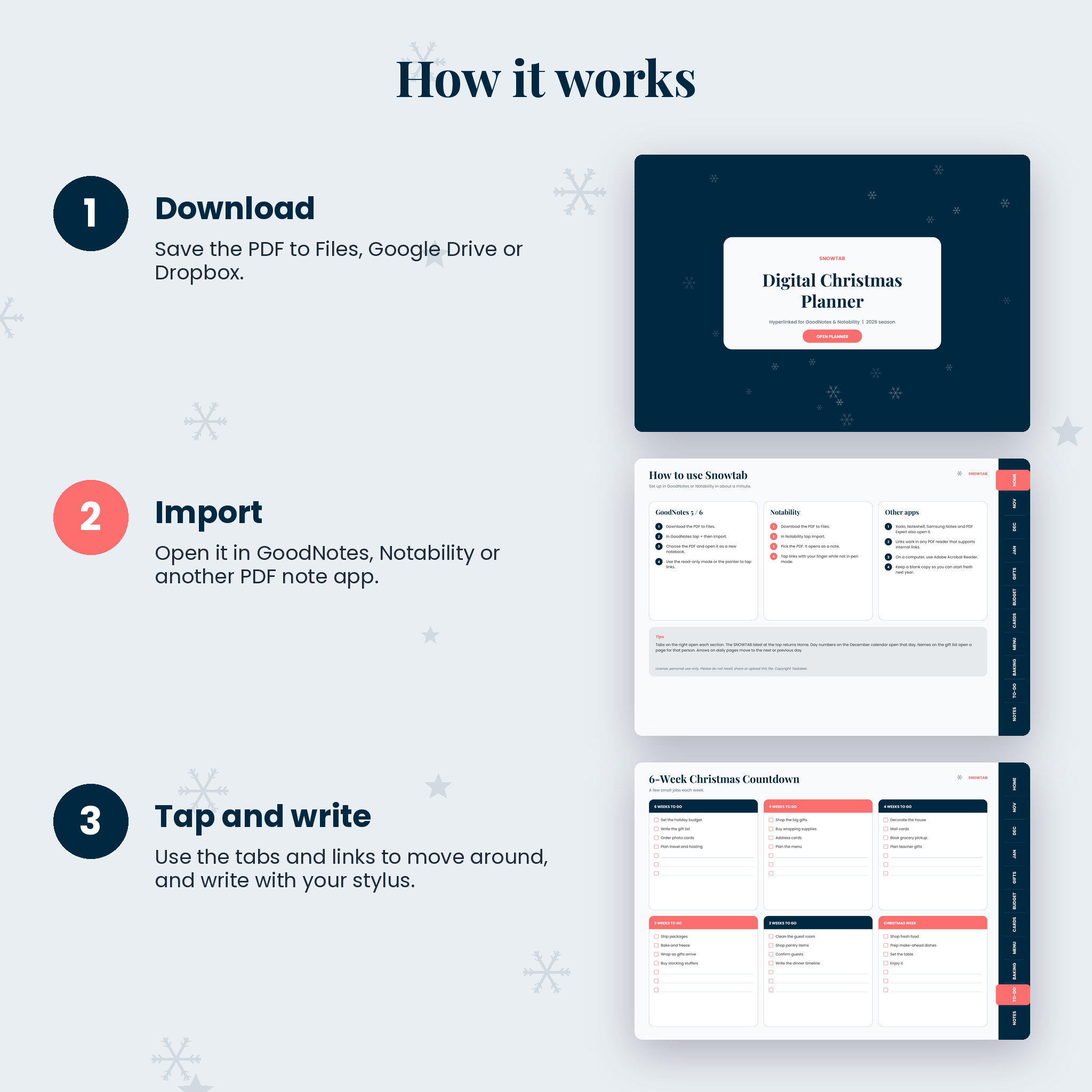
- Download the PDF and save it to Files, iCloud Drive, Google Drive or Dropbox.
- Import it into GoodNotes, Notability or another PDF note app.
- Tap the tabs and links to move around. Write with your stylus.
- Duplicate the notebook first if you want a blank copy for next year.
File format and requirements
One PDF file, 1200 x 840 points (a tablet-friendly landscape ratio). Hyperlinks work in PDF apps that support internal links, including GoodNotes and Notability. You need a tablet and a note-taking app; a stylus is optional. This is a digital file, not a printed planner.
Digital download
Nothing ships. Download right after checkout from your Taskdale account or order email. Personal use only.
FAQ
Does this digital planner work in GoodNotes?
Yes. Import the PDF as a new notebook. Use the pointer or read-only mode to tap links.
Does it work in Notability?
Yes. Import the PDF and tap links while you are not in pen mode.
Can I use it on an Android tablet?
Yes, in PDF note apps that support links, such as Xodo or Noteshelf.
Is it dated?
The calendars and daily pages cover November 2026 to January 2027. The gift, budget, menu, baking and notes pages are undated.
Can I add more pages?
Yes. Duplicate any page in your note app. Copied pages keep their design; new copies are not linked from the tabs.
Is there a free version?
Yes. A 12-page free edition is available as a download on the Taskdale blog.
Reviews
There are no reviews yet.