The PennyPetal budget planner spreadsheet gives you one calm, colorful place to plan every paycheck, track every dollar and see exactly where your money goes. It works in Microsoft Excel and Google Sheets, supports monthly, semi-monthly, biweekly, weekly or custom pay periods, and does all of the math for you — so you can spend less time adding up numbers and more time making good decisions with them.
Choose a pay period from one dropdown and every card, chart, bill and goal updates instantly. Balances roll from one period to the next automatically, so there is no need to copy a new tab every payday.
What This Budget Planner Spreadsheet Does
You enter what you expect to earn and spend, then log your real transactions. PennyPetal fills in the category, compares your plan with what actually happened, flags overspending, tracks bills and due dates, measures progress on savings goals and debts, and turns it all into clear charts. A built-in health check spots typos and half-filled rows before they throw off your totals.
Who It Is For
- Anyone paid monthly, twice a month, every two weeks, weekly or on an irregular schedule
- Families and couples who want one shared picture of household money
- First-time budgeters who want starter categories and plain-English guidance
- Experienced budgeters who want sinking funds, a debt payoff plan and a yearly review in one file
Main Benefits
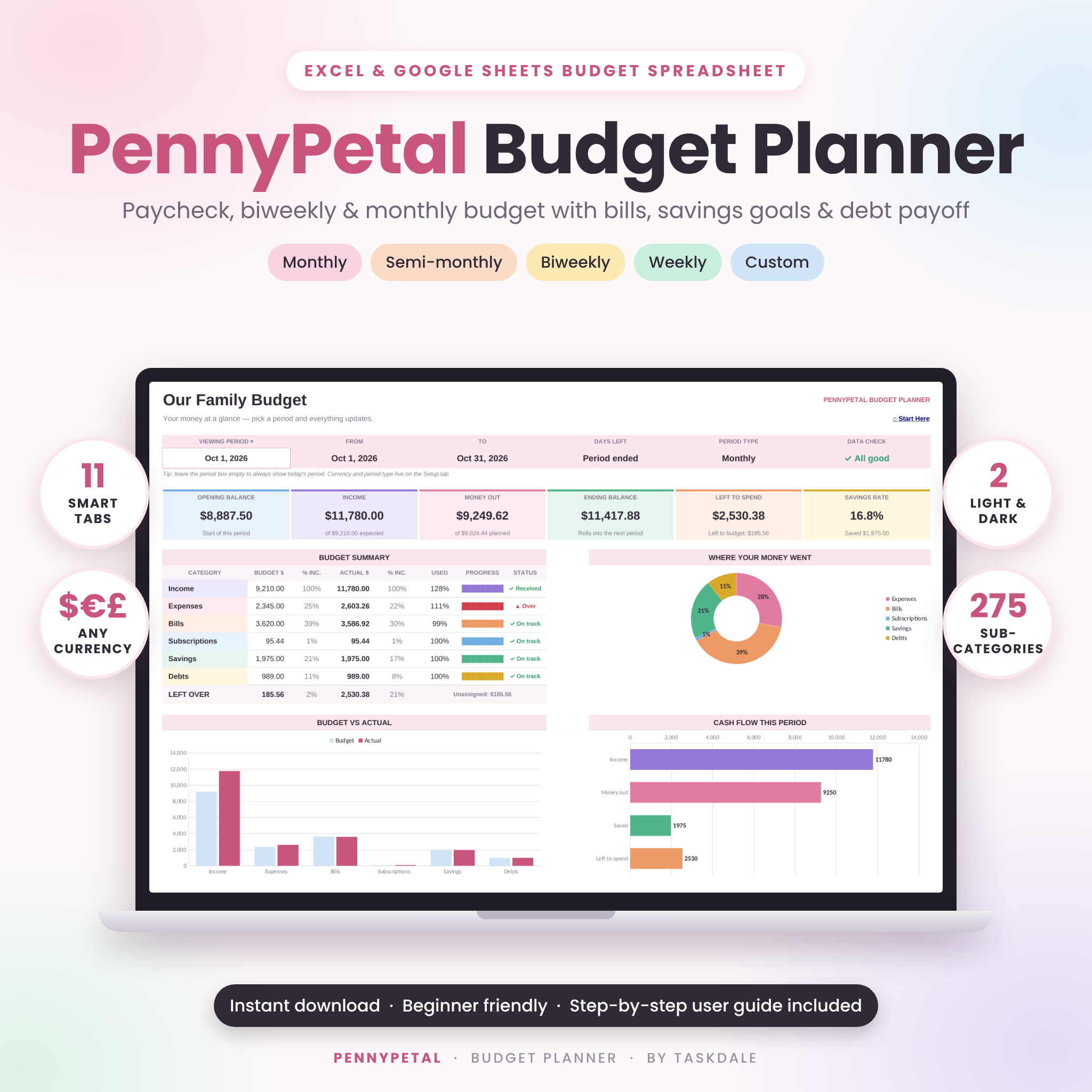
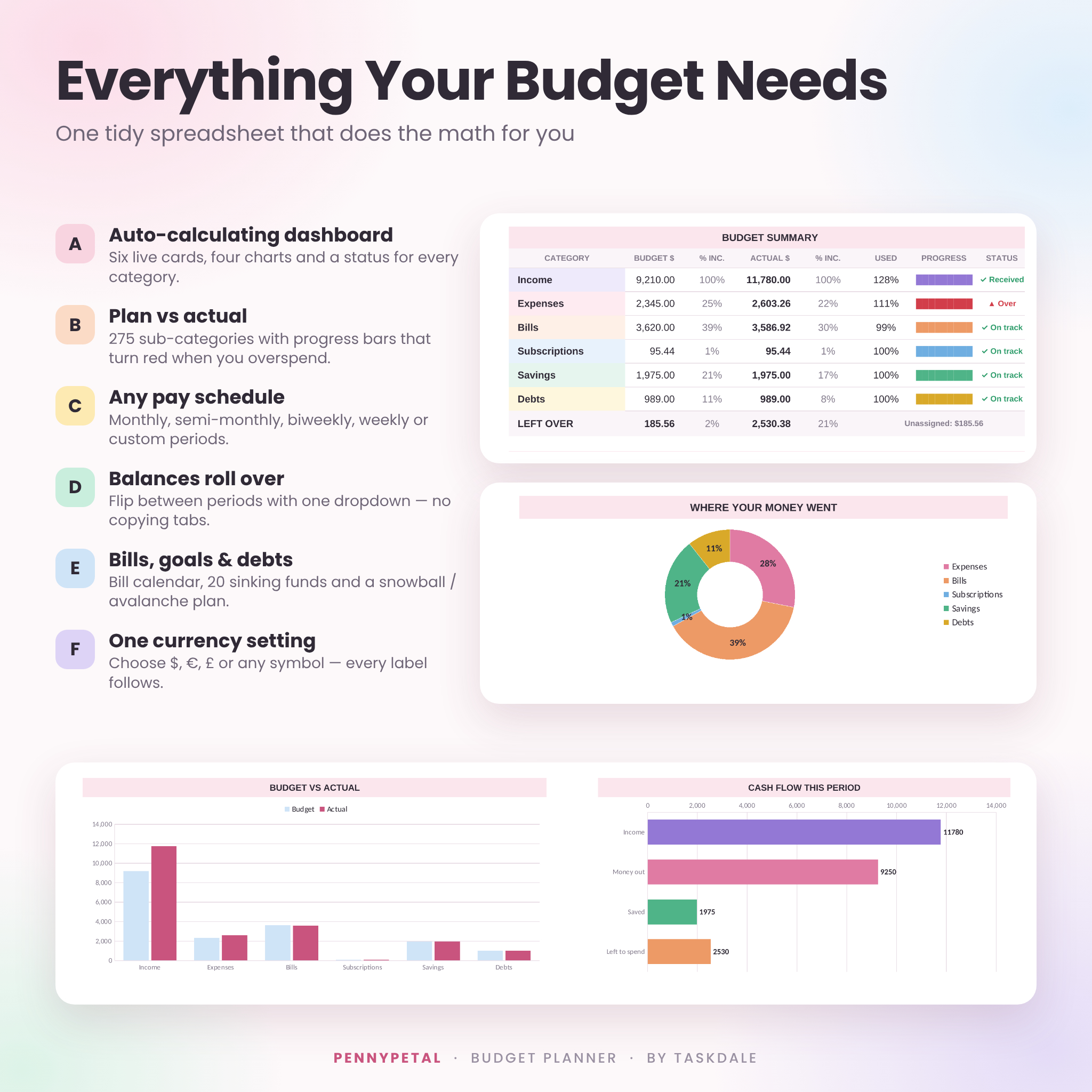
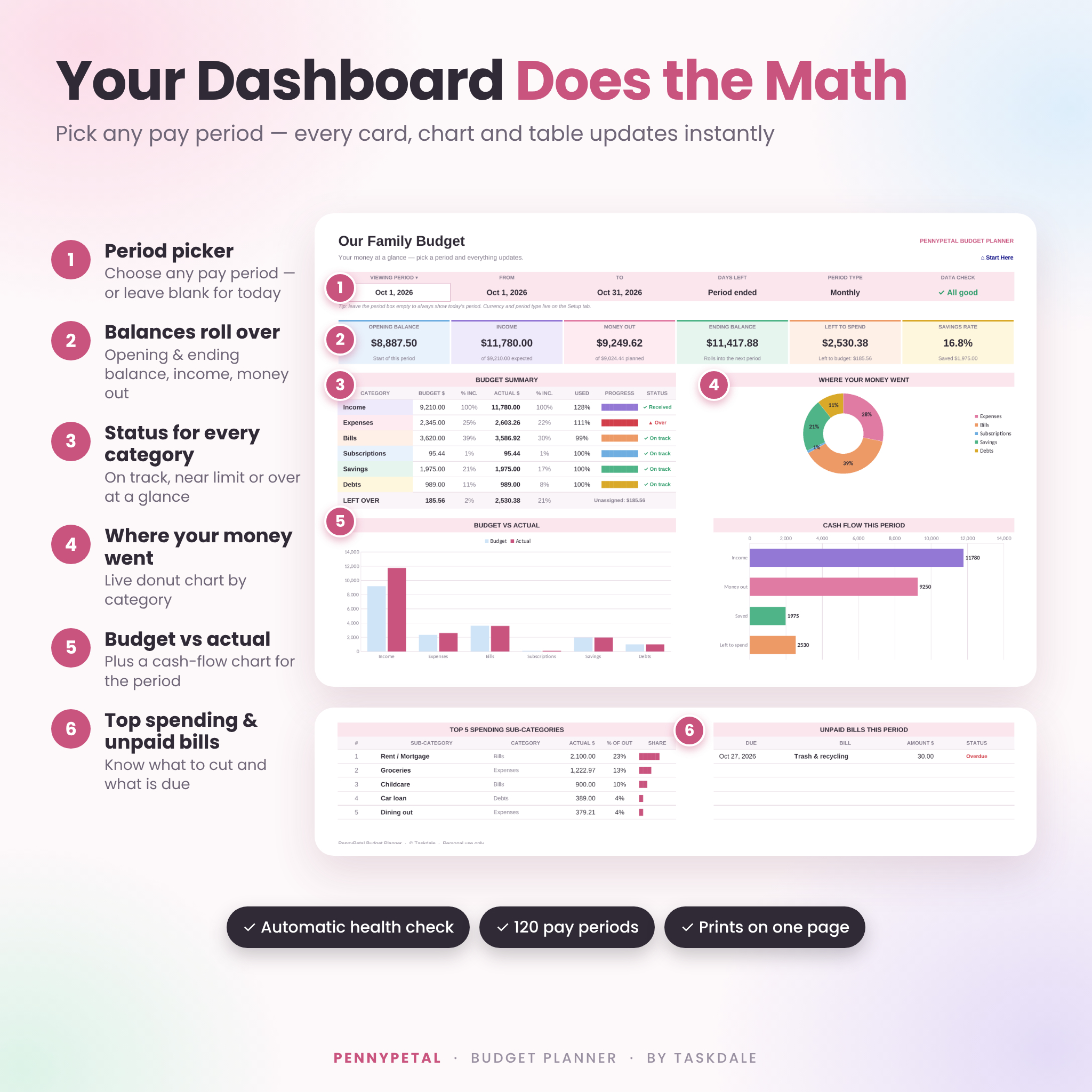
- See the whole picture in seconds – six live summary cards, a budget summary with a status for every category, and four automatic charts.
- Budget by paycheck – plan per period, whatever your pay schedule, and flip between past and current periods with one dropdown.
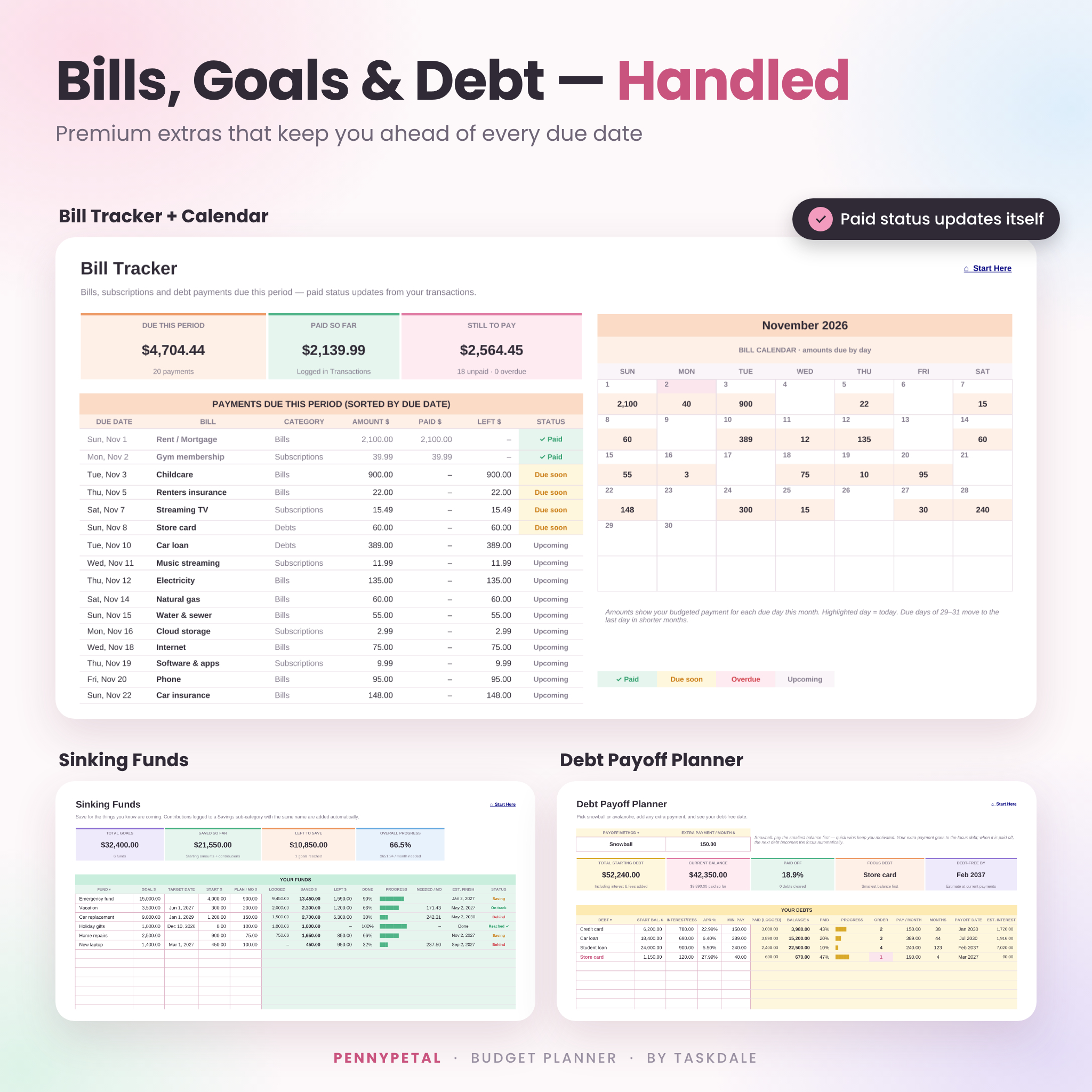
- Never miss a due date – the Bill Tracker sorts every bill, subscription and debt payment by due date and marks each one Paid, Due soon, Overdue or Upcoming.
- Grow savings and shrink debt – sinking funds and a snowball or avalanche payoff plan update themselves from your transactions.
- Use your own currency – one setting changes the symbol on every label and card.
Features
Dashboard
- Period picker with 120 pay periods, plus days left in the period
- Opening balance, income, money out, ending balance, left to spend and savings rate
- Budget summary with progress bars and On track, Near limit and Over status
- Where-your-money-went donut chart, budget vs actual chart and cash-flow chart
- Top 5 spending sub-categories and unpaid bills at a glance
Budget Plan & Tracker
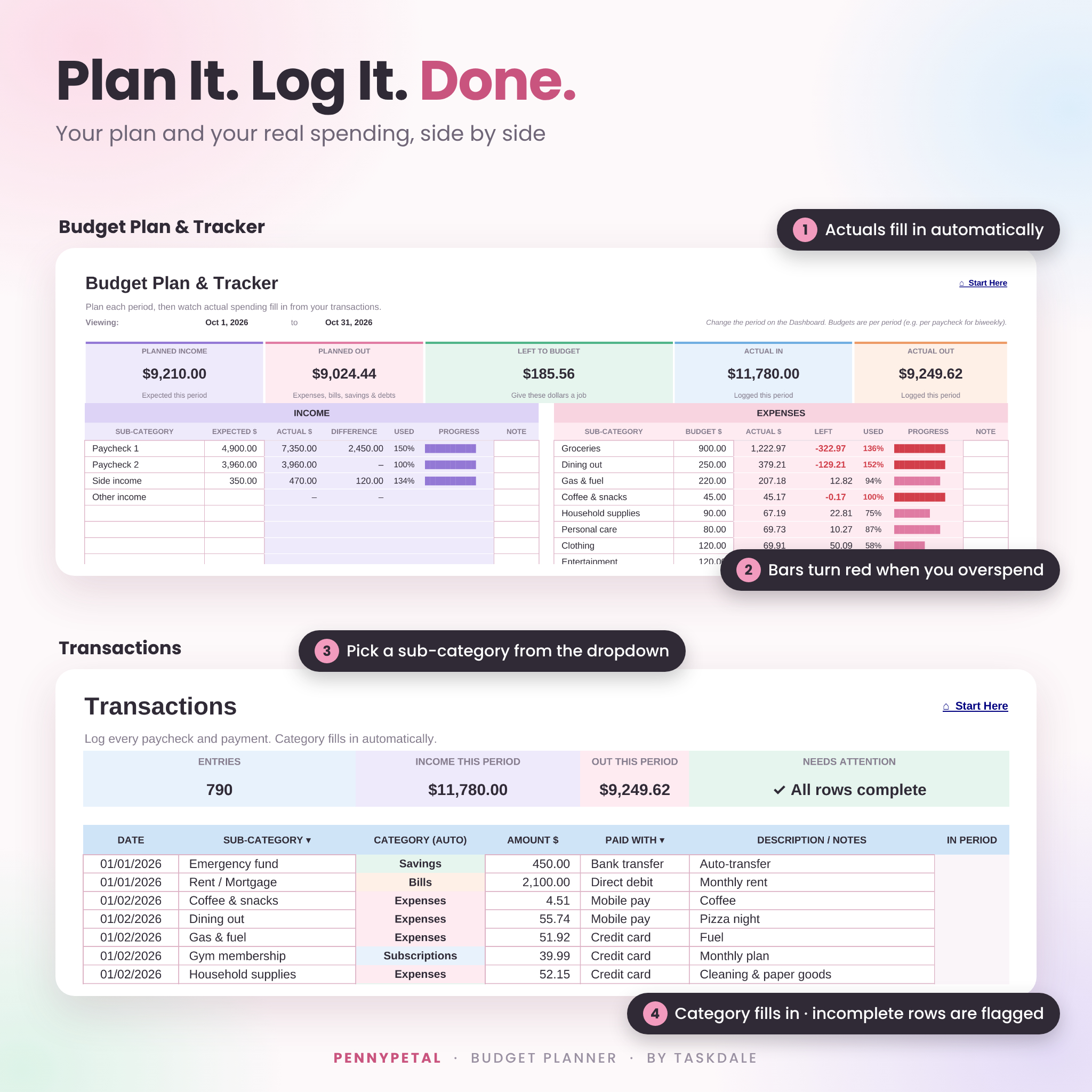
- Six sections: Income, Expenses, Bills, Subscriptions, Savings and Debts
- Up to 275 sub-categories (25 income sources and 50 in each spending section), with starter names you can rename
- Plan, actual, left over, % used and progress bars that turn red when you overspend
- Left-to-budget card for zero-based budgeting
Transactions
- 1,000-row log with date checks, sub-category dropdowns and an automatic category column
- Optional payment method and notes, plus filters on every column
- Yellow highlighting for incomplete rows and a warning for unknown sub-categories
Trends
- Day-by-day money in, money out and running balance, with daily spending and balance charts
- Top 15 sub-categories ranked by spending
- Spending by day of the week and by payment method
Bill Tracker, Sinking Funds & Debt Payoff
- Bills sorted by due date with automatic paid status and a monthly bill calendar
- 20 sinking funds with progress, monthly amount needed, estimated finish date and status
- 15-debt payoff planner with snowball or avalanche order, extra payment, payoff dates and estimated interest
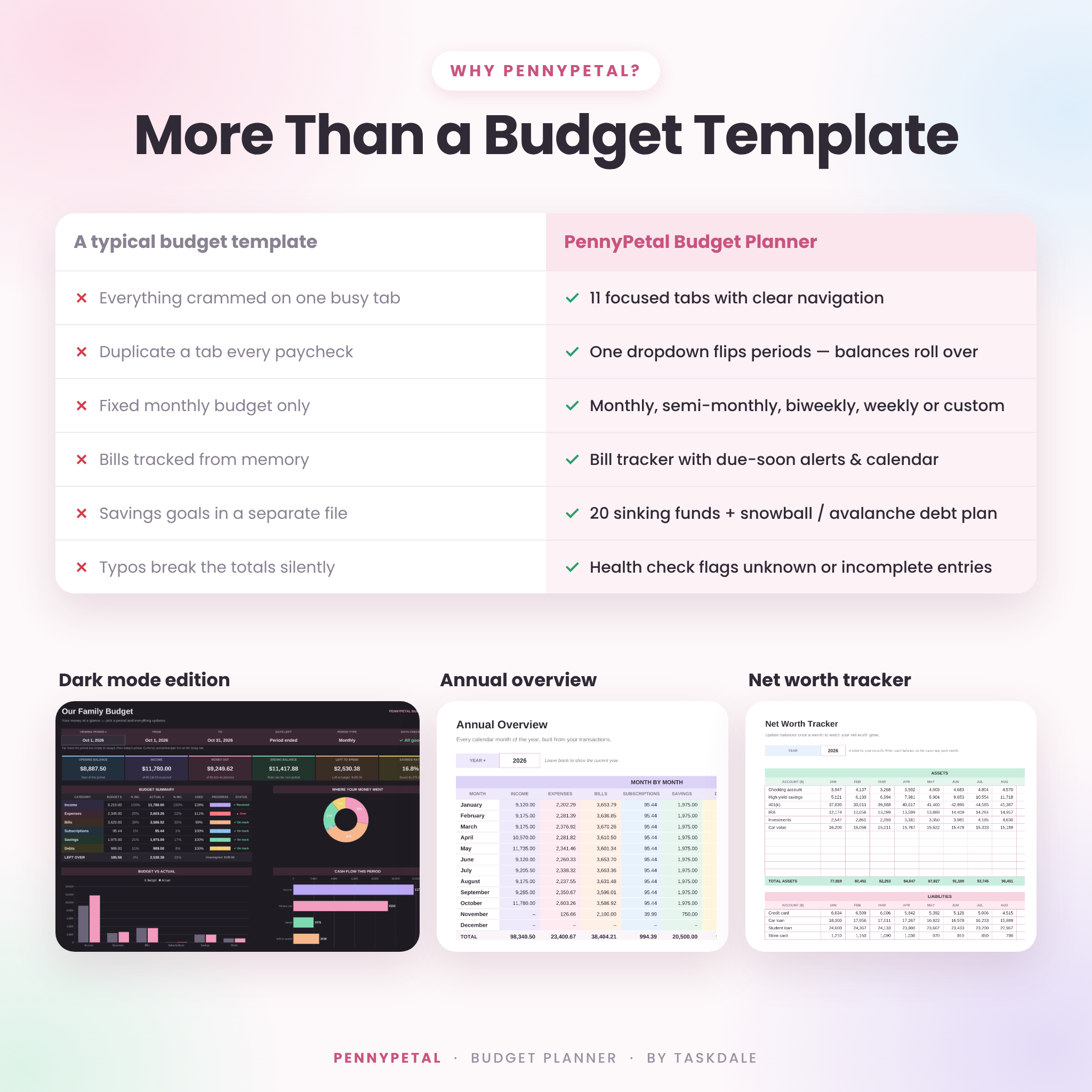
Annual Overview & Net Worth
- All 12 months by category with totals, monthly averages, savings rate and two charts
- Monthly net worth tracker for 12 assets and 12 liabilities with a trend chart
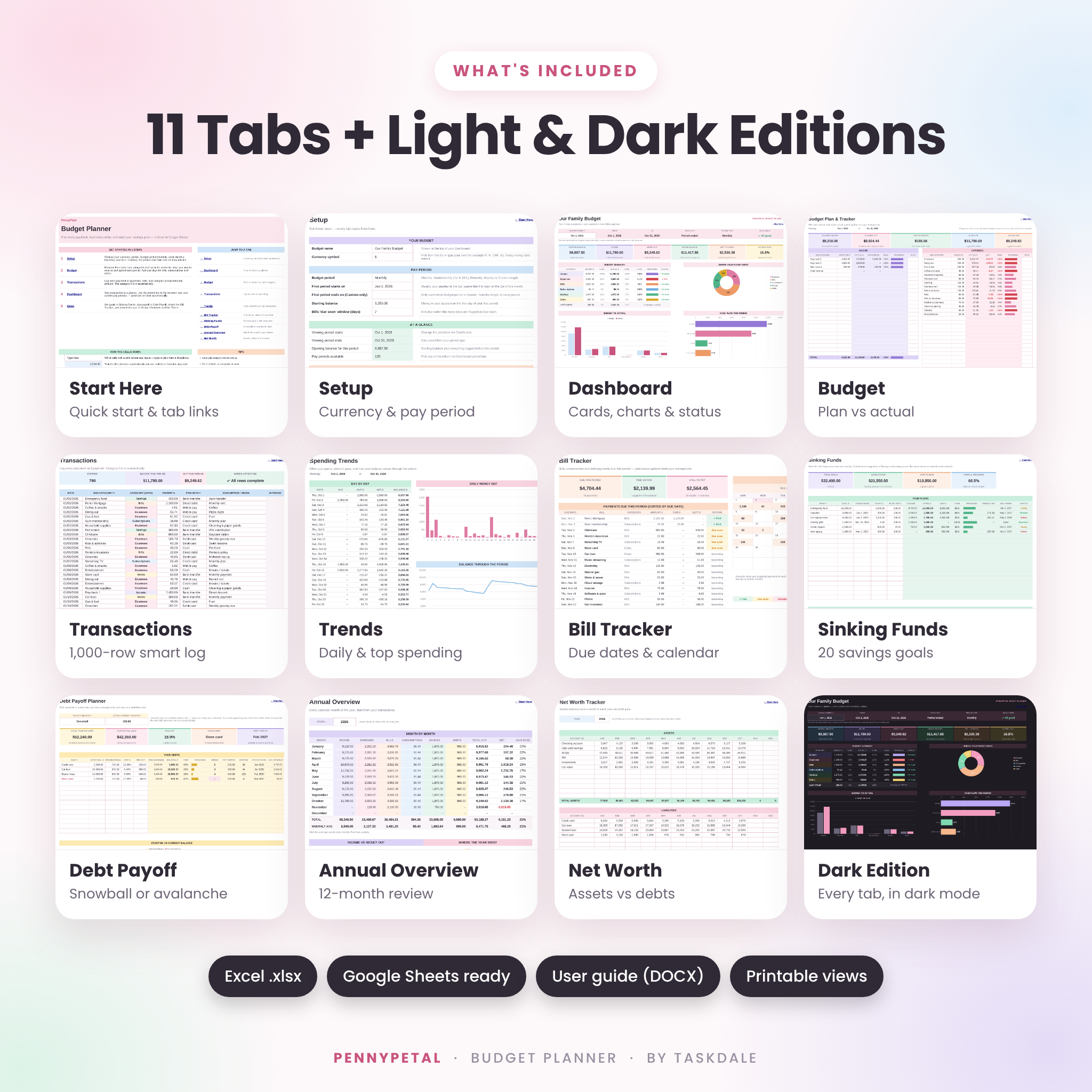
What Is Included
- PennyPetal Budget Planner – Light edition (.xlsx)
- PennyPetal Budget Planner – Dark edition (.xlsx)
- Illustrated 14-page user guide (.docx) with setup steps, tips, troubleshooting and FAQ
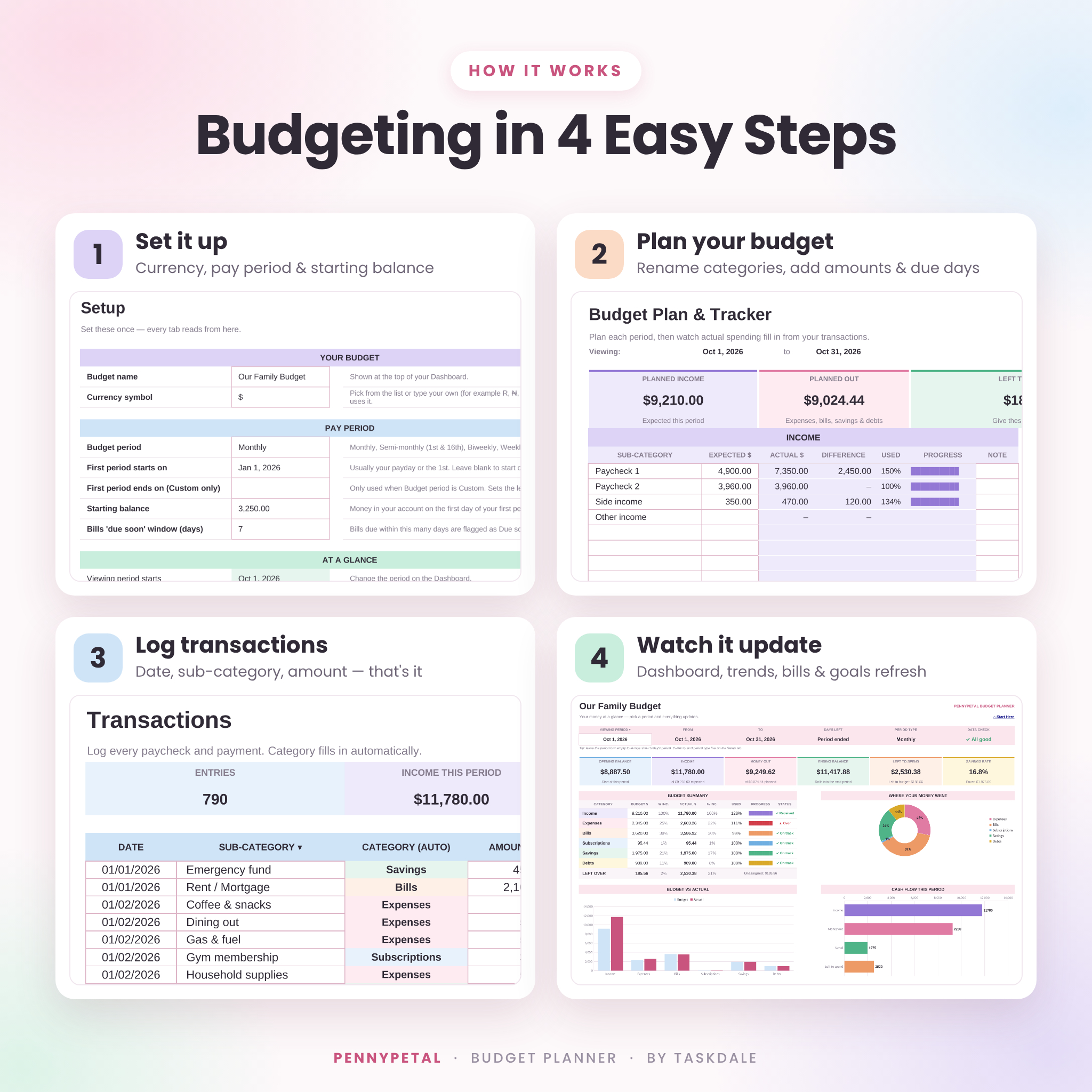
How It Works
- Set it up – pick your currency, pay period, first period date and starting balance on the Setup tab.
- Plan your budget – rename the starter sub-categories, add amounts and add due days for bills.
- Log transactions – date, sub-category and amount. The category fills in for you.
- Watch it update – your dashboard, trends, bills, goals and yearly review refresh automatically.
File Formats & Software Requirements
- Format: Microsoft Excel workbook (.xlsx) and Word guide (.docx)
- Works in Microsoft Excel (Microsoft 365, Excel 2013 or newer on Windows or Mac, and Excel for the web)
- Works in Google Sheets with a free Google account (upload the .xlsx and choose File › Save as Google Sheets)
- Use the Excel or Google Sheets app to log spending on your phone or tablet
- Not designed for Apple Numbers
Customization
Rename, add or remove sub-categories at any time and the dropdowns update automatically. Change your currency or pay schedule on the Setup tab, choose the light or dark edition, and recolor anything you like. Formula cells are protected without a password, so you can unlock a tab whenever you want to make deeper changes.
Digital Download
This is an instant digital download. No physical item will be shipped. Your files are available right after purchase from your order confirmation and your account. For personal use only; the files may not be shared or resold.
Ways to Use It
- Plan each biweekly paycheck so rent, childcare and car payments are covered before payday
- Set up a zero-based monthly budget for the whole household
- Track side-hustle income alongside your main job
- Save for holidays, vacations or a new car with sinking funds
- Follow a debt snowball and see your debt-free date move closer
- Review the year at tax time or before setting next year’s goals
Frequently Asked Questions
Does this budget spreadsheet work in Google Sheets?
Yes. Upload the .xlsx file to Google Sheets and save it as a Google Sheets file. All tabs, dropdowns, formulas and charts work there.
Can I budget biweekly or by paycheck?
Yes. Choose Monthly, Semi-monthly, Biweekly, Weekly or Custom on the Setup tab and plan each period for one paycheck.
Can I use a currency other than US dollars?
Yes. Choose or type any currency symbol once and every money label in the planner uses it.
Do I need to copy a new tab for every month?
No. One file holds 1,000 transactions and 120 pay periods. Switch periods from the Dashboard dropdown and balances carry forward automatically.
Is it good for beginners?
Yes. It includes starter categories, a Start Here tab, color-coded input cells, a health check and a step-by-step guide.
Does it connect to my bank account?
No. You enter transactions yourself, so your bank login never leaves your hands.
Can I print it?
Yes. Every tab has a ready-made print layout. The Dashboard prints on a single page.
Reviews
There are no reviews yet.