

Pest Control Business Spreadsheet: Routes, Recurring Plans and Chemical Log in One Excel File
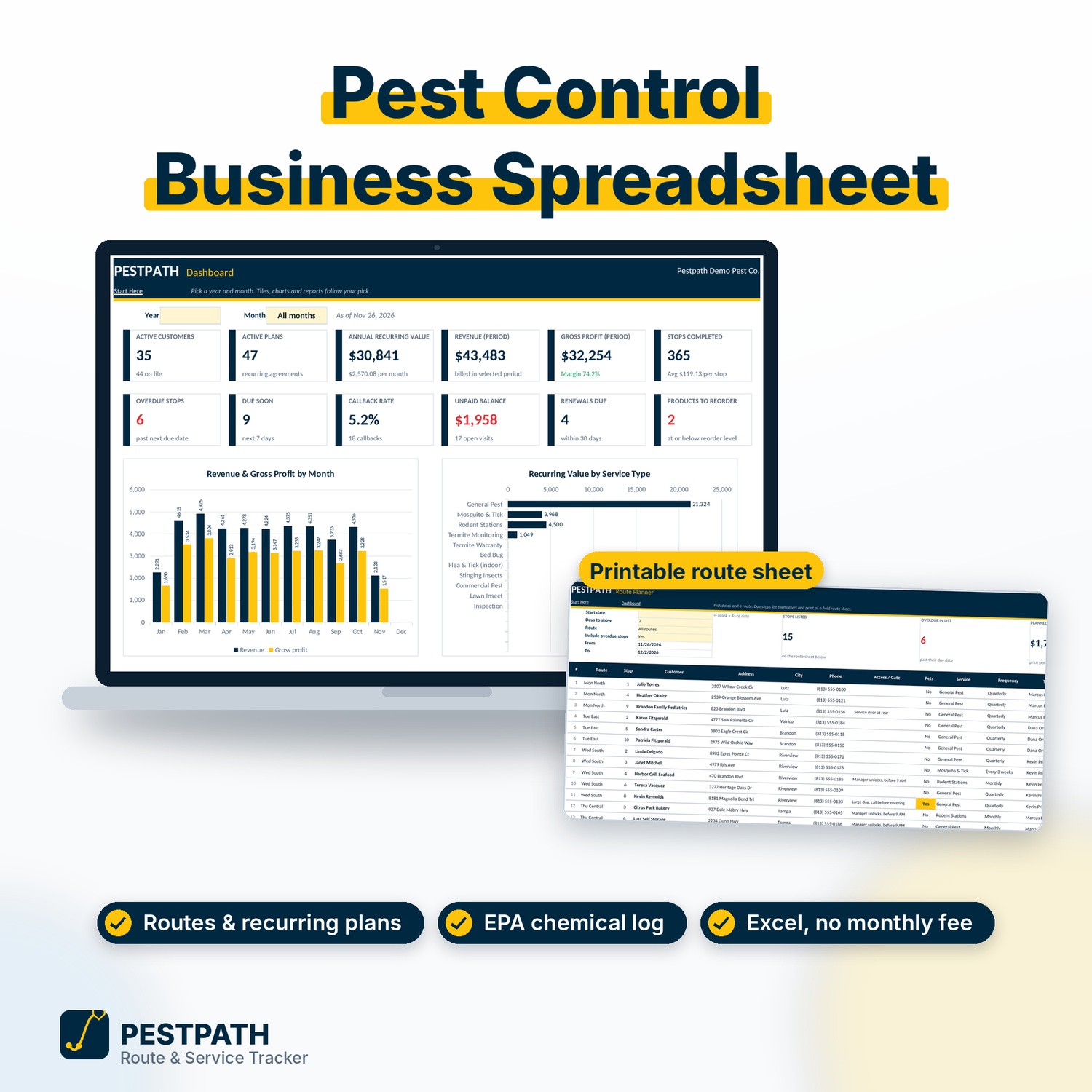
Pestpath is a pest control business spreadsheet for owner-operators and small crews who run recurring service. It keeps every customer and every service plan in one Excel workbook, works out the next due date from the last completed visit, and prints a route sheet for any day. When the week is done, it shows what each route and technician earned.
If you run twelve stops a day on quarterly general pest plans, you know the problem: a paper route sheet cannot tell you who slipped past their due date. Pestpath replaces the paper and the monthly software subscription with one file that opens offline in Excel.
What this pest control route tracker for Excel does
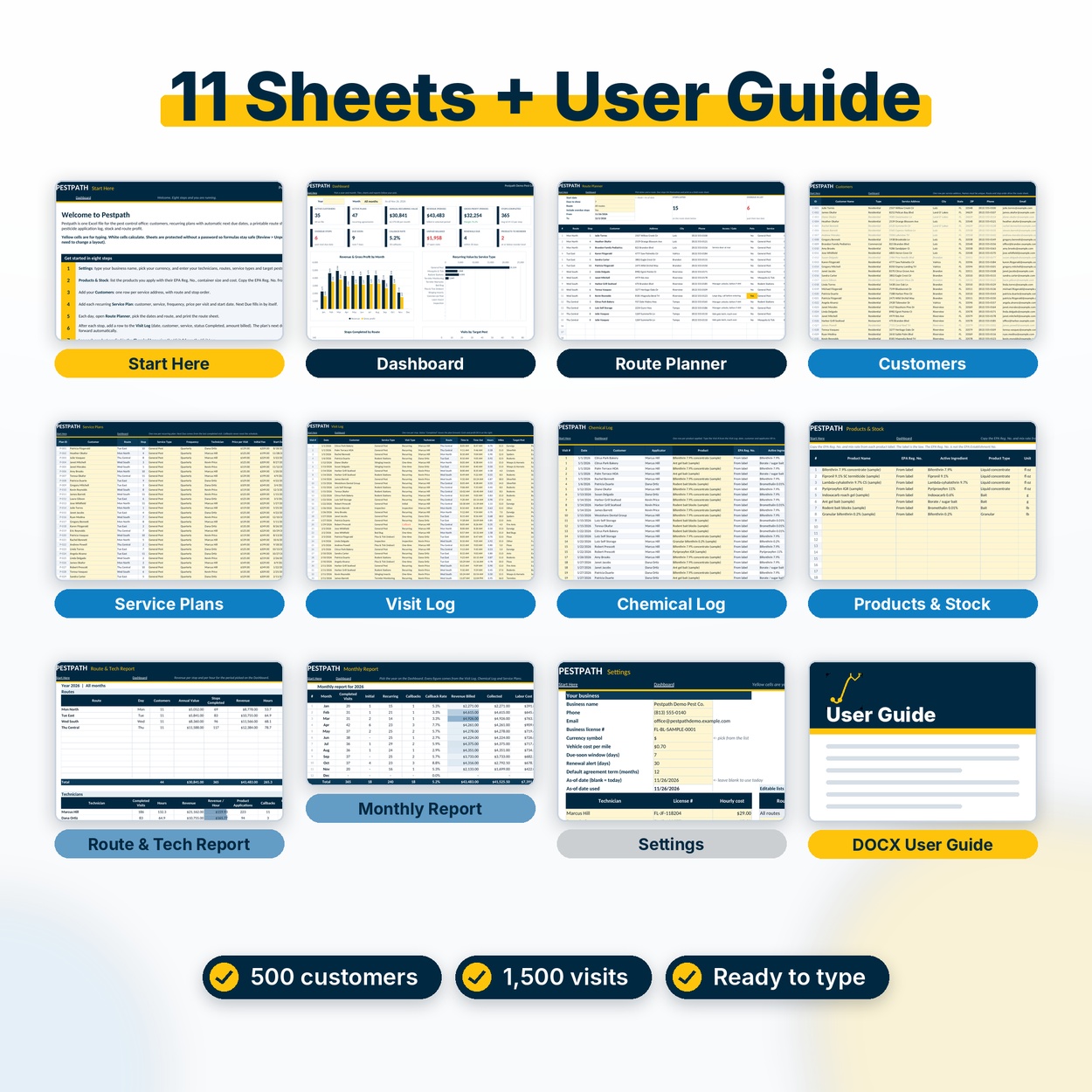
The workbook has 11 sheets that talk to each other. You enter a customer once, add a recurring plan, and log visits as you finish them. The rest fills itself in.
- Next due dates, calculated. Each plan adds its frequency, from monthly to annual or every 3 weeks, to the last completed visit. A quarterly plan last serviced August 14 is next due November 14, with Overdue, Due soon and Scheduled flags in color.
- Callbacks that do not reset the schedule. A free return trip is counted in your callback rate but never pushes the next due date out by three months.
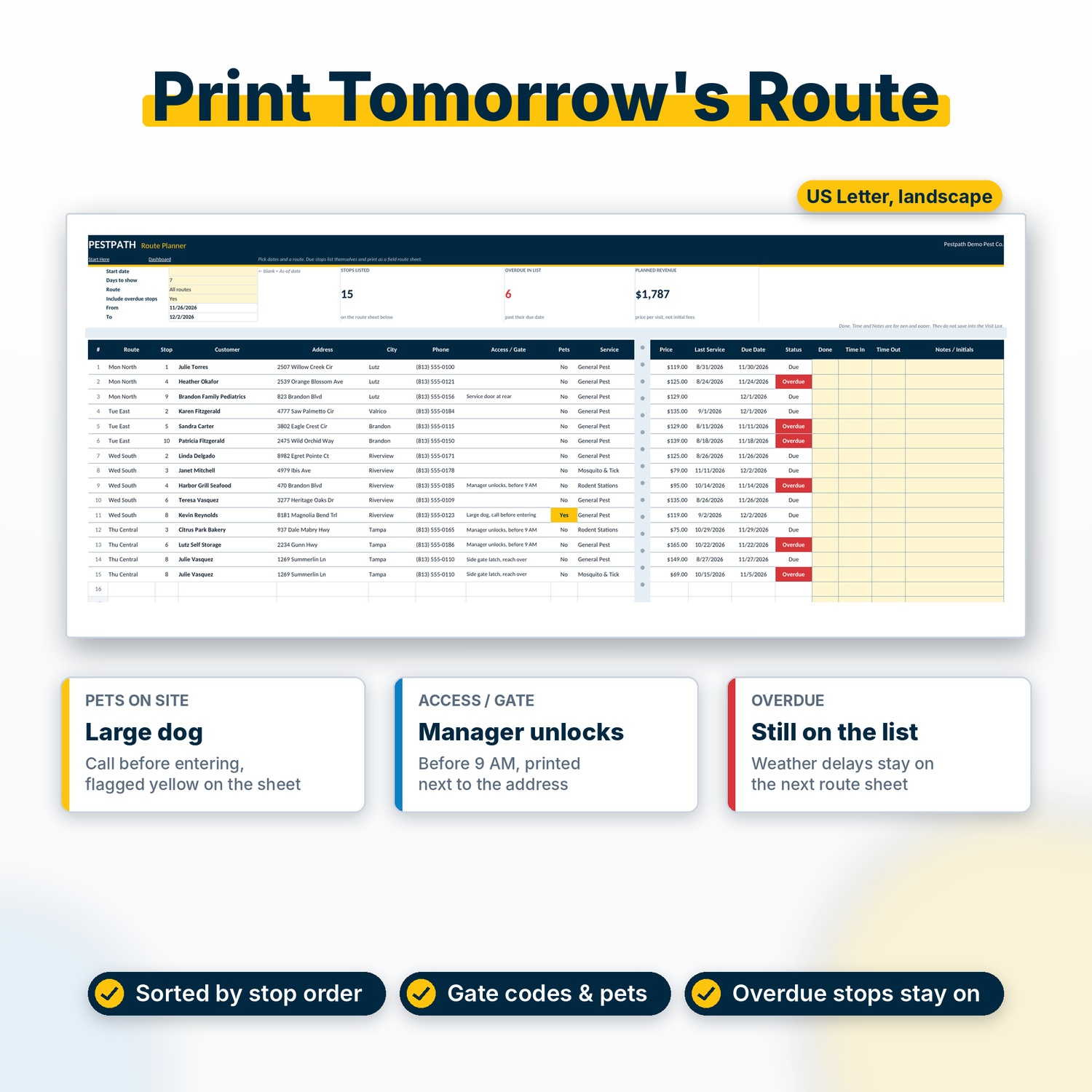
- A printable route sheet. Pick a start date, a number of days and a route. Due stops list themselves, sorted by route and stop order, with address, phone, gate code, pets, service, price and blank boxes for time in, time out and notes.
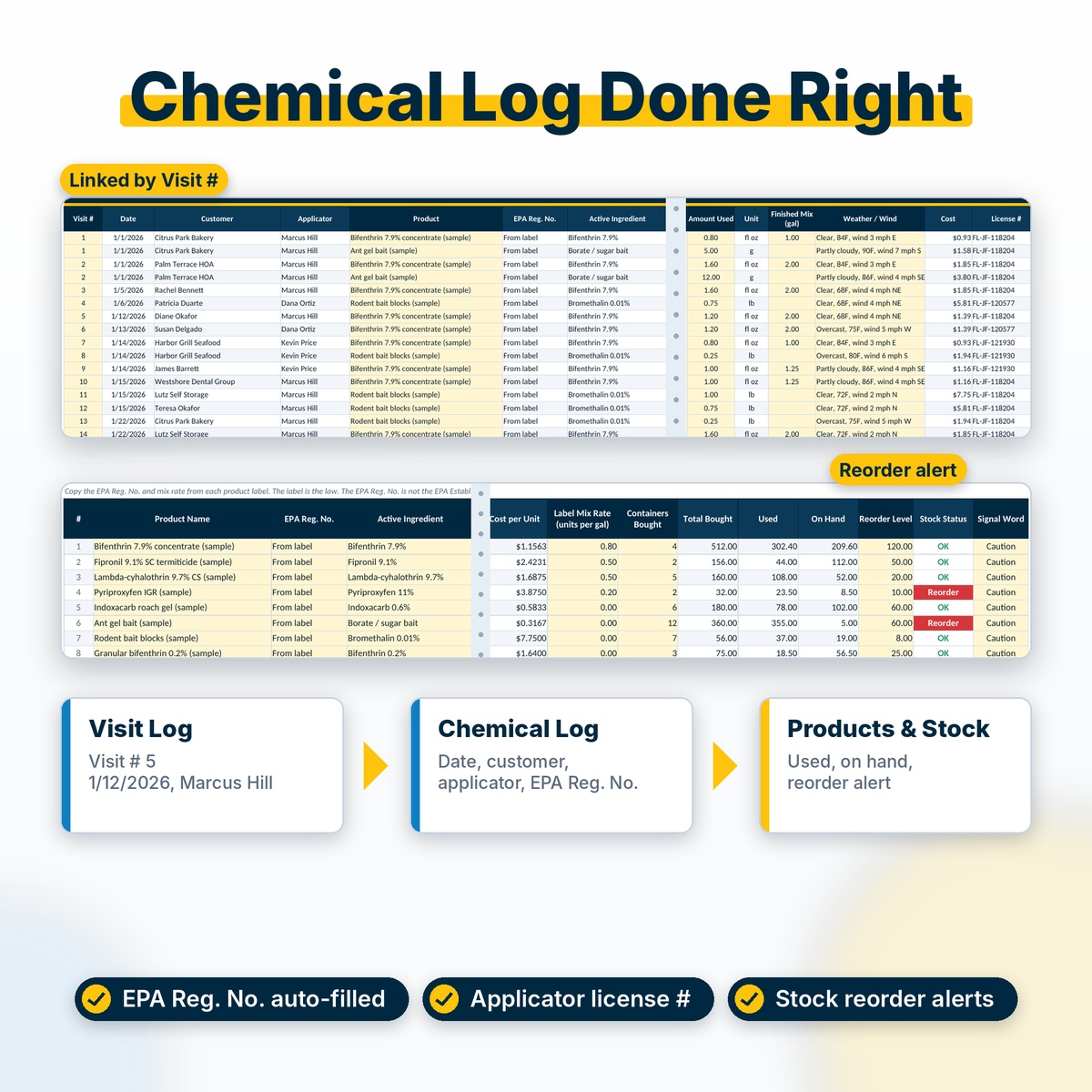
- A pesticide application log. Type the Visit # and the date, customer, applicator and license number fill in. Pick the product and the EPA Reg. No. and active ingredient appear. Record the target pest, site, method, amount, finished mix in gallons and weather.
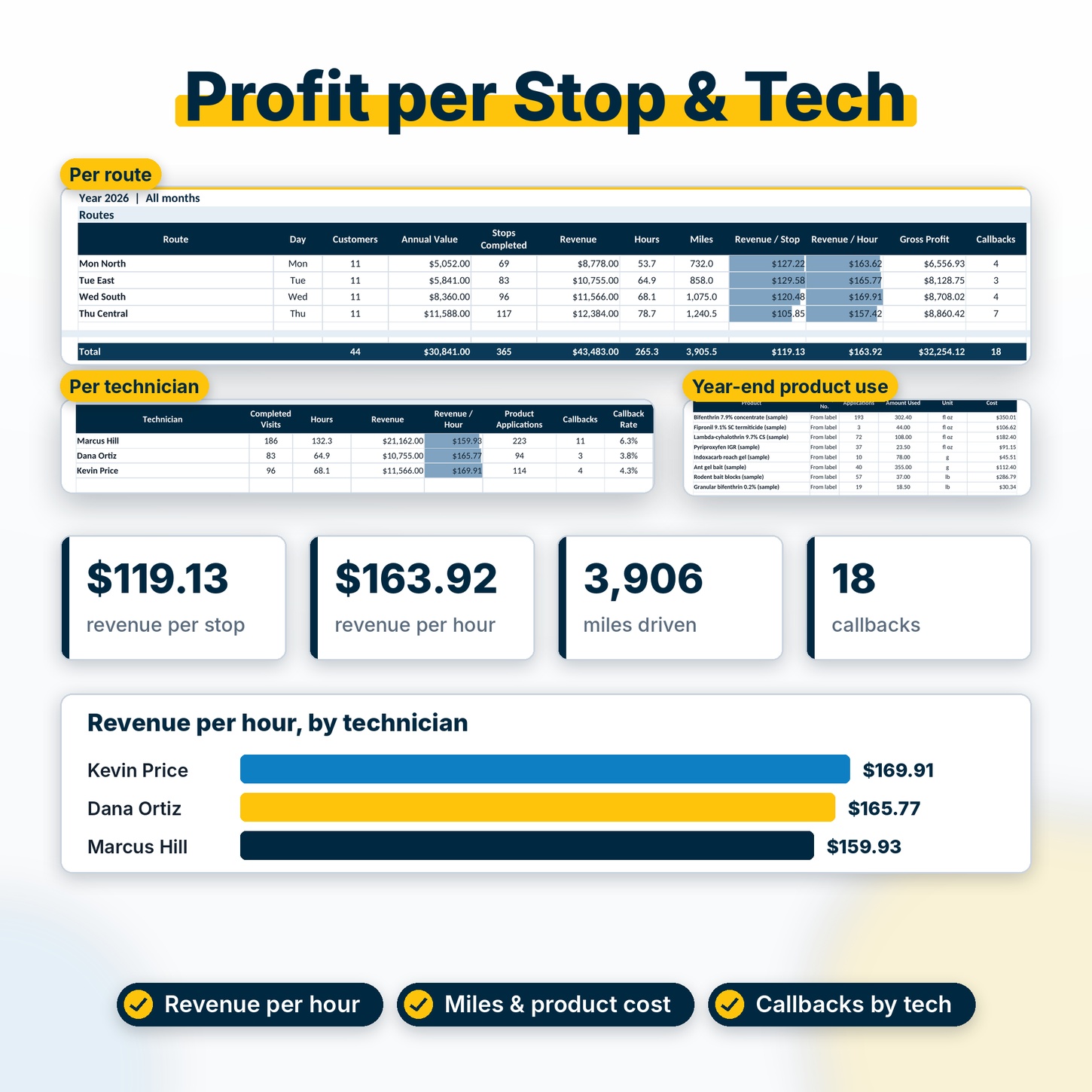
- Route and technician economics. Revenue per stop and per hour, miles, costs and gross profit by route and technician.
Who this exterminator business spreadsheet is for
Pestpath fits US pest control companies with one to about ten technicians running residential and light commercial recurring work: general pest quarterly, rodent stations monthly, mosquito and tick every three weeks in season, and annual termite monitoring. It also suits a solo technician with a notebook and an office manager chasing unpaid visits.
Main benefits
- Never miss a quarterly service: overdue stops stay on the route sheet until a visit is completed.
- Keep an application log with EPA registration numbers without retyping product details.
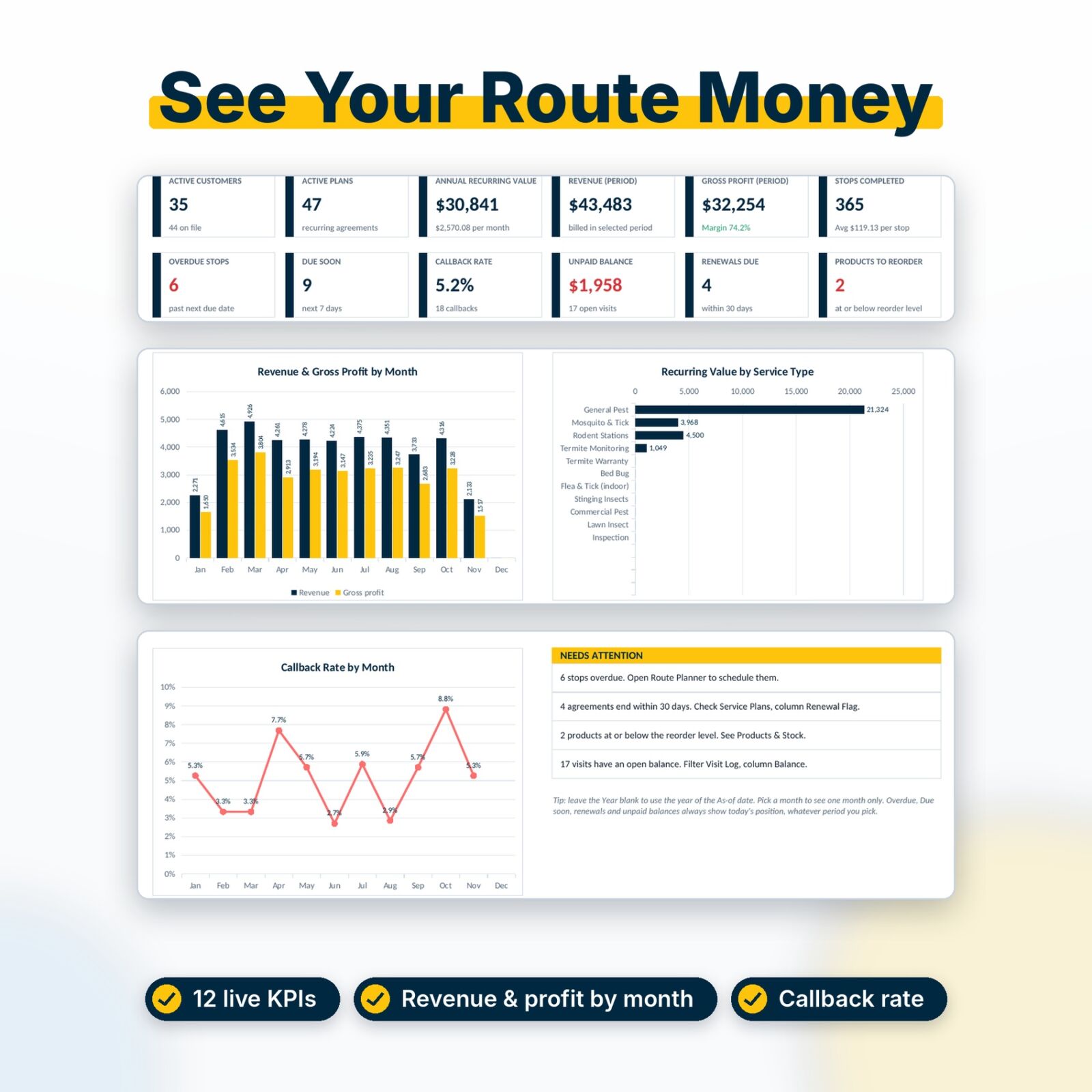
- Know revenue per stop and per hour before you decide which route to grow, and see unpaid balances and agreements about to end on one Dashboard.
- Pay once. There is no monthly fee and no login.
Pest control business spreadsheet features at a glance
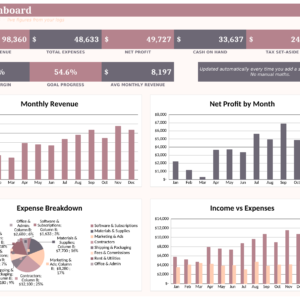
- Dashboard: 12 KPI tiles and 5 charts with year and month selectors. Tiles cover active customers, active plans, annual recurring value, revenue, gross profit, stops completed, overdue stops, due soon, callback rate, unpaid balance, renewals due and products to reorder.
- Route Planner: up to 150 stops per view, with overdue stops kept on the sheet.
- Customers: 500 rows with route, stop order, gate code, pets on site and notes, plus balance due and last visit.
- Service Plans: 600 rows with price per visit, initial fee, term, Next Due, Due Status, agreement end date and a Renewal Flag.
- Visit Log: 1,500 rows with hours, miles, billed, paid, balance, labor, product and mileage cost, and gross profit.
- Chemical Log: 1,500 rows linked to the visit, with applicator license number pulled in automatically.
- Products & Stock: 30 products with cost per unit, stock on hand and reorder alerts.
- Route & Tech Report and Monthly Report: revenue per stop and hour, callbacks by technician, and a year-end product use table you can print.
- Settings, Start Here and a DOCX guide: one currency setting, every dropdown list, eight setup steps and a screenshot guide.
How it works
- Open Settings and type your business name, pick your currency, and enter your technicians and routes.
- List your products on Products & Stock with the EPA Reg. No. copied from each label.
- Add customers with route and stop order, then add each recurring plan with its frequency and rate.
- Print the Route Planner each morning.
- After each stop, add a row to the Visit Log with status Completed. The plan moves forward by itself.
- Log what you applied in the Chemical Log using the Visit #.
Setup takes about 15 minutes. Yellow cells are for typing and white cells calculate. Sheets are protected without a password, so a stray keystroke cannot overwrite a formula.
What is included
- Pestpath-Pest-Control-Route-Service-Tracker.xlsx, the clean workbook ready for your own data
- Pestpath-Route-Service-Tracker-User-Guide.docx, with screenshots, a frequency table and troubleshooting
File format and software requirements
Made for Microsoft Excel 2016 or later, Excel for Microsoft 365 and Excel for Mac. The workbook is a standard .xlsx file that uses common Excel functions only and contains no macros. Google Sheets, Numbers and phone apps are not supported.
Customization
Choose your currency from one dropdown (12 symbols) and every money cell follows. Rename routes, service types, frequencies, target pests and application methods on Settings. Set your own due-soon window, renewal alert window, default agreement term and cost per mile. Leave the as-of date blank to use today, or type a date to plan ahead.
Digital download information
This is an instant digital download: the Excel workbook and the Word user guide arrive as files, and nothing is shipped. The license covers one business. Please do not resell, share or upload the file or its parts.
Real situations where it helps
- A solo technician on twelve stops a day prints one sheet each morning and logs the day in ten minutes.
- A two-truck company splits Monday and Thursday routes by technician and prints each sheet separately.
- On the first of the month, the Dashboard shows the open balances and the Visit Log filters to them.
Frequently asked questions
Does this pest control business spreadsheet work on Mac?
Yes, it is made for Excel for Mac as well as Windows.
Does it work in Google Sheets?
No. It is made for Microsoft Excel only.
How does it know when a customer is due?
It takes the last completed visit for that customer and service, then adds the plan frequency. Callbacks are ignored.
Can I print route sheets for my technicians?
Yes. The Route Planner prints landscape, one page wide, sorted by stop order.
Does it track pesticide applications with EPA numbers?
Yes. The Chemical Log records the EPA Reg. No., active ingredient, target pest, site, method, amount, unit, finished mix and weather for every application.
Does it replace my state’s required records?
It holds the usual fields, but rules differ by state. Check with your state agency.
License: for use in one business. Do not resell, share or upload this file or its parts. © Taskdale.
Pestpath helps you keep application records but is not legal advice and does not guarantee compliance with federal or state rules. Record-keeping and retention rules differ by state; check with your state lead pesticide agency. Always follow the product label.

Reviews
There are no reviews yet.