

A weekly planner for Google Sheets that does the boring parts for you
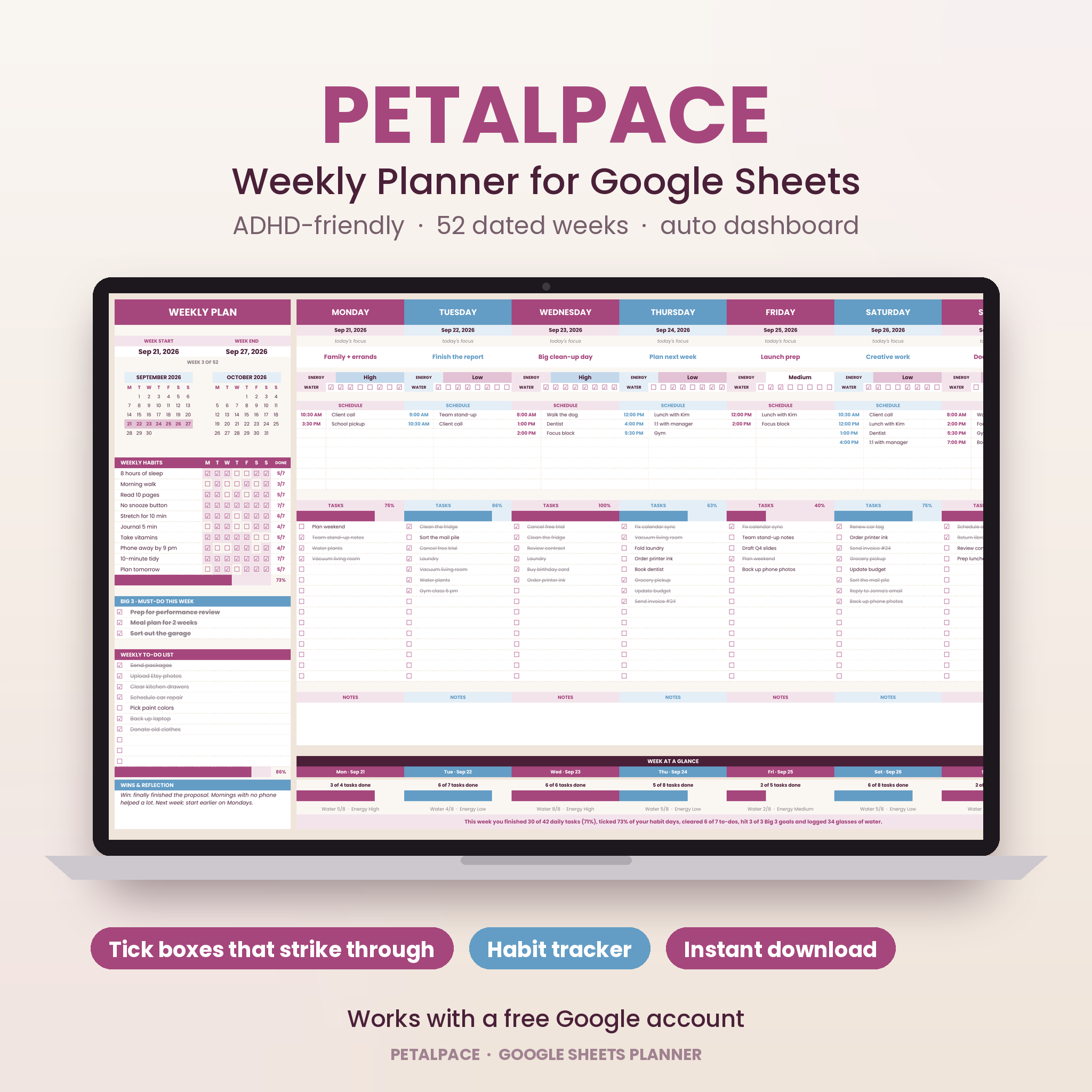
Petalpace is a weekly planner for Google Sheets built for people who start every Monday with good intentions and lose the thread by Wednesday. You get 52 weekly pages that are already dated, a habit tracker you set up once, and a dashboard that quietly adds up your year. No duplicating tabs. No rebuilding the layout every week. Open it, plan, tick things off.
The design is soft and calm: Soft Sand, Plum Pink and Stone Blue, with clean Poppins type. It looks good enough that you will actually want to open it.
What’s included
- 52 weekly pages (Week 01 to Week 52). Each one has two mini calendars, a 10-habit tracker, Big 3 priorities, a 10-line weekly to-do list, a reflection box and seven day columns.
- Year at a Glance dashboard. Six score cards, this week, your best week, goal progress, a 52-week trend chart, a habit leaderboard, a habit rates chart, tasks by weekday and a week-by-week log.
- Settings tab. Planner title, the first day of Week 1 and up to 10 habits. Everything else reads from here.
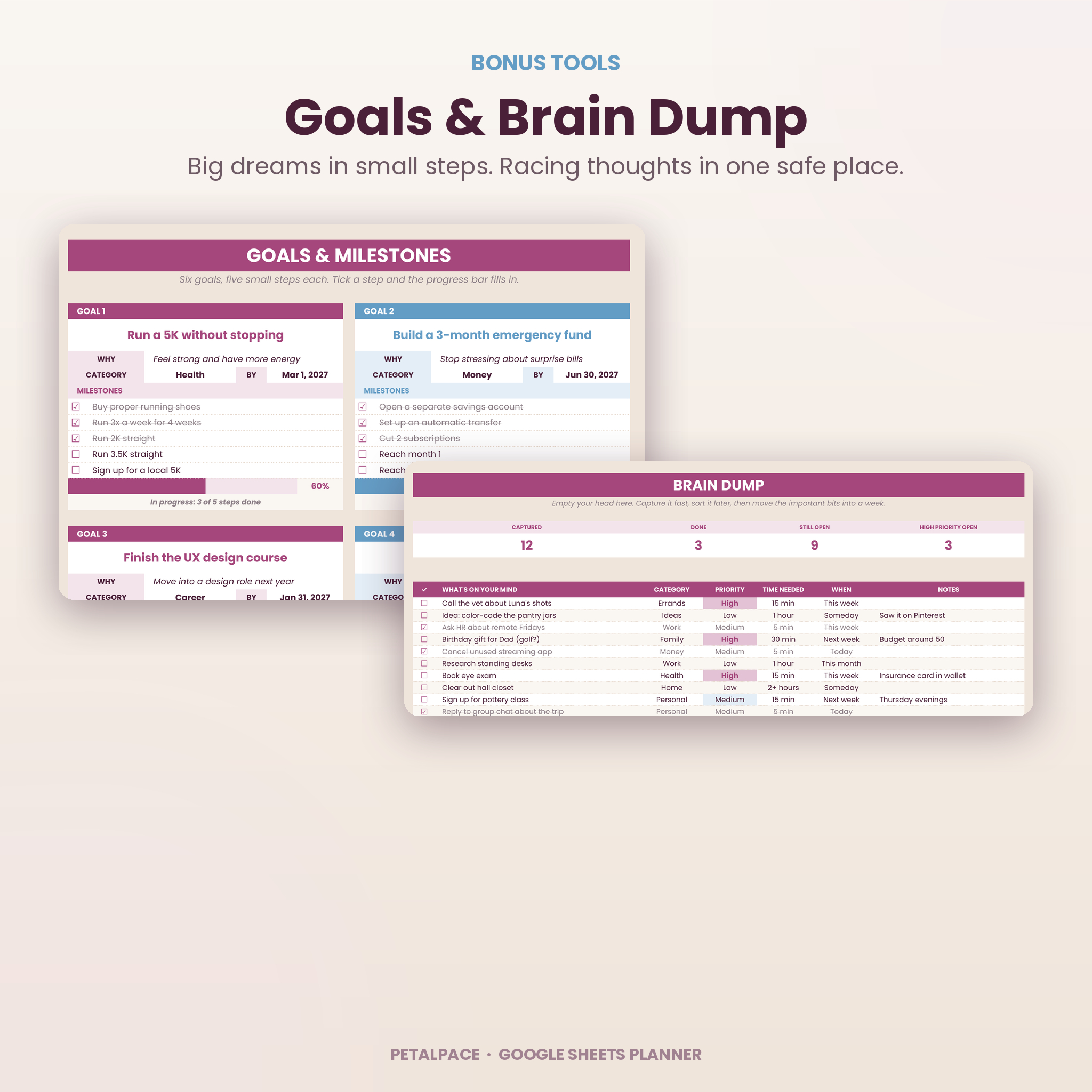
- Brain Dump. 150 lines with tick boxes, plus Category, Priority, Time needed and When dropdowns.
- Goals. Six goal cards, each with a why, a category, a target date, five milestones and its own progress bar.
- Start Here tab with a two-minute setup checklist.
- User guide (Word document) with screenshots, tips, troubleshooting and FAQs.
- Access PDF with your one-click “make a copy” link.
Inside every week
The left side of each week holds your bigger picture. Mini calendars show this month and next, with the current week shaded and today highlighted. Your habits appear by name, so you only tick the boxes. A DONE column counts your days and a progress bar shows your weekly habit score. Below that you get Big 3 priorities, a weekly to-do list and a reflection box.
The right side gives every day its own column:
- Today’s focus, one line that keeps the day on track
- An energy dropdown (Low, Medium, High) that changes color so patterns stand out
- Eight water tick boxes
- Eight schedule lines for times and appointments
- 15 tasks with tick boxes, a live percentage and a progress bar
- A notes box
Underneath sits a Week at a Glance strip with each day’s tasks done, water and energy. Then a summary writes itself in plain English, for example: “This week you finished 30 of 42 daily tasks (71%), ticked 73% of your habit days, cleared 6 of 7 to-dos…”
Why this ADHD planner is easier to stick with
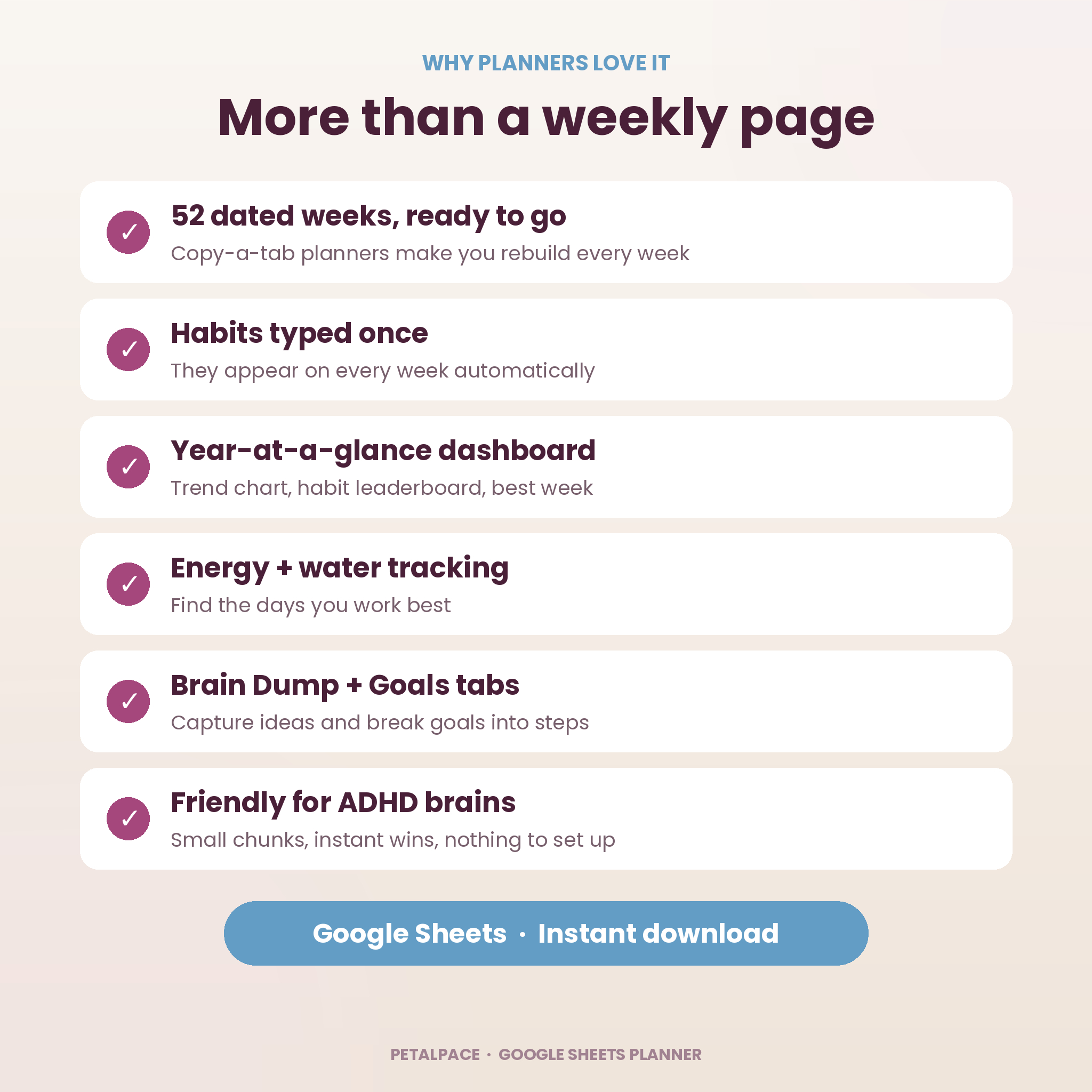
- Nothing to set up each week. Pick a start date once and all 52 weeks are dated, including both calendars.
- Small wins all day. Ticked tasks cross themselves out and every bar fills in real time.
- One screen at a time. A whole week fits on one tab, so you are not hunting through pages.
- Honest stats. A task only counts when it has text, so stray ticks never skew your numbers.
- A place for racing thoughts. Brain Dump catches ideas fast so you can get back to what you were doing.
How it works
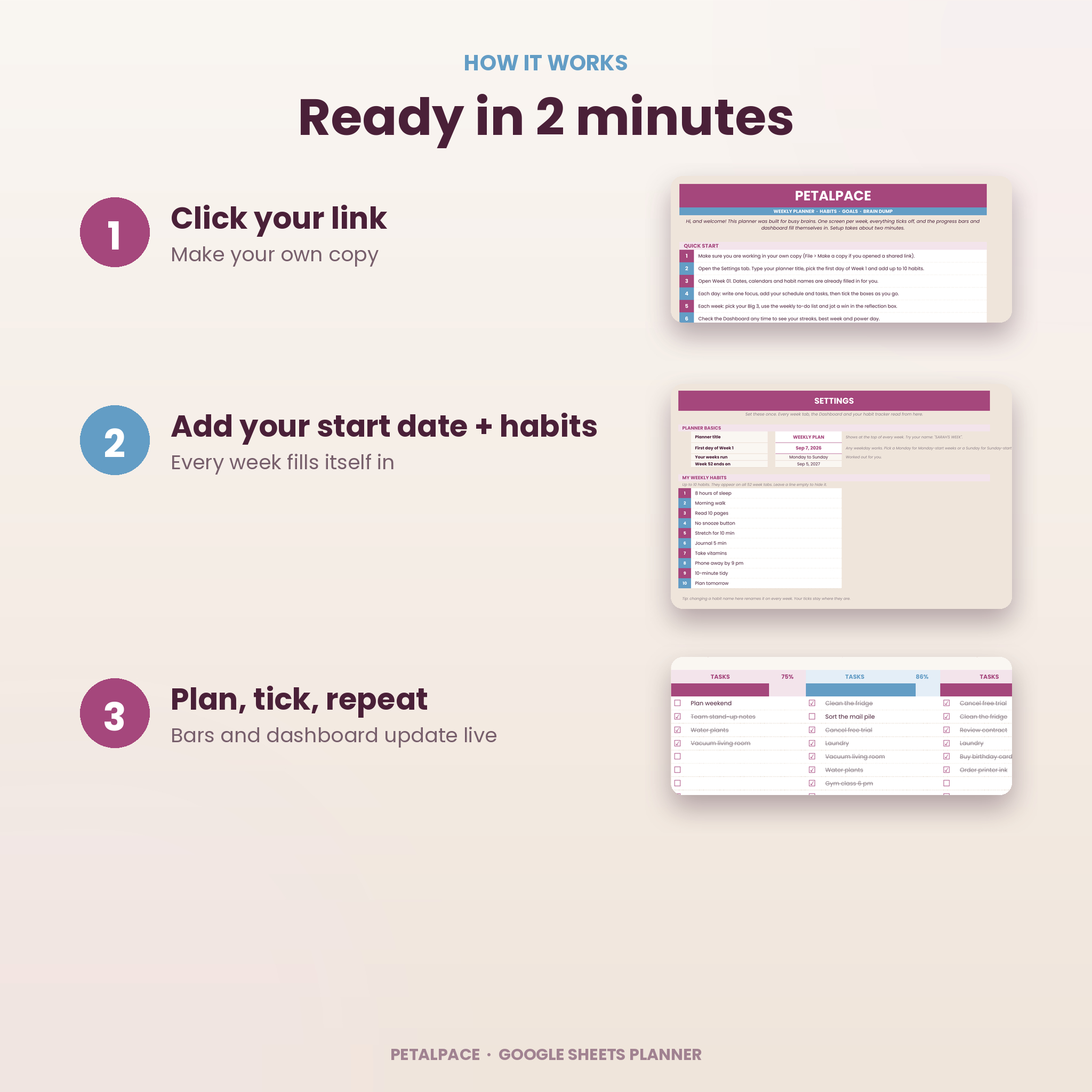
- Download your files after checkout and open the Access PDF.
- Click MAKE MY COPY. Google Sheets saves a private copy to your own Google Drive.
- Open Settings. Add a title, the first day of Week 1 and up to 10 habits.
- Open Week 01 and plan your week. The Dashboard updates as you go.
File format and software requirements
- Google Sheets template, delivered as a “make a copy” link inside a PDF
- Works with a free Google account in any modern browser
- Designed and tested in a desktop or laptop browser (Chrome, Edge, Safari or Firefox)
- User guide in Word format (.docx), which also opens in Google Docs and Pages
- Not designed for Microsoft Excel or Numbers
Customization
Change the planner title and your habits on the Settings tab and every week updates. The start date can be any weekday, so Monday-start and Sunday-start weeks both work. You can also recolor cells, change fonts or print a week (landscape, fit to width) straight from Google Sheets. There are no money fields in this planner, so it works the same wherever you live.
Use cases
- A college student juggling classes, a part-time job and a gym habit
- A work-from-home mom planning school runs, meal prep and client calls in one place
- A freelancer tracking deadlines, invoices and energy dips across the week
- Someone with ADHD who wants structure without a complicated app
- Anyone building three or four new habits and wanting to see a full year of streaks
Digital download
This is a digital product. Nothing will be shipped. Your files are available right after payment from your order confirmation and your Taskdale account. You receive the Access PDF with your Google Sheets copy link and the user guide.
FAQ
Do I need to pay for Google Sheets?
No. A free Google account is all you need.
Is it dated or undated?
Undated until you choose a start day. After that, all 52 weeks fill in their own dates.
Can I start in the middle of the year?
Yes. Pick any date as the first day of Week 1 and the planner runs 52 weeks from there.
Will it work on my iPad or phone?
Google Sheets will open it, but the wide weekly layout was designed and tested on a computer screen, so that is where it shines.
Can I use it in Excel?
It is built and tested for Google Sheets only. Tick boxes and some layout details are Google Sheets features.
Can I reuse it next year?
Yes. Make a fresh copy from your link, or change the start date in your copy.
Is my planner private?
Yes. Your copy lives in your own Google Drive and only you can see it unless you share it.
License
For personal use only. Please do not resell, share or give away the files or the template link. © Taskdale.
Reviews
There are no reviews yet.