


A Blog Planner Printable That Covers Every Post, From Keyword to Promotion
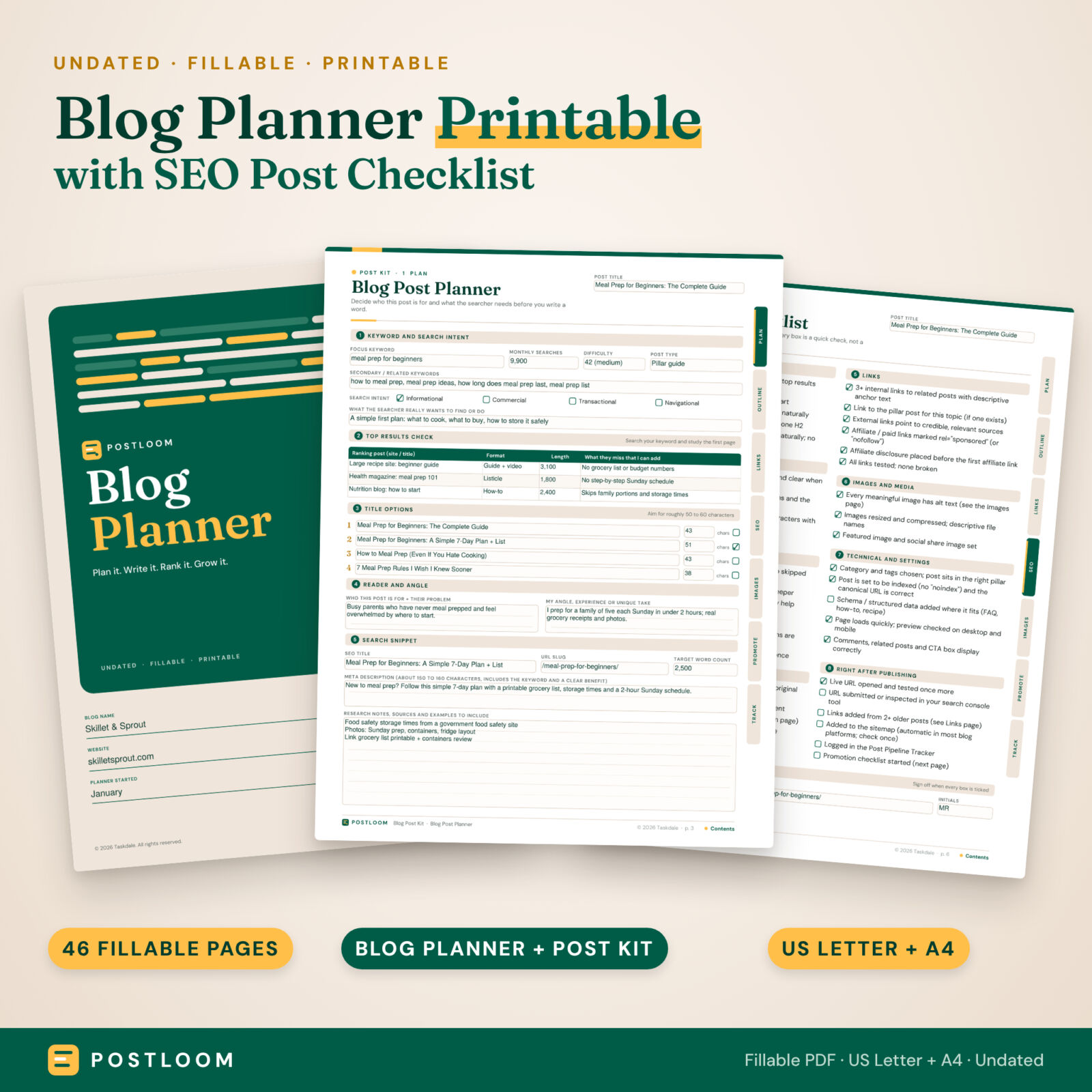
The Postloom blog planner printable is an undated, fillable PDF planner for bloggers who want a clear system instead of scattered notes. It comes as two files: a 37-page Blog Planner for the big picture and a 9-page Blog Post Kit that you save once for every post. Together they take you from niche and keywords to a published, promoted and tracked post, with a 39-point SEO post checklist in the middle.
Type straight into the fields on your computer, tablet or phone, or print the pages and write by hand. Both files come in US Letter and A4.
Who This Blog Planner Is For
- New bloggers who want a step-by-step routine from niche to first income.
- Growing bloggers publishing weekly who need SEO checks, a content calendar and monthly stats in one place.
- Business and side-hustle bloggers tracking affiliate, ad, sponsor and product income.
- Freelance writers and VAs who plan articles for clients (one Post Kit copy per article).
Main Benefits
- Plan before you write. Every post starts with a keyword, its search intent and a quick check of the top results, so you write what searchers actually want.
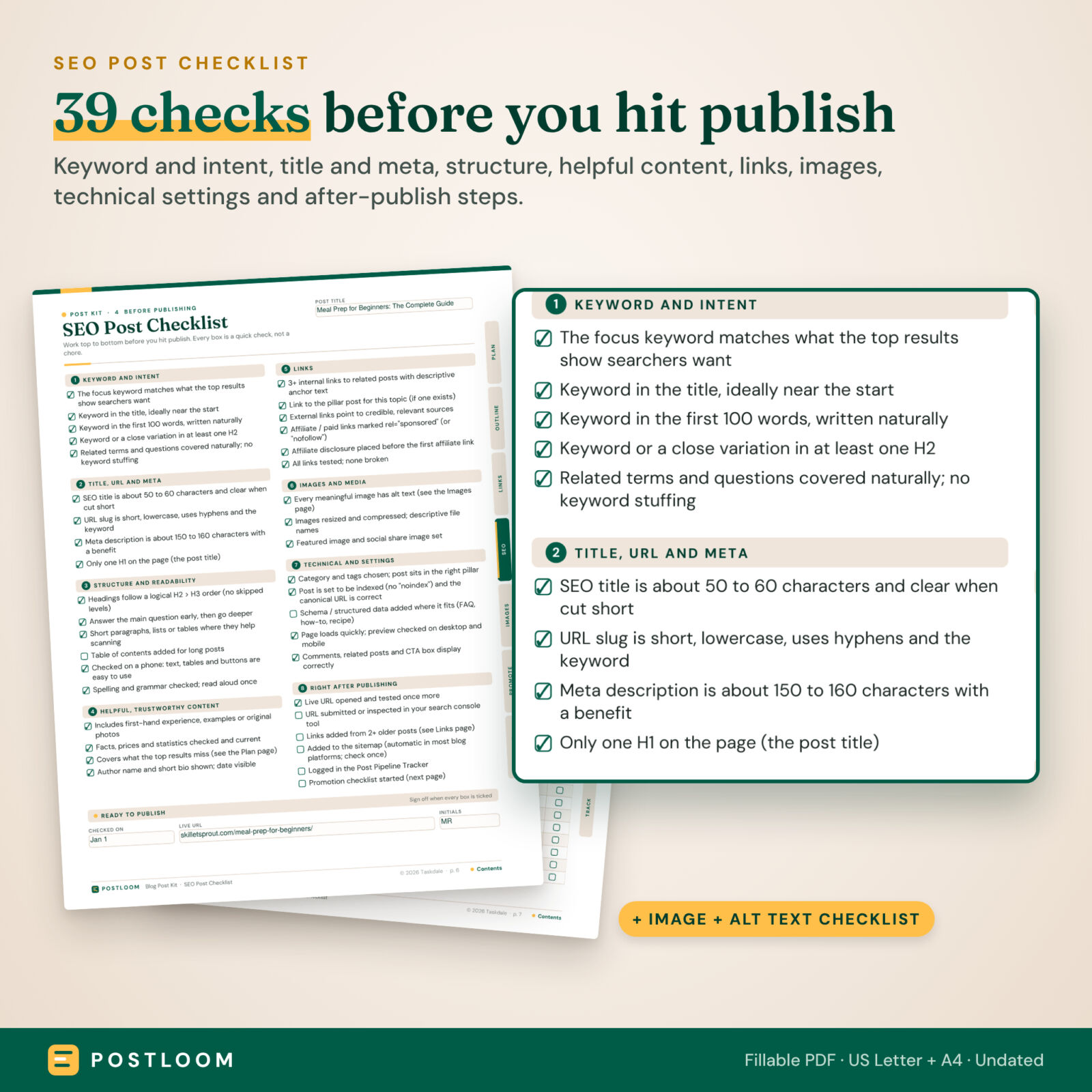
- Never skip an SEO step. The checklist walks through title, URL, meta description, headings, links, images and settings before you hit publish.
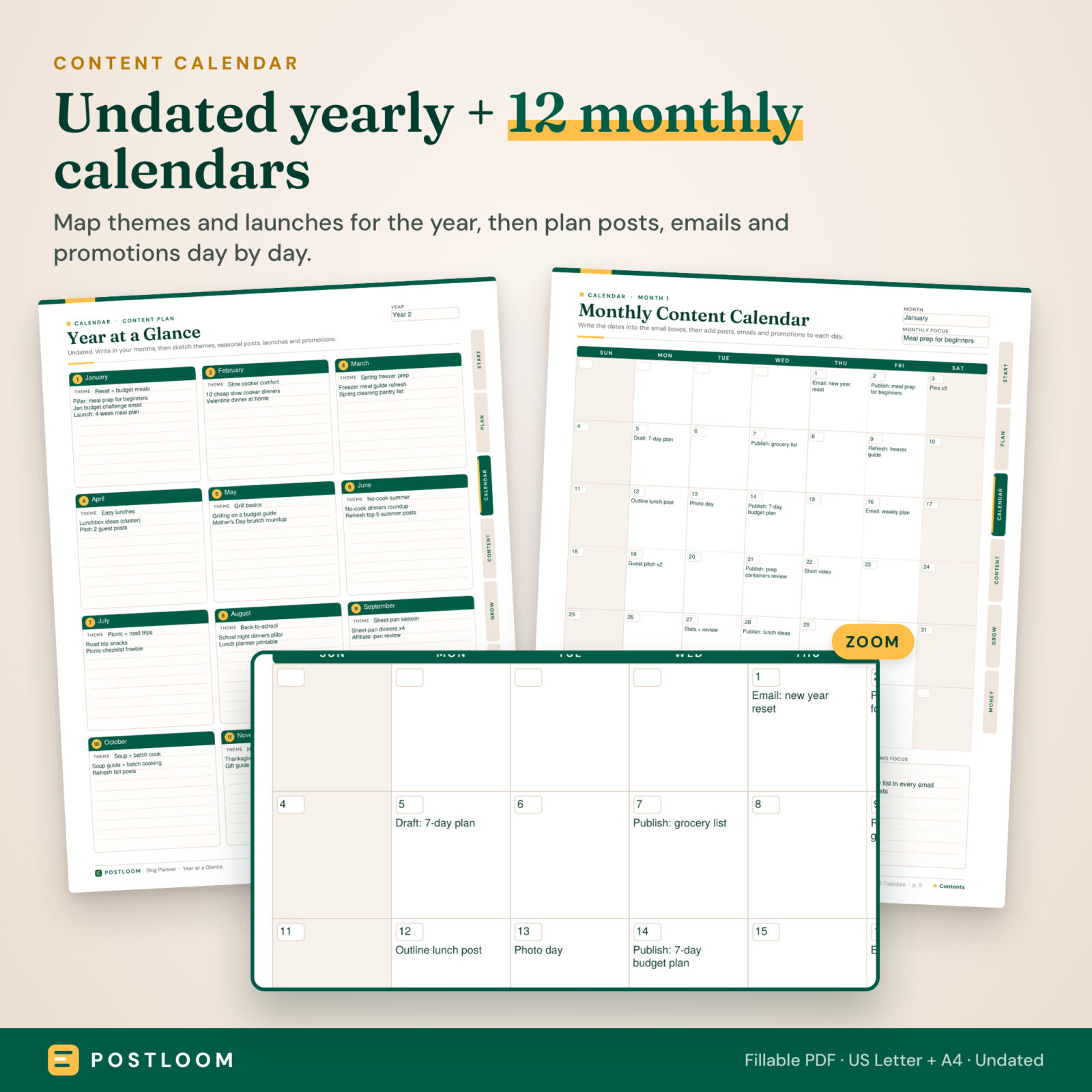
- See your whole year. A year-at-a-glance page and 12 undated monthly calendars keep posts, emails and promotions on schedule.
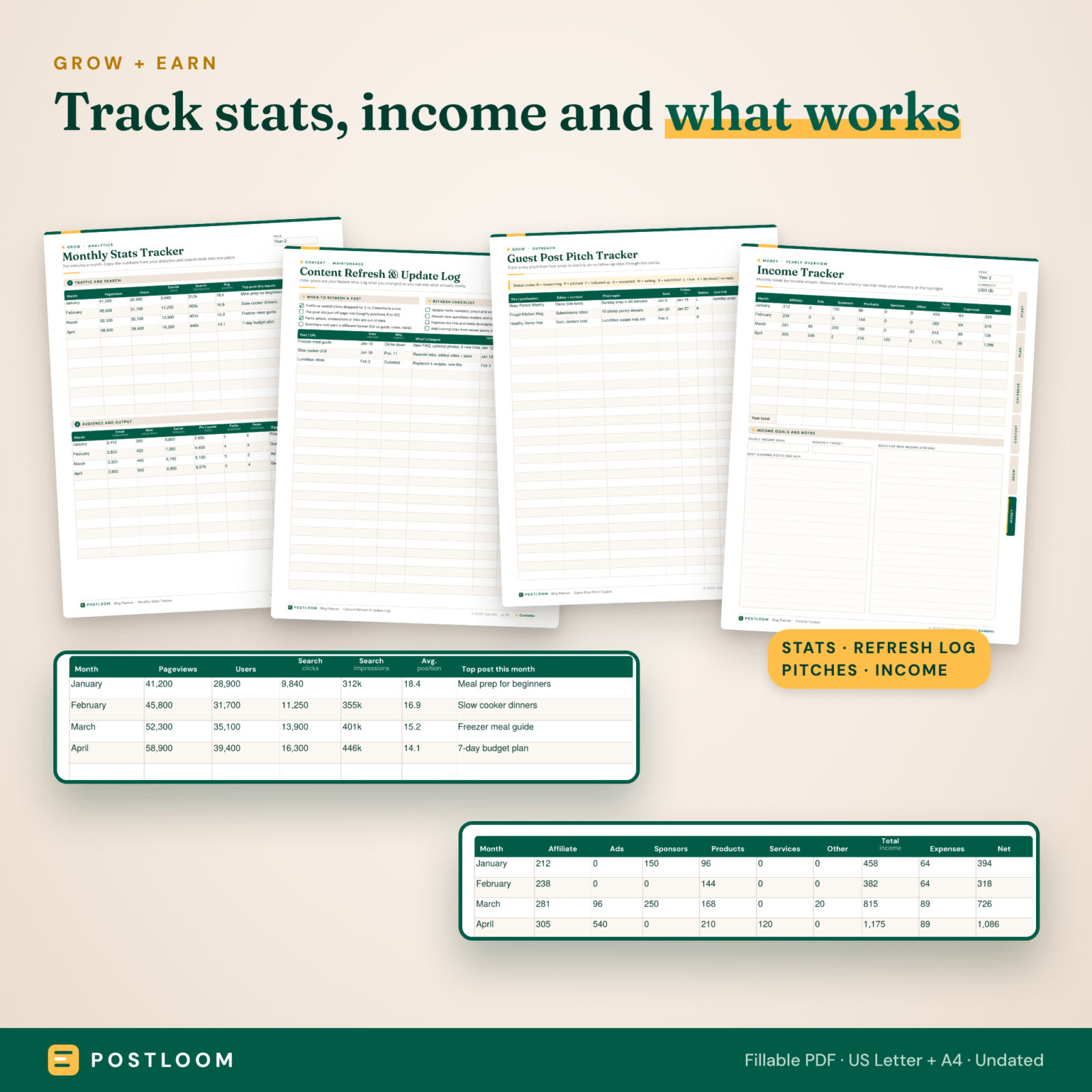
- Know what works. Monthly stats, a quarterly review and a content refresh log show which posts to promote, update or retire.
- Keep the money side tidy. Income, affiliate and sponsor trackers live next to your content plan.
What Is Included
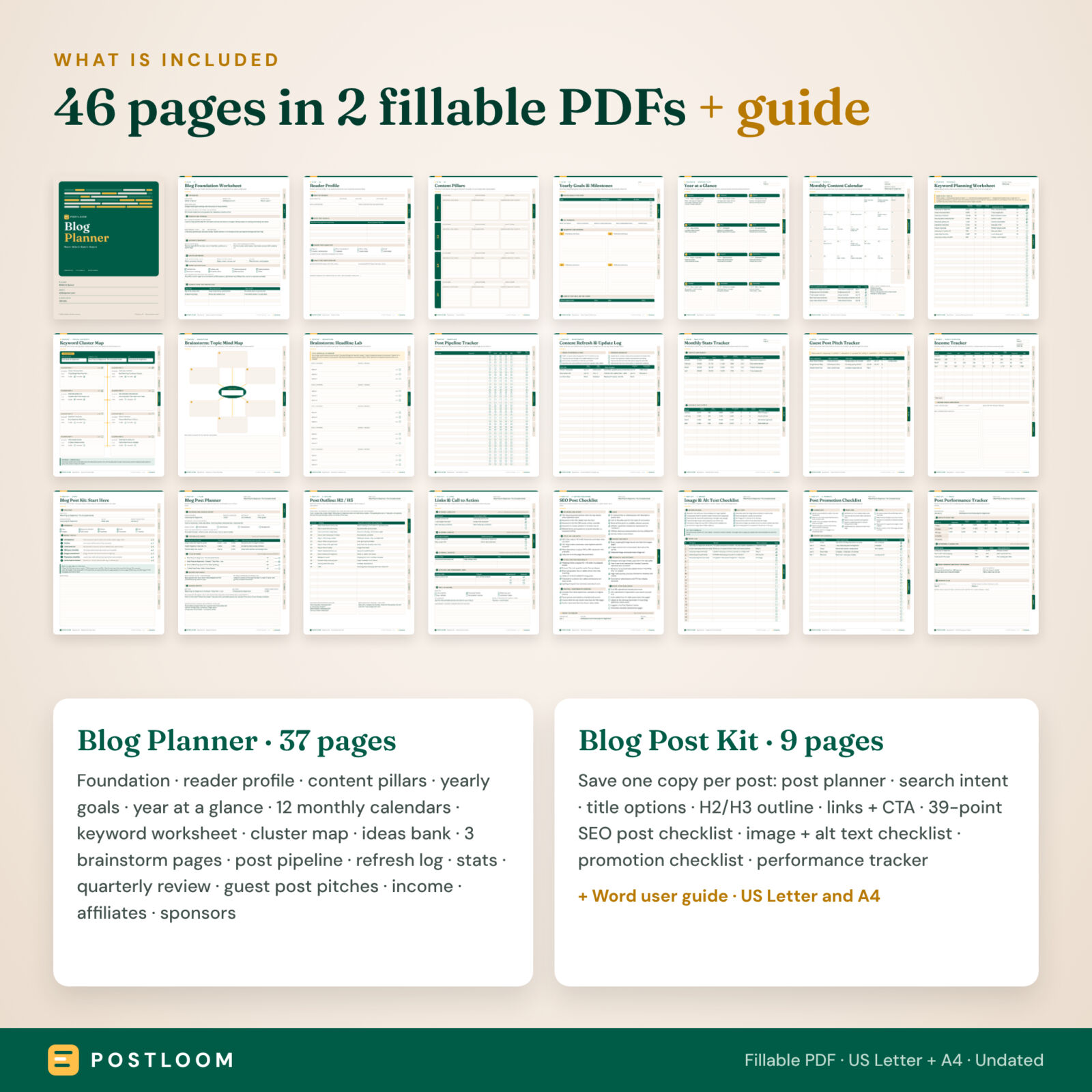
Blog Planner (37 pages)
- Start: cover, clickable contents with month shortcuts, how-to page and a weekly blogging rhythm table
- Plan: blog foundation worksheet (niche, angle, promise, voice, monetization, competitors), reader profile, content pillars, yearly goals and quarterly milestones
- Calendar: year at a glance and 12 undated monthly content calendars, each with a posts-to-publish list and goals box
- Content: keyword planning worksheet, keyword cluster map, content ideas bank, topic mind map, headline lab, dot-grid brain dump, post pipeline tracker, content refresh and update log
- Grow: monthly stats tracker (traffic, search clicks, impressions, average position, subscribers, posts published), quarterly review, guest post pitch tracker and pitch planner
- Money: income tracker (affiliate, ads, sponsors, products, services, other, expenses, net), income log, affiliate program tracker, sponsor and brand deal tracker, notes
Blog Post Kit (9 pages, one copy per post)
- Blog post planner: focus and related keywords, search intent, top results check, four title options with character counts, reader and angle, SEO title, URL slug and meta description
- Outline: intro hook, H2/H3 outline table, FAQ questions and conclusion
- Links and call to action: internal links out and in, external sources, affiliate links with disclosure ticks, main CTA and content upgrade idea
- SEO post checklist: 39 checks in 8 groups plus a ready-to-publish sign-off
- Image and alt text checklist: 12 checks, an alt text formula and an image log
- Post promotion checklist: launch day, week one and later tasks for email, social media and pins, plus a promotion schedule
- Post performance tracker: results at 7, 30, 90, 180 and 365 days, ranking queries and a refresh plan
You also get a Word user guide with screenshots, tips, troubleshooting and FAQs.
How the Blog Post Planner and SEO Checklist Work
- Set your foundation on the Plan pages once.
- Map the year and the month on the calendar pages.
- Research keywords and group them into clusters.
- Save a copy of the Post Kit for each post. Type the post title once and it appears at the top of every page in that copy.
- Check, publish and promote with the SEO, image and promotion checklists.
- Track and refresh with the stats, quarterly review and refresh log.
Clickable side tabs and a linked contents page let you jump around the file in seconds.
File Formats and Software
- 4 fillable PDFs: Blog Planner and Blog Post Kit, each in US Letter (8.5 x 11 in) and A4
- 1 DOCX user guide (opens in Word, Google Docs or LibreOffice)
- Fill in with free Adobe Acrobat Reader on desktop, iPad, Android or iPhone, or most PDF apps with form support; or print and write
- Fonts are embedded, so pages look the same on every device and printer
Customization
Everything is undated, so you can start any month and reuse the planner every year. Intent, priority, type and status columns are free text, so you can use your own shorthand. Money fields are currency-neutral with a Currency box on each money page. Print only the pages you use, or save extra blank copies when you need more monthly calendars or post kits. The PDF records your numbers but does not calculate totals.
Digital Download
This is a digital product. No physical item is shipped. You download the files right after purchase from your order confirmation and account page. Personal reprints are allowed.
Real Ways to Use It
- A new food blogger plans a 90-day launch: pillars, 12 cornerstone posts and a monthly email.
- A niche site owner keeps one Post Kit per article and ticks the SEO checklist before each publish.
- A mom blogger tracks affiliate and sponsor income month by month alongside her content calendar.
- A freelance writer sends clients a filled Post Kit as an article brief.
- A blogger with 200 posts uses the refresh log to update older posts that are slipping in search.
Blog Planner Printable FAQ
Is this blog planner dated?
No. Every page is undated, so you can start in any month of any year.
Can I type into the PDF?
Yes. Every box and checkbox is fillable. Use free Adobe Acrobat Reader or another PDF app with form support, and save your copy.
Does the SEO checklist work for any blogging platform?
Yes. The checks are platform-neutral and work for any blog or website builder.
How many posts can I plan?
As many as you like. Save a fresh copy of the Blog Post Kit for each post.
Can I use it on an iPad or tablet?
Yes. Open the PDF in a form-friendly PDF app, or import it into a note app to write by hand.
Do I need a paid keyword tool?
No. The keyword worksheet works with any free or paid tool and with your own search console data.
Can I share the files with my team?
You may use them within your own business, but you may not share, resell or redistribute the files.
Results such as rankings, traffic and income depend on many factors; this planner helps you organize the work. © 2026 Taskdale. All rights reserved.
Reviews
There are no reviews yet.