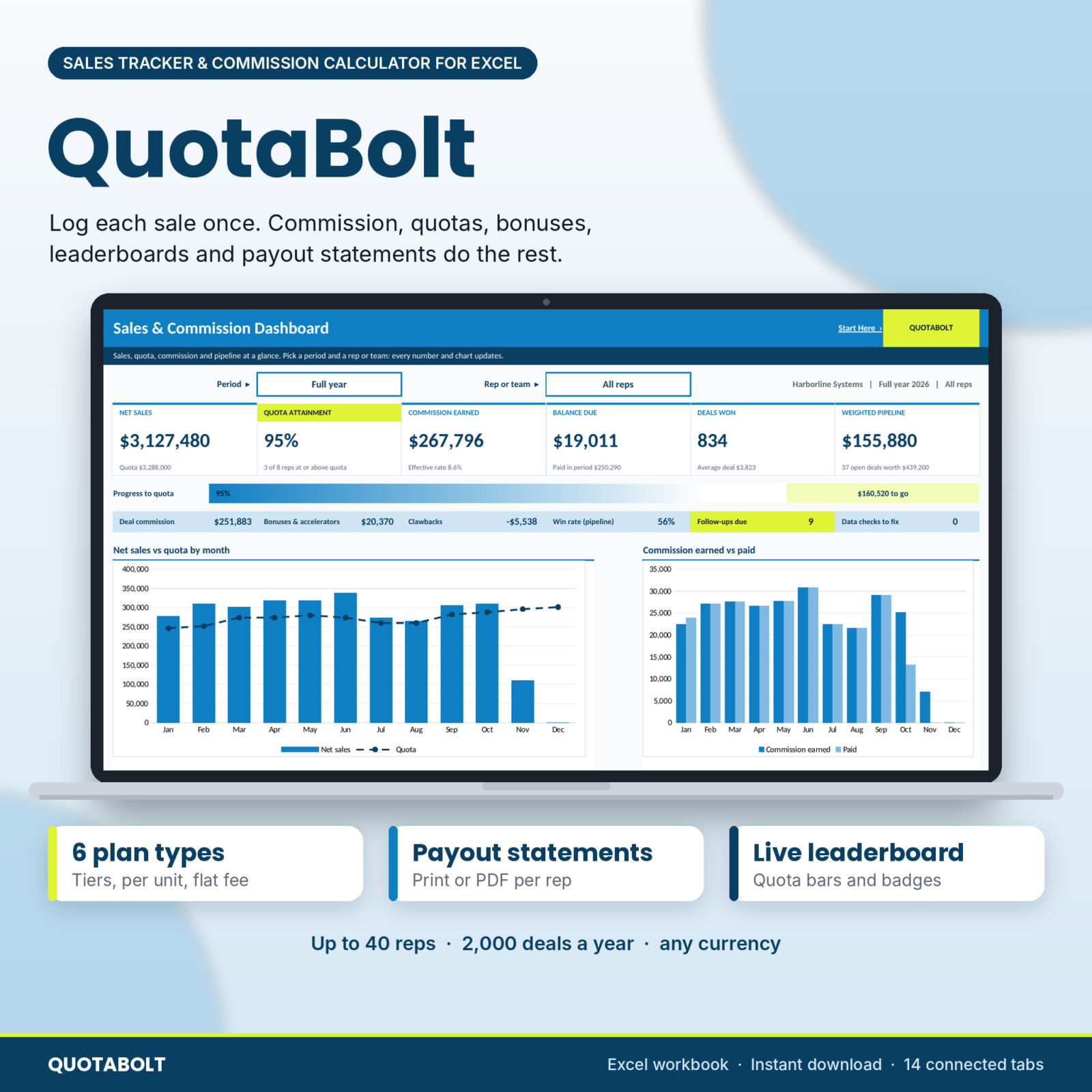
QuotaBolt is a sales commission tracker and sales tracker in one Excel workbook. You set up your commission plans and quotas once, then log each closed deal. The workbook does the math: commission per deal, accelerators above quota, monthly and quarter bonuses, clawbacks on refunds, what each rep has earned, what you have paid and what is still owed. A printable payout statement, a leaderboard and a dashboard update as you go.
It is built for small sales teams and the people who pay them. No subscription, no logins, no macros. Just open the file and start.
What this sales commission tracker does
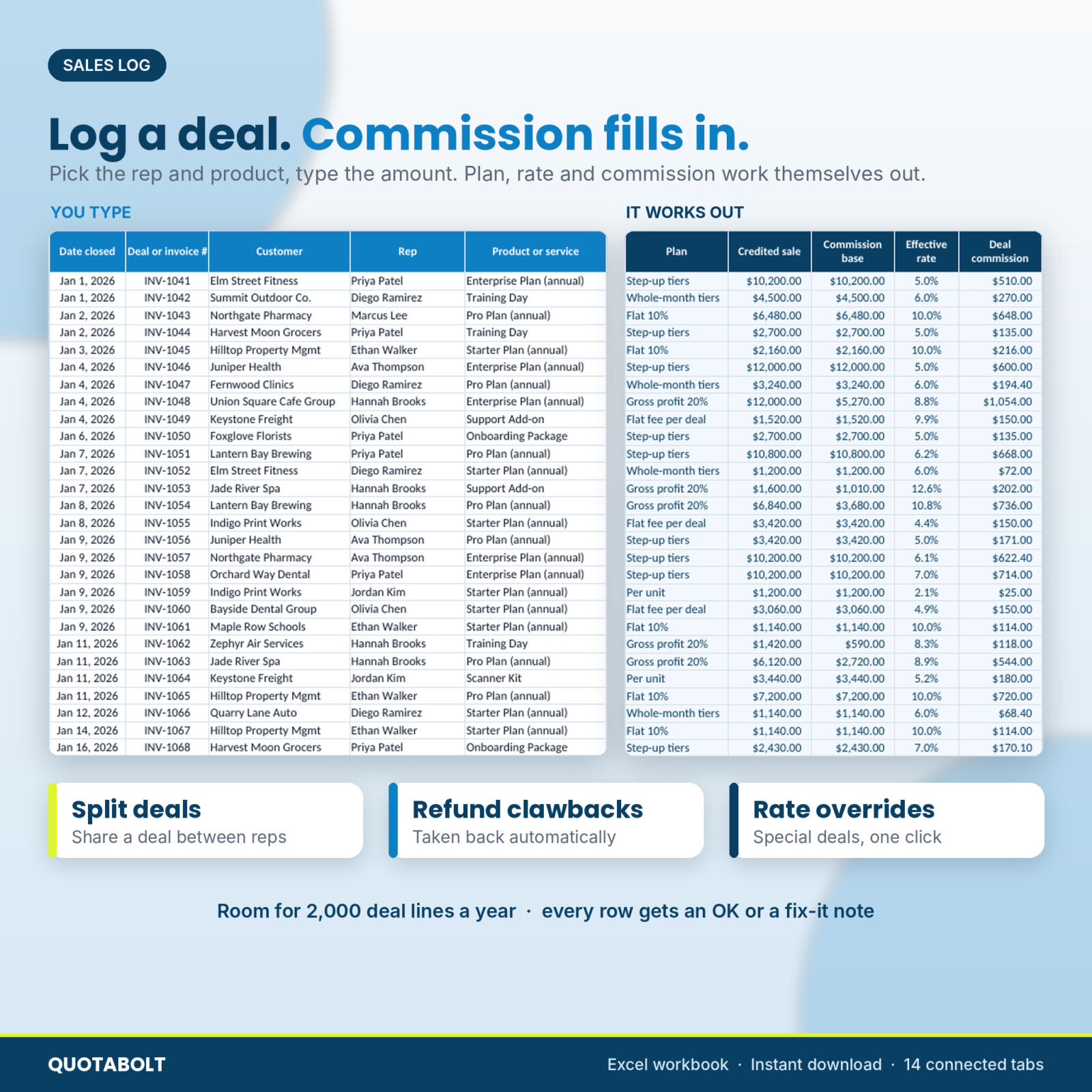
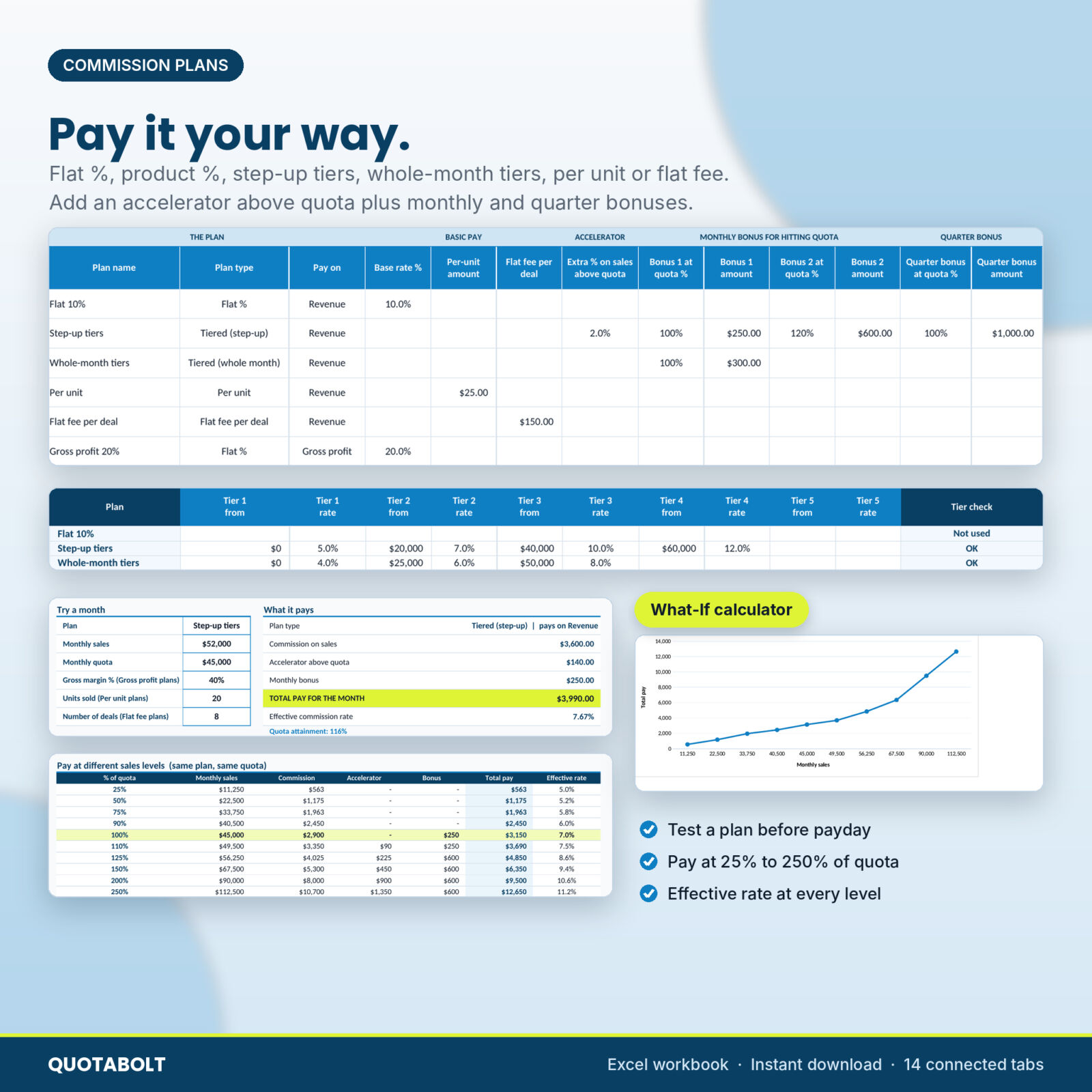
- Pays every deal by the rep’s plan. Pick the rep on the Sales Log and the plan, rate and commission fill in on the same row.
- Handles real commission plans. Flat %, product %, step-up tiers, whole-month tiers, per unit and flat fee per deal, on revenue or gross profit.
- Tracks quota progress. Monthly quotas per rep feed attainment bars, accelerators and bonuses.
- Keeps a running balance. Log payouts and the workbook shows earned, paid and balance due for every rep and period.
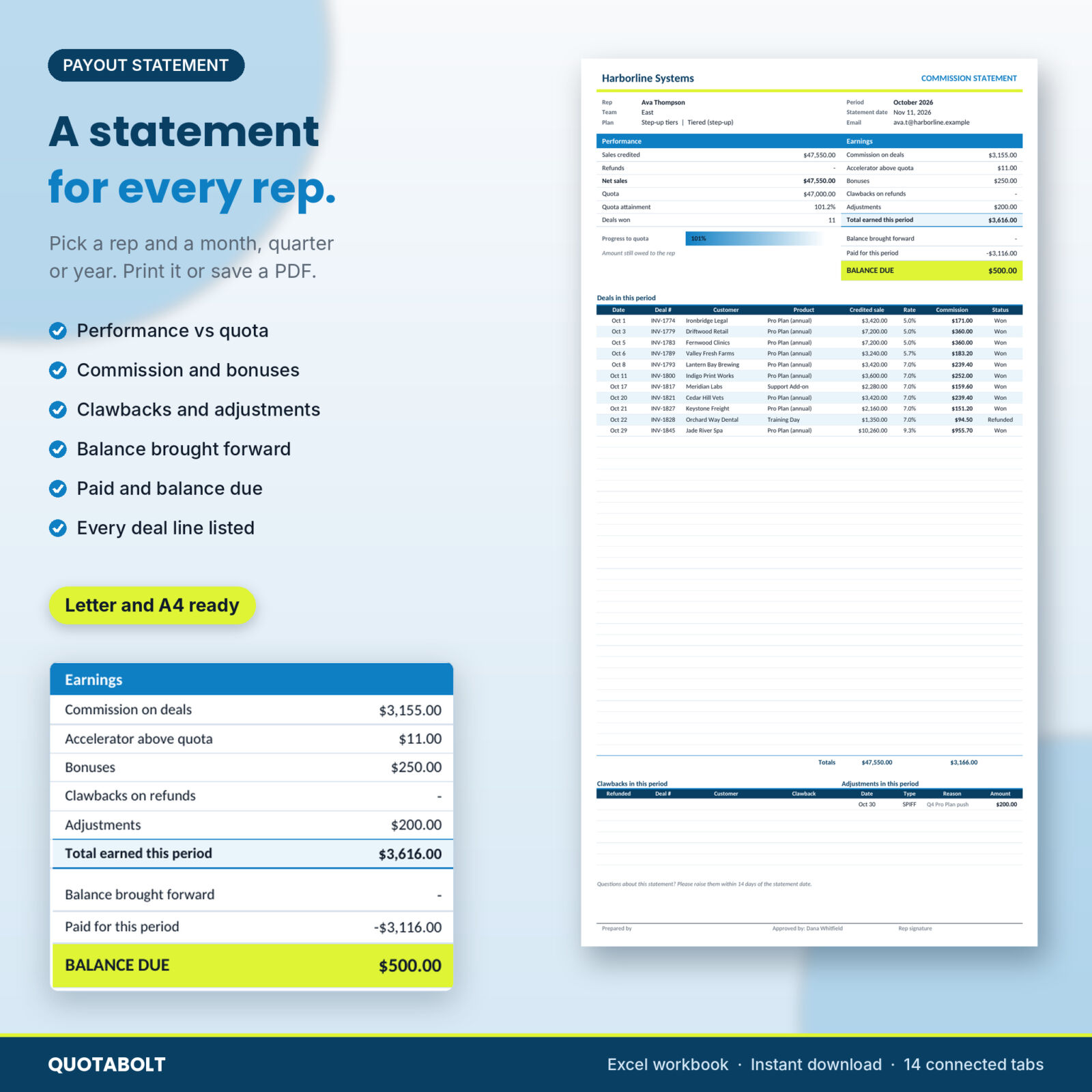
- Prints payout statements. One page per rep for any month, quarter or the full year, ready to save as a PDF.
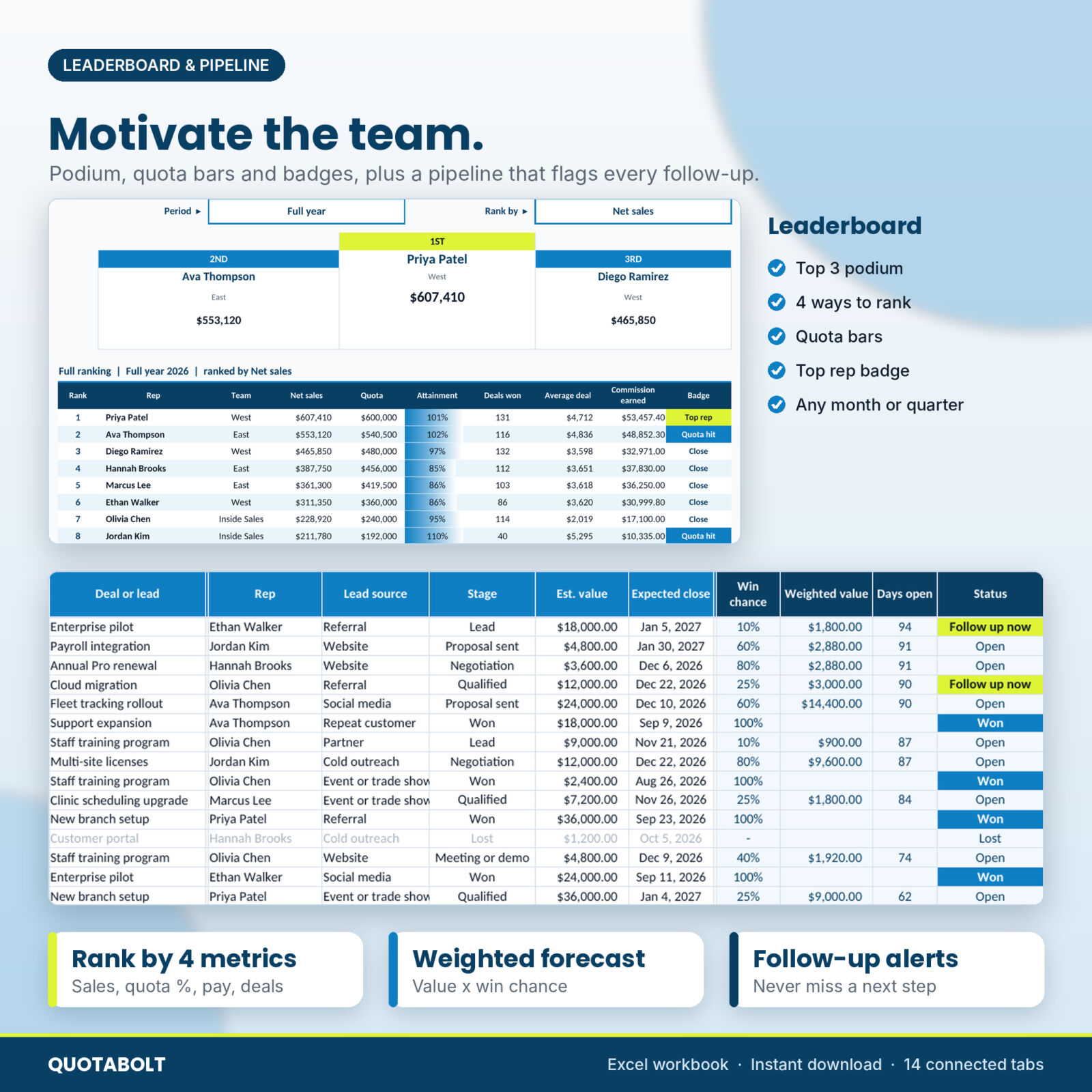
- Tracks your pipeline. Leads and open deals with stage, win chance, weighted forecast and follow-up alerts.
Who it is for
Sales managers and business owners who pay commission to a team of 1 to 40 reps. It also suits individual reps who want to check their own pay and see how far they are from quota. Typical users include software and service companies, distributors, agencies, insurance and real estate teams, car sales and solar installers.
What is included
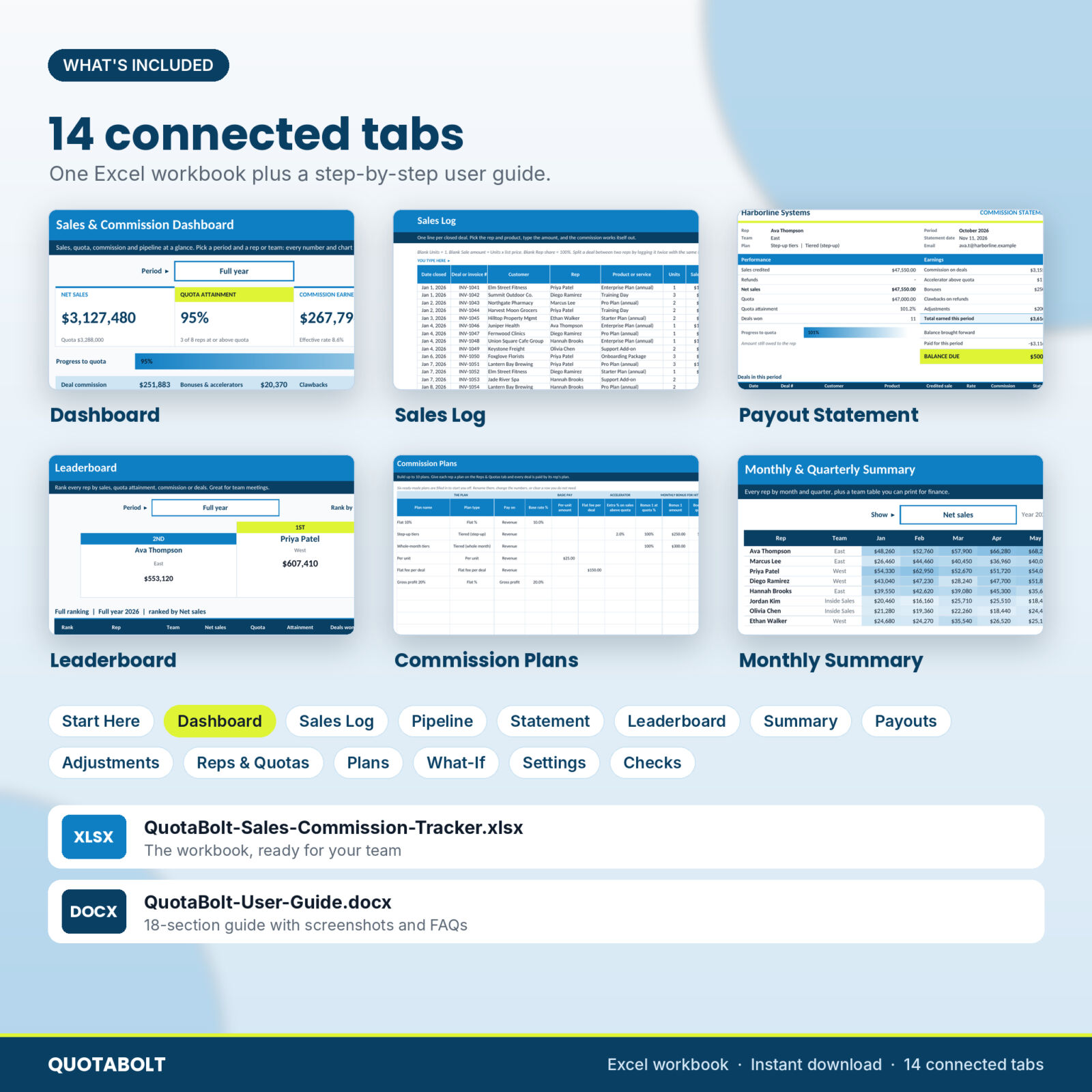
The workbook: 14 connected tabs
- Start Here: a 5-step setup with links to every tab, a color key and the license.
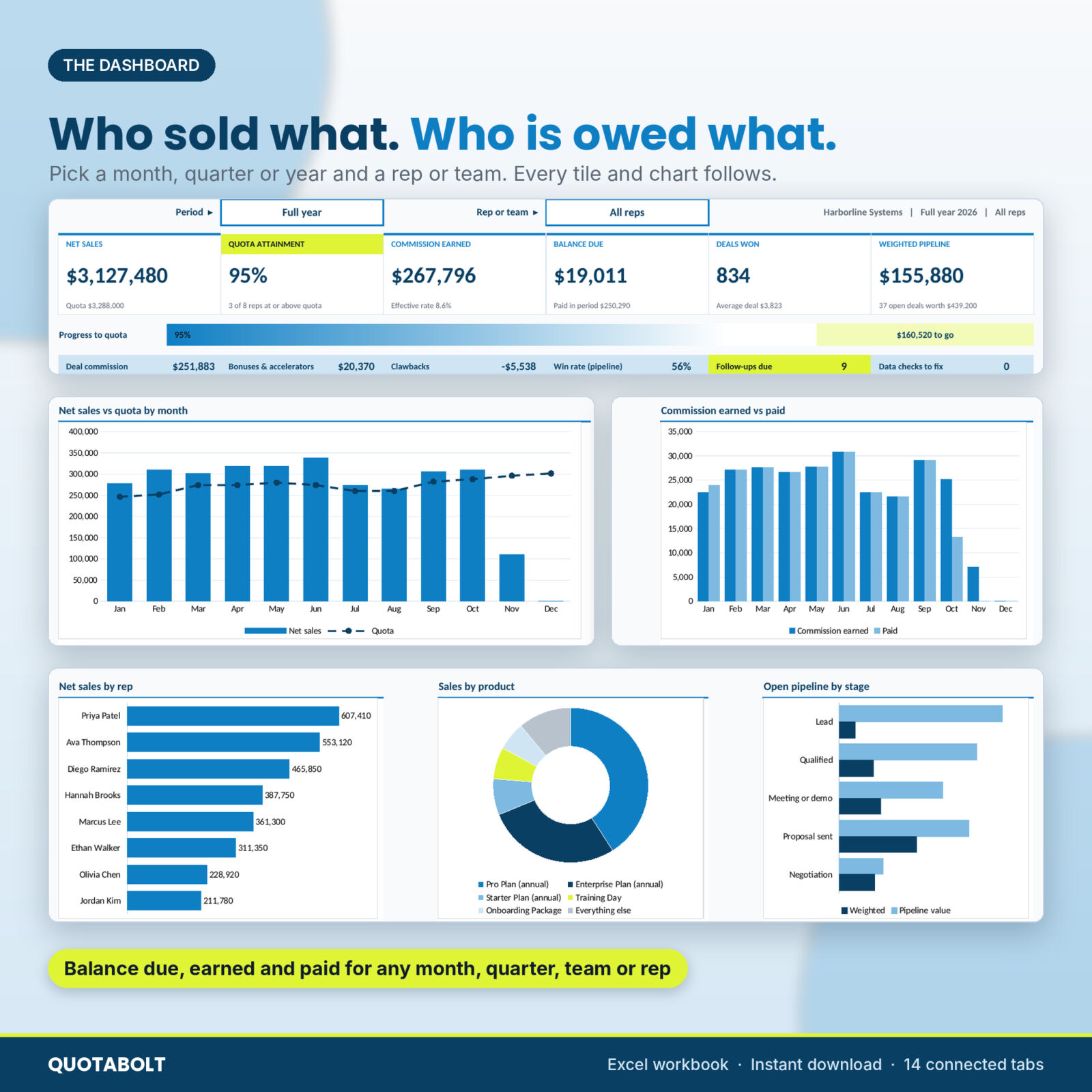
- Dashboard: six KPI tiles, a progress-to-quota bar, five charts, a top 5 leaderboard and a Needs your attention list. Filter by month, quarter or year and by rep or team.
- Sales Log: room for 2,000 deal lines a year with split deals, refunds, cancellations and rate overrides.
- Pipeline: 500 leads and open deals with weighted value, days open and follow-up flags.
- Statement: a printable payout statement for any rep and period.
- Leaderboard: a podium for the top three and a full ranking by net sales, quota attainment, commission or deals.
- Summary: every rep by month and quarter, plus a team table for finance.
- Payouts and Adjustments: payments, SPIFFs, contest prizes, corrections and draw recoveries.
- Reps & Quotas: up to 40 reps with team, plan, opening balance and 12 monthly quotas.
- Plans: up to 10 commission plans with tier tables, accelerators and bonuses. Six starter plans are filled in.
- What-If: test any plan with any month and see pay at 25% to 250% of quota on an earnings curve.
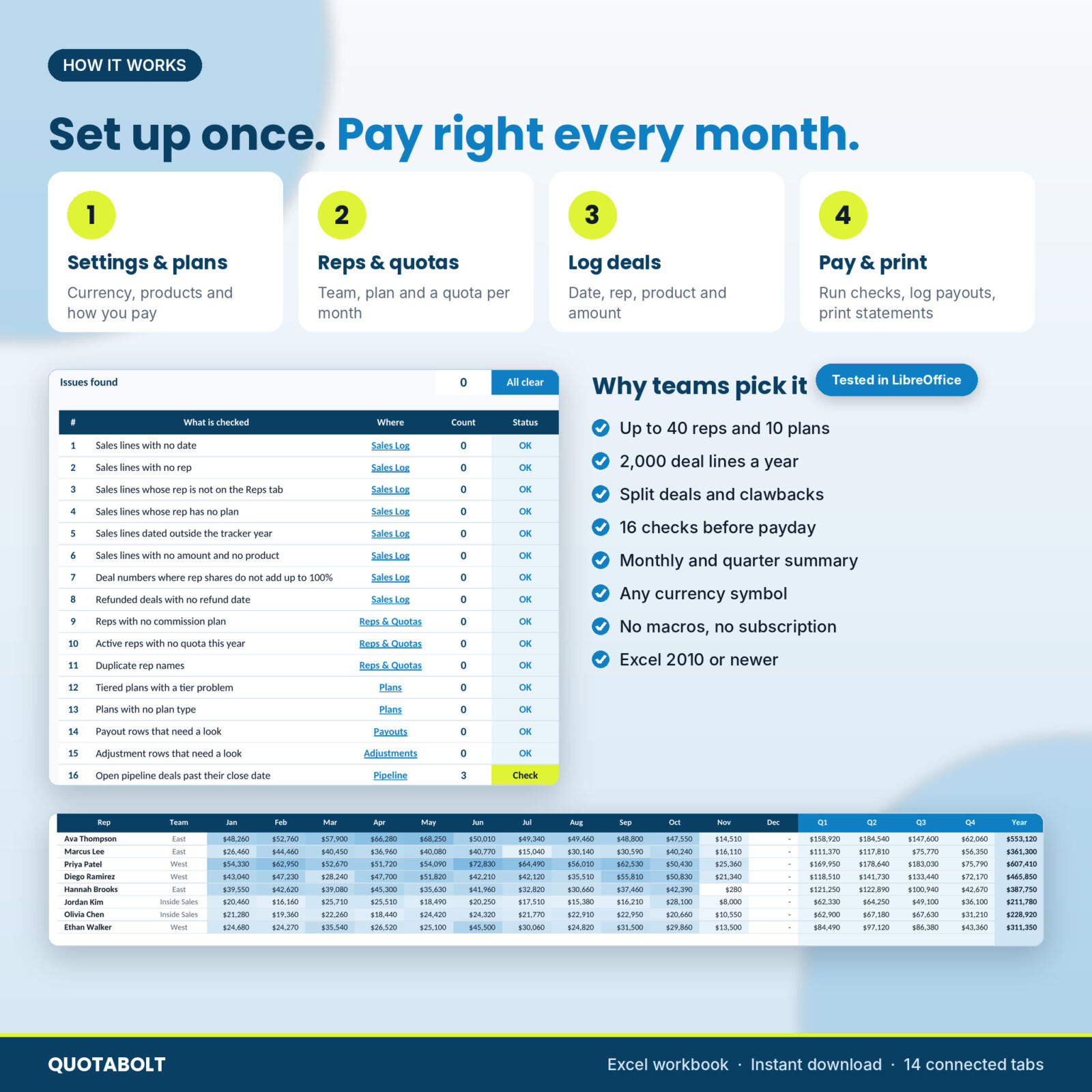
- Settings and Checks: currency, tracker year, products, stages and 16 data checks to run before payday.
The user guide
An 18-section Word guide with screenshots, worked examples for each plan type, troubleshooting and FAQs.
Commission calculator features
- Step-up tiers: each slice of monthly sales earns its own rate. 5% up to 20,000 then 7% means a 25,000 month pays 1,350.
- Whole-month tiers: the tier a rep reaches pays on every sale that month.
- Accelerators: an extra % on sales above quota.
- Bonuses: two monthly bonus levels and a quarter bonus, triggered by quota attainment.
- Gross profit plans: pay on sale amount minus cost.
- Split deals: log a deal once per rep with each rep’s share. The workbook checks that shares add up to 100%.
- Clawbacks: mark a deal Refunded and the commission is taken back in the refund month, at the clawback % you set.
How it works
- Open Settings: type your company name, pick a currency and add your products and teams.
- Open Plans: adjust the starter plans to match how you pay.
- Open Reps & Quotas: add each rep, pick a plan and type monthly quotas.
- Log deals on the Sales Log as they close. Commission appears on each row.
- Before payday, run the Checks tab, log payouts and print statements.
Use cases
- A sales manager closes the month, checks the data, and prints eight statements in ten minutes.
- An owner tests a new tier plan on the What-If tab before announcing it to the team.
- A rep picks their own name on the dashboard to see quota progress and what is still owed.
- A team lead runs the leaderboard in the Monday meeting and reviews follow-ups due in the pipeline.
File format and software
- One .xlsx workbook and one .docx user guide.
- Built for Microsoft Excel 2010 or newer on Windows or Mac. Tested in LibreOffice Calc.
- Not built for Google Sheets or Apple Numbers.
- No macros, add-ins or internet links. Your data stays in your file.
Customize it
Pick any of 24 currency symbols and every money cell follows. Rename plans, teams, products and pipeline stages. Formula cells are locked without a password, so you can unprotect a sheet if you want to change colors or widths.
Digital download
This is a digital product. You can download the files right after purchase. Nothing is shipped.
License: personal and single-business use. Please do not resell, share or upload the files. Commission figures are for internal tracking, so check them against your payroll records before you pay.
FAQ
Does it work in Google Sheets?
No. It is built for Excel 2010 or newer and tested in LibreOffice Calc.
Can each rep have a different commission plan?
Yes. Pick a plan per rep. Up to 10 plans can run at the same time.
Can it calculate tiered commission?
Yes. Step-up tiers and whole-month tiers, with up to 5 tiers per plan.
How many reps and deals does it hold?
40 reps, 10 plans, 100 products and 2,000 deal lines a year, plus 500 pipeline rows, payouts and adjustments.
What happens when a customer gets a refund?
Mark the deal Refunded and add the refund date. The commission is clawed back in that month.
Can I use my own currency?
Yes. Pick from 24 symbols on the Settings tab.
Can I use it for more than one year?
Each copy tracks one year. Save a fresh copy for the next year and carry balances forward in one column.


Reviews
There are no reviews yet.