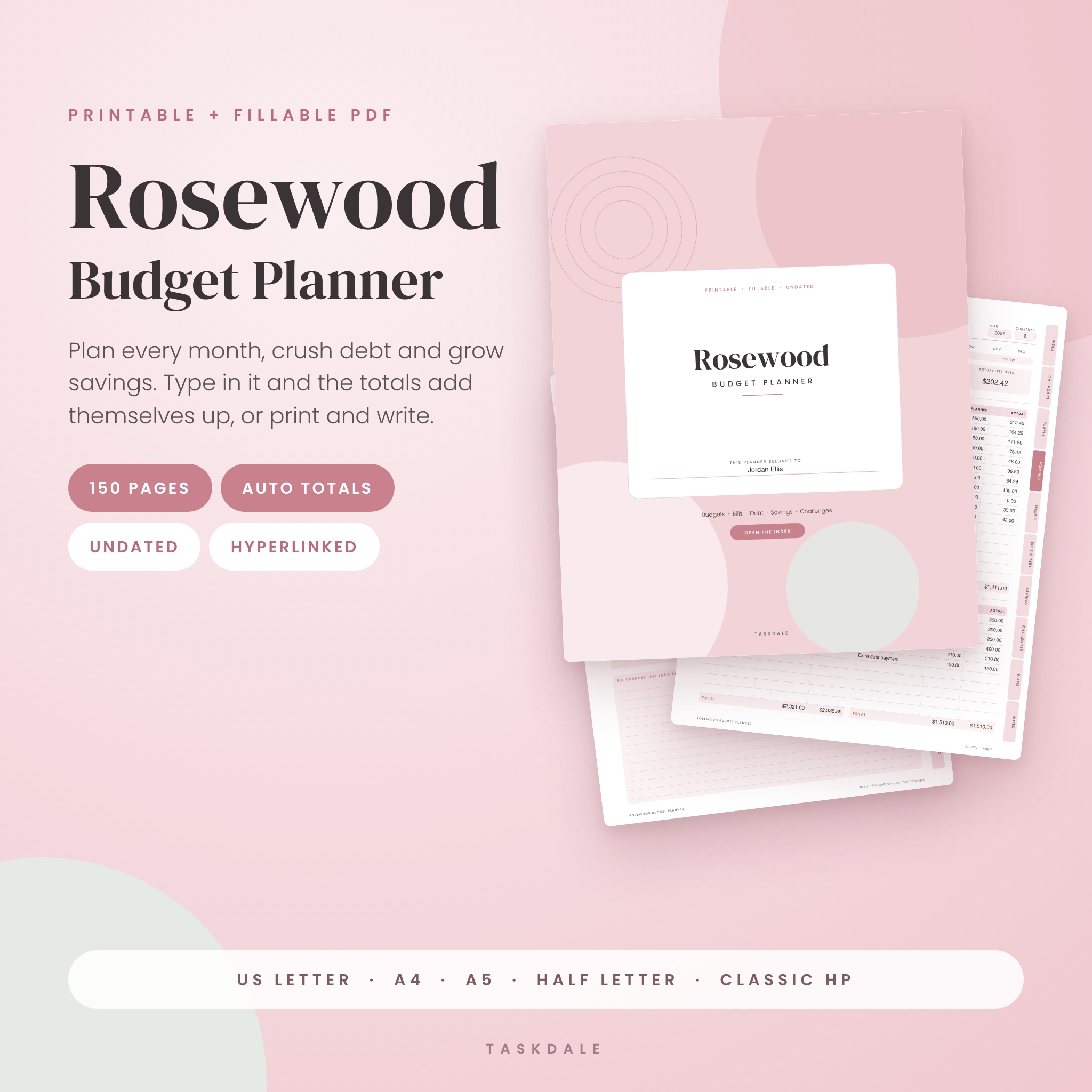
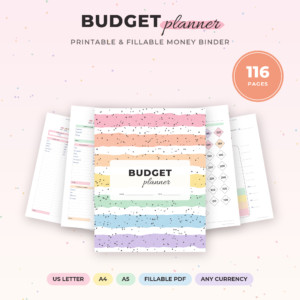
This printable budget planner is a 150-page budget binder you can print and write on, or fill in on your computer while the totals add themselves up. Plan each month, track every bill, pay down debt and watch your savings grow, all from one undated PDF. It comes in five paper sizes and two color versions, so it fits your binder, your printer and your ink budget.
Most printable budget sheets stop at empty boxes. Rosewood goes further. Type your income and spending and it works out what is left to assign, what you actually have left over, how much of each bill is paid and how close you are to every goal. Prefer pen and paper? Every page prints clean, with a wide left margin for hole-punching.
What makes this budget planner different
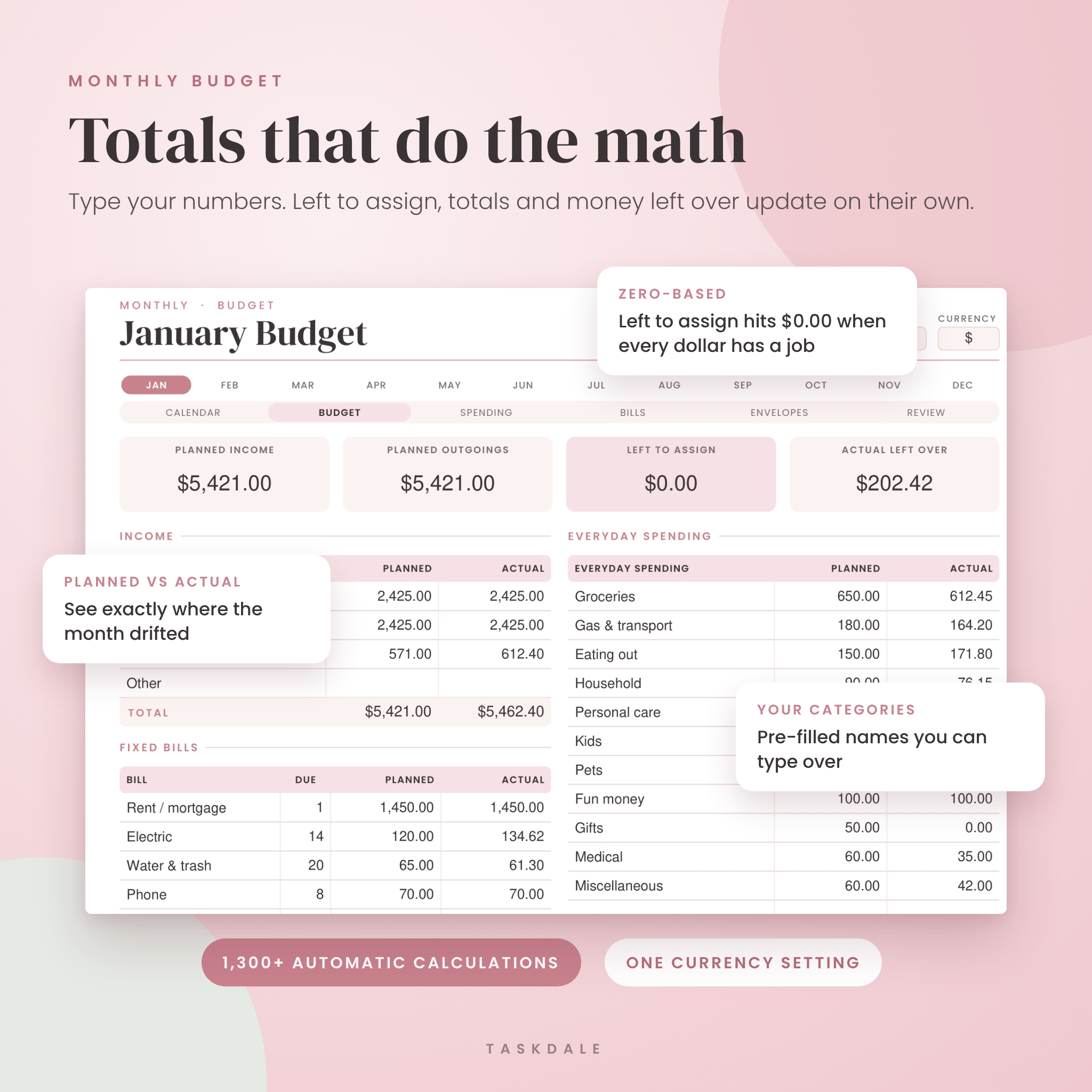
- Totals that do the math. Over 1,300 automatic calculations: budget totals, left to assign, running balances, percent paid off, savings progress and more.
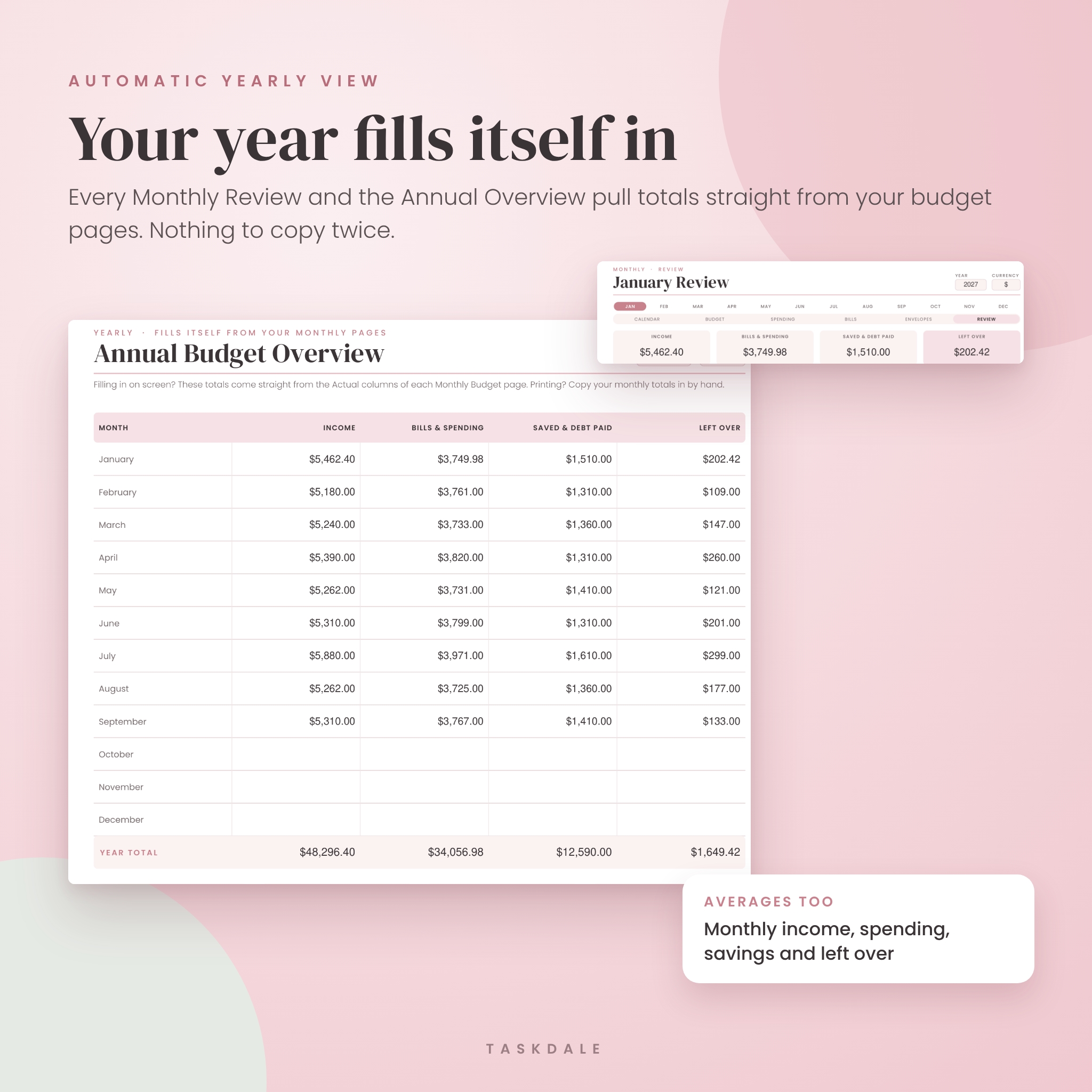
- Your year fills itself in. Each Monthly Review and the Annual Budget Overview pull numbers straight from your monthly budget pages. You never copy a total twice.
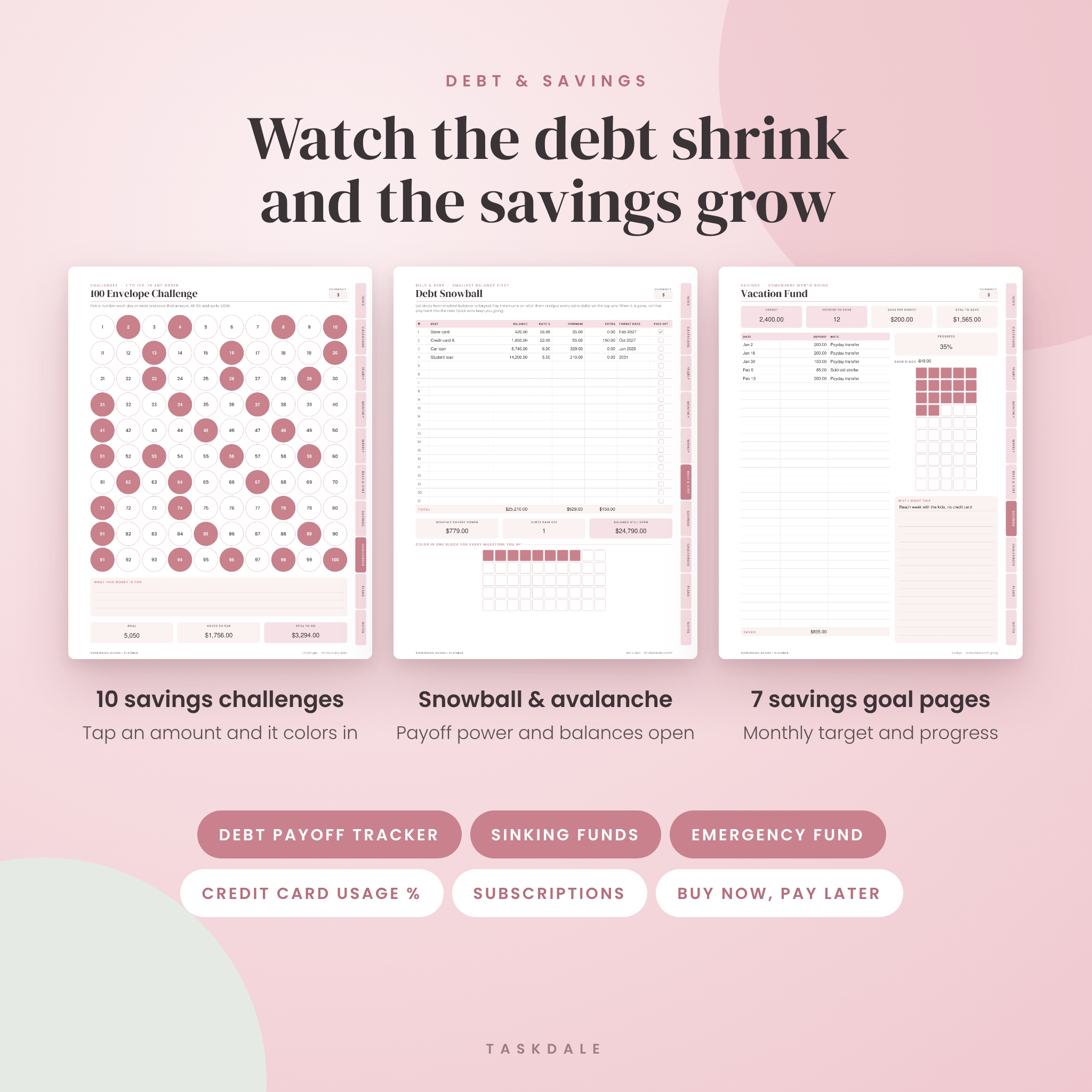
- Tap-to-save challenges. Click an amount on any savings challenge and it fills with color and adds to your running total.
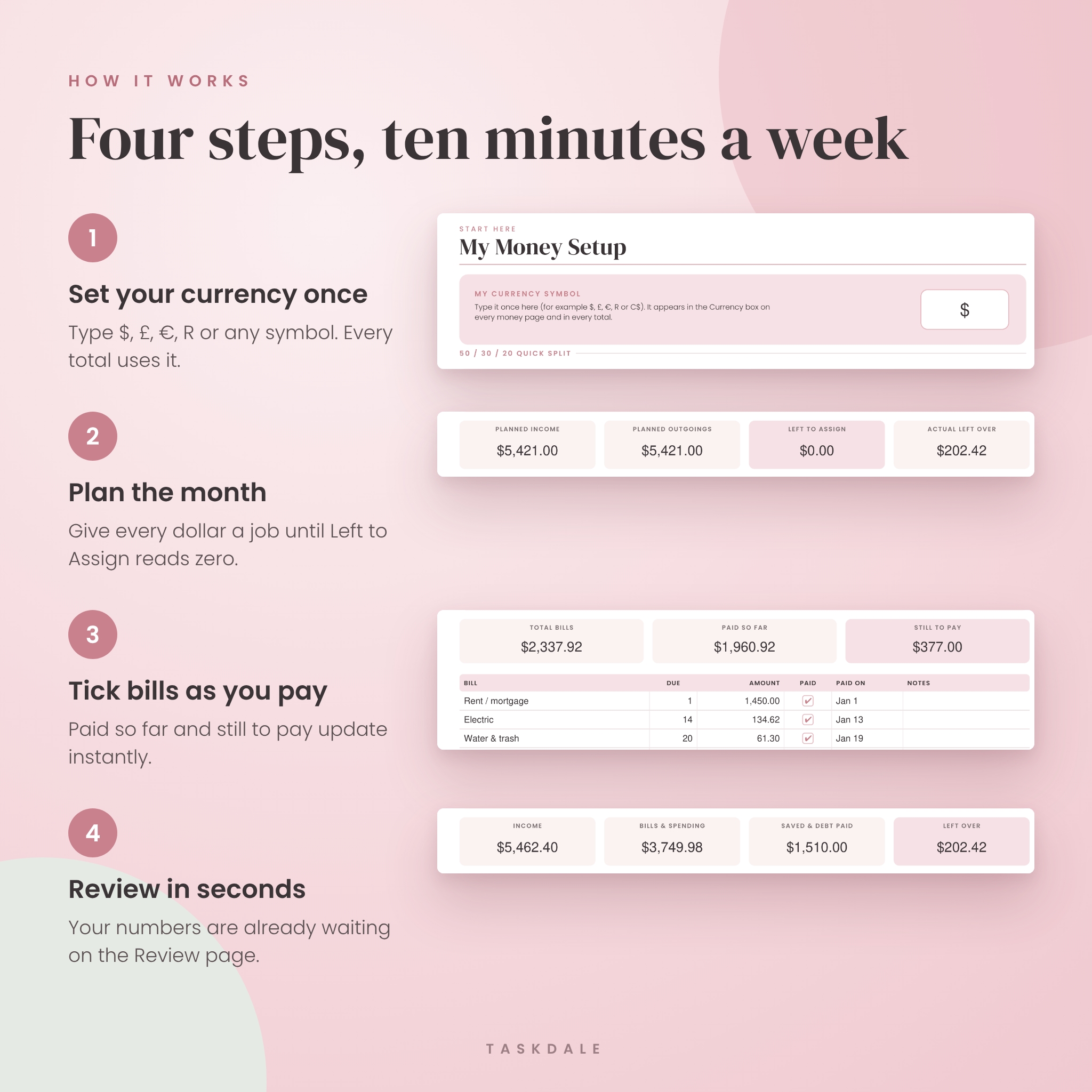
- One currency setting. Type $, £, €, R or any symbol once. Every total in the planner uses it.
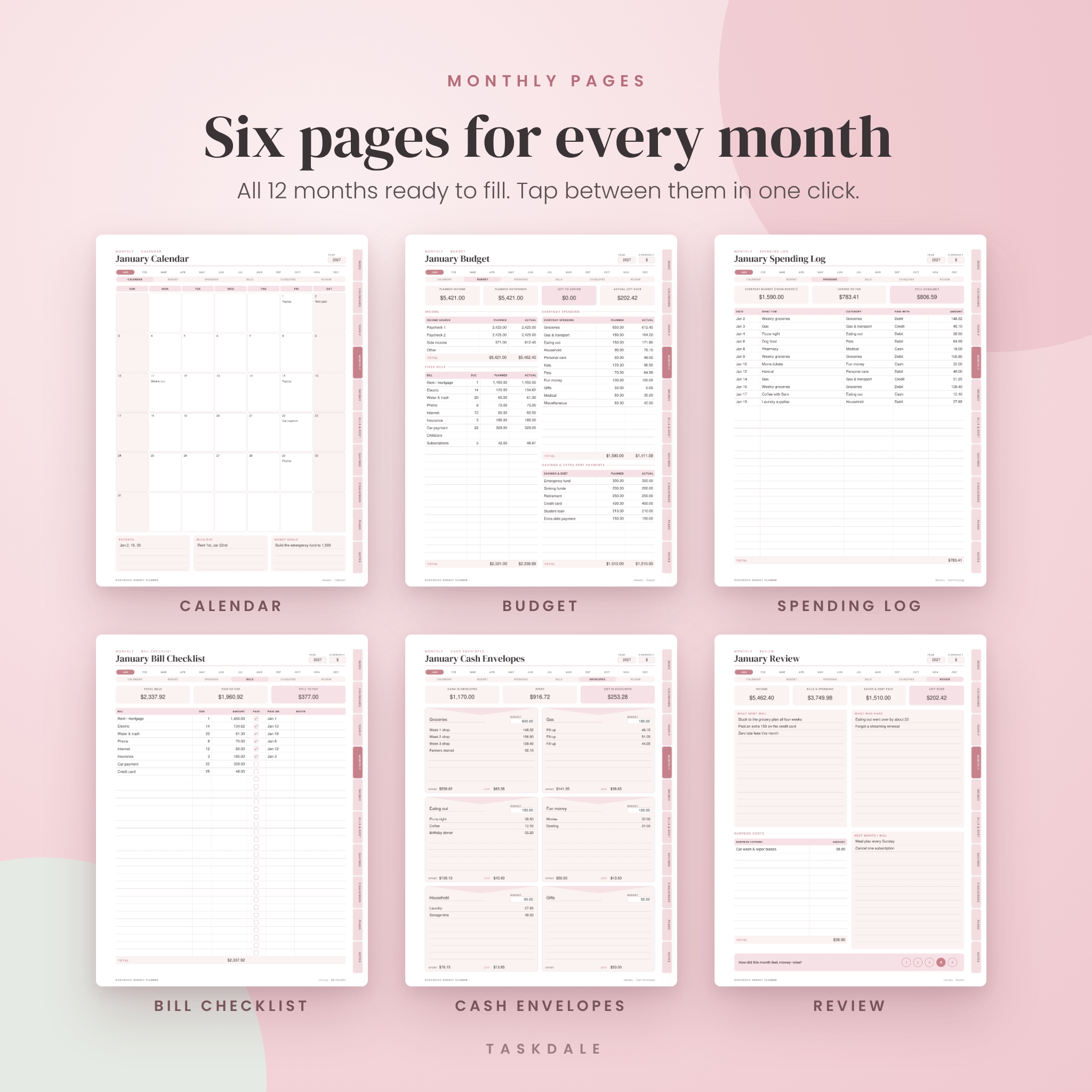
- All 12 months ready to fill. Six pages per month, so a single file holds a full year.
- Clickable tabs on every page. Jump to any section, month or page in one tap, and back to the index from anywhere.
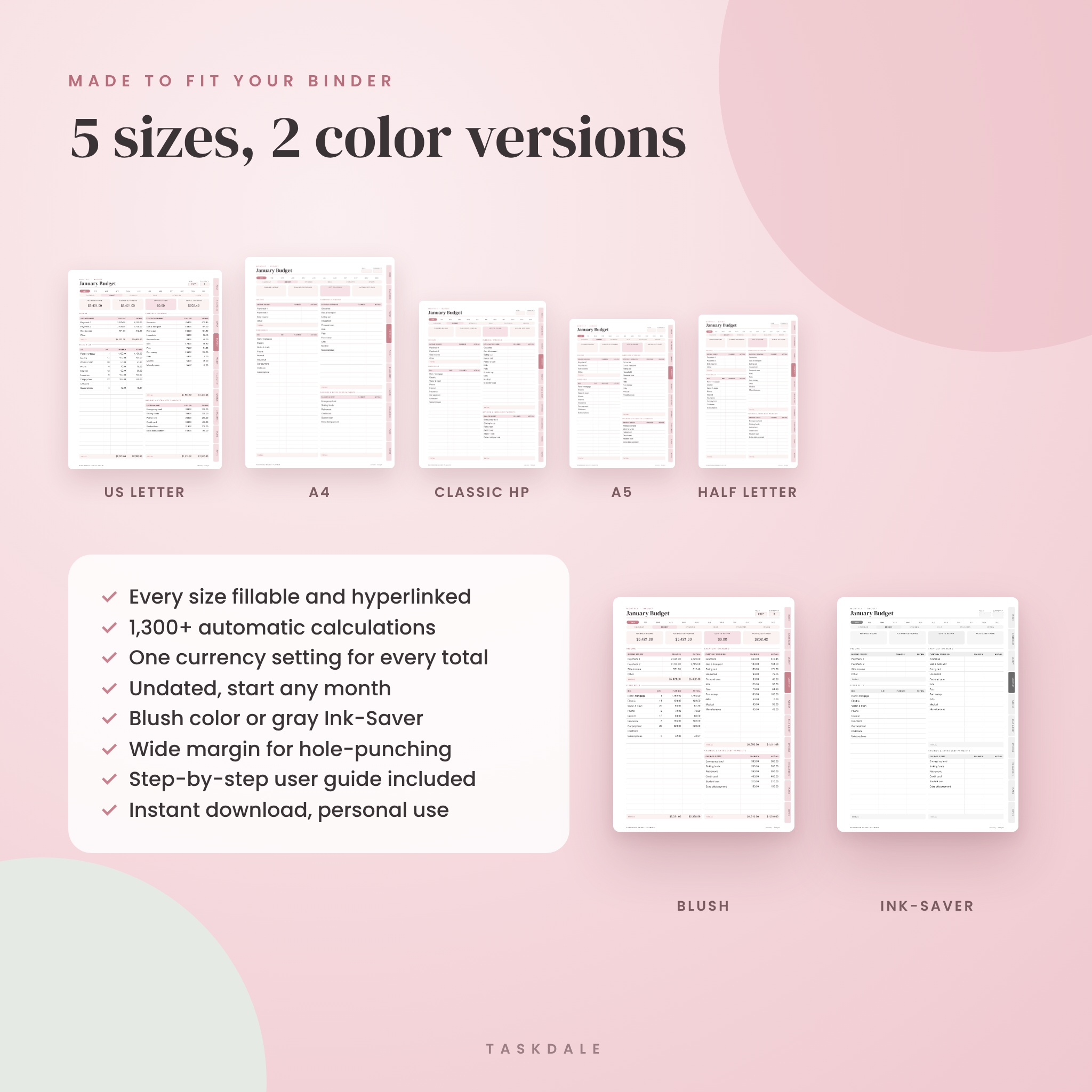
- Every size is fillable. US Letter, A4, A5, Half Letter and Classic HP all have the same working fields and links.
Who this finance planner is for
It suits first-time budgeters who want a clear starting point, families who budget per paycheck or with cash envelopes, and anyone working through debt with the snowball or avalanche method. If you like a printed budget binder, print the pages you use. If you would rather never touch a printer, fill it in on screen and save as you go.
What is included
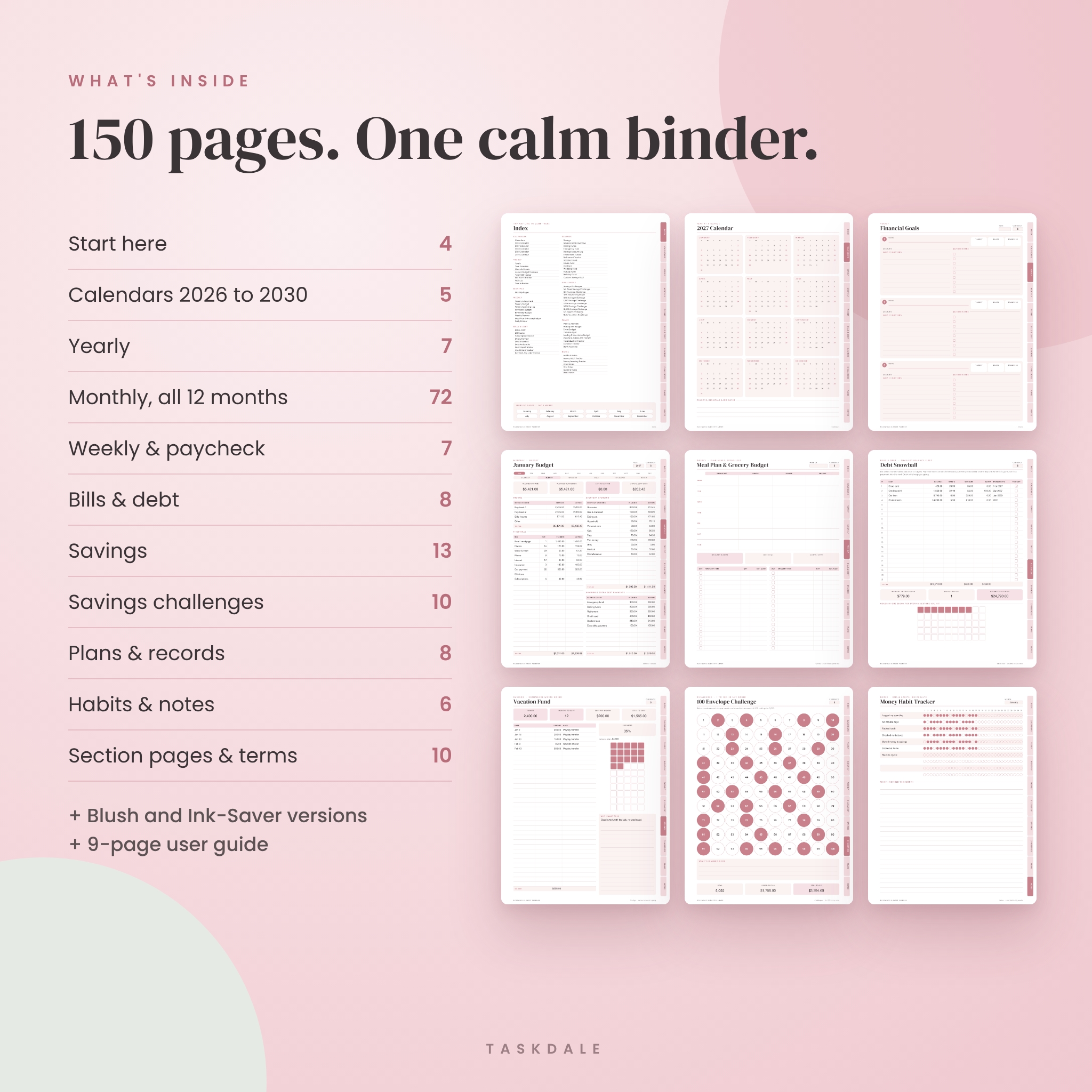
Start here
- Cover with name field, clickable index, Start Here page and My Money Setup (currency, pay schedule, budgeting style and a 50/30/20 quick split calculator)
Calendars and yearly pages
- 2026, 2027, 2028, 2029 and 2030 year-at-a-glance calendars, with months that link to your monthly pages
- Year Overview, Financial Goals with progress percentage, Annual Budget Overview with averages, Yearly Bill Tracker, Net Worth Tracker by quarter, Wish List and Year in Review
Monthly pages (all 12 months)
- Monthly Calendar, Monthly Budget (income, fixed bills, everyday spending, savings and extra debt payments, planned vs. actual), Spending Log, Bill Checklist, Cash Envelopes and Monthly Review
Weekly and paycheck budgeting
- Weekly Budget, Weekly Spending Log, Paycheck Budget, Bi-Weekly Budget, Weekly Planner, Meal Plan and Grocery Budget, Daily Planner
Bill tracker and debt payoff pages
- Bill Tracker, Subscription Tracker, Debt Overview with weighted average interest rate, Debt Snowball, Debt Avalanche, Debt Payoff Tracker with running balance, Credit Card Tracker with usage percentage, Buy Now, Pay Later Tracker
Savings tracker pages
- Savings Goals Overview, Sinking Funds, Emergency Fund calculator, Savings Account Log, Investment Tracker, Retirement Tracker
- Goal pages for Vacation, House, Car, Wedding, Holiday, Birthday and a custom goal, each with a monthly savings target and color-in progress blocks
Savings challenges
- 52-Week, 100 Envelope, 365-Day Saving Streak, 500, 1,000, 2,500, 5,000 and 10,000 challenges, 30-day No-Spend Challenge and Build Your Own Challenge
Plans, records and notes
- Holiday Gift, Event, Travel and Moving budgets, Income and Side Hustle Tracker, Tax Deduction Tracker, Donation Tracker, Bank Accounts
- Money Habit Tracker, Money Learning Tracker, plus lined, grid, dot and blank notes
How it works
- Download the files and pick your size.
- Open My Money Setup and type your currency symbol.
- Go to this month’s Budget page, add your income and give every dollar a job until Left to Assign reads zero.
- Log spending, tick bills as paid and top up envelopes as the month goes.
- Check your Monthly Review. Your numbers are already there.
File formats and sizes
- 10 fillable, hyperlinked PDF files: US Letter (8.5 x 11 in), A4, A5, Half Letter (5.5 x 8.5 in) and Classic HP (7 x 9.25 in), each in a soft Blush color version and a gray Ink-Saver version
- 1 user guide (DOCX) with setup steps, tips, troubleshooting and FAQ
- 150 pages per file, undated
Software requirements
To type in the planner with automatic totals, use free Adobe Acrobat Reader on a computer, or Firefox. Other PDF apps can open and print the file, though some fill the boxes without adding them up. For printing, any home printer works. Choose “Actual size” in your print settings.
Customization
Category names, envelope names, sinking funds and habits come pre-filled with common US examples. Click any of them to rename. Change your currency symbol any time and every total updates. The layout itself is fixed so the math always stays correct.
Digital download
This is an instant digital download. No physical product will be shipped. Your files are available right after checkout. For personal use only. Please do not share or resell the files.
Real ways people use it
- A couple sits down on the last Sunday of the month and builds next month’s zero-based budget together.
- A nurse paid every two weeks plans each paycheck on its own page and stops running short before payday.
- A college grad lists four debts on the snowball page and colors in a block every time a balance drops.
- A family saving for a beach trip ticks off the 1,000 challenge on the fridge, then moves the cash to the Vacation Fund page.
- A freelancer logs every client payment on the Income Tracker and keeps receipts lined up on the Tax Deduction page.
Budget planner FAQ
Is this a printable or digital budget planner?
Both. Print any page, or type into the PDF on your computer and save it.
Do the totals really calculate automatically?
Yes, in a PDF reader that runs form calculations, such as Adobe Acrobat Reader on a computer or Firefox. On paper, you add them up yourself.
Is the planner dated?
No. Monthly pages run January to December with a blank year box, so you can start any time. Year calendars cover 2026 to 2030.
Can I use my own currency?
Yes. Type your symbol once on the setup page and it appears in every total.
What sizes are included?
US Letter, A4, A5, Half Letter and Classic HP, in color and ink-saving gray.
Will it work with GoodNotes or on an iPad?
We have tested it on desktop PDF readers. Tablet note apps can usually open PDFs for handwriting, but fields, links and totals may not work there.
Can I print it more than once?
Yes, as often as you like for your own household.
Is this financial advice?
No. It is an organizing tool to help you see where your money goes.
Reviews
There are no reviews yet.