

Photography Business Tracker Spreadsheet for Portrait, Wedding, Family & Event Photographers
Shutterwell is a photography business tracker spreadsheet that follows every client from the first inquiry to the final review request. Leads, clients, sessions, workflow, invoices, expenses, mileage, profit and gear all live in one Excel-format workbook, connected by formulas, so the dashboard always shows where your business stands. No subscriptions, no macros and nothing to install.
What it does
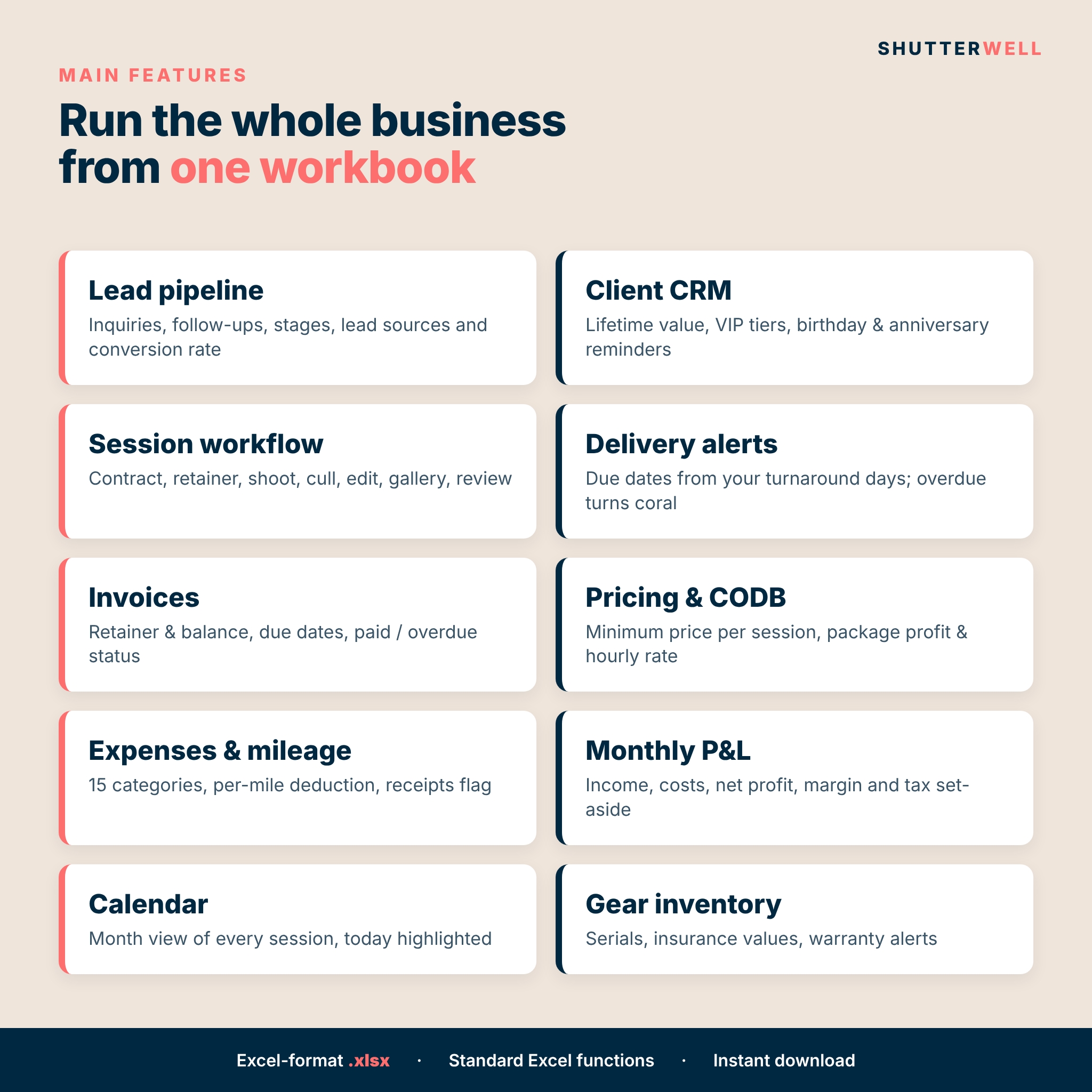
- Turns inquiries into bookings. A lead pipeline with stages, follow-up dates and an automatic action flag, plus conversion rate by lead source.
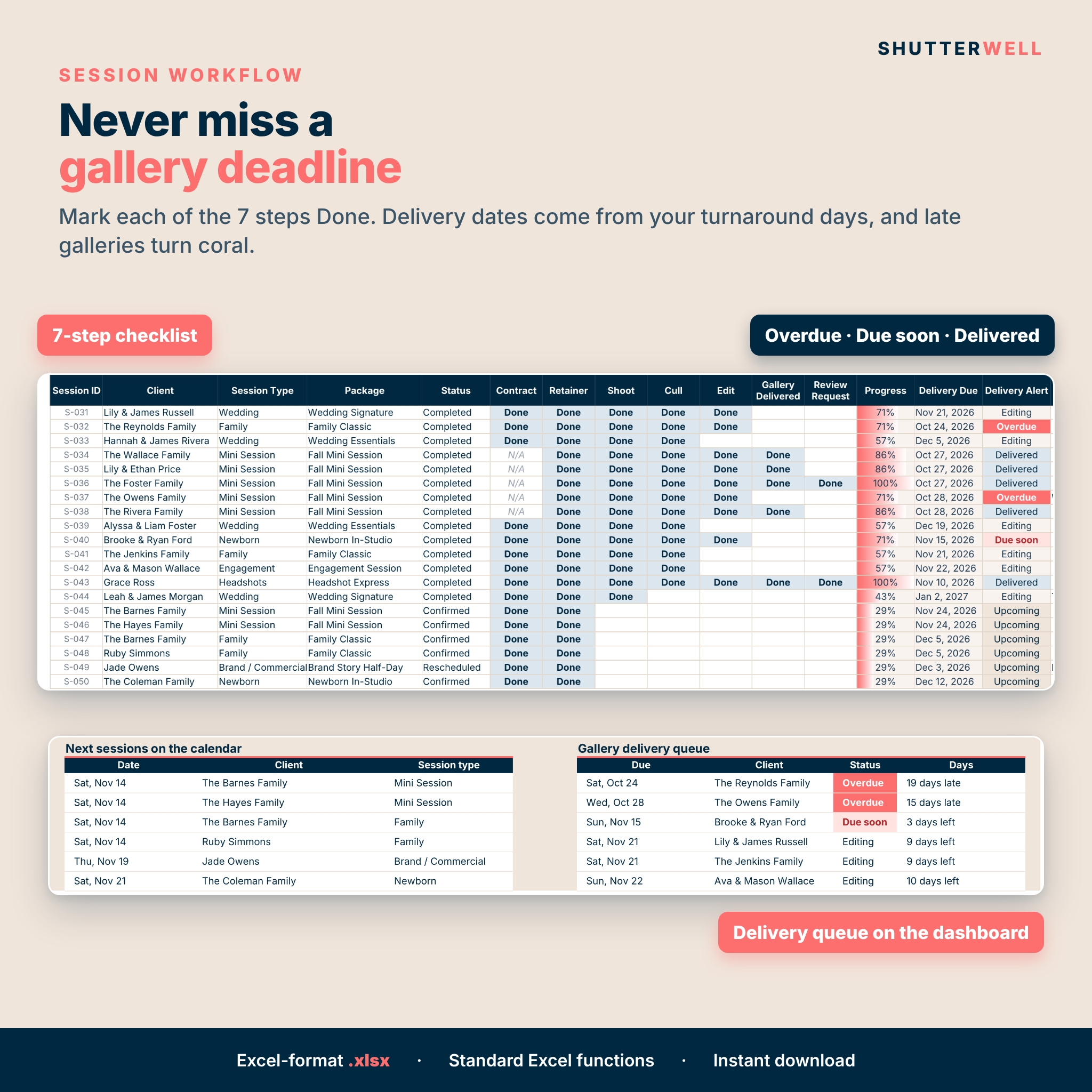
- Keeps every session on track. Contract, retainer, shoot, cull, edit, gallery delivered and review request, each marked Done or N/A, with a progress bar per session.
- Protects your gallery deadlines. Delivery dates come from the turnaround days you set for each session type. Overdue and due-soon galleries turn coral.
- Gets you paid. Retainer and balance tracking with due dates, outstanding amounts and status.
- Shows your real profit. Expenses by category, a mileage log and a 12-month P&L with margin and tax set-aside.
- Prices for profit. A cost of doing business (CODB) calculator gives your minimum price per session, and every package shows true cost, profit and hourly rate.
Who it’s for
Portrait, family, newborn, maternity, senior, headshot, brand, wedding and event photographers, whether you’re just starting out or booking 100+ sessions a year. It’s simple enough for a beginner and detailed enough for a busy studio.
Features
Dashboard
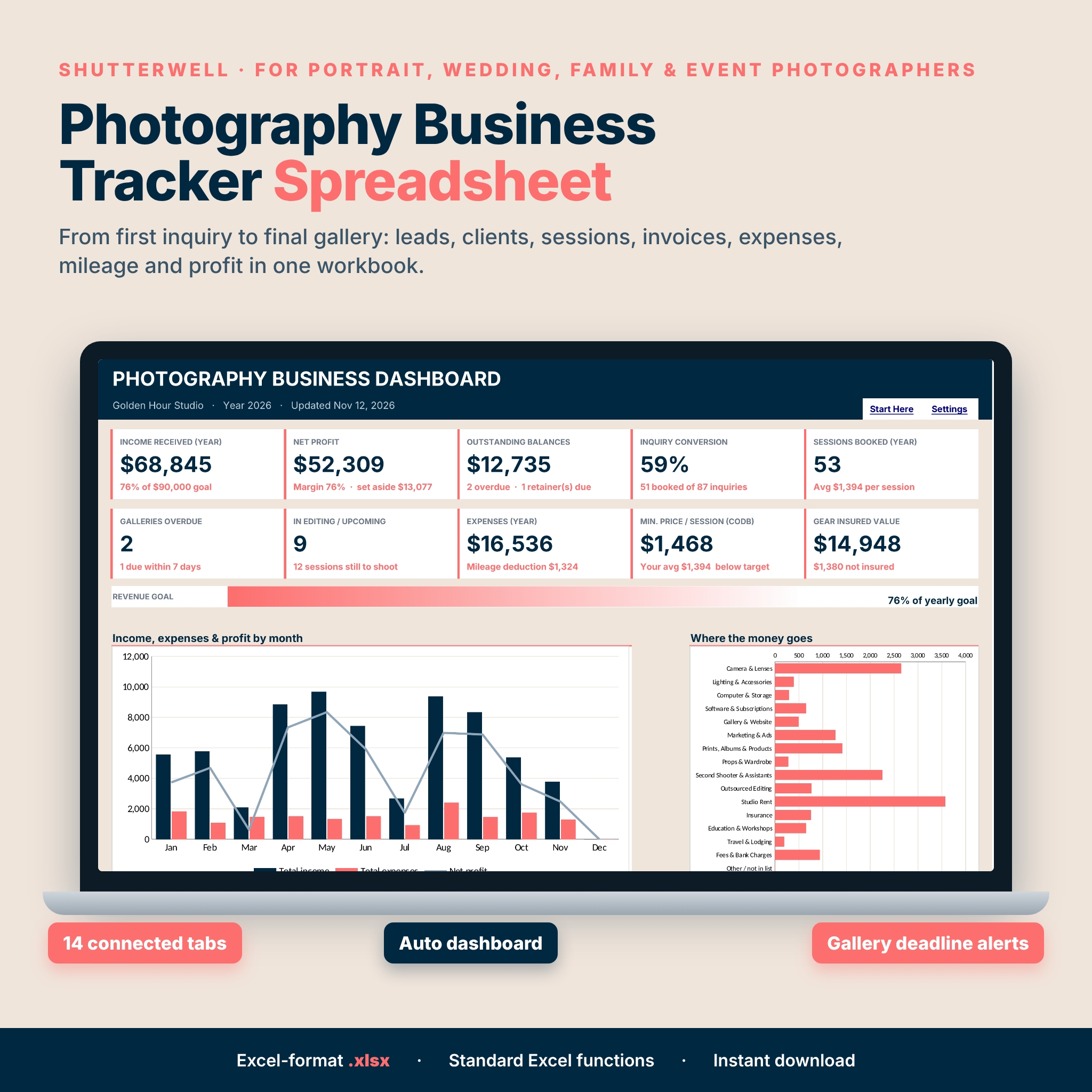
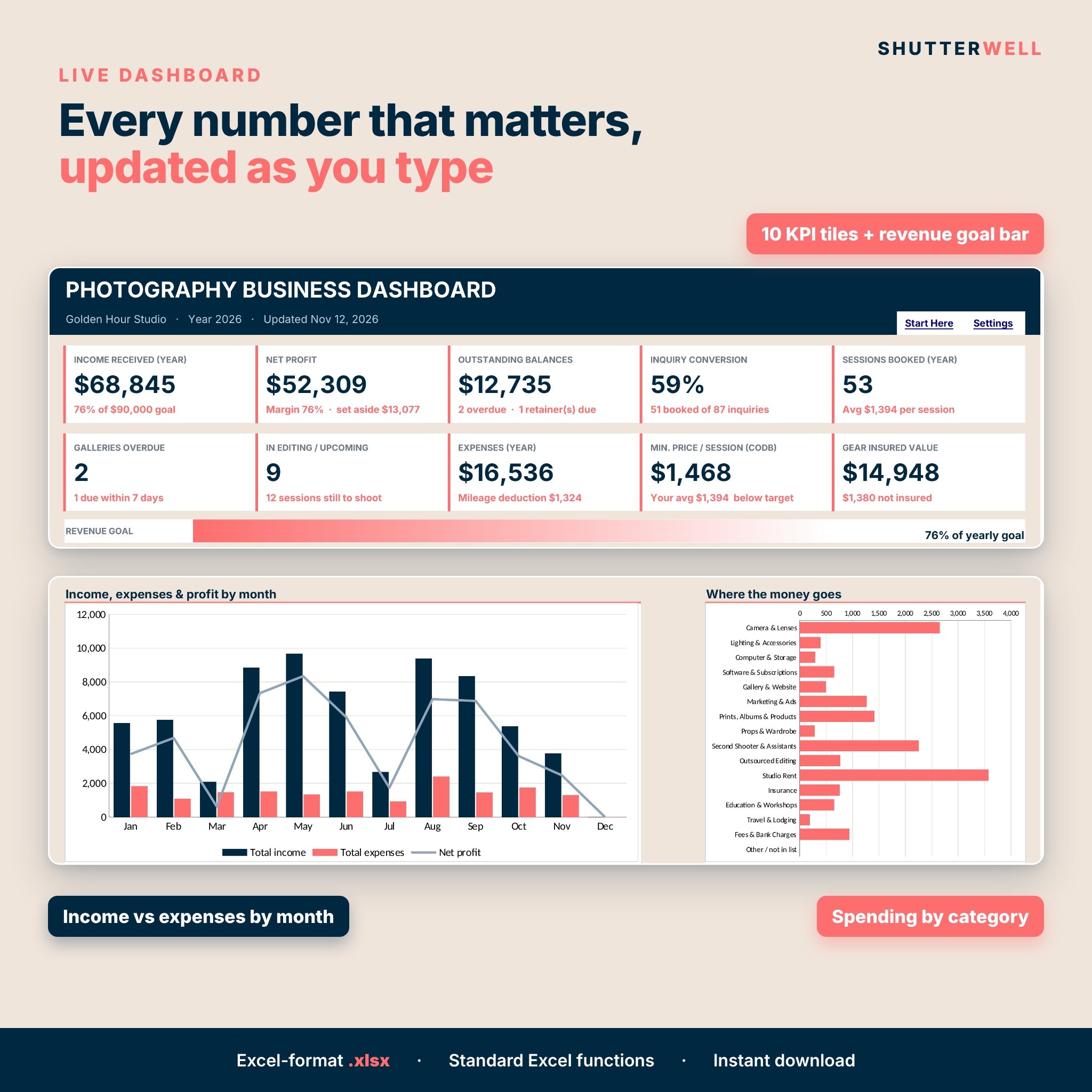
- 10 KPI tiles: income received, net profit, outstanding balances, inquiry conversion, sessions booked, galleries overdue, sessions in editing or still to shoot, expenses with mileage deduction, CODB minimum price vs your average and insured gear value
- Revenue goal progress bar
- Charts: income vs expenses by month with net profit line, spending by category, lead pipeline by stage
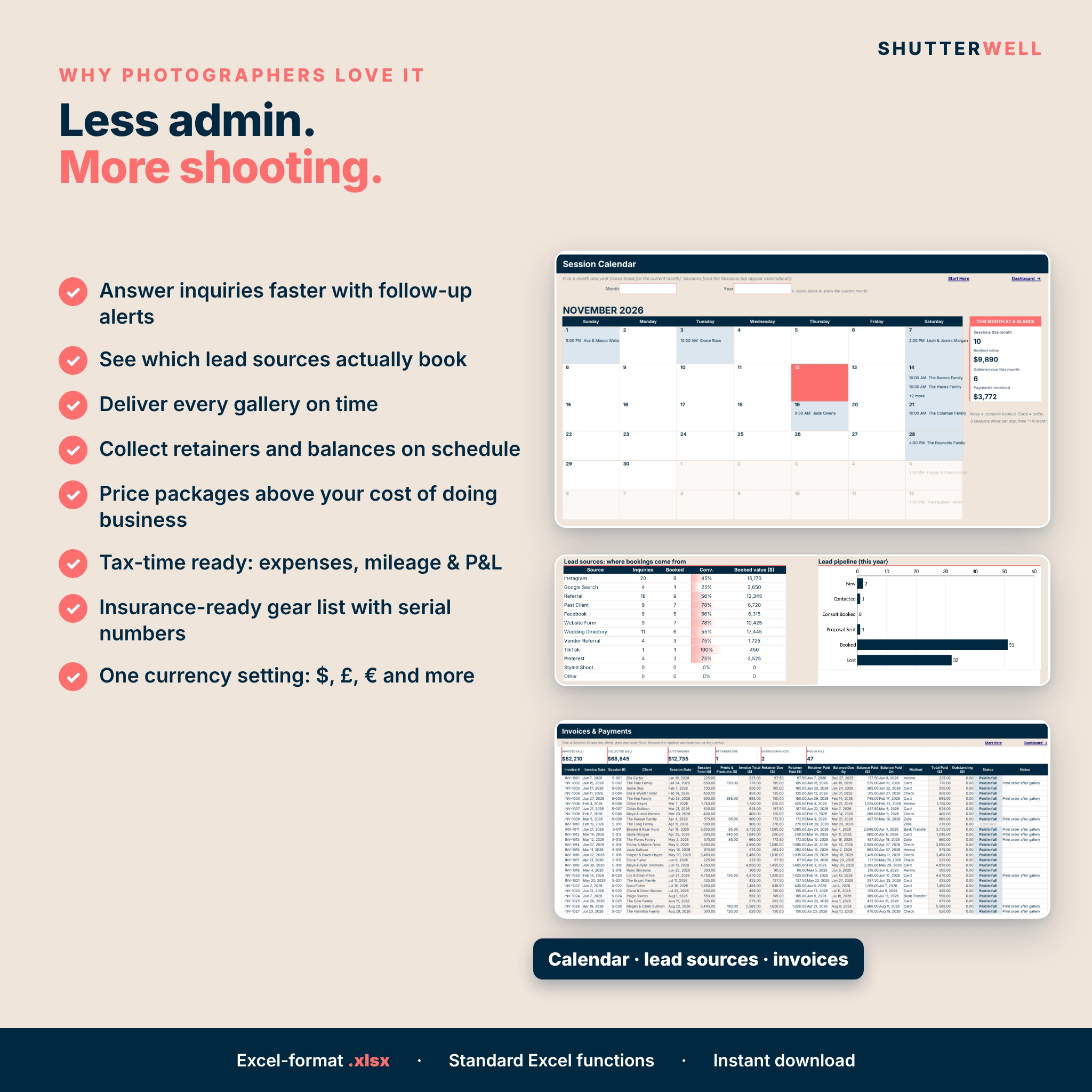
- Lead source performance table, sessions and revenue by type, workflow progress for each step
- Next 6 sessions and a gallery delivery queue sorted by due date
Inquiries & Clients
- 300-row inquiry log with stage, source, estimated value, follow-up date, days open and action flag
- 300-row client CRM with lifetime paid, session count, last session, client tier (Client, Repeat, VIP) and birthday or anniversary countdown
Sessions, Workflow & Calendar
- 300 sessions with package price lookup, add-ons, discounts and status
- 7-step workflow checklist, progress bar, delivery due date and delivery alert
- Month-view calendar: pick any month and year, up to 3 sessions shown per day, plus a this-month summary
Money
- Invoices: retainer due, retainer paid, balance due date, balance paid, outstanding and status (Retainer due, Balance due, Overdue, Paid in full)
- 600-row expense log with 15 editable categories, payment method, deductible and receipt flags
- 400-row mileage log with round-trip option and your per-mile rate
- Monthly P&L: income, sessions photographed, expenses by category, net profit, margin, tax set-aside and goal progress
Pricing & Gear
- CODB calculator: yearly costs, desired pay, tax rate and capacity give your minimum average price per session and target hourly rate
- Packages: overhead share, true cost, profit, margin, your hourly rate and an automatic price check
- Gear inventory: serial numbers, purchase price, insurance value, insured flag and warranty alerts
What’s included
- Shutterwell Photography Business Tracker (.xlsx) with 14 tabs: Start Here, Dashboard, Inquiries, Clients, Sessions, Calendar, Packages, CODB Calculator, Invoices, Expenses, Mileage, Monthly P&L, Gear and Settings
- Shutterwell User Guide (.docx): setup, every tab explained, customizing, tips, troubleshooting and FAQ
How it works
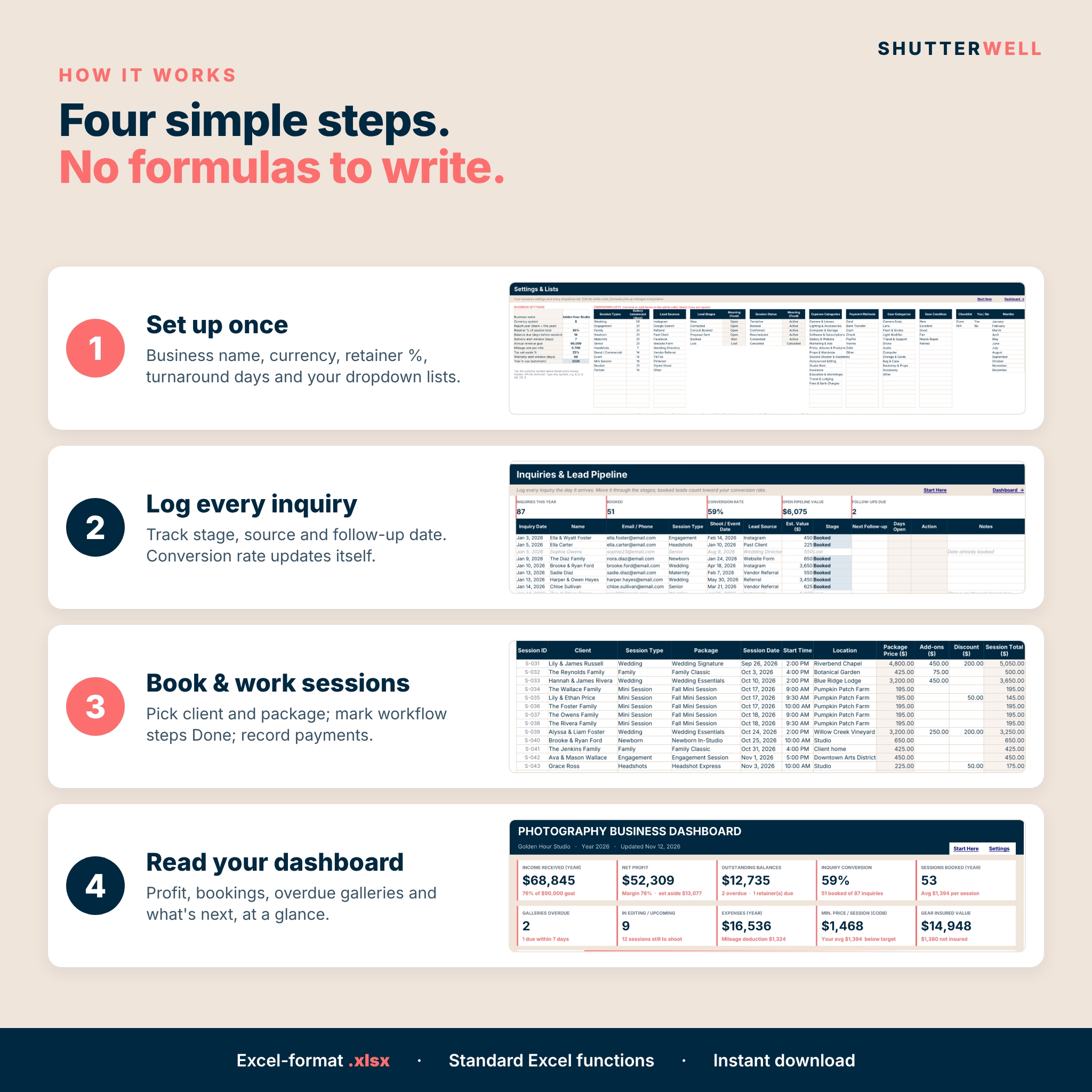
- Open Settings: add your business name, currency symbol, retainer %, balance due days, turnaround days and dropdown lists.
- Fill in the CODB Calculator and your packages.
- Log inquiries, add clients when they book and record sessions and payments.
- Mark workflow steps Done as you go. The dashboard, calendar and P&L update themselves.
File format & requirements
Excel-format .xlsx for Microsoft Excel; tested in LibreOffice Calc; built with standard functions that also work when you open it in Google Sheets. No macros or add-ins. Font: Inter. A computer is recommended for setup and data entry.
Customization
Change the currency symbol once and every money label updates. Rename or add session types, turnaround days, lead sources, expense categories, payment methods and gear categories on the Settings tab, and every dropdown follows. Formula cells are locked (no password) so they can’t be overwritten by accident; input cells stay open. Every tab has a print-ready layout.
Digital download
This is a digital product. No physical item will be shipped. You’ll get instant access to the spreadsheet and the user guide after purchase. The file you receive is clean and ready for your own data; the listing images show a filled example.
Use cases
- A wedding photographer tracking retainers a year ahead and 8-week gallery deadlines.
- A family photographer running fall mini sessions with 10 clients in one weekend.
- A newborn photographer sending anniversary offers to past clients.
- A part-time photographer checking whether packages cover costs before raising prices.
- Anyone getting expenses, mileage and monthly profit ready for tax time.
FAQ
Does it work in Google Sheets?
The file is an Excel-format .xlsx built with standard functions that also work when you open it in Google Sheets. Chart styling may look slightly different there.
Do I need to know formulas?
No. You type in the white cells or pick from dropdowns; everything else is calculated for you.
Can I change the currency?
Yes. Type any symbol on Settings and every money label, tile and total updates.
How many sessions can it track?
300 sessions, 300 inquiries, 300 clients, 300 invoices, 600 expenses, 400 mileage trips and 150 gear items.
Does it include sample data?
No. Your copy is clean so you can start right away. The dashboard looks tidy even when empty.
Is there a free version?
Yes. Shutterwell Lite includes the inquiry pipeline, sessions with workflow and delivery alerts, and a dashboard.
Is this tax software?
No. It organizes your numbers for you and your tax professional; tax set-aside and mileage use the rates you enter.
License
Personal use license for your own photography business. You may not resell, share, distribute or upload the files, or any modified version of them. © Taskdale.
Reviews
There are no reviews yet.