Can you remember when the furnace was last serviced? Or when you last changed the fridge water filter? The Sill & Season home maintenance tracker keeps all of it in one Excel spreadsheet. You type a date, and it tells you what is due next, what is overdue and what you spent this year.
It comes with 60 common jobs already listed, from replacing the HVAC filter every 3 months to cleaning the dryer vent once a year. Keep the ones that fit your home, delete the rest and add your own.
What this home maintenance tracker does
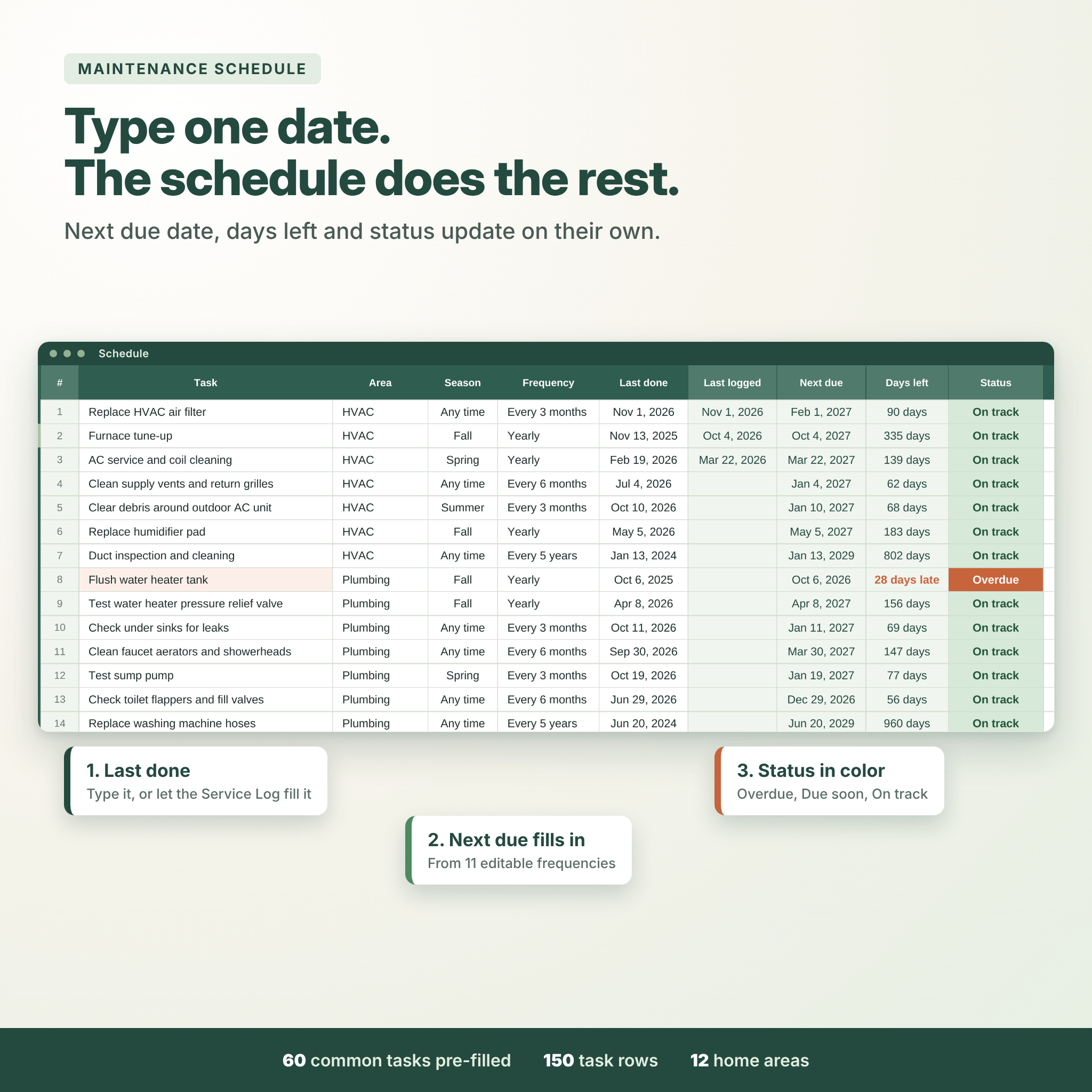
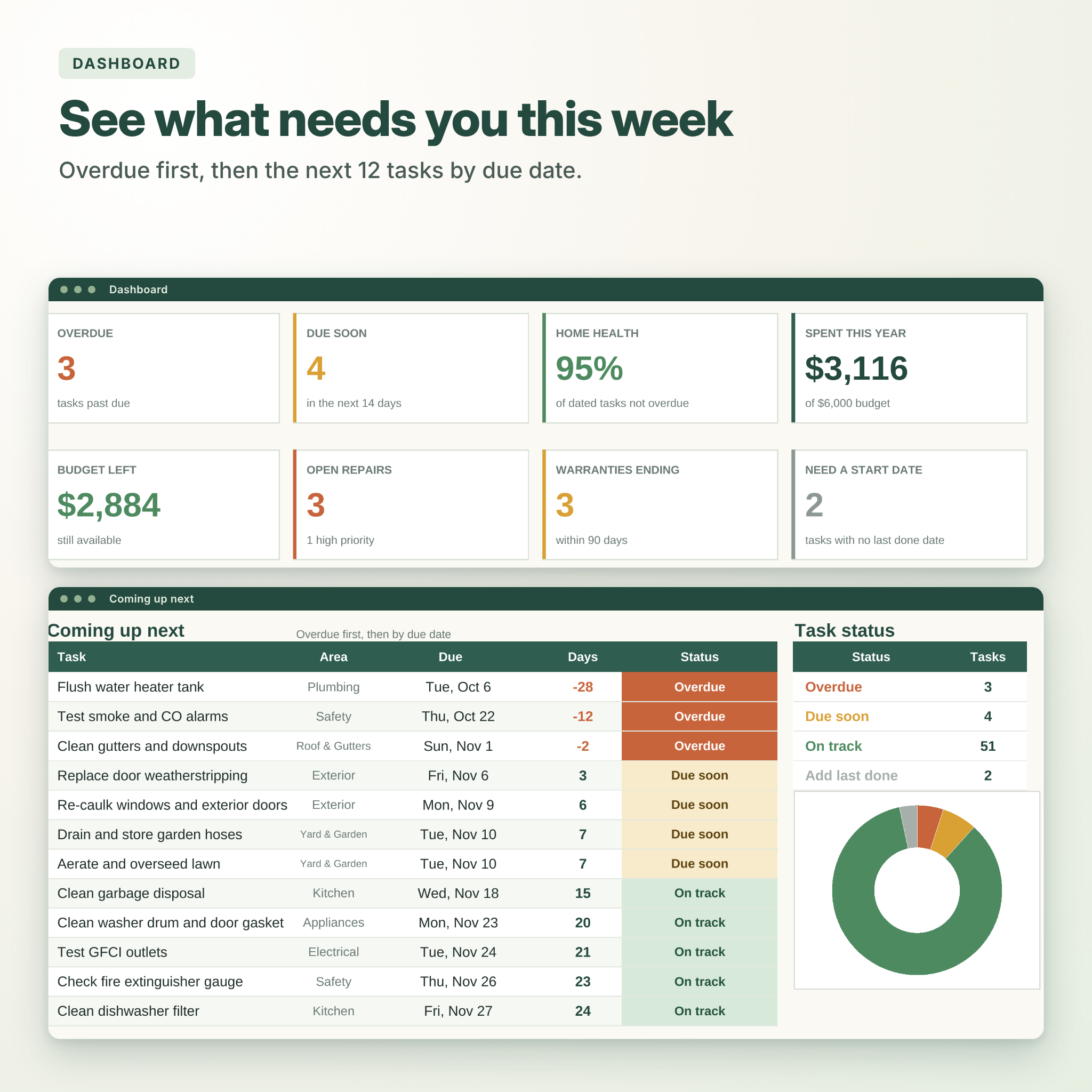
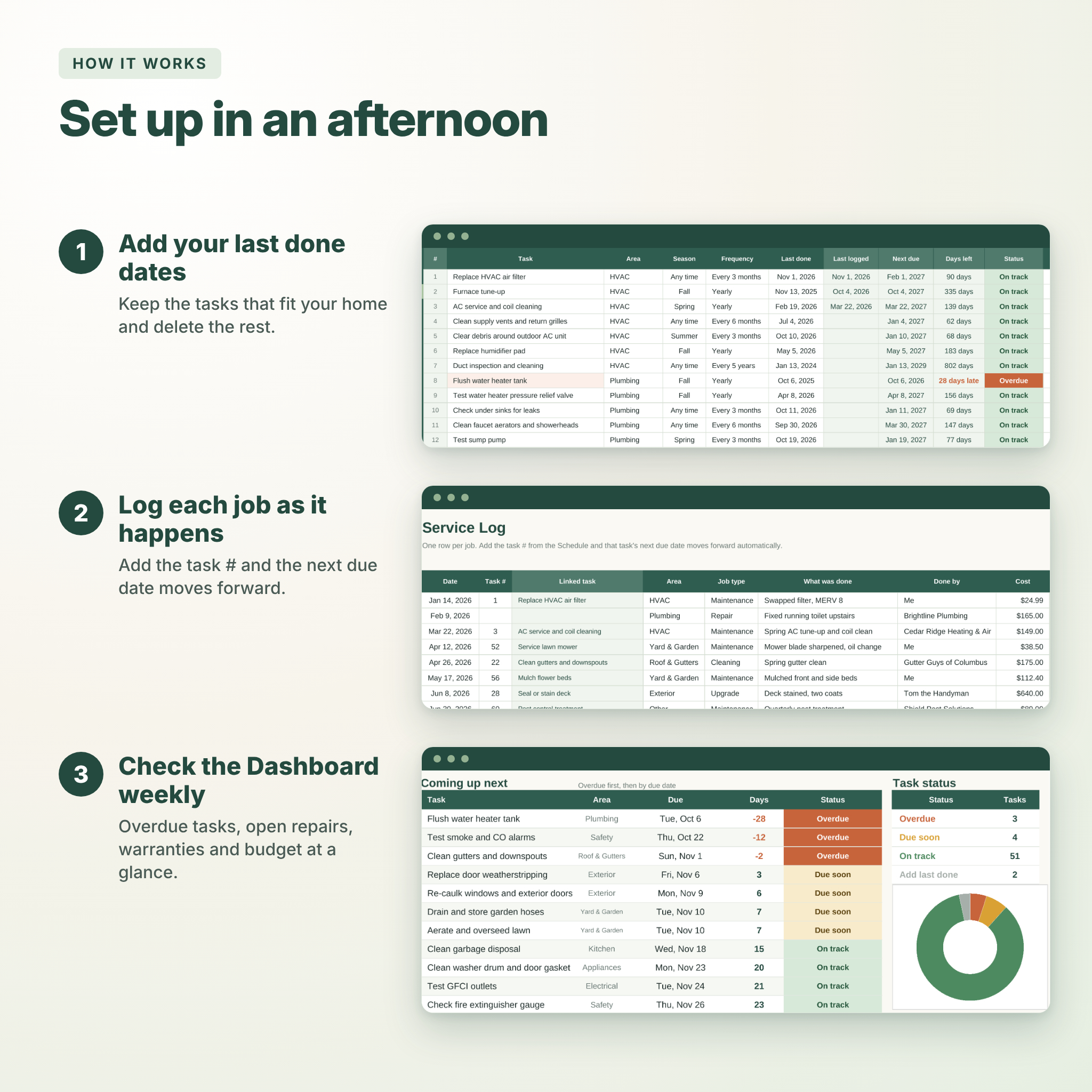
Each task has a frequency, such as monthly, every 6 months or every 5 years. When you enter the date you last did it, the spreadsheet works out the next due date, counts the days left and tags it Overdue, Due soon or On track in color. Log a job on the Service Log with its task number and the schedule moves forward on its own, so you never type the same date twice.
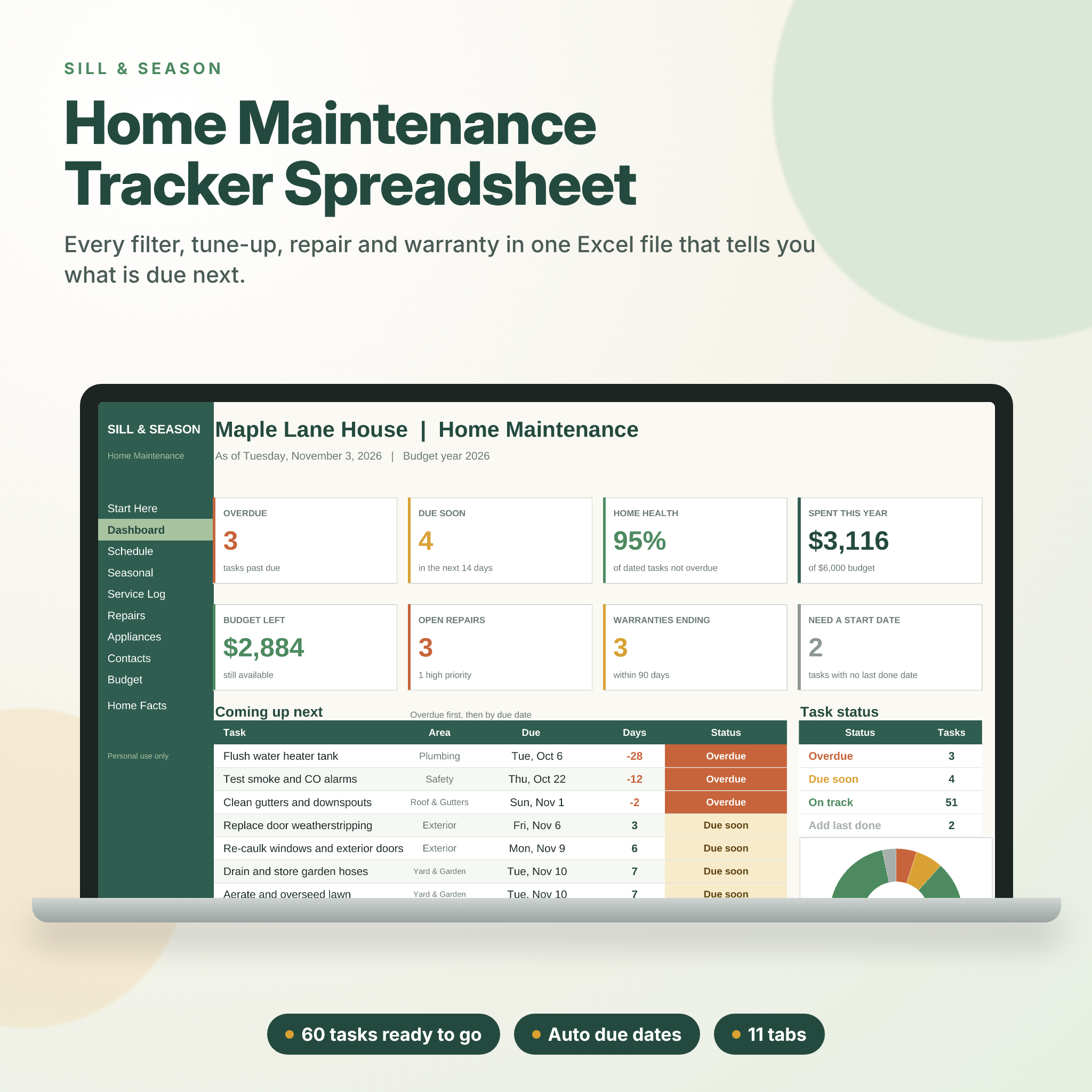
The Dashboard brings it together: eight summary tiles, the next 12 tasks with overdue ones at the top, a task status chart, spending by area and by month, and a count of open repairs and warranties that end within 90 days.
Who it is for
- First-time homeowners who are not sure what a house needs, or how often
- Busy families who keep forgetting the gutters, filters or smoke alarm tests
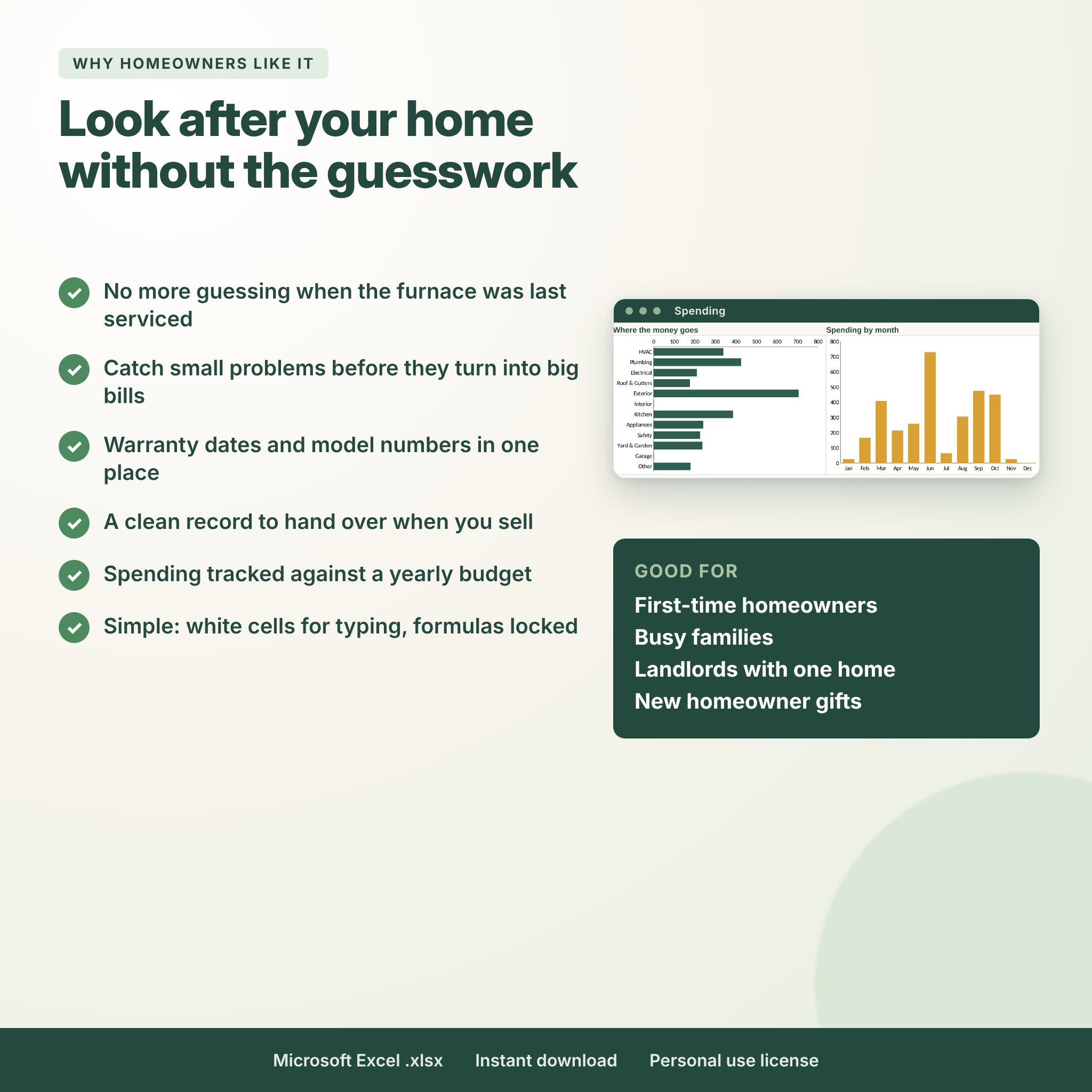
- Anyone who wants a tidy record of repairs and service visits to hand over when they sell
- Grown children helping look after a parent’s home
- A thoughtful new homeowner or housewarming gift
Features
Maintenance schedule
- 150 task rows, with 60 tasks across 12 areas filled in for you
- Next due date, days left and color status worked out for you
- 11 frequencies from weekly to every 10 years, and room to add your own
- Estimated cost, season and DIY or Pro columns
Service log and repairs
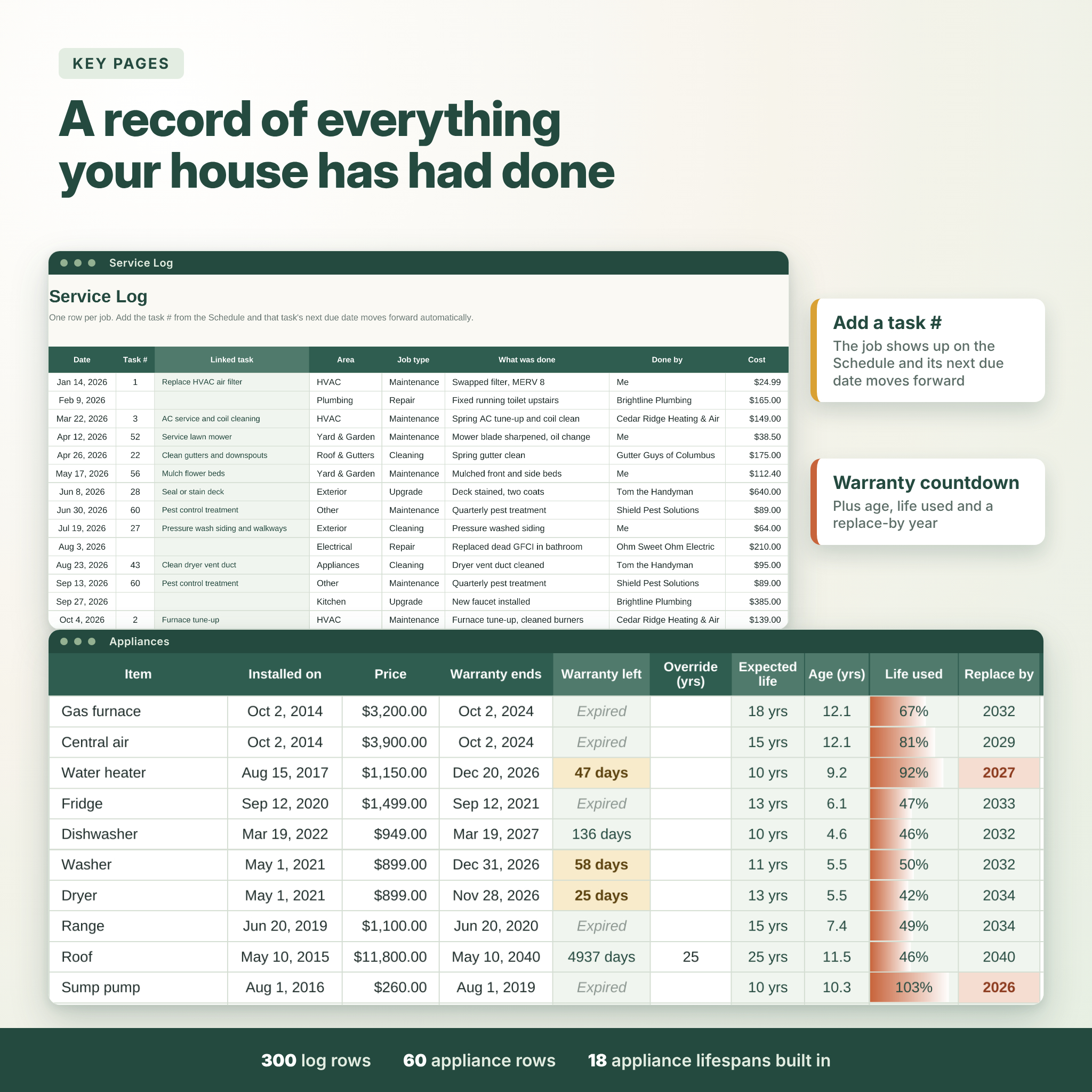
- 300 log rows for date, job type, who did it, cost, paid status and work warranty
- A task # column that links each job back to the schedule
- 100 repair rows that track an issue from spotted to fixed, with priority, quote, final cost and days open
Appliances and systems
- Model and serial numbers, install date, price and warranty end date
- Warranty countdown in days, plus age, life used and a replace-by year
- Typical lifespans for 18 appliance types built in, with an override for your own number
Budget, contacts and home facts
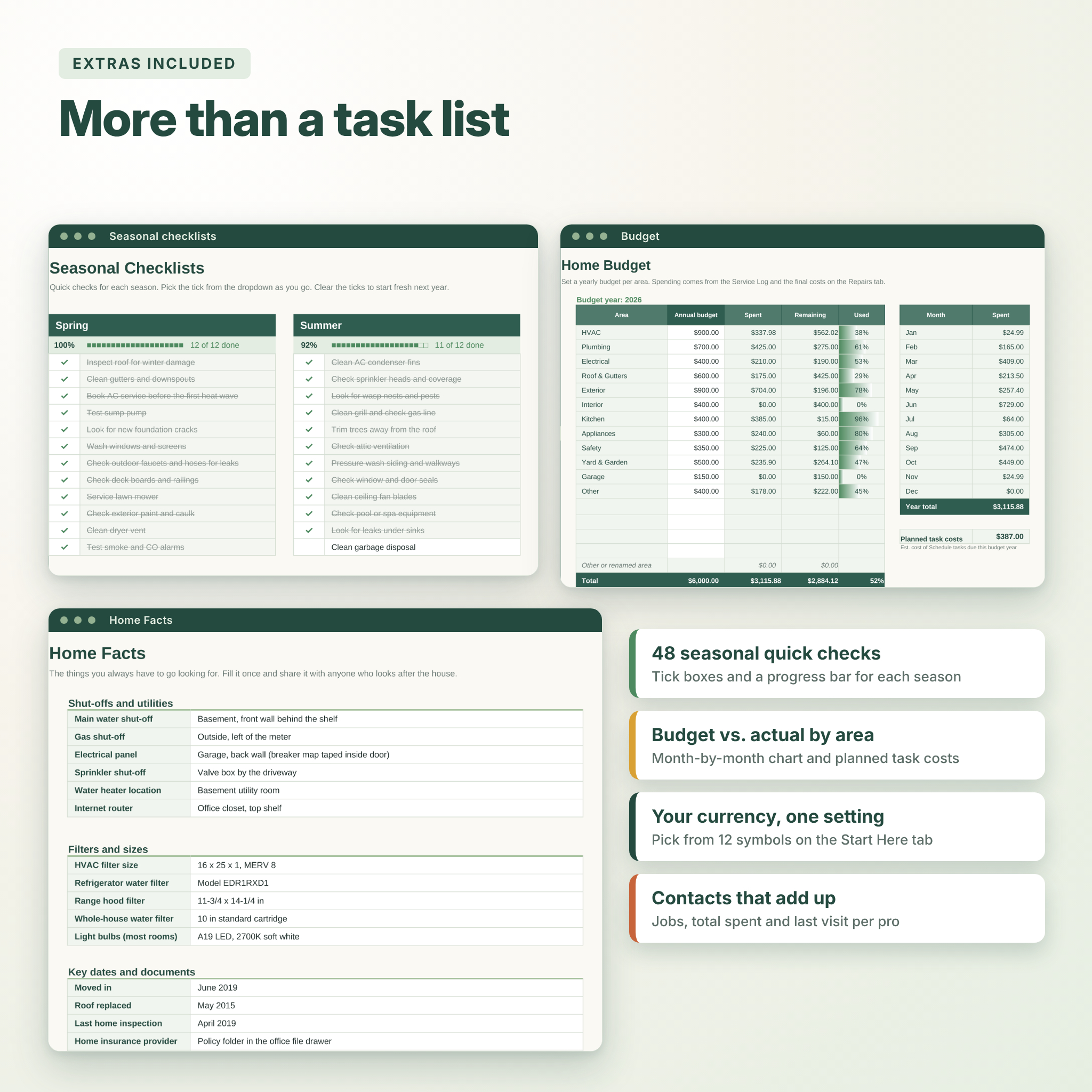
- Yearly budget by area against actual spending, with a month-by-month chart
- Planned task costs for the year from your schedule
- A contacts list that adds up jobs, total spent and last visit for each pro
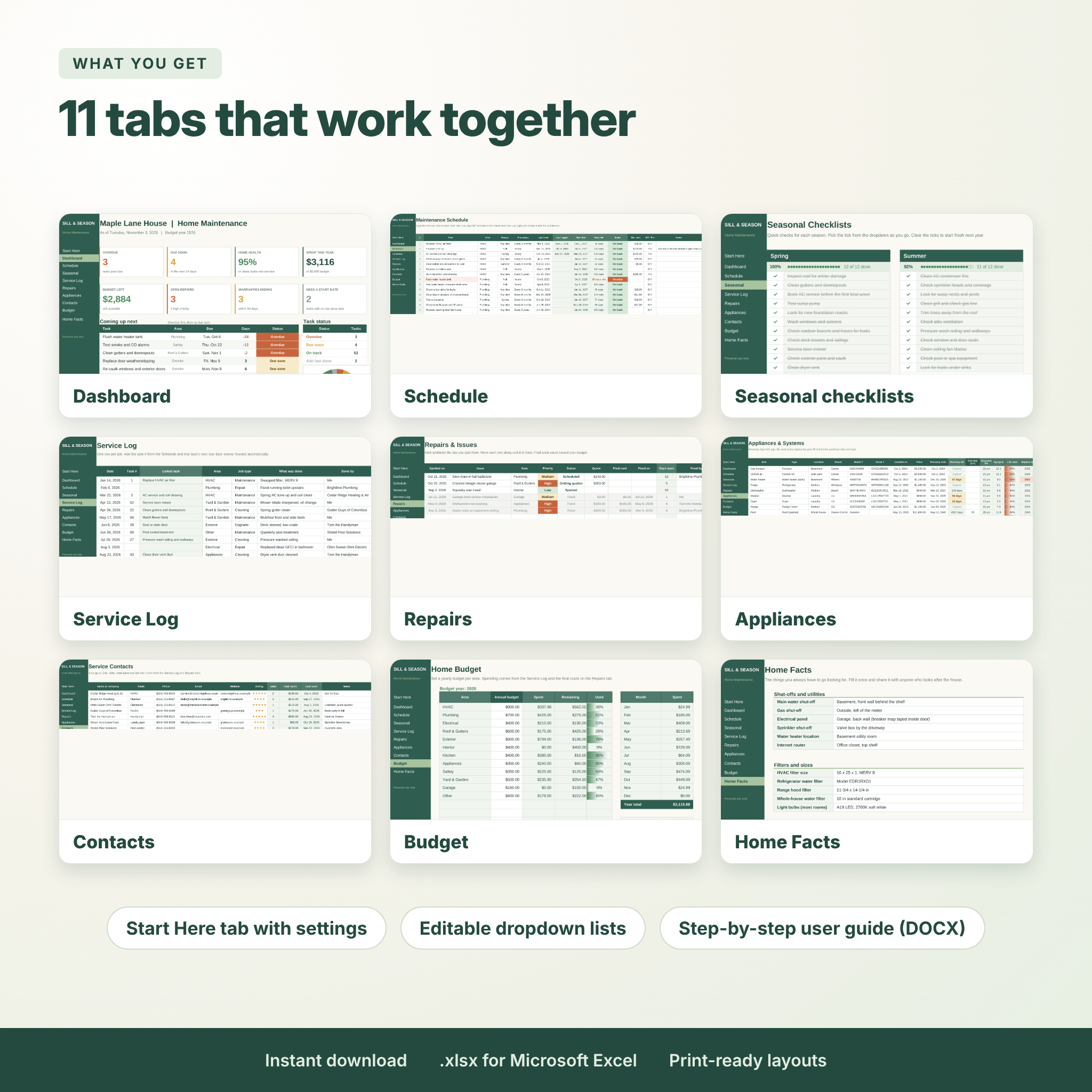
- 48 seasonal quick checks with tick boxes and progress bars
- A Home Facts page for shut-off locations, filter sizes, paint colors and key dates
What’s included
- Sill & Season Home Maintenance Tracker (.xlsx) with 11 tabs: Start Here, Dashboard, Schedule, Seasonal, Service Log, Repairs, Appliances, Contacts, Budget, Home Facts and Lists
- A user guide (.docx) with setup steps, tips, troubleshooting and FAQ
How it works
- Open the file and set your home name, currency and “due soon” window on the Start Here tab.
- On the Schedule tab, type the date you last did each task. A rough date is fine.
- Each time a job gets done, add a row to the Service Log with the task #.
- Check the Dashboard once a week and do the overdue items first.
File format and software
You get one .xlsx spreadsheet made for Microsoft Excel on Windows or Mac (Excel 2010 or newer, including Microsoft 365). We also tested it in LibreOffice Calc. There are no macros or add-ins. It is not set up for Google Sheets, Apple Numbers or the Excel mobile app.
Make it yours
Rename areas, add frequencies or change appliance lifespans on the Lists tab, and the rest of the file follows. Pick from 12 currency symbols in one setting and every money cell switches. White cells are for typing; formula cells are locked without a password, so you can switch protection off if you want to change colors or layout. Every tab has a print layout ready to go.
Real ways people use it
- Moving into a new house and building a maintenance routine from day one
- Keeping warranty dates handy when the dishwasher stops draining
- Planning a yearly home budget so a new water heater is not a surprise
- Sharing the Home Facts page with a house sitter
- Showing buyers a clean record of service and repairs
Digital download
This is a digital product. No physical item will be shipped. After checkout you can download a ZIP file with the spreadsheet and the user guide right away.
Home maintenance tracker FAQ
Do I need to know Excel formulas?
No. You type dates, amounts and names in the white cells. All the formulas are already in place and locked.
Does it work in Google Sheets?
It is built and tested for Excel and LibreOffice Calc. We do not support Google Sheets for this file.
What if I don’t know when a task was last done?
Use a rough date or today’s date. The tracker starts counting from there.
Can I add my own tasks?
Yes. There are 150 task rows, and you can edit or remove any of the 60 starter tasks.
Can I use my own currency?
Yes. Pick from $, €, £, ¥, ₹, R, A$, C$, CHF, kr, ₱ or ₦, or choose no symbol.
Will it still work next year?
Yes. It reads today’s date, so due dates and the budget year move along on their own.
Can I share or resell it?
No. The license covers personal use in your own household. Please do not resell, share or upload the files.
Reviews
There are no reviews yet.