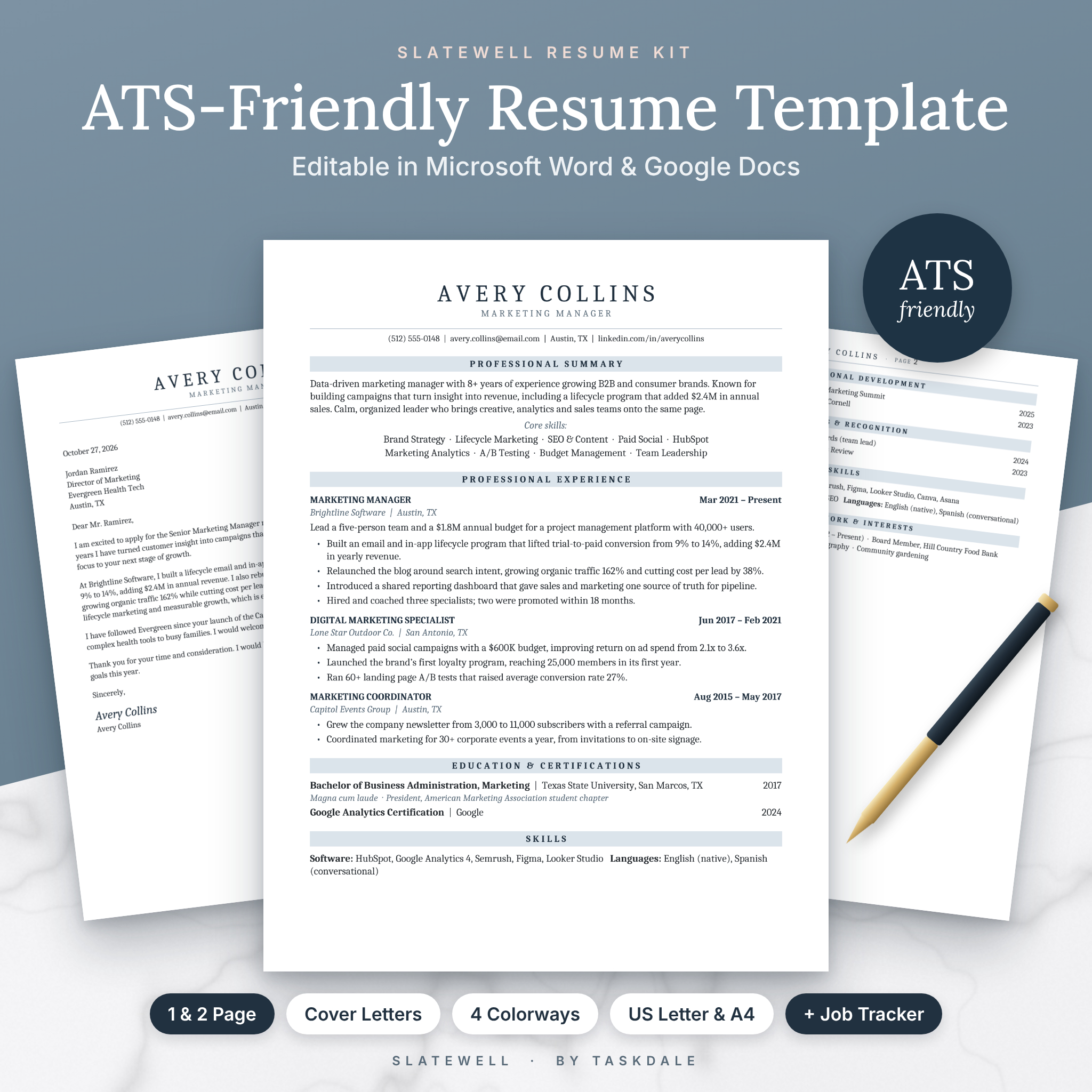



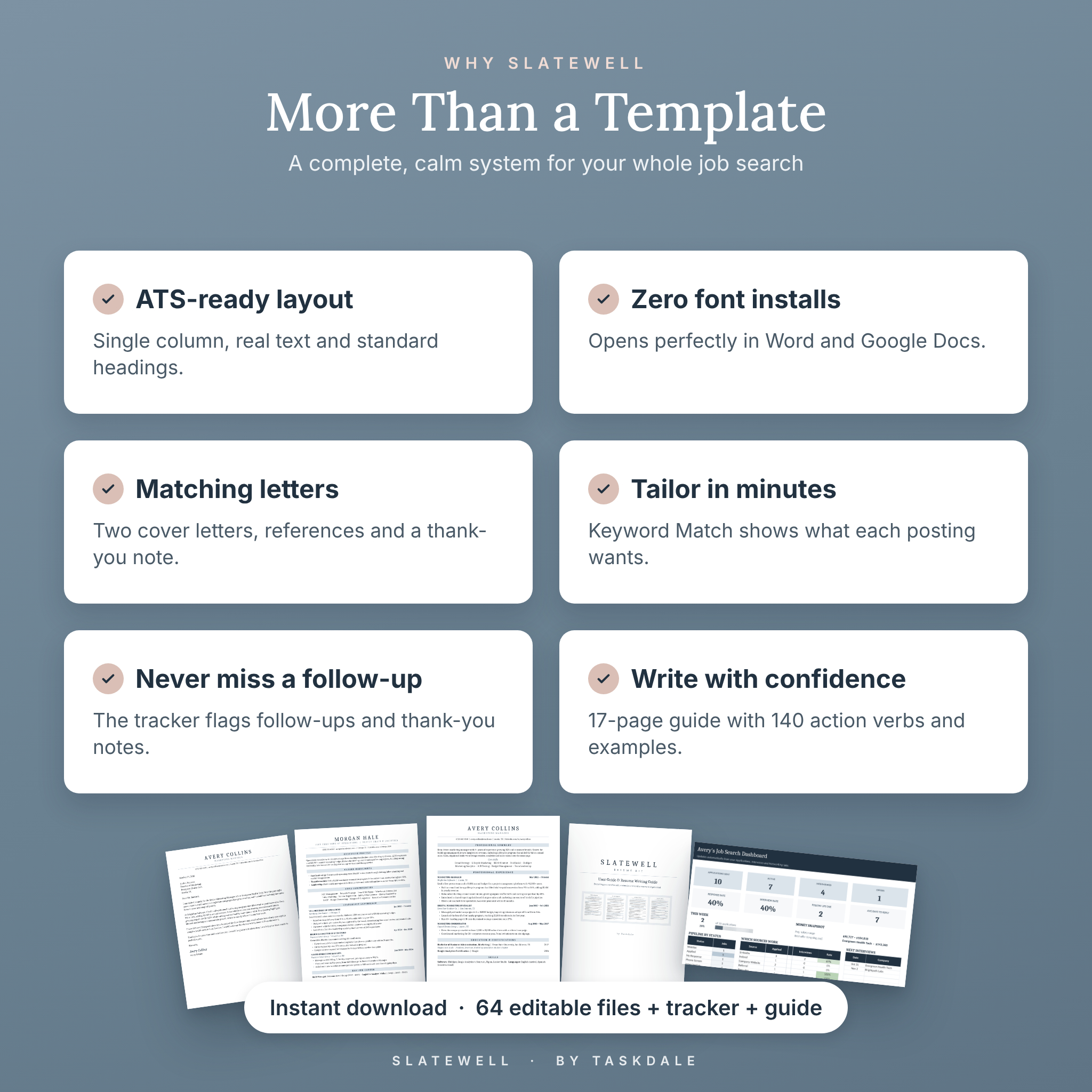
The Slatewell ATS Resume Template is a clean, single-column resume kit for Microsoft Word and Google Docs that helps your application get past applicant tracking systems and look polished when a hiring manager opens it. You get four resume layouts, two cover letters, a references page and an interview thank-you letter, all in four calm colorways and both US Letter and A4. A bonus Job Search Tracker for Excel and Google Sheets keeps every application, interview, follow-up and offer in one place.
An ATS-Friendly Resume Template That Still Looks Premium
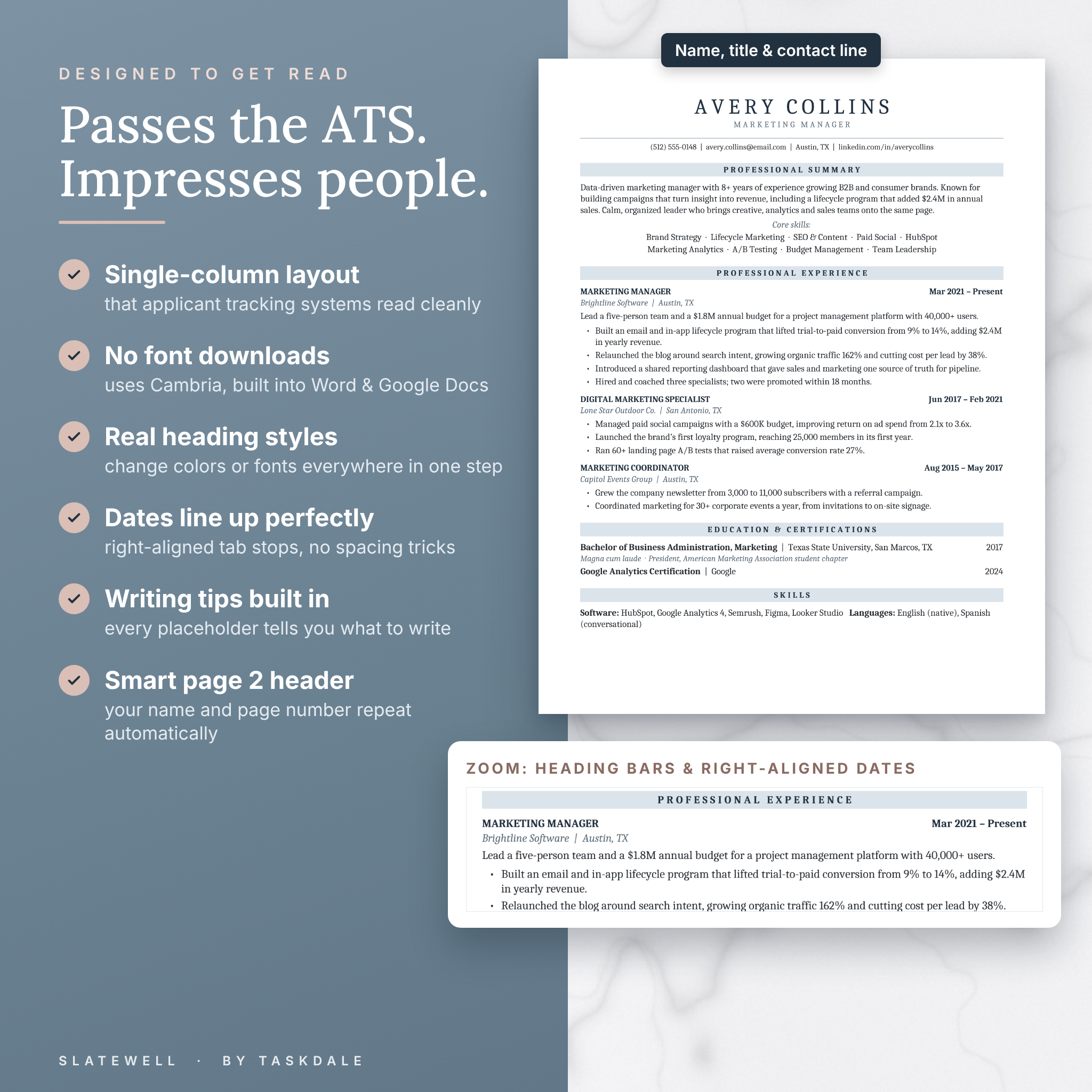
Many applications are screened by software before a person reads them. Slatewell is built the way that software expects: one column, real text, standard section headings and your contact details in the body of the page, never hidden in a header. There are no text boxes, tables, columns, icons or images to confuse a parser.
The design is quiet and confident. Soft slate heading bars, a letter-spaced name and generous white space make your experience easy to scan in seconds, so the most important results stand out.
Who It Is For
- Experienced professionals who want a resume that is modern but never flashy.
- Managers and executives, with a dedicated Executive layout featuring Career Highlights and Core Competencies.
- Students, recent graduates and career starters, with an Entry-Level layout that puts Education and Projects first.
- Career changers who need to tailor a resume quickly for each new posting.
Main Benefits
- No font downloads. Every file uses Cambria, which is built into Microsoft Word and Google Docs, so your resume looks right the moment you open it.
- Writing help on every line. Placeholder text explains what to write and how, using the proven Action + Task + Result formula.
- Restyle in one step. Real Word heading styles let you change the heading color or font across the whole page at once.
- Dates that always line up. Right-aligned tab stops keep dates neat, with no fiddly spacing.
- A complete matching set. Resume, cover letters, references and thank-you letter share the same header and colors.
What Is Included
8 templates in 4 colorways and 2 page sizes (64 editable .docx files)
- Classic Resume, 1 page
- Classic Resume, 2 pages, with an automatic page 2 header showing your name and page number
- Executive Resume, 2 pages
- Entry-Level & Student Resume, 1 page
- Cover Letter (Classic)
- Cover Letter (Highlights), with three achievement bullets matched to the job posting
- References Page with relationship lines
- Interview Thank-You Letter
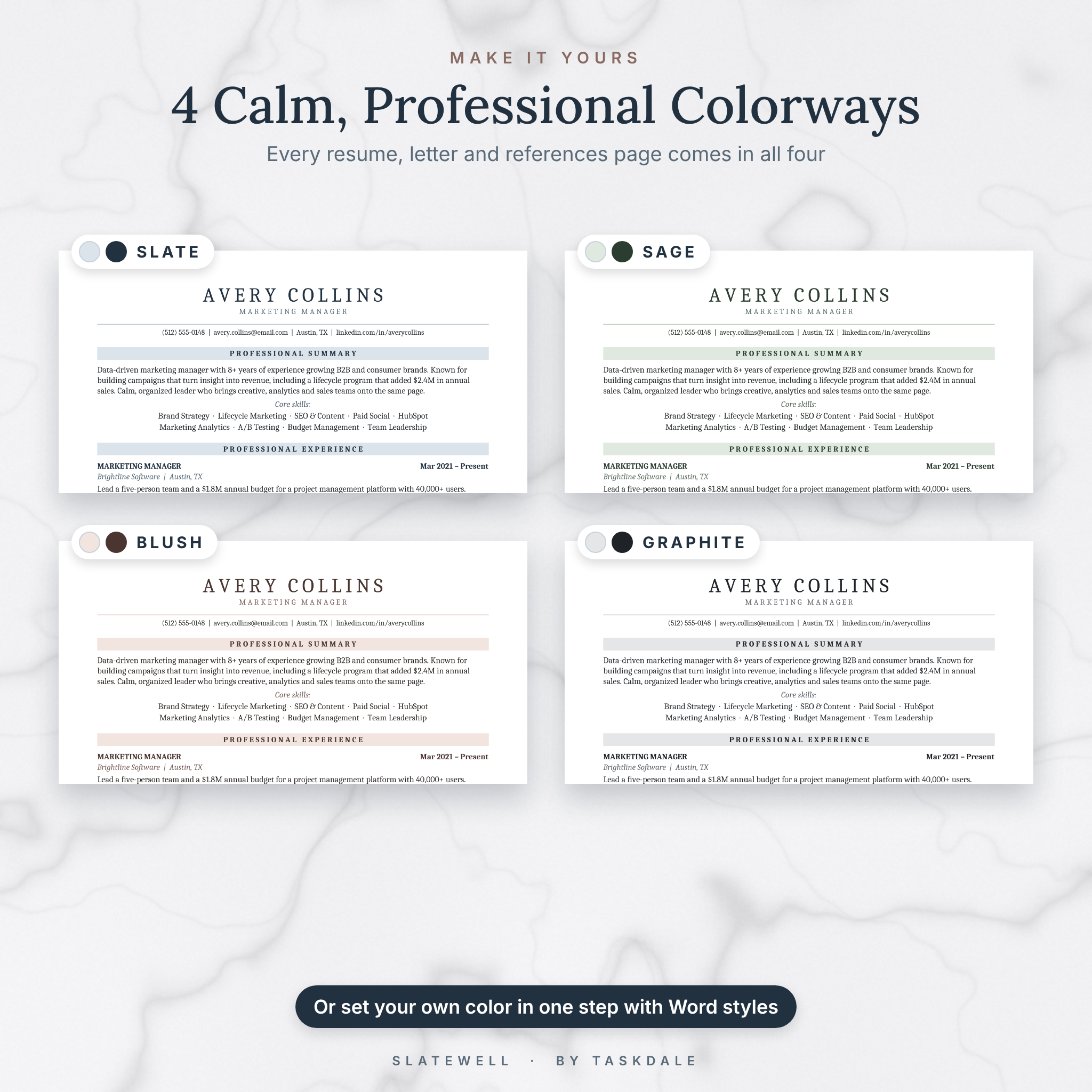
Colorways: Slate, Sage, Blush and Graphite. Sizes: US Letter (8.5 x 11 in) and A4 (210 x 297 mm).
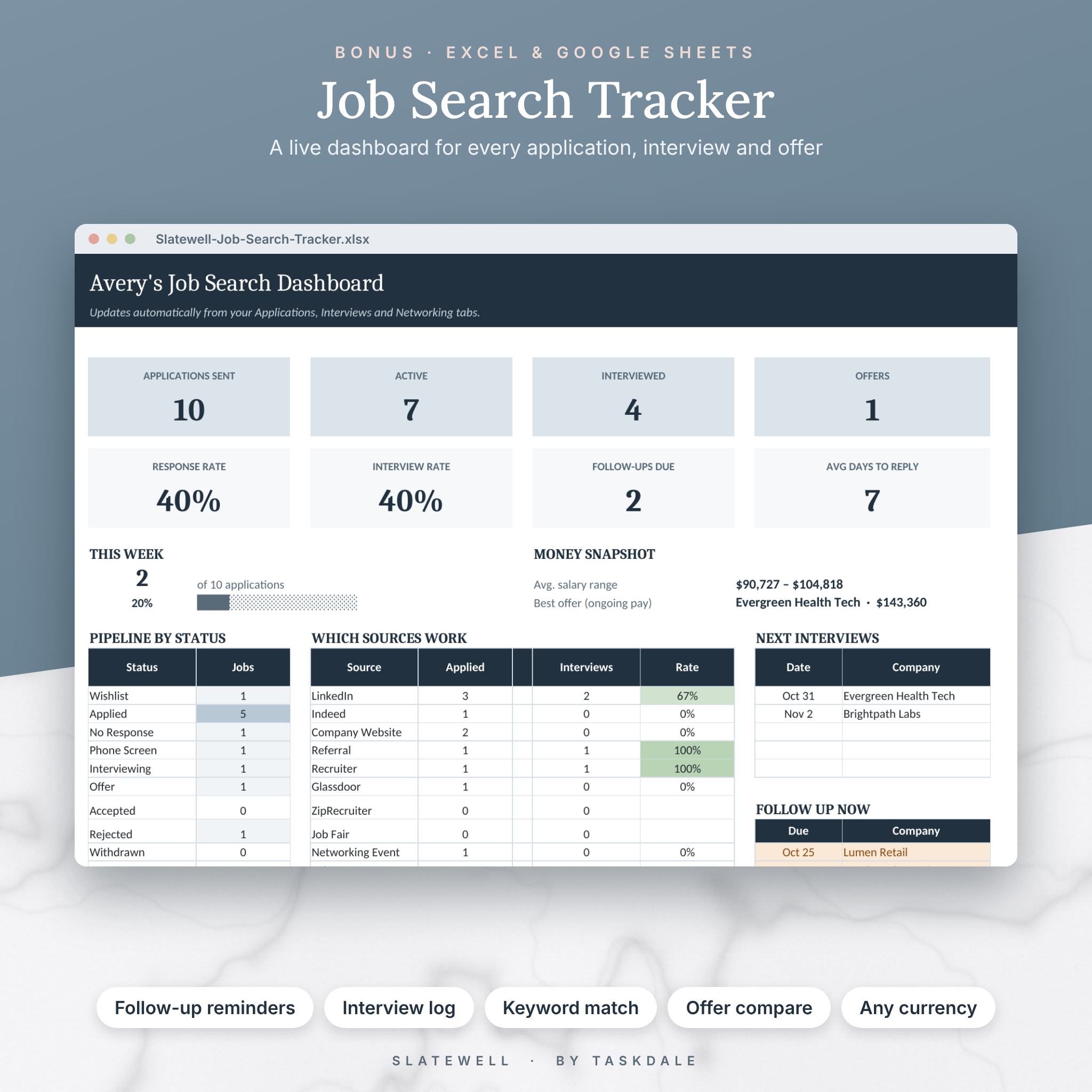
Bonus Job Search Tracker (.xlsx for Excel and Google Sheets)
- Dashboard: applications sent, active jobs, interviews, offers, response rate, interview rate, average days to reply and weekly goal progress.
- Applications log: 300 rows with status, source and resume version dropdowns, automatic follow-up dates and a Next Step column that tells you what to do.
- Interview log: reminders to prepare and to send thank-you notes.
- Keyword Match: paste keywords from a job posting and your resume text to see what is found, what is missing and your match score.
- Offer Compare: compare up to four offers on salary, bonus, equity, retirement match, benefits, time off and commute.
- Networking tracker with check-in reminders.
- Any currency: set your currency symbol once and every money label updates.
17-page User Guide & Resume Writing Guide (.docx)
Step-by-step setup for Word and Google Docs, customization instructions, before-and-after bullet examples, 140 action verbs, an ATS checklist, cover letter structure, troubleshooting and FAQs.
How It Works
- Download the ZIP for your page size (US Letter or A4) and unzip it.
- Open your favorite template in Microsoft Word, or upload it to Google Drive and open it with Google Docs.
- Type over the placeholder tips, delete any sections you do not need and add more roles by copying a job block.
- Save as PDF and apply. Log the application in your Job Search Tracker so you know exactly when to follow up.
File Formats and Software Requirements
- Templates and guide: Microsoft Word .docx files.
- Tracker: Microsoft Excel .xlsx file.
- Works with: Microsoft Word and Excel (Windows or Mac) and free Google Docs and Google Sheets in any web browser, including on Chromebooks. The Google apps also run on tablets and phones.
- Apple Pages can open Word files, but the templates are designed and tested for Word and Google Docs.
Customization
Change any text, rename or reorder sections, add or delete pages, and switch colors or fonts. Because the templates use named styles (Title, Heading 1, Heading 2, Company Line and more), a single style change in Word updates every matching heading. Google Docs users can update the heading bar color and apply it to all headings in two clicks. Full instructions are in the guide.
Digital Download
This is an instant digital download. No physical item will be shipped. After purchase you will receive four downloads: Resume Templates (US Letter ZIP), Resume Templates (A4 ZIP), the Job Search Tracker (.xlsx) and the User Guide (.docx). Licensed for personal use only; please do not share or resell the files.
Ways to Use Your Slatewell Resume Kit
- Apply for jobs through LinkedIn, Indeed and company career sites that use ATS software.
- Prepare for a promotion or internal job posting with an updated, polished resume.
- Land your first job or internship with the Entry-Level layout.
- Pursue director or VP roles with the Executive layout and a matching Highlights cover letter.
- Send a professional thank-you note within 24 hours of every interview.
- Compare competing job offers side by side before you decide.
Frequently Asked Questions
Is this resume template ATS-friendly?
Yes. It uses a single column, real text, standard headings and no tables, text boxes or graphics, and your contact details sit in the main body of the page.
Can I edit it in Google Docs?
Yes. Upload the .docx file to Google Drive, open it with Google Docs and save it as a Google Doc. Colors, heading bars and layout carry over; Google Docs does not support letter spacing, so the name appears slightly tighter.
Do I need to install fonts?
No. The templates use Cambria, which is already built into Microsoft Word and Google Docs.
Can I make my resume longer or shorter?
Yes. Keep typing and new pages appear automatically, or delete sections to fit one page.
Does the Job Search Tracker work in Google Sheets?
Yes. Upload it to Google Drive and choose File > Save as Google Sheets. It also works in Excel for Windows and Mac.
Can I use my own currency in the tracker?
Yes. Type your currency symbol once on the Start Here tab and every money label updates.
Which page size should I choose?
Use US Letter in the United States and Canada and A4 almost everywhere else. Both are included.
Will I receive a printed product?
No. This is a digital download you can print at home or at a print shop as often as you like.
Reviews
There are no reviews yet.