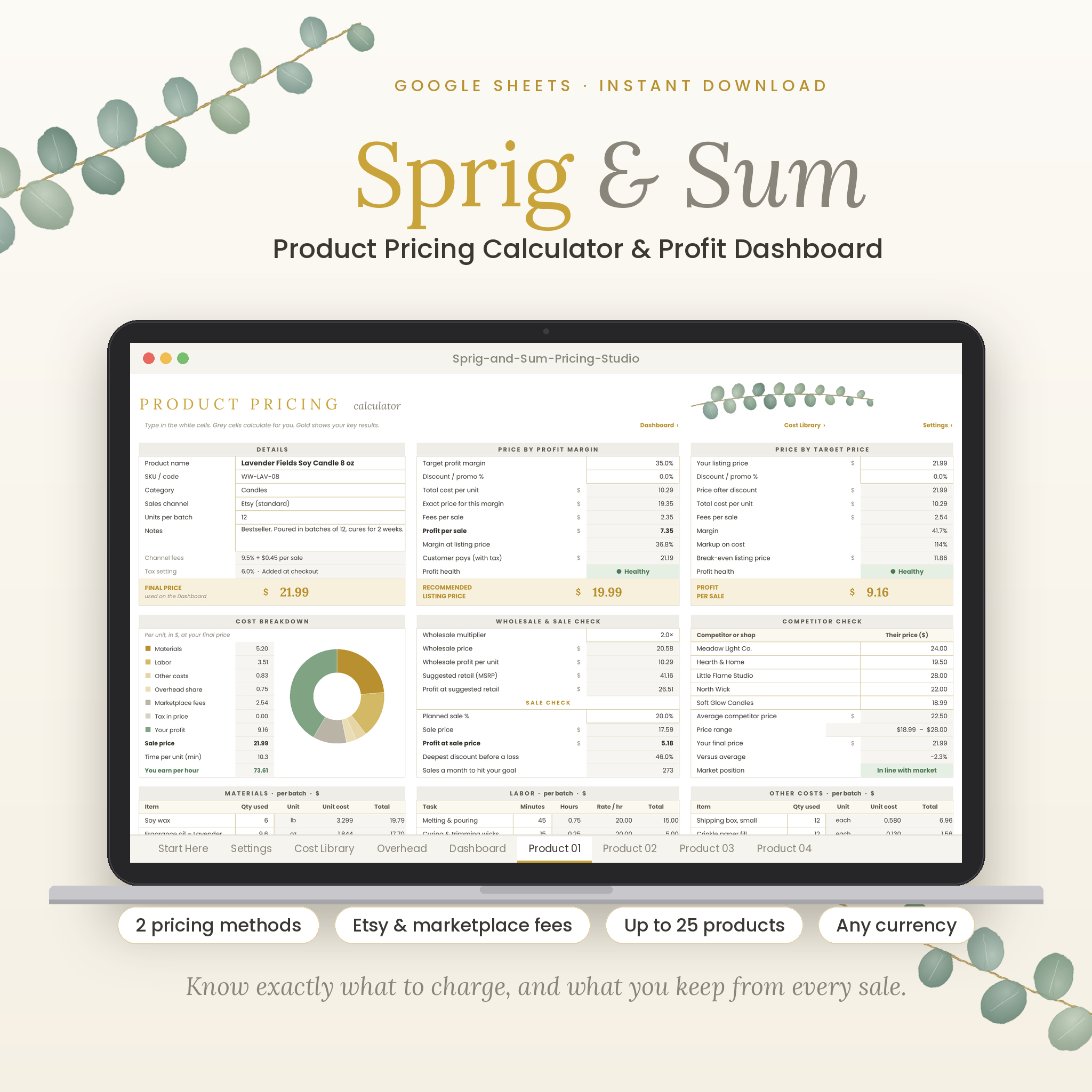

Stop guessing what to charge. Sprig & Sum is a product pricing calculator spreadsheet for Google Sheets that works out the right price for everything you make or sell, then shows exactly what you keep after materials, labor, packaging, overhead, Etsy and other marketplace fees, discounts and sales tax or VAT. Enter your costs once, pick where you sell, and let the formulas do the rest.
It is designed in a calm gold, ivory and sage botanical style that is easy on the eyes, with white cells for typing, grey cells that calculate on their own and gold cells for the numbers that matter most.
Why this product pricing calculator is different
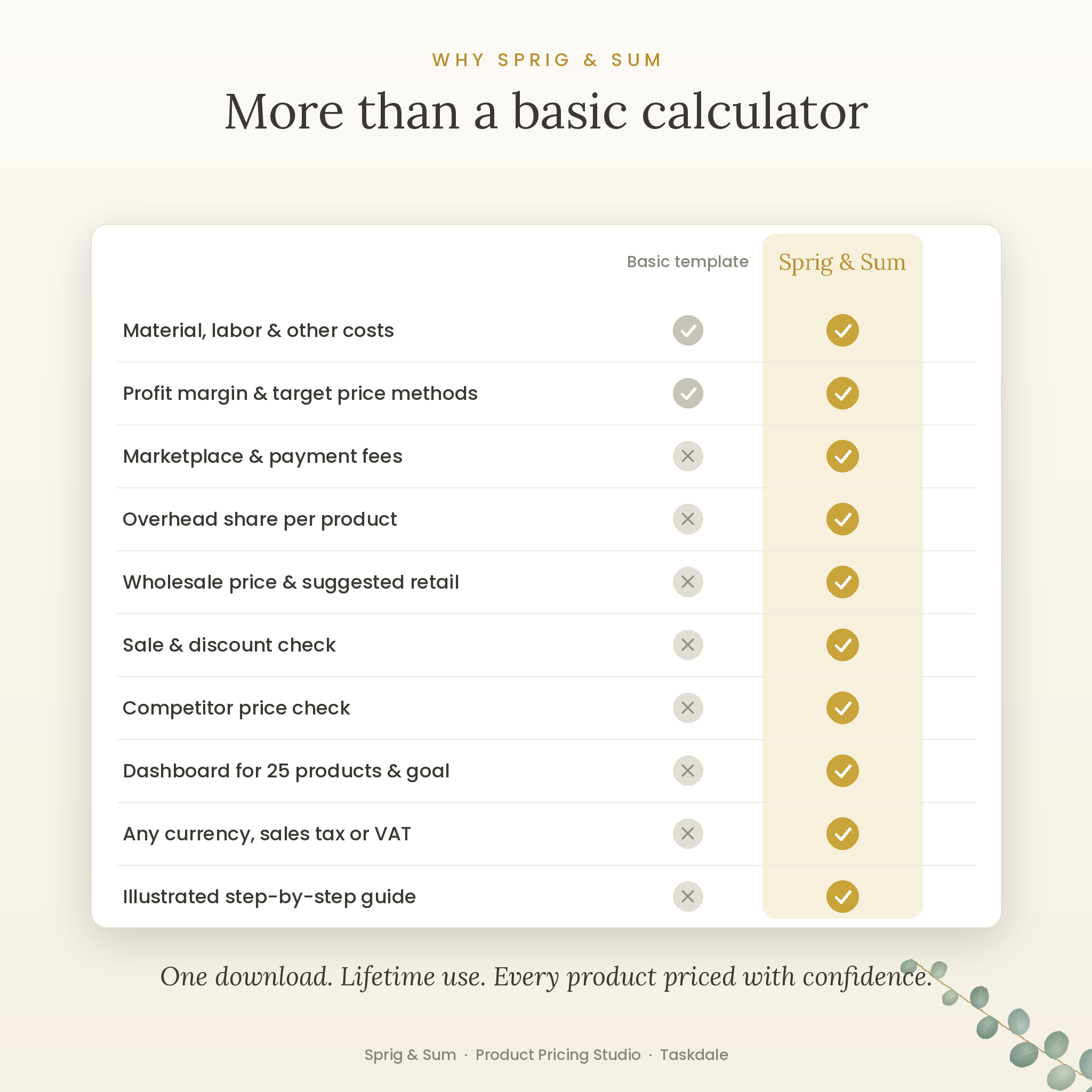
Most pricing templates add up your materials and labor, then stop. Sprig & Sum goes further. It builds marketplace and payment fees into every price, shares your overhead fairly across products, rounds prices to .99, .95 or whole numbers, and tells you whether each product is Healthy, OK, Low or making a Loss. A dashboard then brings every product together so you can see your best and weakest sellers at a glance.
Who it is for
- Handmade sellers and makers: candles, soap, jewelry, crochet, art prints, ceramics, stickers, baked goods and more
- Etsy, Shopify, Amazon Handmade and website sellers who want fees included automatically
- Market and craft fair sellers, and anyone selling wholesale to shops
- Beginners who price by gut feel today and want clear numbers without writing formulas
Main features
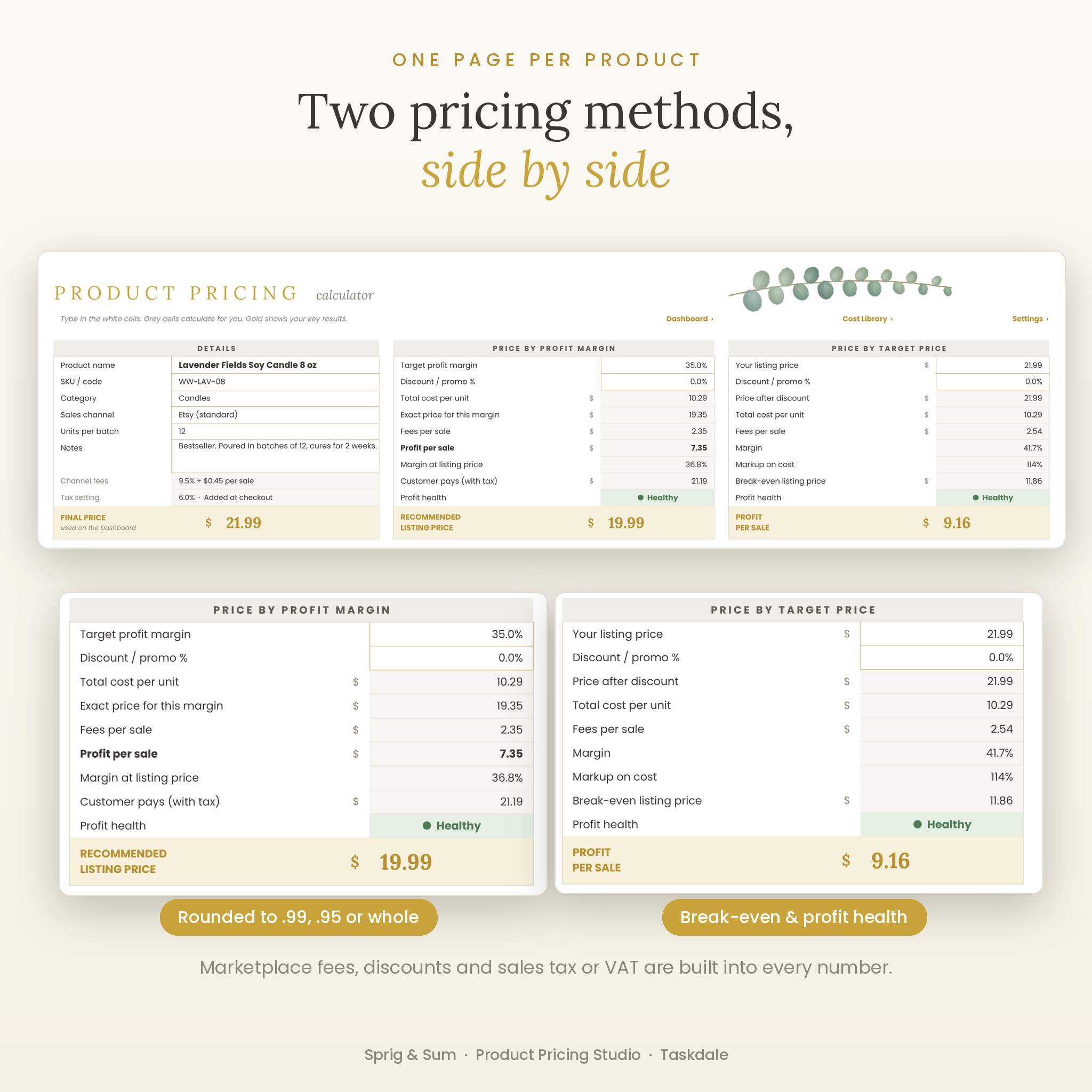
Two pricing methods, side by side
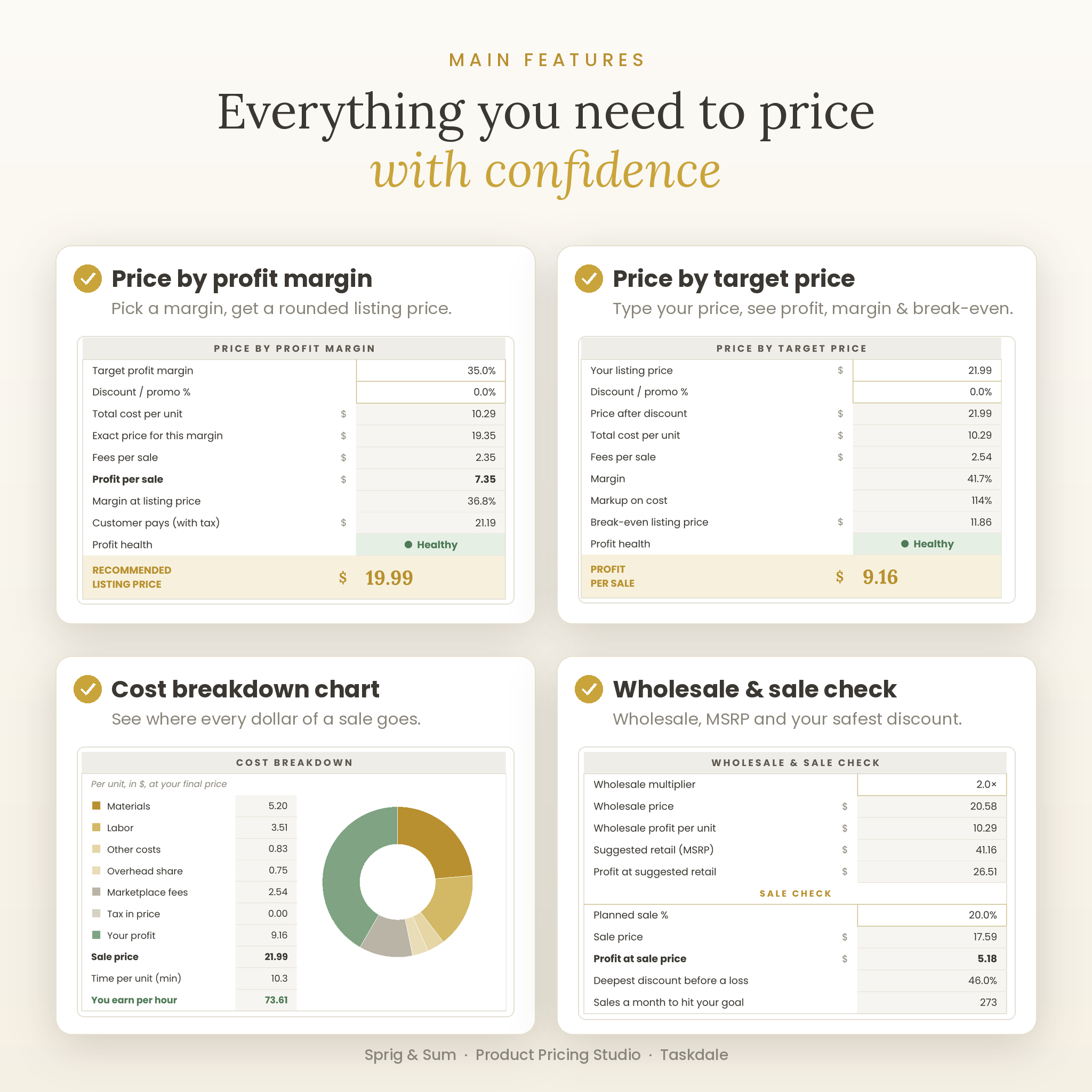
- Price by profit margin: choose the margin you want and get a recommended, rounded listing price
- Price by target price: type your own price and instantly see fees, profit, margin, markup and your break-even price
- A final price for each product flows straight to the dashboard
All your costs in one place
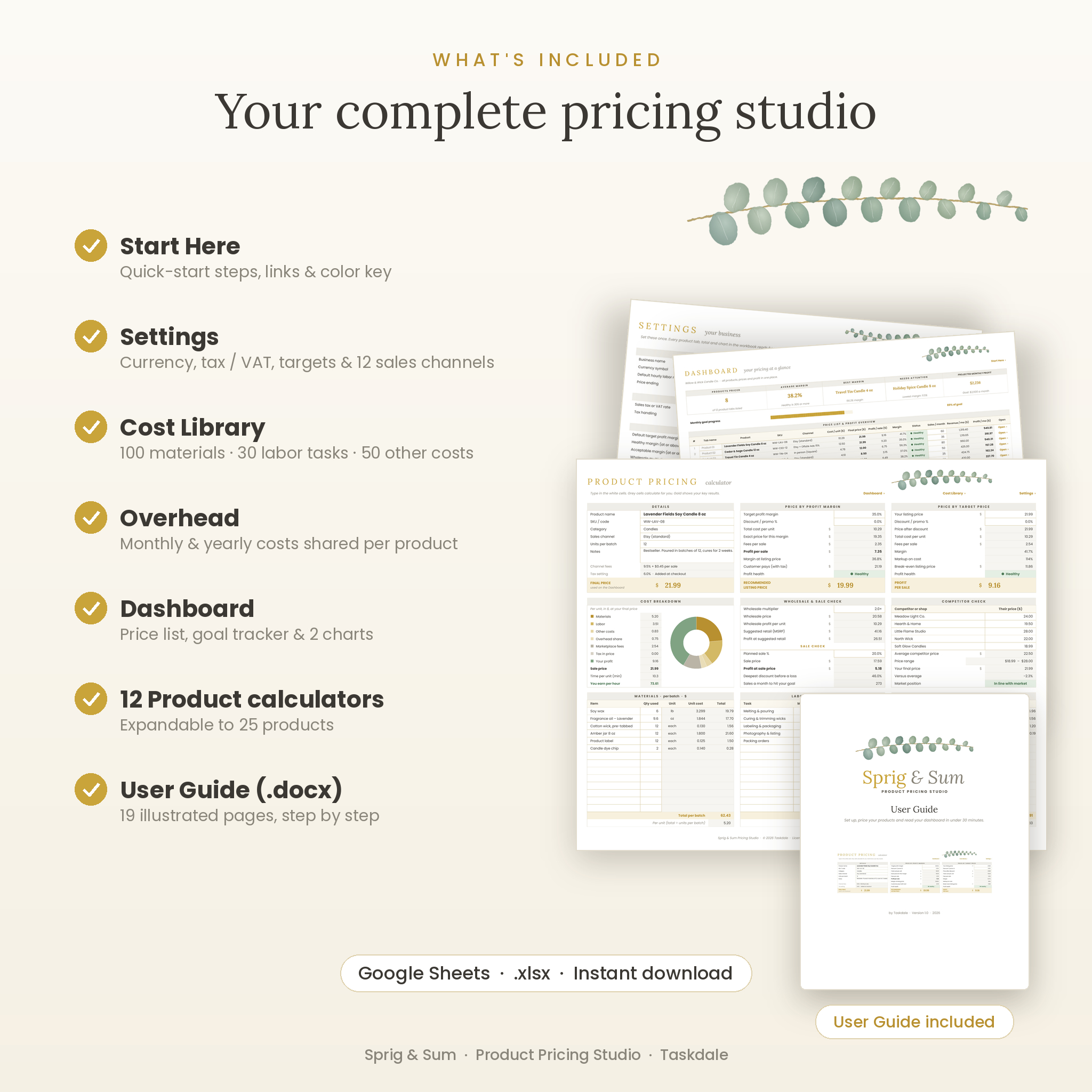
- Cost Library for up to 100 materials, 30 labor tasks and 50 packaging or other costs
- Enter what you paid and how much you got; unit costs calculate automatically
- Pick items from dropdowns on each product, enter quantities per batch and set your batch size
- Overhead tab spreads rent, software, insurance and other monthly or yearly costs across what you make
Etsy fee calculator and 12 sales channels
- Editable channel table with transaction %, payment %, ads % and fixed fee per sale
- Pre-filled examples for Etsy (with and without Offsite Ads), Shopify, Amazon Handmade, your own website, in-person card sales, craft fairs and wholesale
- Rename three custom rows for any other platform
Smart extras
- Cost breakdown donut chart showing where every sale goes
- What you earn per hour once labor pay and profit are counted
- Wholesale price and suggested retail (MSRP) from your own multipliers
- Sale check: profit at your planned discount and the deepest discount before a loss
- Competitor check: compare with up to five similar products and see if you are below market, in line or premium
- Sales a month to hit your goal for every product
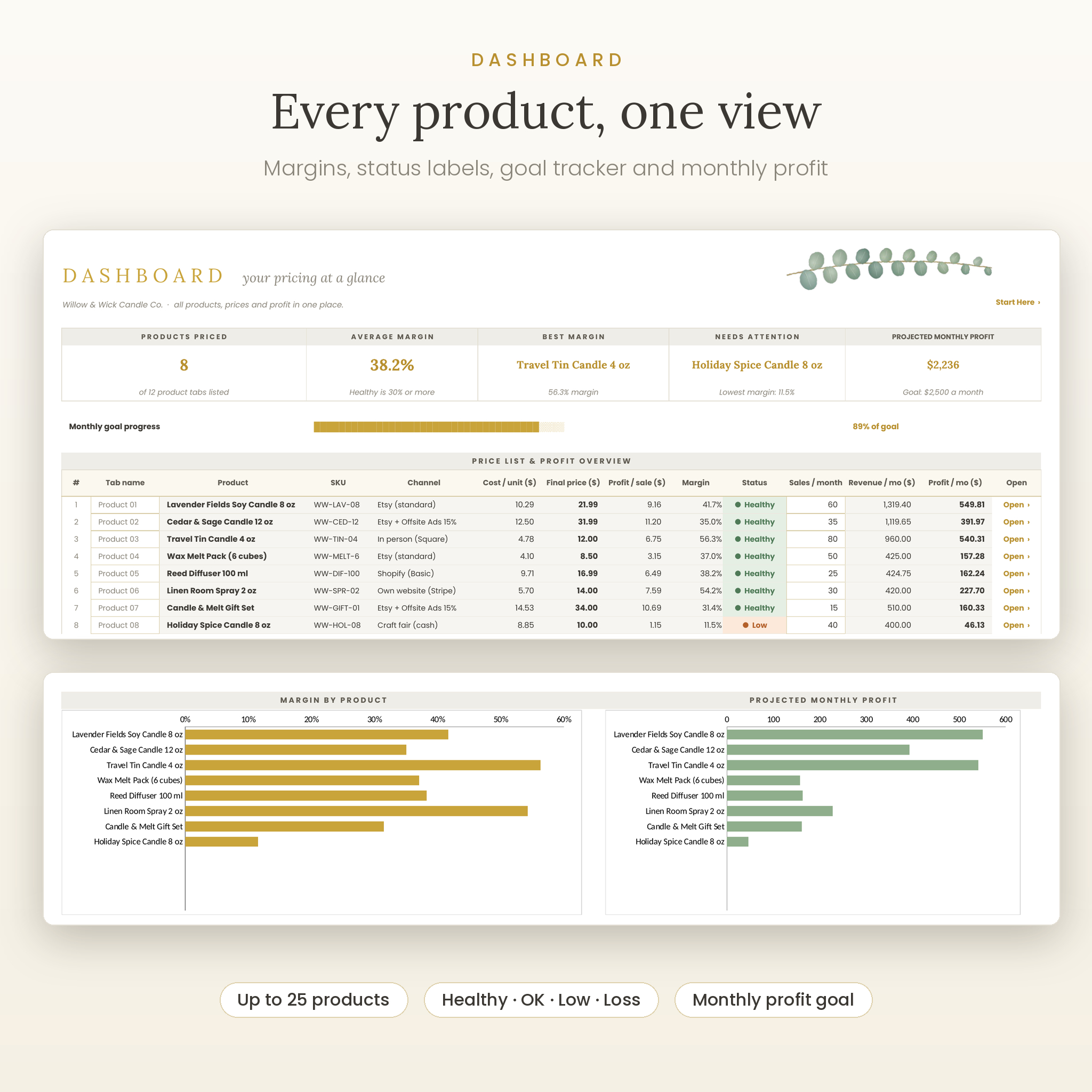
Profit dashboard
- Price list for up to 25 products with cost, final price, profit, margin and status
- Summary cards for products priced, average margin, best margin and the product that needs attention
- Monthly goal progress bar plus projected revenue and profit from your expected sales
- Charts for margin by product and projected monthly profit
What is included
- Sprig & Sum Pricing Studio spreadsheet (.xlsx): Start Here, Settings, Cost Library, Overhead, Dashboard and 12 product calculator tabs
- Illustrated 19-page User Guide (.docx) with a worked example, troubleshooting and FAQ
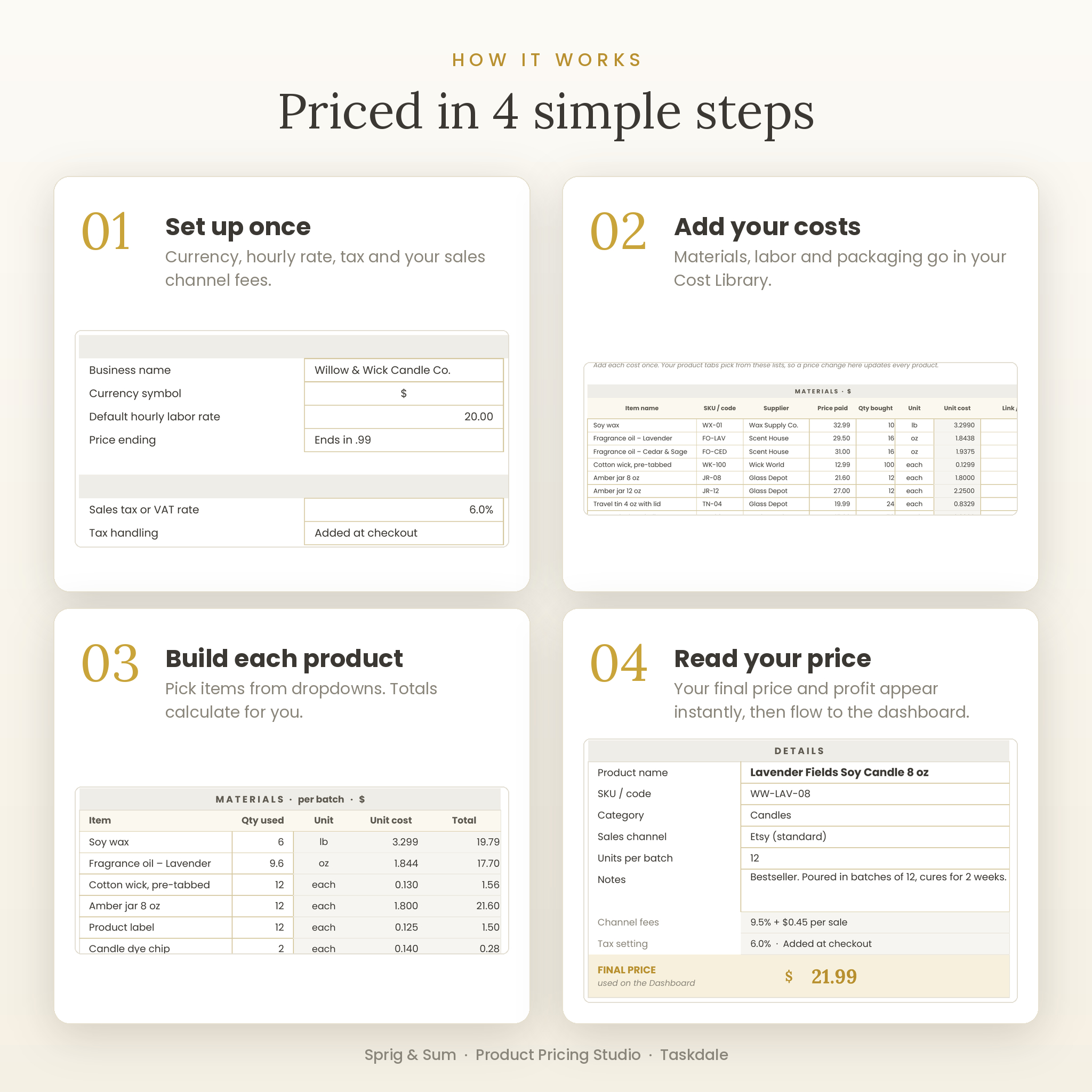
How it works
- Set up once: choose your currency, hourly rate, price ending and tax setting, and check your sales channel fees.
- Add your costs: list your materials, tasks and packaging in the Cost Library.
- Build each product: pick its sales channel and choose items from the dropdowns.
- Read your price: see the recommended price, your profit and the dashboard update instantly.
File format and software requirements
- Delivered as an .xlsx file made for Google Sheets (free with a Google account). Upload it to Google Sheets and start using it, or save it as a Google Sheets file.
- Also tested in LibreOffice Calc (free).
- Fonts: Lora and Poppins, both included in Google Sheets.
- Best set up on a computer or laptop.
Customization
- One currency setting: $ by default, or choose €, £, A$, C$, R, ¥, ₹ or type any symbol
- Sales tax added at checkout (US) or VAT/GST included in the price
- Edit fees, rename channels, set your own healthy margin levels and monthly profit goal
- Formulas are locked without a password so they stay safe, while formatting is open for your own colors
- Duplicate a product tab to add more products; the dashboard tracks up to 25
Real ways sellers use it
- A candle maker prices a new 8 oz scent for Etsy and sees the fees and Offsite Ads impact before listing
- A jewelry seller works out wholesale and suggested retail prices for a boutique order
- A crochet artist finds out what she really earns per hour and raises prices on her slowest designs
- A market seller checks how deep a holiday discount can go without losing money
- A small shop compares prices with competitors to decide between budget and premium positioning
Digital download
This is an instant digital download. No physical item will be shipped. Your files are available to download right after purchase. Colors may vary slightly between screens.
Frequently asked questions
How do I calculate the price of a handmade product?
Add your materials, labor and packaging per item, add a share of overhead and your marketplace fees, then add the profit margin you want. Sprig & Sum does all of this for you and rounds the result to a clean price.
Does it include Etsy fees?
Yes. It includes Etsy’s transaction, payment processing and listing fees, with optional Offsite Ads rows. All fees are editable if rates change.
Can I use it with Shopify, Amazon Handmade or at craft fairs?
Yes. There are 12 editable sales channels, and you choose one for each product.
Does it work in Google Sheets?
Yes. It was built and tested in Google Sheets. Upload the .xlsx file and it opens ready to use.
Can I use my own currency?
Yes. One setting changes the currency symbol everywhere, and you can choose whether tax is added at checkout or included in your prices.
How many products can I price?
Twelve product tabs are ready to go, and the dashboard tracks up to 25. Duplicate a tab to add more.
Is it beginner friendly?
Yes. You only type in white cells, most inputs have dropdowns or notes, and the included user guide walks you through every step.
Can I share or resell this template?
No. It is licensed for personal and single-business use by the purchaser only. Please do not resell, share or redistribute the files.
Reviews
There are no reviews yet.