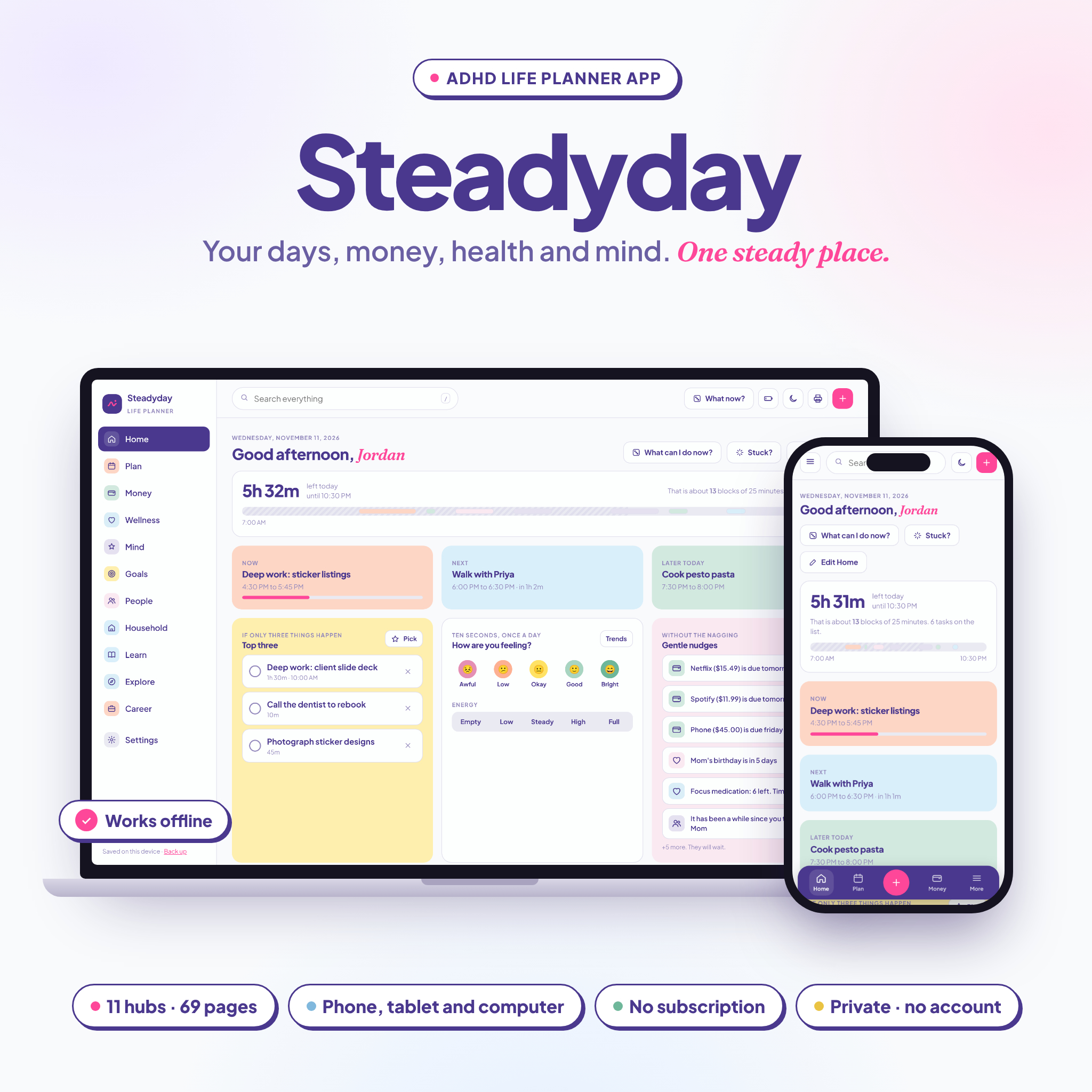

The Steadyday ADHD life planner app is a digital planner built for brains that get bored, overwhelmed or distracted. It keeps your days, your money, your health and your people in one place, so you can stop jumping between six apps and a pile of sticky notes. It is a real, clickable app, not a PDF or a spreadsheet.
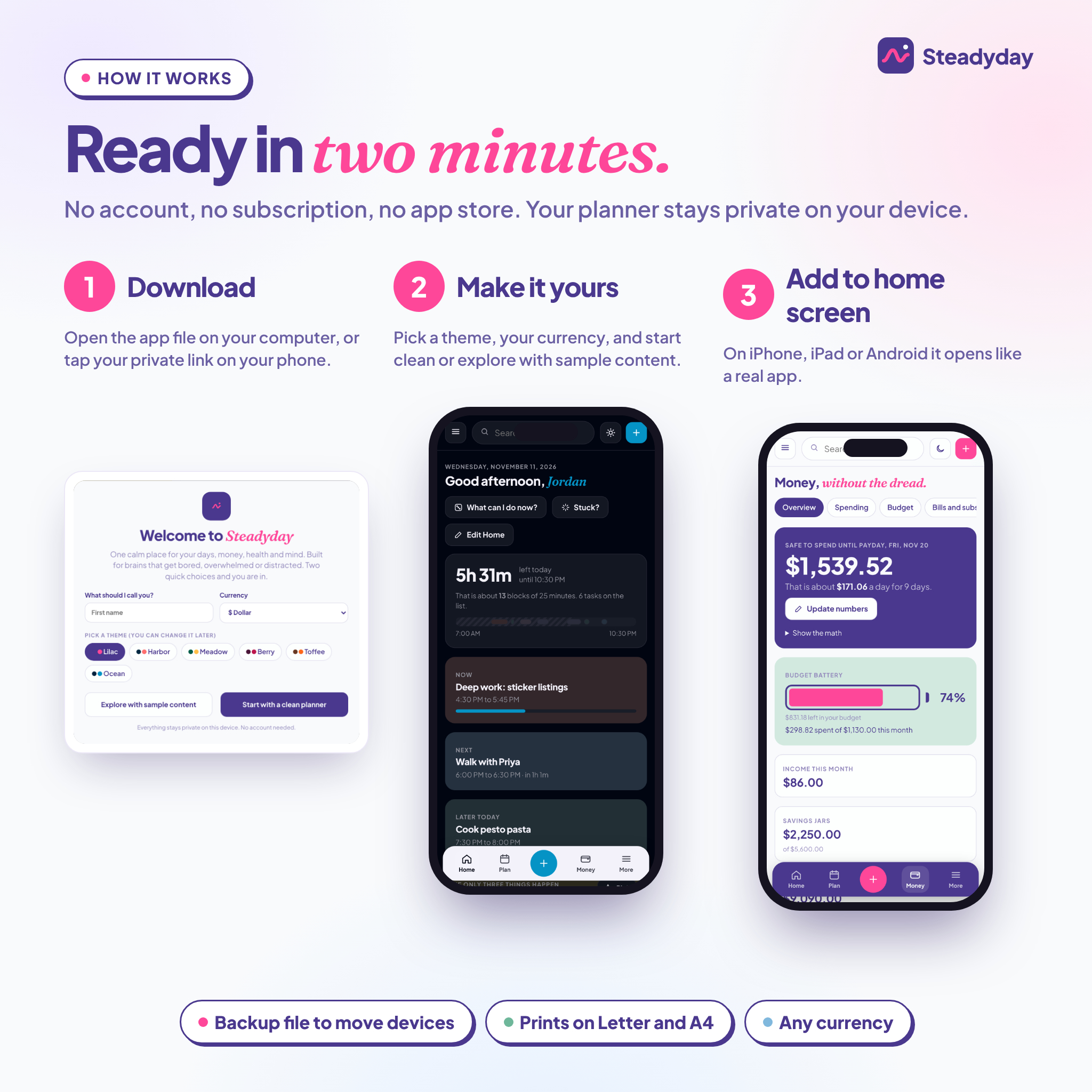
Use it on your computer, or add your private link to your iPhone, iPad or Android home screen. No account. No subscription.
What this ADHD life planner app does
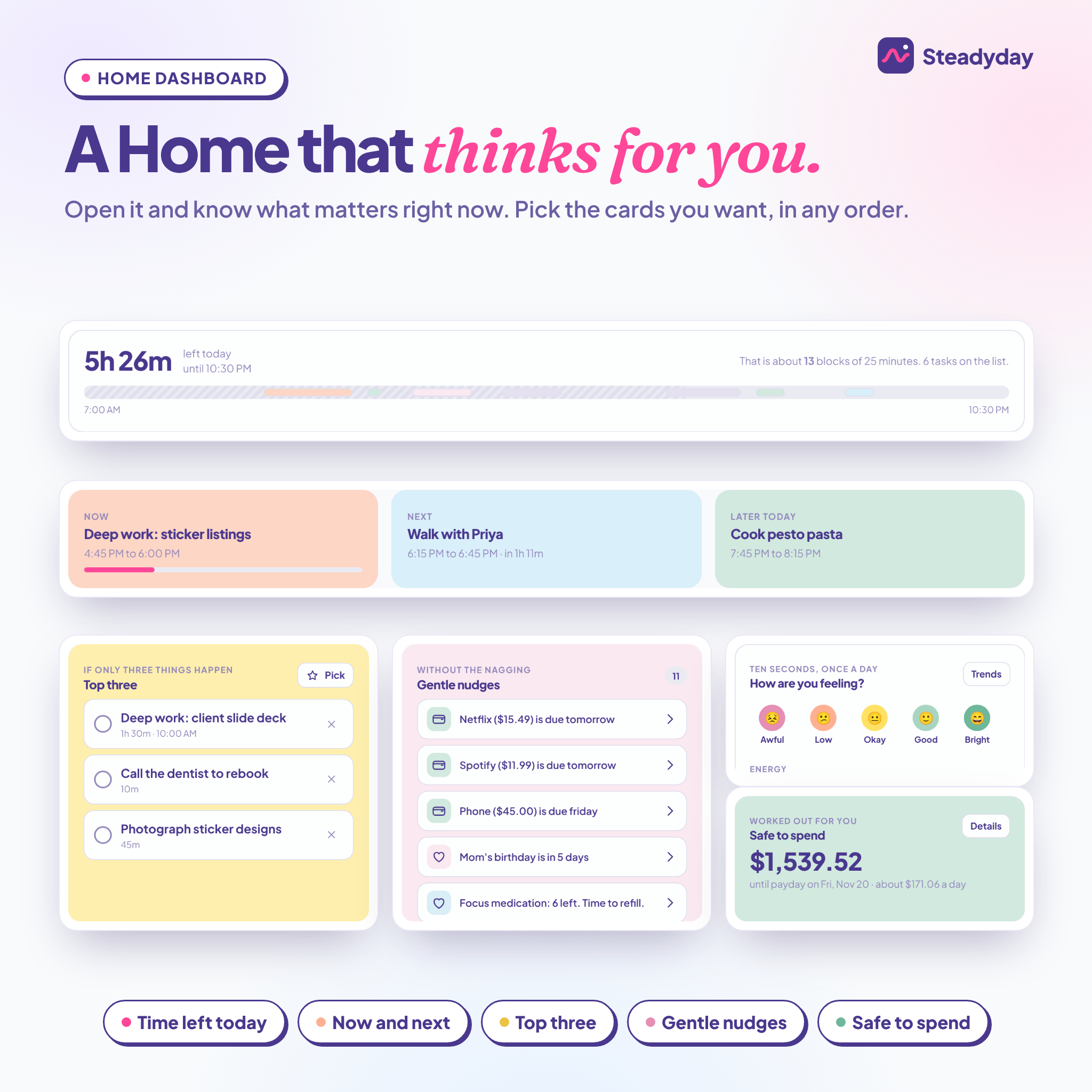
Steadyday does some of the thinking for you. A bar shows how much of your day is left. The Home screen shows what is happening now and next, your top three, and gentle nudges for bills, birthdays, refills and people you have not called in a while.
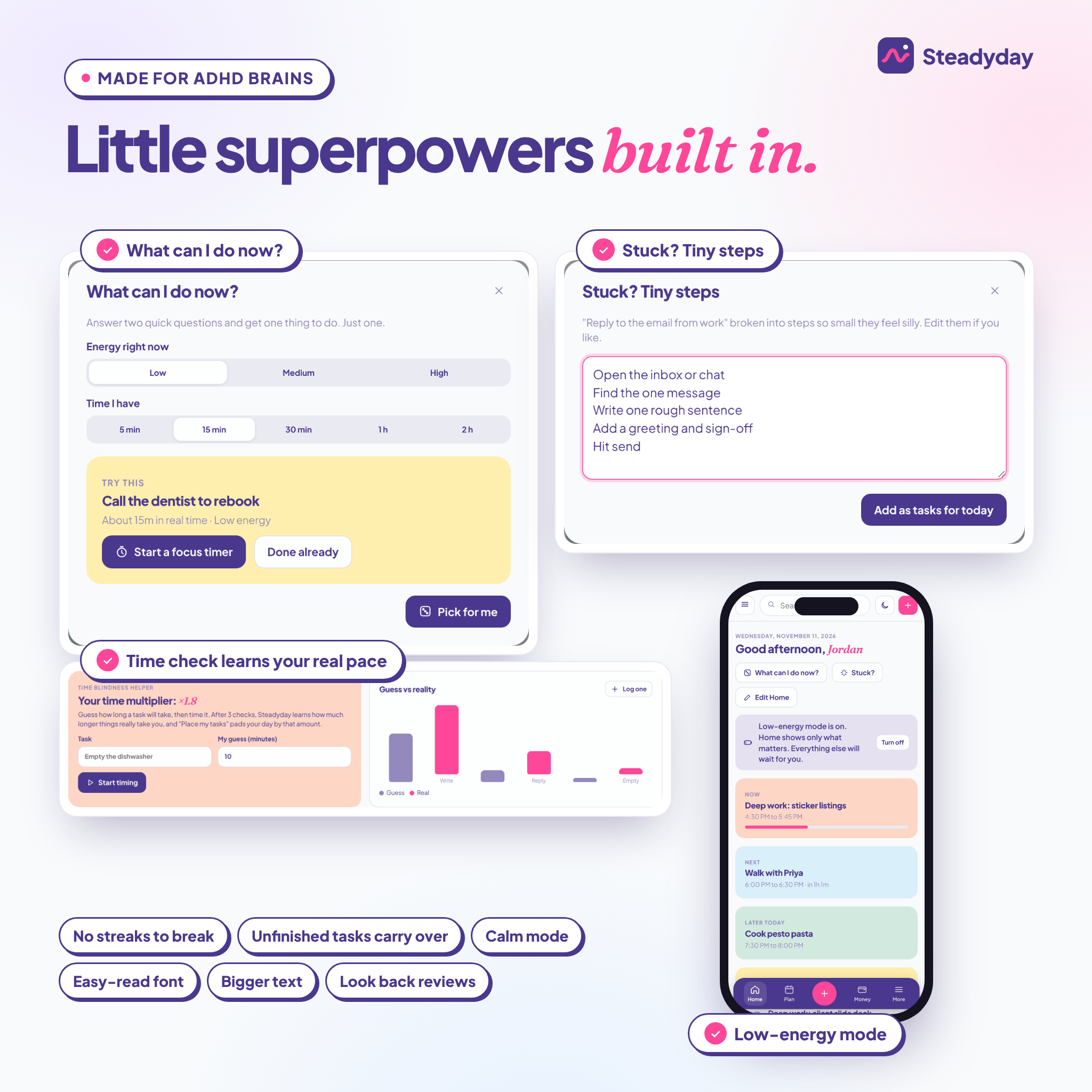
Stuck? Tap What can I do now?, tell it your energy and how much time you have, and it picks one task. Just one. Still avoiding something? Stuck? Tiny steps breaks it into steps so small they feel a bit silly. Unfinished tasks quietly carry over to today. There are no red overdue lists and no streaks to break.
Who it is for
- Adults with ADHD, diagnosed or not, who find ordinary planners too rigid
- Parents juggling chores, meals, money and family dates
- Students tracking classes, assignments, exams and grades
- Freelancers and side-hustlers who want income, follow-ups and goals together
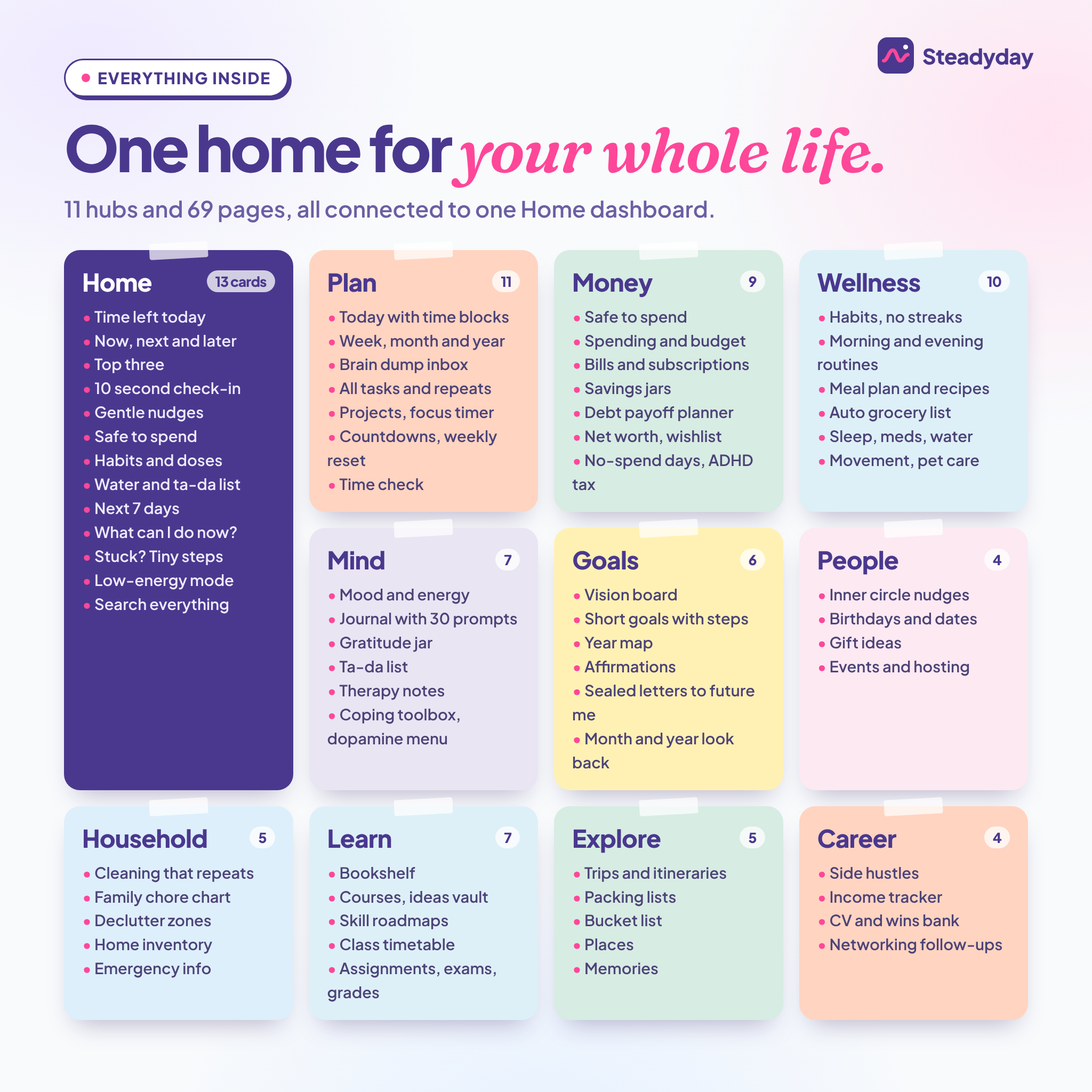
Features: 11 hubs, 69 pages
Home dashboard
Time left today, now, next and later, top three, a 10-second mood and energy check-in, gentle nudges, safe to spend, today’s habits and doses, water, ta-da list, the next 7 days, a daily affirmation and focus stats. Show the cards you want, in the order you want.
Plan (11 pages)
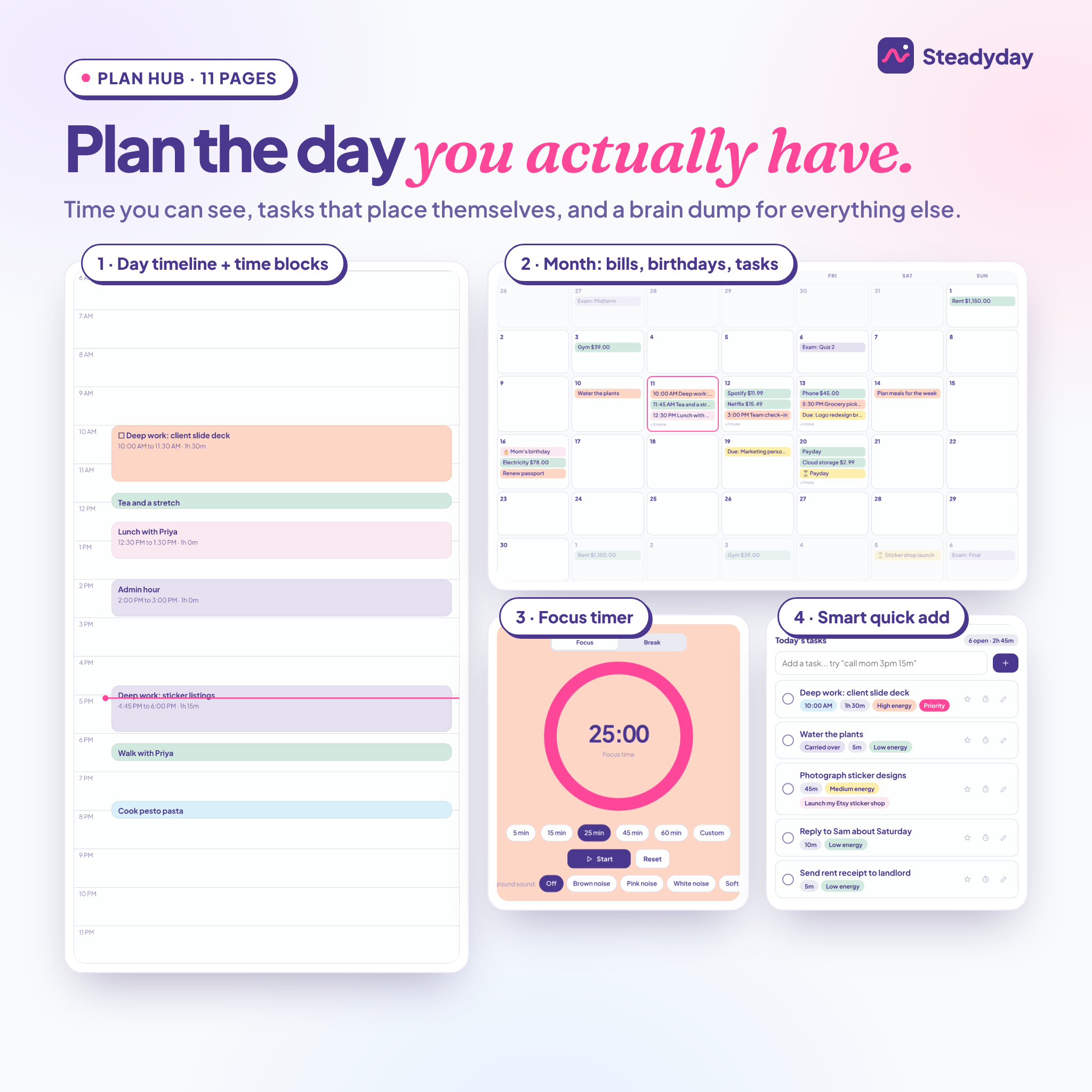
Today with a time-block timeline and a live “now” line, plus week, month and year views that pull in tasks, bills, birthdays, trips and exams. Brain dump inbox with one-tap sorting. All tasks with daily, weekday, weekly or monthly repeats. Projects with “where I left off” notes. A focus timer with brown, pink and white noise or soft rain. Countdowns, a weekly reset and Time check, which learns how long things really take you.
Money (9 pages)
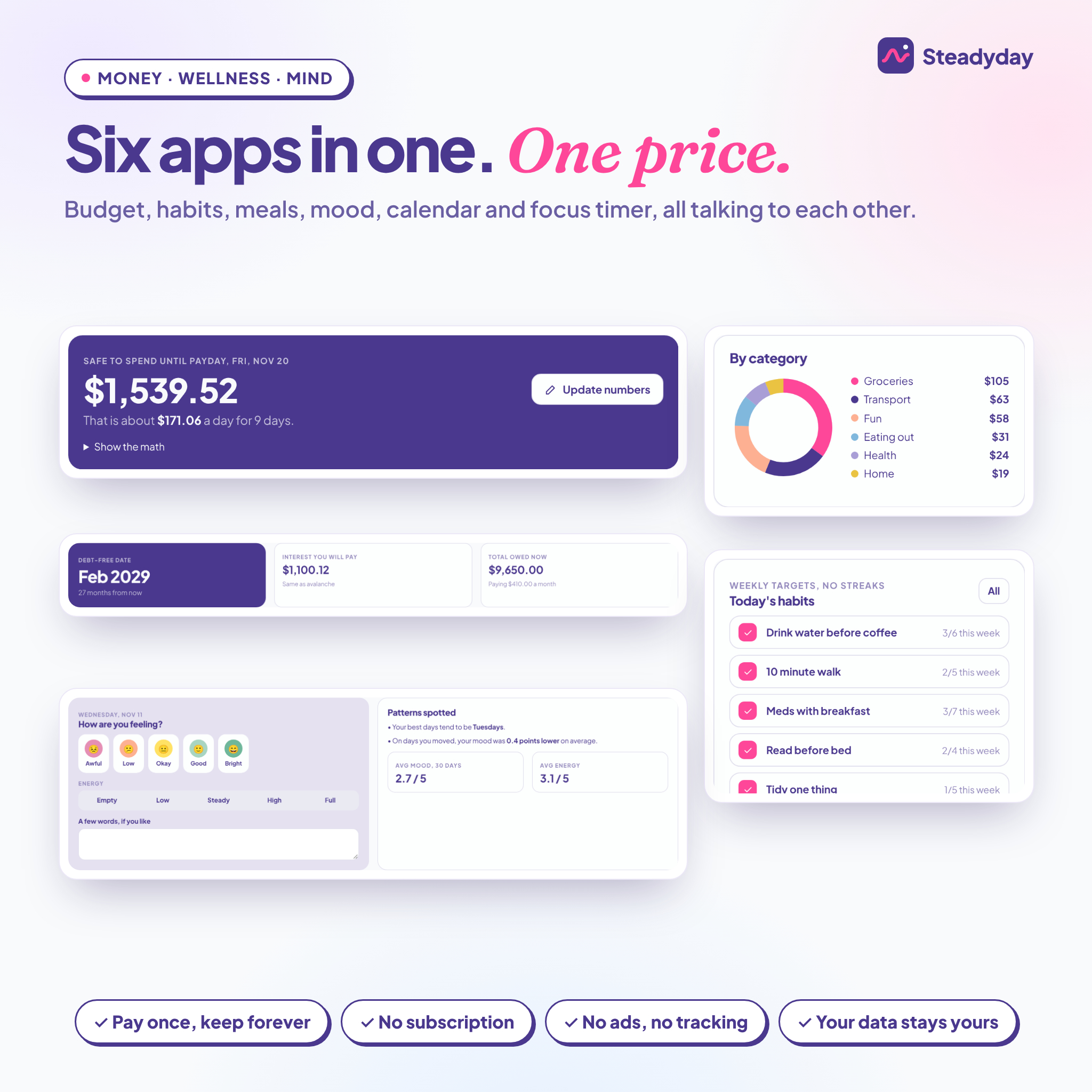
Safe to spend until payday, with the math shown. One-line spending logs like “12.50 lunch”. A budget battery by category. Bills and subscriptions with a review flag. Savings jars, a snowball or avalanche debt payoff planner with your debt-free date, net worth snapshots, an impulse wishlist with a 48-hour wait, no-spend days and an ADHD tax tracker.
Wellness (10 pages)
Habits with weekly targets instead of streaks. Morning and evening routines that reset every day. A meal planner and recipe book with calories and protein, “Decide for me”, and a grocery list that builds itself by aisle. Sleep, medication and supplements with pill counts and refill nudges, movement, water and pet care.
Mind (7 pages)
Mood and energy tracking with patterns spotted for you, a journal with 30 prompts, gratitude jar, ta-da list, therapy notes, a coping toolbox and a dopamine menu.
Goals, People, Household, Learn, Explore and Career
Vision board, short goals with tick-off steps, a year map, affirmations, sealed letters to future you, and an automatic month and year in review. Catch-up nudges, birthdays with ages, gift ideas and events. A cleaning schedule that repeats itself, a family chore chart with points, declutter zones, home inventory and emergency info. Bookshelf, courses, class timetable, assignments and a weighted grade average. Trips, printable packing lists and a bucket list. Side hustles, income by month, a CV and wins bank, and networking follow-ups.
What makes Steadyday different
- Place my tasks fits your untimed tasks into the free gaps of your day, with breaks, padded by your own time multiplier
- Low-energy mode shrinks Home to now, top three and one nudge on hard days
- Search everything and a quick add button that understands “call mom tomorrow 3pm 15m”
- Six themes, each in light and dark mode, plus calm mode, bigger text and an easy-read font
- Pages print cleanly on US Letter or A4, and every list exports to CSV
What is included
- Steadyday-ADHD-Life-Planner.html: the app file for your computer. Works offline.
- Your private online link for iPhone, iPad and Android, found in the Start Here PDF
- Steadyday-Start-Here.pdf: your link, a QR code and two-minute setup steps
- Steadyday-User-Guide.docx: a 25-page guide to every hub, with tips, troubleshooting and FAQ
How it works
- Download your files right after checkout.
- On a computer, double-click the app file. On a phone or tablet, scan the QR code and add the link to your home screen.
- Pick a theme and your currency, then start clean or explore with sample content.
File formats and requirements
The planner is one HTML file that runs in Chrome, Safari, Edge or Firefox on Windows, Mac, Chromebook, iPhone, iPad and Android. Nothing else to install. The guide is a Word document (.docx) and the Start Here sheet is a PDF.
Customization
Set your name, wake and sleep times, the first day of your week and your currency. Any symbol works, before or after the number, with or without cents. Hide hubs you do not use, reorder the menu and choose your Home cards.
Private by design
Your planner saves in your own browser on each device. Nothing is sent to us or anyone else. A one-tap backup file moves everything to a new device.
Real ways people use it
- Monday morning: pick a top three and let Place my tasks build the day around two meetings.
- Payday week: update one number and see what is safe to spend until the next payday.
- A foggy afternoon: switch on low-energy mode and ask “What can I do now?” for a 15-minute task.
- Sunday evening: run the weekly reset, plan five easy dinners and build the grocery list in one tap.
FAQ
Is this ADHD planner a real app or a PDF?
A real app that runs in your browser. Everything is clickable and does the math for you.
Does it work on iPhone and Android?
Yes. Open your private link and add it to your home screen. It also runs on Windows, Mac and Chromebook.
Does it work offline?
Yes on a computer with the app file. On phones, open the link with internet the first time. Your entries save on the device as you go.
Does it sync between my devices?
Not automatically, which keeps your data private. Move everything with a backup file in a few taps.
Is there a subscription?
No. You pay once and keep it.
Can I use my own currency?
Yes. Choose from the list or type any symbol in Settings.
Do I need an ADHD diagnosis?
No. It suits anyone who wants a kinder, more visual planner.
Digital download and licence
This is a digital product. Nothing physical ships. Your files are ready to download as soon as payment is confirmed. The licence covers personal use by one person on their own devices. Please do not share, resell or redistribute the files or the link. Steadyday is for personal organization only and is not medical, mental health, financial or legal advice.
Reviews
There are no reviews yet.