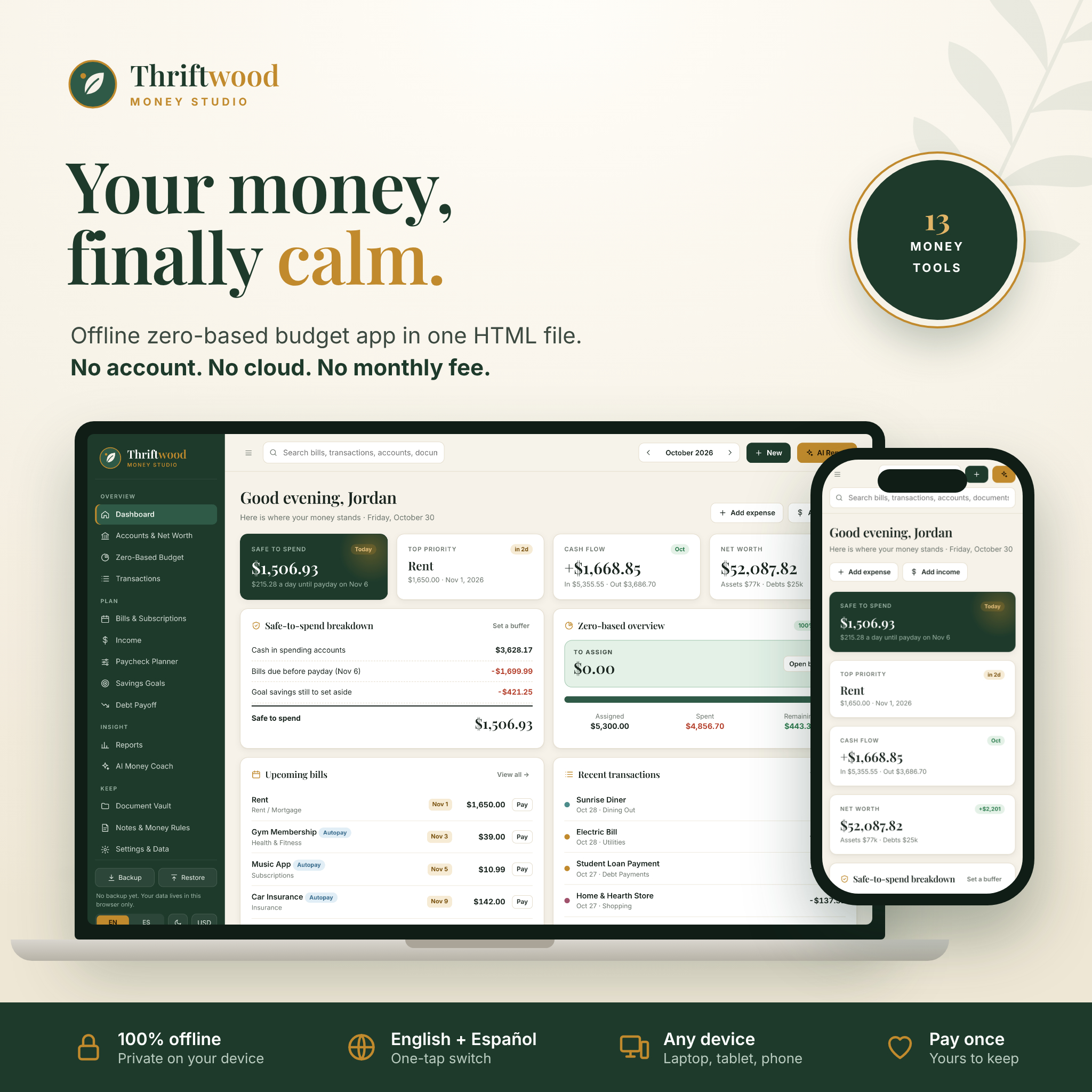
Thriftwood Money Studio is an offline budget app that lives in one HTML file. You double-click it, it opens in your browser, and you are budgeting in under a minute. No account. No bank login. No monthly fee. Your numbers stay on your own device, and they never touch a server.
It is built for zero-based budgeting, so every dollar gets a job before the month starts. Then it goes further than most budget templates: bills with due-date reminders, a paycheck planner, savings goals, a debt payoff calculator, reports, a document vault and an AI Money Coach that turns your real numbers into a ready-to-paste prompt for ChatGPT, Claude or Gemini.
What this offline budget app does for you
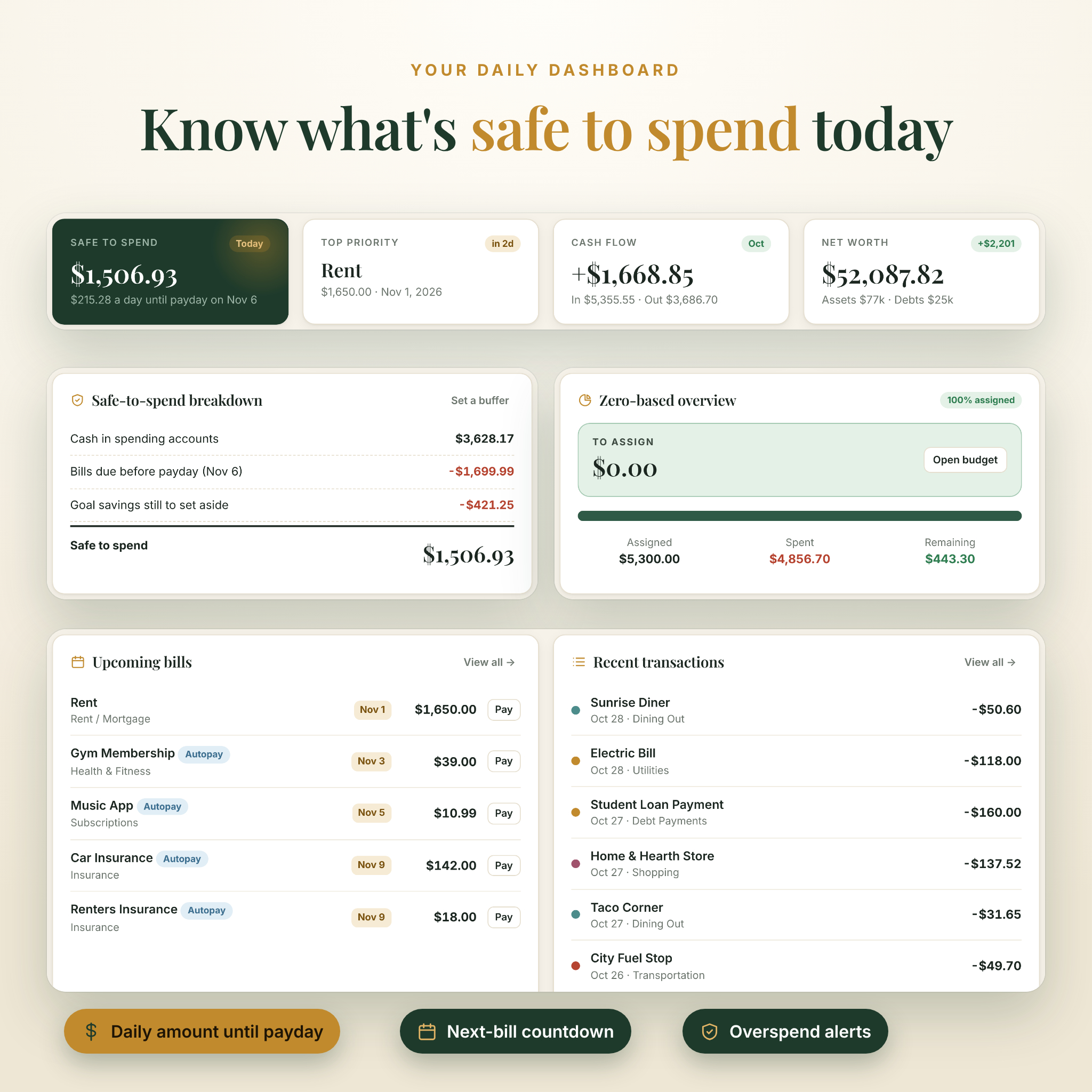
Most people check one number every day: how much can I spend right now? Thriftwood answers that on the dashboard. Safe to spend takes the cash in your everyday accounts, subtracts the bills due before your next payday and the savings you still plan to set aside, then shows a simple daily amount until payday. If your rent is due in two days, you see it. If your Visa minimum is coming up, you see that too.
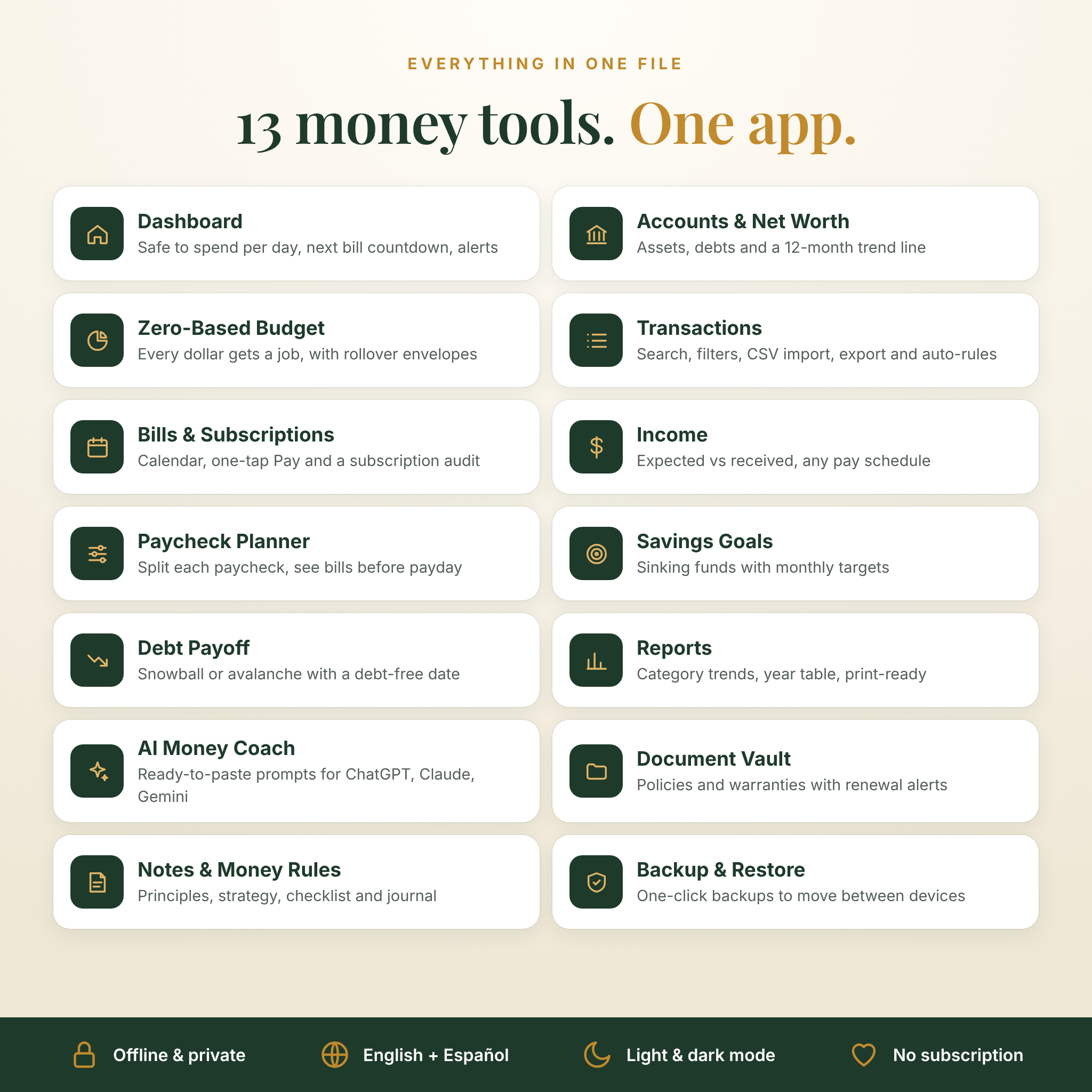
Around that number sit the tools you need to run a household budget properly:
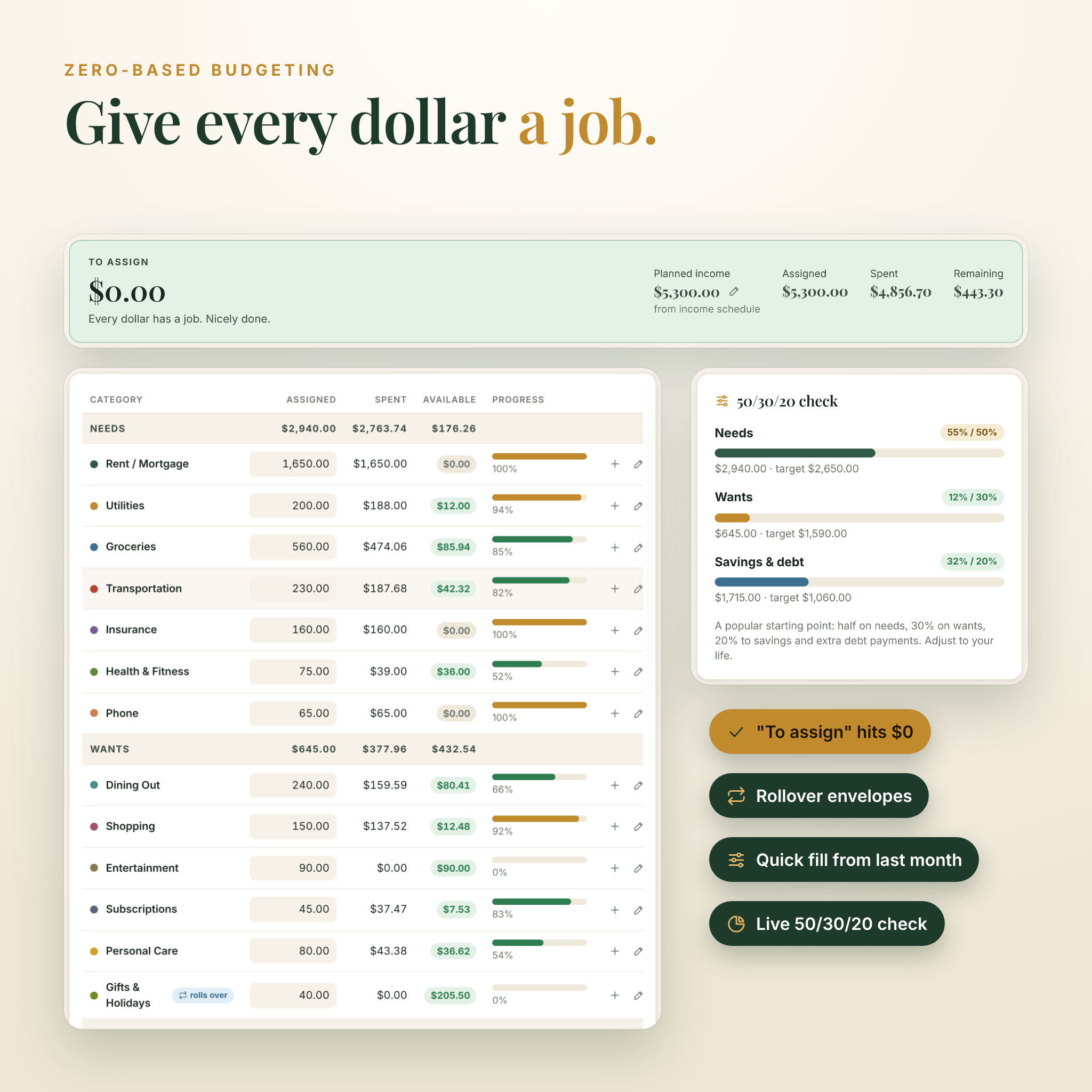
- Zero-based budget with a live “To assign” counter that turns green at $0, rollover envelopes for sinking funds, quick fill from last month and a 50/30/20 check.
- Accounts and net worth for checking, savings, cash, investments, retirement, credit cards and loans, plus a 12-month net worth chart.
- Transactions with search, filters, bank CSV import, CSV export, duplicate skipping and auto-categorize rules.
- Bills and subscriptions with a monthly calendar, one-tap Pay that moves the due date forward, an overdue badge and a subscription audit that shows what you would save each year by cancelling.
- Income tracker for weekly, every-two-weeks, twice-monthly, monthly or one-off pay, comparing expected with received.
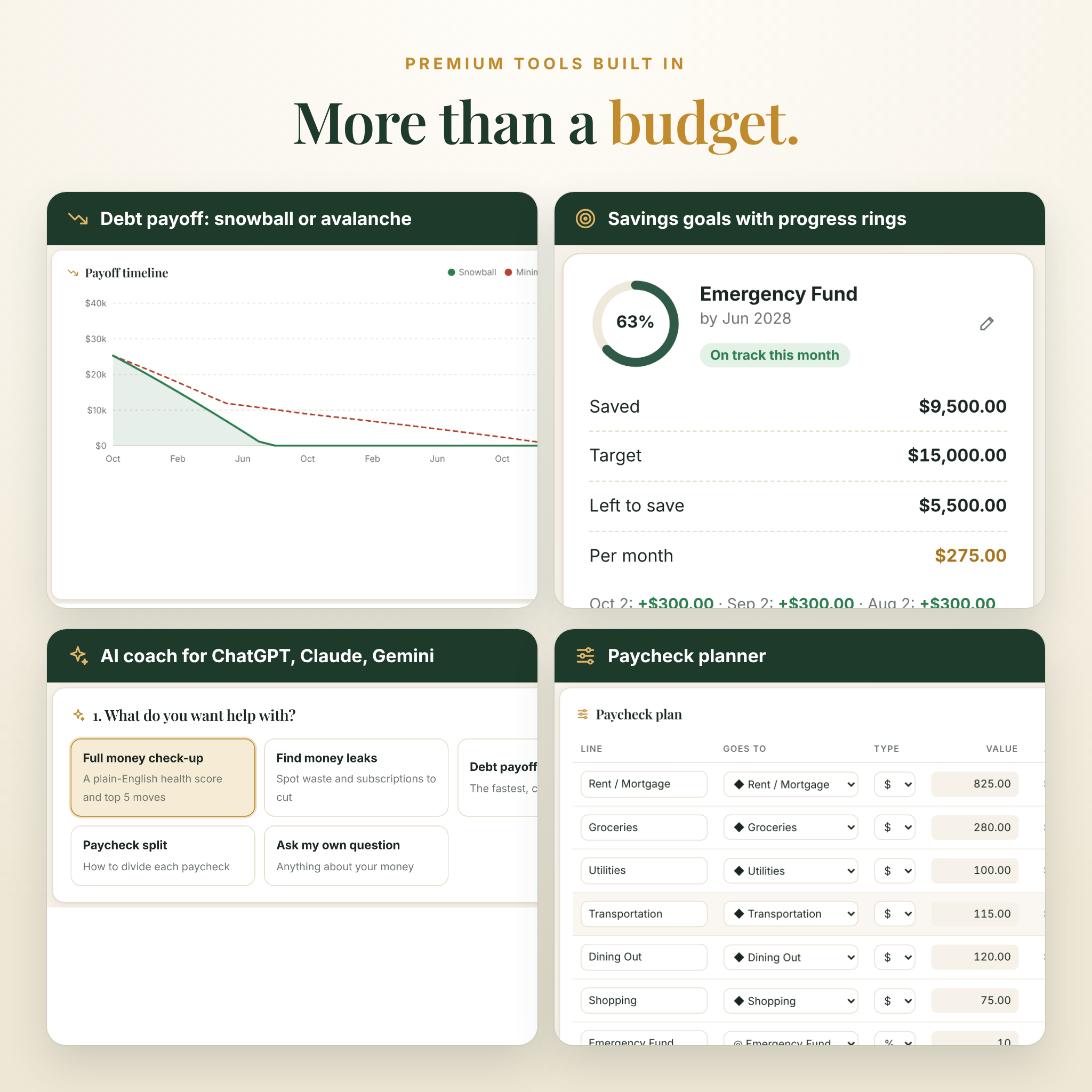
- Paycheck planner that splits each paycheck by amount or percent and lists every bill due before your next payday.
- Savings goals with target dates, progress rings and the exact amount to add each month.
- Debt payoff planner using snowball, avalanche or your own order, with a debt-free date, interest saved and a timeline chart.
- Reports by category, month-over-month changes, top payees, income versus spending and a printable year-at-a-glance table.
- Document vault for insurance policies, leases and warranties, with renewal alerts on your dashboard.
- Notes and money rules with your principles, your debt and savings strategy, a habits checklist and a money journal.
Who it is for
Thriftwood suits anyone who wants a real budgeting app without paying every month for one. It works well for couples running a household budget, paycheck-to-paycheck planners, people following the snowball method, freelancers with uneven income and anyone who simply prefers their money data stays private. Spanish speakers get the whole app in Spanish with one tap, which makes it a good fit for bilingual families too.
Why buyers pick Thriftwood
Private by design
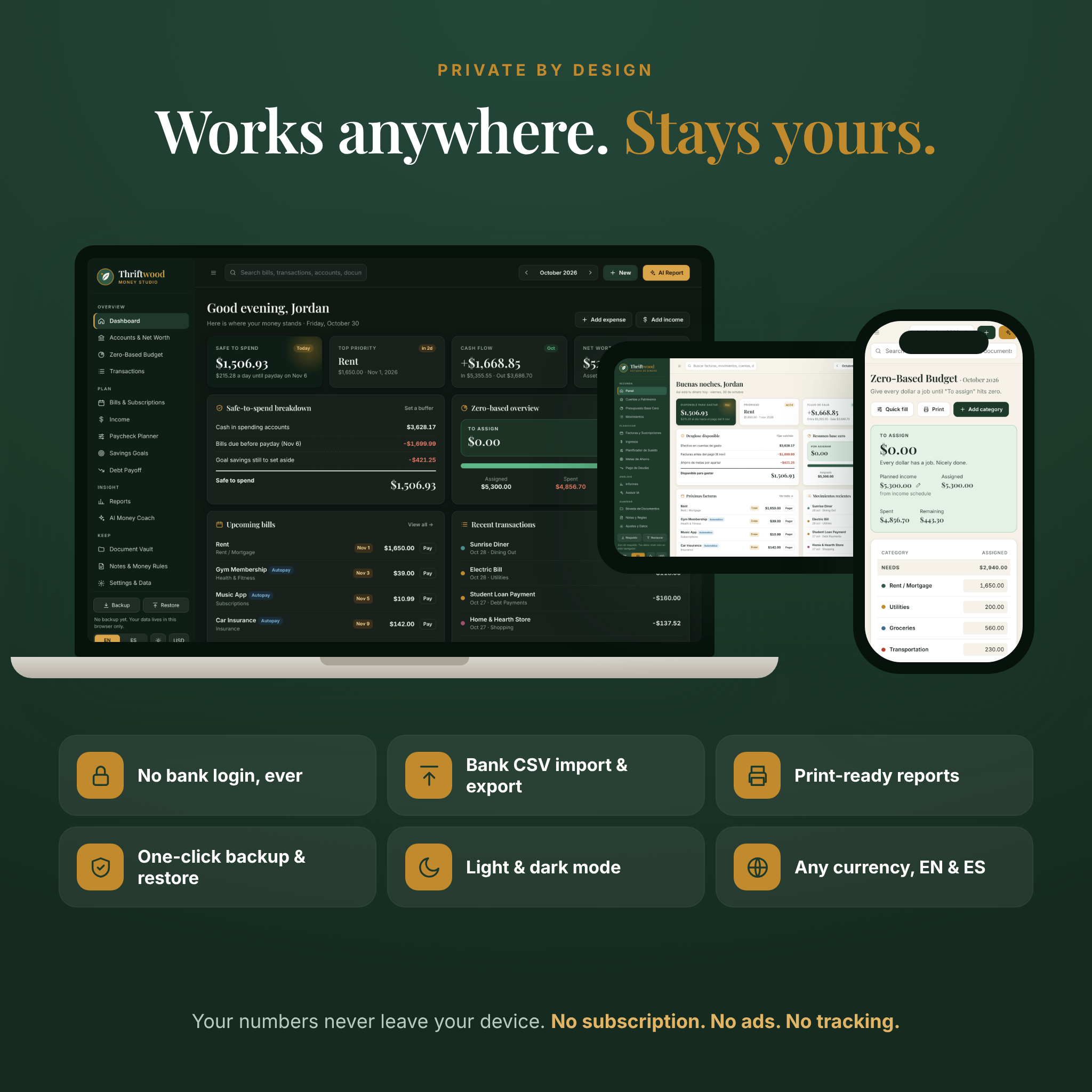
Everything you type is saved in your own browser. Nothing uploads, nothing syncs to a cloud, and there are no ads or trackers. When you want to move to another device, press Backup, then Restore on the other one.
One currency setting for the whole app
Dollars are the default, and 20 popular currencies are one click away, including the euro, pound, peso, rand and rupee. You can also type any symbol, place it before or after the number, and pick your number format (1,234.56 or 1.234,56).
Bilingual, light and dark
Switch between English and Español from the sidebar and toggle dark mode for late-night budgeting.
Ready for real life
Undo after any delete, keyboard shortcuts, overspending alerts, a backup reminder and a setup checklist for your first ten minutes.
What’s included
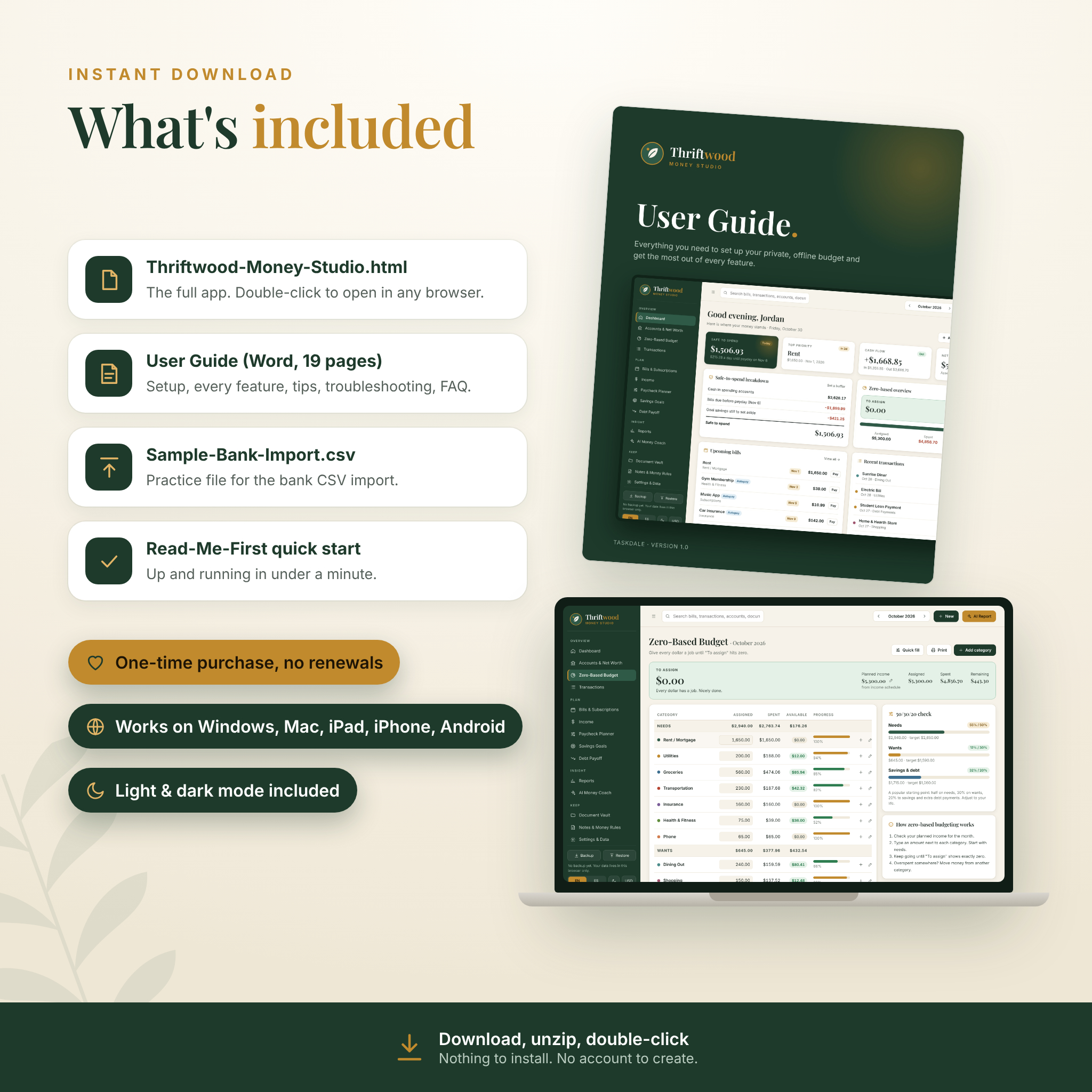
- Thriftwood-Money-Studio.html (the full app)
- Thriftwood User Guide, a 19-page Word document covering setup, every feature, tips, troubleshooting and FAQs
- Sample-Bank-Import.csv to practice the bank import
- Read-Me-First quick start
- Built-in sample data you can explore and then clear with one click
How it works
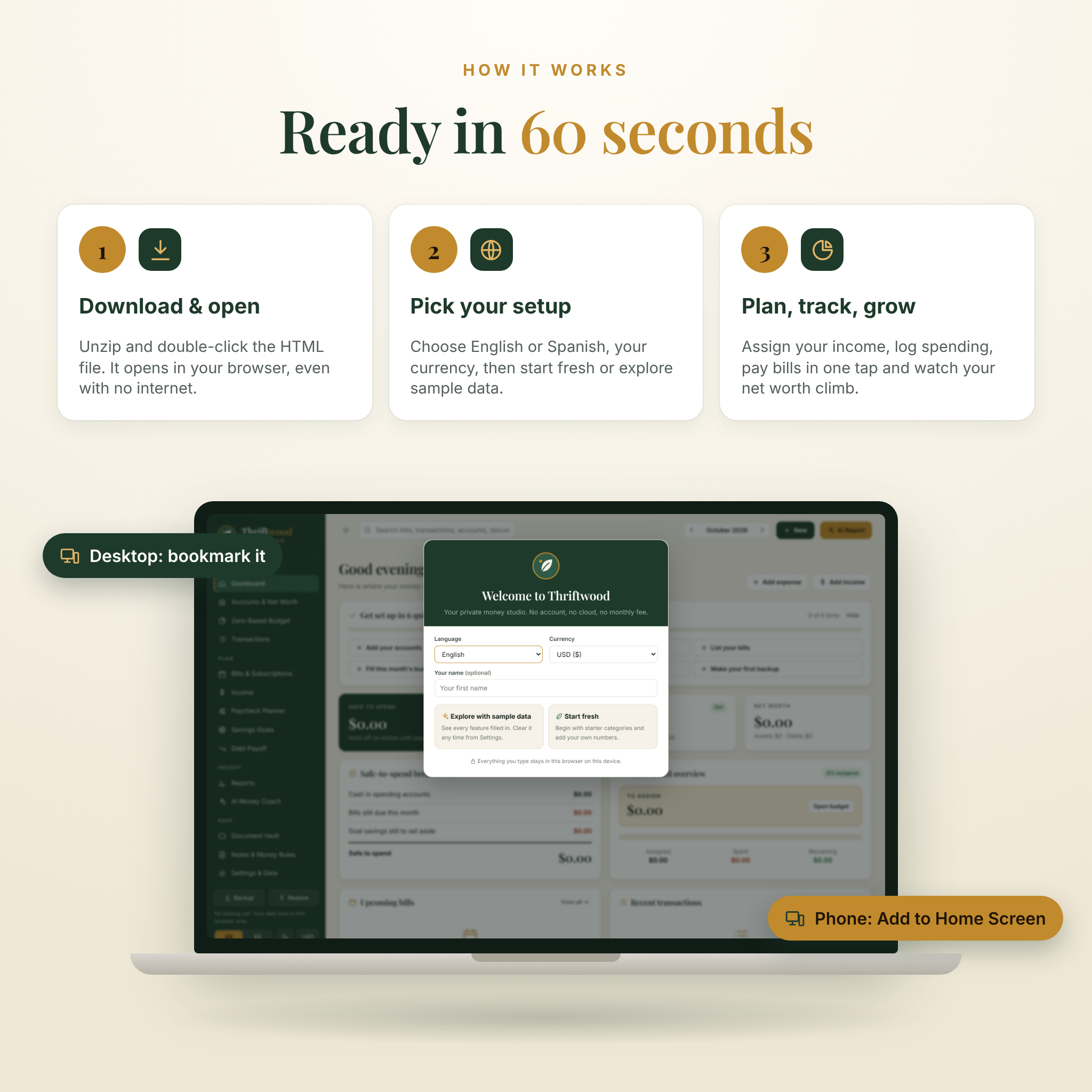
- Download the ZIP and unzip it.
- Double-click Thriftwood-Money-Studio.html. It opens in Chrome, Edge, Safari, Firefox or Brave.
- Pick English or Spanish, choose your currency, then start fresh or explore the sample data.
- Add your accounts, paycheck and bills, fill your budget until “To assign” reaches zero, and log spending as you go.
On iPhone, iPad or Android, use Add to Home Screen so it opens full screen like an app.
File formats and requirements
- Format: one self-contained HTML file plus a DOCX user guide, delivered as a ZIP.
- Works on: Windows, Mac, Linux, iPhone, iPad and Android in any modern browser.
- Internet: not needed. The app runs fully offline. Only the optional AI chat links need a connection.
- Not needed: Excel, Google Sheets, an account or any install. Transactions and reports export to CSV if you want them in a spreadsheet.
Customize it your way
Rename, recolor, regroup or delete any of the 16 starter budget categories, add your own, and turn on rollover for irregular costs. Set a safety buffer you never want your checking account to dip below, choose a Sunday or Monday week start, and decide whether each month’s budget uses expected or received income.
Real ways people use it
- Planning the month on payday so rent, groceries and the car payment are covered before anything else.
- Cutting forgotten streaming and app subscriptions after one run of the subscription audit.
- Paying off a credit card first with the snowball method, then rolling that payment into a car loan.
- Saving toward a vacation, holiday gifts or a new laptop with a monthly target that updates itself.
- Handing an AI chat a tidy summary of your finances and asking for a 30-day plan.
Digital download details
This is an instant digital download. No physical item ships. You can download the files from your Taskdale account right after purchase. Licensed for personal use by the buyer only. Please do not resell, share or redistribute the files.
FAQ
Is this a spreadsheet?
No. Thriftwood is a browser app in one HTML file, so formulas cannot break. You can still export transactions and reports to CSV for Excel or Google Sheets.
Does it connect to my bank?
No, on purpose. You can import your bank’s CSV statement in a few clicks instead, and auto-categorize rules sort it for you.
Is there a monthly fee?
No. You pay once and keep the file.
Can I use it on my phone and my laptop?
Yes. Each browser keeps its own copy of your data, so use Backup on one device and Restore on the other to move everything across.
Where is my data stored?
In your browser on your device. Taskdale never sees it. Download a backup file regularly so a browser clean-up never costs you your history.
Can I change the currency?
Yes. Dollars are the default, and one setting changes every amount in the app.
Does the AI coach cost extra?
No. It builds a prompt you paste into your own ChatGPT, Claude or Gemini chat.
Is this financial advice?
No. Thriftwood is a planning tool. Please talk to a licensed professional about investments or tax.
Reviews
There are no reviews yet.