

A music teacher spreadsheet that runs your studio
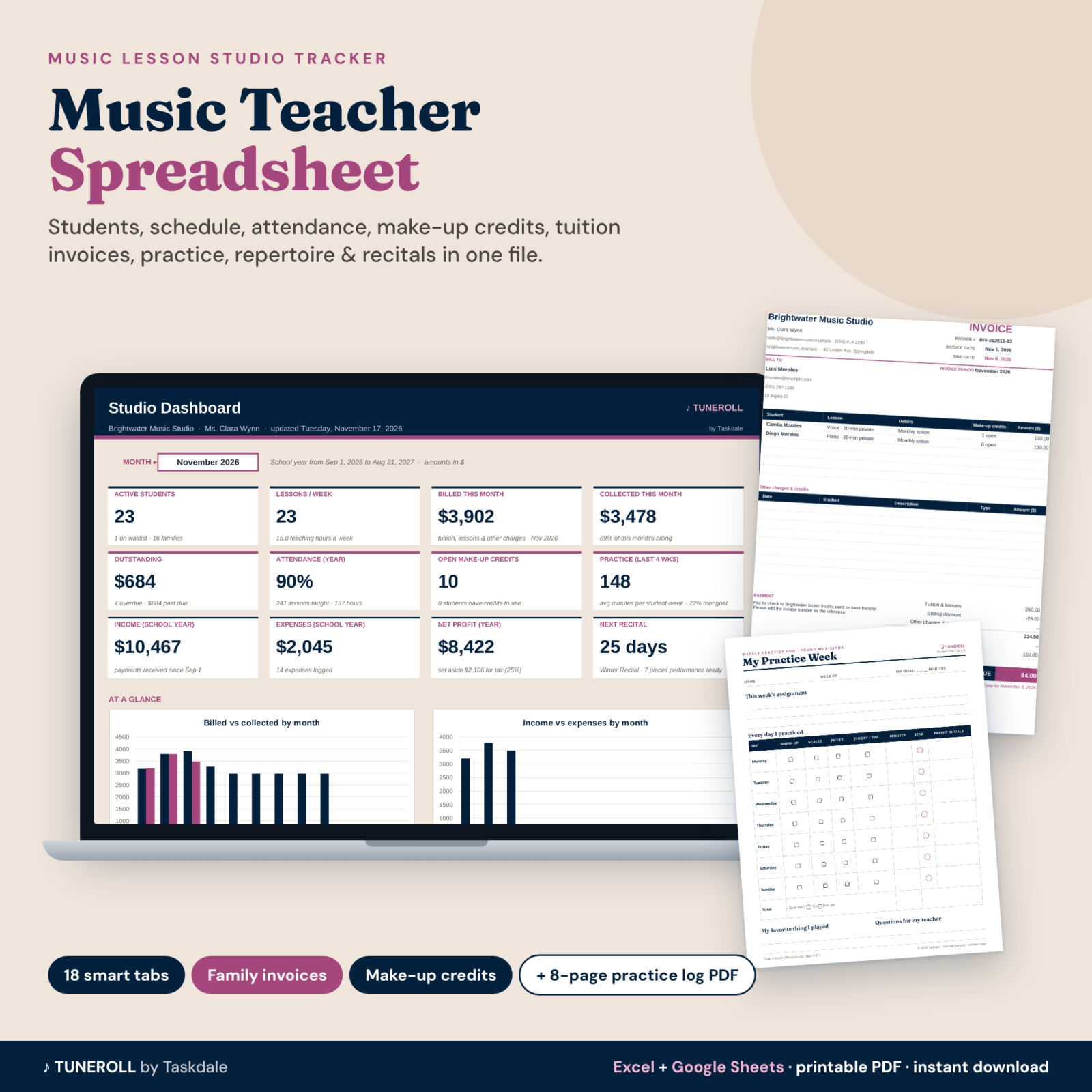
Tuneroll is a music teacher spreadsheet for private piano, guitar, voice and instrumental teachers. Instead of a paper register, a calendar app, payment screenshots and sticky notes about make-up lessons, you keep one tidy workbook. Type each fact once (a new student, a lesson, a payment) and every tab updates: the weekly schedule, attendance, make-up credits, tuition, family balances, invoices and the dashboard.
It works in Microsoft Excel and Google Sheets, needs no subscription, and comes with a filled example studio, an illustrated user guide and a printable Student Practice Log for your students.
Who it is for
- Independent piano, guitar, voice, violin, ukulele, drum and woodwind teachers
- Home studios and small music schools with one or a few teachers
- Teachers who bill monthly tuition, per lesson, or a mix of both
- Anyone tired of paying a monthly fee for studio software they only half use
What the music lesson studio tracker does
Students, families and an automatic schedule
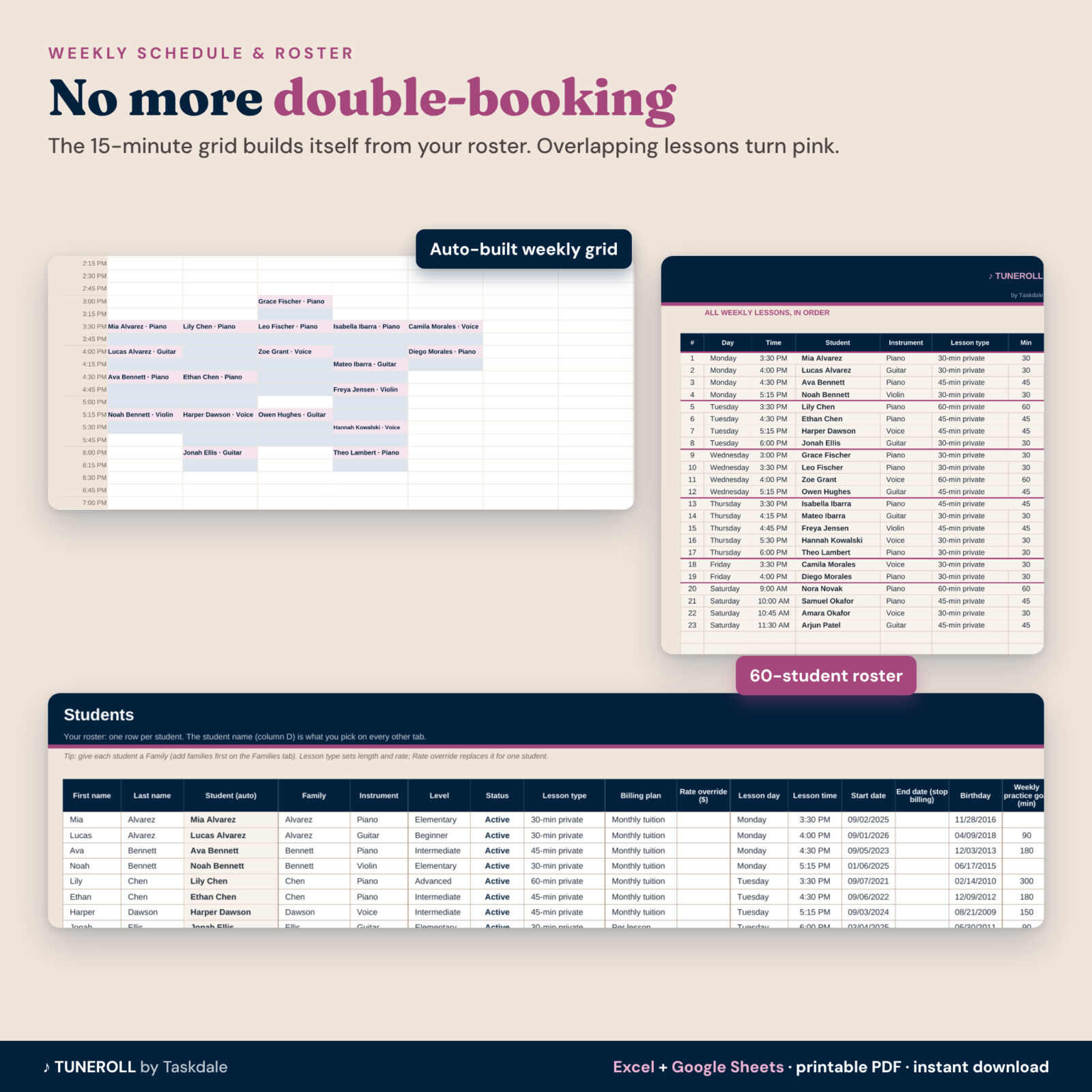
- Roster for 60 students and 40 families with instrument, level, lesson type, billing plan, lesson day and time, start and end dates, birthday and weekly practice goal.
- Weekly schedule grid in 15-minute slots, built from the roster. Each lesson is shaded for its full length and overlapping lessons turn pink, so double-booking is caught the moment you type it.
- An ordered list of every weekly lesson plus lessons and teaching hours per day.
Attendance and make-up credits
- A 2,000-row lesson log with notes and the next assignment.
- Seven statuses: attended, make-up lesson, absent with notice, no-show, late cancel, teacher cancelled and studio closed.
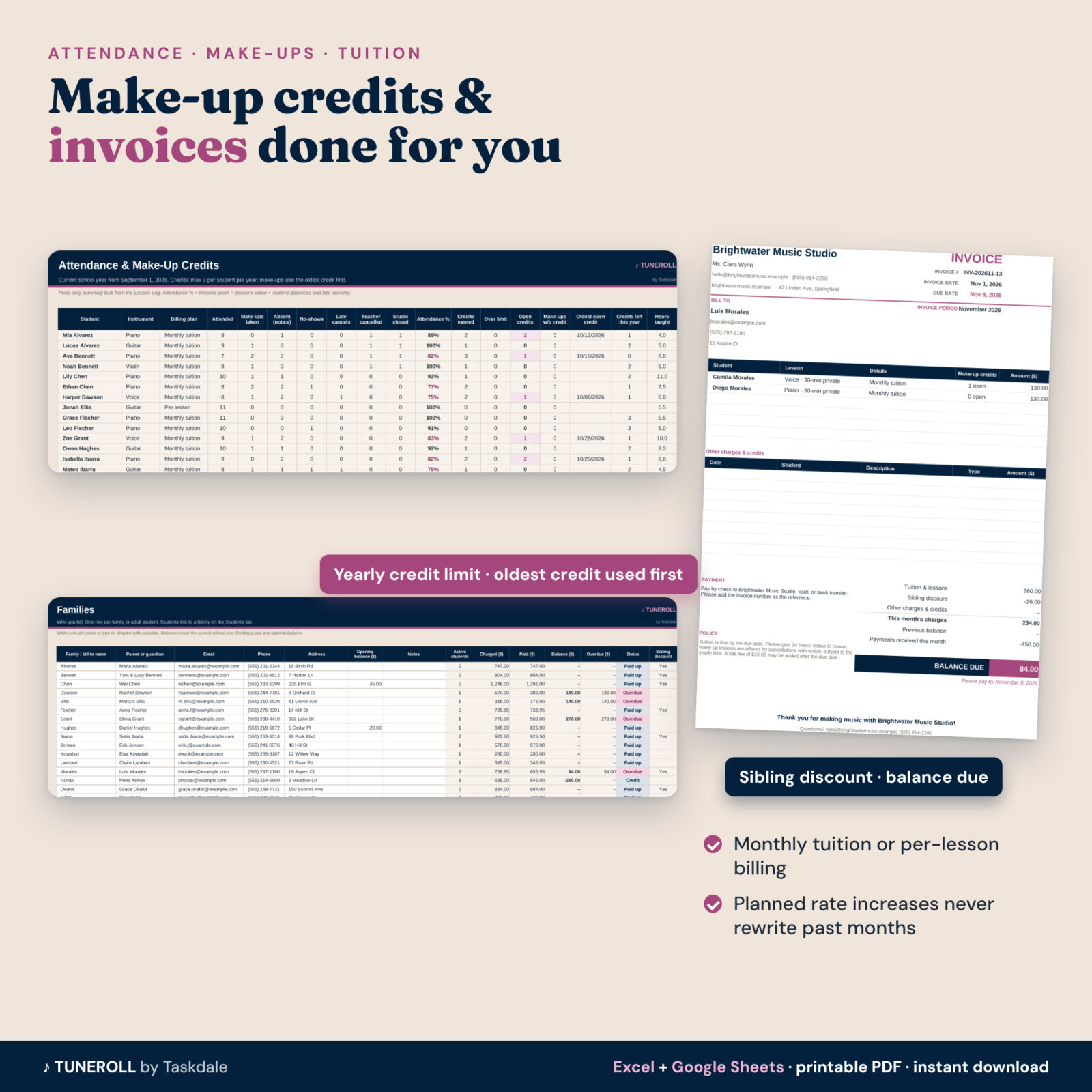
- Make-up credits are earned automatically under your policy, capped by an optional yearly limit, and each make-up uses the oldest credit first. You see open credits, the oldest open credit date and credits left this year for every student.
- Attendance % and hours taught per student.
Tuition, invoices and payments
- Monthly tuition or per-lesson billing per student, with a billing calendar (for example 0% in summer, 50% for a half month).
- Sibling discount, rate overrides, and planned rate increases that never rewrite past months.
- Registration, book, recital, exam and late fees plus credits and refunds.
- Payments by family, balances, overdue amounts and a status for every family.
- Printable family invoice: pick a family and month to get a one-page invoice with each child’s lessons, open make-up credits, discount, other charges, previous balance, payments and balance due.
Practice, repertoire, lesson sheets and recitals
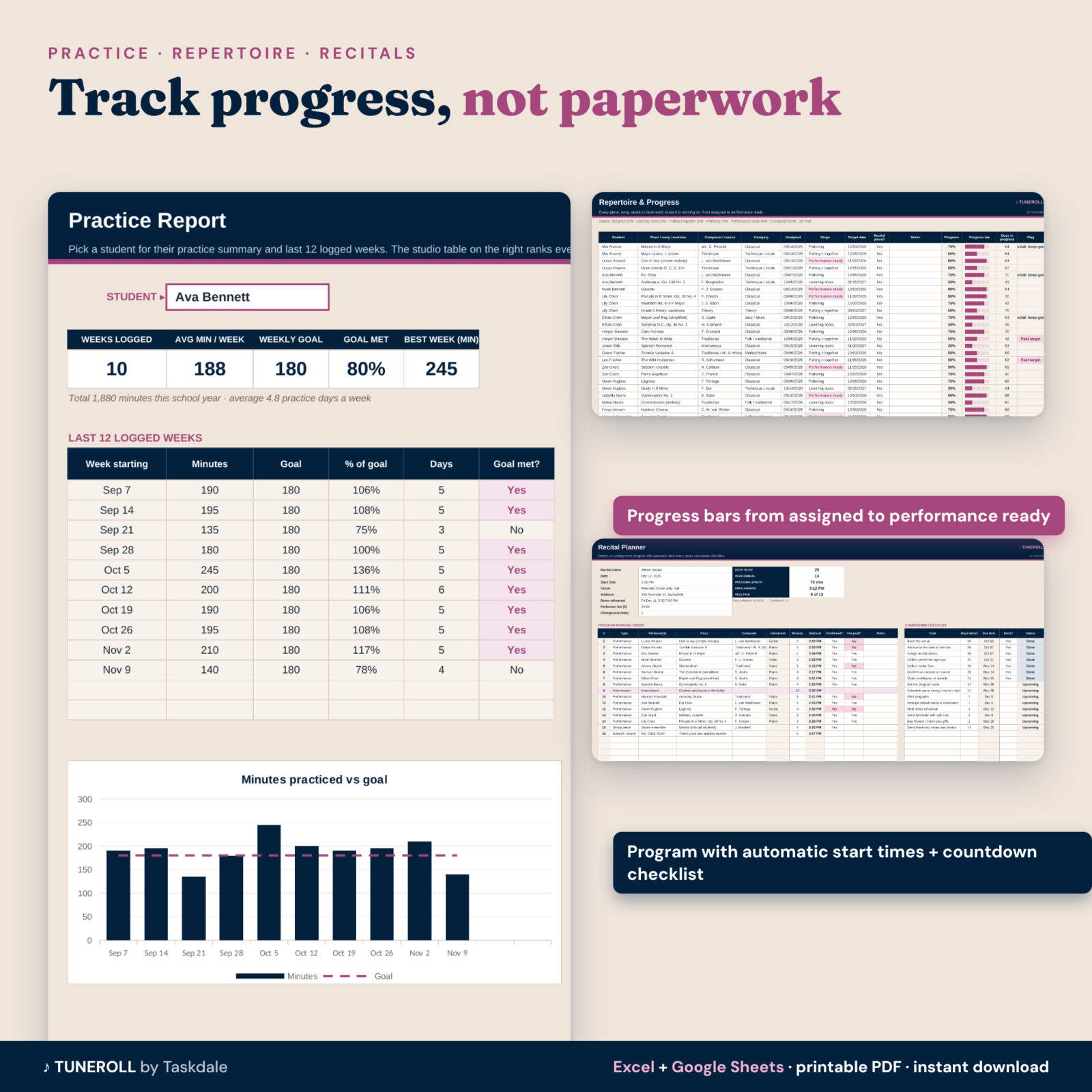
- Weekly practice log, a practice report with a 12-week chart and a studio-wide practice table.
- Repertoire tracker with stages from assigned to performance ready, progress bars and past-target flags.
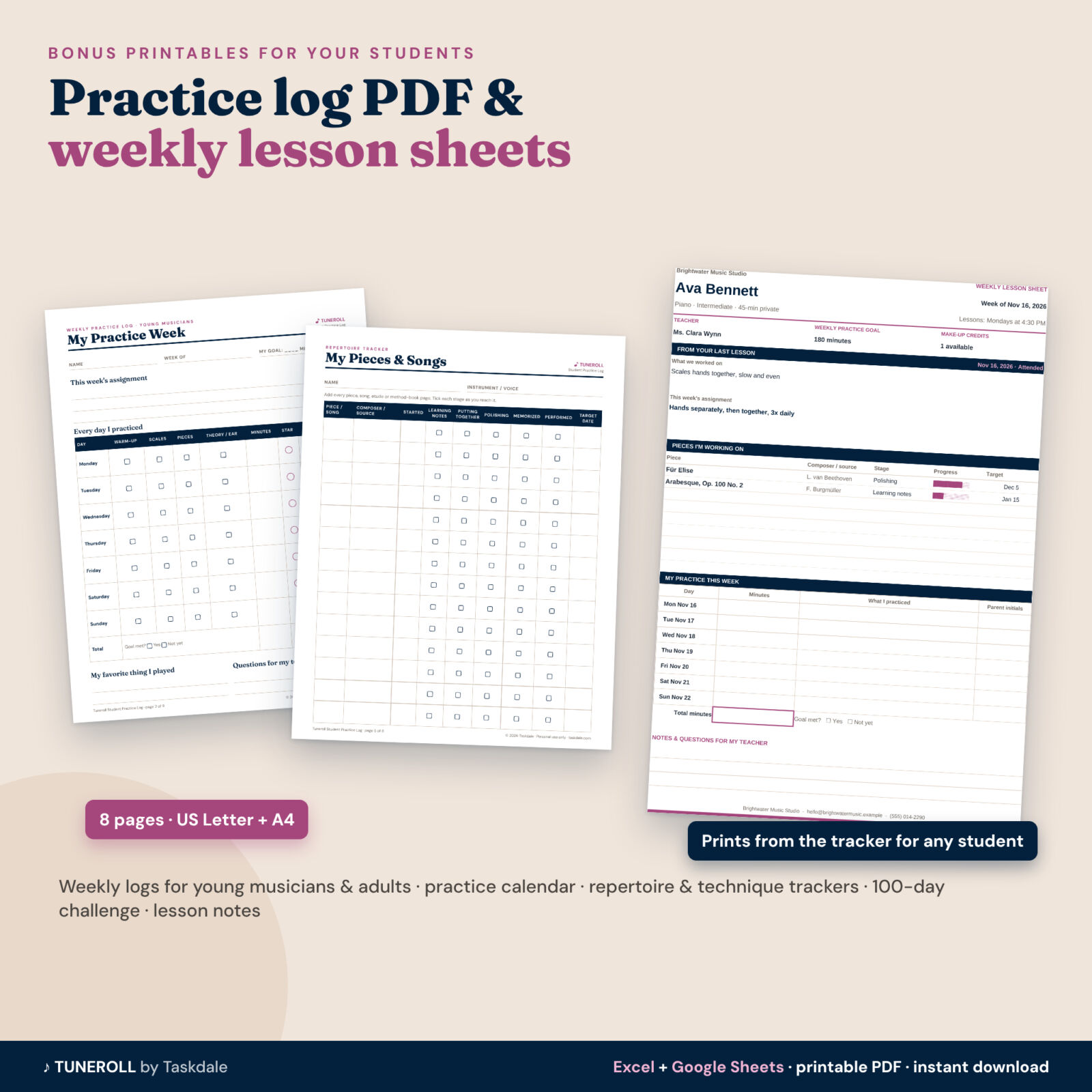
- A printable weekly lesson and practice sheet for any student, with their last lesson notes, assignment and pieces.
- Recital planner with a running order, automatic start times, fees and a countdown checklist.
Studio dashboard and profit
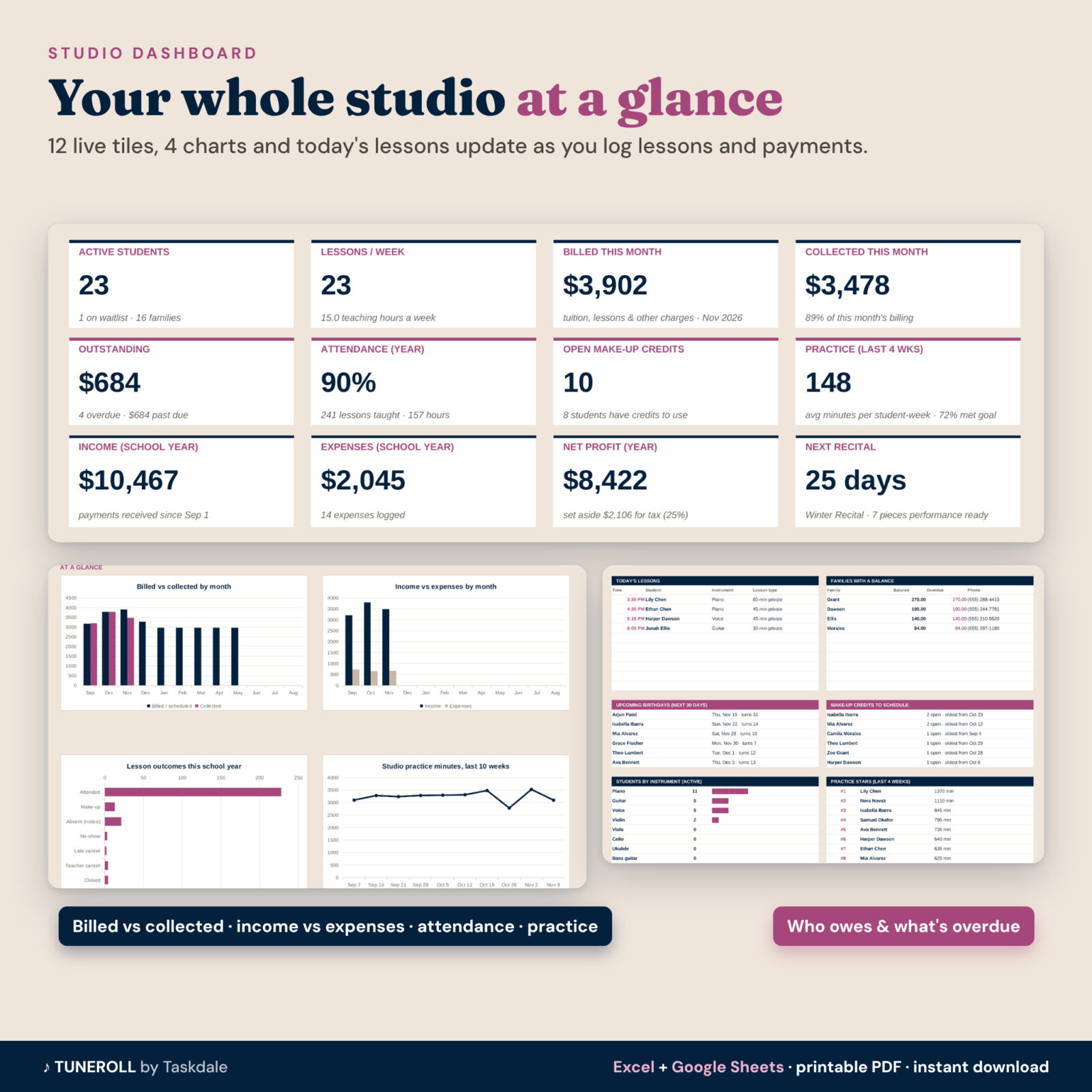
Twelve live tiles (active students, weekly teaching hours, billed and collected this month, outstanding, attendance, open credits, practice, income, expenses, net profit and tax set-aside, next recital), four charts, today’s lessons, families with a balance, upcoming birthdays, credits to schedule and practice stars.
What is included
- Tuneroll Music Lesson Studio Tracker (.xlsx, 18 tabs, blank and ready to use)
- Tuneroll Example Studio (.xlsx), the same tracker filled with a fictional studio
- Student Practice Log PDF, 8 pages, in US Letter and A4: weekly logs for young musicians and for teens and adults, a monthly practice calendar, repertoire and technique trackers, a 100-day practice challenge and lesson notes
- Illustrated user guide (Word, 17 pages)
How it works
- Settings: studio name, currency, school year start, rates, make-up policy and billing months.
- Add families and students. The schedule builds itself.
- Log lessons after each teaching day and payments as they arrive.
- Print invoices and lesson sheets, and check the dashboard.
File formats and software
Works in Microsoft Excel 2016 or later, Microsoft 365 (Windows, Mac and web) and Google Sheets (free with a Google account). Apple Numbers is not supported. The PDF prints from any PDF reader. The guide opens in Word, Google Docs or LibreOffice. A computer is best for setup; Excel and Google Sheets apps on a tablet can view and update it.
Customization
Use your own currency symbol, lesson types and rates, instrument and level lists, payment methods, expense, repertoire and charge categories. Formulas sit in locked cells (no password) so they can’t be overwritten by accident, while every white cell is yours.
Real situations it handles
- A parent texts at 2 pm to cancel: log “Absent – notice given”, the credit appears, and the dashboard lists it under credits to schedule.
- You raise rates in January: enter the new rate and start date once; fall invoices stay as they were.
- Two siblings share one invoice with a discount, a recital fee and last month’s balance.
- Recital week: print the program order with start times and tick off the checklist.
Digital download
This is an instant digital download. No physical item is shipped. Personal use only (or use within your own teaching business); you may not resell, share or redistribute the files.
FAQ
Does this music teacher spreadsheet work in Google Sheets?
Yes. Upload the .xlsx to Google Drive and open it with Google Sheets. Formulas, dropdowns and charts carry over.
Can I bill some students monthly and others per lesson?
Yes. The billing plan is set per student, and per-lesson students can be billed in the same month or the following month.
How are make-up credits counted?
Absences with notice and teacher cancellations earn credits for monthly tuition students (you choose on Settings), up to an optional yearly limit. A make-up lesson uses the oldest open credit.
How many students does it hold?
60 students, 40 families, 2,000 lessons, 600 payments, 1,500 practice weeks and 400 repertoire pieces per file.
Can I print invoices?
Yes. Pick a family and month on the Invoice tab, then print or save as PDF. It fits on one page.
Is it only for piano teachers?
No. It works for any instrument or voice, and you can edit the instrument list.
Is there a monthly fee?
No. You pay once and keep the files.
Reviews
There are no reviews yet.