


A vending machine spreadsheet built around the coil, not just the cash bag
Coilwise is a vending machine spreadsheet for operators who want real answers. Which machines pay their way? Which products earn their slot? What should go in the van tomorrow? You log each service visit and the units you load, and the workbook does the rest.
Most vending trackers stop at money collected per machine. Coilwise goes one level deeper. It knows what sits in every slot, how fast each slot sells and what you should have collected at each visit. That is where the extra profit hides.
What the vending route tracker does
Visit Log: one row per machine per visit
Type the date, machine ID, cash, card sales, refunds and miles. Coilwise fills in the location and route, backs out sales tax, takes off card fees, works out the location commission, pulls in product cost from your restock lines, prices your miles and shows net profit for the visit.
Restock Log and the cash check
Log the units you add per product. Pull expired, damaged or stolen items with one dropdown. Because you refill to par, the units you add tell you what sold. Coilwise turns that into expected sales and flags any visit where the money is off by more than your tolerance. Jammed bill validators and missing cash stop hiding.
Planogram and fill sheets
List the product and par level for every slot. Each slot gets its average units sold per visit, its sell-through and a plain verdict: Selling out, Healthy or Slow seller. Pick any machine and print a one-page fill sheet with a suggested load for every coil.
Route Planner with a warehouse pick list
Choose a route. Stops show in order with last visit, days since, status (Overdue, Due soon, On track) and the estimated sales waiting in each machine. Switch to “Due and overdue only” for a short day. On the right, a pick list adds up the units and cases you need for the whole route and warns you when storage is short.
Dashboard
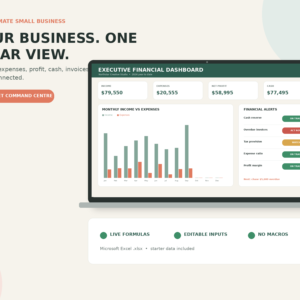
Twelve KPI cards (gross sales, net profit, margin, visits, average sales per visit, product cost %, commission owed, overdue machines, cash flags, reorders, contract renewals), a monthly sales and profit chart, sales share by route, top 10 products by gross profit, a top and bottom 5 machine leaderboard, top locations and a needs-attention list. Pick Full year or any single month.
Features at a glance
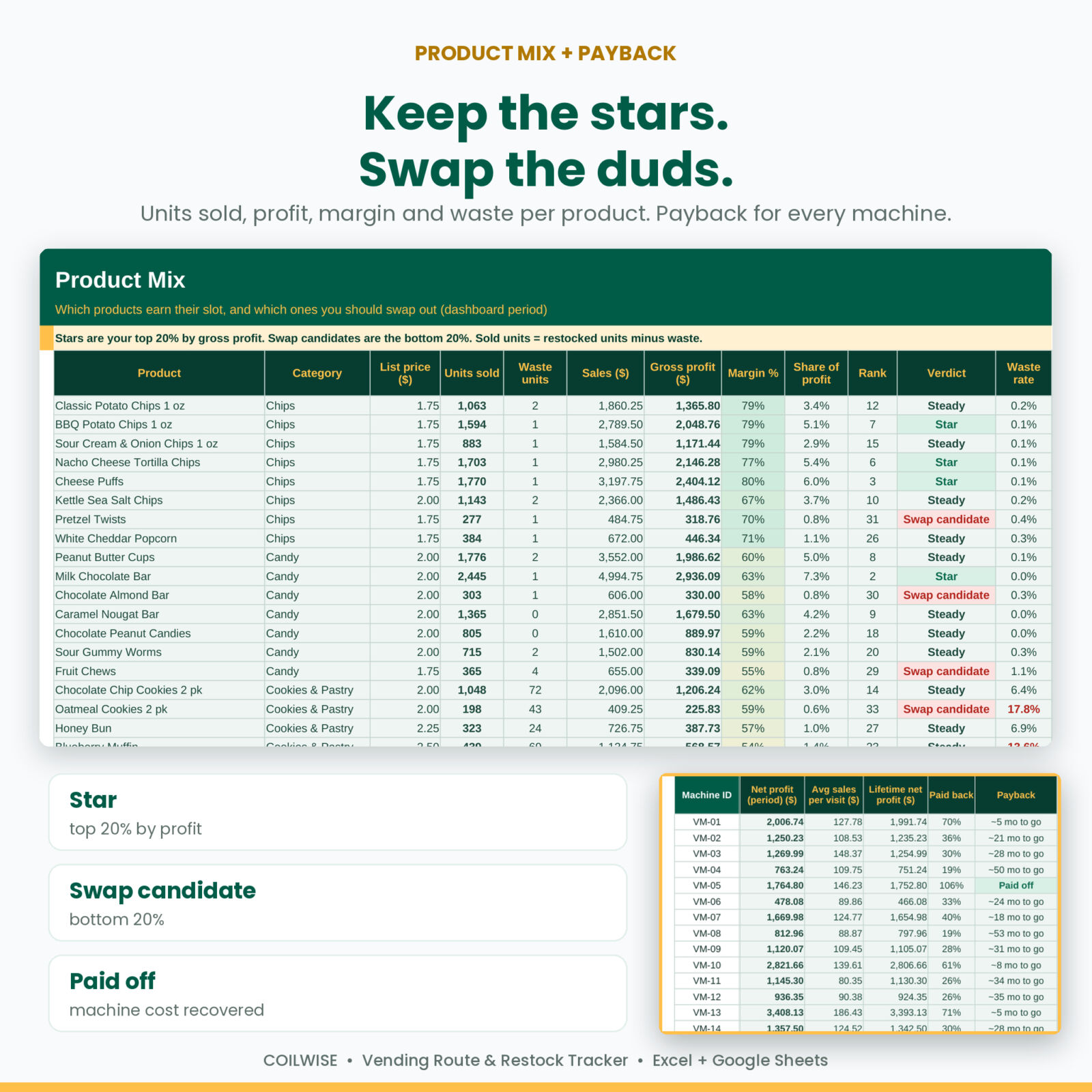
- Machines: cost, card reader fee, service interval, next due date, period and lifetime profit, payback % and months to go
- Locations: route and stop order, contacts, commission deal, contract end alerts
- Products: case cost to unit cost, profit per vend, margin %, stock on hand and reorder alerts
- Product Mix: units sold, waste rate, gross profit, rank and a Star, Steady or Swap candidate verdict
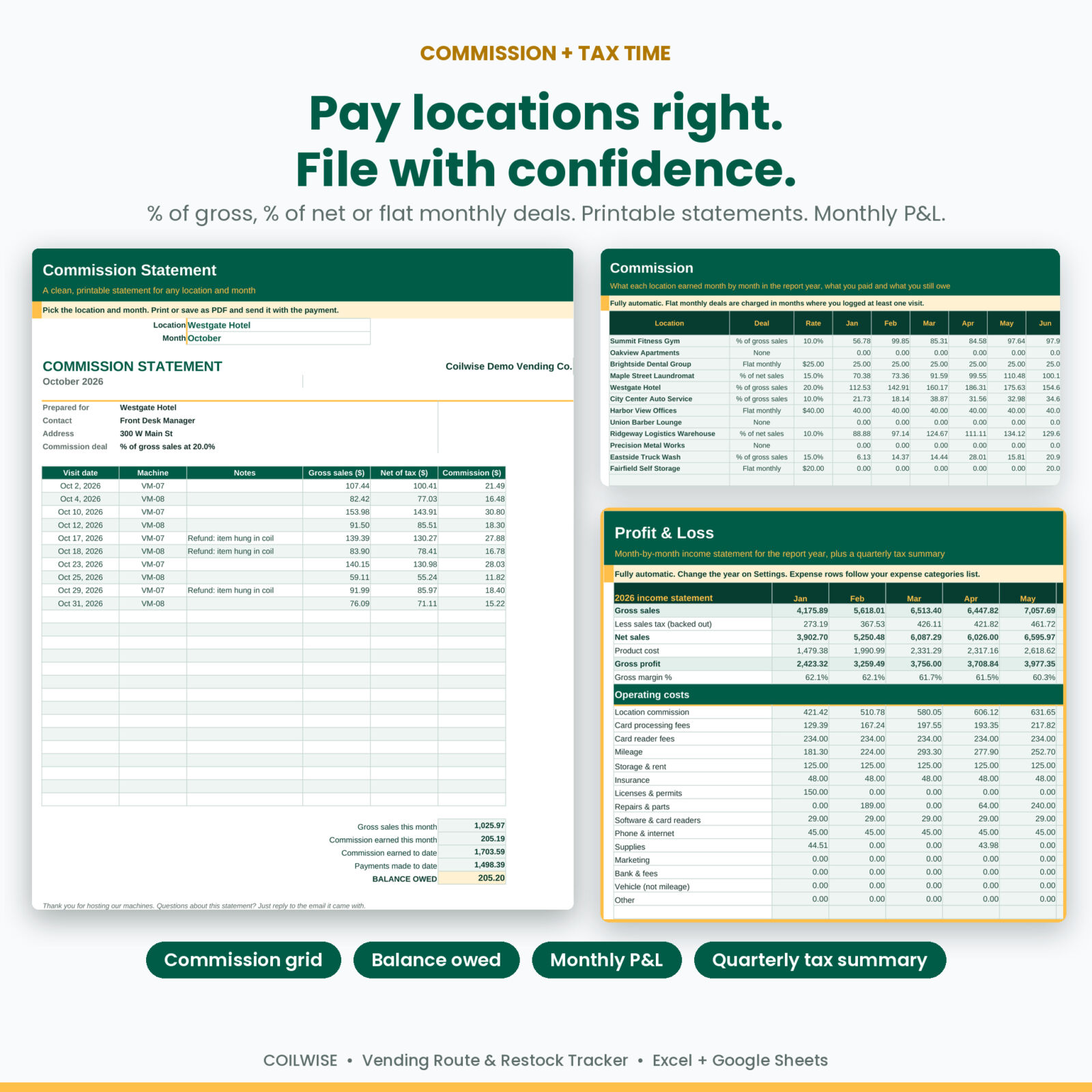
- Commission: % of gross sales, % of net sales or a flat monthly fee, a month-by-month grid, payouts and balance owed
- Statement: a printable commission statement for any location and month
- Profit & Loss: monthly income statement with every cost line, plus a quarterly tax summary
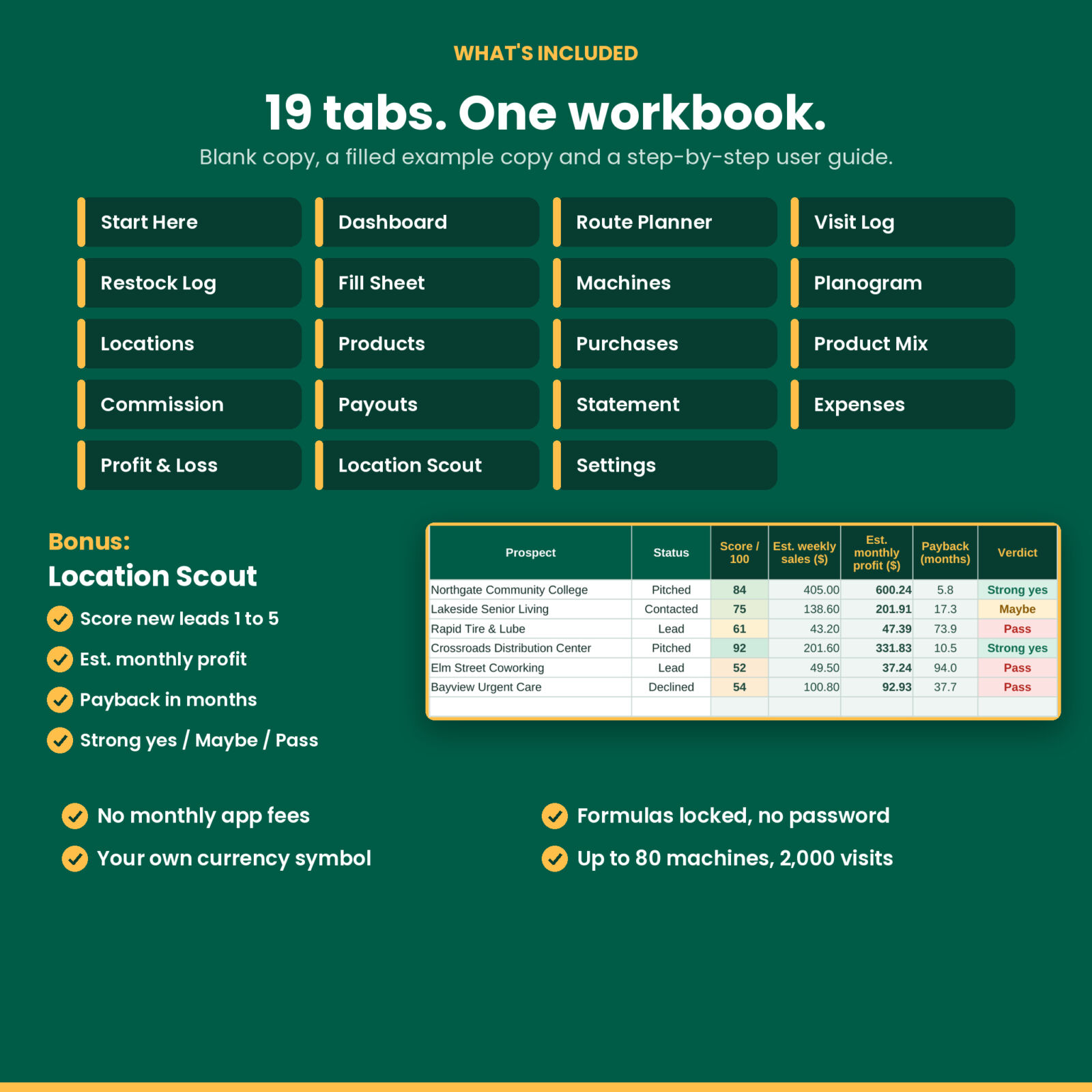
- Location Scout: score new placement leads 1 to 5, estimate monthly profit and payback, get a Strong yes, Maybe or Pass
- Settings: one currency symbol for every money label, your tax, card fee and mileage rates, and editable dropdown lists
Who this vending business tracker is for
- New operators with two or three machines who want to know if a placement is worth keeping
- Growing routes up to 80 machines that need stock control and clean commission records
- Snack, drink, combo and healthy vending operators
- Side-hustle owners who want tax-time totals without a monthly software bill
Real ways buyers use it
- Monday morning: open the Route Planner, print the due stops and pack the van from the pick list.
- A slow machine: check the Planogram, swap the two Slow sellers and watch sell-through over the next month.
- A short cash bag: the cash check flags the visit, so you look at the bill validator before it costs you another week.
- Month end: print a commission statement for each location and log the payment in seconds.
- A new lead: score the gym down the road in Location Scout before you move a machine in.
- Tax time: hand over the quarterly summary with sales, sales tax, product cost, mileage and expenses.
What is included
- Coilwise Vending Route & Restock Tracker, blank workbook (.xlsx, 19 tabs)
- The same workbook filled with a realistic example route: 18 machines, 12 locations and 3 routes
- User guide (.docx) with setup steps, a weekly routine, every tab explained, troubleshooting and FAQ
How it works
- Add your business name, currency symbol, tax rate, card fee and mileage rate on Settings.
- List your products, locations and machines.
- Fill in the Planogram, slot by slot.
- Log visits and restocks as you go. The dashboard, planner, fill sheets, commission and P&L update on their own.
File formats and software
One .xlsx workbook with no macros. It opens in Microsoft Excel for Windows and Mac. To use it in Google Sheets, upload it to Google Drive and open it with Google Sheets. It uses standard formulas, dropdown lists and standard charts. Formula cells are locked with sheet protection and no password, so you can switch protection off any time.
Make it yours
Rename routes, machine types, product categories and expense categories. Change the currency symbol once and every money label follows. Set your own due-soon window, contract warning, cash check tolerance and look-back period. Capacity: 150 products, 60 locations, 80 machines, 800 slots, 2,000 visits and 8,000 restock lines.
Digital download
This is a digital product. Nothing is shipped. Your files are ready to download right after checkout. Licensed for personal and single-business use: please do not resell or share the files.
FAQ
Do I have to log every product at every visit?
No. Visits work on their own with a fallback product cost %. Logging restocks adds product profit, the cash check, sell-through and the pick list.
Does it work in Google Sheets?
Yes. Upload the file to Google Drive and open it with Google Sheets. Charts may look slightly different there.
Can I use my own currency?
Yes. Type your symbol on Settings and every money header, card and statement uses it.
How is commission handled?
Each location can pay a % of gross sales, a % of net sales, a flat monthly fee or nothing. Coilwise works it out per visit and keeps a running balance after payouts.
Can I see which machine pays for itself first?
Yes. Every machine shows lifetime net profit, the % of its cost paid back and an estimate of the months left.
Are there macros or subscriptions?
No macros, no add-ons and no monthly fees. Buy once and keep it.
Is example data included?
Yes. A second copy comes filled with a sample route so you can see every tab working before you start.
Reviews
There are no reviews yet.