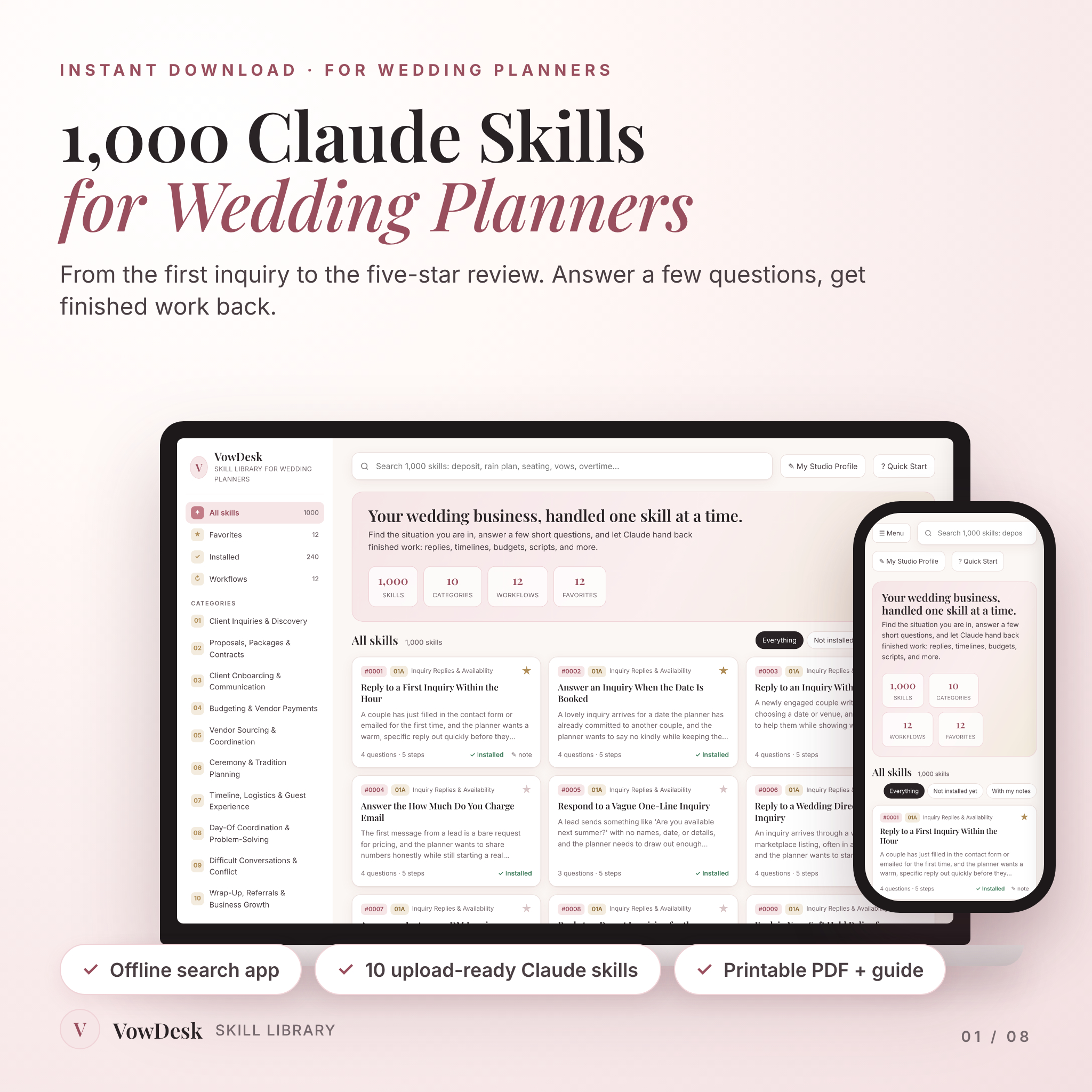
Wedding planners answer the same twenty emails every week. VowDesk gives you 1,000 Claude skills for wedding planners so you can stop starting from a blank page. Each skill asks you a few quick questions, then Claude hands back the finished thing: the reply, the timeline, the budget table, the script for the phone call you’ve been dreading.
It’s built for people who plan weddings for a living. If you’ve ever written “yes, I’m still available on that date” four times before lunch, this was made for you.
What these Claude skills for wedding planners actually do
A skill is a saved method Claude follows, not a vague prompt.
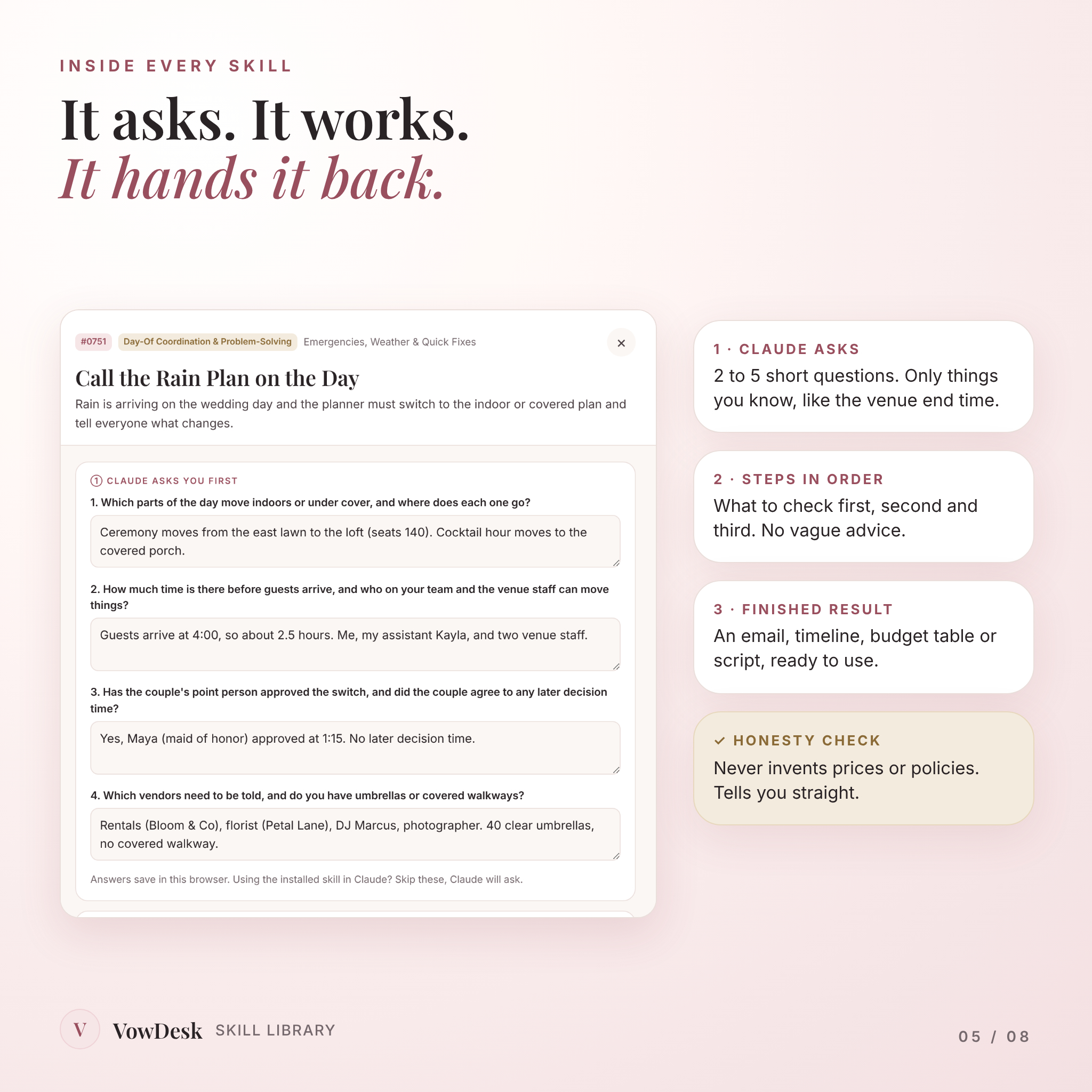
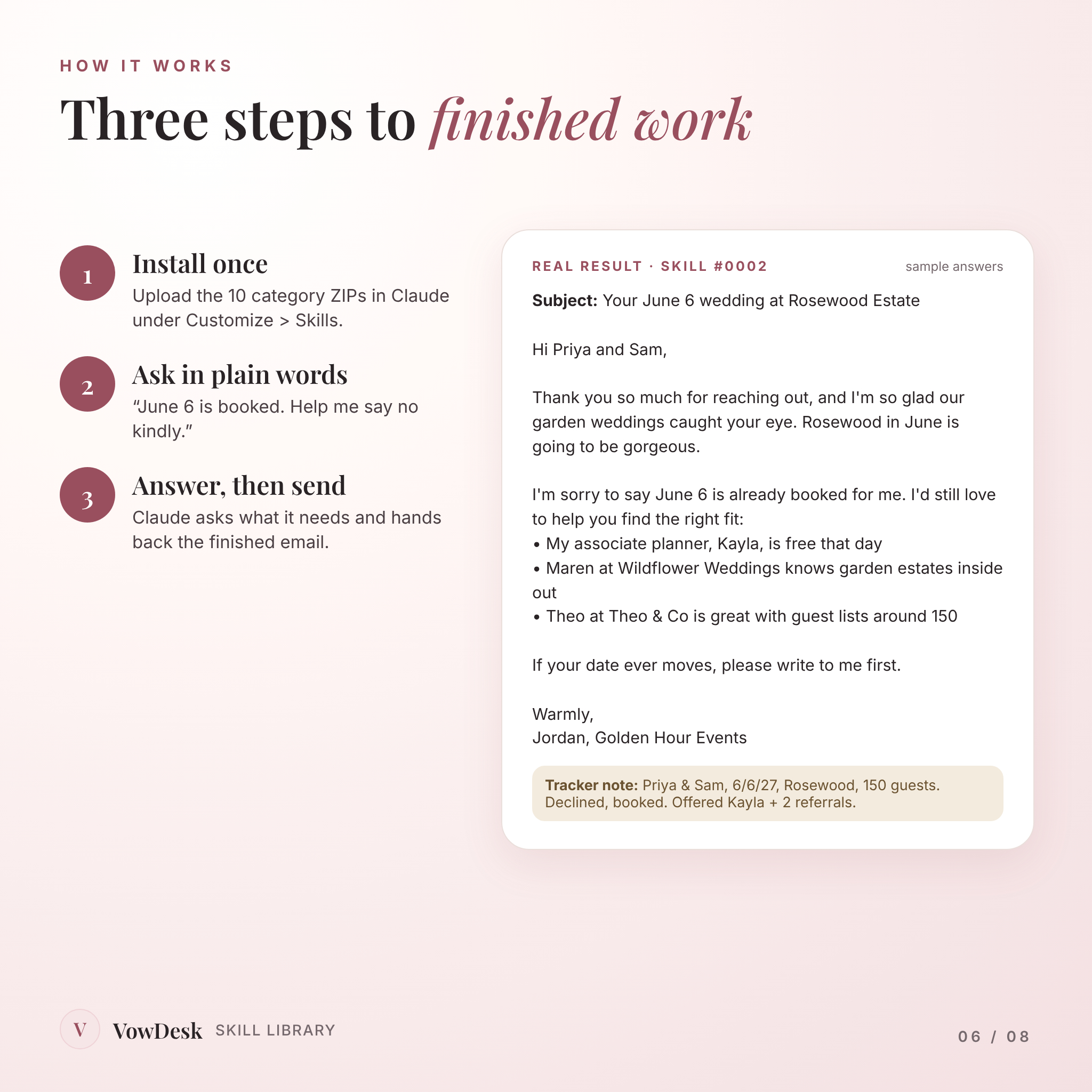
Say a couple asks about June 6 and you’re booked. Open the matching skill (or just tell Claude, if you’ve installed them). It asks for the inquiry, whether the other booking is signed, and who you’d refer. Then it writes a kind, clear decline under 160 words with your alternatives as short bullets, plus a one-line note for your lead tracker.
Every skill follows the same shape:
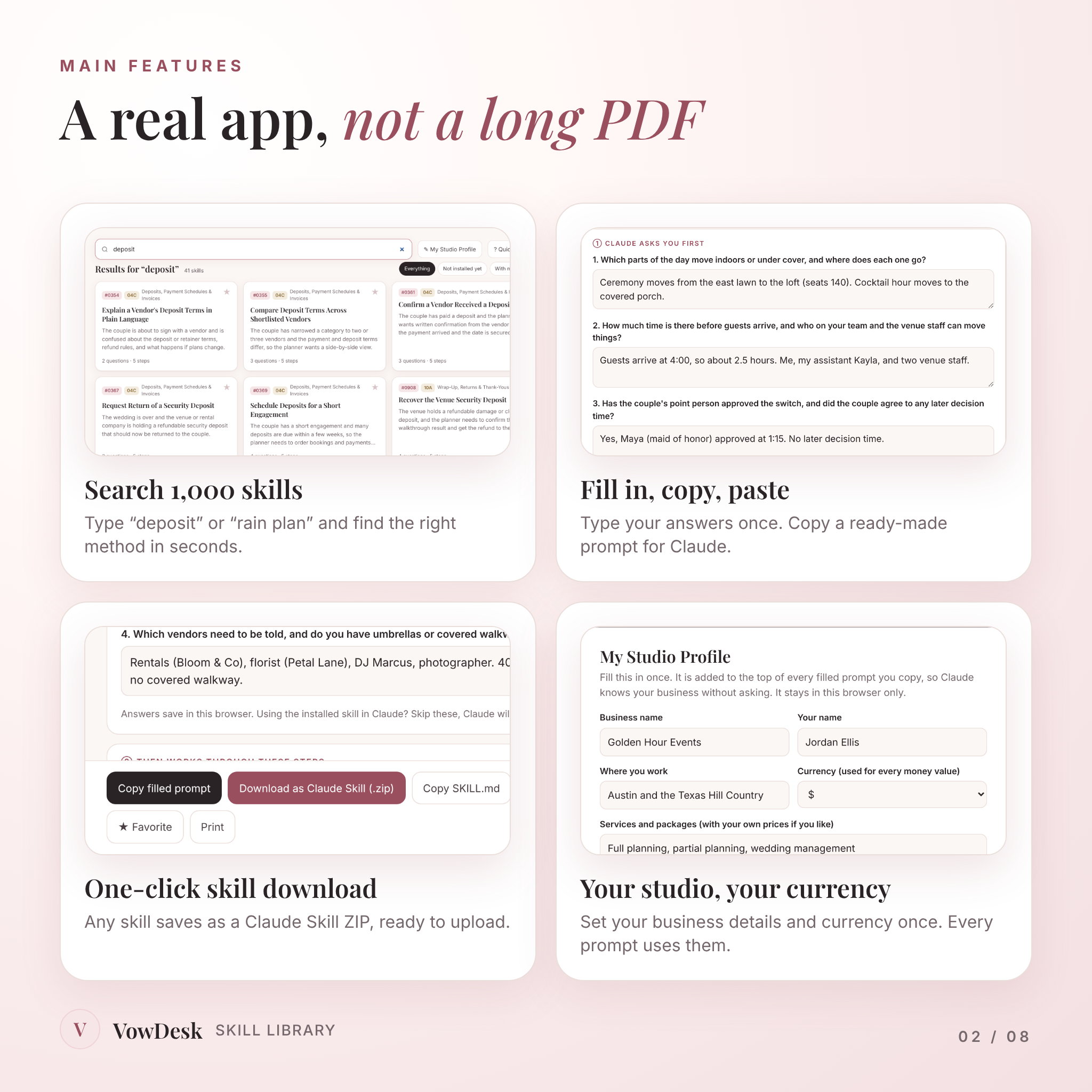
- Claude asks first. Two to five short questions, only things you know, like the venue end time or what your contract says about overtime.
- Steps in order. What to check first, second and third. A budget skill starts with the total, subtracts what’s already committed, then looks at what’s left. Every time.
- A finished result. An email, a run sheet, a seating plan, a decision memo with reasons.
- An honesty check. Claude flags the real problem, like a soft hold you’re about to turn a paying couple away for, instead of just agreeing with you.
Who it’s for
- New wedding planners who want real systems from day one
- Busy planners juggling several couples who want their methods written down and repeatable
- Day-of and month-of coordinators who need calm, fast answers when the day changes
- Small planning teams who want associates handling tasks the way the owner would
What’s included
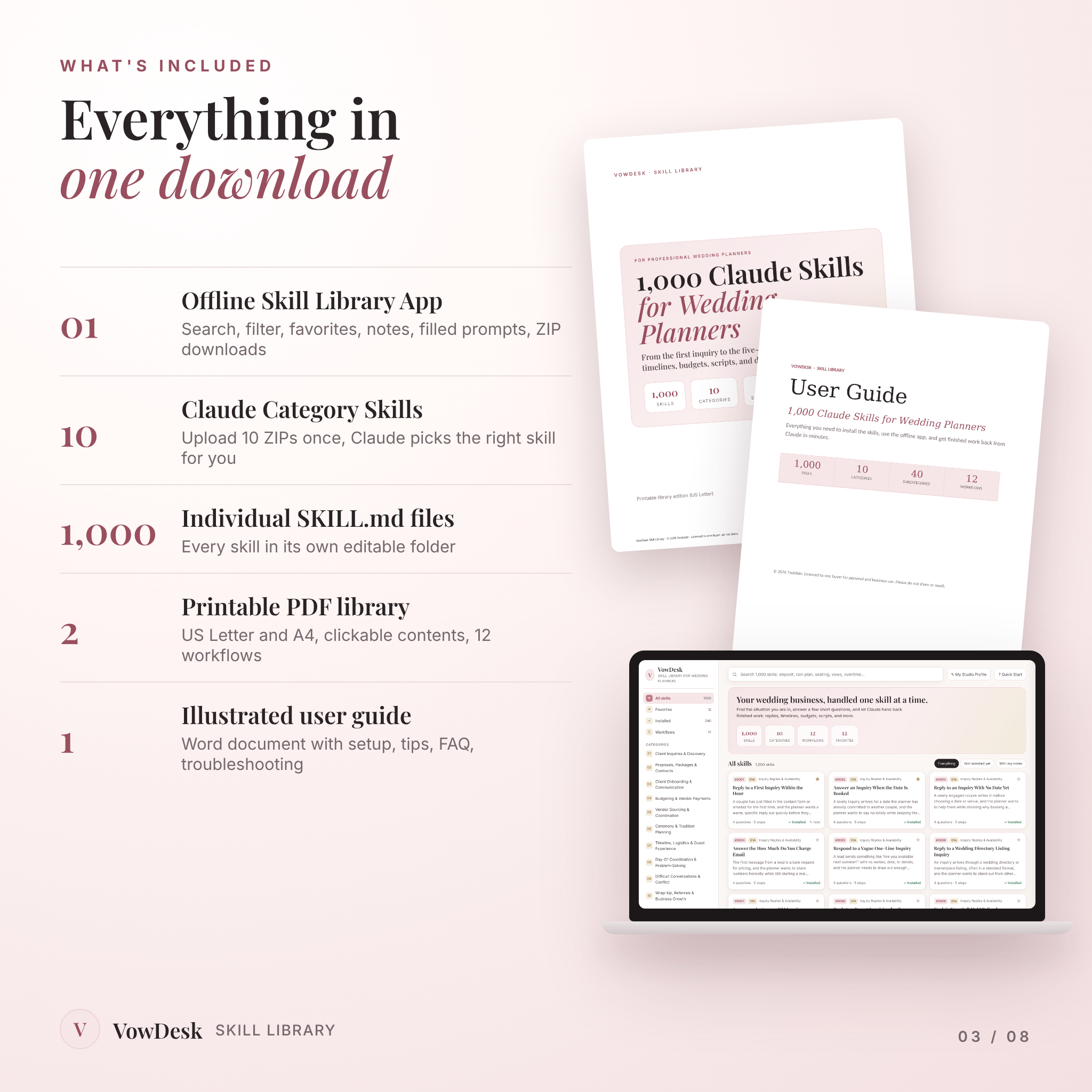
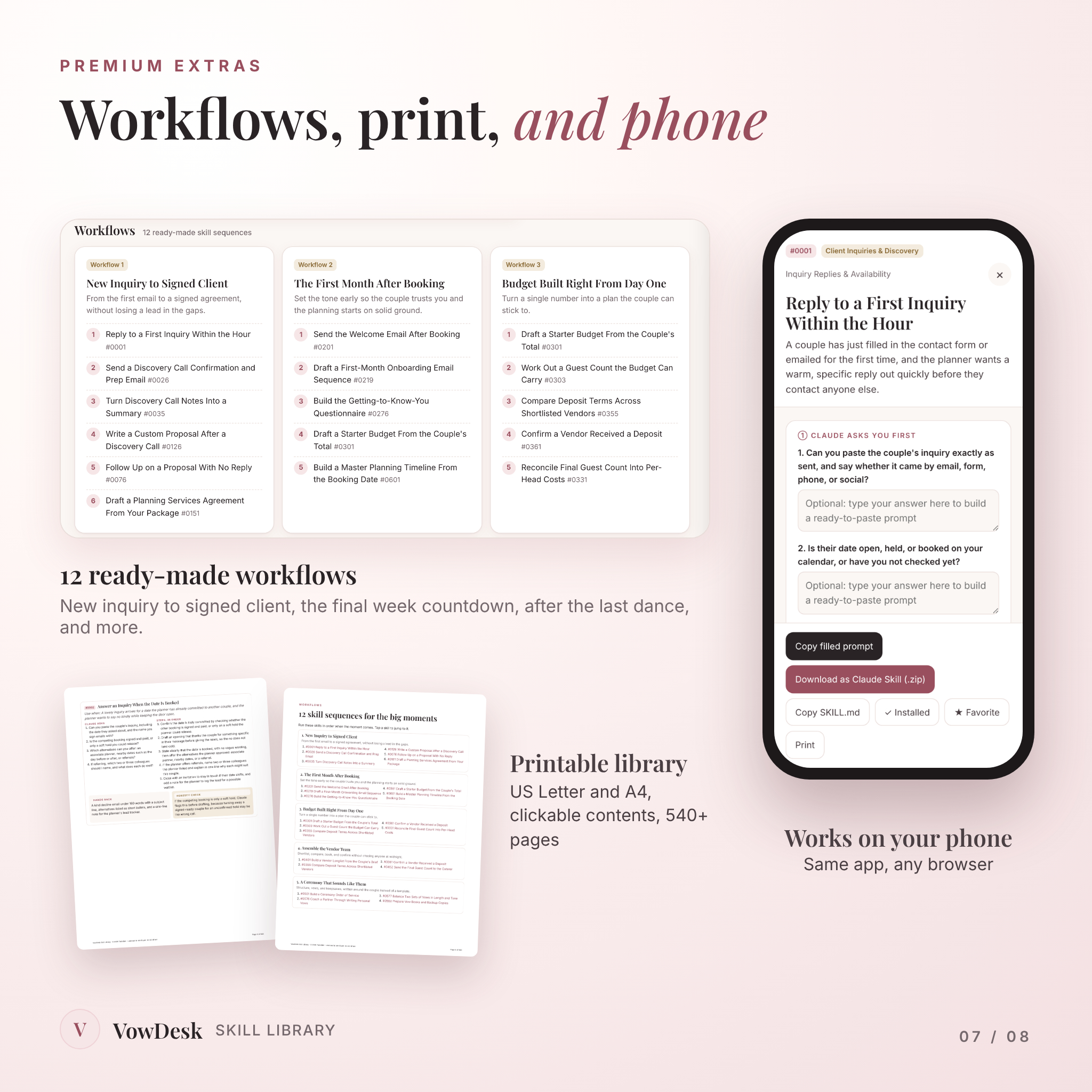
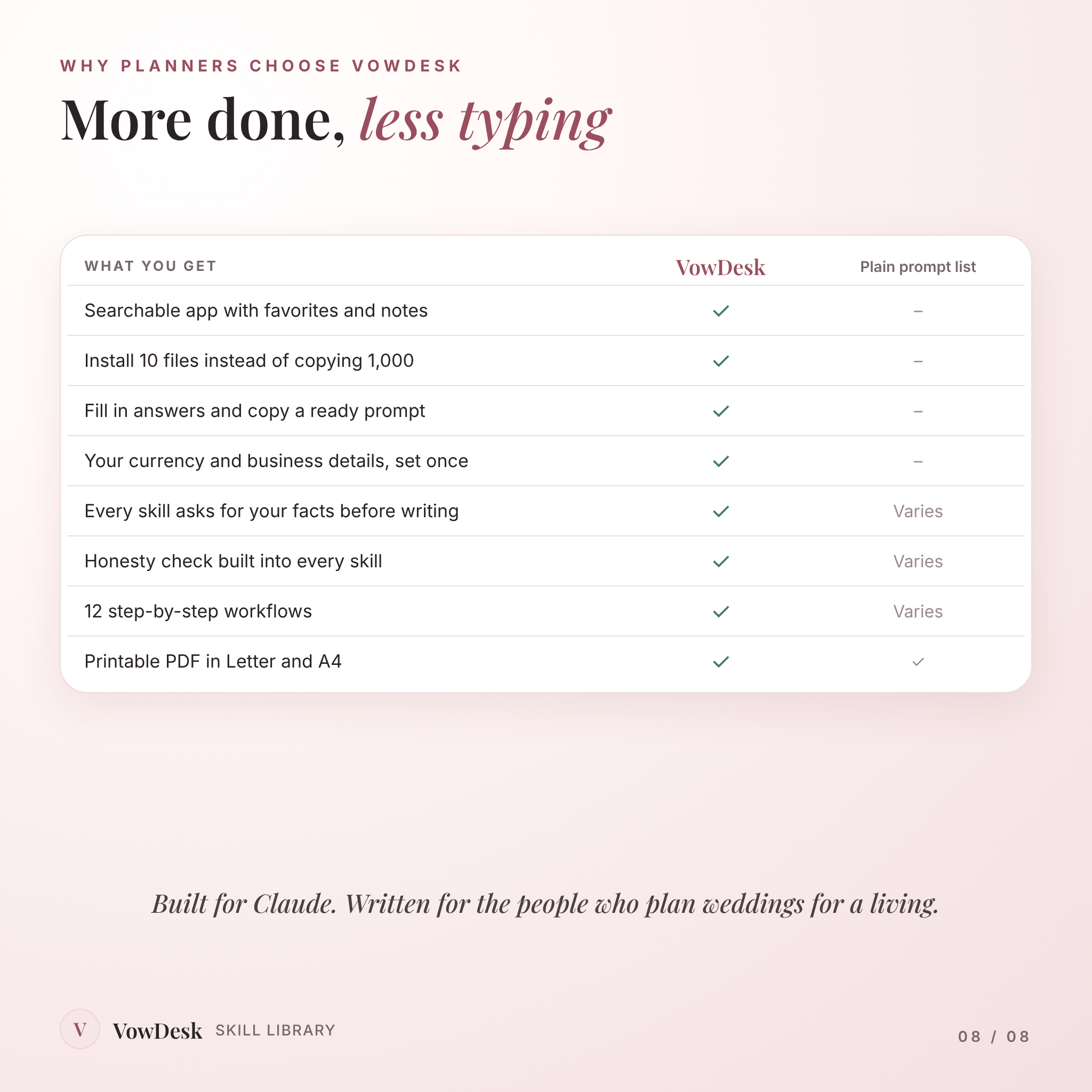
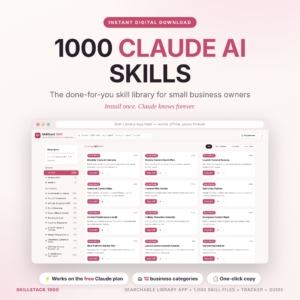
- Offline Skill Library app. One file that opens in your browser. Search all 1,000 skills, filter by category, star favorites, keep private notes, tick off what you’ve installed, and copy a filled-in prompt with one click. No login, no hosted link that can disappear.
- 10 Claude Category Skills (ZIP). Upload these once in Claude under Customize > Skills. Each holds 100 skills plus an index, so Claude picks the right one when you ask in plain words. Ten uploads, not a thousand copy-pastes.
- 1,000 individual SKILL.md files in 10 folders, so you can edit any skill or install just the ones you like. The app also saves any single skill as an upload-ready ZIP.
- Printable PDF library in US Letter and A4, with clickable contents and every skill laid out for reading or printing.
- 12 ready-made workflows, like New Inquiry to Signed Client, The Final Week Countdown, and After the Last Dance.
- Illustrated user guide (Word document) covering setup, tips, customizing, troubleshooting and FAQs.
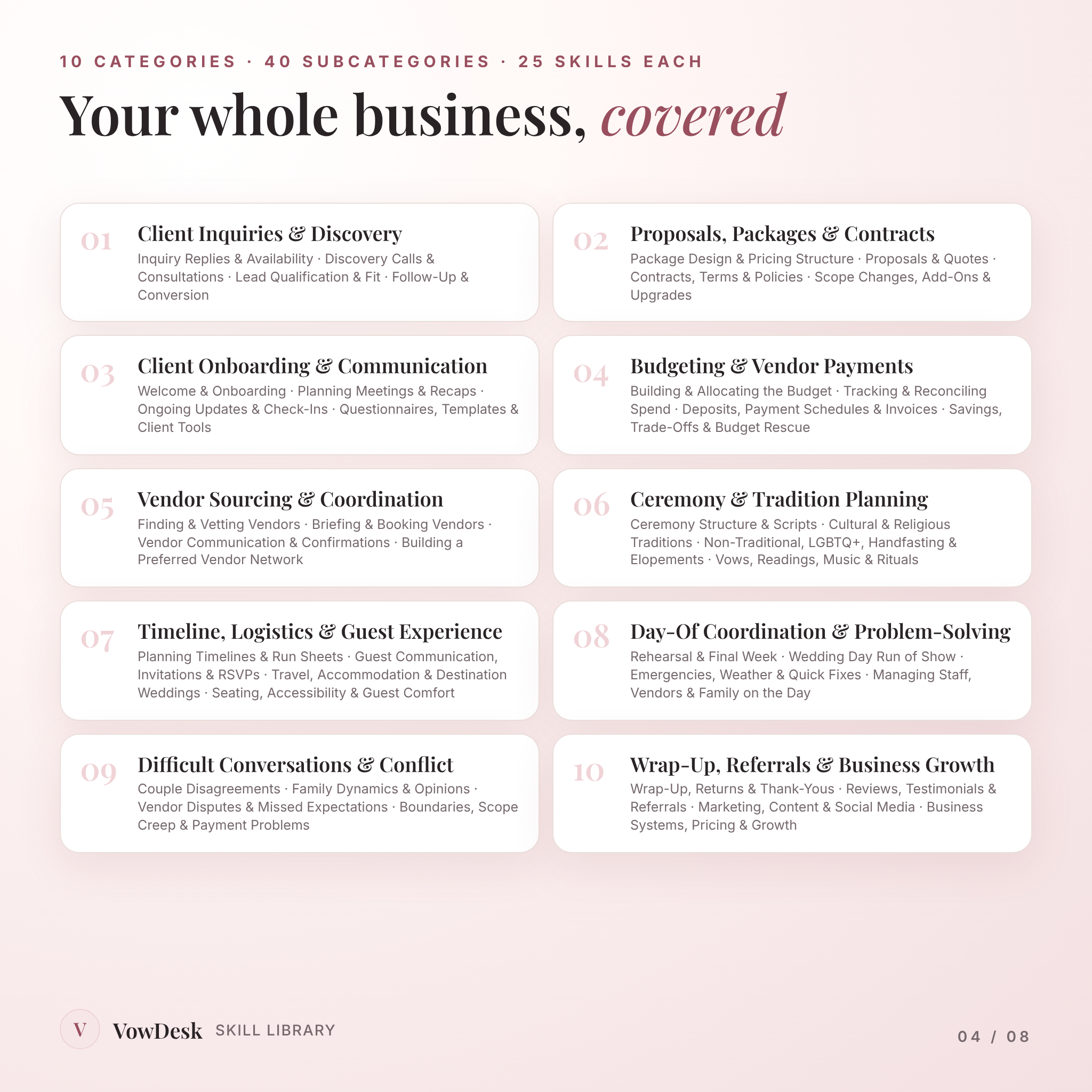
The 10 categories (100 skills each)
- Client Inquiries & Discovery
- Proposals, Packages & Contracts
- Client Onboarding & Communication
- Budgeting & Vendor Payments
- Vendor Sourcing & Coordination
- Ceremony & Tradition Planning, including cultural and religious traditions, LGBTQ+ and same-sex weddings, handfasting, elopements and vow renewals
- Timeline, Logistics & Guest Experience, including destination weddings, room blocks and accessibility
- Day-Of Coordination & Problem-Solving, from the rehearsal to rain calls
- Difficult Conversations & Conflict, with couples, families and vendors
- Wrap-Up, Referrals & Business Growth, from thank-you notes to pricing your next season
How it works
- Download and unzip. Double-click the app file to open it in your browser.
- Set up once. Add your business name, tone, policies and currency in My Studio Profile. Then upload the 10 category ZIPs in Claude.
- Ask in plain words. “Storms are coming at 4. Help me call the rain plan.” Claude asks what it needs and gives you the finished plan, the vendor messages and the guest text.
Prefer not to install anything? Type your answers in the app, press Copy filled prompt, and paste it into Claude.
Why planners pick this over a prompt list
Most AI packs for wedding planners are a long PDF of one-line prompts. You still do the thinking, and you paste them in every time. VowDesk is different in a few concrete ways:
- Every skill was checked by a validator against the official Claude skill format, and a sample was run start to finish with realistic planner answers before release.
- Skills never invent prices, fees, dates or policies. If a number is missing, Claude asks or marks it [to confirm].
- Money is never fixed. Set your currency once ($ by default) and every copied prompt uses it.
- Inclusive by default. Skills say “the couple,” ask for names and pronouns, and ask the officiant or family about traditions instead of assuming.
- It works offline, with no account.
File formats and requirements
- Instant digital download: a 5 MB ZIP with the app, skills and guide, plus the printable PDFs as separate downloads
- App: HTML file, opens in Chrome, Edge, Safari or Firefox on Mac, Windows, iPad or phone. Works offline.
- Skills: Claude Skill ZIP files and SKILL.md text files
- Printable library: PDF in US Letter and A4
- User guide: DOCX, opens in Word, Google Docs, Pages or LibreOffice
- Installing skills needs a Claude plan with Skills turned on. Filled prompts work in any Claude chat.
Customizing it
Every skill is plain text. Change the questions, add steps, or shorten the result, and the guide shows you how to re-zip it.
Real situations you’ll use it for
- Replying to an Instagram DM inquiry with no date and no names
- Turning discovery call notes into a custom proposal the same afternoon
- Rescuing a budget that’s already over before the florist is even booked
- Writing a calm email to a DJ who billed overtime they didn’t work
- Scripting the talk with a paying parent who wants to control the guest list
- Asking for reviews at the right moment, without breaking platform rules
FAQ
Do I need a paid Claude account?
To install skills, you need a Claude plan with Skills turned on. The Copy filled prompt button works in any Claude chat, free or paid.
Will it work with ChatGPT?
It’s built and tested for Claude. The filled prompts are plain text, so you can paste them elsewhere, but we haven’t tested other tools.
Is this just a prompt pack?
No. Each skill asks for your facts, follows ordered steps with real checks, and hands back finished work.
I’m a brand-new planner. Is it too much?
Not at all. Search for what’s in front of you today and ignore the rest. The 12 workflows show you what to use and when.
Does it suit planners outside the US?
Yes. Set your own currency, and skills flag anything that depends on local rules, like marriage license timing.
Can my assistant use it?
Yes, inside your business. Please don’t share the files with other planners.
License
For your own personal and business use. Use the results with as many clients as you like. Please don’t resell, share or redistribute the files. Claude is a product of Anthropic; this product is made by Taskdale and is not affiliated with Anthropic.
Reviews
There are no reviews yet.