A wedding RSVP tracker that keeps going after the replies come in
Gratefold is a wedding RSVP tracker and thank you card tracker in one Excel and Google Sheets workbook. Most guest list templates stop once you know who is coming. That is the easy part. The busy part comes next: chasing late replies, giving the caterer exact meal counts and allergies, telling the venue who sits where, and remembering who sent the stand mixer and who sent the check.
Gratefold handles all of it from the same guest data. You type each name once. The workbook does the counting, the reminders and even the first draft of your thank-you notes.
Who it is for
- Couples who want RSVPs, meal choices and thank-you notes in one tidy place
- Parents, a maid of honor or a sibling helping run the RSVP side
- Anyone hosting a rehearsal dinner, welcome drinks or a farewell brunch alongside the wedding
- Couples who still owe shower or engagement party thank-yous and want to catch up
What you can do with it
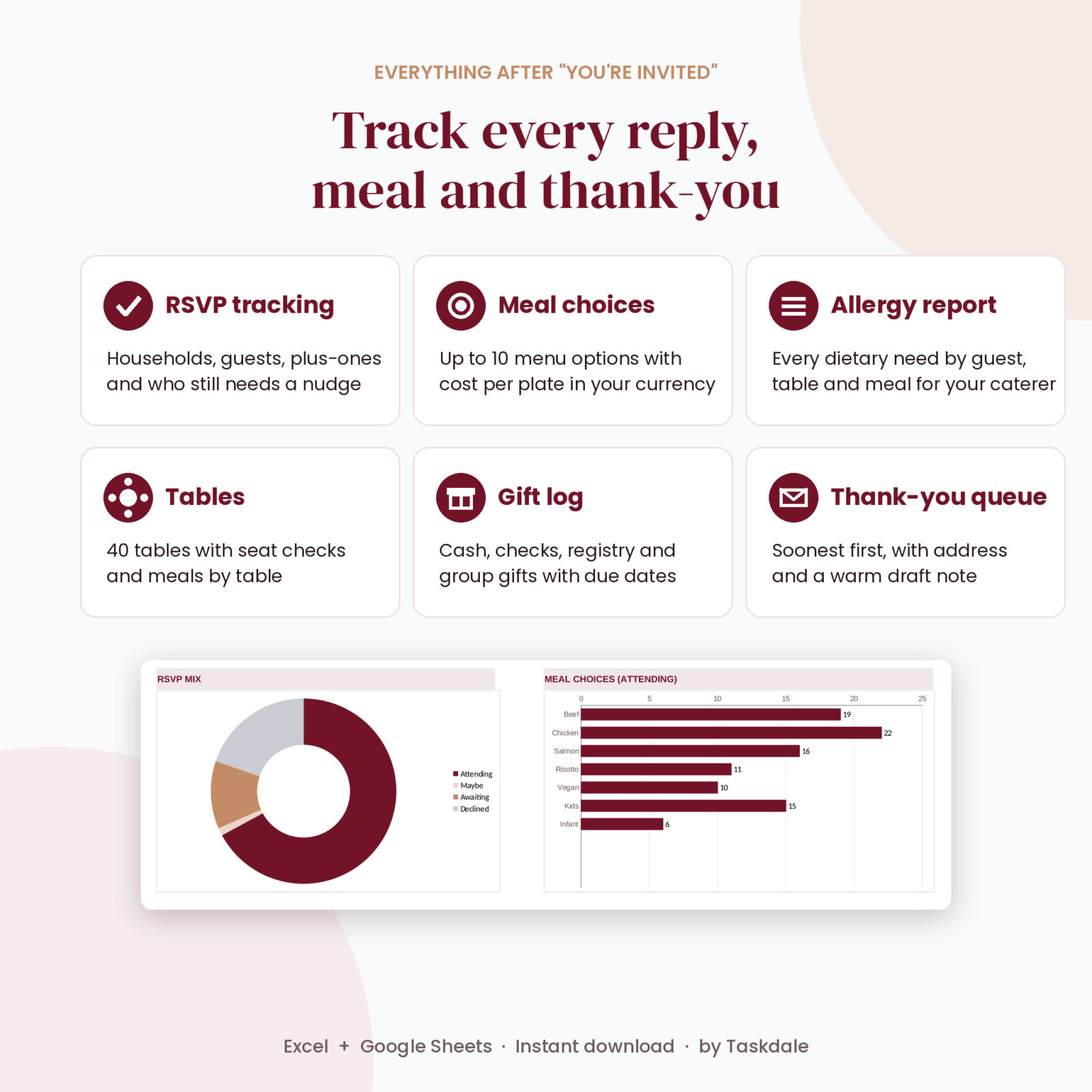
Track replies by household and by guest
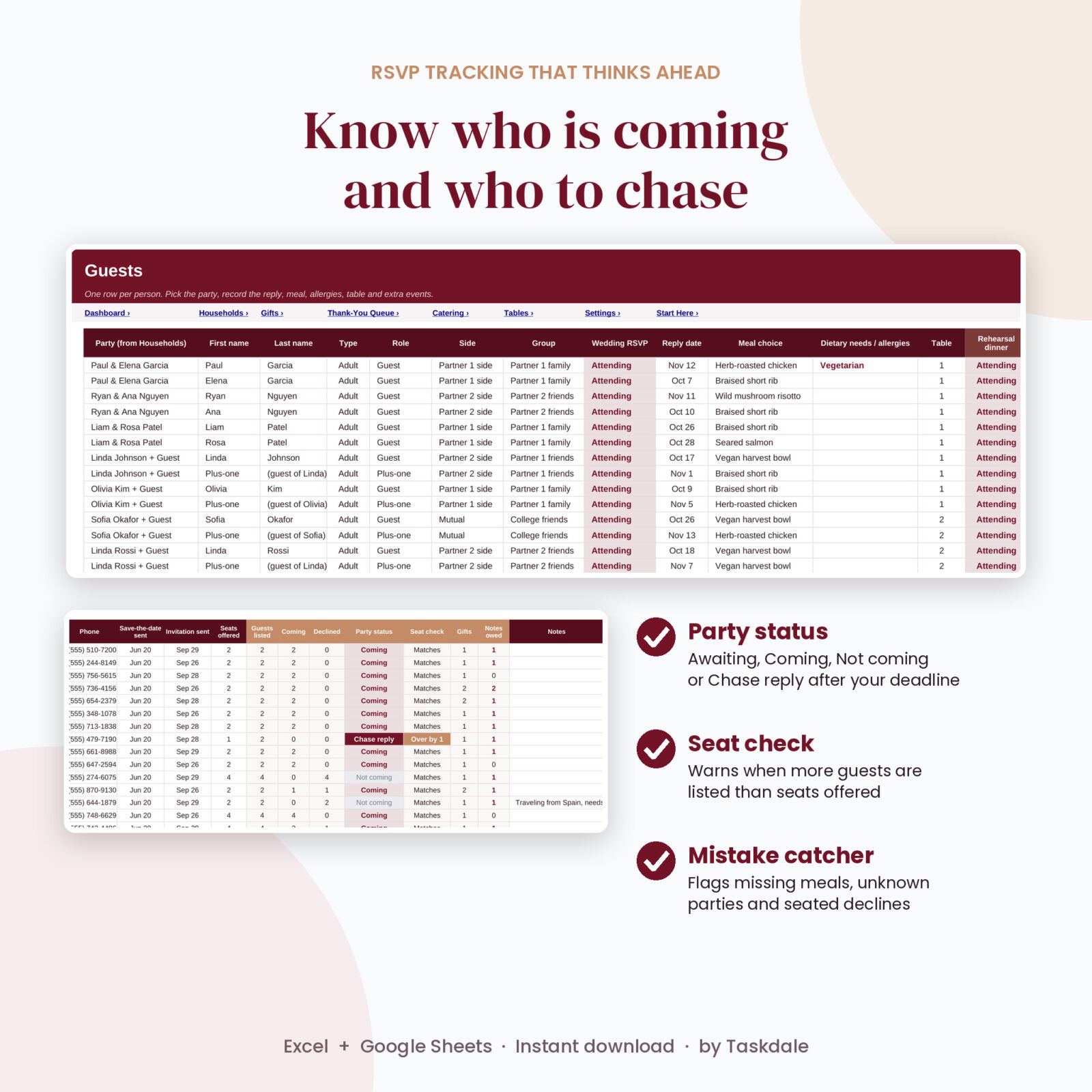
Add each invitation once on the Households tab with the envelope name, mailing address and number of seats offered. Then list the people. Each household shows Awaiting, Coming, Not coming or Chase reply once your RSVP deadline passes, so the follow-up list writes itself. A seat check warns you when a household lists more guests than you offered.
Count meals and flag allergies for your caterer
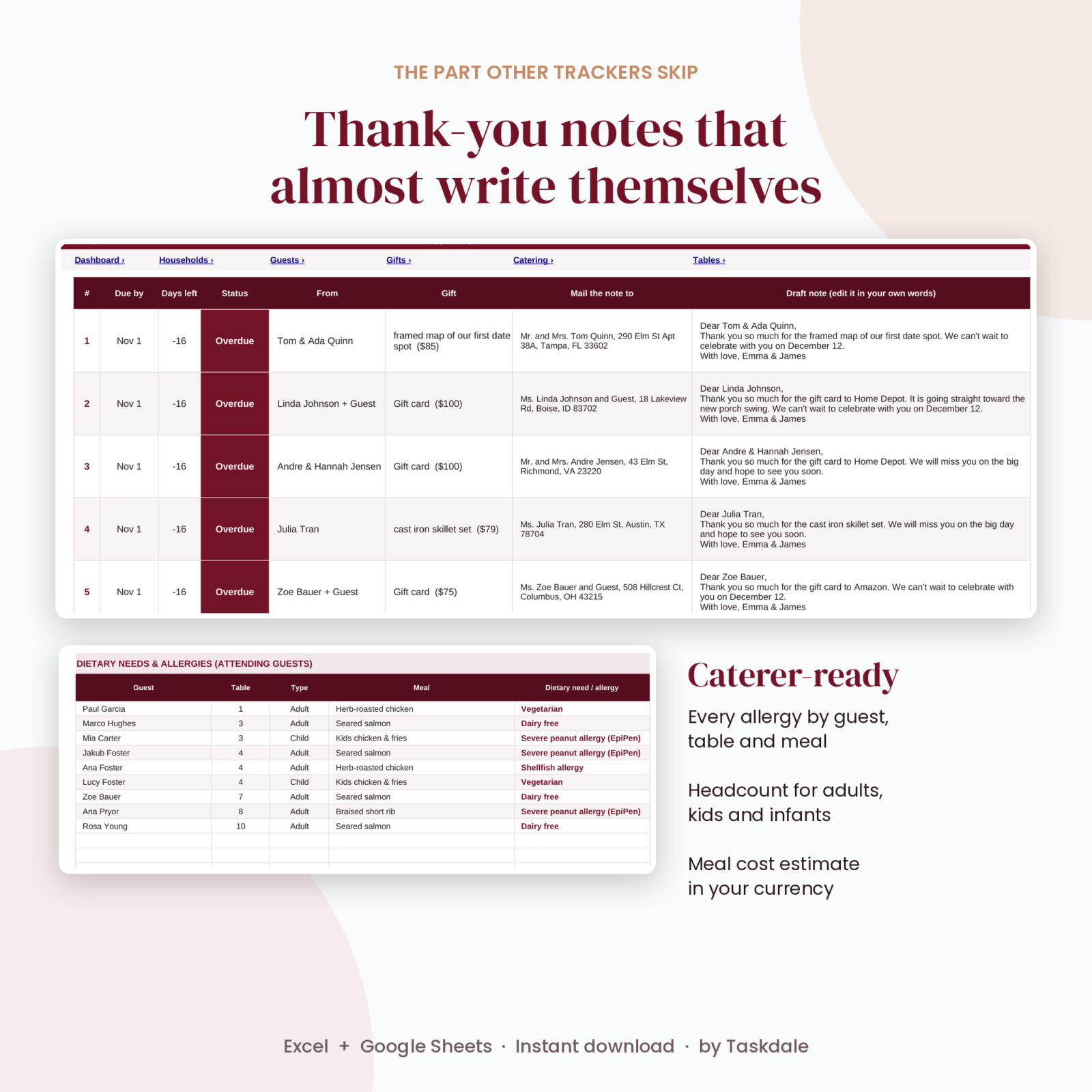
Set up to 10 menu options with an optional cost per plate. The Catering tab gives you the wedding day headcount split into adults, children and infants, plates per meal, a cost estimate in your own currency and a list of every attending guest with a dietary need, along with their table and meal. Print it or save it as PDF and send it straight to your caterer.
Plan tables and meals by table
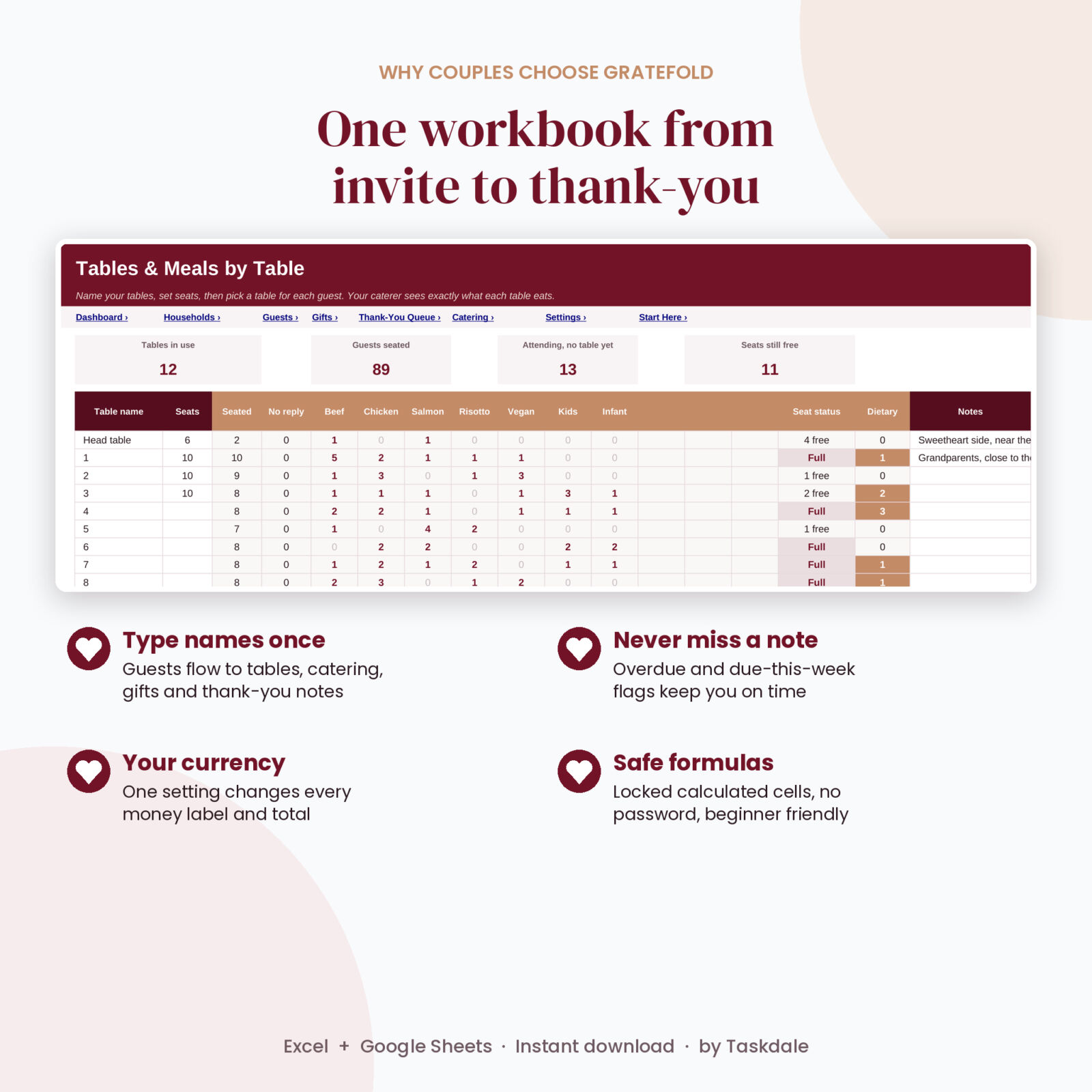
Name up to 40 tables and set the seats. Gratefold shows who is seated, who has not replied, seats free or over, special diets and exactly how many of each meal every table needs.
Log gifts and never miss a thank-you
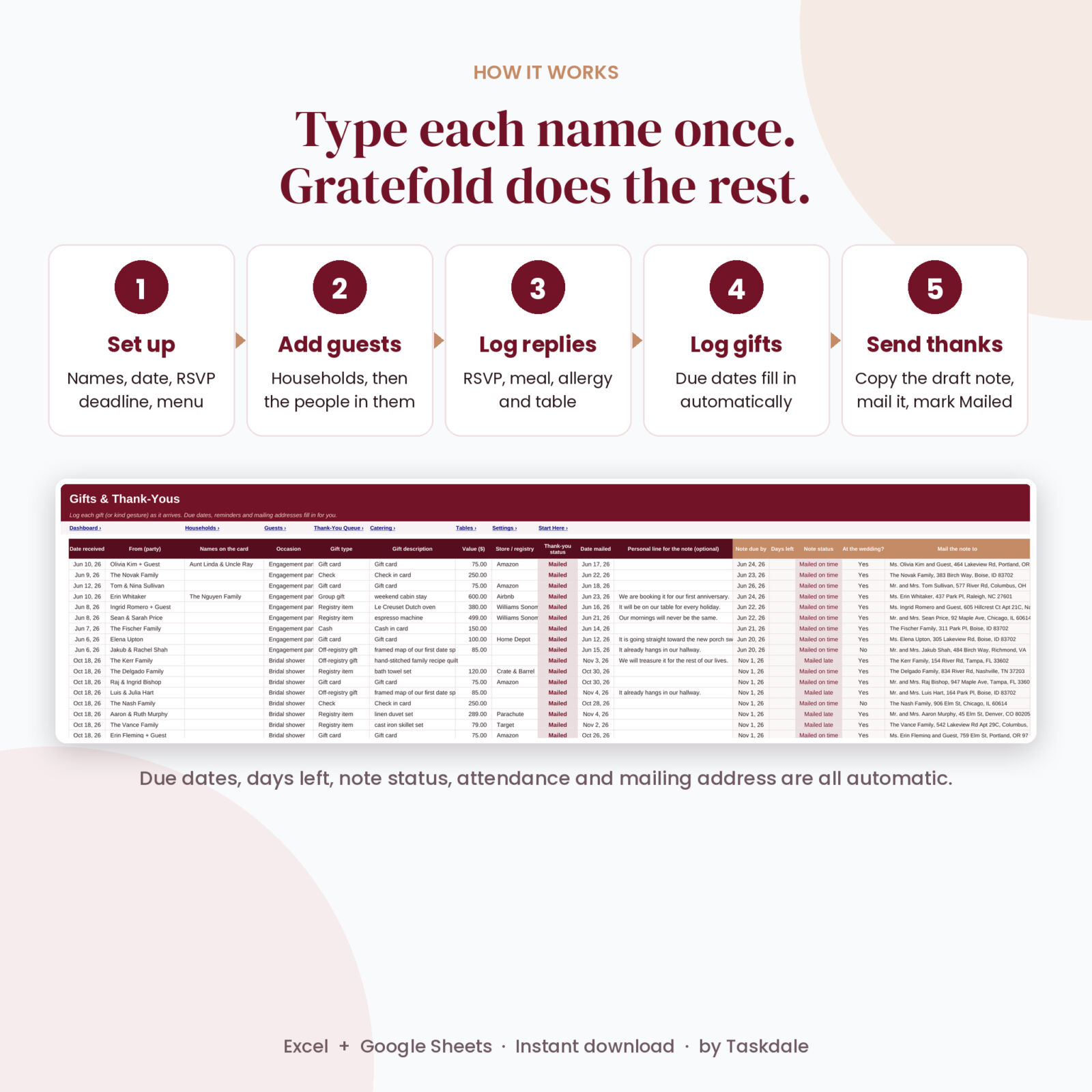
Record cash, checks, gift cards, registry items, group gifts and even kind gestures like the aunt who hand-lettered your place cards. Each gift gets a due date based on your thank-you timing (90 days after the wedding by default, 14 days for showers and parties), days left, a status flag and the mailing address pulled from Households.
Write thank-you notes faster
The Thank-You Queue lists every note not yet mailed, soonest first. Each row gives you the envelope name, the address and a warm first draft. Cash becomes “your generous gift”, so you never write an amount on a card. Guests who came hear how much it meant to celebrate with them. Guests who could not make it get a kind “we missed you” line. Add your own personal line and it slots right in.
Features at a glance
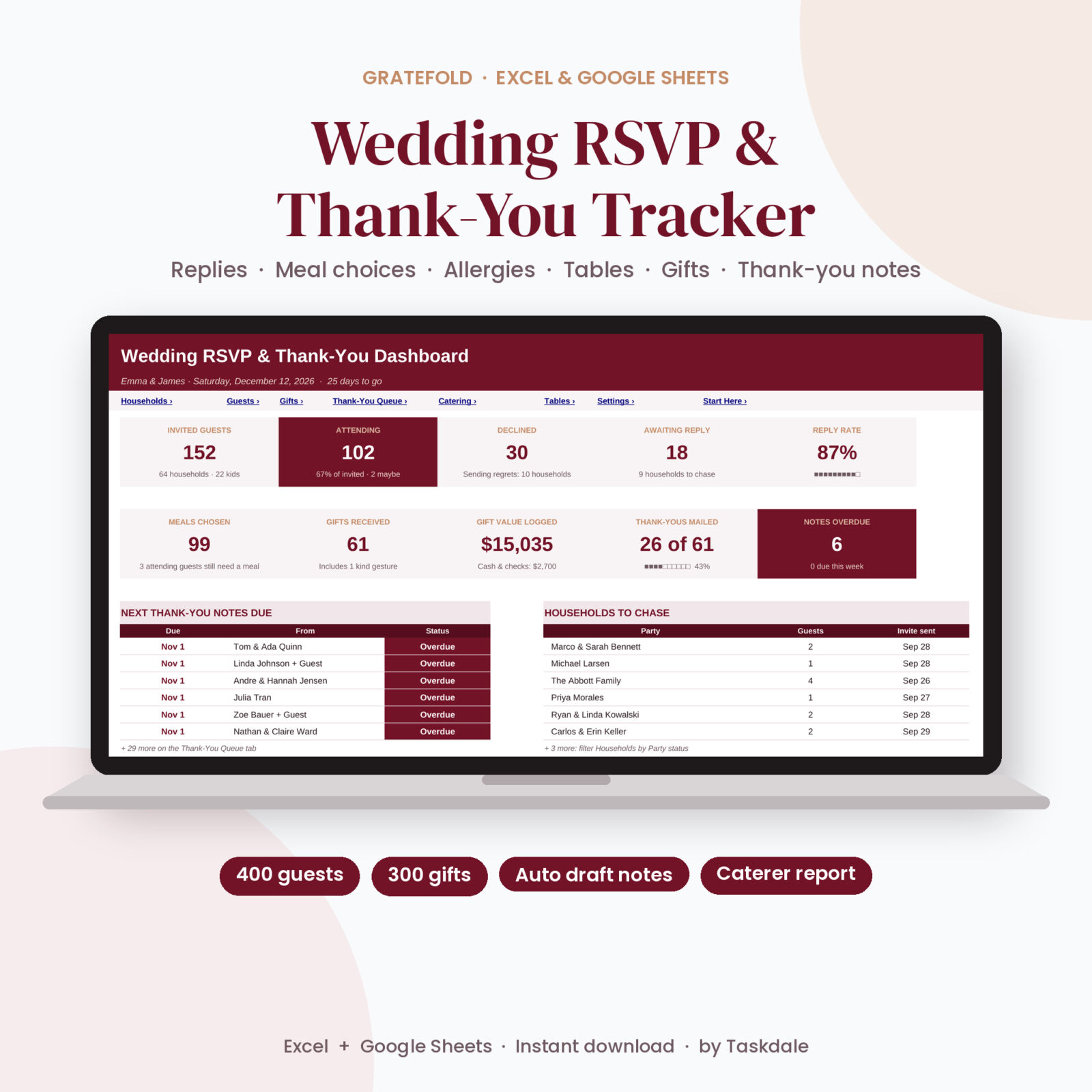
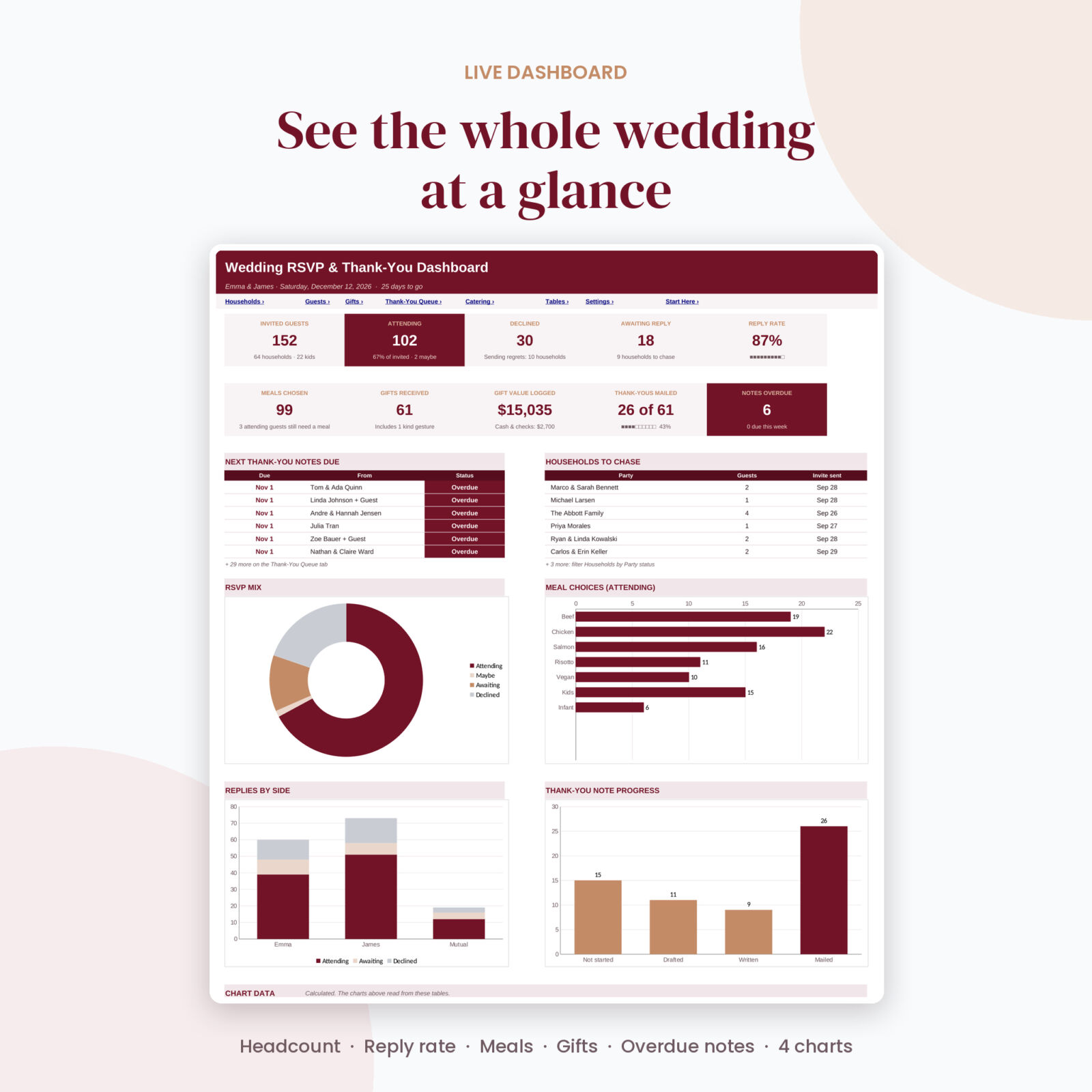
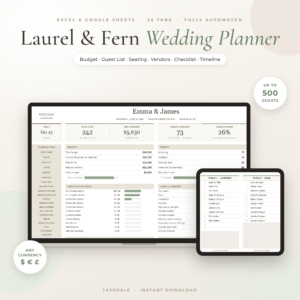
- Dashboard with 10 live cards: invited, attending, declined, awaiting, reply rate, meals chosen, gifts, gift value, notes mailed and notes overdue
- Four charts: RSVP mix, meal choices, replies by side and thank-you progress
- Next six notes due and the households to chase, right on the dashboard
- Up to 4 extra events with their own Invited, Attending and Declined replies and cost estimates
- Guest type (adult, child, infant) and role (guest, plus-one, wedding party, officiant, vendor meals)
- A Check column that catches missing meals, unknown parties, retired menu options and declined guests who still have a seat
- Thank-you timing per occasion: wedding, bridal shower, engagement party, bachelor or bachelorette, helpers and more
- One currency setting that every money label and total follows
- Dropdowns everywhere, formulas locked without a password, input cells left open
What is included
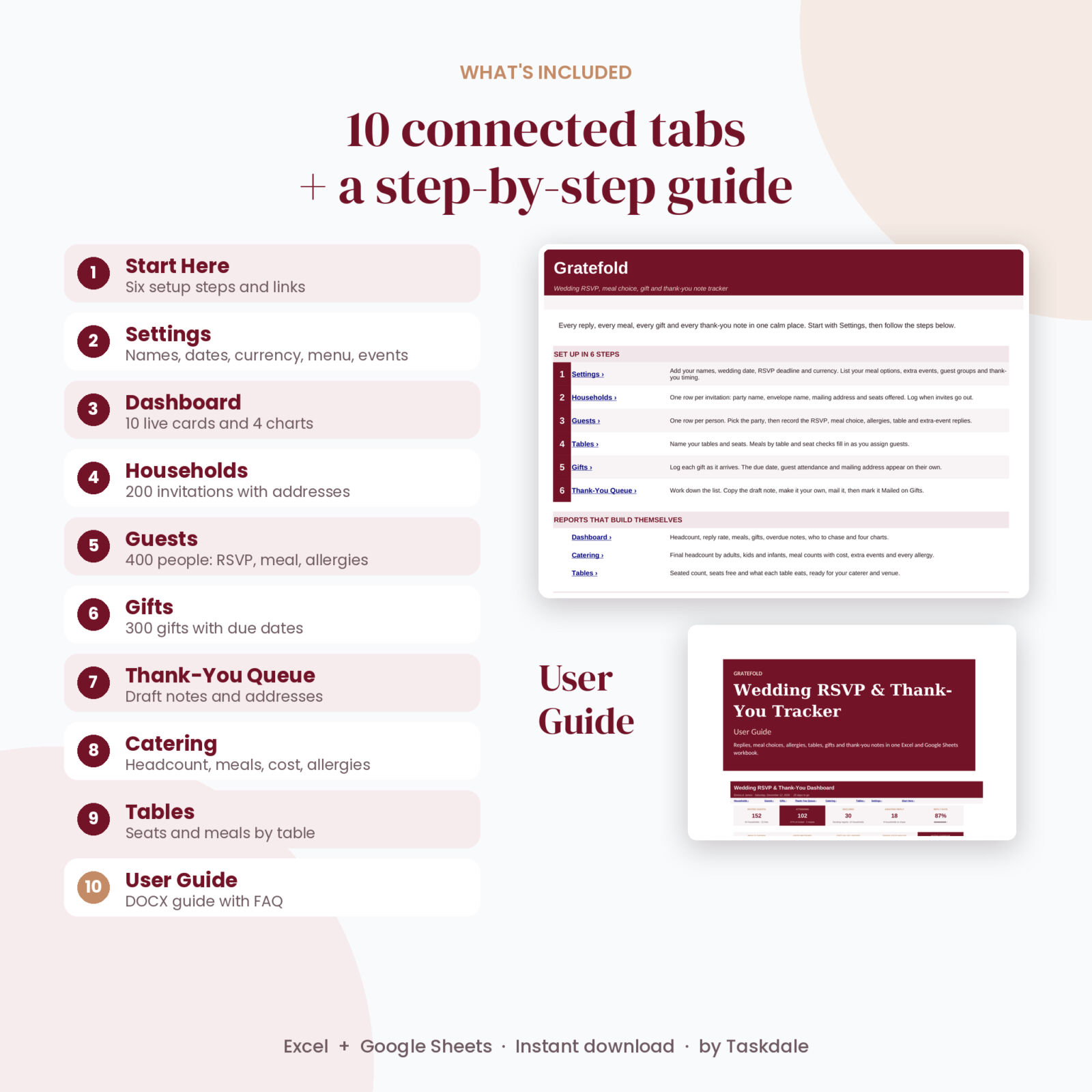
- Gratefold Wedding RSVP and Thank-You Tracker (.xlsx) with 10 tabs: Start Here, Settings, Dashboard, Households, Guests, Gifts, Thank-You Queue, Catering, Tables and Lists
- Gratefold User Guide (.docx) with setup steps, screenshots, tips, troubleshooting and FAQ
The download is a clean copy, ready for your own wedding. The listing images show it filled with made-up sample guests.
How it works
- Open Settings and add your names, wedding date, RSVP deadline, currency, menu and extra events.
- Add each household with its mailing address, then the guests in it.
- Record replies, meals, allergies and tables as they come in. Check the dashboard and chase list.
- Log gifts as they arrive. Due dates and addresses fill in on their own.
- Work down the Thank-You Queue, mail each card and mark it Mailed.
File formats and software
- Microsoft Excel 2016 or newer, Excel for Mac and Microsoft 365
- Google Sheets: upload the file to Google Drive and open it with Google Sheets (free Google account)
- Uses standard functions only. No macros, no add-ons
Customization
Rename meals, events, guest groups and occasions on Settings and the dropdowns update right away. Change the currency symbol once and every total follows. Sheets are protected without a password, so you can unprotect one and restyle it whenever you like.
Digital download
This is a digital product. Nothing is shipped. You can download the files from your account as soon as your order is complete. Personal use license: please do not resell or share the files.
FAQ
Does this wedding RSVP spreadsheet work in Google Sheets?
Yes. Upload it to Google Drive and open it with Google Sheets. It only uses functions both programs support.
How many guests can I track?
200 households, 400 guests, 300 gifts and 40 tables.
Can it track meal choices for kids and infants?
Yes. Each guest has a type, and the catering report splits adults, children and infants and counts plates per meal.
Does it send RSVP emails or collect replies online?
No. It is a tracker. Record replies however they arrive: reply cards, texts, calls or your wedding website.
Can I track bridal shower and engagement gifts too?
Yes. Every gift has an occasion with its own thank-you timing, so shower gifts are due sooner than wedding gifts.
Will the draft thank-you notes mention cash amounts?
No. Cash, checks and honeymoon fund gifts are written as “your generous gift”. You can edit every draft in your own words.
Can I use my own currency?
Yes. Type any symbol on Settings and every money value follows it.
Reviews
There are no reviews yet.