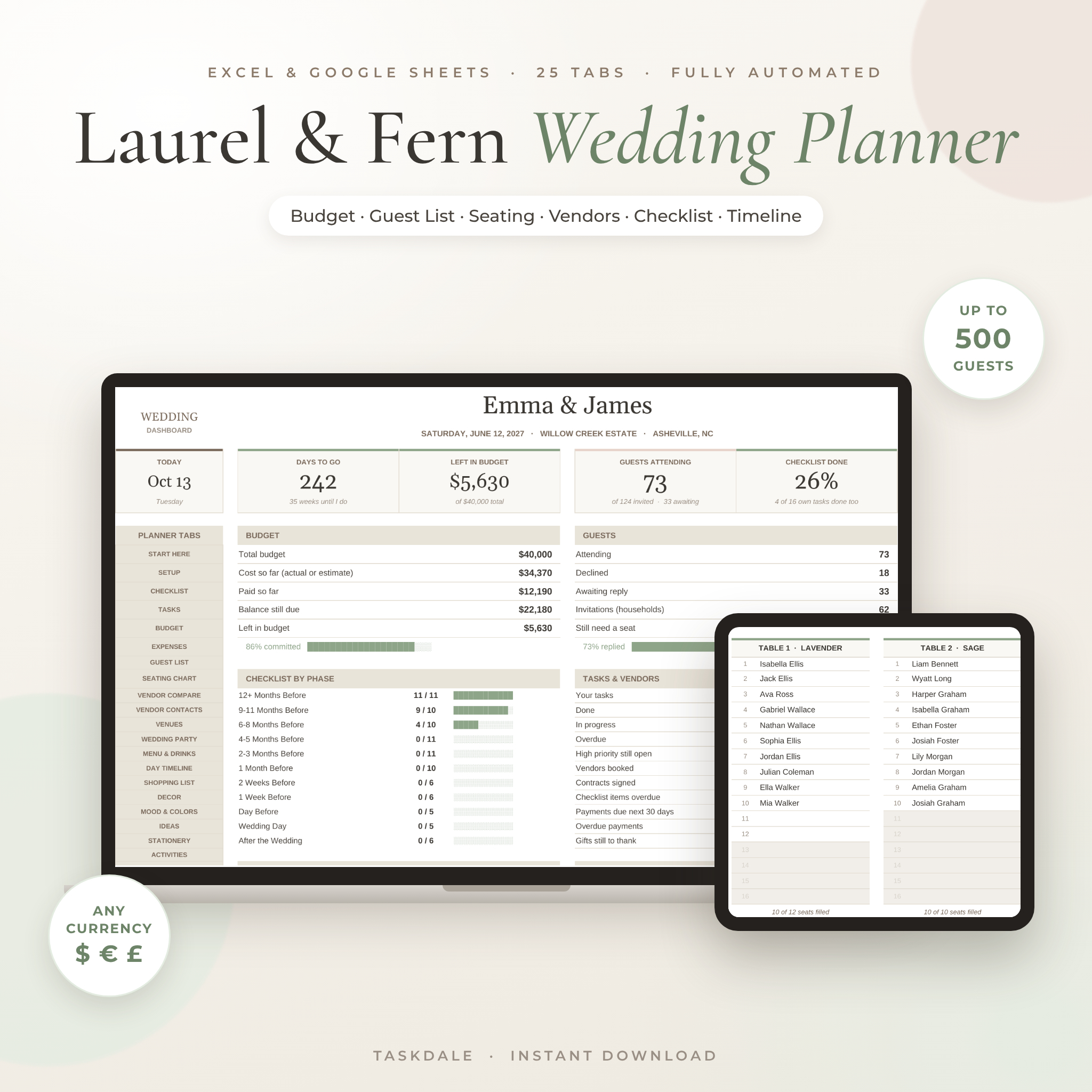
The Laurel & Fern Wedding Planner spreadsheet keeps your budget, guest list, seating chart, vendors, checklist and wedding day timeline in one calm, sage-and-ivory workbook. It works in Google Sheets and comes as an Excel (.xlsx) file. You type each detail once. The planner does the math, the counting and the date work, then shows the results everywhere they matter.
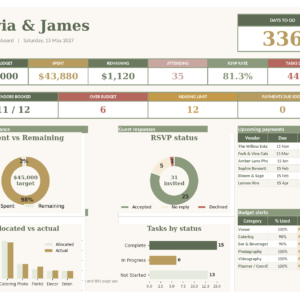
Change one RSVP and watch the dashboard, seating chart, meal counts and caterer headcount all update. That’s the whole idea.
What This Wedding Planner Spreadsheet Does
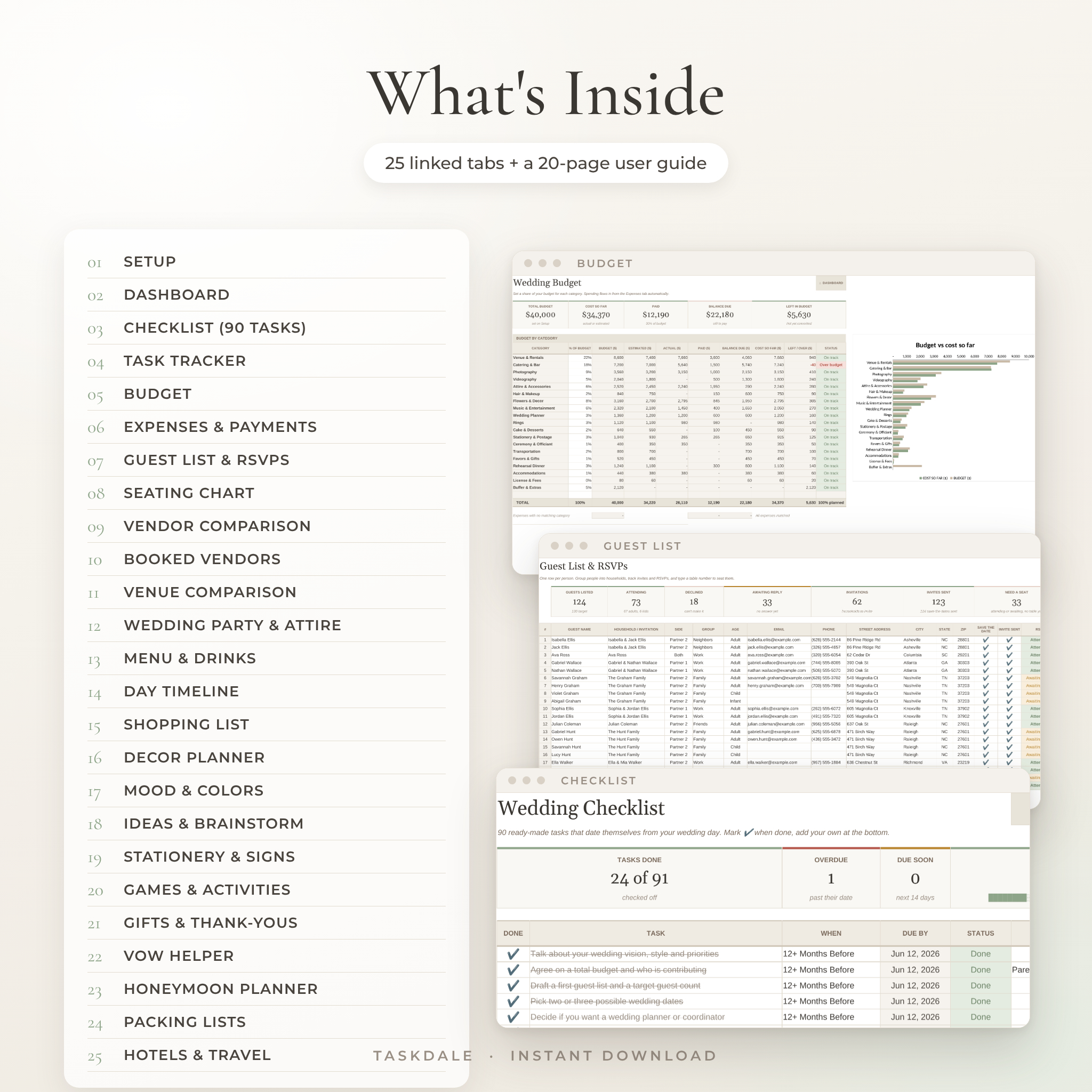
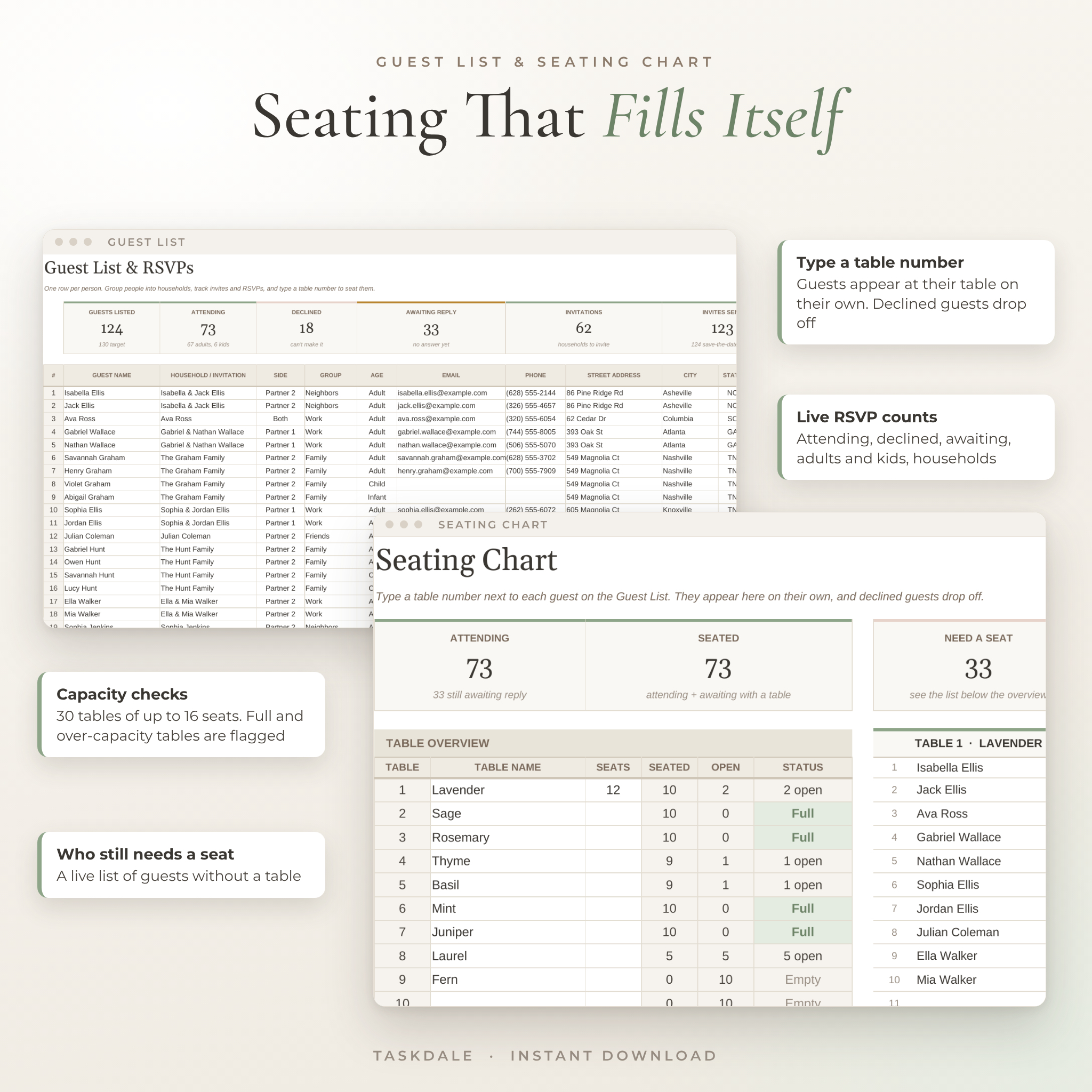
Most wedding templates are a stack of separate lists. This one is linked. The Guest List feeds the Seating Chart, the Menu, the Stationery quantities, the Gift log and the Dashboard. The Expenses tab feeds the Budget and your vendor balances. Add your wedding date and 90 checklist tasks get their own due dates.
It looks good too. Soft ivory, taupe and sage, clear headings and plenty of white space, so it feels like a planner and not a tax form.
Who It’s For
- Couples planning their own wedding, from 30 guests in a backyard to 300 in a ballroom
- A parent, sibling or maid of honor helping behind the scenes
- Day-of coordinators who want the timeline, contacts and seating in one file
- Anyone budgeting in a currency other than US dollars
Main Benefits
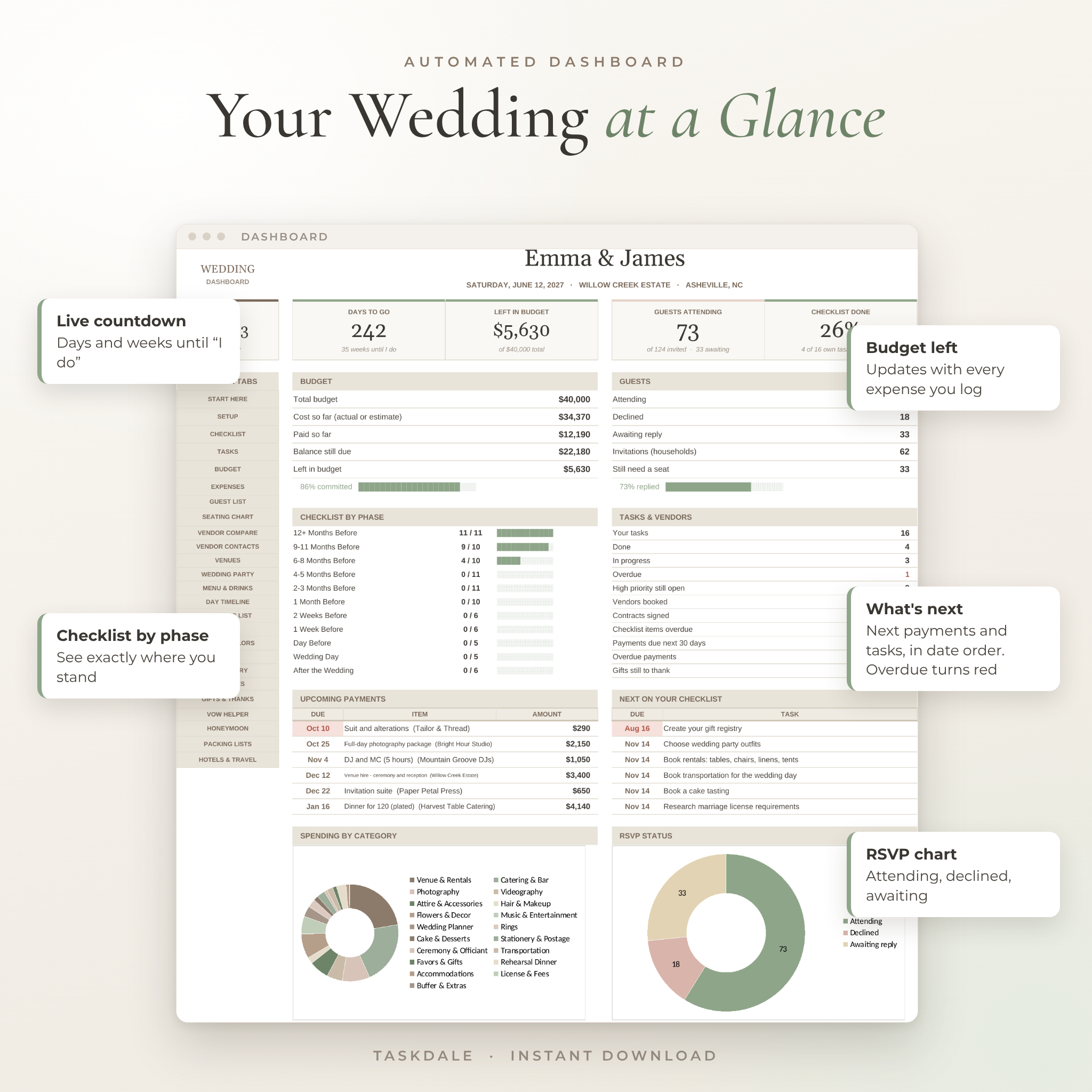
- Know where your money is going. Budget left, paid so far and balance due are always up to date.
- Never miss a payment. Your next six payments show on the dashboard in date order. Overdue ones turn red.
- Seat everyone without the headache. Type a table number next to a guest. They appear at that table on their own.
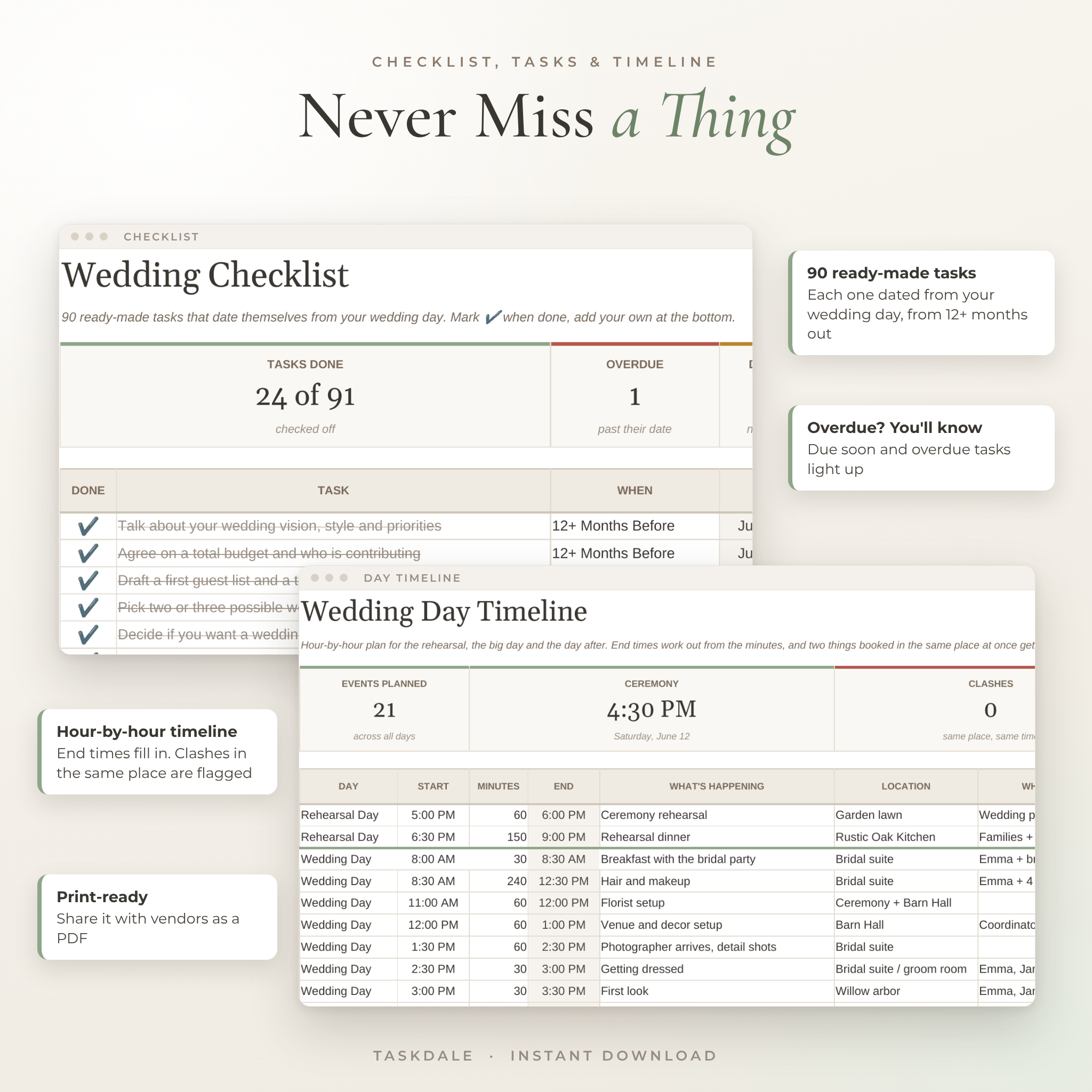
- Stay on schedule. Tasks are dated from your wedding day and flagged when they’re due soon or late.
Features of the Wedding Budget Tracker, Guest List and Seating Chart
Planning and progress
- Dashboard with countdown, budget left, guests attending, checklist progress by phase, upcoming payments, next tasks, a spending chart and an RSVP chart
- 90-task wedding checklist from 12+ months out to after the wedding, with automatic due dates and status
- Task tracker with owners, priorities, due dates and days left
Money
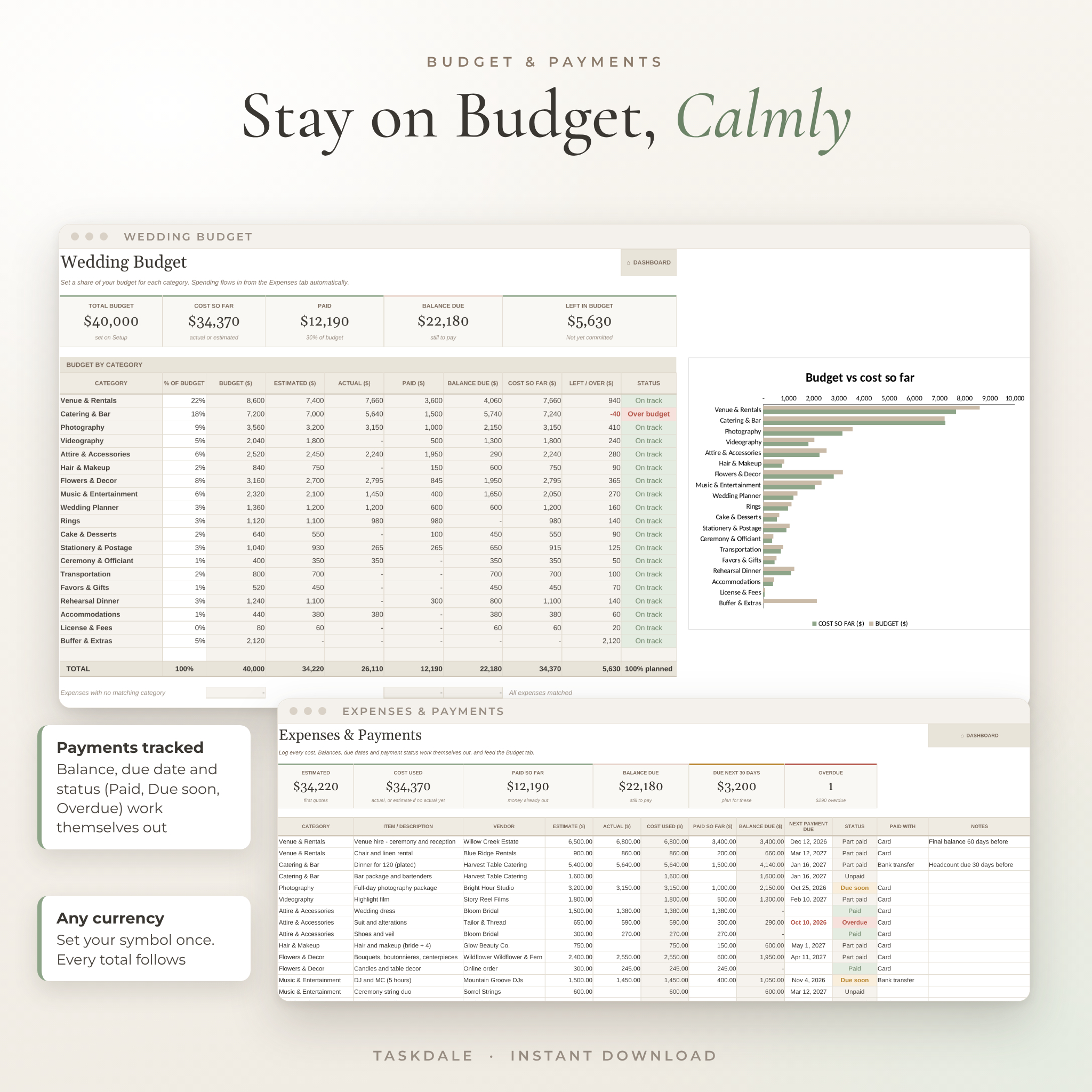
- Budget with 19 ready-made, renameable categories (plus a spare) and a suggested share for each, based on typical US weddings
- Expenses log with estimate, actual, paid, balance, next due date and an automatic status (Unpaid, Part paid, Due soon, Overdue, Paid)
- Over-budget and near-limit flags per category, plus a “Who’s Contributing” tracker for family pledges
- One currency setting that every money header and total reads from. $ is the default
Guests
- Guest list for up to 500 people with households, addresses, save-the-date and invite ticks, RSVP, meal choice, dietary needs and table number
- Live counts for attending, declined, awaiting reply, adults and kids, invitations (households) and response rate
- Seating chart with 30 tables of up to 16 seats, table names, capacity checks and a “still needs a seat” list
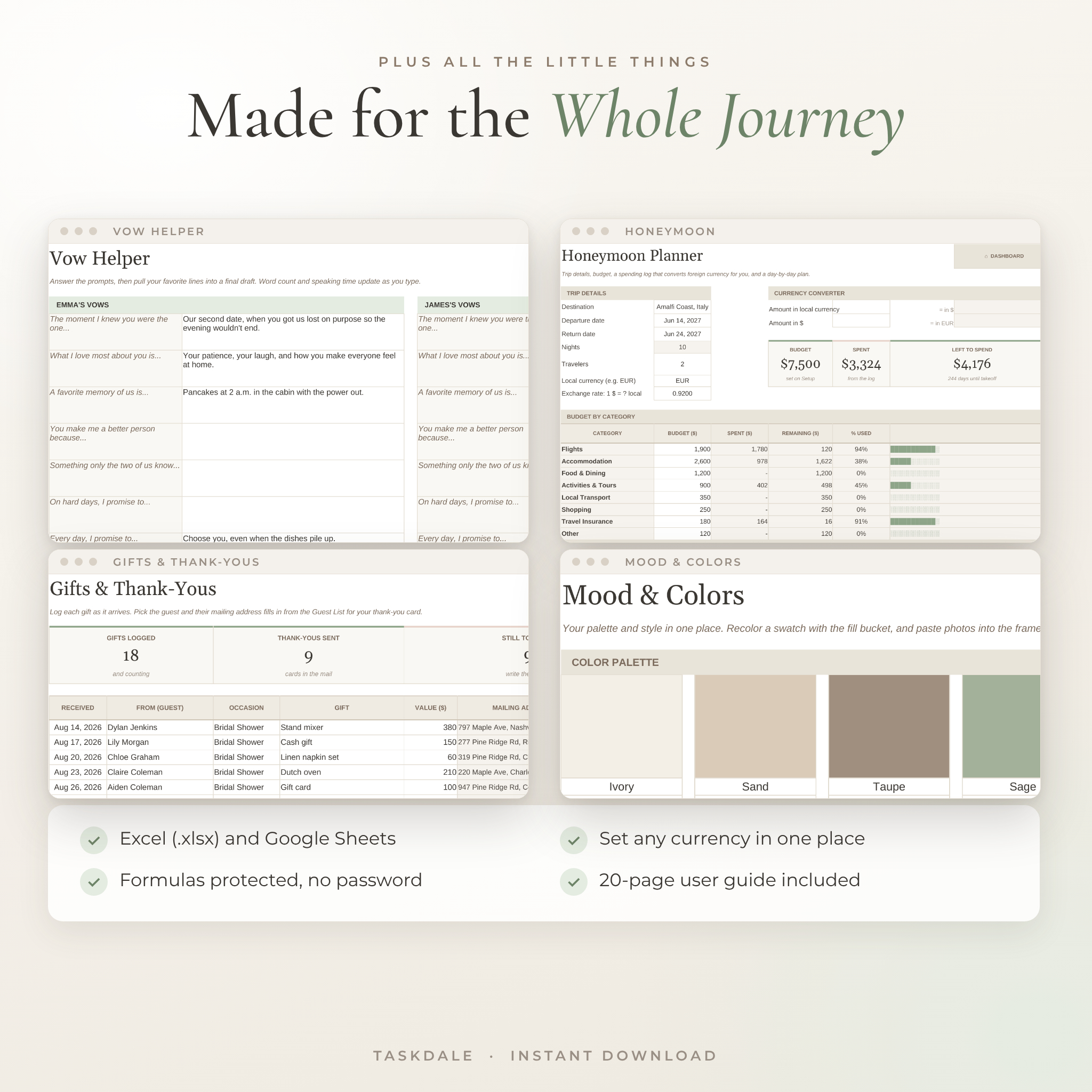
- Gift log that fills in each guest’s mailing address for thank-you cards
- Hotel room blocks with cut-off alerts, plus guest arrivals and who needs a ride
Vendors, venue and food
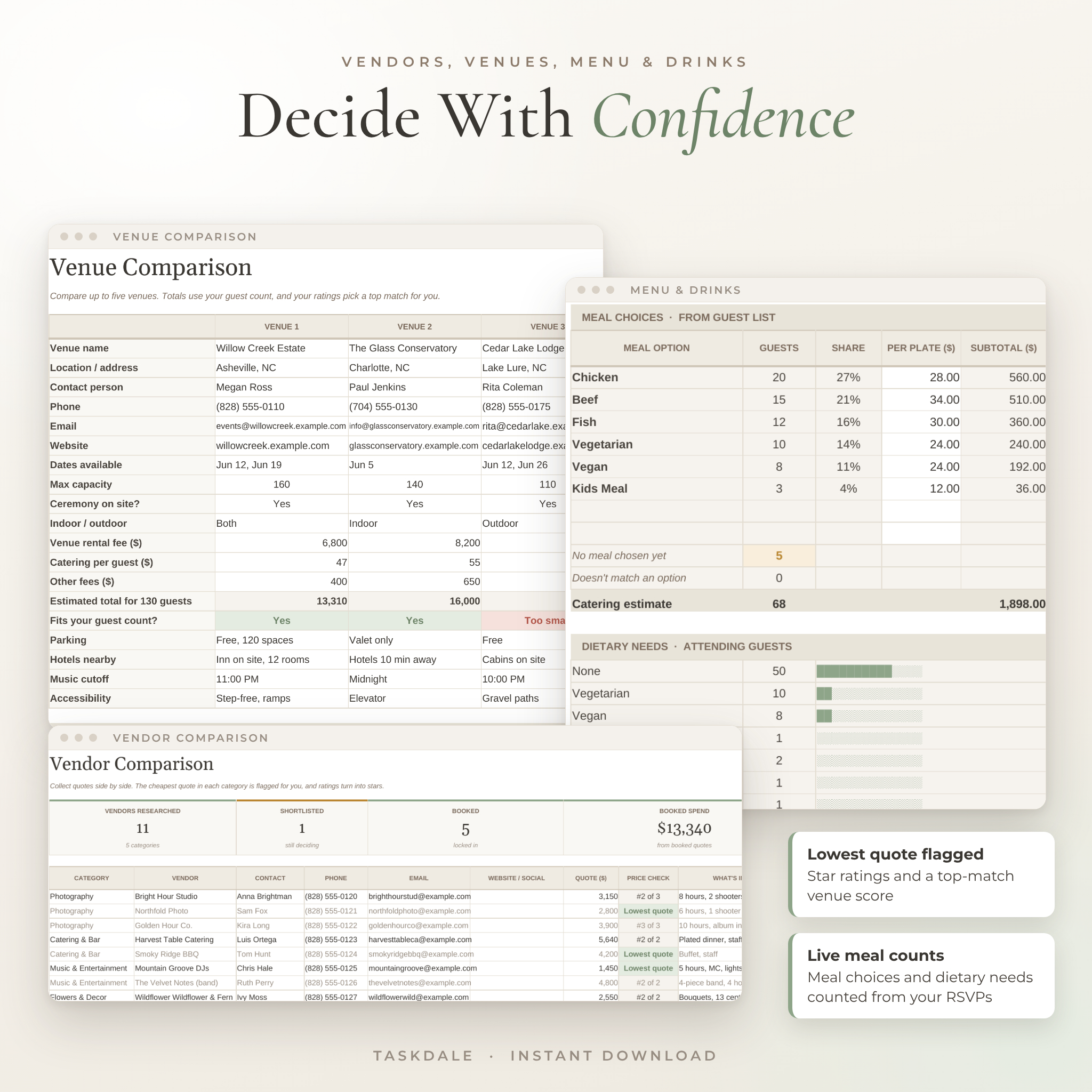
- Vendor comparison that flags the lowest quote in each category and turns ratings into stars
- Booked vendor contacts with contract status, day-of arrival times and costs pulled from Expenses
- Venue comparison for five venues with total cost for your guest count, capacity check and a top-match score
- Menu planner with live meal counts, a catering estimate, dietary totals and caterer headcount
- Drinks calculator for wine, beer, liquor, bubbly for the toast, ice and soft drinks
The details
- Hour-by-hour timeline for the rehearsal, wedding day and day after, with end times and clash checks
- Wedding party and attire tracker, shopping list, decor planner, stationery planner with suggested quantities, games and activities, mood and color palette, ideas board
- Vow helper with prompts for both of you, a word count and speaking time
- Honeymoon planner with a category budget, a spending log that converts local currency, and a day-by-day plan
- Wedding day emergency kit and honeymoon packing lists
What’s Included
- Laurel & Fern Wedding Planner (.xlsx) with 25 linked tabs, clean and ready for your details
- 20-page user guide (.docx) with setup steps for Google Sheets and Excel, a walkthrough of every tab, tips, troubleshooting and FAQs
Helpful lists come filled in so you’re never staring at a blank page: 90 checklist tasks, budget categories with suggested shares, meal options, 12 activity ideas, vow prompts and both packing lists.
How It Works
- Buy and download the files right away.
- Upload the .xlsx to Google Drive and choose File > Save as Google Sheets, or open it in Excel.
- Open the Setup tab. Add your names, date, currency, budget and guest count.
- Add guests, costs and vendors as you go. The rest updates on its own.
File Formats and Software Requirements
- Format: .xlsx spreadsheet plus a .docx user guide
- Google Sheets: free with a Google account. Every formula was tested in Google Sheets
- Excel: built with classic Excel functions, no macros and no add-ins
- Best on a laptop or desktop. It isn’t designed for small phone screens
Customize It
Rename budget categories, meal options, guest groups, task categories and helpers on the Setup tab, and every dropdown follows. Change fonts, fills and column widths freely. Formula cells are protected with no password, so nothing breaks by accident, and you can unprotect any tab in two clicks.
Digital Download
This is a digital product. Nothing will be shipped. Your files are available to download as soon as payment goes through. For personal use only. Please don’t resell or share the files.
Real Ways Couples Use It
- Setting a realistic budget the week you get engaged, then comparing three venues on total cost for your guest count
- Tracking deposits and final payments so nothing sneaks up on you a month before the wedding
- Chasing late RSVPs, then sending the caterer exact meal counts and dietary needs
- Building the seating chart in an evening instead of a weekend
- Writing thank-you cards with every address already in front of you
Frequently Asked Questions
Does this wedding planner work in Google Sheets?
Yes. Upload the .xlsx to Google Drive and save it as a Google Sheet. The formulas and charts carry over, and every formula was tested there.
Do I need Excel?
No. A free Google account is enough. If you have Excel, you can open the .xlsx directly.
Can I use my own currency?
Yes. Pick or type your symbol once on the Setup tab. Every money header and total uses it.
How many guests can it handle?
Up to 500 guests and 30 tables of up to 16 seats each.
Can my partner and I edit it together?
Yes. Share your Google Sheets copy and you’ll both see changes as they happen.
Is it beginner friendly?
Yes. You only type in the white boxes. Totals, dates and statuses fill in for you, and the guide walks through every tab.
Will it work for a small or destination wedding?
It will. Skip any tab you don’t need. The Hotels & Travel and Honeymoon tabs are handy for destination weddings.
Reviews
There are no reviews yet.