A sample CV is only useful if it comes from your own field. A nurse copying a sales CV ends up bragging about targets nobody asked for. A developer copying a teacher’s CV buries the projects a hiring manager wants to see first. So the trick is not finding any sample. It is finding one built for your industry, then making it yours.
This guide walks through nine common industries and shows what a strong sample CV puts at the top, what it leaves out and how long it runs. After that you will see how to turn a sample into a clean PDF without the layout breaking, and which Taskdale kits come with filled examples you can learn from.
It is written for anyone applying this month: school leavers, people switching sectors, and experienced staff who have not touched their CV in years.
Quick picks: CV kits with filled sample content
| Product | Best for | Price | Link |
|---|---|---|---|
| 50 Resume Templates Bundle for Word | Samples written for 12 career fields | $14.99 | View |
| Ashford Resume Template Bundle | Executive and ATS layouts with 10 filled examples | $7.99 | View |
| Job Application Tracker Spreadsheet for Excel | Tracking which CV went where | $5.99 | View |
Why one sample CV does not fit every industry
Recruiters in different sectors scan for different proof. A hospital ward manager looks for registration numbers and clinical areas within the first few lines. A retail area manager looks for shop sizes and sales figures. A software lead skips straight to the stack and the projects. Same reader habit, different targets.
That is why a generic sample can quietly hurt you. If your strongest evidence sits on page two because the template put “Hobbies” above it, a busy reader may never get there. Most first reads are short. Think of a recruiter with 140 applications for one admin role, giving each a quick glance before sorting them into yes, maybe and no.
So when you pick a sample, ask one question: does the order of sections match what my sector cares about most? If it does, you are halfway there.
Sample CV layouts by industry
Below are nine sectors with the order of sections that tends to work, plus one detail that makes a CV in that field stand out. Use these as a checklist against any sample you download.
Healthcare and nursing
Lead with your profession, registration and clinical areas. Then experience, with ward or unit type, patient numbers and shift pattern. Mandatory training (manual handling, basic life support, safeguarding) gets its own short list. Two pages is normal. A line such as “Band 5 staff nurse, 28-bed acute medical ward, 12-hour shifts” tells the reader more than a paragraph of adjectives.
Education and teaching
Put qualified teacher status or your teaching licence near the top. Then subjects and age groups taught, followed by results you can show: a Year 11 group that moved up a grade on average, a reading programme you ran for 30 pupils. Teachers often need two pages because of training and extra duties.
Sales and retail
Numbers carry this CV. Targets hit, average basket size, store footfall, team size. A profile line like “Assistant manager in a 22-person store, beat the quarterly target three quarters running” earns a second look. Keep it to one or two pages and cut duties nobody would doubt, such as “served customers”.
IT and software
A short skills block (languages, frameworks, cloud tools) comes first, then projects or roles with what you built and what changed. Link a portfolio or code repository in the header. Avoid skill bars and star ratings. They mean nothing to a reader and they confuse screening software.
Admin and office support
Lead with software you know well and the size of the team you supported. Calendar management for four directors, a filing system you rebuilt, invoice runs of 300 a month. One page usually works here.
Hospitality and catering
Show the setting first: covers per night, type of venue, food hygiene level. Then roles, with the busiest moments you handled. Availability matters in this sector, so a line on shift flexibility near the top helps.
Trades and construction
Tickets, cards and licences go first. Then a list of project types with your role on each. A short line on the tools and plant you can operate saves an interviewer a phone call. Many trades CVs fit on one page.
Finance and accounting
Qualifications and software (Excel level, accounting packages) up top. Then roles with the size of the ledger or budget you handled, month-end deadlines met, and errors you caught. Precision in the CV itself counts, because a typo on a finance CV reads like a warning.
Graduates and school leavers
Education comes first, with modules or projects that match the job. Then part-time work, volunteering and anything with a result attached. One page. A society role where you grew membership from 40 to 90 says more than “good team player”.
One kit covers most of these sectors with real wording you can study. That makes it a strong place to start if you want samples rather than blank boxes.
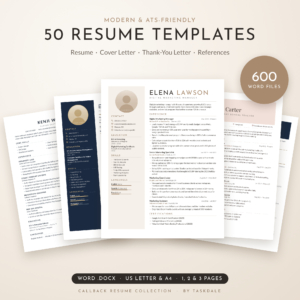
50 Resume Templates Bundle for Word
Price: $14.99 | Best for: seeing filled samples across many fields
This collection holds 50 designs, each with a matching cover letter, thank-you letter and reference page, in 1, 2 and 3 page versions and both US Letter and A4. Every template is filled with believable, results-focused sample content for one of 12 career fields, and 16 of the designs are single-column ATS layouts. Start by opening the sample closest to your sector and reading its bullet points before you type anything.
How to turn a sample into your own PDF CV
A sample is a guide, not a script. The aim is to keep its structure and replace every word that is not true for you. Here is a simple order that avoids the usual mess.
- Save a copy first. Keep the original sample untouched so you can look back at how a section was phrased.
- Swap the header. Name, phone, email, town and one link. Nothing else. No date of birth, no full home address.
- Rewrite the profile. Three sentences: who you are, what you are good at, what you want next. Keep it under 60 words.
- Replace experience bullets one at a time. For each, write what you did and what changed because of it. “Cut stock errors from 15 a week to 3” beats “responsible for stock”.
- Delete sections that do not fit. If the sample has “Publications” and you have none, remove it rather than leave it thin.
- Check page breaks. A heading alone at the foot of a page looks careless. Nudge it to the next page.
- Export as PDF. In Word, use File, Save As, PDF. In Google Docs, File, Download, PDF Document. Open the PDF and read it once on your phone.
That last step catches more than you would think. Plenty of hiring managers first open a CV on a phone between meetings, so a quick check there is worth the minute it takes. Pinch, zoom, scroll. If any line wraps oddly or a heading floats away from its section, fix it in the source file and export again.
Choosing a layout: designed CV or ATS-friendly CV
Large employers and recruitment agencies often run applications through screening software before a person reads them. That software reads plain text in a single column best. Fancy sidebars, text boxes and icons can scramble the order or drop words entirely.
Smaller firms, local businesses and referrals tend to land in a person’s inbox directly. There, a designed layout with a sidebar and a little colour can help you look organised and memorable.
The simple answer is to keep both. Use a designed version for email and printed copies, and an ATS version for online job portals. Our ATS resume template guide explains what the software struggles with and how to check your file. A bundle that gives you both versions in matching styles saves you rebuilding everything twice.
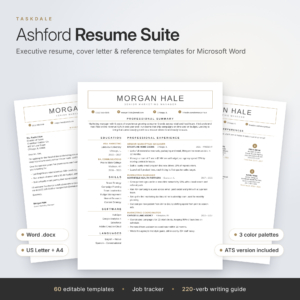
Ashford Resume Template Bundle
Price: $7.99 | Best for: managers and senior applicants
Ashford gives you an executive layout with a framed name block and sidebar, plus a separate one-column ATS layout with the same look, in 1, 2 and 3 page versions. You get 60 editable Word files across three colour palettes and two paper sizes, 10 filled examples and a job application tracker. Read two of the filled examples first so you can see what a finished page looks like before you start typing.
Common mistakes when copying a sample CV
Most problems come from trusting the sample too much. Watch for these.
- Leaving sample text in. A forgotten line about a job you never held is the fastest way to the reject pile. Search the file for words like “Company Name” and “Lorem” before you save.
- Copying the length. A three-page sample for a senior engineer does not mean your first-job CV should be three pages. Match the length to your own experience, not to the sample.
- Keeping the wrong spelling. If you are applying in the UK, switch “organized” to “organised”. If it is a US job, the reverse. Set the document language so spellcheck helps.
- Using borrowed bullet points word for word. Recruiters see the same phrases all week. Use the sample for structure, then write your own facts.
- Forgetting the file name. “CV final final 2.pdf” looks rushed. Use “Firstname-Lastname-CV.pdf”.
Tailoring one CV for several industries
Career changers often apply across two sectors at once. Say a retail supervisor is applying for both store manager roles and admin jobs in a hospital trust. The work history is the same. What changes is the order and the wording.
For the retail roles, the profile leads with sales results and team size. For the hospital admin roles, it leads with rota planning, data entry accuracy and handling upset customers calmly. Same person, two honest stories. Save each as its own file and name them clearly, such as “Jordan-Reid-CV-Retail.pdf” and “Jordan-Reid-CV-Admin.pdf”.
Keep a simple master document with every role, every bullet and every training course you have ever done. When a new job appears, copy the master, delete what does not fit and reorder the rest. Twenty minutes per application instead of two hours. That small win adds up over a month of searching.
Keeping track of which CV went where
Once you have three or four versions of your CV, it gets easy to forget which one you sent to which employer. Then a recruiter calls and asks about “the project on your CV”, and you are not sure which project they mean. That moment is avoidable.
Log every application with the date, the job title, the CV version and the follow-up date. A simple spreadsheet is enough. Our post on running a job search from one spreadsheet shows a clean setup. If you would rather not build it yourself, a ready-made tracker does the follow-up dates for you.
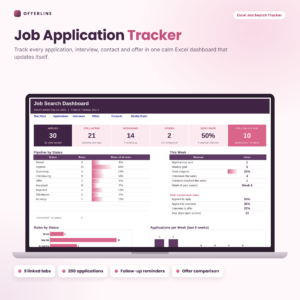
Job Application Tracker Spreadsheet for Excel
Price: $5.99 | Best for: anyone sending more than ten applications
Offerline is an Excel workbook with nine linked tabs: applications, a dashboard, a weekly goal, follow-up reminders that flag as Soon or Due now, an interview countdown, a report on which job sites lead to interviews and an offer comparison. Inputs use dropdowns and formula cells are locked. Add a column note for the CV version you sent, then log your last five applications to see the dashboard fill in.
A one-week plan to get your industry CV ready
If your CV is out of date, do not try to fix it in one late night. Spread it across a week, a little each evening.
- Day 1: Pick a sample from your sector and save your copy.
- Day 2: Fill in the header and write the three-sentence profile.
- Day 3: Rewrite your most recent role with three to five results.
- Day 4: Do the older roles, shorter each time you go back.
- Day 5: Add qualifications, training and skills that match your sector.
- Day 6: Ask a friend to read it for ten minutes. Fix what they trip over.
- Day 7: Export to PDF, check it on a phone, and send your first application.
By Sunday you have a finished file and one application out. That feels good, and it makes the second one far easier.
Frequently asked questions
Should I send my CV as a PDF or a Word file?
Send a PDF unless the advert asks for Word. A PDF keeps your layout fixed on every screen. Some agencies want Word so they can add their own header, and in that case follow their instruction.
Where can I find a sample CV for my industry?
Look for samples that name your role or sector and show real bullet points, not just placeholder text. Professional bodies, university careers pages and template kits with filled examples are the most useful sources.
Is it OK to copy a sample CV?
Copy the structure, not the content. Recruiters notice stock phrases, and anything you cannot talk about in an interview will catch you out.
How many pages should an industry CV be?
One page for school leavers, graduates and most trades or admin roles. Two pages for experienced staff in healthcare, teaching, finance and management. Three only for senior, academic or research roles.
Do I need a different CV for each industry?
If the sectors value different things, yes. Keep one master file and save a tailored version for each sector, with the profile and section order changed to match.
Your next step
Open a blank document tonight and list every job, course and result you can remember. That master list makes every sample easier to fill. When you are ready to pick a layout, the 50 Resume Templates Bundle for Word gives you filled samples across 12 fields to work from.