Best Self Care Tracker: How to Choose the Right One
A self care tracker is a habit and wellness log that shows whether you're looking after yourself day by day. The best one for you matches how you like to record things: paper-style printables for a quiet monthly page, spreadsheets for automatic streaks and averages, or a gentle challenge tracker if rest days matter.
Choosing can feel bigger than it is, because most of these products look alike at first glance. We'll go through what actually differs, so you can pick one and get started.
- Printable and fillable PDF trackers suit people who like a page they can colour in or tick, and four of the options here also let you click to mark days done on screen.
- Spreadsheet trackers calculate streaks, scores and mood averages for you, and most work in both Excel and Google Sheets.
- Two trackers are built around soft challenges, where rest days keep your streak alive rather than breaking it.
- Mood and sleep tracking appears in the Moonarc, Bloom, Habit Atlas, Tickwell, Habit Bloom Tracker and Habit Studio products.
- You can browse all 11 options below, and each one is an instant digital file rather than a physical journal.
Table of Contents (Toggle)
- What should you look for in a self care tracker?
- How do the self care trackers on this page compare?
- Which self care tracker suits which person?
- How do you use a self care tracker without it becoming a chore?
- What mistakes should you avoid when choosing a self care tracker?
- What affects the price of a self care tracker?
- How do you decide on the best self care tracker in one minute?
- Common questions
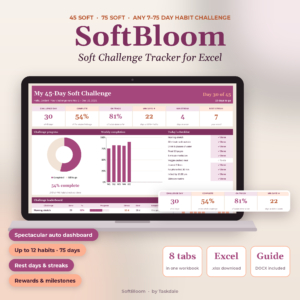 45 Day Soft Challenge Tracker Spreadsheet for Excel | SoftBloom 75 Soft & Habit Tracker with Dashboard, Streaks, Rewards & Wellness Log
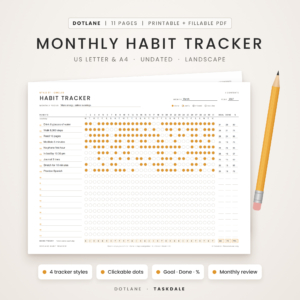 Monthly Habit Tracker Printable & Fillable PDF | Dotlane Undated Habit Tracker with 4 Styles, 30-Day Challenge, Monthly Review & Year at a Glance | US Letter & A4
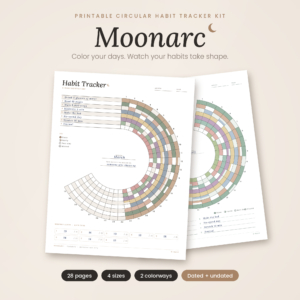 Moonarc Circular Habit Tracker Printable | Monthly Circle Habit Tracker, Habit Wheel, Mood & 30-Day Challenge | Dated 2027 + Undated | US Letter, A4, A5, Happy Planner
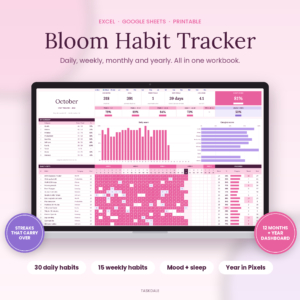 Bloom Habit Tracker Spreadsheet for Excel & Google Sheets | 12-Month Daily, Weekly & Monthly Habit Tracker with Streaks, Mood & Sleep Tracker, Year in Pixels Dashboard + Printable
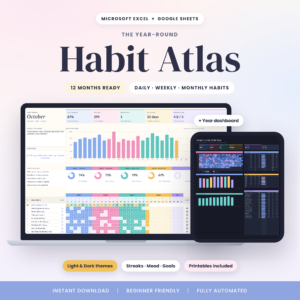 Habit Atlas Habit Tracker Spreadsheet for Excel & Google Sheets | 12-Month Daily, Weekly & Monthly Habit Tracker with Streaks, Mood Tracker, Year in Pixels Dashboard | Light & Dark + Printables
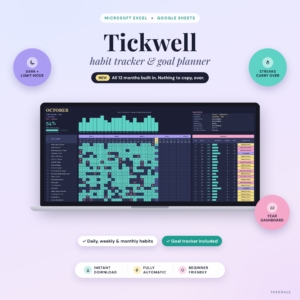 Tickwell Habit Tracker Spreadsheet for Excel & Google Sheets | 12-Month Daily, Weekly & Monthly Habit Tracker with Streaks, Year Dashboard, Mood & Goal Tracker | Light & Dark Mode
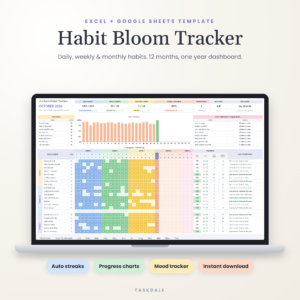 Habit Bloom Tracker | Habit Tracker Spreadsheet for Excel & Google Sheets | Daily, Weekly & Monthly Habit Planner with Year Dashboard, Streak Tracker & Mood Tracker
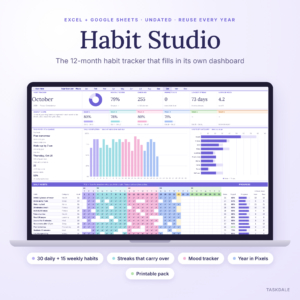 Habit Tracker Spreadsheet 2026 for Excel & Google Sheets | Habit Studio 12-Month Daily, Weekly & Monthly Habit Tracker with Streaks, Mood Tracker, Year in Pixels & Printable Pack
What should you look for in a self care tracker?
The best self care tracker is one you'll still open in week six, so look for the format you enjoy, a habit limit that fits your life, and some way of noting mood or rest. Six factors separate the products on this page.
Printable or spreadsheet
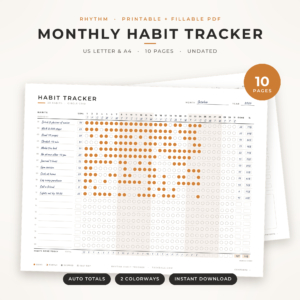
A printable tracker is a page you fill in by hand or by clicking in a PDF, while a spreadsheet tracker is a file that does the sums for you. Printables such as Steady Streak and Rhythm have you count your days and percentage at month end, although Rhythm's fillable PDF fills in weekdays, totals and percentages itself. Spreadsheets update streaks as you tick.
How many habits you really need
Self care works best with a short list, so more capacity isn't automatically better. The Rhythm and Steady Streak trackers hold up to 20 habits, the SoftBloom spreadsheet holds 12, and the Momentum 75 Day Challenge Tracker holds 15. The larger spreadsheets reach 30 or 32 daily habits, which is useful only if you also track work or study routines in the same file.
Mood and sleep tracking
Mood tracking is a daily rating of how you feel, kept next to your habits so you can spot patterns. Moonarc has a Mood & Sleep Ring, Bloom records mood and sleep averages, and Habit Bloom Tracker uses a 1 to 5 mood row. If you want to know whether walking or early nights lift your mood, choose one of these.
Gentle streaks and rest days
A gentle streak is a run of days that doesn't reset when you rest. The 45 Day Soft Challenge Tracker lets you mark rest days that keep your streak alive. That matters for self care, because a tracker that punishes a poor night's sleep works against its purpose.
Review pages
A monthly review is a page where you look back and decide what to change. Dotlane, Moonarc, Steady Streak and Rhythm all include one, and the SoftBloom and Momentum files add a weekly review or reflections. Without a review, you collect data and never use it.
Paper size and software
Check the paper sizes and the software before anything else. The printables come in US Letter and A4, Moonarc also covers A5 and Happy Planner Classic, and the spreadsheets list Excel, Google Sheets or both. The 45 Day Soft Challenge Tracker is described as an Excel file, so check that you have it.
How do the self care trackers on this page compare?
The trackers split into three groups: printable PDFs, 12-month habit spreadsheets, and challenge spreadsheets. The table shows what each one offers, using only the details in the product listings.
Which self care tracker suits which person?
Each tracker suits a different kind of person, and the decision usually comes down to whether you want paper-style simplicity or automatic scoring.
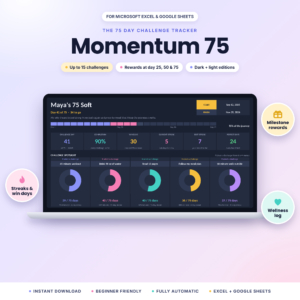
If you want a gentle reset with rest days: the 45 Day Soft Challenge Tracker (Excel) suits a short, kind challenge of 7 to 75 days with a dashboard, rewards and a wellness log. The Momentum 75 Day Challenge Tracker suits you if you use Google Sheets or want dark and light editions, and it adds rewards you choose at days 25, 50 and 75.
If you like colouring in: Moonarc turns each month into a crescent you colour, with a completion percentage chart that needs no maths. It also fits A5 and Happy Planner pages, so it slots into a planner you already own.
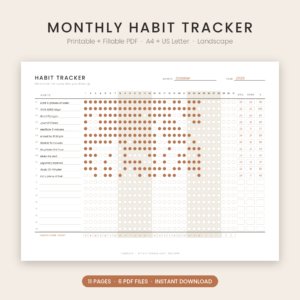
If you prefer a clean monthly page: Dotlane, Steady Streak and Rhythm each give you a landscape grid with goals and percentages. Steady Streak is the plainest. Dotlane offers four styles and a year heat map, and Rhythm adds circle and grid layouts plus 60 habit ideas.
If you want the computer to do the work: Bloom, Habit Atlas, Tickwell, Habit Bloom Tracker and the Habit Studio spreadsheet all hold a full year and carry streaks across months. Habit Atlas and Tickwell offer light and dark versions, Tickwell includes a filled example file and a 15-page guide, and Habit Bloom Tracker has the largest habit capacity.
How do you use a self care tracker without it becoming a chore?
Using a self care tracker well means starting small and reviewing often. Follow these steps for the first month.
- Choose three to five habits that genuinely look after you, such as a walk, a glass of water or lights out by a set time.
- Set a goal for each one that you can realistically hit, such as four days a week rather than every day.
- Tick or colour in once a day, at the same time, ideally with a drink in your hand.
- Add a mood score if your tracker has one, so you can compare it with your habits later.
- Do the monthly review, or the weekly review if your file has one, and drop or swap one habit.
What mistakes should you avoid when choosing a self care tracker?
The commonest mistake is choosing the tracker with the most features rather than the one you'll open daily. Four others come up often.
- Tracking too many habits. A page with 20 rows looks productive but turns a kind routine into an audit.
- Ignoring the software. Check that you have Excel or Google Sheets before buying a spreadsheet, and remember the 45 Day Soft Challenge Tracker is an Excel file.
- Choosing a strict streak tracker. If one missed day makes you give up, favour a soft challenge tracker with rest days.
- Skipping the review. Mood and habit data only helps if you look at it, so pick a tracker with a review page and use it.
What affects the price of a self care tracker?
Price depends mainly on how much the file does for you, so a printable pack usually costs less than a spreadsheet with a dashboard. Several things push the cost up: automatic streaks and charts, a year dashboard, light and dark editions, extra guides and a filled example file.
Printables with several page styles and paper sizes sit in the middle. Simple monthly grids are the cheaper end. Because every item here is an instant download, you pay for the file once, and the live product cards show the current figure.
How do you decide on the best self care tracker in one minute?
Choose by how you like to record, then check the size and software. This rule works for most people.
- Want rest days and a gentle challenge: pick the 45 Day Soft Challenge Tracker for Excel, or Momentum for Google Sheets.
- Want colour and a visual month: pick Moonarc.
- Want a plain monthly grid: pick Steady Streak, Rhythm or Dotlane.
- Want automatic scores, streaks and mood averages for the whole year: pick Tickwell, Bloom or Habit Atlas.
If two appeal equally, take the one with fewer habit rows. You'll use it for longer.
Common questions
Do I need to print the PDF trackers?
No. Dotlane, Steady Streak and Rhythm are described as fillable PDFs, so you can click to mark days done on screen. Steady Streak also includes an ink saver version, and Dotlane and Rhythm offer Mono versions that use less ink if you do print.
Can I use the spreadsheets with Google Sheets?
Most can. Bloom, Habit Atlas, Tickwell, Habit Bloom Tracker, Habit Studio and Momentum list both Excel and Google Sheets. The 45 Day Soft Challenge Tracker is described as an Excel .xlsx file, so use that one only if you have Excel.
Will a dated tracker go out of date?
Moonarc includes 14 dated months from November 2026 to December 2027, plus undated pages for later use. Dotlane, Steady Streak and Habit Studio are undated. Bloom's 12 month tabs work for any year, so none of these needs replacing when the calendar turns.
How many habits should I track for self care?
Three to five suits most people starting out. The trackers allow far more, from 12 to 32 daily habits, but extra rows add pressure. Add a habit only when the existing ones feel automatic.
What is a soft challenge tracker?
A soft challenge tracker is a gentler version of a fixed-length habit challenge. The 45 Day Soft Challenge Tracker and Momentum cover 45, 75 or custom lengths, and the 45 Day tracker lets rest days keep your streak. Use one if strict rules have put you off before.