Best Self Employed Tax Spreadsheet: How to Choose One
The best self employed tax spreadsheet is one that sorts each expense to its Schedule C line, applies mileage rates and deductible percentages for you, and plans quarterly payments. For most freelancers, a deduction tracker such as Claimwell or Claimbright covers all of that. Choose a specialist template only if you have one unusual need.
- A good tracker logs expenses, mileage and income in one workbook, then produces a report your accountant can use.
- The Claimwell and Claimbright trackers apply the business-use percentage and the 50% meal limit automatically.
- DeskWorth is the only option here that compares the IRS Simplified and Actual home office methods.
- Slatefile is built around documents and deadlines, not write-offs.
- Clear Ledger is a full bookkeeping workbook, which suits sellers with sales tax and platform fees.
Table of Contents Toggle
- What should you look for in a self employed tax spreadsheet?
- How do the self employed tax spreadsheets compare?
- Which self employed tax spreadsheet suits which person?
- How do you use a tax spreadsheet through the year?
- What mistakes should you avoid?
- What affects the price of a tax spreadsheet?
- How should you decide?
- Common questions
Self-employed tax can feel like a lot to hold in your head: receipts, mileage, quarterly payments and a deadline that arrives faster than expected. A well-built spreadsheet breaks that into small, regular jobs. We'll walk through what matters, how the options differ and which one fits your situation. Browse all 9 options below once you know what you need.
One point to settle first. These templates are built around US rules: Schedule C, Form 8829 and IRS mileage rates. If you file elsewhere, they still work as organised record keepers, but the tax lines won't match your return.
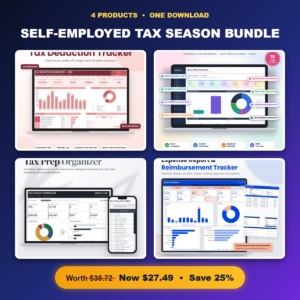 Self-Employed Tax Season Bundle | Tax Deduction Tracker, Home Office Deduction Calculator, Tax Prep Checklist & Expense Report Template
 Tax Deduction Tracker Spreadsheet | Rosy Returns Write-Off Tracker for Excel & Google Sheets with Live Dashboard, Mileage Log, Quarterly Tax Planner, Home Office Calculator & Schedule C Report
 Tax Prep Checklist Spreadsheet | Slatefile Tax Organizer for Excel & Google Sheets with Dashboard, Document Tracker, Mileage Log & Estimated Tax Planner
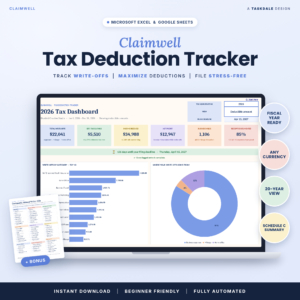 Tax Deduction Tracker Spreadsheet | Claimwell Write-Off Tracker for Excel & Google Sheets with Tax Dashboard, Schedule C Summary, Mileage Log, Quarterly Tax Planner & Home Office Calculator
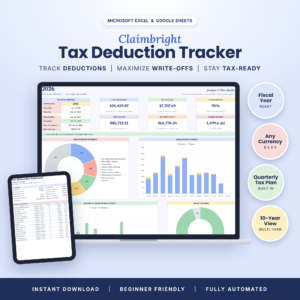 Self-Employed Tax Deduction Tracker for Excel & Google Sheets | Claimbright Write-Off Spreadsheet with Mileage Log, Quarterly Tax Planner, Home Office Calculator & Schedule C Summary
 Home Office Deduction Spreadsheet for Excel | DeskWorth Simplified vs Actual Method Calculator with Form 8829 Worksheet, Depreciation, Carryforward & Dashboard
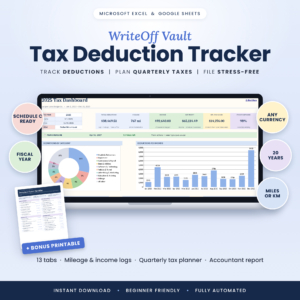 Tax Deduction Tracker Spreadsheet for Excel & Google Sheets | WriteOff Vault Self-Employed Tax Organizer with Mileage Log, Schedule C Summary & Quarterly Estimated Tax Planner
What should you look for in a self employed tax spreadsheet?
A self employed tax spreadsheet should cut your manual work at filing time. Six features separate the useful ones from a plain list of expenses, and the sections below take them in turn.
Automatic Schedule C line mapping
Schedule C mapping means the sheet assigns each expense to the correct line on the form. In WriteOff Vault and WriteOff Ready, you pick an expense type and the category, Schedule C line and deductible percentage fill in themselves. Claimwell and Claimbright do the same and apply the 50% meal limit.
This matters because mis-categorised expenses are the commonest source of rework when you sit down to file.
A mileage log with correct IRS rates
Mileage is the deduction people most often reconstruct from memory. Look for a log that applies the IRS rate by trip date, as WriteOff Vault does, because the rate changes between years. Claimbright holds rates by date too, including the 2026 rate.
Slatefile applies IRS rates automatically as well.
A quarterly estimated tax planner
A quarterly estimated tax planner works out roughly what you should set aside and pay each quarter. Every tracker here includes one. Slatefile goes further with a safe-harbour calculator, which helps if your income varies and you want to avoid underpayment.
A home office calculator
The home office deduction is a calculation, not just a total. Most trackers include a basic calculator. If you work from home and your space or bills are significant, DeskWorth is a dedicated workbook that compares the Simplified and Actual methods and shows which gives the bigger deduction.
Excel and Google Sheets compatibility
Most options on this page work in both Excel and Google Sheets. DeskWorth is an Excel workbook, so check that before buying if you live in Google Sheets. WriteOff Ready states that it uses no macros, which matters if your workplace blocks them.
An accountant-ready report
A good report is printable and organised the way a preparer expects. Claimwell, Claimbright, WriteOff Vault and WriteOff Ready all produce an accountant report. DeskWorth and Slatefile each include a one-page summary for your tax preparer.
How do the self employed tax spreadsheets compare?
The deduction trackers overlap heavily, while the other three templates cover separate jobs. This table shows what actually differs.
| Product | Best for | Standout features | Format |
|---|---|---|---|
| Self-Employed Tax Season Bundle | Tax Deduction Tracker, Home Office Deduction Calculator, Tax Prep Checklist & Expense Report Template | Buyers who want tracking, home office and checklist together | Four spreadsheets in one bundle, including the Rosy Returns tracker | Spreadsheet templates |
| Tax Deduction Tracker Spreadsheet | Rosy Returns Write-Off Tracker for Excel & Google Sheets with Live Dashboard, Mileage Log, Quarterly Tax Planner, Home Office Calculator & Schedule C Report | Month-by-month logging | 12 monthly tabs, live dashboard, missing-receipt flags | Excel and Google Sheets |
| Tax Prep Checklist Spreadsheet | Slatefile Tax Organiser for Excel & Google Sheets with Dashboard, Document Tracker, Mileage Log & Estimated Tax Planner | Chasing documents and deadlines | 200-row self-updating checklist, overdue alerts, safe-harbour calculator | Excel and Google Sheets |
| Tax Deduction Tracker Spreadsheet | Claimwell Write-Off Tracker for Excel & Google Sheets with Tax Dashboard, Schedule C Summary, Mileage Log, Quarterly Tax Planner & Home Office Calculator | Automatic write-off sorting | Schedule C line sorting, 50% meal limit, filing countdown, 15-page guide | Excel and Google Sheets |
| Self-Employed Tax Deduction Tracker for Excel & Google Sheets | Claimbright Write-Off Spreadsheet with Mileage Log, Quarterly Tax Planner, Home Office Calculator & Schedule C Summary | Visual tracking over several years | 4 charts, estimated tax saved, 10-year view, 17-page guide | Excel and Google Sheets |
| Home Office Deduction Spreadsheet for Excel | DeskWorth Simplified vs Actual Method Calculator with Form 8829 Worksheet, Depreciation, Carryforward & Dashboard | Working from home | Simplified vs Actual comparison, depreciation, carryovers, 15 tabs | Excel |
| Tax Deduction Tracker Spreadsheet for Excel & Google Sheets | WriteOff Vault Self-Employed Tax Organiser with Mileage Log, Schedule C Summary & Quarterly Estimated Tax Planner | Finding overlooked deductions | 65-idea Deduction Finder, 20-year dashboards | Excel and Google Sheets |
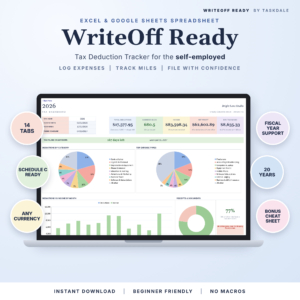 Tax Deduction Tracker Spreadsheet for Excel & Google Sheets | WriteOff Ready Self-Employed Expense, Mileage & Schedule C Tracker | Straightforward tracking without macros | 14 tabs, 20 tax years, missing receipts list | Excel and Google Sheets |
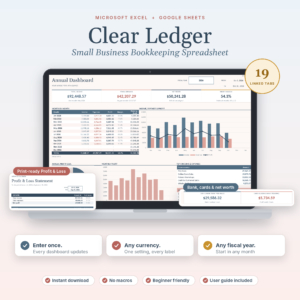 Small Business Bookkeeping Spreadsheet for Excel & Google Sheets | Clear Ledger Income & Expense Tracker, Profit and Loss, Budget, Invoice & Sales Tax Template | Running a small shop | Profit and loss, invoices, sales tax, platform fee splitting, 19 tabs | Excel and Google Sheets |
Which self employed tax spreadsheet suits which person?
The right choice depends on how you earn, where you work and what you tend to forget. Here is how the main options map to real situations.
A freelancer with steady client work will do well with Claimwell or Claimbright. Both sort entries by Schedule C line without you thinking about it. Claimbright adds charts and a long view, which helps if you like seeing trends. Claimwell includes a cheat sheet of commonly missed write-offs.
Someone who hates monthly admin might prefer Rosy Returns, which gives you twelve monthly tabs to work through one at a time. It also flags missing receipts as you go.
A person who wants a gentle prompt to look for deductions should look at WriteOff Vault, whose Deduction Finder has 65 ideas to check against your own spending.
Anyone who works from a spare room or kitchen table should consider DeskWorth. A general tracker gives you a home office figure. DeskWorth shows which IRS method gives the better result and carries forward unused amounts.
People whose problem is paperwork, not write-offs suit Slatefile. Its checklist updates its own status, and overdue alerts catch a missing W-2 or 1099.
Online sellers should look at Clear Ledger. It splits Etsy and Shopify fees automatically and keeps owner draws out of profit, which a pure deduction tracker doesn't do.
Buyers who want several jobs covered can take the Self-Employed Tax Season Bundle, which packages four spreadsheets together.
How do you use a tax spreadsheet through the year?
You use a self employed tax spreadsheet best by entering records weekly, not at filing time. Small, regular entries take minutes and leave you with a clean file in the spring.
- Open the sample file first so you can see how a finished entry looks.
- Set your currency, fiscal year and categories. Most of these templates let you edit them.
- Enter income as it arrives, and expenses within a week of spending.
- Log each business trip in the mileage log on the day, with the date, because rates are applied by date.
- Save receipts and attach a note in the sheet. Use the missing-receipts list where one is provided.
- Check the dashboard monthly and compare your estimated tax against what you have set aside.
- Before each quarterly deadline, use the planner to work out your payment.
- At year end, print the accountant report and hand it over with your records.
Keep one master copy and back it up. If you use Google Sheets, make a dated copy before year-end changes.
What mistakes should you avoid?
The commonest mistake is treating the spreadsheet as a once-a-year job. Five others come up regularly.
- Mixing personal and business spending. Use a separate card or account where you can, so the sheet only holds business items.
- Guessing the business-use percentage. Claimwell and Claimbright apply it automatically, but you still have to enter an honest figure.
- Forgetting mileage. A half-remembered log is hard to defend. Record trips on the day.
- Choosing the wrong home office method. Compare both before committing. This is where DeskWorth earns its place.
- Buying for the wrong platform. Check whether you need Excel only or Excel and Google Sheets.
A spreadsheet doesn't replace professional advice. It gives your preparer tidy records, which can reduce the time they spend sorting.
What affects the price of a tax spreadsheet?
Price mostly reflects scope: how many tabs the workbook has, how many tax years it covers and whether it includes extras. A single-purpose tool such as the DeskWorth home office calculator generally costs less than a bundle or a full bookkeeping workbook, while the Clear Ledger and Self-Employed Tax Season Bundle cover more ground.
Supporting material also adds value. A user guide, a sample file and a cheat sheet make a template easier to adopt. Because templates are reusable, the cost per year falls the longer you use one. Live prices are shown on the product cards.
How should you decide?
Pick by your biggest problem, not by the longest feature list.
- If you need to track write-offs, choose Claimwell, Claimbright, WriteOff Vault or WriteOff Ready.
- If you work from home and the deduction is large, add DeskWorth.
- If paperwork keeps slipping, choose Slatefile.
- If you sell products or send invoices, choose Clear Ledger.
- If you want several of these in one purchase, consider the Self-Employed Tax Season Bundle.
Common questions
Can I use a tax spreadsheet if I'm not in the US?
You can use it as an organised record of income and expenses, but the Schedule C lines, Form 8829 worksheet and IRS mileage rates follow US rules. If you file elsewhere, the category totals may still help, though your accountant would need to map them to your own return.
Is a spreadsheet enough, or do I need accounting software?
A spreadsheet is enough for many freelancers who mainly need to track deductions and estimate tax. If you issue invoices, handle sales tax or sell through platforms, a bookkeeping workbook such as Clear Ledger covers more. Larger operations may outgrow either.
Do these spreadsheets work in both Excel and Google Sheets?
Most of them do. The trackers from Rosy Returns, Slatefile, Claimwell, Claimbright, WriteOff Vault, WriteOff Ready and Clear Ledger are listed for both. DeskWorth is an Excel workbook. Check the format before buying if you only use one program.
Can I reuse the same spreadsheet every year?
Several are designed for it. Slatefile is described as reusable every year, Claimbright has a 10-year view, WriteOff Ready covers 20 tax years and WriteOff Vault has 20-year dashboards. Keep each year's file saved separately so you have a clean record.
What is the 50% meal limit?
The 50% meal limit is the rule that generally lets you deduct only half of qualifying business meal costs. Claimwell and Claimbright apply it for you when you log a meal. Confirm the current rules with your tax preparer, because they can change.