Best Side Hustle Planner: How to Choose the Right One
The best side hustle planner is the one that matches the stage your business has reached. If you need a written plan, choose the Clarity Business Plan Kit. If you want daily and weekly planning on a tablet, choose a Business HQ planner. If your priority is tracking money, choose Orchid Business Hub. If you're pricing a launch, choose the Business Launch Planner.
Choosing can feel more complicated than it should, because these products overlap and the listings are packed with page counts. We'll sort out what each one does, who it suits, and where the gaps are, so you can pick one and get started.
Key facts at a glance
- A side hustle planner is a set of templates for planning, pricing and tracking a small business that runs alongside other work or commitments.
- Every planner here is a digital download, and most include an Excel workbook that does the arithmetic for you.
- Two planners are built for tablets (the Business HQ pair, made for GoodNotes and iPad), one is a spreadsheet only (Orchid Business Hub), and three include printable or fillable pages.
- The Business Launch Planner and Clarity Business Plan Kit focus on getting started, while the Business HQ planners and Linen Ledger focus on running things week to week.
- You can browse all 6 options below the text, but five of them are covered here by name.
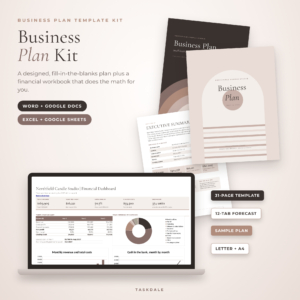 Clarity Business Plan Kit: Business Plan Template for Word & Google Docs + Excel Financial Forecast
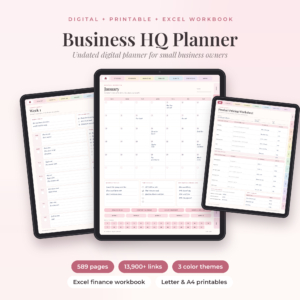 Business HQ Undated Small Business Planner for GoodNotes | Excel Finance Tracker & Printables
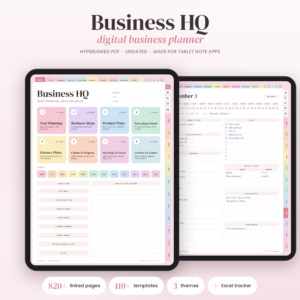 Business HQ Digital Business Planner | Undated Hyperlinked Small Business Planner for GoodNotes & iPad, Excel Finance Tracker, Content & Social Media Planner, Printable
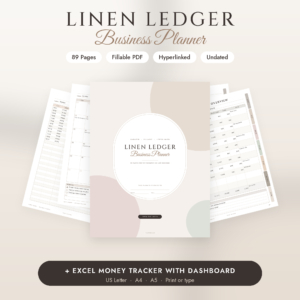 Small Business Planner Printable & Fillable PDF | Social Media & Content Planner, Inventory, Sales & Budget Tracker + Excel | Linen Ledger Undated Business Planner
Table of Contents Toggle
- What should you look for in a side hustle planner?
- How do the best side hustle planners compare?
- Which side hustle planner suits which person?
- How do you use a side hustle planner?
- What mistakes should you avoid when choosing a side hustle planner?
- What affects the price of a side hustle planner?
- Which side hustle planner should you choose?
- Common questions
What should you look for in a side hustle planner?
A good side hustle planner covers the three jobs a small business needs done: deciding what you're doing, keeping track of the work, and knowing whether you're making money. Few products do all three equally well, so look at which job each one is strongest at.
Does it plan, track or calculate?
A planning tool is a set of pages where you write goals, tasks and ideas. A tracking tool records what has happened, such as sales and expenses. A calculator works out figures like break-even or profit for you.
The Business HQ planners lean towards planning and tracking. Orchid Business Hub leans towards tracking. The Business Launch Planner and Clarity Business Plan Kit lean towards calculating, because they work out startup costs and forecasts before you've sold anything.
Which format fits the way you work?
Format decides whether you'll still use the planner in a month. The Business HQ planners are built for GoodNotes on an iPad, with hyperlinked pages you tap through. Linen Ledger is a fillable PDF you can type on or print. Orchid Business Hub runs in Excel and Google Sheets, and Clarity Business Plan Kit uses Word and Google Docs for the plan itself.
If you plan best with a pen, check that the product includes printable pages. If you live in your browser, a Google Sheets option saves you from installing anything.
How much structure do you actually want?
Undated means the pages aren't tied to a calendar year, so you can start in any month and skip weeks without leaving blank, wasted pages. The Business HQ Undated Small Business Planner has 366 undated daily pages plus weekly and monthly layouts. The Business HQ Digital Business Planner has 824 pages and more than 6 templates.
Bigger isn't automatically better for a side hustle. If you have a few evenings a week, 89 pages in Linen Ledger may be easier to keep up than 824.
Does it handle your currency and paper size?
Currency flexibility matters if you sell outside the US. Orchid Business Hub works in any currency and any fiscal year start. Linen Ledger works in any currency and uses $ by default. The Business HQ Digital Business Planner's finance tracker works in your own currency.
For printing, Clarity Business Plan Kit and Business Launch Planner come in US Letter and A4. Linen Ledger adds A5.
Is there guidance, or just blank pages?
Blank pages look tidy and then stay blank. Guided prompts tell you what to write. The Business HQ Undated planner has prompts on every page, Clarity Business Plan Kit has a writing prompt in every section, and each product includes a step-by-step user guide. Clarity also includes a finished sample plan, which shows what good looks like.
How do the best side hustle planners compare?
The five planners below differ mainly in format and in how far they go on money. The table shows what each one gives you and who it is for.
| Product | Format | What you get | Best for |
|---|---|---|---|
| Clarity Business Plan Kit: Business Plan Template for Word & Google Docs + Excel Financial Forecast | Word, Google Docs, Excel, Google Sheets | 31-page plan template, 12-tab financial workbook, sample plan, 11 printable worksheets | Writing a formal plan and forecasting three years |
| Business HQ Undated Small Business Planner for GoodNotes | Excel Finance Tracker & Printables | GoodNotes, printable, Excel | 589 hyperlinked pages, 366 daily pages, three colour themes, 53 stickers | A tablet planner that is lighter than the full version |
| Business HQ Digital Business Planner | Undated Hyperlinked Small Business Planner for GoodNotes & iPad, Excel Finance Tracker, Content & Social Media Planner, Printable | GoodNotes, iPad, printable, Excel | 824 hyperlinked pages, 6 templates, Blush, Sage or Sand, Monday or Sunday start | Daily planning plus social media and content |
| Small Business Planner Printable & Fillable PDF | Social Media & Content Planner, Inventory, Sales & Budget Tracker + Excel | Linen Ledger Undated Business Planner | Fillable PDF, printable, Excel | 89 undated pages, clickable tabs, Excel Money Tracker with dashboard | A simple planner covering orders and stock |
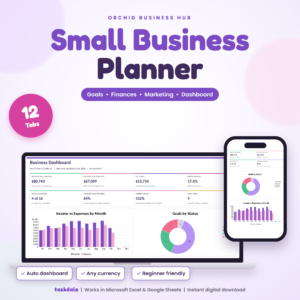 Orchid Business Hub: Small Business Planner Spreadsheet for Excel & Google Sheets, Goals, Budget, P&L and Marketing Dashboard | Excel, Google Sheets | 12 tabs including dashboard, monthly P&L, budget, marketing ROI, pricing calculator | Tracking sales, expenses and profit in one file |
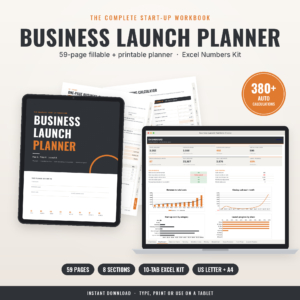 Business Launch Planner: Fillable Startup Planner PDF + Excel Startup Costs, Pricing & Cash Flow Calculator (US Letter & A4) | Fillable PDF, printable, Excel | 59-page startup planner, 380+ automatic calculations, 10-tab Excel Numbers Kit, 16-page guide | Pricing and launching a new venture |
Notice that the two Business HQ planners overlap heavily. The difference is scale: the Digital Business Planner adds more templates, a content and social media planner, and a larger sticker book of 6 pieces.
Which side hustle planner suits which person?
Each planner suits a different starting point. Match yours to the situation below rather than to the longest feature list.
You haven't launched yet and need to price things. The Business Launch Planner is built around startup costs, pricing, break-even, sales and cash flow. Its 380+ automatic calculations mean you type in costs and the sheets show whether the idea can pay its way.
You need a written plan for a lender, partner or your own clarity. Clarity Business Plan Kit gives you a 31-page editable plan and a 12-tab workbook covering startup costs, three-year sales, profit and loss, cash flow and break-even. The finished sample plan helps if you've never written one.
You run your hustle from an iPad. Choose a Business HQ planner. The Undated Small Business Planner is the more contained option, with 589 pages and three colour themes. The Digital Business Planner suits you if you post regularly and want content planning alongside money and clients.
You want one calm, printable planner. Linen Ledger has 89 undated pages in a neutral design, with sections for goals, social media, orders, stock and money. The clickable tabs help on screen, and printing works if you prefer paper.
You mainly want to know whether you're profitable. Orchid Business Hub is a spreadsheet where you log sales and expenses, and the dashboard, monthly profit and budget checks update on their own. It has no daily diary pages, so pair it with a notebook if you want those.
How do you use a side hustle planner?
A side hustle planner works best when you set it up once and then follow a short routine. These steps suit any of the five.
- Read the user guide first. Each product includes one, and ten minutes saves you from entering data in the wrong place.
- Set your currency and start date. Do this before you enter any figures, particularly in the Excel files.
- Fill in the foundations. Write your goal, what you sell and who buys it. In a planning product, this is the first section.
- Enter your startup costs and pricing. Use the calculator tabs so margins are worked out for you.
- Pick one weekly review slot. Fifteen minutes on the same evening each week beats a long catch-up once a month.
- Log every sale and expense as it happens. Even a small purchase belongs in the record if it relates to the business.
- Check the dashboard monthly. Compare profit against your goal and adjust the following month's plan.
What mistakes should you avoid when choosing a side hustle planner?
The most common mistake is buying more planner than your hustle needs. A large package with hundreds of pages can feel reassuring, but unused sections become clutter.
- Choosing by page count. Pick by the jobs you need done, not by the biggest number on the listing.
- Ignoring your device. A GoodNotes planner is little use if you don't own a compatible tablet. Check the format first.
- Skipping the money side. A pretty daily planner with no finance tracker leaves you guessing about profit.
- Mixing personal and business spending. Whichever planner you choose, keep business transactions separate or the totals mean nothing.
- Never reviewing the numbers. A tracker only helps if you look at what it says.
- Starting without a price check. If you haven't worked out your costs, use a pricing calculator before you set a price.
What affects the price of a side hustle planner?
The price of a side hustle planner depends mainly on how much is included and how much work the files do for you. We don't quote figures here because they change, and the live product cards show the current price.
In general, a single spreadsheet such as Orchid Business Hub costs less up front than a bundle with several file types. A bundle with a planner, printables, stickers, covers and a finance tracker, like the Business HQ Digital Business Planner, offers more and usually costs more.
Check what's included: printable packs, paper sizes, bonus workbooks and user guides all add value. Also check whether there are repeat costs. These are digital downloads, so you generally buy once and use the files as often as you like, but confirm the licence terms on each product page.
Which side hustle planner should you choose?
Choose by your next task, not your long-term plans. If the next task is to price and cost a launch, take the Business Launch Planner. If it's to write a plan, take Clarity Business Plan Kit. If it's to track profit, take Orchid Business Hub.
If it's to organise your days on an iPad, take a Business HQ planner. If you want something simple and printable, take Linen Ledger. Pick one, work through its user guide, and give it a month before deciding it isn't right.
Common questions
Do I need a side hustle planner if I only make a little money?
A small income still needs records, because you will have to know what you earned and spent. A simple tracker like Linen Ledger or Orchid Business Hub is enough. You don't need the largest planner, just one you'll open every week.
Can I use these planners on a phone?
The spreadsheet files open in Excel or Google Sheets, which have phone apps. The Business HQ planners are designed for GoodNotes on an iPad, so they suit a tablet better. Check each product page for the formats supplied.
What does undated mean in a business planner?
Undated means the pages carry no fixed calendar dates. You choose when to begin, so you can start in any month and skip a busy week without wasting pages. The Business HQ planners and Linen Ledger are all undated.
Is a business plan template necessary for a side hustle?
A formal plan isn't legally required for most small side hustles, but it helps you test whether the idea can make money. Clarity Business Plan Kit suits you if you plan to apply for funding or want a clear written route.
Can I print these planners instead of using them on a screen?
Yes for several of them. Linen Ledger, Business Launch Planner and Clarity Business Plan Kit offer printable or fillable pages in US Letter and A4, and the Business HQ planners include printable packs. Orchid Business Hub is a spreadsheet and is best used on screen.