AI can write a useful CV draft in minutes, but only if you give it real material to work with. Ask a chat assistant to “write me a CV for a marketing job” and you get a page of polished nothing: a hard-working, detail-oriented team player with excellent communication skills. Every recruiter has read that person a thousand times.
Feed it your actual jobs, numbers and stories, though, and it becomes a sharp editor. It can turn a messy brain dump into tight bullet points, cut a rambling profile to three sentences, and match your wording to a job advert in seconds.
This guide gives you prompts you can copy, a worked before-and-after example, a checklist for catching the things AI gets wrong, and a simple way to get the finished words into a clean layout. It works with any of the common chat assistants.
Quick picks: layouts for your AI-drafted words
| Product | Best for | Price | Link |
|---|---|---|---|
| Marlowe Resume Template | A calm layout plus a resume playbook to check AI wording against | $4.79 | View |
| Sloane Resume Template | A modern design built on real Word styles | $4.49 | View |
| Alder Resume Template with Photo | Tip-filled placeholder text and a job tracker | $4.79 | View |
| Hollis Resume Template | A writing guide with 216 action verbs | $8.99 | View |
What AI does well on a CV, and where it slips
Think of a chat assistant as a fast, tireless editor who has never met you. It is good with words and knows nothing about your life.
Good at
- Turning long, rambling sentences into short bullet points
- Finding a stronger verb than “helped” or “worked on”
- Matching your wording to the keywords in a job advert
- Cutting a two-page draft down to one page
- Writing three versions of a profile so you can pick the best
Bad at
- Knowing what you actually achieved. It will happily invent numbers.
- Sounding like a real person. Left alone, it reaches for the same stiff phrases every time.
- Layout. Chat windows produce plain text, and pasted formatting usually breaks.
- Local rules, such as whether a photo, date of birth or marital status belongs on a CV in your country.
So the plan is simple. You supply the facts. The AI shapes the words. You check every line. Then you paste the words into a proper layout.
Before you type a prompt: gather your raw material
Twenty minutes of preparation makes every prompt work better. Open a blank note and write, in any order and any style:
- Every job title, employer and start and end month for the last ten years
- For each job, what you did on a normal day
- Anything you fixed, improved, started, saved or trained someone on
- Any numbers you remember: team size, customers per day, budget, targets, time saved
- Qualifications, licenses and software you actually use
- The job advert you are applying for, copied in full
Do not tidy any of it. Typos and half-sentences are fine. A warehouse supervisor called Tendai wrote his first note on his phone during a 40-minute bus ride home. It was messy. It was also full of real detail, and that is exactly what an AI needs.
One thing to leave out: your full home address, date of birth, ID numbers and anything you would not want stored on someone else’s server. The AI does not need them to write a good draft. Add your contact details by hand at the end.
Prompts that give useful drafts
Copy these, change the parts in capitals, and paste your raw notes underneath. Each prompt does one job. Asking for everything at once gives weaker results than working through them in order.
1. Turn notes into bullet points
Prompt: Here are my rough notes about my job as JOB TITLE at TYPE OF EMPLOYER. Turn them into 4 to 5 CV bullet points. Start each with a past-tense verb. Keep each under 25 words. Use only facts from my notes. Do not add numbers I did not give you. If a bullet would be stronger with a number, write [NUMBER?] so I can fill it in.
That last line is the most useful sentence in this whole guide. It stops the AI inventing figures and shows you where a number would help.
2. Write the profile
Prompt: Using the bullet points above, write three different versions of a 3-sentence CV profile for someone applying for TARGET JOB. Sentence 1: who I am and my experience. Sentence 2: my two strongest skills with proof. Sentence 3: what I want next. Avoid these words: hard-working, team player, passionate, dynamic, results-driven.
3. Tailor to the job advert
Prompt: Here is a job advert and my current CV bullets. List the 8 most important skills and keywords from the advert. Then show which of my bullets already match each one, and which keywords are missing. Do not rewrite anything yet.
Reading that list yourself first is the point. You decide which gaps are real and which you can honestly fill with experience the AI did not know about.
4. Rewrite with the keywords
Prompt: Rewrite my bullets so they use the advert’s wording where it truthfully fits my experience. Do not claim any skill I have not shown in my notes. Keep the same facts and numbers.
5. Cut to length
Prompt: My CV is too long. Cut this section by about a third. Remove repeated ideas first, then the weakest bullets. Keep every number.
6. Sound like a person
Prompt: Read this CV profile and bullets out loud in your head. Rewrite any phrase that sounds like a corporate brochure into plain, direct English a hiring manager would say in conversation.
If you already use AI for other writing, the same habits apply. Our guide to AI prompts for social media captions shows the same idea in another setting: give it facts and limits, and it writes far better.
Worked example: one rough note, one good bullet
Here is what Tendai typed on the bus, word for word:
did the rotas for the night shift, about 14 people. sorted out the mess with picking errors, we were getting loads of complaints. started a check at the end of each aisle. errors went way down, like from 30 a week to under 10. trained new guys on scanners.
Using prompt 1, the assistant returned:
- Planned weekly rotas for a night shift team of 14 warehouse staff.
- Introduced an end-of-aisle check that cut picking errors from around 30 a week to under 10.
- Trained new starters on handheld scanners and picking routes.
- Handled customer complaints about wrong orders and traced each one back to its cause.
Three of those are excellent. The fourth stretched the truth. Tendai’s note mentioned complaints, but he never said he handled them himself. So he changed it to what really happened: “Reviewed complaint reports each week to find the aisles with the most errors.” Smaller claim. True claim. Better bullet.
That is the whole method in one example. The AI did 80 percent of the shaping. Tendai did the part only he could do.
Fact-check every line before it goes anywhere
AI drafts are confident, and confidence is not accuracy. Run through this list with the draft in front of you.
- Numbers. Is every figure one you gave it? Delete anything you cannot explain in an interview.
- Job titles and dates. Check against your payslips or contracts. AI sometimes “improves” a title.
- Skills. Could you talk for two minutes about each one? If not, remove it.
- Tense. Past jobs in past tense, your current job in present tense.
- Spelling style. Make sure it matches the country you are applying in, CV or resume, organise or organize.
- Repeated verbs. AI loves “spearheaded” and “orchestrated”. Real people rarely say either.
A human-written guide is handy here, because it gives you something to compare the AI’s choices against.
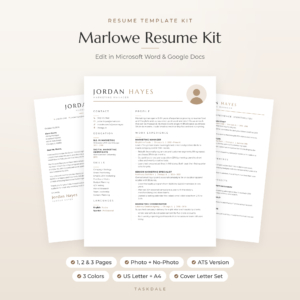
Marlowe Resume Template
Price: $4.79 | Best for: anyone polishing an AI-written draft
Marlowe comes with The Resume Playbook, a 10-page PDF with a three-sentence profile formula, before-and-after bullet examples, 120+ action verbs, ATS tips and a final checklist, which makes a solid yardstick for checking AI wording. The kit itself has 1, 2 and 3 page resumes with and without a photo, an ATS version and matching letters, in three colors and both US Letter and A4. Run your AI draft against the Playbook checklist before you paste it in.
Getting the words into a clean layout
This is where many AI-made CVs fall apart. The text is good, and then it gets pasted into a blank document with default fonts, random spacing and bullet points that do not line up. Or the AI is asked to produce a “designed” CV and returns something with tables that break the moment you open it in Word.
The easier path: keep the AI for words and use a ready-made template for layout. Paste each section as plain text (in Word, use Paste Special and pick unformatted text, or press Ctrl+Shift+V in Google Docs) into the matching placeholder. The template’s styles take over and the page looks right.
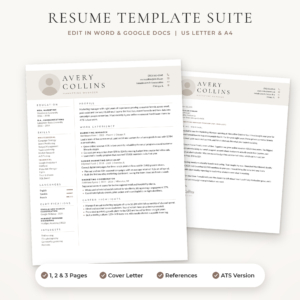
Sloane Resume Template
Price: $4.49 | Best for: people pasting in AI-written text
Sloane is built with real Word styles (Title, Heading 1, Heading 2 and more) and no floating text boxes, so pasted plain text picks up the right look at once. You get a 1-page resume with or without a photo, a 2-page resume, a 3-page CV, an ATS version, a cover letter and a references page in Stone, Sage and Navy, in US Letter and A4. The bonus Resume Writing Toolkit includes an ATS checklist and a cover letter map you can feed straight into your next prompt.
Using an online portal? Upload the plain single-column version. Our ATS resume template guide explains why that version gets read more reliably by screening software.
The cover letter, with the same care
Once your CV is done, the cover letter is quicker, because the AI already has your facts. Ask for a four-paragraph letter: why this role, one story that proves your best skill, how you match two lines from the advert, and a short close. Then cut it by a quarter. AI cover letters always run long.
Keep the letter in the same design as your CV. Our guide to writing a cover letter that matches your resume walks through the structure and shows how to keep the header and fonts consistent.
A template with tip-filled placeholder text helps here too. The tips act like a second set of prompts, telling you what belongs in each part of the page.
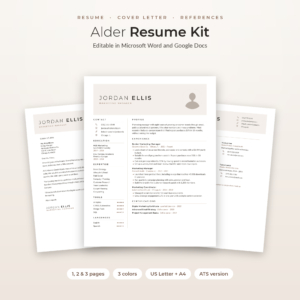
Alder Resume Template with Photo
Price: $4.79 | Best for: job seekers who like guided placeholders
Every line of Alder’s placeholder text is a short tip telling you what to write there, which pairs well with AI drafting. The kit has 1, 2 and 3 page resumes, a no-photo version, an ATS resume, and a matching cover letter, references page and thank-you letter, in Mocha, Sage and Slate, US Letter and A4. An Excel Job Application Tracker with follow-up alerts keeps every tailored version and application in one place.
Mistakes people make when they write a CV with AI
- One giant prompt. “Write my whole CV” gives generic results. Work section by section.
- No raw notes. With nothing real to work from, the AI fills the gap with clichés.
- Accepting invented numbers. If an interviewer asks how you got that 40 percent figure, you need an answer.
- Sending the same AI draft everywhere. Tailoring is the part AI does fastest. Use it for every application.
- Letting it decide what matters. You know which achievement you are proudest of. Put that one first, whatever the AI suggests.
- Skipping the read-aloud. If a sentence sounds odd when you say it, it will sound odd to the reader too.
Frequently asked questions
Is it OK to use AI to write my CV?
Yes, as long as every fact on the page is true and you can talk about it. Employers care that the CV is accurate and readable. Using a tool to tidy your wording is no different from asking a friend to proofread.
Can employers tell if a CV was written by AI?
They often can when it is full of stock phrases and has no real detail. A CV with specific numbers, plain language and your own stories reads as yours, however you drafted it.
What is the best prompt to write a CV with AI?
One that includes your raw notes, a clear task, a word limit and the instruction to use only your facts. Asking it to mark missing numbers with a placeholder stops it inventing figures.
Should I give AI my personal details?
Leave out your address, date of birth and ID numbers. The AI does not need them. Add your name and contact details yourself in the final document.
Can AI make the CV design too?
It can suggest one, but chat tools produce text, and pasted formatting tends to break. A ready-made Word or Google Docs template gives a cleaner result in less time.
How do I make an AI CV pass ATS software?
Use prompt 3 to find the advert’s keywords, include the ones that truthfully fit, and upload a plain single-column version with standard headings such as Experience and Education.
Your next step
Tonight, spend 20 minutes on your raw notes for your most recent job, then run prompt 1 and fill in every [NUMBER?] it gives back. Paste the result into a clean layout such as the Marlowe Resume Template and check it against the Playbook. One strong job section is the hardest part, and after that the rest goes quickly.